
Tech Outages: The Week Microsoft, the FAA, Chase, United, the NSA and Apple All Went Down — and the Scam Wave That Followed
Tech Outages: The Week Microsoft, the FAA, Chase, United, the NSA and Apple All Went Down — and the Scam Wave That Followed
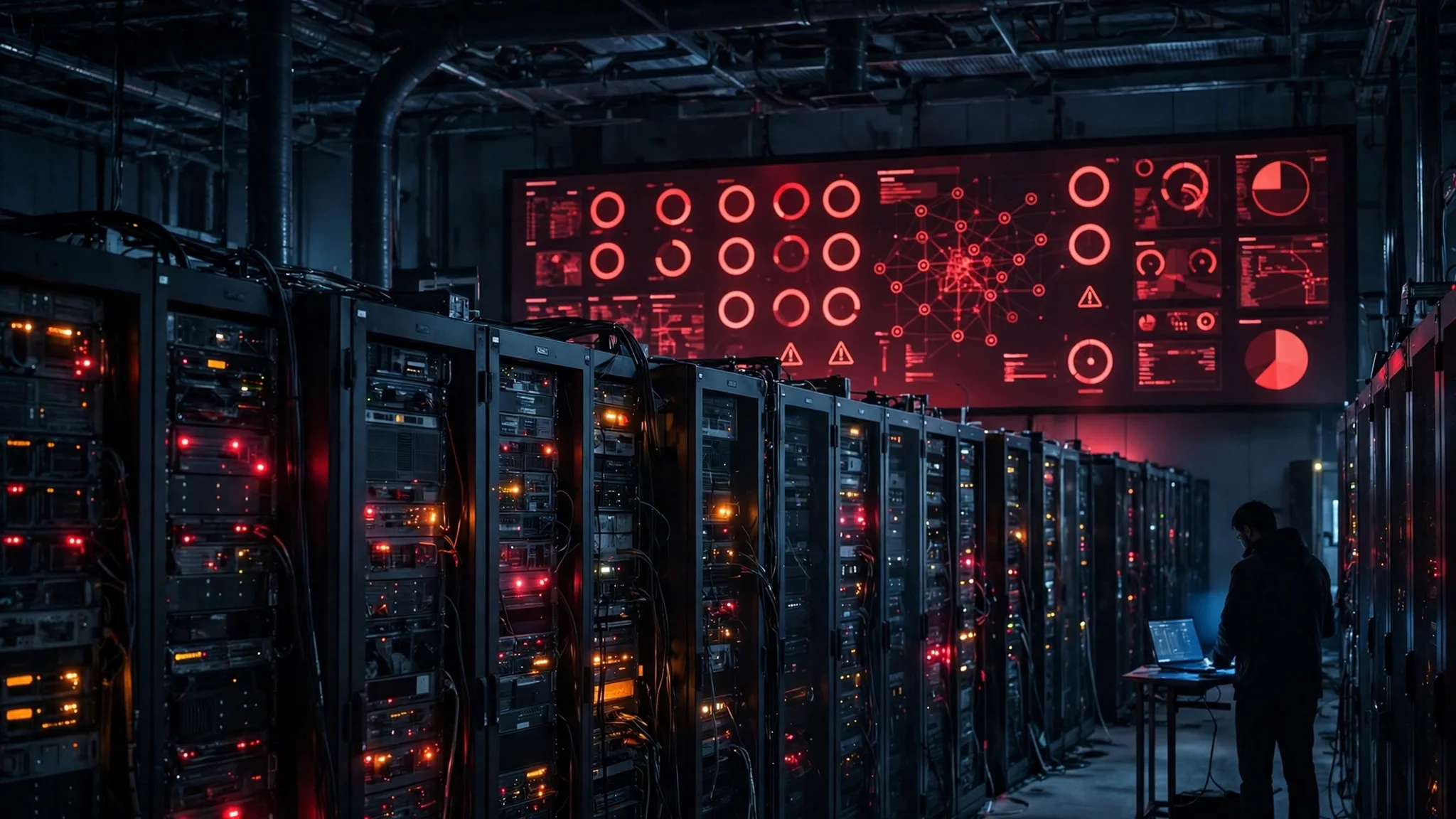
Six days, seven failures, and one search term climbing the charts. "Tech outages" sat at #87 on Google Trends in the United States on Wednesday morning, with 20,000+ searches and rising 100% — because by then, almost everyone in America had personally bumped into at least one of them. Email wouldn't send. Planes wouldn't leave. Bank apps wouldn't open. Then the NSA's own classified network went dark, and Apple users couldn't sign in to their own phones.
The natural conclusion is the scary one: somebody is attacking everything at once. It is also, on the evidence available right now, the wrong one. Every operator that has spoken has blamed its own equipment, its own software, or its own maintenance window, and federal officials have said the same in unusually blunt language. But the story doesn't end there: every one of these failures was followed within hours by the same second wave — fake "your account is locked" texts, fake rebooking emails, fake bank alerts. The outage is the accident. The inbox attack that rides on it is deliberate, and it is the part you can actually defend against.
What follows is the week in order with what each operator actually said, a fast test for telling an outage from an attack — they look identical from your side of the screen and demand opposite responses — and the playbook for the next one.
Six days, seven failures: the week in order
| Date | What went down | What the operator said caused it |
|---|---|---|
| Thu, Nov 12 | Microsoft 365 — Outlook, Teams, Copilot, Exchange Online | Latent defect in a July networking-gateway fix, triggered by a network change |
| Fri, Nov 13 | FAA nationwide ground stop — all US departures held | Router installed during copper-to-fiber work flooded the legacy telecom network |
| Fri, Nov 13–Sat, Nov 14 | Workday — HR and payroll access | Fault in a backup test |
| Mon, Nov 16 | JPMorgan Chase — transaction delays, ripple effects to other banks and Zelle | Chase software bug |
| Mon, Nov 16 | United Airlines — departures held, hundreds of flights delayed | System failure, no cause given |
| Tue, Nov 17 | NSA Net — the NSA's classified internal network | "Temporary degradation during scheduled routine maintenance," per a US official |
| Tue, Nov 17 | Apple — iCloud sign-in, App Store, Apple Music, AppleCare | Internal update |
Thursday, November 12 — Microsoft 365. The run started at about 11:20 a.m. ET, when Microsoft 365 services began failing for customers in at least 74 countries, according to the BBC's count. Outlook, Teams, Copilot and Exchange Online were hit hardest. Microsoft logged the incident as MO1550821, said service was restored after roughly 18 hours, and declared it fully restored at 1:09 a.m. ET on Saturday, November 14. Its preliminary findings blame a latent defect in a fix for its networking gateway servers that began rolling out in July — a defect that sat dormant until a later network change woke it up. Microsoft has said plainly that the incident was a technical issue, not cyber-related, and not caused by AI. A full post-incident report is due by November 20. One number that shows the scale: Morningstar DBRS estimated insured losses from the outage at $300 million to $500 million. That is the bill for a bug in a gateway, not a breach.
Friday, November 13 — the FAA. A day later, air traffic control's own network failed. The FAA issued a nationwide ground stop at about 3:54 p.m. ET and lifted it at about 8:15 p.m. — the longest such stop in years, and only the second nationwide ground stop since 2001. The trigger, according to Transportation Secretary Sean Duffy, was a router installed at an FAA radio site in El Dorado, Arkansas, during L3Harris-managed work replacing copper circuits with fiber. The legacy network was flooded with data at roughly 1,000 connection attempts every four to five seconds, destabilising communications and radar data across 17 of the FAA's 22 en-route control centres. About 12,462 flights were cancelled that day, though the FAA itself notes that not every cancellation was caused by the ground stop. The agency said it had no indication the event was a cyberattack. Every aircraft already in the air landed safely.
Friday, November 13 — Workday. The same day, Workday's HR platform suffered a disruption affecting HR and payroll access, caused by a fault in a backup test; service was restored by November 14. On a normal week that is a story. This week it was a footnote.
Monday, November 16 — Chase and United. Monday brought two at once. A software bug at JPMorgan Chase disrupted transactions, including some payments involving other banks and Zelle — thousands of customers at Chase, Bank of America, Wells Fargo and US Bank reported problems, though several of those banks were not themselves broken; the fault was Chase's, and the ripple was the story. The same day, United Airlines announced a "widespread system outage" just before 5 p.m. ET and held departures for about an hour and a half, delaying around 600 flights by Monday evening. United resolved it that evening, said there was no indication of a cyberattack, and has not given a cause. Japan's NTT Docomo suffered switch congestion the same day, a reminder that the week was not only an American story.
Tuesday, November 17 — the NSA, then Apple. Tuesday morning, CNN reported at about 10:30 a.m. ET, citing six people familiar with the matter, that NSA Net — the National Security Agency's classified internal communications network — had been disrupted, and the agency staggered staff arrivals at Fort Meade, Maryland. A US official later described it as "temporary degradation during scheduled routine maintenance." The White House said there was no evidence of a cyberattack. Hours later, Apple joined the list: from 11:45 a.m. ET, iCloud Account and Sign In was slow or unavailable for all users, alongside outages for the App Store, Apple Music and AppleCare on Device. Apple later said an internal update caused the problems — "Many of our systems are back up and running after an internal update caused some outages this morning" — and services were being restored by about 5 p.m. ET. Marriott reported sign-in and reservation problems the same day, and Google said it saw no evidence of a broad Gmail disruption.
That is the week. Seven failures, six days, and not one of them — on the operators' own accounts — caused by an attacker.
Outage or attack? The 60-second test
Here is the uncomfortable part: from where you sit, an outage and an attack look exactly the same. The app won't open. The sign-in spins. The website shows an error. The difference matters because the response is opposite — during an outage you wait and use another channel; during an attack you change passwords, revoke sessions, and check statements. So here is the test I use, and it takes about a minute.
Check the operator's own status page first, not the rumour mill. Apple, Microsoft, Chase and United all run status pages, and this week they were the fastest reliable source — Apple's listed its four affected services while the outage was still running, and Microsoft's service-health record MO1550821 carried timed updates. If the status page says "investigating" or lists a known issue, you are almost certainly looking at an outage. Attackers do not file status-page updates.
Listen for the cause language. Outages get boring, specific causes: a gateway fix, a router install, a backup test, a software bug, a maintenance window. Attacks get vague, legalistic language: "unauthorised access," "a security incident," "we are investigating with law enforcement." This week, the one genuine attack used exactly that language. While the outages were piling up, attackers had compromised Optimizely, a web experimentation platform, injecting malicious JavaScript onto the websites of 178 organisations — Zoom, the BBC, CNN, Salesforce, GitLab, IKEA, HSBC, Equifax, Air France-KLM, Ledger and Peacock among them — to steal credit card numbers and cryptocurrency and plant exploit code on iPhones. Researcher Scott Helme, who uncovered it, counted 188 infected scripts; the attack ran for about 18 hours, and the attackers' crypto wallets received roughly $7,040 within about nine hours on November 16. Optimizely's statement was the tell: it had "identified and contained a security incident affecting some Optimizely Web Experimentation customers," blocked the vulnerable path, and removed the injected code. That is attack language, and it was the only incident this week that used it. Three other genuine cyber incidents were also disclosed this week — at Ipsos, Infoblox and Equinor — and all three are distinct from the outages.
Watch what the officials rule out, and how firmly. National Cyber Director Sean Cairncross said the FAA stop and Monday's outages were "not any sort of coordinated, nefarious cyberattack." Homeland Security Secretary Markwayne Mullin said the recent tech problems were not tied to cyberattacks. Those are unusually categorical denials — officials hedge when they are unsure. A Johns Hopkins security expert put the standard plainly to Katie Couric Media: timing alone proves nothing; investigators need a shared technology provider, a common vulnerability, or the same malicious infrastructure in the logs before they can call separate failures one event. None of that evidence has appeared. The outages share a week, not a cause.
Check whether only one thing is broken, or everything you own. An outage breaks one service. An attack on your account breaks your account across services — password changed, sessions logged out everywhere, recovery email swapped. If iCloud is down but your bank app works, your Gmail works, and your phone still gets texts, the problem is Apple's, not yours. That single observation settles most panics.
The second outage hits your inbox
The outages were accidents. The wave that followed them was not. Every major outage produces the same predictable second event: a flood of phishing built from the outage itself. The scammers do not need to hack anything. They just need you to expect an email.
Think about what an outage does to a normal person's behaviour. Your bank app won't open, so you are primed to click a text that says "Chase: unusual activity detected, verify your account here." Your flight was delayed, so a "rebooking confirmation" email lands exactly when you are waiting for one. Your Apple ID won't sign in, so a message saying "Your Apple ID has been locked, restore access now" feels like the explanation you were looking for. We documented all three patterns in our own coverage this week: the fake "Apple ID locked" texts that circulated during the Apple outage, the fake rebooking emails that followed United's system failure, and the scam messages that rode the Chase outage. The scammers were not guessing — they were reading the same news you were, and moving faster.
Outage phishing works better than ordinary phishing for three reasons. First, urgency is real: you actually need your bank, your flight, or your Apple ID right now. Second, the normal verification channel is broken: you cannot open the app to check the alert, because the app is down. Third, support channels are jammed with real outage complaints, so a fake support number faces less competition. Add the FBI's warning from November 13 — state-aligned hackers exploiting ARTEX, an AI-powered penetration-testing framework, reaching privileged access in under three hours in some cases — and the window between "service goes down" and "fake service emails arrive" is measured in minutes, not days.
The defence is not complicated, but it has to be decided in advance, because during an outage you will not be thinking clearly. Never click a password-reset or "verify your account" link from an email or text while the service is down. If you need to check something, type the address yourself or open the app you already have — and if that app is down, wait. Treat any message that arrives during an outage as guilty until proven innocent, especially one that mentions the outage by name. And keep the address you use for important accounts separate from the address you hand out everywhere else.
The playbook: five moves while the big services are down
One: check the status page, then stop refreshing. Open the operator's status page once, note what it says, and set a time to check again in an hour. Compulsive refreshing does not restore service, and it does burn the one thing you need — attention — on a problem you cannot fix. Downdetector spikes tell you other people are affected; they do not tell you when service returns.
Two: switch channels, don't force the broken one. If Outlook is down, use your phone's mail app or webmail on another provider. If the bank app won't open, use the phone number on the back of your card — typed from the card, not from a search result or a text message. If a flight is delayed, the gate agent and the airline's phone line are the source of truth, not an email that arrives conveniently while you wait.
Three: freeze password resets until service returns. A reset link sent while the provider is down may arrive late, expire, or — worse — be indistinguishable from the fake reset links circulating at the same time. If you can log in, don't change anything until the status page says the service is healthy. If you can't log in, that is usually the outage, not a compromised account. The exception is if you see evidence of actual account changes — a changed recovery email, an unfamiliar session — in which case use the provider's account-recovery page directly, typed by hand.
Four: give signups a disposable address, especially during an outage. This is the move most people skip, and it is the one that pays off longest. When a service is down, companies push you toward "create an account to get updates" or "sign up for outage alerts" — and every one of those forms is a new copy of your real address in a new database, collected at the exact moment scammers are most active. Use a temporary address for those signups instead. It receives the confirmation and the updates, and when the outage ends you delete it, so the address never becomes a permanent target. I checked the tool while writing this: opening the temp mail homepage issued a fresh address automatically, on the free rover.info domain, with a live inbox that auto-refreshes and a 30-day expiry — no sign-up, no form, no waiting. The counter on the page showed 483,200 emails created and 609,973 messages received at the time I checked. One honest limit: I confirmed the address is issued and the inbox renders; I did not send a test message to it, so this is a check of issuance, not end-to-end delivery.
Five: keep a written list of what you did during the outage. Screenshot the error, save the confirmation number, note the time. If a charge appears twice, a booking vanishes, or a password reset behaves strangely in the days after, that record is the difference between a five-minute support call and a week-long dispute. Outages create billing errors more often than they create breaches, and billing errors are settled with evidence.
What this week actually proved
The reassuring story is that seven big systems failed in six days and none of them was an attack. The less reassuring story is that it didn't matter: the week still produced a real supply-chain attack at Optimizely, real warnings about AI-powered intrusion tooling from the FBI, and a textbook demonstration that outages are now a phishing season. The systems failed for boring reasons — a gateway fix from July, a router in Arkansas, a backup test, a software bug, a maintenance window, an internal update. Modern infrastructure is a stack of other people's software, and a defect in any layer can take down services used by millions, with nobody attacking anyone.
The right response is not paranoia but procedure. You cannot prevent Microsoft's gateway from failing or the FAA's router from flooding a network. You can decide, before the next outage week, that your important accounts live behind an address you never hand out, that you never click a reset link from an email during an outage, and that you check the status page once instead of the rumour mill all day. The outages will keep coming. The scam wave will keep following them. The gap between those two facts is where your inbox lives, and it is the only part of the week you control.
FAQ
Are the tech outages a cyberattack? No, on the evidence available. Microsoft, the FAA, Chase, United, the NSA and Apple each blamed a technical fault — a gateway defect, a router install, a software bug, a maintenance window, or an internal update — and federal officials including National Cyber Director Sean Cairncross have said the incidents were not a coordinated cyberattack. A separate, genuine attack on Optimizely did happen the same week, which is why the confusion is understandable, but the outages and the attack are different events.
Was my data stolen in the outages? An outage by itself does not expose your data — a service that is down is generally not serving your data to anyone. The risk is the phishing that follows: fake "account locked," "rebooking," and "bank alert" messages that arrive while the service is down. If you clicked a link in one of those messages, change that password from the provider's real site and check recent account activity.
Why do outages cause so many scam emails? Because outages make people expect urgent messages from the affected company, break the normal way of verifying those messages (the app is down), and jam support channels. Scammers reuse the outage's own language — "service restored," "verify your account," "rebooking" — so the fake message matches what you are already waiting for.
What should I do first when a service I use goes down? Check the operator's status page once, then switch to another channel — a different app, the phone number on your card, or the gate agent. Don't click password-reset or verification links from emails or texts while the service is down, and don't change passwords until it is healthy again.
Can I use a temporary email during an outage? Yes, and an outage week is one of the best times to do it. Use a disposable address for "sign up for updates" forms and new accounts created during the disruption, so your real address is not sitting in another database collected at the moment scammers are most active. Delete the temporary address when the outage ends.
How do I check if a service is really down? Start with the operator's own status page — Apple, Microsoft, Chase and United all publish one. Downdetector confirms other people are affected, but only the status page says what is broken and when it is fixed. If the status page says everything is fine but you still can't sign in, the problem is more likely your account or your connection.
Need a disposable temporary email?
Protect your real inbox from spam and promotional clutter instantly and free.
Received a suspicious email, text, or charge alert?
Verify whether the sender domain is disposable, spoofed, or unverified before clicking links.