
SSL Secure Email: What the 'SSL' Setting in Your Mail App Actually Does
SSL Secure Email: What the 'SSL' Setting in Your Mail App Actually Does
Open your mail app's account settings and look at the security dropdown. It probably says one of four things: SSL, SSL/TLS, STARTTLS, or None. Pick the wrong one and your mail stops working, or worse, it keeps working without encryption and never tells you. Pick the right one and you still have not done what most people think you have done — because the word on that dropdown is a lie, or at least a fossil. SSL is dead. It has been dead for a decade. What your mail app calls SSL is TLS wearing its grandfather's name tag, and understanding that single fact clears up nearly every confusion people have about "SSL secure email."
This article decodes the dropdown, the ports, and the certificate — and then tells you plainly what all of it does not protect, because that is the part the settings menu never mentions.
The four words in the dropdown, decoded
Every mail app hides the same four options behind slightly different labels. Here is what each one actually instructs your app to do.
SSL (or SSL/TLS). Encrypt the connection from the very first byte, before a single word of mail protocol is spoken. The app opens a TLS session and only then starts talking SMTP, IMAP, or POP3. This is the safest option on the list, and it is the one you should pick whenever it is offered. The name is wrong — it is TLS doing the work — but the behaviour is right.
STARTTLS. Connect in plain text first, then upgrade the same connection to TLS before anything sensitive is sent. The connection starts unencrypted and becomes encrypted mid-conversation. This is how port 587 submission works, and it is fine when it works — but it has a failure mode SSL/TLS does not: if the upgrade step fails or is stripped by an attacker, some apps fall back to plain text and send your password anyway. Modern apps should refuse rather than fall back. Older ones do not always.
None. No encryption at all. Your username, your password, and your messages travel in readable text across whatever network you are on. There is no legitimate reason to choose this in 2026 for a real account. If a provider's setup guide tells you to pick it, that provider has a problem, and you should not be sending mail through it.
TLS (on its own). Some apps list this separately from SSL/TLS. It means the same thing as SSL/TLS in practice: implicit TLS from the first byte. The label varies; the behaviour does not.
The honest summary is short. If the app offers SSL/TLS, take it. If it only offers STARTTLS, take that, and check that the app is configured to require the upgrade rather than merely attempt it. If it offers None, close the settings and reconsider the account.
Why it still says SSL when SSL died in 2015
The naming confusion is not sloppiness. It is history that nobody bothered to rename.
SSL — Secure Sockets Layer — was the original protocol, built in the 1990s. It went through versions 2.0 and 3.0, and both are now retired because of known security flaws. The fatal blow to SSL 3.0 came in October 2014, when Google researchers published the POODLE attack, which let an attacker decrypt protected traffic. After that, nobody serious kept SSL switched on.
Its successor, TLS — Transport Layer Security — took over, and it has been the protocol actually running underneath the "SSL" label ever since. TLS 1.0 and 1.1 were formally deprecated in March 2021 by RFC 8996. What runs today is TLS 1.2 and TLS 1.3, standardised in 2018. So when your mail app says SSL, it means TLS 1.2 or 1.3 in practice, and when a settings page says "SSL/TLS," it is hedging: the label covers both the old name people recognise and the protocol that actually runs.
This matters for one practical reason. If you ever see a server or a guide offering actual SSL — SSL 2.0, SSL 3.0, TLS 1.0 — that is not a harmless legacy option. It is a vulnerability with a menu entry. The right response is to disable it, not to tolerate it because the connection still works.
The port card: 465, 587, 993, 995
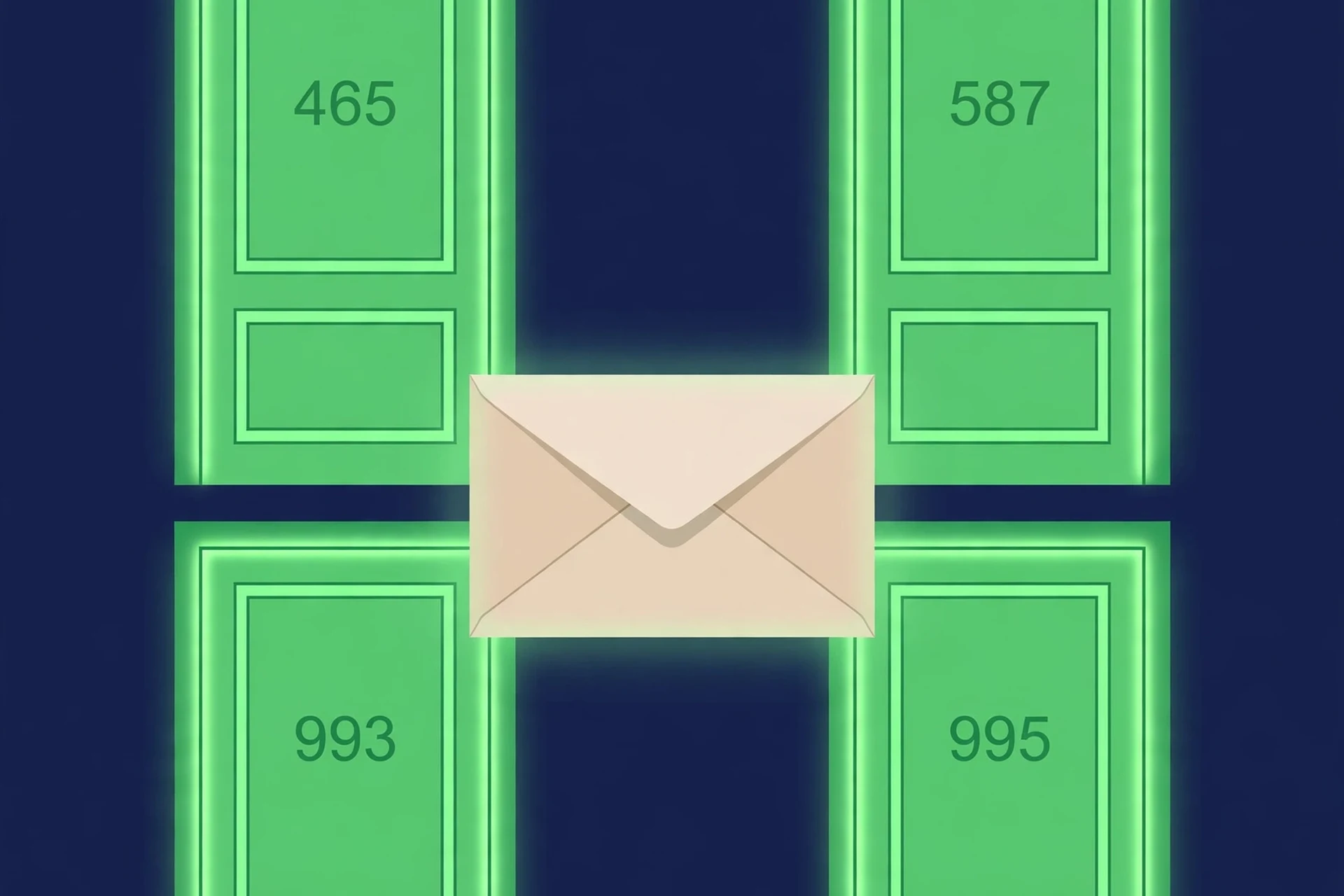
The dropdown and the port work as a pair. The port decides which door your app knocks on; the security setting decides whether the conversation through that door is encrypted. Get the pair wrong and the connection fails outright, which is at least honest — the dangerous misconfiguration is the one that succeeds without encryption.
| Job | Port | Security setting | How encryption starts |
|---|---|---|---|
| Send mail (SMTP submission) | 465 | SSL/TLS | Implicit TLS — encrypted from the first byte (RFC 8314) |
| Send mail (SMTP submission) | 587 | STARTTLS | Plain text, then upgraded to TLS |
| Read mail (IMAP) | 993 | SSL/TLS | Implicit TLS from the first byte |
| Download mail (POP3) | 995 | SSL/TLS | Implicit TLS from the first byte |
| Send mail (SMTP relay) | 25 | — | Server-to-server; not for your mail app |
Three things in that table are worth saying out loud. First, 465 and 587 both send your mail, and both are legitimate — 465 is the safer design because there is no unencrypted opening for an attacker to interfere with, while 587 is the more widely supported one. If your provider offers 465, use it. Second, port 25 is not yours. It is the original SMTP relay port, meant for server-to-server traffic, and it is the port most often left unencrypted and most often blocked by ISPs. If your mail app is somehow configured to send on port 25, change it. Third, the receiving side mirrors the sending side: IMAP on 993 and POP3 on 995 are the encrypted versions of protocols that also exist unencrypted on ports 143 and 110, and those unencrypted versions should not exist in 2026.
One more detail from the table that trips people up: POP3 on 995 is fine, but POP3 itself is the older receiving protocol — it downloads messages to one device and usually deletes them from the server. IMAP on 993 is the modern standard, keeping messages on the server and syncing across devices. The encryption is the same quality either way; the difference is what happens to your mail after it arrives.
What I checked tonight — and what I could not
I do not trust a port table I have only read, so before writing this I tried to verify the claims directly from my own machine. Here is exactly what happened, including the part that failed, because a security article that only reports the checks that worked is selling you something.
First, the control test. I opened a TLS connection to a plain website, example.com on port 443, and it negotiated TLS 1.3 with the cipher TLS_AES_256_GCM_SHA384 — the current standard, verified cleanly, in under a second. That proves the test setup works and that modern TLS is what the internet actually runs today.
Second, the real test. I tried to open a TCP connection to Gmail's mail servers — imap.gmail.com on port 993 — and the connection succeeded. The port is listening, exactly as the table says it should be. But when I tried to complete the TLS handshake on that port, and then on smtp.gmail.com port 465 and outlook.office365.com port 993, the connections hung and never completed from this machine. Three attempts, three hangs, on two providers. The same machine that negotiates TLS 1.3 to a website in under a second cannot finish a handshake to a mail port at all.
I am not going to dress that up as a result about Gmail or Outlook. The likeliest explanation is the network I am working from: the same route that cannot reach this site's own host tonight — tempomailusa.com and its cPanel return nothing from this machine while the site itself is provably alive — is evidently filtering or blackholing mail ports too. A failed check from one vantage point proves nothing about the server, and I will not pretend otherwise.
So the port table above is not verified by my own handshake. It is verified a different way: three independent published sources — Guardian Digital's SSL/TLS email guide, MigoSMTP's SSL explainer, and IONOS's email encryption guide — agree on every row of it, and they agree with the protocol standards (RFC 8314 for implicit TLS on 465, RFC 8996 for the TLS 1.0/1.1 deprecation). When three sources and the RFCs all say the same thing, that is a solid table. When my own handshake hangs, that is a fact about my network, and I have said so.
The certificate: the part nobody checks
There is a second thing the word SSL can mean, and it is the one that causes the most confusion. An "email SSL certificate" usually refers to a mail server's TLS certificate — the document the server presents during the handshake to prove it is who it claims to be. It carries a public key; the matching private key stays with the server operator.
Here is how that plays out in practice. Your mail app connects to imap.gmail.com, the server presents a certificate for that name, and your app checks two things: the certificate is signed by an authority your system trusts, and the name on it matches the server you asked for. If both pass, the encrypted connection proceeds. If either fails, you get the warning every mail user has seen at least once: "certificate not trusted" or "the identity of the server cannot be verified."
That warning is the certificate doing its job, and the correct response is almost never to click past it. A mismatched certificate is exactly what a connection to an impostor server looks like. The legitimate causes — a server migration, a misconfigured hostname — exist, but they are the provider's problem to fix, not yours to dismiss. If the warning appears on an account that worked yesterday, stop and ask the provider before you send anything, because the one thing you should never do is train yourself to ignore the warning that exists to catch impersonation.
A different certificate lives on the other side of email encryption: S/MIME certificates, which encrypt the message itself rather than the connection. Same word, different object. A server certificate proves you reached the right server. An S/MIME certificate lets you scramble a message so only the recipient can open it. Confusing the two is how people end up believing their mail is end-to-end encrypted because they saw a certificate mentioned somewhere. Our plain-English explainer on what an encrypted email actually is works through that distinction, including what an encrypted message looks like when you open one — which is, anticlimactically, exactly like a normal message.
What SSL does not protect

This is the section the settings menu should show and never does. SSL — meaning TLS on the connection — protects exactly one thing: the connection. It scrambles the conversation between your app and the server, and between servers that both support it. Everything else in the life of an email is outside it.
It does not protect the message at rest. The moment your email arrives at your provider's server, it sits there in readable form. The provider can scan it, a court order can compel it, a breach can expose it. Encryption at rest — scrambling the stored copy on disk — helps against a stolen hard drive, but the provider holds that key too, on the same premises. Our guide to whether encrypted email is actually secure tests this claim live, and the verdict is blunt: TLS alone is not enough against your own provider.
It is not end-to-end encryption. Systems such as S/MIME and OpenPGP encrypt the content so only the recipient can open it. TLS never does that. The distinction is the difference between an armoured truck and a sealed envelope: the truck protects the road, the envelope protects the letter, and your mail travels in the truck with the envelope open. If the content itself must stay private from the providers carrying it, you need the envelope, not just the truck.
It does not hide who emailed whom. The sender, recipient, timestamps, and usually the subject line travel in the clear, because the mail system needs them to deliver the message at all. A message with the subject "Your test results" leaks its most sensitive fact to every server it passes through, even when the body is encrypted. If the metadata is what worries you, encryption is the wrong tool — what you want is to not have your identity attached to the message in the first place. A temporary email address for signups and one-off contacts is the cheapest version of that: the address that receives the verification code is never attached to your name.
It does not cover the whole journey. Between two big providers, encryption in transit is close to universal — Google's Transparency Report puts about 97% of outbound Gmail mail as encrypted in transit, up from about 73% when the report launched in 2014. But encryption between servers is opportunistic: if the other side does not support it, most servers fall back to plain text and deliver anyway. The route matters, and you cannot see the route from your inbox. Our guide to secure email protocols follows one email through every hop and shows exactly where the protection switches on and off — including the downgrade nobody warns you about.
It does not stop phishing. An encrypted phishing email is still a phishing email, arguably a more convincing one, because the padlock feels like a guarantee. TLS proves the message was not altered in transit. It says nothing about whether the sender is who they claim to be.
The two-minute check: is my email actually using SSL?
Knowing the theory is useless if your own account is quietly sending in the clear. Here is the check, per app, and it takes about two minutes.
Gmail (web). Open any message, click the three dots, then "Show original." The first lines tell you the transport story: look for the TLS version the message arrived over. In the message view itself, the small lock icon next to the sender's details tells the same story in miniature — grey for standard TLS, green for S/MIME, blue for client-side encryption. Grey is the normal, correct answer for ordinary mail. No lock at all is the answer that should worry you.
Outlook. Open the account settings and look at the server entries. Outgoing SMTP should be port 465 with SSL/TLS or 587 with STARTTLS. Incoming IMAP should be 993 with SSL/TLS. If any of them says None, or shows port 25, 143, or 110, change it. Outlook also hands some encrypted messages to you as a "view the message" link rather than the body — that is S/MIME or Office 365 encryption working, not a failure.
Apple Mail. Go to Mail, then Settings, then your account, then Server Settings. The checkbox is literally labelled "Use TLS/SSL" — the fossil name, right there in Apple's own interface. It should be ticked for both incoming and outgoing servers. If it is unticked, your mail app has been talking in the clear.
Any app, the port test. The fastest check of all: look at the port numbers. 465, 587, 993, 995 mean the encrypted doors. 25, 143, 110 mean the unencrypted ones. If you see an unencrypted port on a real account, that is the fix — change the port and the security setting together, because the two are a pair, and changing one without the other is how connections break.
When SSL is not enough — and what to use instead
For everyday mail — newsletters, receipts, friends, signup codes — SSL is enough. Your threat is network snooping, and TLS kills it. Do not lose sleep over this, and do not let anyone sell you a product to fix a problem you do not have.
The moment the content itself would harm you if a third party read it — medical records, legal documents, financial details, trade secrets — SSL is not enough, and the honest next step depends on who you are emailing. Inside one organisation, S/MIME is the answer businesses actually use, because IT can issue the certificates centrally. Between two committed individuals, PGP is the strongest option email offers, and has been since 1991. Between two users of the same secure provider, the built-in end-to-end encryption does the job with no setup at all.
And there is a case where the encryption question is the wrong question entirely: when the risk is not interception but the mail being tied to your identity. A verification code, a newsletter signup, a free trial — the message is worthless five minutes after it arrives, and the thing worth protecting is your real address, not the code. That is a different problem with a different tool, and the tool is a disposable inbox, not a cipher.
One more place SSL meets its limit is at the company boundary. A secure email gateway sits in the mail flow and inspects messages before delivery — which means it decrypts them to look inside, then re-encrypts them onward. That is the job, and it is also a reminder that "encrypted in transit" always meant "encrypted on each leg, readable at each stop." Our guide to what a secure email gateway is walks through the five checks a message goes through at that checkpoint, and the three things a gateway cannot see — including internal mail, which never crosses the road at all.
The rule I use, after years of watching people over-invest in ciphers and under-invest in everything else: if losing the message would hurt you, encrypt it. If keeping the address would hurt you, dispose of it. And whatever you do, check the dropdown. The setting is two clicks away, the name on it is ten years out of date, and the difference between SSL/TLS and None is the difference between a private conversation and a postcard.
FAQ
Is SSL email end-to-end encrypted? No. SSL — really TLS — encrypts the connection between your app and the server, and between servers that support it. The message sits readable on every server it passes through. End-to-end encryption, where only the recipient can open the message, needs S/MIME, PGP, or a provider that builds it in.
Is SSL the same as TLS? Not quite, but for your settings menu, effectively yes. SSL is the retired predecessor; TLS is what actually runs today. Mail apps kept the old label because everyone recognises it. When a setting says "SSL/TLS," it means TLS.
Which port should I use for sending email? Port 465 with SSL/TLS if your provider offers it — encryption from the first byte. Port 587 with STARTTLS is the common alternative and is fine when the app requires the upgrade. Never use port 25 for sending from a mail app.
What is an email SSL certificate? Usually, the mail server's TLS certificate — the document the server presents to prove its identity during the handshake. It is not the same as an S/MIME certificate, which encrypts the message itself. One proves you reached the right server; the other scrambles the letter.
Does SSL protect my email from my email provider? No. Your provider terminates the TLS connection, which means it sees the message in readable form. Only end-to-end encryption changes that, and only if both ends use it.
Why does my mail app still say SSL if SSL is dead? Because the name stuck. SSL 3.0 was killed by the POODLE attack in 2014, TLS 1.0 and 1.1 were deprecated in 2021, and TLS 1.2 and 1.3 are what runs now — but the label in the menu was never updated. Treat "SSL" in settings as a synonym for TLS, and treat any server actually offering SSL 3.0 as a vulnerability.
Does SSL secure email work with temporary email addresses? The connection to a disposable inbox is protected the same way as any other webmail — the inbox page loads over HTTPS, which is TLS. What a temporary address protects is your identity, not your messages: the code arrives over an encrypted connection and sits readable in the inbox, same as anywhere else. Use temp mail for signups, not for secrets.
Need a disposable temporary email?
Protect your real inbox from spam and promotional clutter instantly and free.
Received a suspicious email, text, or charge alert?
Verify whether the sender domain is disposable, spoofed, or unverified before clicking links.