

Punchbowl Scam Email: How to Tell a Real Punchbowl Invite From a Fake One
Punchbowl Scam Email: How to Tell a Real Punchbowl Invite From a Fake One
Somebody you know is having a birthday. The invitation arrives in your inbox, it looks like Punchbowl, it has your friend's name on it, and the RSVP button is right there. You click it because that is what you do with invitations. That reflex is the whole scam.
Punchbowl is a big enough target to be worth impersonating. The company was founded in 2006 in Framingham, Massachusetts, launched its invitation service in 2007, and said in 2017 that more than 120 million invitations and digital greeting cards had been sent on its platform. A third-party traffic estimate puts the site at roughly 4.1 million visits a month in 2026. Every one of those invitations is an email somebody expects to receive, which makes a fake one almost invisible in a busy inbox. Punchbowl itself says it has received reports of phishing emails imitating its brand, and it keeps a help page specifically for telling the real ones from the fakes.
This is not a theoretical warning. I signed up for Punchbowl this morning with a disposable address to see what a genuine Punchbowl email actually looks like — the sender, the subject, the links, the whole thing — so I could compare it against the fake version properly instead of repeating the usual advice from memory. The test turned up one thing I did not expect: even the real email breaks one of Punchbowl's own rules. That matters, because the standard advice people get about this scam is half wrong, and the half that is wrong is the part that tells you to trust the link.
The invite that isn't from your friend
The scam works because it borrows trust twice. First it borrows Punchbowl's brand, which most people associate with birthday parties and baby showers, not with security warnings. Then it borrows a real person's name — yours, or someone in your contacts — so the message arrives wearing a face you recognise. ScamAdviser's write-up of the pattern describes fakes that copy the platform's layout closely enough to pass a quick glance, and Aura's reporting on the same wave notes that the familiar name at the top is what makes people open the message without thinking. Both are describing the same mechanism: the email is not trying to convince you it is from Punchbowl. It is trying to convince you it is from your friend, and Punchbowl is just the envelope.
There are two ways the fake arrives. The common one is a direct forgery: an email that looks like a Punchbowl invitation, sent from some unrelated address, with an RSVP button that leads to a lookalike sign-in page. The second is worse. The scammer gets into a real person's email account — often through an earlier phishing email exactly like this one — and the fake invitations go out from that person's actual address book, to their actual contacts, with their actual name on them. When that happens, the "check whether you know the sender" advice collapses completely, because you do know the sender. Their account is simply not theirs at the moment.
That is why I am blunt about this: checking the sender's name is not a verification method. It is a first filter. The verification comes later, and it takes about a minute.
What the fake email is actually after
A fake Punchbowl email has one of two payloads, and knowing which one you are looking at changes what you should worry about.
The first payload is your email password. The RSVP button takes you to a page that looks like a Punchbowl sign-in, or sometimes like your own email provider's sign-in, and asks you to log in to view the invitation. Punchbowl's own help page is explicit that this never happens with a real invitation: all Punchbowl invitations and digital cards can be viewed without signing in to an account, and if you are asked to sign in, you should not enter any personal information. A login wall on an invitation is not a grey area. It is the scam, announcing itself. The reason the scammer wants your email password rather than your Punchbowl password is leverage: an email account is the recovery address for everything else you own, and it is also an address book full of new victims. One password hands them both.
The second payload is malware. The email carries an attachment, or a button that downloads a file or an app you supposedly need to view the invitation. Real Punchbowl emails never contain an attachment — again, that is Punchbowl's own rule, not mine — and a real invitation never requires you to download anything. If viewing a birthday invitation requires installing software, you are not viewing a birthday invitation.
Both payloads rely on the same pressure: the feeling that you should respond quickly because somebody is waiting on your RSVP. Scam emails are built around that urgency. A real invitation will still be there in an hour. A fake one wants you to decide in ten seconds.
I signed up with a throwaway address to see the real thing
Advice about spotting fakes is cheap when it comes from people who have never looked at the real thing. So at about 09:15 IST this morning I generated a fresh temporary address on TempMailUSA — svhuj35@rover.info, a free inbox with a 30-day expiry — and used it to create a Punchbowl account. Here is exactly what happened.
Punchbowl accepted the temporary address without hesitation. The signup form asked for a first name, a last name, an email address, and a password typed twice. It did not ask for a phone number, a home address, or any payment. There was an invisible reCAPTCHA on the form, but I was never shown a puzzle or a bot check. After I clicked sign up, the page went straight to a dashboard headed "Welcome, Test" — no email verification step stood between signup and the account. That is worth knowing for two reasons: a scammer can create a Punchbowl account as easily as you can, and a disposable address works fine for a real Punchbowl account, which is the basis for the RSVP habit I describe later in this article.
The email arrived about three minutes later. The sender was mail@mail.punchbowl.com. The subject was "Thanks for joining Punchbowl". And here is the part that surprised me: it was not a verification email at all. There was no code, no "verify your email" button, and no request to sign in to anything. It was a welcome message promoting digital greeting cards, with an account-information section confirming the address I had registered with and a password-reset link. No attachment was listed anywhere on the message.
Two honest caveats about the test. First, the temporary inbox was not pristine when I opened it: it already contained two Descript emails addressed to whoever had used that address before me. Temporary addresses get recycled, and TempMailUSA itself warns that the inbox is public — anyone who has the address can read it. I did not open those messages, but their presence is a useful reminder that a disposable address is a shield, not a vault. Second, the site's own timestamps disagreed with each other by hours, so I am not going to quote precise delivery times beyond "about three minutes after signup".
The important finding is simpler: the genuine Punchbowl email I received looked almost nothing like the thing people imagine when they picture a verification email. No code, no confirm button, no urgency. If the email in your inbox is demanding that you verify something right now, that urgency is itself evidence — because the real one did not bother.

The 60-second check that settles it
Forget the design. Fakes copy the design. Check the four things that are hard to fake cheaply, in this order, and do not click anything until you have checked all four.
| Check | Real Punchbowl email | Fake |
|---|---|---|
| Sender address | mail@mail.punchbowl.com for invitations and cards; help@punchbowl.com for support | Any Gmail, Yahoo, or lookalike domain; a friend's name on a random address |
| Links | Invitation links go to punchbowl.com (see the caveat below) | Any other domain, a misspelled domain, or a URL shortener |
| Attachments | Never any | A PDF, ZIP, or "app" you must download to view the invite |
| Sign-in | Never required to view an invitation | A login page before you can see the party details |
The sender rule has one more detail worth knowing. Punchbowl lists eight legitimate sending addresses: mail@mail.punchbowl.com, help@punchbowl.com, info@punchbowl.com, privacy@punchbowl.com, security@punchbowl.com, support@punchbowl.com, updates@punchbowl.com, and accessibility@punchbowl.com. Invitations and greeting cards come from the first one. If the address is not on that list, the email is not from Punchbowl, whatever the display name says. Display names are free. Anybody can put "Punchbowl" or your friend's name in the display field; the address underneath is the part that costs effort to fake, and most scammers do not bother.
Text messages follow the same logic. Punchbowl says legitimate invitation texts inside the US come from the short code 90403, and outside the US from 877-642-0804 or 844-561-0209. A text about an invitation from any other number is not Punchbowl.
If all four checks pass, you are probably looking at the real thing. If any one fails, stop. The correct next step is not to reply to the email and ask whether it is real — that just confirms your address is live. The correct step is to open a browser, type punchbowl.com yourself, and check whether the invitation exists there. Or text the friend whose name is on it and ask whether they sent anything. Both take less than a minute, and neither involves clicking the thing you are unsure about.
The part Punchbowl's own help page gets awkward
Here is the finding that complicates the neat checklist above. Punchbowl's help page says invitation and card links "always start with https://www.punchbowl.com". But the genuine welcome email I received this morning does not do that. Every button I inspected — the card browser, the get-started button, the password-reset link, the help centre link — pointed to a click-tracking address on url8524.mail.punchbowl.com, a Punchbowl mail subdomain, not to www.punchbowl.com directly. I did not click any of them, so I cannot confirm where the tracking redirect lands, but the raw link a reader sees on hover is not the address the help page promises.
That is a genuine own-goal, and I am not going to smooth it over. The single most repeated piece of advice about this scam is "hover over the link and check it goes to punchbowl.com" — and Punchbowl's own genuine mail fails the strict version of that test, because its links go through a tracking subdomain first. A reader who follows the help page literally would flag a real Punchbowl email as fake.
The practical rule, once you know this, is to read the domain from the right. url8524.mail.punchbowl.com ends in punchbowl.com, which makes it a Punchbowl subdomain; a scam link ends in something else entirely — a misspelling, a different brand, a free hosting domain. That distinction is learnable, but it is harder than the help page admits, and it is exactly why "just check the link" is weaker advice than people think. When in doubt, skip the link entirely and navigate to the site yourself. That move works regardless of how Punchbowl routes its tracking, and it works against every brand, not just this one.
Real vs. fake, side by side
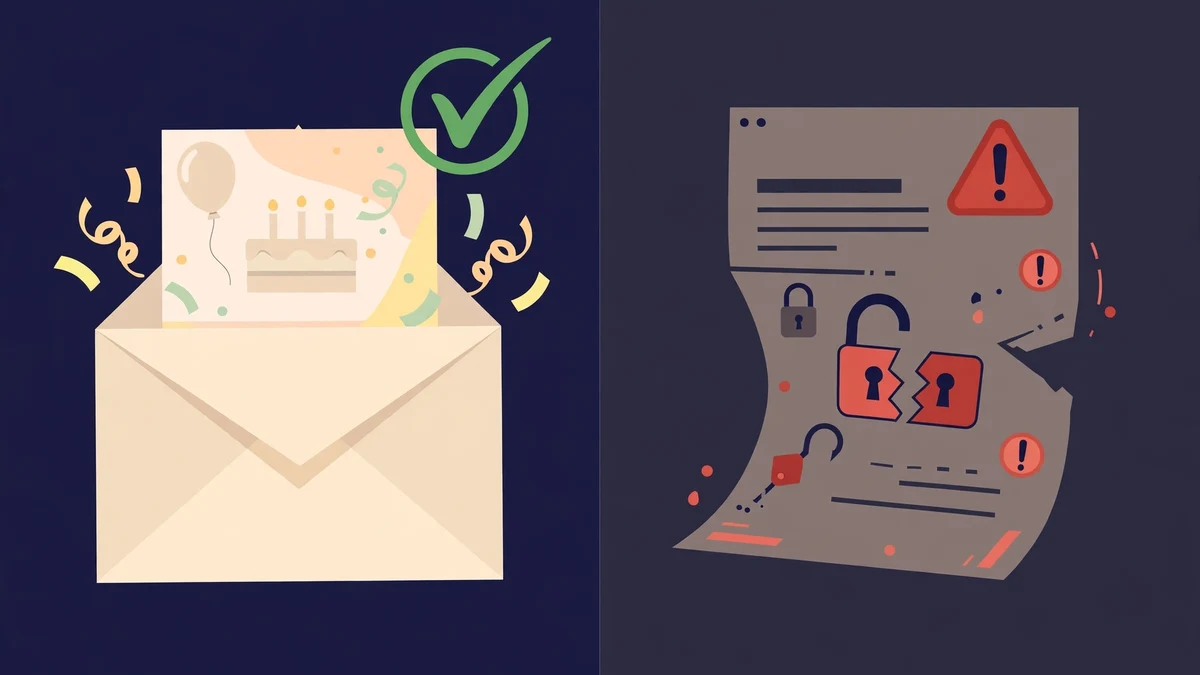
Put the two versions next to each other and the pattern is easy to hold in your head. The real email is boring. The fake email is urgent, gated, or both.
| Real Punchbowl email | Fake Punchbowl email | |
|---|---|---|
| From | mail@mail.punchbowl.com, often with a verified checkmark | A personal email address, or a lookalike domain |
| Subject | Plain: "Thanks for joining Punchbowl" | Urgent or vague: a deadline, a missed RSVP, an expiring invite |
| Links | punchbowl.com, or a mail.punchbowl.com tracking subdomain | Any other domain, a URL shortener, a misspelled brand |
| Attachments | None, ever | A file to download, or an app to install |
| Sign-in | Not needed to view the invitation | Login required before you can see anything |
| Tone | A welcome message or a normal invitation | Pressure: act now, verify now, your account will close |
| Design | Clean, consistent branding | Broken layouts, oversized logos, ALL CAPS, red text, misaligned text |
Punchbowl's own list of visual red flags — broken layouts, images that will not load, wrongly sized logos and buttons, ALL CAPS, wrong fonts, red text, misaligned text — is useful, but I would not lean on it. Modern fakes are often pixel-clean. The structural checks in the table above (sender, domain, attachment, login wall) are the ones that hold up when the design is good, because they are about what the email asks you to do rather than how pretty it looks.
If you already clicked
Do not spend long on regret. The recovery sequence is short, and speed matters more than completeness in the first hour.
- Change your email password immediately, from a device you trust, and do not reuse the old password anywhere else. If you entered the same password on the fake page that you use elsewhere, change it everywhere it appears, starting with your email and your bank.
- Turn on two-factor authentication for your email account and for any other account that offers it. This is the single step that most often stops a stolen password from becoming a stolen account.
- If you downloaded anything from the email, disconnect from Wi-Fi, run a malware scan, and do not log in to anything sensitive from that device until the scan is clean.
- Forward the fake email to help@punchbowl.com so Punchbowl can verify it and report the phishing link, then mark the message as spam in your inbox so your provider learns the pattern.
- Report the scam to the Federal Trade Commission at ReportFraud.ftc.gov. If you entered personal information, file a separate identity theft report at IdentityTheft.gov.
- Check whether your friends received invitations "from you" that you did not send. If they did, your account was used to spread the scam, and changing your password is what stops the next wave.
The same recovery logic applies to the other brand-impersonation scams doing the rounds. The Geek Squad version runs a fake $499 renewal and a refund trap; the Medicare version runs a "final notice" before a deadline. Different brand, same machinery: urgency, a fake problem, and a link that takes you somewhere the real company would never send you.
Why I RSVP with a disposable address now
The test left me with a practical habit, and it is the reason this article is on this site. Punchbowl accepted a temporary address for a full account in under a minute, with no phone number and no verification gate. That means you can RSVP to invitations, and even hold a Punchbowl account, without ever handing over the address your bank, your work, and your password resets live in.
The reason that matters is the address book problem. An invitation service is, by design, a machine for collecting email addresses: hosts upload guest lists, guests RSVP, and every address in the chain is one breach or one compromised account away from a scammer's list. When a fake invitation wave goes out, it goes out to real address books. Using a disposable address for party invitations means the address that ends up in somebody else's guest list, and then in a scammer's harvested list, is not the address that matters to you. The spam, the fake invites, and the credential-phishing attempts land in an inbox you can throw away.
Do it with your eyes open, though. A disposable address has two limits I ran into during this test. First, the inbox is not private — TempMailUSA says so on the page, and the address I generated already had someone else's mail sitting in it. Never use a disposable address for anything you would mind a stranger reading. Second, the address is where your password resets go. Punchbowl let me in without verifying the address, but if I forget the password on that test account, the reset link goes to an inbox that expires in 30 days and that anyone with the address can open. So the rule is simple: disposable addresses for invitations, RSVPs, and one-off signups; your real address for anything you need to recover later. That is also the core of the triage routine in my spam emails guide — sort incoming mail by what the address is for, and the scams get much quieter.
Our earlier post on fake Punchbowl party invitations covers the same scam from the invitation angle, and it is still accurate. What has changed since it was written is the detail: the tracking-domain wrinkle, the fact that Punchbowl no longer gates signup behind email verification, and the sheer volume of these emails. The defence has not changed. It is still: check the sender, check the domain, never sign in to view an invitation, never open an attachment — and when you are unsure, go to the site yourself instead of clicking the email.
Frequently asked questions
Is every Punchbowl email a scam? No. Punchbowl is a real company, founded in 2006, and it sends millions of legitimate invitations. The scam is the imitation, not the platform. A real invitation comes from mail@mail.punchbowl.com, has no attachment, and never asks you to sign in to view it.
What is the official Punchbowl email address? Invitations and digital greeting cards come from mail@mail.punchbowl.com. Support mail comes from help@punchbowl.com. Punchbowl also lists info@, privacy@, security@, support@, updates@, and accessibility@punchbowl.com as legitimate addresses. Anything else claiming to be Punchbowl is not.
Can a Punchbowl scam email come from a friend's real address? Yes, and this is the nastiest version. If a scammer compromises your friend's email account, the fake invitations go out from their real address to their real contacts. A known sender is not proof of a real invitation — check the link domain and whether a sign-in is demanded before trusting it.
Do real Punchbowl emails have attachments? Never. Punchbowl says so on its own help page, and the genuine welcome email I received this morning had none. Any invitation email carrying a file is fake.
I clicked a fake Punchbowl link. What do I do first? Change your email password immediately, turn on two-factor authentication, forward the email to help@punchbowl.com, mark it as spam, and report it at ReportFraud.ftc.gov. If you downloaded a file, disconnect and run a malware scan before logging in to anything sensitive.
Should I use a temp email for Punchbowl? For RSVPs and casual invitations, yes — I tested it this morning and Punchbowl accepted a temporary address with no phone number and no verification step. For an account you care about keeping, use your real address, because password resets go to whatever inbox you signed up with.
How do I report a Punchbowl phishing email? Forward it to help@punchbowl.com, mark it as spam in your inbox, and report it to the FTC at ReportFraud.ftc.gov. If you entered personal information, also file at IdentityTheft.gov.
Need a disposable temporary email?
Protect your real inbox from spam and promotional clutter instantly and free.
Received a suspicious email, text, or charge alert?
Verify whether the sender domain is disposable, spoofed, or unverified before clicking links.