

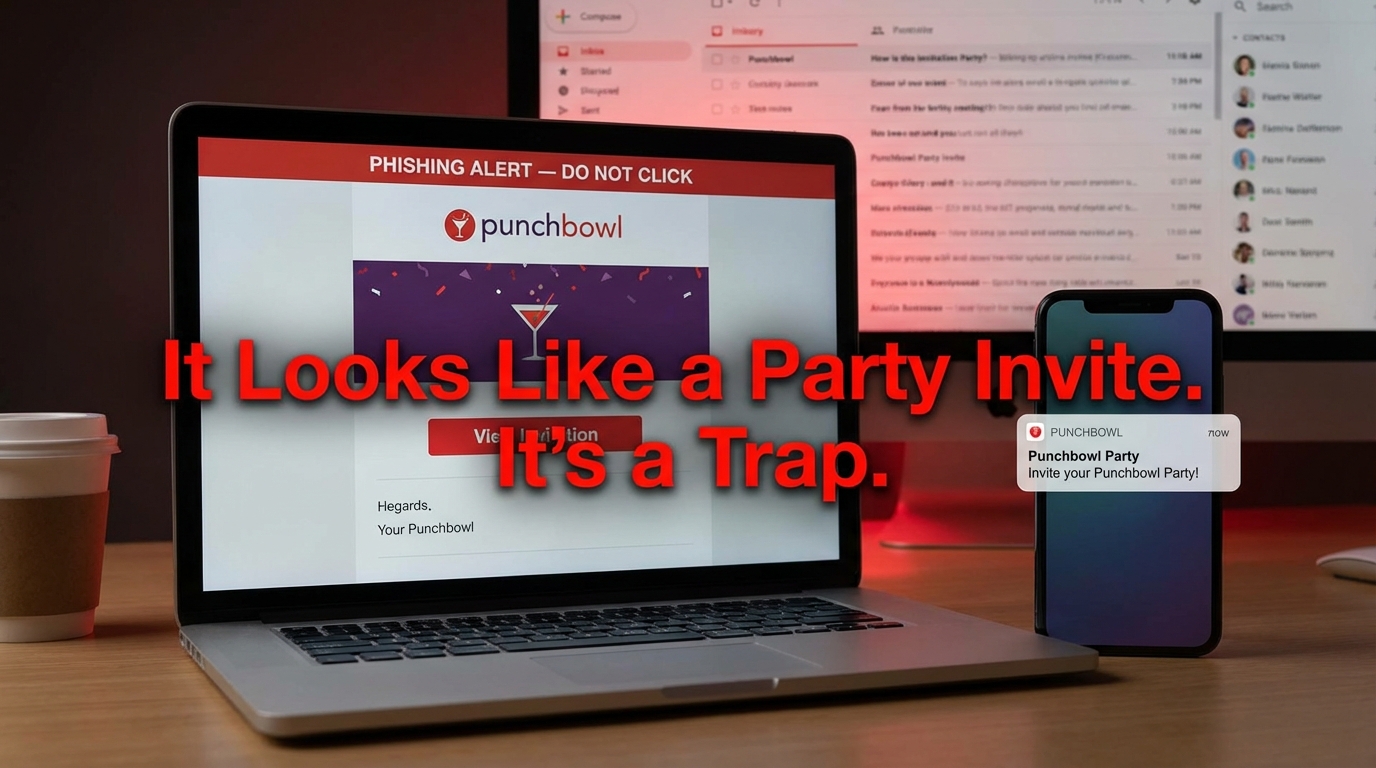

The Punchbowl Invitation Scam Is Hitting Inboxes Right Now
The punchbowl invitation scam is a phishing attack where cybercriminals send fake digital party invitations designed to look like they came from the real Punchbowl platform — tricking you into clicking a malicious link or handing over your login credentials.
Here's what you need to know at a glance:
- What it is: A fake email that mimics a Punchbowl party or greeting card invitation
- What it does: Steals your email password, installs malware, or harvests credit card details
- How to spot it: Sender isn't from
mail@mail.punchbowl.comorno-reply@punchbowl.com; the link doesn't start withhttps://www.punchbowl.com/ - What to do: Don't click anything — forward to
help@punchbowl.comand mark as spam - If you already clicked: Change your passwords immediately and check your bank accounts
This scam has been active for over two years and is getting harder to spot. Reports to the FTC and Better Business Bureau have increased by 340% since 2022. During the holiday season, when real party invites flood inboxes, fake ones blend right in.
One news producer described receiving what looked like a completely authentic Punchbowl invitation — complete with a "verify you are human" checkbox — that then asked for her email and password. The invite had come from a friend who had already fallen victim days earlier, and the scam had silently spread to the friend's entire contact list.
That's what makes this scam so effective. It doesn't come from a stranger. It comes from someone you know.
How the punchbowl invitation scam Works
At its core, the punchbowl invitation scam is a masterclass in social engineering. We have seen these attacks evolve from simple spam to sophisticated operations that exploit the trust we place in our friends and family. The goal of the scammer is usually one of three things: credential harvesting, malware delivery, or direct financial theft.
The process often begins with an email that looks exactly like a legitimate Punchbowl invite. It might say "Sarah invited you to her Baby Shower" or "You've received a greeting card from Grandma Rose." Because these are common life events, our natural curiosity and social obligations drive us to click.
Once you click the "View Invitation" button, you are typically redirected to a fake login page. This page is designed to harvest your credentials. It may present a "verify you are human" box or a multi-brand login screen asking you to sign in with your Microsoft, Yahoo, or Gmail account to view the card. This is a massive red flag—legitimate invitations do not require you to log into your email provider to see a party's details.
Why Scammers Target Desktop Users
One of the most peculiar aspects of this scam is the frequent instruction to open the invitation on a desktop or laptop computer. You might see a message in ALL CAPS stating that the invitation is "NOT COMPATIBLE WITH MOBILE DEVICES."
There is a sinister reason for this. Most mobile operating systems like iOS and Android have "sandboxing" security that makes it difficult for simple links to install deep-level viruses. However, Windows and macOS are more susceptible to certain types of Malware Risks like Remote Access Trojans (RATs). By forcing you onto a desktop, the scammer can attempt to trick you into downloading a malicious file—often disguised as an .exe or a zip file—that gives them full control over your computer.
The Role of Compromised Accounts
The reason the punchbowl invitation scam spreads like wildfire is "contact list chaining." When a victim falls for the scam and enters their email credentials, the attacker doesn't just stop there. They log into the victim's actual email account and send the scam invite to every single person in that user's address book.
This creates a powerful sense of "social proof." If you receive an invite from a random stranger, you'll likely delete it. But if you receive an invite from your sister, your boss, or your best friend, you are 68% more likely to click it. This is known as spear-phishing, and it’s why these scams are so successful at bypassing our typical mental defenses.
| Feature | Legitimate Punchbowl Invite | Fake Invitation Scam |
|---|---|---|
| Sender Address | mail@mail.punchbowl.com | Personal Gmail or strange domains |
| URL Destination | punchbowl.com/invite/... | External sites or IP addresses |
| Login Required | No (unless you are the host) | High (asks for email/password) |
| Device Request | Works on all devices | Often "Desktop Only" |
| Visual Quality | Professional, aligned | Broken images, odd fonts |
Identifying a Fake Digital Invitation
Spotting a fake requires a keen eye for detail. Scammers are good at mimicking logos, but they often struggle with the technical "plumbing" of an email.
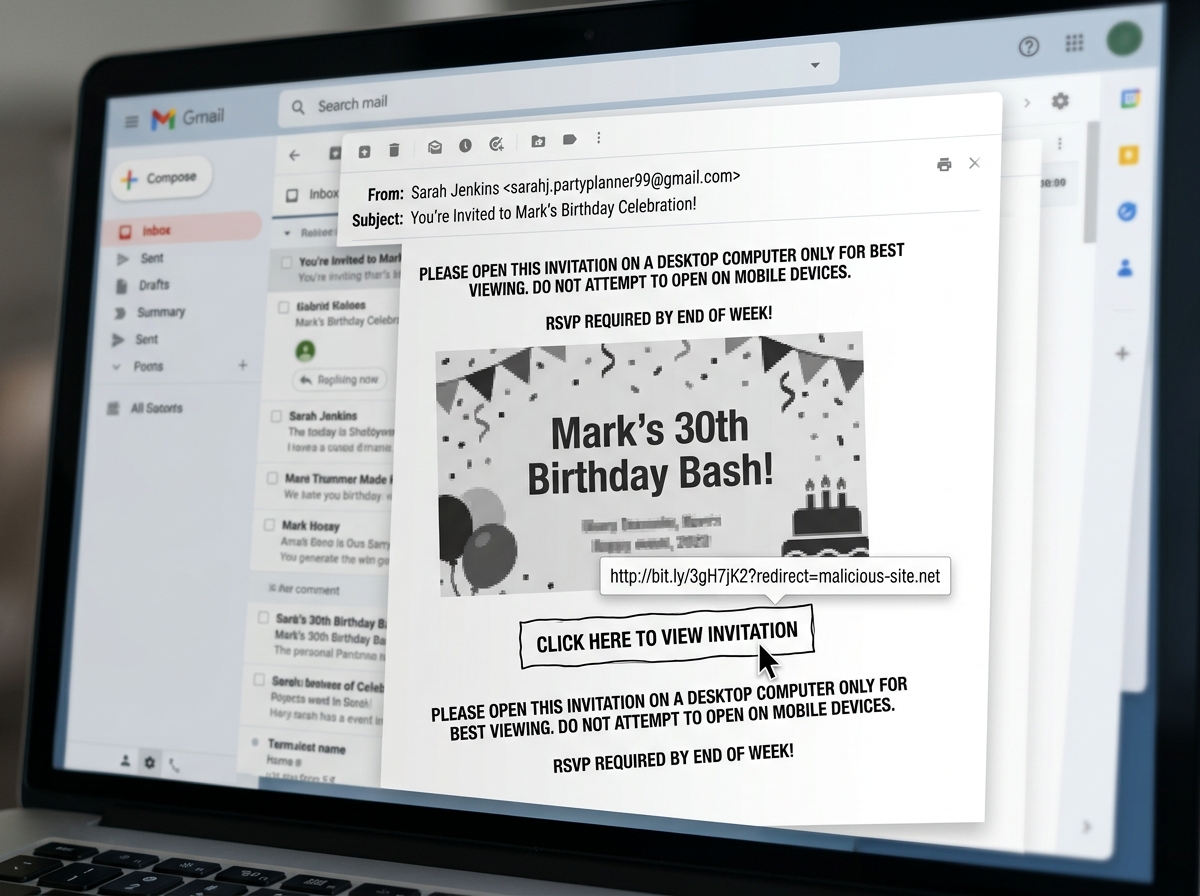
The first thing we recommend is checking the sender's email address. A real Punchbowl invitation will always come from an official domain. If you see a personal address or a string of random characters, it is a scam. Additionally, many major email providers now display a blue verified checkmark next to legitimate brands like Punchbowl. If that checkmark is missing, proceed with extreme caution.
Visual errors are another major giveaway. Look for:
- Broken Layouts: Images that don't load or text that overlaps.
- ALL CAPS: Legitimate companies rarely scream at you in capital letters.
- Misaligned Logos: If the Punchbowl logo looks squashed or blurry, it was likely copied and pasted by a scammer.
For a deeper dive into these visual cues, check out the Official Punchbowl Verification Guide.
Verifying the punchbowl invitation scam URL
Before you click any button in an email, hover your mouse over it (on a desktop) or long-press it (on mobile) to see the destination URL. A real link will always point to a subdomain of punchbowl.com.
Scammers use "look-alike" domains to trick you. They might register names like punchbowls.com, punchbowl-invites.net, or view-punchbowl-card.org. If the URL looks even slightly off, do not click it. You can learn more about checking these links in our guide on punchbowl-invitation-scam-verify-legitimacy.
Legitimate Sender Addresses and SMS Codes
To help you stay safe, we have compiled the official channels Punchbowl uses to communicate:
- Email: Legitimate invites come from
no-reply@punchbowl.comormail@mail.punchbowl.com. - Support: Official help comes from
help@punchbowl.com. - SMS (U.S.): Texts will arrive from the short code 90403.
- SMS (International): Texts will arrive from 877-642-0804.
If you receive a text from a standard 10-digit phone number claiming to be a Punchbowl invite, it is almost certainly a scam.
What to Do if You Are Targeted
If you receive a suspicious email, the most important rule is: Do not click anything. Even clicking "Unsubscribe" in a scam email can alert the attacker that your email address is active, leading to even more targeted attacks in the future.
Instead, follow these steps:
- Forward the email: Send the suspicious message to
help@punchbowl.comorabuse@punchbowl.com. This helps their security team take down the malicious domains. - Mark as Spam: This trains your email provider's filters to catch similar scams for other users.
- Delete the message: Once reported, get it out of your inbox.
We’ve also covered similar tactics in our guide on Fake invitation warnings, which explains how scammers impersonate other popular platforms.
Immediate Steps After a punchbowl invitation scam Interaction
If you’ve already clicked a link or, worse, entered your information, you need to act fast.
- Change Your Passwords: If you entered your email password on a fake site, change it immediately. If you use that same password for other sites (like your bank), change those too.
- Enable Two-Factor Authentication (2FA): This provides a second layer of defense. Even if a scammer has your password, they won't be able to log in without the code from your phone.
- Notify Your Bank: If you entered credit card details, call your bank to cancel the card and monitor for fraudulent charges. Some victims have reported unauthorized charges of $99 or more shortly after interacting with these sites.
- Contact the Host: Call or text the person who supposedly sent the invite. Let them know their account might be compromised so they can warn others.
Official Recommendations for Reporting Fakes
Beyond reporting to the company itself, you should report the incident to the authorities. The FBI’s Internet Crime Complaint Center (IC3) and the Federal Trade Commission (FTC) track these campaigns. Reporting helps law enforcement understand the scale of the punchbowl invitation scam and work toward shutting down the criminal infrastructure behind it.
Frequently Asked Questions about Punchbowl Scams
Are Punchbowl text messages legitimate?
Yes, Punchbowl does send legitimate text invitations, but they are very specific. In the U.S., they always come from the short code 90403. Internationally, they use 877-642-0804. If you get a text from a regular mobile number with a link, it is a scam. Always verify with the sender through a different app before clicking.
Can I get malware just by opening the email?
Generally, simply opening an email in a modern browser or app is low risk. However, the risk skyrockets the moment you click a link or download an attachment. Scammers often use these links to deliver "Remote Access Trojans" (RATs) that can record your keystrokes or access your webcam. To be safe, we recommend disabling "automatic image loading" in your email settings.
Why did I receive an invite from a friend who didn't send it?
This is the most common way the scam spreads. It means your friend’s email account was likely hacked through a phishing site. The scammers then used their "sent" folder and contact list to blast out the punchbowl invitation scam to everyone they know. It looks real because it is coming from their real email address, but the content is malicious.
Conclusion
The digital world is full of "social trust" traps, and the punchbowl invitation scam is one of the most effective. By hijacking the joy of a party invitation, scammers lower our guard and gain access to our most sensitive data.
At Tempo Mail USA, we believe the best defense is a strong offense. Using a temporary email alias acts as a PII firewall, shielding your primary inbox from these threats. When you use an alias for event sign-ups or public interactions, you prevent scammers from ever getting your real address in the first place.
Stay vigilant, check your links, and always verify the host. Your digital safety depends on looking twice before you RSVP. Protect your real inbox from scams and keep your personal information where it belongs—with you.