

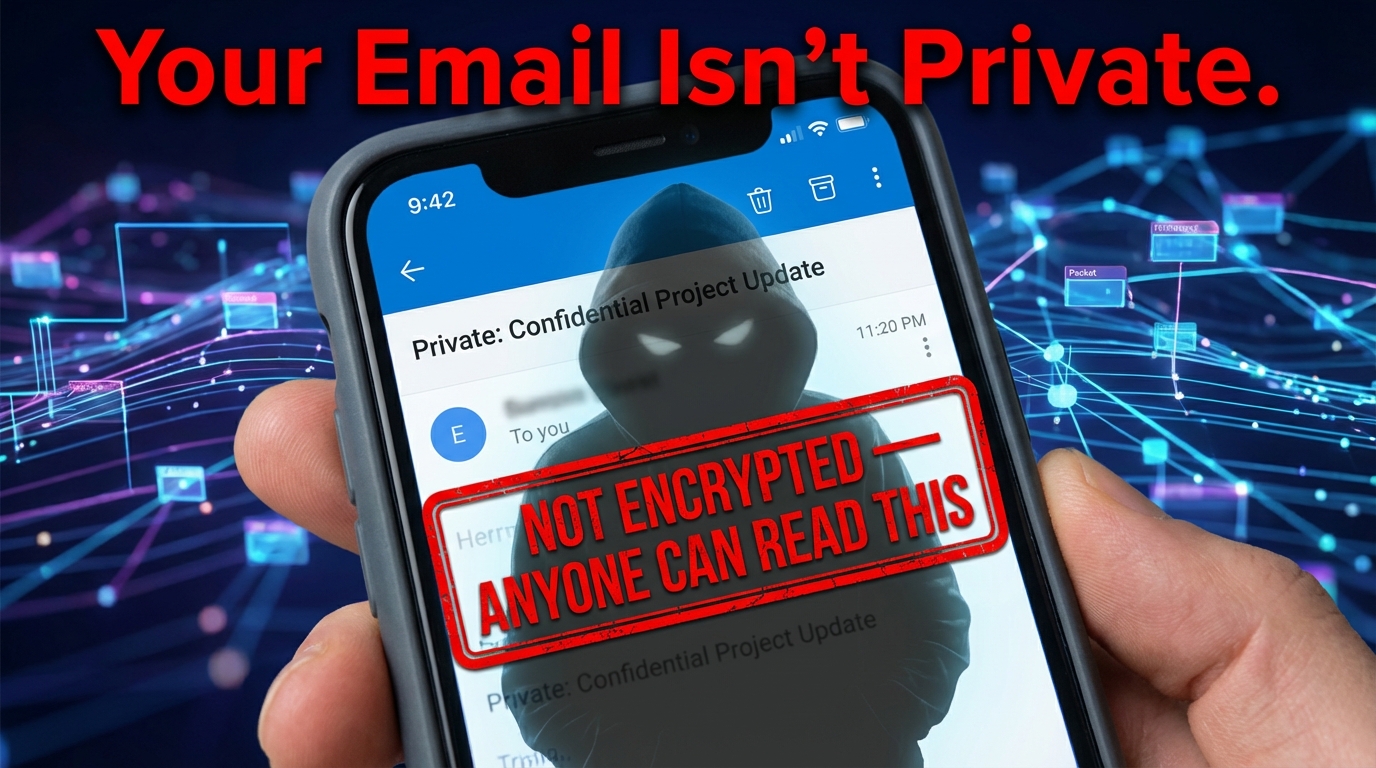

Every Email You Send Could Be an Open Letter
Non encrypted emails are messages sent as plain, readable text — fully exposed to anyone who intercepts them along the way.
If you're trying to understand what's at risk, here's the short answer:
- Interception is easy. Without encryption, your email travels across servers in plain text — readable by hackers, internet service providers, and anyone running a packet-sniffing tool.
- Sensitive data is exposed. Login credentials, financial details, health information, and personal messages can all be read or copied mid-transit.
- Tampering is undetectable. An attacker can silently modify the content of an unencrypted email without either the sender or recipient knowing.
- Compliance violations can follow. Sending unprotected health or financial data without encryption can trigger serious penalties under regulations like HIPAA.
- Metadata is always visible. Even partially encrypted emails still expose sender, recipient, subject line, timestamps, and routing data.
Think of an unencrypted email like a postcard. Anyone who handles it along the route can read every word.
Most people assume their emails are private by default. They aren't. The standard email protocol, SMTP, was built for delivery — not confidentiality. Unless encryption is deliberately added, your messages move across the internet completely exposed.
The good news? Understanding the risks is the first step to fixing them.
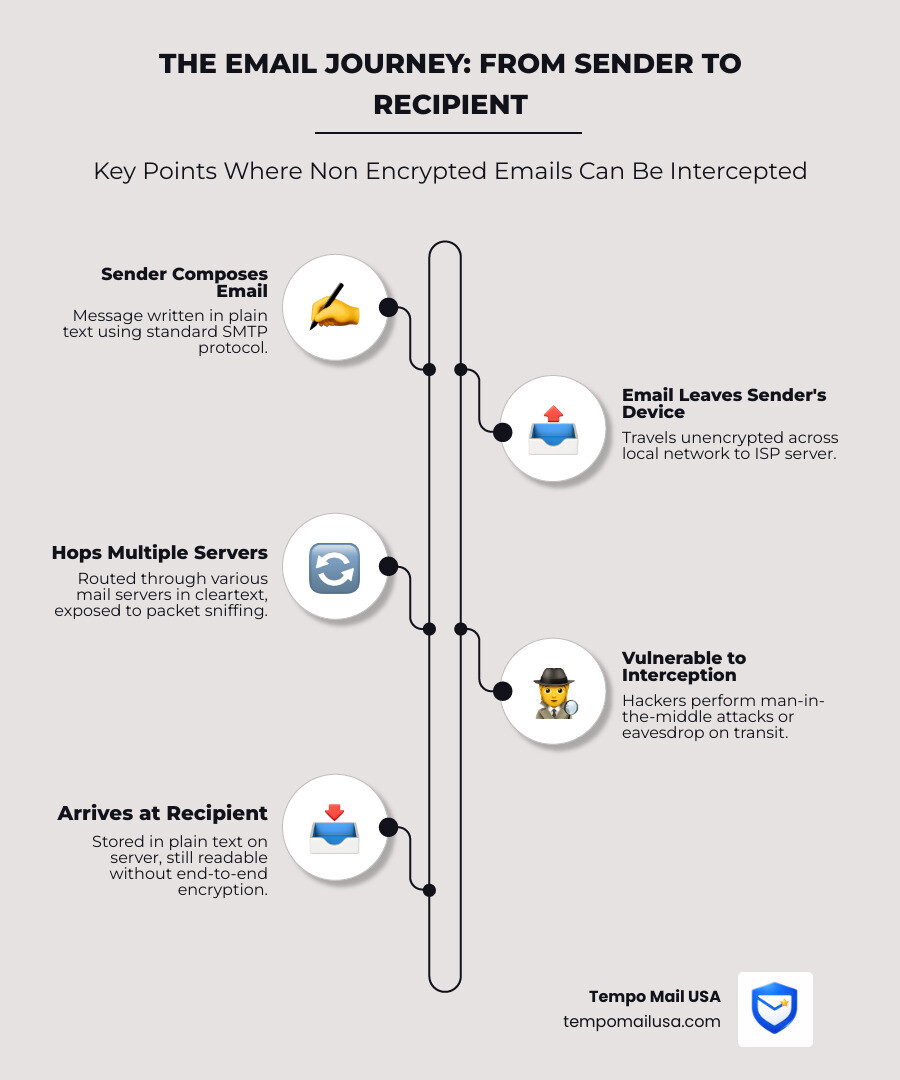
The Hidden Dangers of Sending non encrypted emails
When we send non encrypted emails, we are essentially broadcasting our private business to the digital wilderness. Many users believe that because they "logged in" to their account, their messages are safe. This is a dangerous misconception. Logging in only secures the door to your house; it doesn't protect the letter once the mailman takes it away.

The reality of modern internet traffic is that it passes through dozens of "nodes" or servers before reaching its destination. At any one of these points, a malicious actor using packet sniffing software can capture your data. This is often referred to as a man-in-the-middle (MITM) attack. Without the shield of encryption, your passwords, bank statements, and private thoughts are visible to anyone with the right tools.
To mitigate these risks, many savvy users turn to identity theft protection services and Protect Yourself: Why Email Privacy Matters. However, even the best protection services cannot un-read a message once it has been intercepted. The vulnerability lies in the "cleartext" nature of the communication itself.
Why non encrypted emails Are a Goldmine for Hackers
The core protocol for email, SMTP (Simple Mail Transfer Protocol), was designed in an era when the internet was a small, trusted neighborhood. It lacks built-in security. This architectural flaw allows for passive eavesdropping, where hackers sit silently on a network and collect data without ever being detected.
One of the most common goals for these attackers is credential harvesting. By monitoring non encrypted emails, hackers can find "Welcome" emails containing temporary passwords or password reset links. Once they have these, they can pivot into your more sensitive accounts. This is why RFC 8314 - Cleartext Considered Obsolete explicitly states that cleartext email should no longer be used. It is a legacy practice that has no place in a world of sophisticated cyber threats.
The Vulnerability of Plain Text in Transit
Encryption doesn't just protect confidentiality; it also protects message integrity. When you send a message in plain text, there is nothing stopping an intermediary server from modifying the content. Imagine sending an invoice for $100, and a hacker changing the routing number and the amount to $1,000 mid-transit. Neither you nor the recipient would necessarily know the message had been tampered with.
Furthermore, non encrypted emails leave a trail of server-side exposure. Even if the "transit" part is relatively quick, the message often sits on backup servers and relay stations in a readable format. Without The Digital Shield: Protecting Your Email Data, your information is at the mercy of every administrator who has access to those servers.
Data Privacy Compliance and the Regulatory Cost of Exposure
For businesses, the risks of non encrypted emails move from "scary" to "bankrupting" very quickly. Data privacy compliance is no longer optional. Under the HIPAA Security Rule, healthcare providers are required to implement "reasonable and appropriate" safeguards for electronic protected health information (e-PHI). While HIPAA doesn't strictly mandate one specific type of encryption, sending PHI via unencrypted email is widely considered a violation of the Breach Notification Rule if that email is intercepted.
If a breach occurs, the financial penalties are staggering. Beyond government fines, businesses often face the requirement for cybersecurity insurance claims, which can lead to skyrocketing premiums. The technical requirements for securing these connections are outlined in standards like Rfc2595 - Using TLS with IMAP/POP3, which provides the framework for adding security to legacy protocols.
The Legal Fallout of non encrypted emails in Healthcare
In the healthcare sector, the relationship between a provider and their email service is governed by Business Associate Agreements (BAAs). If your email provider won't sign a BAA, you cannot legally use them to transmit PHI. Even with a BAA, you must adhere to the minimum necessary standard, ensuring that you only send the data required for a specific task.
HHS guidance suggests that while patients have the right to receive their data via unencrypted email if they specifically request it (and are warned of the risks), the burden of proof is on the provider. Without documented patient consent and a thorough risk assessment protocol, sending a single unencrypted email could lead to a forensic audit that uncovers years of non-compliance.
Cybersecurity Insurance and Breach Liability
When a data leak happens, cybersecurity insurance providers will look at your "due diligence." If they find you were sending sensitive financial or health data via non encrypted emails, they may deny your claim based on negligence.
The fallout includes:
- Forensic Audits: Costing tens of thousands of dollars to determine what was lost.
- Litigation Risks: Class-action lawsuits from affected individuals.
- Regulatory Fines: Fines from the OCR (Office for Civil Rights) or state attorneys general.
- Reputational Damage: The loss of trust that often follows a public breach notification.
| Risk Factor | Unencrypted Email | Encrypted Email (TLS/E2EE) |
|---|---|---|
| Interception | High (Visible in plain text) | Low (Scrambled ciphertext) |
| Compliance | Likely Violation (HIPAA/GDPR) | Compliant (with BAA) |
| Data Integrity | None (Easily tampered) | High (Digital signatures) |
| Insurance Coverage | Risk of Denial | Standard Coverage |
Technical Safeguards: From TLS to Secure Cloud Storage for Business
To protect your organization, you need a multi-layered approach. This starts with Transport Layer Security (TLS), which encrypts the connection between your computer and the email server. However, TLS is only "tunnel encryption." Once the email reaches the destination server, it may be decrypted. This is why secure cloud storage for business and enterprise VPN solutions are critical components of a wider security stack.
For true privacy, End-to-End Encryption (E2EE) using S/MIME or OpenPGP is the gold standard. These methods use digital signatures to verify the sender's identity and ensure the message hasn't been touched. You can learn more about these advanced methods in our guide: Beyond the Password: Mastering Secure Email.
Implementing Implicit TLS and Port Security
Modern email security requires moving away from "opportunistic" encryption. In the past, servers used STARTTLS, which tried to upgrade a cleartext connection to an encrypted one. If the upgrade failed, the email was often sent anyway as a non encrypted email.
Per modern NIST guidelines, we recommend Implicit TLS. This means the connection is encrypted from the very first second. You should ensure your mail clients are configured to use:
- Port 465 for SMTP Submission (instead of the older port 587).
- Port 993 for IMAPS.
- Port 995 for POP3S.
By forcing certificate validation, you ensure your computer is actually talking to your trusted mail provider and not a hacker's spoofed server.
The Limitations of Standard Encryption
Even with TLS and PGP, email has a major flaw: metadata exposure. While the "body" of your email might be scrambled, the "headers" usually aren't. This means an observer can still see:
- Who you are talking to.
- When you are talking to them.
- The subject line of the email.
- Your IP address.
Furthermore, standard PGP often lacks forward secrecy. If your private key is stolen five years from now, a hacker who saved all your old intercepted emails can finally decrypt all of them at once.
Preventing Phishing with Disposable Email Infrastructure
One of the most effective ways to break the link between your identity and your data is through identity proxying. Every time you give your real email address to a website, you are expanding your "threat surface." If that website is breached, your real email is now in the hands of scammers who will use it for advanced malware protection bypass attempts and targeted phishing.
This is where TempoMailUSA becomes your most powerful ally. By using temporary email aliases, you create a "firewall" for your PII (Personally Identifiable Information). Instead of giving a random newsletter your real address, you give them a disposable one. If they start sending spam or get hacked, you simply delete the alias.
Shielding Your Primary Inbox from Malicious Payloads
When you use TempoMailUSA, you are practicing proactive spam mitigation. Most phishing attacks rely on knowing your real email address to craft a convincing "lure." By using a burner address, you ensure that malicious payloads never even reach your primary inbox.
Our infrastructure acts as a secure proxy. We block tracking pixels that companies use to see if you've opened an email, where you are located, and what device you are using. This is essential for data broker avoidance. If a data broker can't link your activity to a single, permanent email address, they can't build a profitable profile on you. For more details, check out How Temporary Emails Protect You from Data Breaches.
Security Checklist for Disposable Email Usage
To maximize your privacy, follow this checklist when using our disposable email infrastructure:
- Verification Bypass: Use aliases for one-time account verifications to keep your main inbox clean.
- Anonymous Sign-ups: Use a unique alias for every single service to prevent "cross-site tracking."
- Automated Deletion: Set aliases to expire after they've served their purpose.
- Alias Management: Use a different alias for "Financial" vs "Social" vs "Shopping" to silo your data.
- Threat Surface Reduction: If an alias starts receiving suspicious links, kill it immediately.
Advanced Strategies for Enterprise Cybersecurity and Financial Privacy
For high-stakes environments, simply avoiding non encrypted emails isn't enough. You need to integrate credit monitoring software and advanced malware protection into your daily workflow. Large organizations should adopt a zero-knowledge architecture, where the service provider has no way to read the user's data.
Implementing multi-factor authentication (MFA)—specifically using hardware security keys like Yubikeys—prevents account takeovers even if your credentials are leaked via an unencrypted message. For easier encryption, look into WKD (Web Key Directory), which allows your email client to automatically discover the public keys of people you want to message.
Transitioning Legacy Systems to Encrypted Workflows
Many businesses struggle with "legacy systems" that only send non encrypted emails. The transition shouldn't happen overnight, but it must happen.
- Audit Controls: Identify every system (printers, scanners, old HR software) that sends unencrypted mail.
- Employee Training: Teach staff that "Privacy is a mindset," not just a tool.
- Migration Roadmaps: Move to automated encryption gateways that catch unencrypted outbound mail and encrypt it automatically.
- Secure Archiving: Ensure that once emails are received, they are moved to secure cloud storage for business with encryption at rest.
Protecting Financial Metadata and Transactional Privacy
Financial transactions are the "holy grail" for hackers. To protect this data, consider subject line alteration. Some forwarding services allow you to scramble the subject line so that anyone watching the metadata doesn't know you just received a "Wire Transfer Confirmation."
Using PGP forwarding in combination with IP address masking ensures that even your service provider doesn't know your physical location. By siloing your financial life behind secure, encrypted communication protocols, you make it exponentially harder for "identity thieves" to piece together your life.
Frequently Asked Questions about Email Security
What are the primary risks of sending non encrypted emails?
The primary risks include interception by hackers via packet sniffing, data tampering during transit, and severe regulatory fines under frameworks like HIPAA or GDPR if sensitive information is exposed. Without encryption, your email is as public as a postcard.
Is TLS enough to make an email fully secure?
While TLS encrypts the "tunnel" during transmission, it does not protect the email once it sits on a server; for full protection, end-to-end encryption (E2EE) is required to ensure only the recipient can read the content. TLS protects the journey, but E2EE protects the message itself.
Why is cleartext email considered obsolete?
Per RFC 8314, cleartext is obsolete because it provides zero confidentiality, making it trivial for any "man-in-the-middle" to read, copy, or alter messages without the sender's knowledge. Modern security standards now mandate encryption by default for all mail submission and access.
How do temporary email aliases improve my cybersecurity?
Temporary aliases act as a secure identity proxy, preventing your real email address from being leaked in data breaches and instantly neutralizing the threat of targeted phishing and tracking. They act as a digital "sacrificial lamb" that keeps your real PII safe from data brokers.
Conclusion
Sending non encrypted emails in today's world is an unnecessary gamble with your digital life. Whether it's the threat of identity theft, the risk of massive regulatory fines, or the simple desire for personal privacy, the solution is clear: stop sending naked messages.
By combining robust encryption protocols like TLS and PGP with the proactive identity proxying offered by TempoMailUSA, you can build a formidable defense against modern cyber threats. Don't wait for a breach notification to take your privacy seriously. Secure your digital identity today with identity theft protection strategies that actually work.
Secure your digital identity today at TempoMailUSA and turn your primary inbox into a fortress. Proactive privacy is the only way to ensure enterprise-grade security in an increasingly exposed world.