

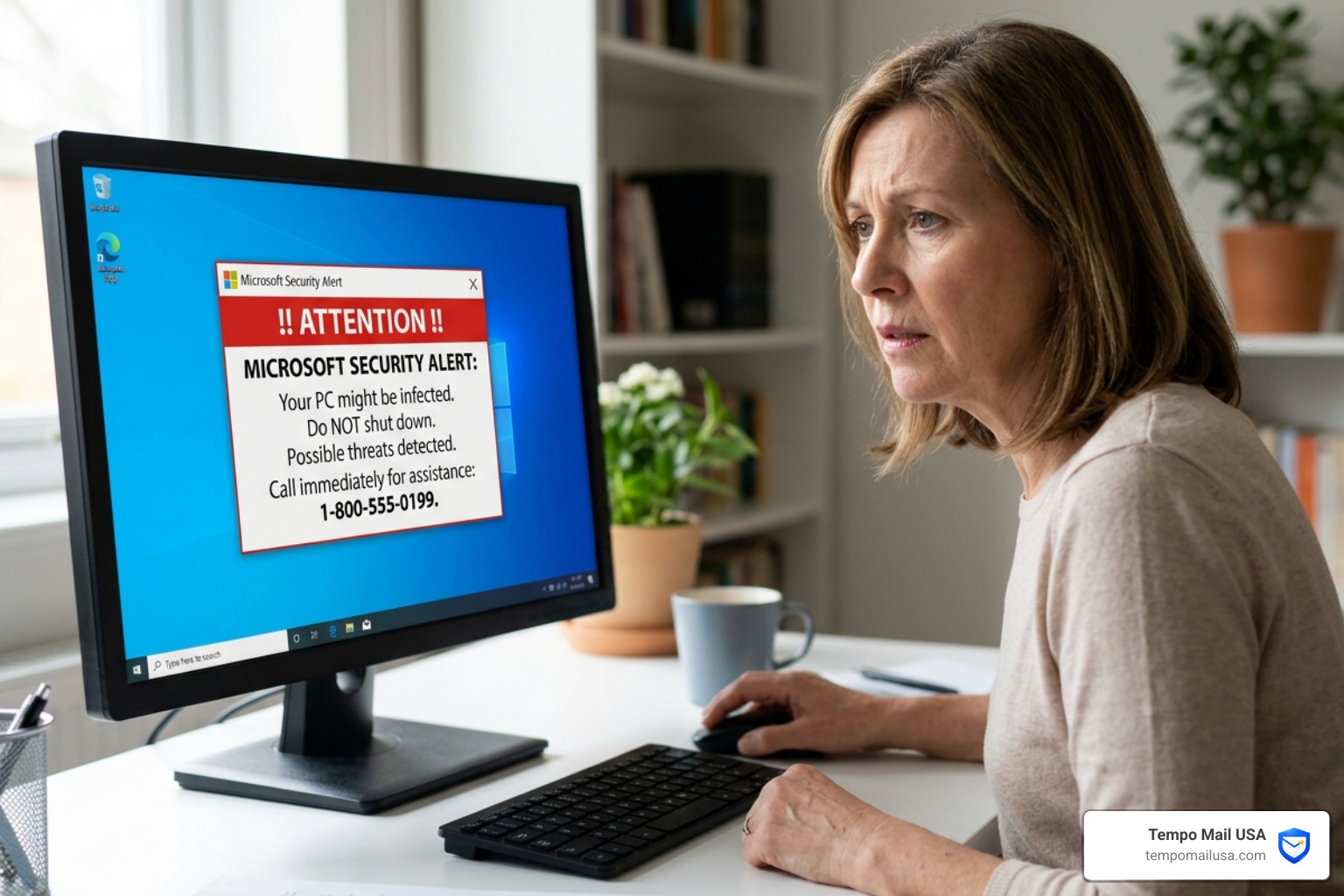

That "Microsoft Security Alert" Is Probably a Trap — Here's How to Tell
A Microsoft security alert scam is a form of tech support fraud where attackers impersonate Microsoft using fake emails, browser pop-ups, or phone calls to steal your credentials, money, or remote access to your device.
If you just received one, here's what matters most, fast:
| Signal | Legitimate Microsoft Alert | Scam Alert |
|---|---|---|
| Sender address | account-security-noreply@accountprotection.microsoft.com | Random, free, or spoofed domain |
| Includes a phone number | Never | Almost always |
| Demands immediate action | No | Yes — with threats |
| Links go to | microsoft.com or account.live.com | Google Docs, fake login pages, or odd URLs |
| Asks for payment or gift cards | Never | Very common |
Quick answer: Do not call any number, click any link, or grant remote access. Close the browser using Task Manager if needed, then go directly to account.live.com/activity to check for real unauthorized sign-ins.
These scams are not new — but they are getting much harder to spot.
One real example that has been widely reported: a user receives an email with the subject line "Microsoft Account Security Alert" from what looks like the Microsoft accounts team. The email warns that someone else may have accessed their account and includes a "Recover account" link. It looks genuine. The logo is right. The language sounds official.
But that link goes somewhere it shouldn't.
In more advanced cases reported as recently as March 2026, scammers have been sending alerts directly from legitimate Microsoft infrastructure — like Azure Monitor and Power BI — meaning the emails pass every standard security check your inbox runs. There is no typo in the domain. No spam filter catches it.
This is not normal phishing. This is a different level.
The goal of this guide is simple: show you exactly how these scams work, how to identify them, and what to do whether you caught it early or have already clicked something you shouldn't have.
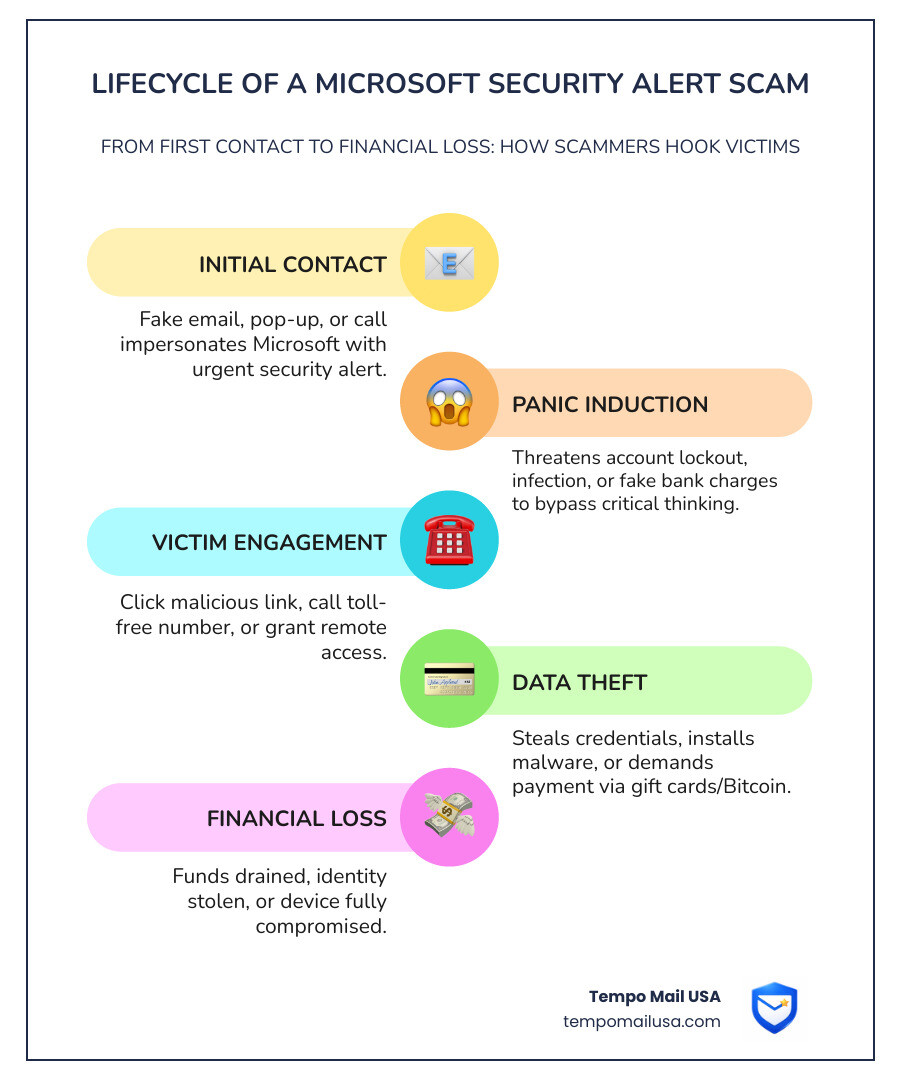
Anatomy of a Microsoft Security Alert Scam
To protect ourselves, we first need to understand the predator's playbook. Scammers don't just rely on one method; they use a multi-channel approach to catch you when your guard is down. Whether it’s an email, a phone call, or a browser hijack, the microsoft security alert scam relies on the same core principle: creating a state of emergency that bypasses your critical thinking.
Phishing (Email)
The most common entry point. You receive an email claiming there is "unusual sign-in activity" or that your "account will be terminated" due to a security breach. These emails are designed to look identical to official Microsoft communications. However, they often contain identity theft warning signs most people ignore, such as slightly off-center logos or suspicious "From" addresses.
Vishing (Voice Phishing)
This is where the scam moves to your phone. You might receive a cold call from someone claiming to be from "Windows Support" or "Microsoft Security." They may even spoof their caller ID to show a legitimate Microsoft corporate number. They’ll tell you your computer is sending out "error signals" and that they need to "verify" your identity or gain access to fix it.
Browser-based Overlays and "Safety Services"
If you're browsing the web and suddenly your screen turns blue or red with a loud siren playing, you've hit a browser overlay. These are fake pages designed to look like system-level errors. A common version is the Safety Services pop-up scam, which claims "Unsafety Detected" and provides a toll-free number.
This is not a real virus scan. A website cannot scan your local Windows system files. It is merely a JavaScript loop designed to trap your cursor and frighten you.
Identifying a Fake microsoft security alert scam Email
How do you know if that email in your inbox is the real deal? Microsoft is very consistent with how they communicate.
- The Sender Address: Legitimate security alerts regarding your personal Microsoft account only come from
account-security-noreply@accountprotection.microsoft.com. If the sender issupport@msft-security-check.comor a free service like Gmail or AOL (e.g.,accountsettinghelp20@aol.com), it is 100% a scam. - Generic Greetings: Microsoft knows your name. If the email starts with "Dear User," "Dear Customer," or just "Hi," be extremely suspicious.
- Urgent Threats: Scammers use high-pressure language. "Your account will be deleted in 24 hours" or "Immediate action required to prevent data loss" are classic red flags.
- The Link Destination: Before clicking, hover your mouse over the button or link. The actual URL will appear in the bottom corner of your browser. If it doesn't lead to a
microsoft.comdomain, do not click.
If you find a suspicious email, the best thing to do is report the phishing attack and delete it immediately.
How to Close a microsoft security alert scam Pop-up
When a scam pop-up takes over your screen, it often disables your ability to click "X" or use your mouse normally. This is a "browser trap." Here is how we break free:
- Windows Task Manager: Press
Ctrl + Shift + Esc. Find your web browser (Chrome, Edge, etc.) in the list, right-click it, and select End Task. This kills the process instantly. - Force Restart: If the keyboard is unresponsive, hold down the physical power button on your computer for 10 full seconds until it shuts off.
- Don't "Restore": When you reopen your browser, it may ask, "Would you like to restore your previous tabs?" Select NO. If you select yes, you will bring the scam pop-up right back.
- Clear Cache: After closing the trap, go into your browser settings and clear your history and cache to remove any lingering malicious scripts.
Why the "This Computer Is Locked" microsoft security alert scam Works
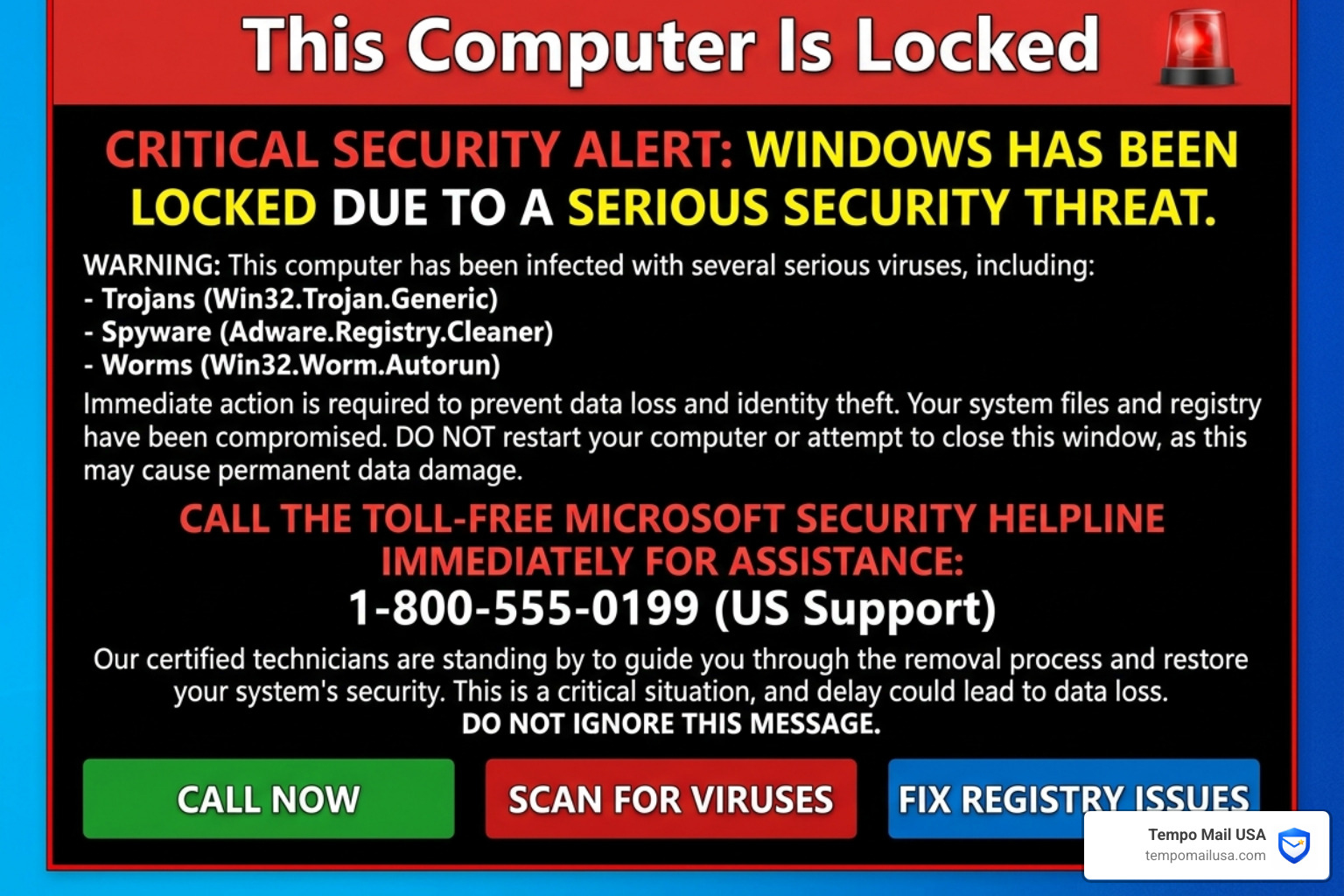
It’s easy to say, "I'd never fall for that," until it happens to you. Scammers are experts in human psychology. They don't attack your computer as much as they attack your central nervous system.
Fear Induction and Social Engineering
The "This Computer Is Locked" alert often uses a loud, looping audio track—sometimes a robotic woman's voice—telling you that your "Registry Key" is compromised or that you are "infecting other users on the network." This creates a "fight or flight" response. In that moment of panic, your brain looks for the easiest exit, which the scammer conveniently provides: "Call this number to fix it."
This is not normal. Microsoft will never use audio to alert you to a security issue.
The Bitcoin ATM Pivot
In recent variations of this scam, the "tech support" person will claim they've found fraudulent charges on your bank account. They'll tell you the only way to "secure" your funds is to withdraw cash and deposit it into a "secure Microsoft vault" via a Bitcoin ATM.
Here’s the mistake people make: They believe the person on the phone is helping them hide money from a "hacker." In reality, once you put cash into a Bitcoin ATM, it is gone forever. There is no such thing as a "Microsoft Bitcoin Vault."
Advanced Tactics: Abusing Azure and Power BI
In May 2026, we are seeing a surge in "infrastructure-based phishing." This is the most dangerous form of the microsoft security alert scam because it abuses Microsoft's own professional tools to bypass security filters.
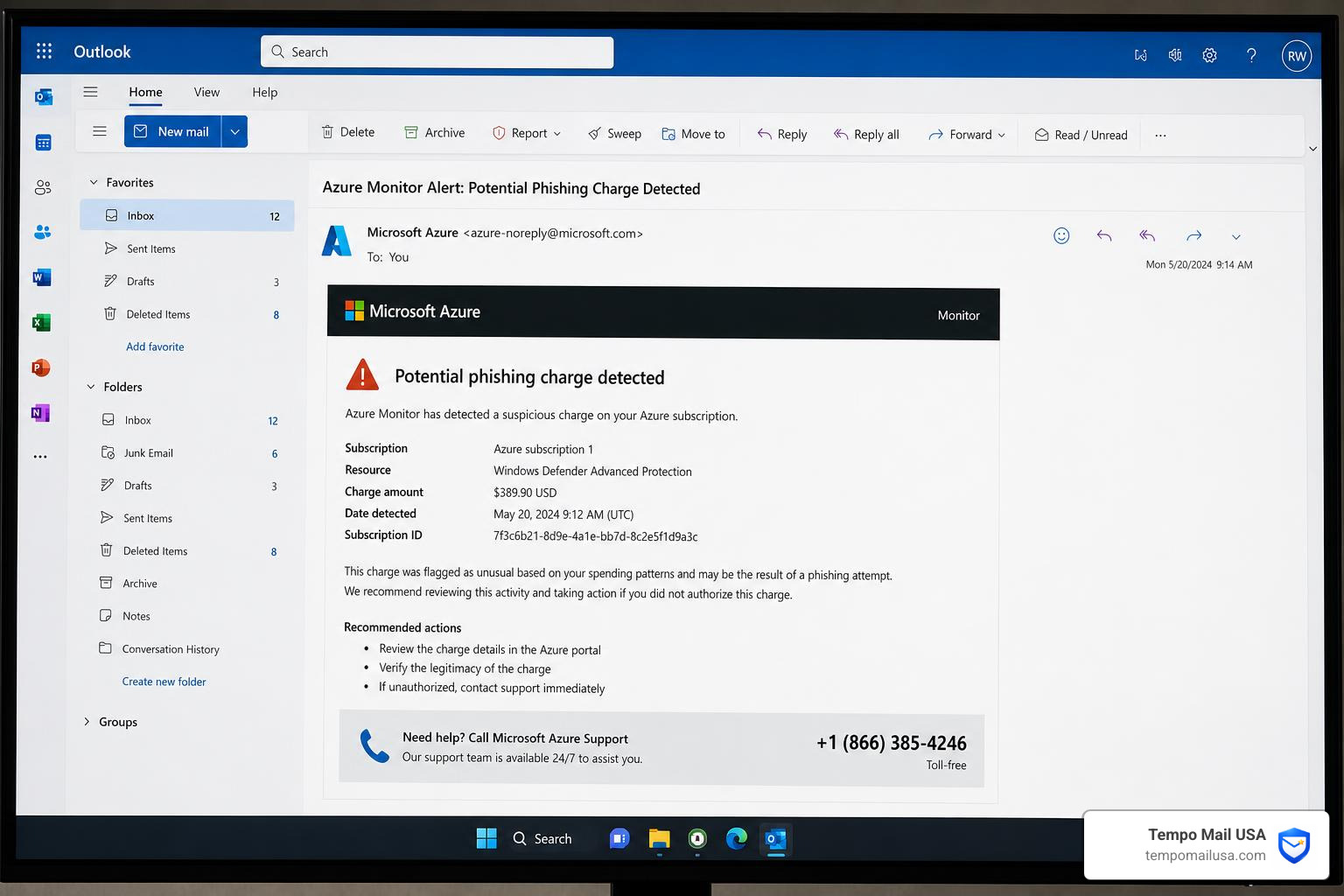
Infrastructure-based Phishing
Attackers have discovered that they can use services like Azure Monitor or Power BI to send notifications. Because these emails originate from legitimate Microsoft servers (like azure-noreply@microsoft.com), they pass SPF, DKIM, and DMARC checks. Your email provider sees the "Microsoft" signature and delivers it straight to your primary inbox.
According to research on Azure Monitor alerts being abused, these emails often mention a suspicious charge (typically around $389.90) for "Windows Defender Advanced Protection." They include a "callback" number. When you call to dispute the charge, you are connected directly to the scammer's call center.
This tactic is incredibly effective because it leverages the trust you have in the microsoft.com domain. Always remember: even if the email is "real," the phone number inside it is likely a trap.
Actionable Solution: What to Do Right Now
If you have just seen a suspicious alert or received a weird email, follow this checklist immediately:
- Check Your Real Activity: Manually type account.live.com/activity into your browser. This is the only place to see if someone actually logged into your account. If you don't see any successful logins from unknown locations, the alert you received was a fake.
- Enable Multi-Factor Authentication (MFA): If you haven't already, turn on MFA. Even if a scammer steals your password, they can't get in without the code from your phone.
- Disconnect the Internet: If you clicked a link or granted remote access, turn off your Wi-Fi or unplug your ethernet cable immediately. This cuts the "umbilical cord" between your PC and the scammer.
- Scan for Malware: Use a reputable tool like Microsoft Defender or other top phishing detection tools to run a full system scan.
- Uninstall Remote Tools: Check your "Add or Remove Programs" list. If you see AnyDesk, TeamViewer, or UltraViewer and you didn't put them there, uninstall them immediately.
Recovery: What to Do If You’ve Already Fallen for the Scam
If you realized too late that you were dealing with a microsoft security alert scam, don't beat yourself up. These criminals are professionals. Instead, focus on damage control:
- Password Hygiene: Change your Microsoft password immediately. If you use that same password for your bank, Amazon, or social media, change those too. This prevents "credential stuffing," where scammers try your stolen password on every site they can find.
- Contact Your Bank: If you gave them credit card info or logged into your bank while they were watching via remote access, call your bank's fraud department immediately. They can freeze your cards and monitor for unauthorized transfers.
- The "Clean" Device Rule: If you suspect your computer is compromised, do not use it to change your passwords. Use a different, "clean" device (like your phone or a tablet) until your PC is wiped or scanned.
- Report the Fraud: File a report with the FBI Internet Crime Complaint Center (IC3) and the FTC. This helps law enforcement track the call centers and shut them down. You can also report the specific scam to Microsoft's official portal.
- Beware the "Refund" Scam: A few days after a scam, you might get a call saying, "We realized we overcharged you, we want to give you a refund." This is the tech support refund scam. They will "accidentally" send you too much money and ask you to send the "extra" back via gift cards. It’s just another layer of the same fraud.
Frequently Asked Questions about Microsoft Scams
Does Microsoft ever include phone numbers in error messages?
No. Legitimate Microsoft error messages, including the "Blue Screen of Death" (BSOD), will never include a phone number for you to call. They may include a QR code or a link to a help page, but never a toll-free support line.
How can I verify if a security alert email is actually from Microsoft?
The primary way is to check the sender's domain. Official security alerts come from @accountprotection.microsoft.com. Furthermore, Microsoft will never ask for your password, your 2FA code, or payment via email. If the email asks you to "log in" via a link provided in the text, it is likely a scam. Always navigate to microsoft.com manually.
What happens if I gave a scammer remote access to my PC?
If you allowed them to connect, they likely did three things: installed a "backdoor" (malware) to get back in later, stole your browser's saved passwords, and looked through your files for tax returns or ID documents. You should immediately disconnect from the internet, back up your essential files (photos/documents) to an external drive, and perform a "Reset this PC" (choosing the option to remove everything) to ensure the system is clean.
Conclusion
The microsoft security alert scam is a sophisticated blend of technical trickery and psychological warfare. In 2026, we can no longer rely solely on technical filters to keep us safe. As scammers begin to abuse legitimate platforms like Azure and Power BI, the most important security tool you have is your own skepticism.
Remember: Digital urgency is a red flag. If an alert tells you that you must act right now to avoid disaster, it is almost certainly a scam.
At Tempo Mail USA, we believe in a proactive "PII Firewall" approach to security. One of the easiest ways to prevent these scams is to stop your real email address from ending up on scammer lists in the first place. By using temporary email aliases, you can sign up for services and newsletters without exposing your primary inbox to data breaches. If an alias starts receiving scam alerts, you can simply delete it—keeping your real identity and your main Microsoft account shielded from the chaos.
Stay vigilant, stay skeptical, and never call the number on the screen.