

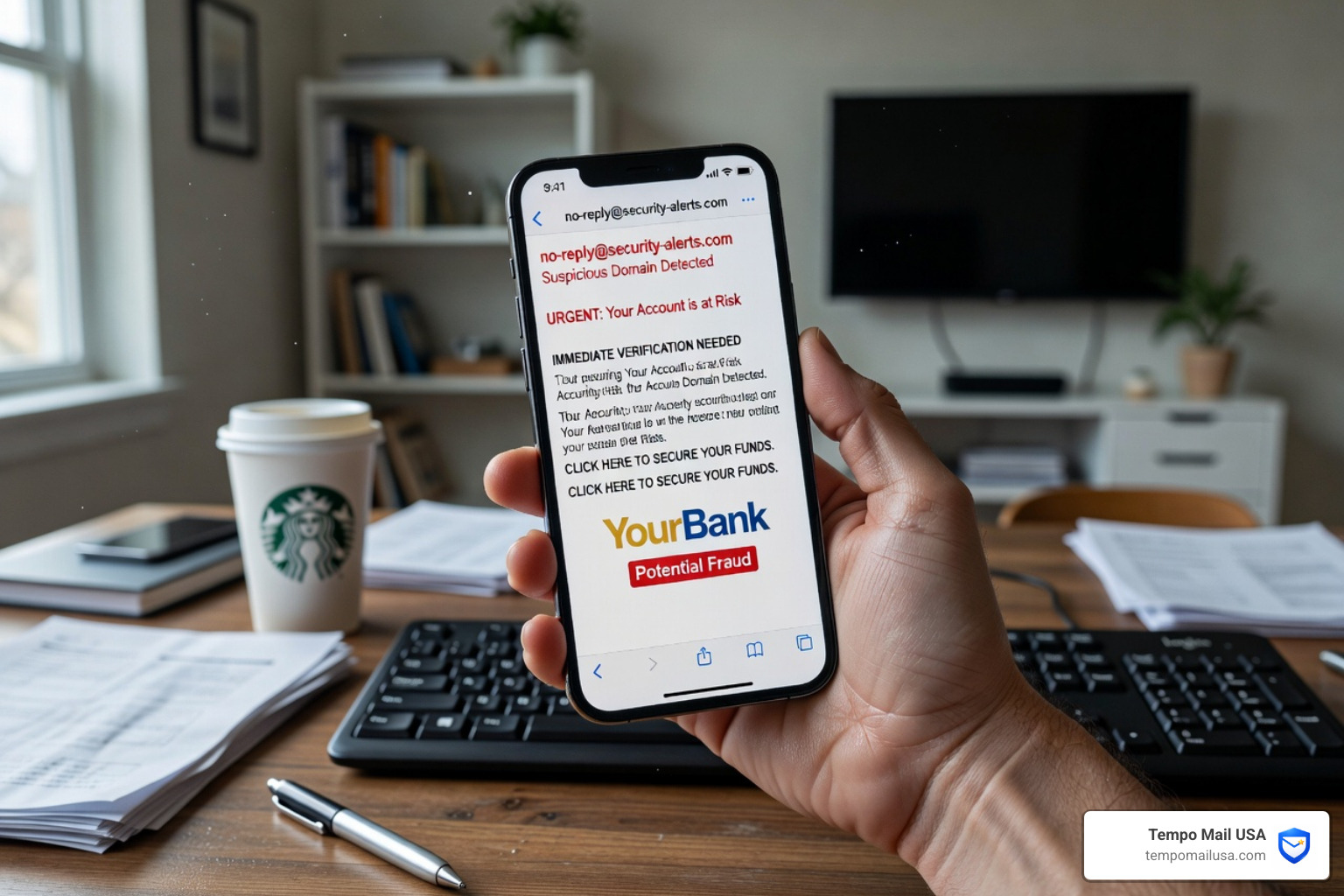

Why Most People Misread Identity Theft Warning Signs in Email
What are the primary identity theft warning signs in an email? Common identity theft warning signs in emails include urgent or threatening language, generic greetings (like "Dear Customer"), mismatched sender domains, suspicious links, requests for personal information, unexpected attachments, and too-good-to-be-true offers.
Key Identity Theft Warning Signs Checklist:
- Urgent or threatening language — "Act immediately or your account will be closed"
- Generic greetings — "Dear Customer" instead of your actual name
- Mismatched sender domains — the display name says "PayPal" but the address ends in a random domain
- Suspicious links — hovering reveals a destination that doesn't match the sender
- Requests for personal information — passwords, SSNs, credit card numbers, or PINs
- Unexpected attachments — especially .zip or .exe files you didn't ask for
- Too-good-to-be-true offers — fake refunds, prizes, or tax rebates
- Poor spelling or grammar — though AI is making this sign less reliable
Scammers launch thousands of phishing attacks every single day — and they succeed more often than most people expect. The FBI's Internet Crime Complaint Center has recorded over $1.4 billion in losses from email scams in the US alone.
But here's the problem: most people think they already know what a scam email looks like. That overconfidence is exactly what scammers count on.
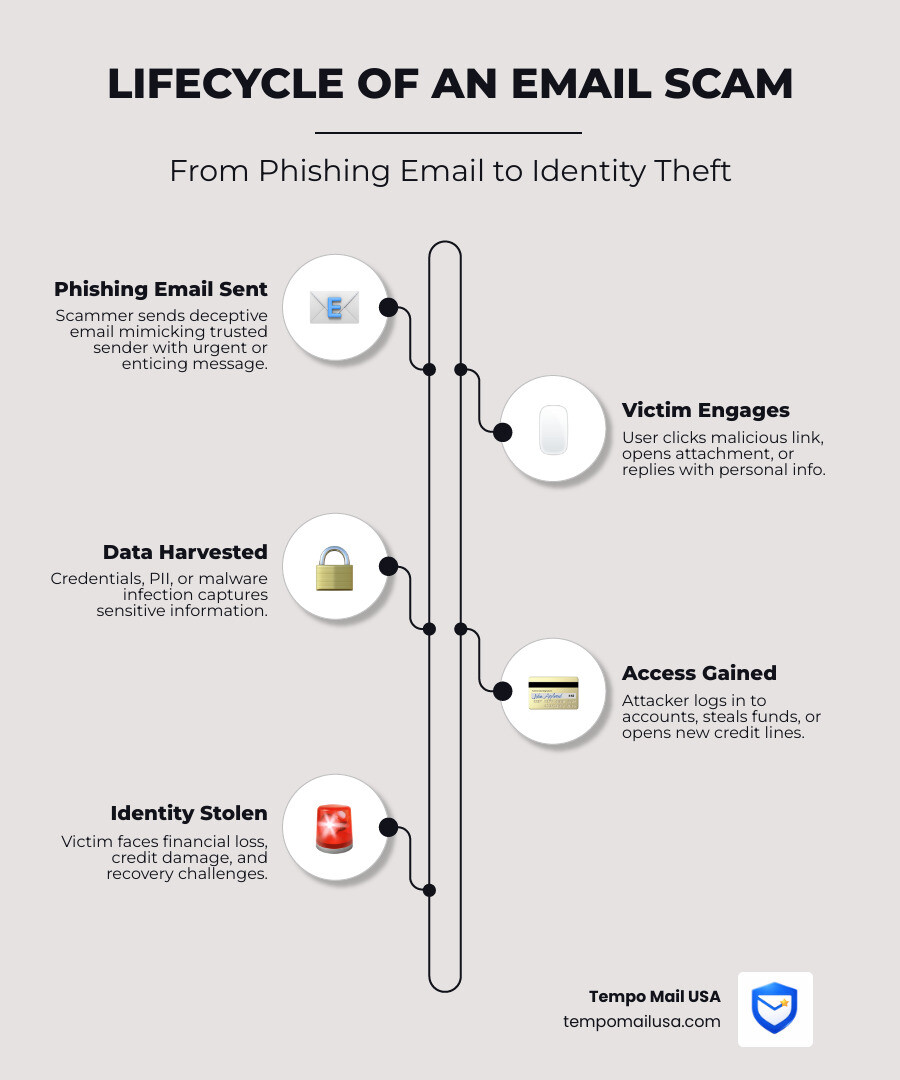
Myth 1: If the Grammar is Perfect, the Email is Safe
We’ve all heard the advice: "Look for typos!" While it used to be true that most phishing attempts were riddled with "Engrish" and bizarre punctuation, that era is rapidly ending. Today, a professional-looking email is no longer a guarantee of safety.
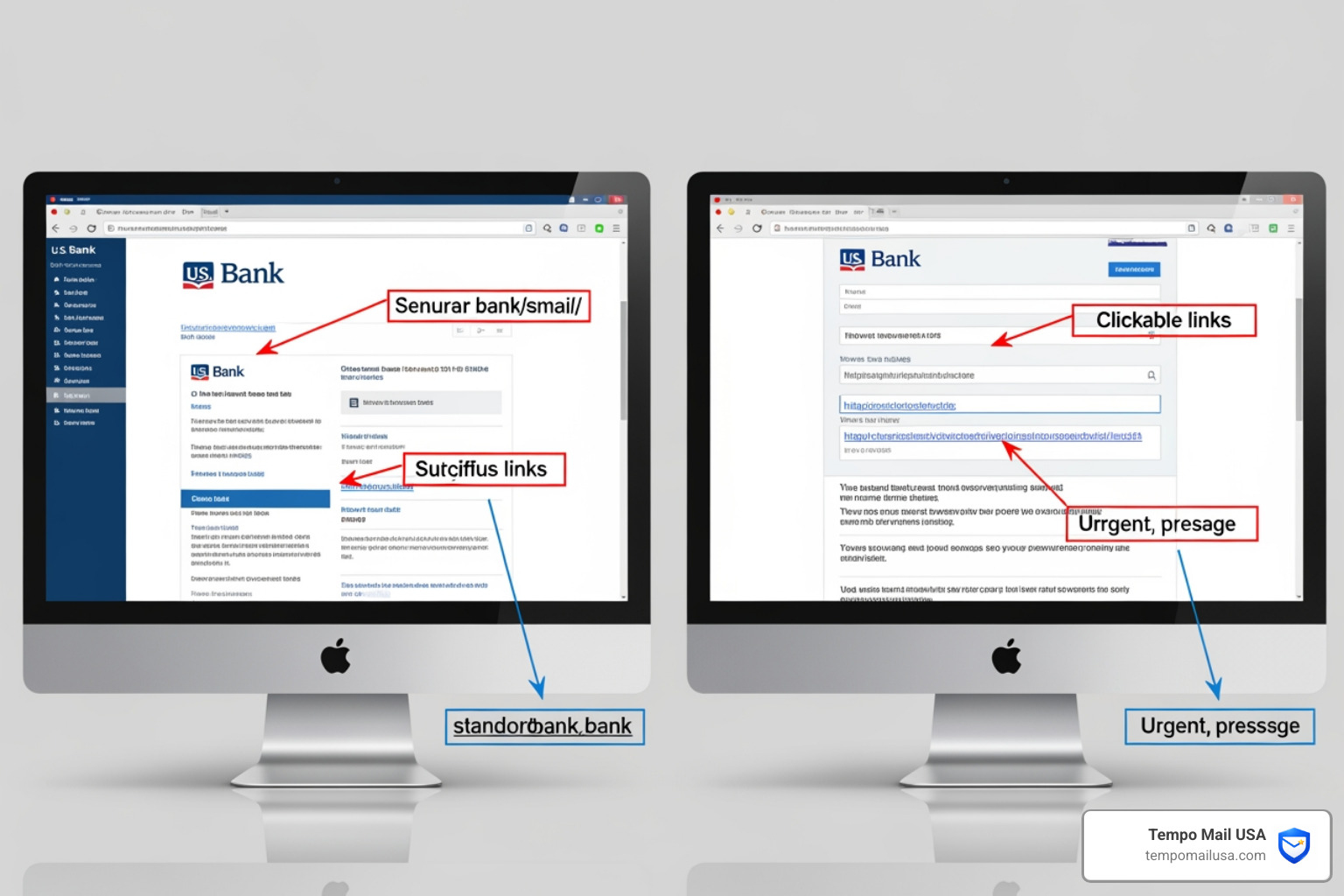
How to spot identity theft warning signs in emails in the age of AI
With the rise of Generative AI, scammers can now draft perfectly articulated, grammatically correct emails in seconds. They can mimic the exact tone of voice used by major banks or tech companies. This means we have to look deeper than just the spelling.
One of the most effective tricks remains spoofing. This is when a scammer disguises an email address, sender name, or URL to convince you that you are interacting with a trusted source. To stay safe, you must Master How to Spot Phishing Emails by looking at the technical "from" field. Even if the body of the email looks like a BBB Tip: How to recognize a phony email guide, check the domain after the "@" symbol. If it doesn't match the official website exactly, it's a trap.
Furthermore, look for authentication using commonly accepted internet standards. Many modern email providers like Outlook will show a banner if they cannot verify the sender. If you see a warning that the sender failed authentication, believe it—no matter how perfect their grammar is.
Myth 2: Identity Theft Only Happens if You Provide a Password
Many of us think, "As long as I don't type my password into a fake site, I'm fine." This is a dangerous misconception. Modern identity theft warning signs email campaigns are often designed to compromise your device without you ever typing a single word.
Can clicking a link lead to identity theft without a password?
Yes. Phishing isn't just about "fishing" for credentials; it's often a delivery system for spyware and malware. Simply clicking a link can trigger a drive-by download that installs a keylogger on your computer. This software sits quietly in the background, recording every keystroke you make—including your bank logins and Social Security number—and sending them back to the scammer.
There is also the risk of packet sniffing on unsecured networks or through malicious redirects. If you Protect Yourself: How to Avoid Phishing, you know that unexpected attachments are the primary culprits here. A file that looks like a PDF invoice could actually be an executable (.exe) file that gives a hacker full remote access to your system.
If you suspect your device has been compromised by a "silent" attack, you should Report spoofing and phishing to the FBI’s IC3 immediately. It is also vital to understand the nuances of Recognizing and Responding to a Hacked Email Account.
Myth 3: You’re Safe if You Don’t Have an Account with the Sender
"I don't even use Amazon, so this 'Amazon Order' email is obviously fake and can't hurt me." While the first part is true, the second part is a myth. Scammers don't always need you to have an existing account to steal your identity.
Why do I get identity theft emails from companies I don't use?
Scammers often use "fear of the unknown" to bait you. You might receive a fake invoice for a high-dollar item from a company you’ve never used. Your natural instinct is to click "Cancel Order" or "Contact Support" to clear up the "mistake." That's exactly where they catch you. These links lead to forms asking for Personally Identifiable Information (PII) like your full name, address, and credit card "for verification purposes."
In other cases, the goal is tax-related fraud. You might receive a suspicious email claiming to be from the Internal Revenue Service promising a refund. Scammers use this to collect your Social Security number, which they then use to file a real fraudulent tax return in your name.
If you find yourself in a situation where a scammer has used your info to open new accounts, follow the IdentityTheft.gov recovery steps. It’s a great resource for learning What is a Phishing Scam? Protect Yourself from future attempts while cleaning up the current mess.
Myth 4: Two-Factor Authentication (2FA) Makes You Unstoppable
We are big fans of 2FA. It is an essential layer of security. However, it is not a "magic shield" that makes you immune to identity theft. Scammers have developed sophisticated ways to bypass Multi-Factor Authentication (MFA).
Is 2FA enough to prevent identity theft?
While 2FA is an essential layer of security, it is not a "magic shield." Scammers have developed sophisticated ways to bypass Multi-Factor Authentication (MFA).
| Feature | 2FA / MFA Security | Email Alias (Tempo Mail USA) |
|---|---|---|
| Primary Goal | Verifies your identity during login | Hides your real identity from the start |
| Weakness | Can be bypassed by session hijacking | No direct link to your real PII |
| Social Engineering | Scammers can trick you into giving the code | Scammers don't know your real email |
| Privacy | Your real email is still exposed in breaches | Your real email remains hidden |
Scammers use social engineering to bypass 2FA. They might call you, pretending to be "Bank Security," and ask you to read back the code that was just sent to your phone. There is also session hijacking, where a malicious link in an email steals your "session cookie," allowing the hacker to enter your account without needing a password or a 2FA code at all.
To truly protect yourself, you need to Stop Phishing: Effective Strategies to Prevent Attacks. This involves combining 2FA with "identity masking" tools like email aliases.
Myth 5: Government Agencies Will Email You About Urgent Debts
This is one of the most persistent—and damaging—myths. Many people believe that the government uses email to handle urgent financial matters or legal threats.
Does the government ever email about debt or legal issues?
No. The IRS, CRA, and other government agencies do not initiate contact by email to request personal or financial information. They will not email you to demand payment via cryptocurrency, nor will they threaten you with immediate arrest via an Outlook message.
Scammers love to use the Docusign Email Scam Warning to send "official" legal documents that require your "signature." If you receive an email claiming you owe money to the government, do not click anything. Instead, go directly to the official website by typing it into your browser.
For our friends in the North, the Canadian Anti-Fraud Centre is the place to report these impersonation attempts. Legitimate agencies will always send official correspondence through the physical mail before ever reaching out digitally.
Myth 6: Deleting the Email is the Only Step You Need to Take
When you spot a blatant identity theft warning signs email, your first instinct is probably to hit "Delete" and move on with your day. While this keeps you safe in the moment, it doesn't do anything to stop the scammer from targeting the next person.
What is the best way to report identity theft emails?
Stopping cybercrime is a team effort. When you receive a phishing attempt, you should take a moment to report it to help email providers update their filters and help law enforcement track down criminal networks:
- Forward to the APWG: Send phishing emails to
reportphishing@apwg.org. - Report to the FTC: Use ReportFraud.ftc.gov to log the attempt.
- Notify the FBI: Use the IC3.gov portal for serious spoofing or financial scams.
- Use your email's "Report Spam" button: This trains the AI to catch similar emails for everyone.
If you aren't sure how to do this, check out our guide on How to Report Phishing Emails in 5 Easy Steps. Taking these small steps can lead to big results.
Frequently Asked Questions about Identity Theft
What should I do if I clicked a link in a suspicious email?
Don't panic, but act fast.
- Disconnect from the internet to stop any active data transmission between your device and the scammer.
- Run a full malware scan using reputable security software.
- Change your passwords from a different, clean device.
- If you entered financial info, contact your bank to freeze your cards.
- Finally, visit IdentityTheft.gov to create a recovery plan.
How can I tell if an email address is spoofed?
The best way is to "look under the hood." On a desktop, hover your mouse over the sender's name to see the actual email address. On mobile, long-press the sender's name. Check the "mailed-by" and "signed-by" fields in the email headers if your provider allows it. If the display name says "Apple Support" but the email is security-alert@xyz-web-services.net, it’s a spoofing attempt.
Does opening an email automatically steal my identity?
Usually, just opening an email won't steal your identity, but it can signal to a scammer that your account is active. Many phishing emails contain "tracking pixels"—tiny, invisible images that notify the sender when the email is opened. This can lead to more targeted attacks. Additionally, if your email client is set to "automatically download images," it might trigger an IP log. To Stay Safe: Combatting PayPal Phishing Attacks Effectively, always disable automatic image loading in your settings.
Conclusion
Identity theft is a high-stakes game, and the identity theft warning signs email you see today is far more sophisticated than the ones from a decade ago. Scammers are using AI, spoofing, and social engineering to bypass traditional red flags and even technical safeguards like 2FA.
At Tempo Mail USA, we believe the best way to win this game is to stop playing by the scammers' rules. By using our secure email alias generation, you create a "privacy firewall" between your real identity and the services you use. When you use an alias, your real email address—the hub of your digital life—remains hidden. If an alias starts receiving phishing junk, you can simply delete it without ever compromising your primary inbox.
Stay vigilant, keep reporting those scams using our 5 Easy Steps guide, and remember: your identity is worth protecting. We're here to help you keep it safe.