

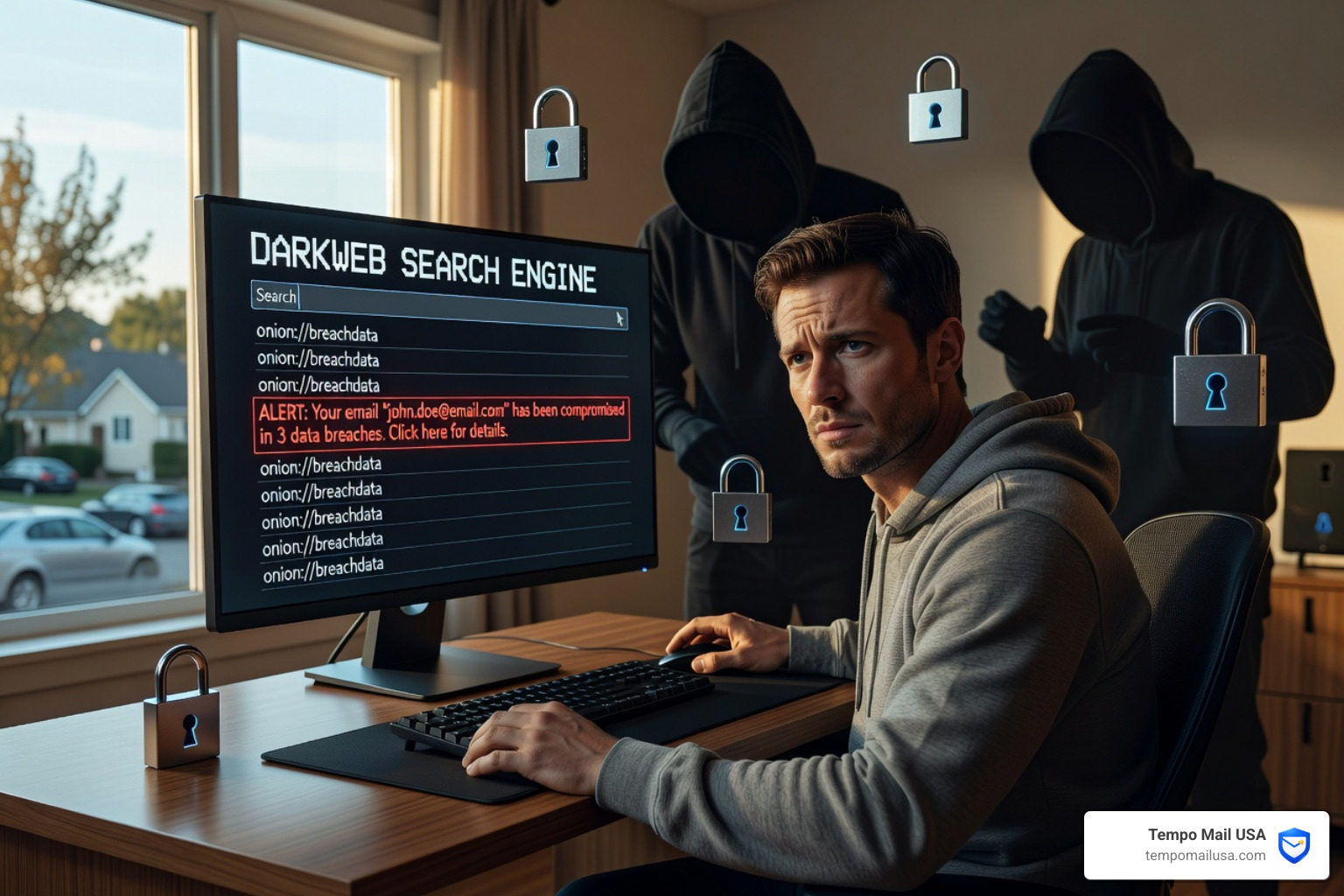

Your Email Could Be on the Dark Web Right Now — Here's How to Know
Is my email on the dark web? It's a question more people should be asking — and the answer might surprise you.
Here's the quick answer:
To check if your email is on the dark web:
- Go to haveibeenpwned.com and enter your email address — it's free
- Look for breach results and paste records tied to your address
- Sign up for breach notifications so you're alerted if it appears in future leaks
Over 17 billion accounts have been exposed across nearly 1,000 breached websites. In 2024 alone, more than 1 billion records were leaked — including email addresses, passwords, and other personal details.
Your email isn't just a way to receive messages. It's the key to almost every online account you own — your bank, your social media, your shopping accounts. That's why cybersecurity experts call it your "online passport."
When that passport lands on the dark web, criminals can use it to hijack your accounts, run phishing attacks, or sell your identity to the highest bidder.
And here's the uncomfortable part: you probably won't know it happened. Companies often take months to disclose a breach — if they disclose it at all.
This guide walks you through how to check your exposure for free, what to do if your email is already out there, and how to stop it from happening again using simple, budget-friendly tools like email aliases.
Understanding the Dark Web and Your Digital Identity
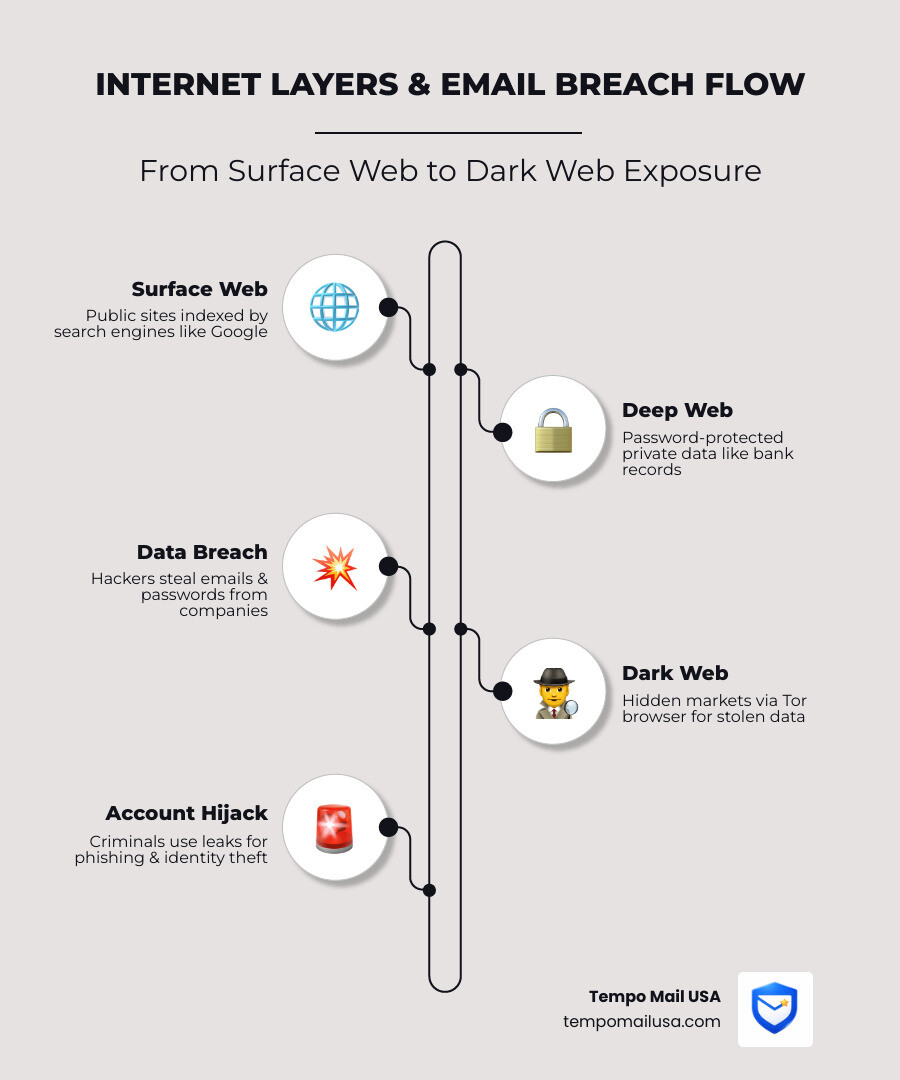
To understand why asking "is my email on the dark web" is so critical, we first need to demystify what the dark web actually is. Think of the internet like an ocean. The "Surface Web" is the top layer where we all swim—sites indexed by Google that anyone can visit. Just below that is the "Deep Web," which consists of password-protected pages like your medical records or bank statements.
Then there is the Dark Web. This is a small, hidden portion of the deep web that requires specific software, like the Tor browser, to access. While there are many legitimate uses for the dark web—such as journalists communicating in oppressive regimes or whistleblowers staying anonymous—it is also a thriving marketplace for stolen data.
On these hidden forums, your IP address and email are traded like commodities. Why? Because your email address is effectively your online passport. It’s the common thread that links your digital identity across hundreds of platforms. When a hacker gets hold of it, they aren't just getting a string of characters; they are getting the primary key to your financial, social, and professional life.
Is My Email on the Dark Web? How to Check for Free
If you're worried about your data, you aren't being paranoid—you're being observant. In 2024, 1 billion records were leaked in various high-profile incidents. When these breaches occur, the data often ends up in "paste records" (text-sharing sites) or massive databases sold on the dark web for credential stuffing—where hackers use automated tools to try your email/password combo on every site imaginable.
Checking for exposure doesn't have to cost a penny. You can start by reviewing a Google Dark Web Report: Essential Findings You Must Know to see if your primary Gmail has been flagged. Often, these reports will highlight if your info was part of a Data Breach Alert: 50M Accounts Exposed News event, which happens more frequently than most realize.
Signs Your Email is on the Dark Web
Sometimes, the first sign that "is my email on the dark web" has a "yes" answer isn't a report, but weird behavior in your inbox. Keep an eye out for:
- Suspicious Sent Emails: If your "Sent" folder contains messages you didn't write, your account is likely compromised.
- Unexpected Password Resets: Getting an email to reset a password for a service you haven't visited in months? A hacker is likely trying to get in.
- Altered Recovery Info: Check your settings. If a secondary email or phone number you don't recognize has been added, someone is preparing to lock you out.
- Unauthorized Settings: New filters that forward your mail to a strange address are a massive red flag.
Using Free Tools to See if My Email is on the Dark Web
Beyond the big names, several dedicated tools can help you scan for leaks. You can Check If My Email Is Hacked - Free Dark Web Email Scan | LeakNix to get a real-time look at whether your credentials are being traded. Another great resource is to ask, 🛡️ Has Your Email Been Leaked Online?, which provides anonymous scanning against public breach data.
These tools scan thousands of criminal forums and "paste" sites where hackers dump data. If they find a match, they’ll usually provide a report detailing which site was breached and what specific data (password, home address, etc.) was exposed.
Immediate Steps to Take After a Dark Web Exposure
If you find your email on the dark web, don't panic. Panic leads to mistakes; action leads to security. Here is your emergency checklist:
- Change Your Passwords: This is non-negotiable. Start with your email account itself, then move to financial and social accounts. Use a password manager to ensure every site has a unique, complex password. You can Try 1Password to generate and store these securely.
- Enable Multi-Factor Authentication (MFA): Even if a hacker has your password, MFA acts as a second lock. Use an authenticator app rather than SMS if possible, as SMS can be intercepted.
- Report the Incident: If you suspect identity theft, contact the Internet Crime Complaint Center (IC3) in the US or Action Fraud in the UK. For US residents, IdentifyTheft.gov offers a personalized recovery plan.
- Check for Malware: Sometimes the leak didn't come from a website breach but from a "keylogger" on your own computer. Run a deep antivirus scan immediately.
- Monitor Your Finances: Keep a close eye on your bank statements. If you see even a $1 charge you don't recognize, call your bank. You might also want to consult the Ultimate Checklist for Conduent Data Breach if you were part of a corporate leak.
- Educate Yourself: Learn the latest tactics by visiting Stop! Think Fraud to stay ahead of scammers.
Proactive Prevention: Using Email Aliases as a Security Firewall
We often give out our real email addresses like candy—to grocery stores for coupons, to random blogs for "free" ebooks, and to apps we use once. Every time you do this, you create a new point of failure. If any of those services are breached, your real email ends up on the dark web.
This is where email aliases come in. An alias is a "proxy" email that forwards messages to your real inbox. If the service you signed up for gets hacked, you simply delete the alias. Your real email remains hidden and safe.
Email Aliases vs. The Plus (+) Trick
Many people use the "plus trick" (e.g., yourname+service@gmail.com). While handy for sorting mail, it’s useless for privacy. Hackers can easily strip the "+service" part to reveal your real address.
| Feature | Email Alias (Tempo Mail USA) | Plus (+) Trick |
|---|---|---|
| Hides Real Email? | Yes | No |
| Can be Deleted? | Yes | No |
| Stops Tracking? | Yes | No |
| Security Level | High (Digital Firewall) | Low (Sorting Tool) |
By implementing Data Breach Prevention for Your Business or personal life, you significantly reduce your attack surface. Combining aliases with a virtual private network and sharp phishing scam-spotting skills creates a formidable defense.
Frequently Asked Questions about Dark Web Email Leaks
Can I remove my email from the dark web once it's there?
The short answer is no. The dark web is unregulated and decentralized. Once a database of emails is dumped or sold, it can be copied thousands of times. You can't "delete" it from the dark web any more than you can delete a rumor from the world. Your goal isn't removal; it's mitigation. By changing your passwords and using MFA, you make the stolen data useless to criminals.
Should I change my email address if it's on the dark web?
In most cases, you don't need to abandon your primary email address. If you’ve updated your security (new passwords, MFA, aliases for new sign-ups), you've essentially locked the door. However, if you are being targeted by an overwhelming amount of phishing or "sextortion" scams, migrating to a new address and using aliases moving forward might be the best way to get a fresh start.
How do email addresses end up on the dark web?
It usually isn't your fault. Most emails end up there through third-party data breaches. High-profile companies like Marks & Spencer, the Co-op, and even luxury brands like North Face and Cartier have faced incidents that exposed customer data. Phishing attacks and human error (like a company employee accidentally leaving a database unprotected) are also common culprits.
Conclusion
The digital world can feel like a bit of a Wild West, but you don't have to be a victim. While the question "is my email on the dark web" might yield a scary answer, the tools to protect yourself are more accessible than ever.
At Tempo Mail USA, we believe that privacy shouldn't be a luxury. We provide secure email alias generation to act as a digital firewall, shielding your real personal identifiable information (PII) from the services you use every day. By proxying your identity, you ensure that even if a service you use is breached, your "online passport" remains safe behind our shield.
Don't wait for a notification that your data has been stolen. Take control of your digital footprint and Protect your identity today. Your future self will thank you.