


What Is an Incident Response Drill (and Why It Matters)
An incident response drill is a structured practice exercise where your team simulates a cyberattack or security breach to test how well your organization can detect, contain, and recover from it — before a real incident happens.
Quick answer: what you need to know
- An incident response drill tests your team's ability to respond to cyber threats in a controlled, low-stakes environment
- Drills range from simple discussion-based tabletop exercises to full-scale live simulations
- They help identify gaps in your response plan, clarify roles, and build muscle memory for real events
- Organizations should run drills at least once a year — more often if your threat landscape changes
- Key frameworks that guide drills include NIST SP 800-61, ISO/IEC 27035, and CISA's IR Playbook
Think about it this way: you wouldn't expect a fire department to handle its first blaze with zero practice runs. The same logic applies to cybersecurity.
Today's threat environment moves fast. Attackers can begin moving laterally through a compromised network in as little as 79 minutes — down from 9 hours just a few years ago. Ransomware is spreading across home, business, and government networks faster than ever.
When a real incident hits, there's no time to figure out who does what. Without practice, teams freeze. Decisions stall. Damage compounds.
That's why security teams and privacy-focused organizations are shifting to a "when, not if" mindset — accepting that breaches will happen and preparing accordingly. Drills are the tool that makes that preparation real.
For individuals who care about protecting their personal data — from spam to identity theft to PII exposure — understanding how organizations prepare for breaches matters too. It tells you a lot about whether the services you use are truly ready to protect your information.
Why Your Organization Needs an Incident Response Drill
If we wait until "things are on fire" to test our recovery processes, we've already lost the battle. The primary goal of an incident response drill is to ensure that when a crisis hits, our focus is entirely on the fix, not on trying to remember who has the admin password or which legal counsel needs to be notified.
The statistics are sobering. In 2019, it took an attacker about 9 hours to move laterally within a network after an initial foothold. Today, that window has shrunk to just 79 minutes. This means our detection and escalation must be near-instantaneous. Furthermore, ransomware remains the fastest-growing malware threat globally, targeting everything from local businesses to federal agencies.
Without regular practice, organizations often suffer from "response paralysis." This is where team members are so overwhelmed by the chaos of a breach that they fail to take even basic containment steps. By following the NIST guide on testing, training, and exercise programs, we can move away from panic and toward a structured, professional defense.
The cyber risk landscape is no longer a static map; it’s a shifting environment where AI-driven attacks and sophisticated phishing are the norm. Utilizing FEMA exercise and evaluation guidance allows us to apply proven emergency management principles to the digital world, ensuring business continuity even when our primary systems are under siege.
Improving Business Continuity and Compliance
Beyond just "staying safe," an incident response drill is often a legal and regulatory requirement. If your organization handles sensitive data, you are likely subject to regimes like HIPAA, GDPR, or the NY SHIELD Act. These regulations increasingly focus on team education and evidence of plan testing.
For those working toward a federal Authorization to Operate (ATO), drills are essential artifacts. They provide proof of compliance with NIST SP 800-53 controls, specifically:
- CP-3 and CP-4: Contingency plan training and testing.
- IR-2 and IR-3: Incident response training and testing.
- AT-3: Role-based security training.
By documenting our drills, we create a paper trail that proves to auditors and regulators that we don't just have a plan on a shelf—we actually know how to use it. This process also helps in risk identification, allowing us to spot "out-of-sequence" steps or missing procedures before they result in a multi-million dollar fine or a permanent loss of customer trust.
Types of Exercises: Discussion-Based vs. Operational
Not every incident response drill needs to be a high-octane, "hackers in the basement" simulation. We categorize exercises into two main buckets: discussion-based and operational.
| Exercise Type | Complexity | Cost | Primary Goal |
|---|---|---|---|
| Tabletop (Discussion) | Low | Low | Familiarize team with roles and the IR plan. |
| Functional (Operational) | Medium | Medium | Test specific technical skills or tools (e.g., EDR/SIEM). |
| Full-Scale (Operational) | High | High | Test the entire organization's response under pressure. |
Discussion-based exercises, like tabletops, are the best starting point. They involve a facilitator leading a group through a hypothetical scenario. We sit in a room (or a Zoom call), look at a scenario like a ransomware infection, and ask: "What do we do first? Who calls the insurance provider? How do we talk to the press?"
Operational exercises take things a step further. They involve hands-on testing where we actually validate our tool integrations. Does our SIEM actually fire an alert when we simulate a password spray attack? Does our EDR successfully isolate a "compromised" workstation? This is where we move from "talking the talk" to "walking the walk."
Discussion-Based vs. Operational Incident Response Drill
While both are valuable, they serve different masters. A tabletop exercise is brilliant for building community and ensuring that the Legal, HR, and Communications teams are on the same page as the IT department. It’s about policy and decision-making.
In contrast, a functional drill or full-scale simulation is about technical muscle. These might involve "injects"—new pieces of information dropped into the drill in real-time to see how the team adapts. For example, midway through a data breach simulation, the facilitator might announce: "The backup server just went offline." Now, we see how the team handles a multi-vector crisis. These simulations allow for real-time mitigation practice and deep peer discussion on technical tactics.
How to Plan and Execute Your Exercise
Planning is where the real work happens. You can't just wake up and decide to run a drill; you need a roadmap. We recommend starting with a boundary diagram. This is a visual map of your systems, showing where data lives, who can access it, and where your third-party vendors (like cloud providers) plug in.
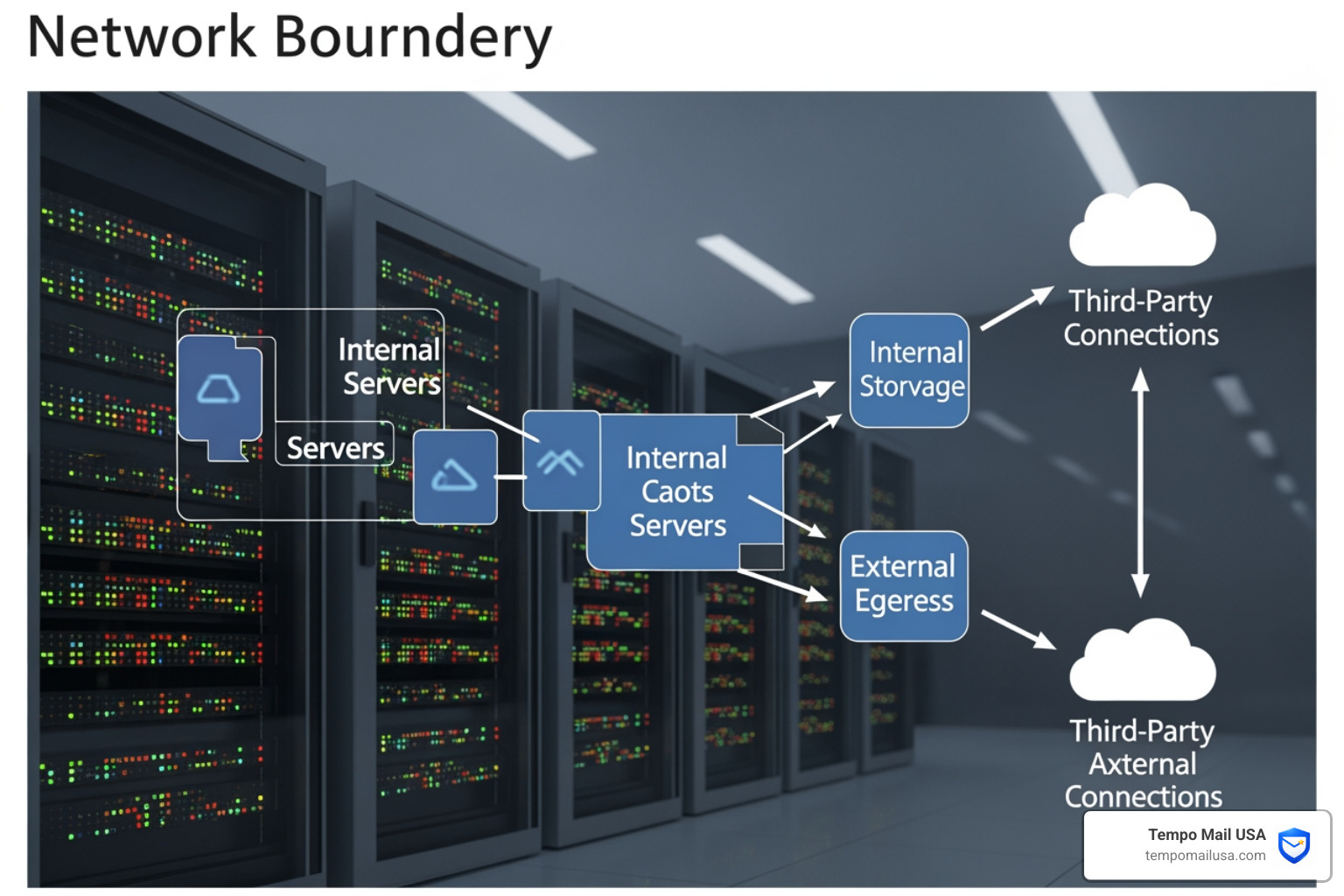
Once you have your map, you can identify your top risks. Are you most worried about a leaked API key? A compromised admin account? Or perhaps a massive PII exposure? Before you start, it's also worth checking your current status—for example, knowing how to check if your data was breached in the past can provide a realistic baseline for your scenario.
You also need executive buy-in. Drills take time and resources. To get leadership on board, frame the incident response drill not as a "security check" but as a business continuity strategy. It’s about minimizing downtime and protecting the bottom line.
Step-by-Step Planning for an Incident Response Drill
- Select Your Scenario: Choose something realistic based on recent trends. Ransomware and phishing are always top contenders.
- Develop Injects: Plan 3-5 "plot twists" to keep the team on their toes.
- Assign Roles:
- Moderator/Facilitator: Leads the story and keeps time.
- Note-taker: Documents every decision and "aha!" moment.
- Participants: The actual IR team (IT, Legal, PR, Management).
- Set the Ground Rules: Ensure everyone knows this is a "safe space." The goal isn't to point fingers; it's to find gaps in the process.
- Focus on Metrics: During the drill, pay close attention to communication accuracy and escalation timelines. How long did it take for the "technical" team to realize they needed to notify the "legal" team?
Realistic Scenarios and Measuring Success
A drill is only as good as the scenario it uses. We shouldn't be simulating alien invasions; we should be simulating the stuff that actually happens.
- Ransomware Outbreak: A user clicks a link, and suddenly files are being encrypted. Can we isolate the infected machine before it hits the file server?
- PII Exposure: A database is accidentally left public. How do we handle the notification requirements? (Hint: Check our data deletion and retention policy to see how we manage this at Tempo Mail USA).
- API Key Leaks: A developer accidentally pushes a live AWS key to a public GitHub repo. How fast can we rotate that key and scrub the history?
- Email Compromise: If an executive's account is hacked, do you know the steps for recovery after an email hack?
To know if we’re actually getting better, we track key metrics:
- Mean Time to Detect (MTTD): How long from the "start" of the attack until the team noticed?
- Mean Time to Respond (MTTR): How long until the first containment action was taken?
- Containment Speed: How quickly was the threat neutralized?
- Recovery Time: How long until business operations returned to normal?
Overcoming Challenges and Post-Drill Reviews
Running a drill isn't always smooth sailing. One of the biggest modern challenges is remote team participation. When your team is spread across time zones, you need secure collaboration platforms (like encrypted chat or dedicated IR portals) to ensure everyone is seeing the same information at the same time.
We also have to manage stress. A full-scale simulation can feel very real, and "drill fatigue" is a thing. Keep the tone professional but supportive.
The most important part of any incident response drill happens after the simulation ends: the blameless retrospective. We sit down and ask:
- What worked well?
- Where did the plan fail?
- Did everyone know their role?
- Do we need new tools or more training?
Common Pitfalls to Avoid:
- Making it too easy: If the team "wins" in ten minutes, the scenario wasn't realistic enough.
- Ignoring non-IT departments: If Legal and HR aren't involved, you aren't testing a real incident response.
- Forgetting forensics: In the rush to "fix" things, teams often delete the evidence needed to understand how the attacker got in. Practice "preserving the scene" by isolating resources rather than just deleting them.
Frequently Asked Questions
How frequently should we conduct drills?
At a minimum, we recommend conducting an incident response drill once a year. However, if your organization undergoes a major infrastructure change (like moving to the cloud) or if there is a significant shift in the global threat landscape, you should run an extra "flash drill" to ensure your new systems are covered.
Can remote teams participate effectively?
Absolutely. In fact, since most real-world incidents involve remote coordination, practicing this way is actually more realistic. Use secure video conferencing and shared document editors to simulate a "virtual war room."
What happens if a drill uncovers serious weaknesses?
This is actually the best-case scenario! It is much better to find a massive hole in your security during a drill than during a real ransomware attack. When weaknesses are found, we document them, prioritize the fixes, and then schedule a follow-up mini-drill to ensure the new safeguards actually work.
Conclusion
Building a culture of security isn't about being "unhackable"—it's about being resilient. An incident response drill is the bridge between a theoretical plan and a battle-ready team. By practicing regularly, utilizing realistic scenarios, and focusing on continuous improvement through blameless retrospectives, we transform from "targets" into "responders."
At Tempo Mail USA, we understand that privacy and security are two sides of the same coin. Our temporary email services act as a "PII firewall," helping you minimize your data footprint so that even if an organization you use has a bad day, your real identity remains shielded.
Stay proactive, stay prepared, and remember: the best time to find a leak is during a drill, not a flood. For more information on how we handle data ourselves, review our data deletion and data retention policy.