

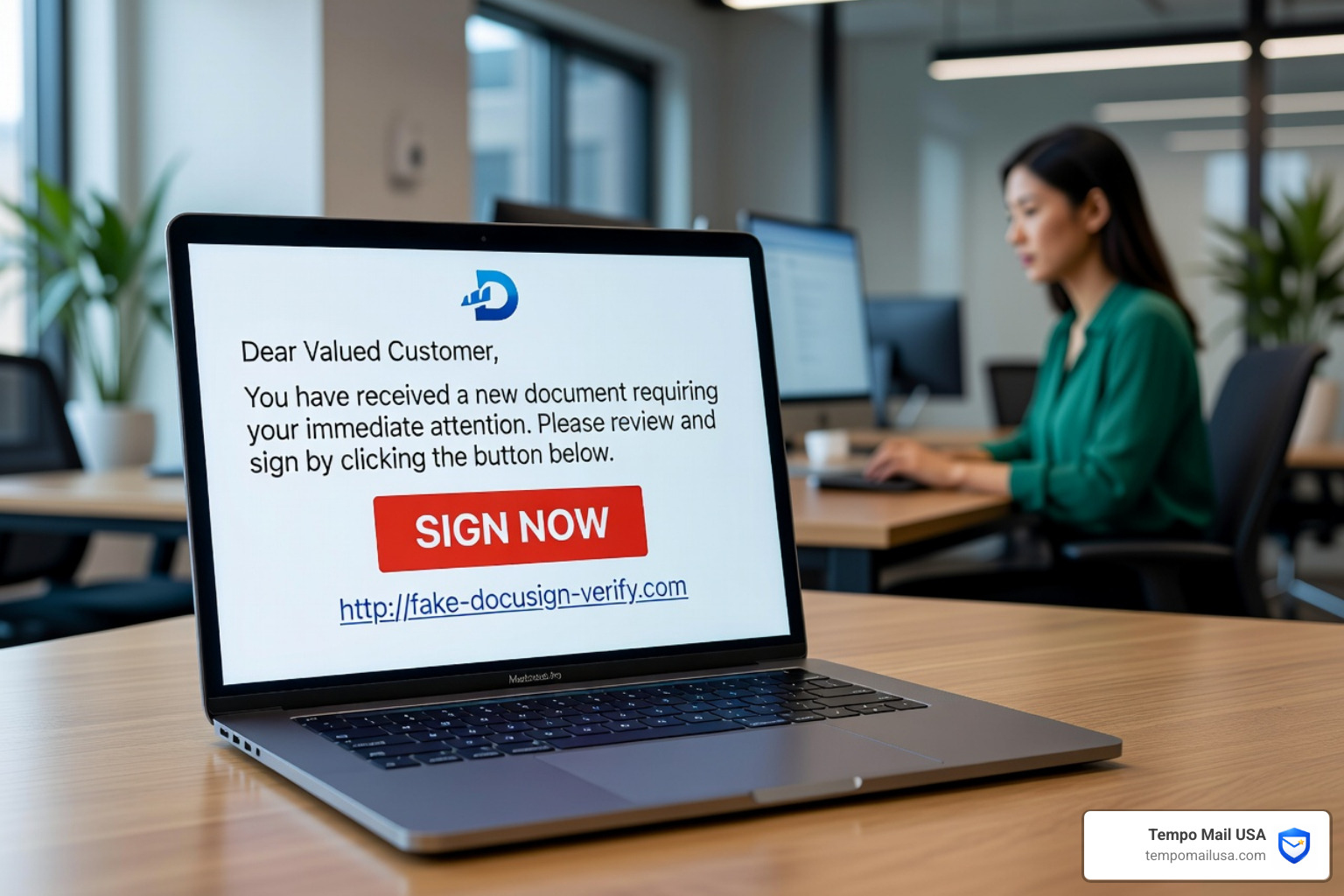

What is a DocuSign Email Scam?
A DocuSign email scam is a phishing attack where cybercriminals impersonate the DocuSign platform to steal login credentials, distribute malware, or commit financial fraud. Attackers send fraudulent emails that mimic official document signing requests to trick users into clicking malicious links or downloading infected attachments.
Quick Answer: How to Spot a DocuSign Scam
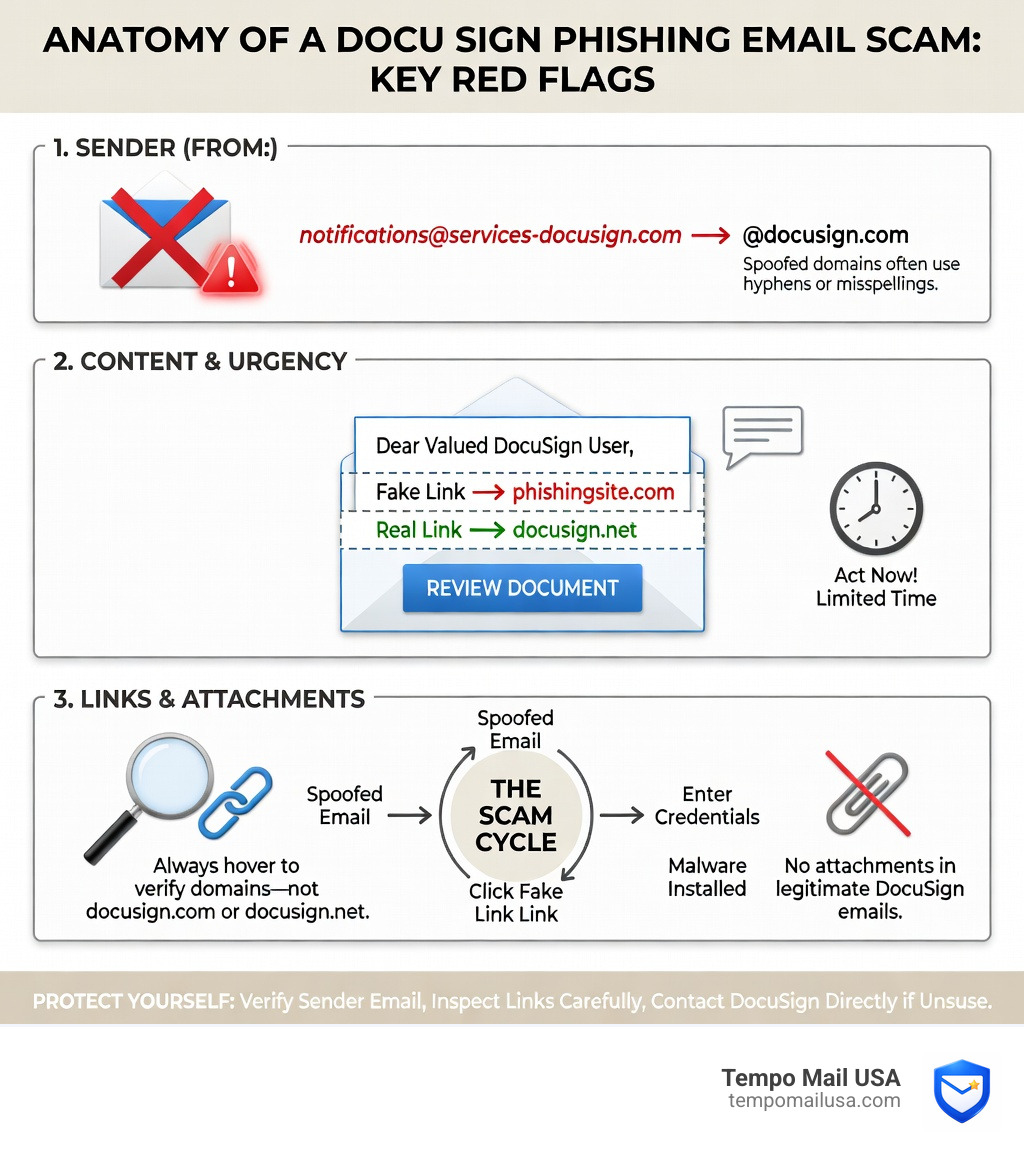
- Check the Sender: Official emails only come from
@docusign.comor@docusign.net. Be wary of slight misspellings likedocusgn.com. - Inspect the Greeting: Scams use generic terms like "Dear Customer" or "Dear Recipient" instead of your actual name.
- Hover Over Links: Ensure the URL points to
docusign.netbefore clicking. If the link looks like a long string of random characters, it is likely a trap. - Look for Attachments: Real DocuSign requests do not include attachments like .zip or .html files in the initial notification.
- Sense of Urgency: Scammers use threats of account suspension or legal action to force quick, unthinking action.
DocuSign serves over one billion users, making it a prime target for impersonation. In 2024, fraud losses reached $12.5 billion, with phishing accounting for 20% of all data breaches. This guide explains how to identify these attacks, the psychological tactics used by scammers, and how to protect your personal data using advanced privacy tools.
How the DocuSign Email Scam Works
To understand a docusign email scam, you must recognize that these are social engineering attacks designed to exploit brand trust. By mimicking sensitive documents like contracts, non-disclosure agreements (NDAs), or invoices, scammers bypass your security instincts. They rely on the fact that most professionals are accustomed to receiving multiple document requests daily and may not scrutinize every notification.
According to the Verizon Data Breach Investigations Report, the "human element" is involved in 60% of breaches. Scammers use urgency—such as "overdue invoices" or "urgent legal notice"—to trigger a panic response. This psychological pressure often leads victims to ignore technical red flags that would otherwise be obvious.
The Two Main Goals of DocuSign Phishing:
- Credential Theft: Directing you to a fake login page (often mimicking Microsoft 365 or Google Workspace) to steal your password. Once they have your credentials, they can access your corporate network or personal financial accounts.
- Malware Delivery: Using malicious .zip files, .html attachments, or direct links to install ransomware or keyloggers. These tools allow attackers to monitor your keystrokes and steal even more data over time.
Modern Tactics: API Abuse and Quishing
Attackers are becoming increasingly sophisticated, now using its APIs to send legitimate-looking emails from DocuSign's own servers. This makes the emails pass traditional spam filters because the sender's IP address is actually DocuSign's. We are also seeing a rise in "Quishing" (QR code phishing), where a QR code inside a Docusign “envelope” leads to a fake Microsoft login page. Because QR codes are harder for security software to scan, they are a growing threat. For more protection strategies, see our more info about secure email practices.
Red Flags: How to Identify a Fake DocuSign Request
To identify a docusign email scam, look for technical inconsistencies and generic language. While scammers are good at visual mimicry, they often fail at domain verification and link structure. Use the table below to compare legitimate requests against common phishing tactics.
| Feature | Legitimate DocuSign Email | Scam DocuSign Email |
|---|---|---|
| Sender Address | Ends in @docusign.com or @docusign.net | Random domains or typos (e.g., @docusgn.com, @docusign-support.com) |
| Greeting | Uses your full name (e.g., "Dear John Doe") | Generic terms like "Dear Customer" or "Dear Recipient" |
| Attachments | No attachments (pre-signing) | Includes .zip, .html, .exe, or .pdf files containing links |
| Links | Starts with https://docusign.net/ | Redirects to non-DocuSign domains or URL shorteners |
| Tone | Professional and neutral | Urgent, threatening, or overly helpful |
Verifying the Sender and Links
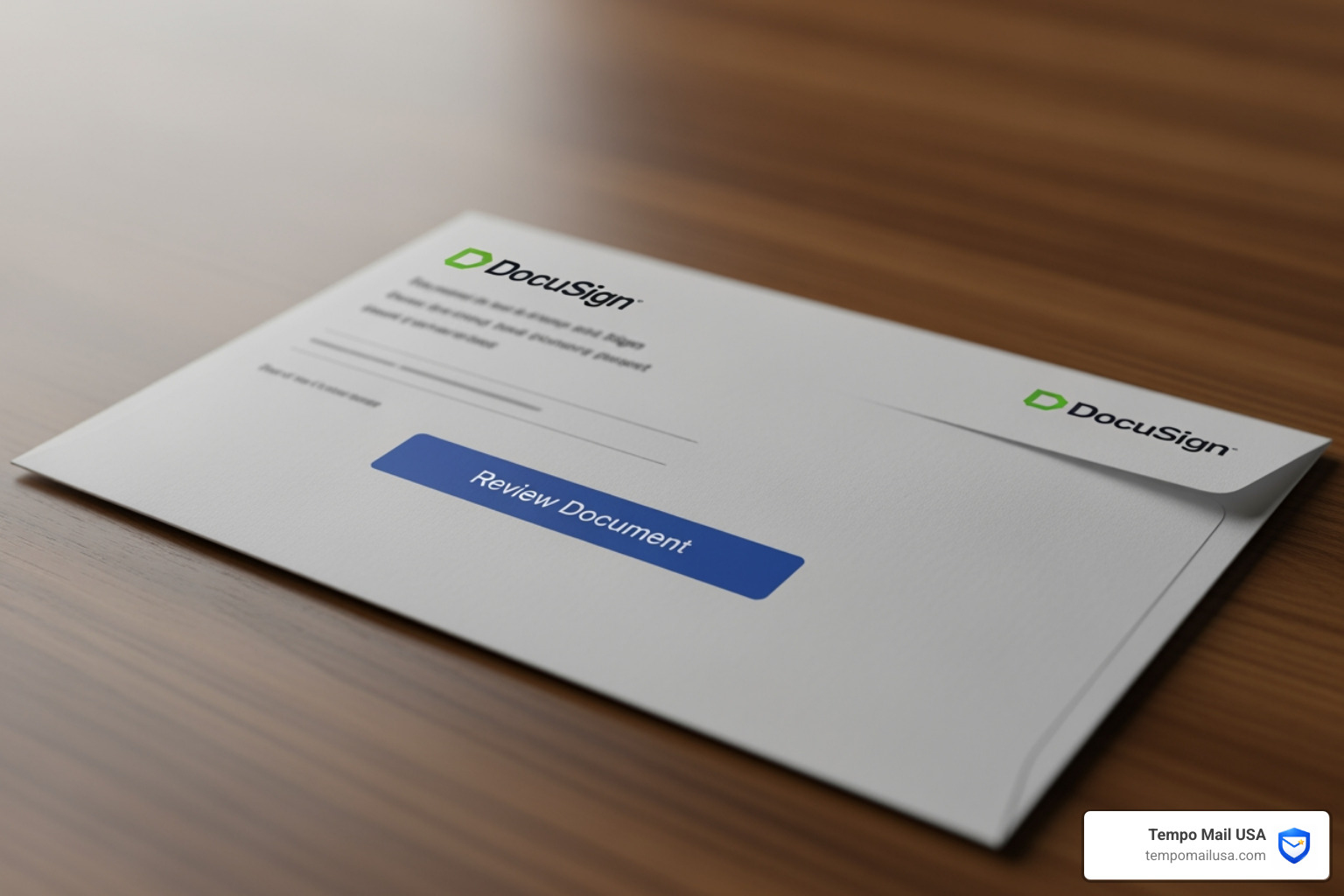
Official DocuSign notifications only come from @docusign.com and @docusign.net. Federal Trade Commission data shows that brand impersonation is a leading cause of fraud losses. Always use the "hover technique": hover your mouse over the "Review Document" button to see the actual destination URL. If the URL contains anything other than docusign.net/, do not click it.
Furthermore, be wary of "Homograph Attacks," where scammers use characters from different alphabets that look identical to Latin characters (e.g., using a Cyrillic 'a' instead of a standard 'a'). These are designed to fool the naked eye but can be caught by checking the link destination carefully.
Common Examples of DocuSign Fraud
Scammers tailor the docusign email scam to match current events and common business workflows. By using familiar brand names, they increase the likelihood that a recipient will engage with the email. Common examples include envelopes that spoof invoices for brands like Norton or PayPal. These Fake invoice scams are designed to trigger a panic response regarding an unauthorized charge.
Government and Seasonal Themes
Attackers often posing as a government agency like the Department of Transportation (DOT) or Health and Human Services (HHS). These emails might claim you have a pending fine or a mandatory compliance document to sign. Other variations include Refund scams and Reddit Example of data theft where users are told they are owed money, but must "verify their identity" first.
Advanced Notification Exploitation
Some scams use Fraud Alert: Advanced Phishing Scams Leveraging Notifications to impersonate PayPal via DocuSign’s Maestro tool. These emails look authentic because they originate from DocuSign's system but contain fraudulent content meant to “cancel” an unauthorized transaction. By using the legitimate DocuSign infrastructure, scammers can bypass many traditional email security gateways that rely on sender reputation scores.
What to Do if You Fell for a DocuSign Scam
If you interacted with a docusign email scam, immediate action is required to prevent a data breach. Follow these steps to secure your information:
- Secure Your Accounts: If you entered a password on a fake page, change your password for your email and any other services that use the same credentials. Use a unique, complex password for every account.
- Enable MFA: Multi-Factor Authentication (MFA) is the best defense against stolen credentials. Even if a scammer has your password, they won't be able to access your account without the second factor.
- Report the Incident: Forward the suspicious email to
verify@docusign.comand then delete it. You can also use the Report Abuse feature within the DocuSign interface. - Use Official Portals: Report fraud via the online portal i-Sight or the Federal Trade Commission. If you are at work, notify your IT or security department immediately so they can check for lateral movement in the network.
- Privacy Requests: If your personal data was leaked, use the Privacy Request Portal to manage your data footprint.
- Scan for Malware: If you downloaded an attachment, run a full system scan using reputable security software and consider clearing your browser's cache and cookies to remove any session-hijacking scripts.
How to Prevent DocuSign Email Scams
To stay safe in an era of hyper-realistic phishing, you must adopt a "zero-trust" mindset. This means verifying every signature request through an independent channel before interacting with it. Never assume an email is safe just because it looks professional.
Use Security Codes for Verification
You do not need to click email links to sign documents. Every legitimate DocuSign email includes a unique Security Code at the bottom of the message. Instead of clicking "Review Document," go directly to docusign.com, click on the Access Documents feature, and enter the code manually. If the document doesn't appear in the official system, the email was a scam.
Advanced Protection with Email Aliasing
While traditional security measures focus on detection, Tempo Mail USA offers a proactive defense through identity proxying. By using email aliases, you create a firewall between your personal data and the services you use.
When you use a unique alias for every service, you gain immediate visibility into data leaks. For example, if a "DocuSign" request arrives at an alias you only used for a specific online retailer, you know instantly that the retailer's data was compromised and the email is a scam. This method shields your real PII (Personally Identifiable Information) and ensures that even if an alias is targeted, your primary inbox and identity remain secure. This "identity firewall" approach is the most effective way to stop phishing before it even reaches your eyes.
FAQ: Frequently Asked Questions About DocuSign Scams
How can I tell if a DocuSign email is legitimate?
A legitimate DocuSign email always originates from @docusign.com or @docusign.net. It will address you by your full name and will not contain any attachments in the initial request. You can always verify a request by entering the security code directly on the official DocuSign website rather than clicking links.
What should I do if I clicked a link in a suspicious email?
Close your browser immediately. If you entered any login information, change your passwords for those accounts right away. Run a malware scan on your device to ensure no malicious scripts were installed. If you are using a corporate device, notify your IT department.
Does DocuSign ever send attachments in a signature request?
No. DocuSign does not include attachments like .zip, .exe, or .html files in initial signature requests. You will only receive a PDF attachment after all parties have completed the signing process. Any attachment received before you have signed is a major red flag.
Can scammers use the real DocuSign system?
Yes, some advanced scammers use DocuSign's own APIs to send emails. This is why checking the content of the document and using the security code method is more reliable than just checking the sender's address. Always verify the context of the request.
Conclusion: Staying Safe from DocuSign Phishing
The docusign email scam remains a persistent threat because it exploits the tools we use for daily business. With nearly three million fraud claims reported annually, maintaining a high level of vigilance is essential for both individuals and businesses.
By utilizing security codes, reporting suspicious activity to DocuSign Support, and protecting your identity with Tempo Mail USA, you can effectively block these attacks. Your email address is the key to your digital identity; shielding it with aliases provides a critical layer of defense that traditional security cannot match. Stay informed, stay skeptical, and keep your personal data behind a secure firewall.