



Your Personal Data Is Already Out There — Here's What To Do About It
How to remove your information online is simpler than most people think — but it does take consistent effort across several fronts.
Quick answer — the core steps:
- Google yourself to find what's publicly visible (search your full name in quotes)
- Use Google's "Results about you" tool to request removal of personal contact info from search results
- Opt out of data broker and people-search sites like Spokeo, Whitepages, and BeenVerified manually — or use an automated removal service
- Lock down or delete social media accounts and remove personal details like your phone number, address, and employer
- Use a PII firewall going forward — tools like masked email aliases, VPNs, and virtual phone numbers stop new leaks before they start
Every day, millions of Americans open Google and find their home address, phone number, and even their relatives' names listed on sites they've never heard of — and never gave permission to. This isn't a glitch. It's a $200+ billion industry built around collecting, packaging, and selling your personal information without your consent.
The scale of exposure is staggering. The 2024 National Public Data breach alone leaked billions of personal records — names, Social Security numbers, addresses, and more — into the open. And that's just one incident.
The uncomfortable truth? A single piece of exposed data isn't just an annoyance. Security experts describe personal data as "tiles in a mosaic" — individually harmless, but assembled together, they give fraudsters, stalkers, and scammers everything they need to impersonate you, manipulate you, or worse.
This guide walks you through every practical layer of online data removal — from Google search results to data broker databases to social media profiles — so you can shrink your digital footprint and keep it small.
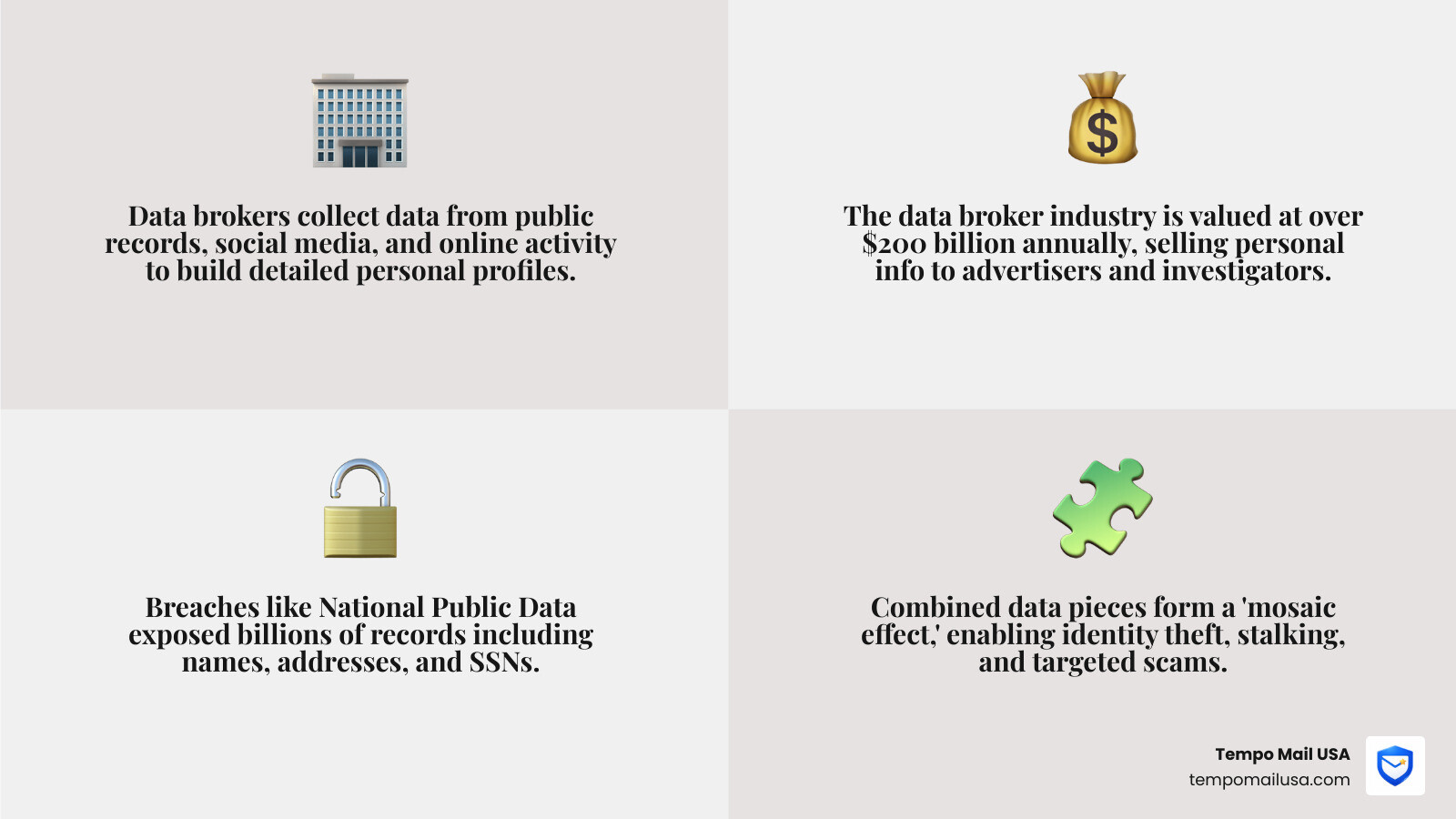
Understanding your digital footprint and the data broker economy
Your "digital footprint" is the trail of data you leave behind every time you use the internet. It includes everything from the social media accounts you created in 2012 to the "guest checkout" you used for a one-time purchase last week. While some of this is voluntary, a massive portion of it is harvested by data brokers.
Data brokers are companies that scrape the internet, public records, and social media to build comprehensive profiles on individuals. They then sell this information to advertisers, insurance companies, and even private investigators. People search sites like Spokeo and Whitepages are the public-facing side of this industry, making it incredibly easy for anyone with a few dollars to find your home address or phone number.
The "mosaic effect" is particularly dangerous here. A hacker might find your name on one site, your birthdate on another, and your mother’s maiden name on a third. Put them together, and they have a skeleton key to your identity. This is why learning How to Delete Yourself from the Internet: The Complete Guide is no longer just for the tech-savvy—it’s a basic survival skill in April 2026.

The agitation of data exposure
Why should you care? Because "privacy" isn't just a buzzword; it's your physical and financial safety. Exposed PII (Personally Identifiable Information) leads directly to:
- Stalking and Harassment: If a malicious actor knows where you live and work, the digital threat becomes a physical one.
- Financial Fraud: Scammers use leaked data to bypass bank security questions or open fraudulent lines of credit.
- Targeted Scams: Ever wonder why you get a "personalized" phishing text about a package you supposedly ordered? That's your data at work.
- Reputation Damage: Old posts or court records (even if dismissed) can haunt your professional life for years.
How to remove your information online using Google’s privacy tools
Google is the front door to the internet. If your information isn't on Google, it's significantly harder for the average person to find. Fortunately, Google has expanded its tools to help users reclaim their privacy.
The "Results about you" dashboard is a game-changer. It allows you to monitor for your personal contact information and request its removal directly from search results. However, we must clarify a crucial distinction: de-indexing vs. source removal. When Google removes a result, the link disappears from search, but the data still exists on the original website. To truly erase it, you must contact the site owner.
For more details, you can visit Find and remove personal info in Google Search results - Google Search Help.
Step-by-step: how to remove your information online from search results
- Search for yourself: Use "Your Name" (in quotes) + your city to see what comes up.
- Access the Removal Form: If you find a result with your phone number or address, click the three dots next to the result and select "Remove result."
- Submit the Request: You will likely need to provide the URL and a screenshot of the offending content. This helps Google's team locate exactly what needs to be hidden.
- Monitor Status: Use the "Results about you" dashboard to track whether your request was approved or denied.
For a deeper dive into these steps, check out our internal guide on How to Remove Your Personal Information from the Internet.
Requesting removal of sensitive PII and doxxing content
Google has specific, stricter policies for high-risk data. You can request the immediate removal of:
- Government IDs: Social Security numbers or National ID cards.
- Financial Data: Bank account or credit card numbers.
- Doxxing Content: Aggregated personal info shared with "malicious intent" (threats or calls for harassment).
- Non-consensual Explicit Content: Images or videos shared without your permission.
The "Whack-a-Mole" reality of people search sites and manual opt-outs
Removing yourself from Google is the first step, but the data brokers themselves are a different beast. This process is often called "Whack-a-Mole" because as soon as you remove your info from one site, it might reappear a few months later or pop up on a sister site.
Data privacy laws like the CCPA (California) and GDPR (Europe) have forced many brokers to provide opt-out forms, but they don't make it easy. They often hide these forms in the footer of their websites or require email verification.
Manual opt-out strategies for major people search databases
To do this for free, you’ll need to visit the "Opt-out" or "Privacy" pages of the big players:
- Whitepages: Search for your listing, copy the URL, and paste it into their opt-out page.
- Spokeo: Similar to Whitepages; find your profile and use their "Privacy" link to submit a removal request.
- Radaris: Often requires you to "claim" your profile before you can hide it.
Pro-tip: When opting out, never use your primary, personal email address. Brokers can sometimes use the email you provide to update your profile instead of deleting it. We recommend using a temporary email alias to handle these communications.
For a comprehensive list of these sites, see this How to remove your personal information from the internet: A step-by-step guide.
Advanced defenses: automated removal services and PII firewalls
If you have 40–80 hours to spare, you can do all of this manually. If you don't, you might consider personal data removal services. These platforms (like Incogni, DeleteMe, or Optery) use automated scripts to find your data on hundreds of broker sites and send legal "Right to Erasure" requests on your behalf.
| Feature | DIY Manual Removal | Automated Removal Services |
|---|---|---|
| Cost | Free | $70 - $130 per year |
| Time Investment | Very High (40+ hours) | Low (10 minutes setup) |
| Persistence | You must re-check manually | Continuous scanning & re-removal |
| Coverage | Limited to what you find | 200 - 600+ sites |
While these services are highly effective, they are reactive. They clean up the mess after it’s been made. To truly protect yourself, you need a PII Firewall.
Proactive protection: how to remove your information online before it leaks
The best way to "remove" your information is to never give it out in the first place. This is where identity proxying comes in.
- Use a Secure VPN: Protect your IP address and location from being logged by every site you visit. NordVPN is an excellent choice for this.
- Enterprise Password Managers: Use unique, 20-character passwords for every site so a breach at one doesn't lead to all of them.
- The PII Firewall (Temporary Email): When a site asks for your email to give you a "10% discount" or access to a whitepaper, don't give them your real one.
At Tempo Mail USA, we provide secure identity proxying. By using a temporary email alias, you create a firewall between your real identity and the service. If that service sells your data or gets hacked, the only thing leaked is an alias that you can delete with one click. It’s the ultimate "kill switch" for your digital identity.
Learn more in The Ultimate Guide to Private Disposable Email and discover Why Use Temporary Email: Protect Yourself from Spam.
Scrubbing social media and physical location data
Social media is the largest source of "self-reported" data for brokers. Even if your profile is private, your friends’ accounts might not be, and tagged photos can still reveal your location and habits.
Privatizing your social presence
- Facebook: Use the "Privacy Checkup" tool. Limit past posts to "Friends only" and disable search engine indexing (so your profile doesn't show up when someone Googles your name).
- TikTok: Set your account to private and, importantly, disable "Suggest your account to others" to stop the app from syncing your phone contacts.
- LinkedIn: This is a goldmine for recruiters—and scammers. Limit who can see your email address and connections.
- Google Maps: You can actually request to have your house blurred on Street View. Search for your address, click "Report a problem," and select "Request blurring."
For a full breakdown of platform settings, refer to the Remove Personal Information from the Internet — 2026 Guide.
Frequently Asked Questions about online data removal
How long does it take to remove my information from the internet?
The timeline varies. Google search removals can take anywhere from 24 hours to a few weeks. Data broker opt-outs typically take 30 to 45 days to process. However, because brokers constantly re-scrape data, you should audit your presence every 3–6 months.
Can I completely erase myself from the internet?
Total erasure is nearly impossible because of public records (like marriage licenses or property deeds) and archives like the Wayback Machine. However, you can remove 90% of the "low-hanging fruit" that scammers and casual stalkers use, which drastically reduces your risk profile.
What is the difference between de-indexing and source removal?
De-indexing (handled by search engines like Google) simply hides the link from search results. Source removal (handled by the website owner) deletes the data from the server entirely. You should always aim for source removal first, using de-indexing as a backup.
Conclusion
In April 2026, privacy is no longer a passive state; it is an active practice. How to remove your information online is a process of clearing the past and shielding the future. By combining manual cleanup, automated removal services, and proactive tools like VPNs and temporary email aliases, you can effectively shrink your digital footprint.
At Tempo Mail USA, we believe your real email address is a piece of high-value PII that should be guarded like a Social Security number. By using our identity proxying service, you build a "PII Firewall" that keeps your real life private while you navigate the digital world.
Stay safe, stay private, and start scrubbing today. For more tips, read our full guide on How to remove your personal information from the internet.