



The Rising Threat of ParkMobile Scams
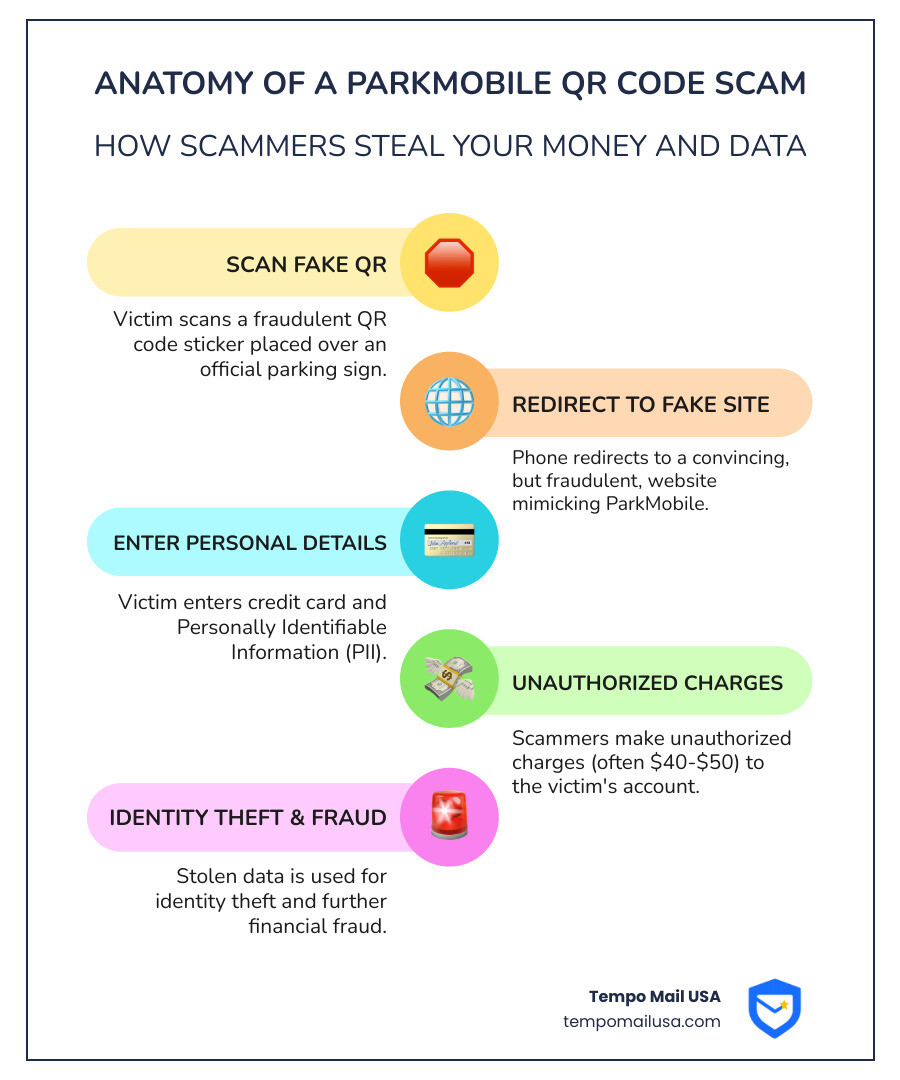
ParkMobile scam attempts are surging across the United States, targeting unsuspecting drivers who just want to pay for parking. These scams use fake QR codes, fraudulent websites, and phishing messages to steal your credit card details and personal information.
Quick Answer: Common ParkMobile Scam Types
- Fake QR Code Stickers - Placed over legitimate parking signs, redirecting you to phishing websites
- Fraudulent Websites - Appear at the top of Google search results for "ParkMobile app"
- SMS Phishing - Text messages requesting payment for fake unpaid parking sessions
- Email Scams - Messages claiming you owe parking fees with suspicious payment links
The numbers tell a troubling story. Action Fraud received 2,600 reports mentioning "parking" so far this year - double the daily recorded figures from 2022. Cities like Houston, Austin, and Fort Lauderdale have issued official warnings after residents fell victim to these schemes.
A Jupiter resident visiting friends in Palm Beach clicked on what appeared to be the official ParkMobile website. Within minutes of entering their payment information, they received fraud alerts from their bank. Instead of paying a few dollars for parking, victims often find charges of $40 to $50 on their accounts.
The scammers are sophisticated. They exploit search engine results, place realistic-looking stickers on parking meters, and craft convincing messages that appear to come from ParkMobile. But you can protect yourself.
This guide walks you through 5 straightforward steps to investigate and avoid ParkMobile scams. You'll learn how to spot fake QR codes, verify legitimate websites, recognize phishing attempts, respond if you've been targeted, and report suspicious activity to the right authorities.
Your personal information is valuable. Let's make sure it stays protected.
Step 1 & 2: Identifying and Verifying a Potential Scam
When you're rushing to pay for parking, it's easy to overlook subtle details that could signal a scam. Scammers are banking on our haste and trust in familiar brands like ParkMobile. Their tactics are designed to look as legitimate as possible, making it crucial for us to know what to look for and how to verify authenticity. The goal is simple: trick you into giving up your financial information or other Personally Identifiable Information (PII) under the guise of paying for parking.
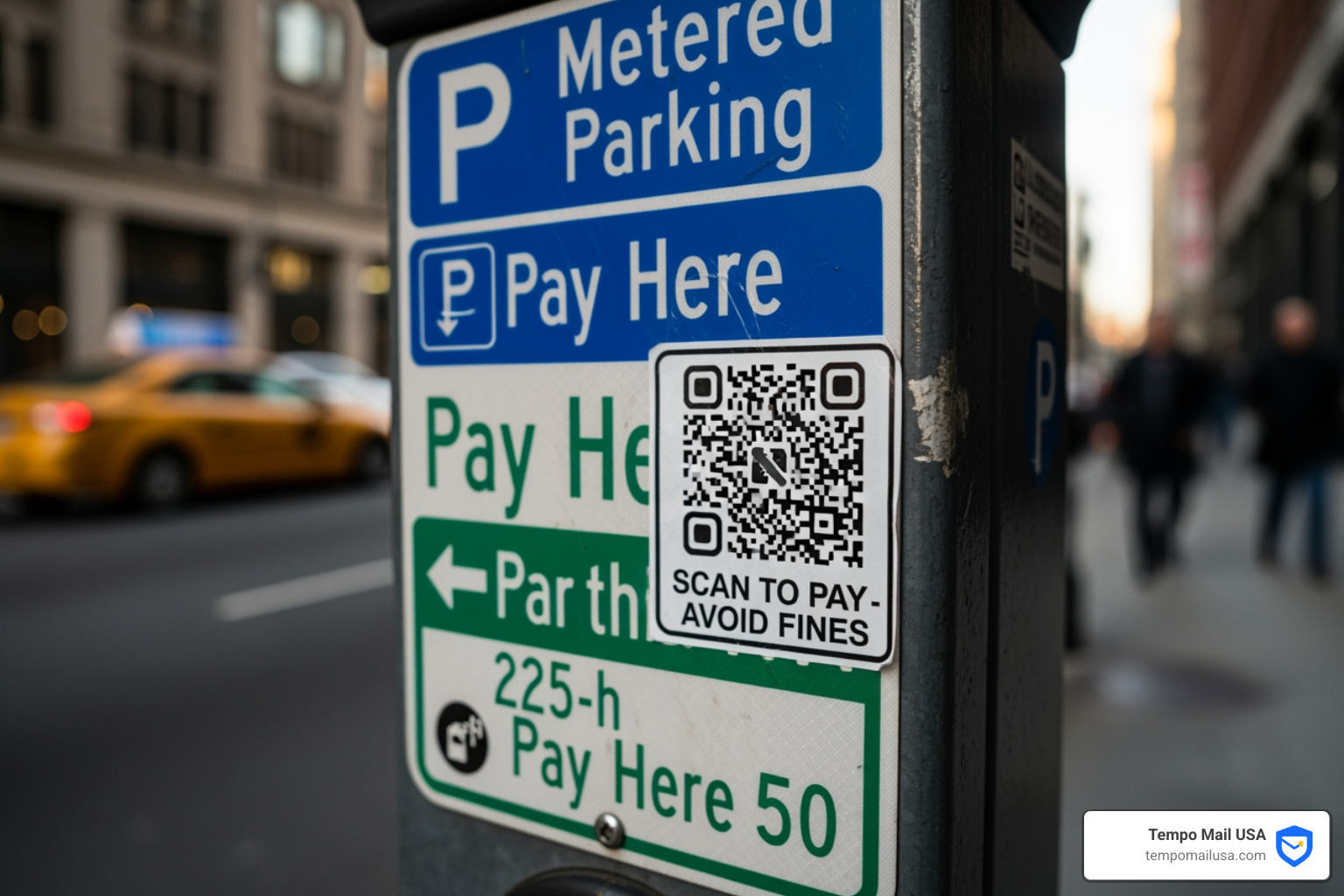
Common scam types you'll encounter often involve impersonation. This means fraudsters create fake websites, send deceptive SMS messages, or even place physical stickers that mimic official ParkMobile branding. Their phishing tactics often rely on creating a sense of urgency, like warning you of an "unpaid parking session" or a "pending fine," to pressure you into clicking a malicious link without thinking twice.
Our first line of defense involves careful verification. Before you click, scan, or enter any information, always cross-reference with official channels. The legitimate ParkMobile app, available only from official app stores, and their official website are your safest bets.
How to Spot a Fake QR Code or Website
Imagine you pull up to a parking spot, eager to get on with your day. You see a QR code on the meter and think, "Great, easy payment!" But here's the kicker: not all QR codes are created equal. One of the most prevalent ParkMobile scam tactics involves fake QR code stickers.
The key difference? Official ParkMobile QR codes are almost always printed directly onto the parking sign or meter. If you see a QR code that looks like a sticker, especially one placed over existing text or signage, that's a huge red flag. Cities like Fort Lauderdale have reported finding these scam stickers at multiple locations, often bearing the ParkMobile logo to deceive users. These stickers redirect you to fraudulent websites designed to steal your banking information.
Similarly, be vigilant about the website you're visiting. Scammers are incredibly adept at creating phishing websites that look identical to the real ParkMobile site. They exploit search engine results, sometimes even appearing at the top of Google searches for "ParkMobile app" or "ParkHouston app." The City of Houston specifically warned residents about this, noting how these fraudulent sites request information but never initiate a parking session.
How can we verify a website's legitimacy? Always check the URL in your browser's address bar. The official ParkMobile website is parkmobile.io, and the legitimate web app URL should always start with app.parkmobile.io. If you see anything different – like park-space.xyz or any other suspicious domain – close that browser tab immediately. Do not proceed. ParkMobile's official advice on protecting yourself emphasizes this: if a site looks suspicious in any way, do not use it. If you're ever in doubt, bypass the QR code or search engine result entirely. Instead, open your official ParkMobile app directly or type parkmobile.io into your browser.
A phishing scam is designed to trick you into revealing sensitive information. Understanding What is a Phishing Scam? Protect Yourself is fundamental to staying safe online.
Decoding a Fraudulent SMS or Email Message
Beyond fake QR codes and websites, scammers often use SMS (text messages) and email to carry out a ParkMobile scam. These phishing attempts are designed to look like official communications from ParkMobile, but they contain malicious links intended to compromise your data.
A common tactic involves sending unexpected payment links. You might receive a text message claiming you have an "unpaid parking session" or a "parking citation" and instructing you to click a link to pay a "phony balance online." ParkMobile has explicitly stated that they will never send private customers payment links or sensitive information via SMS. So, if you get such a message, it's a scam. Delete it immediately and do not tap any links!
These messages often create a sense of urgency – "Pay now to avoid further penalties!" or "Your parking session is about to expire!" This pressure is meant to bypass your critical thinking. They might also use generic greetings instead of addressing you by name, which is another tell-tale sign of a mass phishing attempt.
ParkMobile's communication policy is clear: all legitimate payment details and account status checks should be done directly through their official app. If there's an issue with your parking session or payment, the information will be reflected in your app, not sent via an unsolicited text or email with a clickable link. Similarly, ParkMobile never sends emails to private customers about outstanding payments. If you receive an email claiming an unpaid balance, delete it without clicking anything.
Our inboxes are constantly bombarded with messages. To help us sift through the noise and identify genuine threats, tools like an email spam checker can be invaluable. Learning how to Protect Your Inbox with Our Free Email Spam Checker Online can add an extra layer of defense against these deceptive emails.
Understanding the Growing Threat of the Parkmobile Scam
The rise of the ParkMobile scam isn't just a localized nuisance; it's a growing national concern. What started as isolated incidents has now become a widespread problem, leading authorities and consumer protection agencies across the country to issue urgent warnings. The sheer volume of reports, as highlighted by Action Fraud, underscores the scale of this emerging threat.
These scams aren't just about losing a few dollars on parking. They represent a significant risk to our financial security and personal privacy. Understanding where these scams are most prevalent and what the true cost of falling victim can be helps us appreciate the importance of vigilance.
Geographic Hotspots for the Parkmobile Scam
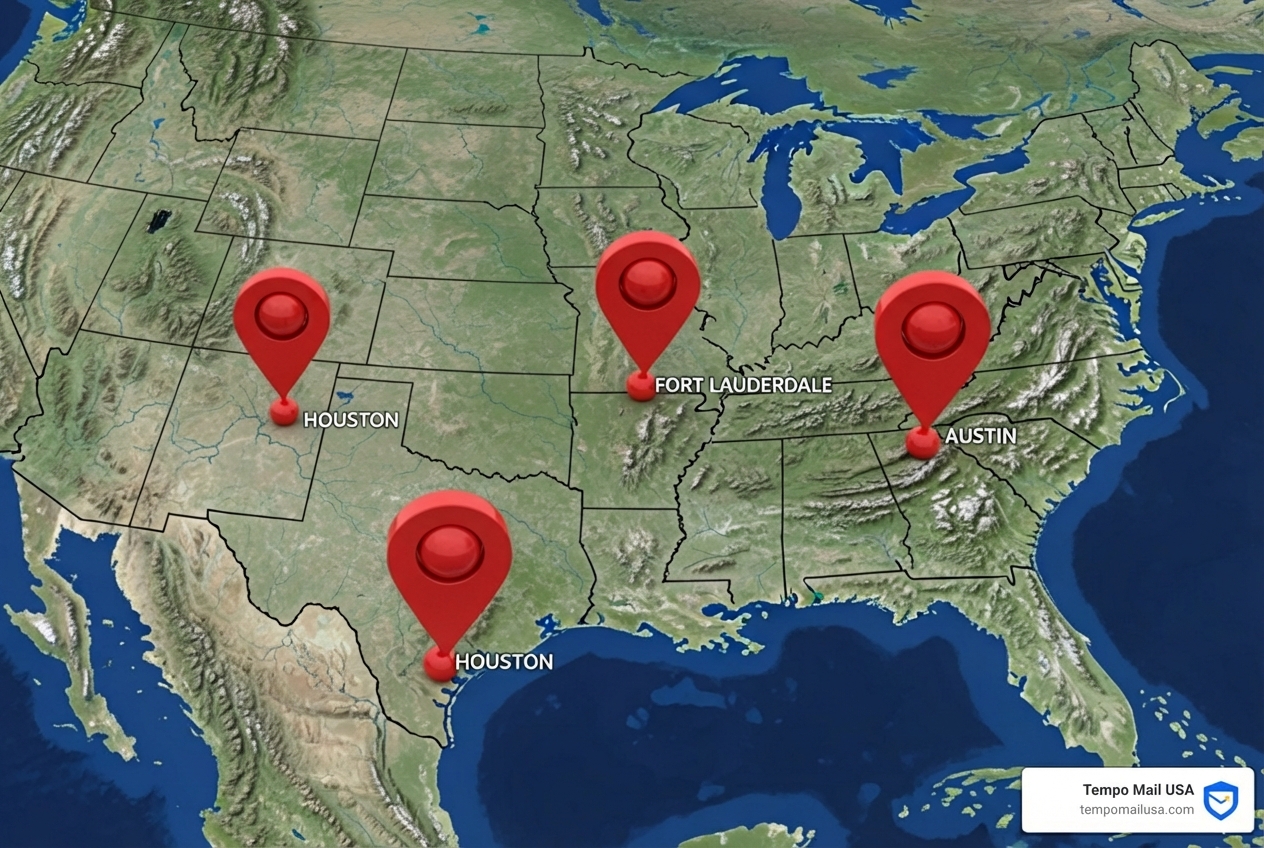
While the ParkMobile scam is a national phenomenon, certain areas have seen a higher concentration of incidents, prompting local authorities to issue specific warnings. These geographic hotspots illustrate how scammers adapt their methods to target busy urban centers where parking apps are frequently used.
- Houston, Texas: The City of Houston put out a warning about fraudulent "pay to park" websites disguised as the city's parking application, ParkHouston. These fake sites, designed to steal personal and credit card information, were appearing at the top of Google search results for "ParkHouston app" and even "ParkMobile app." This highlights how scammers exploit search engine optimization to ensnare unsuspecting users. You can read more about this specific alert from the City of Houston warns residents of ParkHouston scam websites.
- Austin, Texas: Days before Houston's warning, Austin experienced a similar surge. The city received reports of a website claiming to be its parking application, requesting user information but failing to initiate a parking session. This rapid spread between major cities demonstrates the organized nature of these fraudulent operations.
- Fort Lauderdale, Florida: City workers in Fort Lauderdale uncovered a widespread QR code scam targeting parking meters. Scammers were placing stickers with the "ParkMobile" logo on meters, redirecting users to fake websites. Official ParkMobile QR codes are printed onto the sign, not on a sticker, a crucial detail for residents to remember.
- Palm Beach, Florida: Palm Beach Police also received reports of people searching online for ParkMobile apps and unknowingly clicking on scam websites. A Jupiter resident, for example, fell victim after entering credit and debit card information on a fraudulent site, only to receive fraud alerts from their bank shortly after. Palm Beach Police specifically noted that official ParkMobile signs in their town do not have QR codes, making any QR code on a parking sign there suspicious.
- Redondo Beach, California: This isn't just a Florida phenomenon. A virtually identical scheme involving fake QR code stickers on parking meters was uncovered in Redondo Beach, California, underscoring the national reach of these sophisticated scams.
These incidents, ranging from Texas to Florida and California, paint a clear picture: scammers are actively targeting areas where mobile parking payments are common, using both digital (fake websites, phishing emails) and physical (QR code stickers) methods to trick users.
The Real Cost of a Parkmobile Scam
The immediate consequence of falling victim to a ParkMobile scam is financial loss, but the repercussions can extend far beyond a single fraudulent charge. We've seen reports where victims expecting to pay a few dollars for parking found themselves hit with charges of $40 to $50. The Better Business Bureau warned about this, sharing experiences of victims who were later contacted by their banks about these unexpected, inflated charges. When victims didn't confirm, the same charge would often reappear days later, indicating persistent attempts by the scammers.
But the real cost can be much higher. When you enter your credit card details, full name, email address, and sometimes even your address on a fraudulent website, you're not just losing money for a fake parking session. You're compromising your Personally Identifiable Information (PII). This data can then be used for identity theft, where scammers open new accounts in your name, make unauthorized purchases, or even apply for loans. The long-term implications of PII compromise can be devastating, leading to credit score damage, legal battles, and immense emotional distress.
This is where the importance of protecting our PII becomes paramount. At Tempo Mail USA, we understand the critical need for a "firewall" around your personal data. Our identity proxying services generate secure email aliases, essentially creating a shield between your real identity and the myriad of online services you interact with daily. This approach ensures that even if a fraudulent site collects an email address, it's not directly linked to your primary identity, significantly reducing your exposure to broader identity theft. Protecting our digital footprint is an ongoing effort, and maintaining strong Account Security & Verification: Digital Hygiene is key to safeguarding our financial and personal well-being.
Step 3 & 4: Your Immediate Action Plan After a Scam
It can be incredibly frustrating, and frankly, a bit embarrassing, to realize you've fallen victim to a scam. But trust us, it happens to the best of us. The most important thing is not to panic, but to act swiftly and decisively. Your immediate response can significantly mitigate the damage caused by a ParkMobile scam.
This section outlines the crucial steps you need to take if you suspect you've encountered a scam or, worse, have already fallen prey to one. Think of it as your emergency response guide to financial containment and reporting.
What to Do if You've Already Paid a Scammer
If you've entered your credit card information or other personal details on a suspicious website or via a fraudulent link, don't despair, but don't delay. Time is of the essence.
- Contact Your Bank Immediately: This is your absolute first step. Call the fraud department of your credit card company or bank. Explain what happened, and they can often freeze your card, cancel fraudulent transactions, and issue a new card. The BBC reported a victim who was charged £39 for a subscription after agreeing to a 90p verification fee, and while his bank couldn't initially reimburse him, they are always the first point of contact. Be persistent.
- Freeze or Cancel Compromised Credit Cards: Even if your bank acts quickly, it's wise to request a new card number. This prevents any further unauthorized charges from the compromised details.
- Dispute the Charges: Work with your bank to formally dispute any fraudulent charges. Provide them with all the details you remember about the scam, including the website URL, the amount, and the time of the transaction.
- Change Passwords: If you entered any login credentials or personal information that could be linked to other accounts (like your email or a password you use elsewhere), change those passwords immediately. Use strong, unique passwords for all your online accounts.
- Monitor Your Accounts Closely: Keep a vigilant eye on your bank and credit card statements for several months. Scammers often try to make small, test charges before larger ones, or may attempt further fraudulent activity over time. Consider setting up transaction alerts with your bank.
- Review Your Credit Report: Regularly check your credit report for any suspicious activity, such as new accounts opened in your name. Many credit bureaus offer free annual reports.
As we learned from A victim's story of a clever scam, even IT-savvy individuals can fall victim. The key is to react quickly and systematically to minimize the damage.
How to Officially Report Suspicious Activity
Reporting a ParkMobile scam isn't just about protecting yourself; it's about protecting others. Your report helps authorities track down scammers, shut down fraudulent websites, and issue warnings to the wider public.
- Report to ParkMobile Directly: While you should never use suspicious links, you can always contact ParkMobile's official support channels (usually via their app or the
parkmobile.iowebsite) to report fraudulent activity that uses their name. They are actively working with law enforcement to combat these scams. - Contact Local Law Enforcement: For physical scams, like fake QR code stickers on meters, report it to the local police department. The Palm Beach Police Department, for instance, advises residents to call them at 561-838-5454 if they suspect a scam or see suspicious QR codes on parking signs (which are not used by ParkMobile in Palm Beach). If you see someone tampering with parking pay stations, call 911.
- File a Report with National Fraud Agencies:
- For UK residents: Action Fraud is the UK's national reporting center for fraud and cyber crime. They have recorded a sharp rise in parking-related reports.
- For US residents: You can report internet scams to the FBI's Internet Crime Complaint Center (IC3) at
ic3.gov, and identity theft to the Federal Trade Commission (FTC) atidentitytheft.gov.
- Use City-Specific Reporting Tools: Many cities have their own systems for reporting non-emergency issues. For example, Fort Lauderdale encourages residents to report suspicious QR codes via their Customer Service Line at 954-828-8000,
fortlauderdale.gov/fixitftl, or through the FixItFTL app. - Use an AI Scam Checker: When in doubt about a suspicious message or link, tools like an AI Scam Checker can provide a quick assessment of potential threats, offering an additional layer of verification before you click or engage.
By reporting these incidents, we collectively contribute to a safer digital environment and make it harder for scammers to prey on others.
Frequently Asked Questions about ParkMobile Scams
We understand that navigating digital payments and potential scams can raise a lot of questions. Let's address some of the most common concerns we hear about the ParkMobile scam to help clarify what's legitimate and what's not.
Will ParkMobile ever text me a payment link?
No, absolutely not. ParkMobile will never send private customers payment links or sensitive information via SMS (text message). This is a critical point to remember. If you receive a text message claiming to be from ParkMobile and asking you to click a link to pay for an "unpaid parking session" or a "citation," it is a phishing scam. These fraudulent messages are designed to trick you into visiting a fake website where your financial details can be stolen.
Your official ParkMobile account status, payment history, and any necessary actions (like extending a session) should always be managed directly through the official ParkMobile app or by logging into the parkmobile.io website. If you receive such a text, delete it immediately and do not tap any links.
Are QR codes on parking meters always fake?
Not always, but we should approach them with extreme caution. This is a nuanced area because some legitimate parking services do use QR codes. However, the prevalence of the ParkMobile scam involving fake QR codes means we need to be very discerning.
The key distinction, as highlighted by cities like Fort Lauderdale, is that official QR codes are typically printed directly onto the parking sign or meter. They are an integral part of the official signage. If you see a QR code that looks like a sticker, especially one poorly affixed, peeling, or placed over existing information, that's a significant red flag. Scammers place these stickers to redirect you to fraudulent websites.
The Better Business Bureau issued a warning urging us to "double-check that QR code before you pay for parking." Their advice is spot on: if you're in doubt, or if the QR code looks suspicious, do not use it. Instead, open the official ParkMobile app directly on your phone, or manually type parkmobile.io into your browser. This bypasses any potential scam links and ensures you're interacting with the legitimate service.
How does ParkMobile know I've paid for parking?
This is a great question that often causes confusion, especially since we don't always get a physical receipt or ticket for our dashboard. ParkMobile uses a sophisticated system tied to your vehicle's license plate number.
When you initiate a parking session through the official ParkMobile app or website, you enter your license plate number. This information is then transmitted to the parking enforcement officers. When an officer checks a parked vehicle, they use a handheld device or vehicle-mounted cameras to scan the license plate. Their system then cross-references your license plate number with the ParkMobile database to see if an active, paid parking session is associated with that plate.
So, rest assured, as long as you've started your session correctly through the official app or website and entered the correct license plate number, enforcement knows you've paid. There's no need for a physical ticket or displaying anything in your window. This system is efficient and helps reduce paper waste, but it also means that if a scam website collects your payment but doesn't initiate a session, you could still be ticketed, adding insult to injury. Always use the official channels to ensure your payment is registered properly.
Conclusion: Stay One Step Ahead of Scammers
The landscape of digital payments, while convenient, comes with its share of risks. The surge in ParkMobile scam attempts is a stark reminder that vigilance and digital hygiene are more crucial than ever. We've explored the common tactics these scammers employ, from deceptive QR codes and fake websites to convincing phishing messages, all designed to steal our hard-earned money and sensitive personal information.
Let's quickly recap the 5 essential steps to protect ourselves:
- Identify Suspicious Signs: Look for physical cues like QR code stickers on meters, rather than printed codes.
- Verify Digital Communications: Scrutinize website URLs (always
parkmobile.ioorapp.parkmobile.io), and remember ParkMobile never texts payment links. - Understand the Real Risks: Recognize that these scams don't just cost a few dollars, but can lead to significant financial loss and identity theft through PII compromise.
- Act Swiftly if Compromised: Immediately contact your bank, freeze cards, and change passwords if you suspect you've fallen victim.
- Report All Suspicious Activity: Inform ParkMobile, local police, and national fraud agencies to help combat these criminal enterprises.
In an age where our Personally Identifiable Information (PII) is constantly targeted, proactive measures are our best defense. Just as we secure our homes, we must secure our digital identities. This includes being mindful of every click, every scan, and every piece of information we share online.
Protecting your identity online is an ongoing commitment, and tools that improve your digital hygiene are invaluable. Consider adopting strategies like using secure email aliases to shield your primary identity from potential breaches. By creating a 'firewall' around your PII, you make it significantly harder for scammers to piece together your personal profile, even if they manage to snag a piece of information here or there.
Stay informed, stay vigilant, and remember that a moment of caution can save you from a world of trouble.