

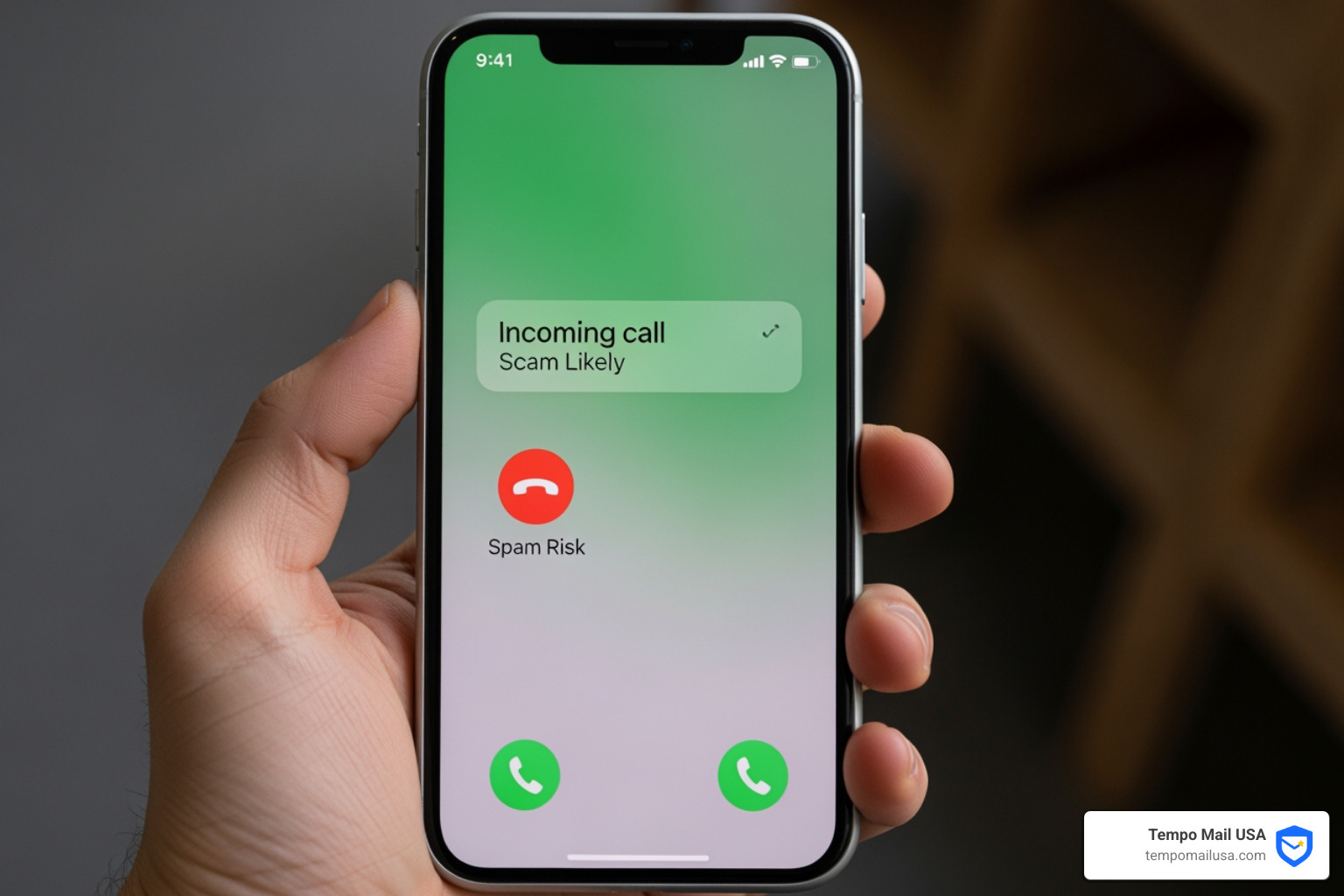

Why Spam Calls Have Become an Unavoidable Problem for iPhone Users
How to get rid of spam calls on iPhone involves using a combination of built-in iOS features and third-party solutions to block, filter, and report unwanted calls.
Quick Solutions to Block Spam Calls on iPhone:
- Block specific numbers: Open Phone app → Recents → tap (i) icon next to the number → Block this Caller
- Silence unknown callers: Settings → Phone → Toggle on "Silence Unknown Callers"
- Enable spam filtering: Settings → Phone → Toggle on "Silence Junk Callers" (carrier-dependent)
- Filter unknown calls: Settings → Phone → Call Filtering → Turn on "Unknown Callers"
- Download call blocking apps: Visit the App Store for third-party spam protection
If you're frustrated by constant spam calls on your iPhone, you're not alone. With tens of billions of robocalls made every year, this growing problem isn't just an annoyance—it is often a scheme designed to steal your personal information and money.
The good news is your iPhone has powerful built-in tools to fight back. Apple's features, combined with third-party apps and smart practices, can dramatically reduce the spam calls you receive.
This guide covers the most effective methods to protect your iPhone from spam calls, from basic blocking to advanced filtering. You'll learn how to use iOS settings, consider call blocking apps, and report scammers.
Understanding the Different Types of Unwanted Calls
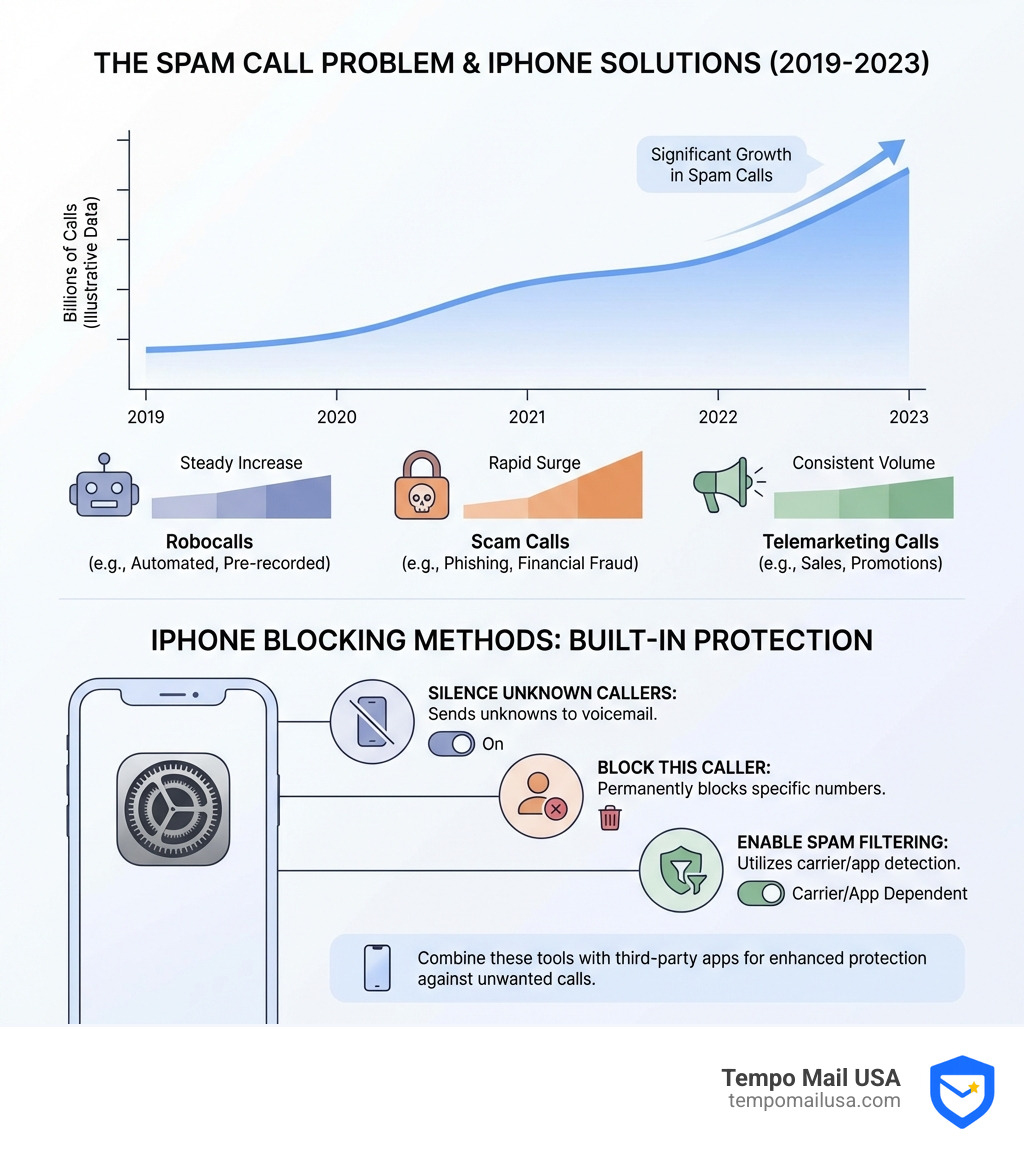
To find the right solution, it helps to understand the different types of unwanted calls. Knowing what you're up against makes them easier to identify and handle.
Here are the different types of unwanted calls that frequently plague iPhone users:
- Robocalls: These are automated calls that use a computerized autodialer to deliver a pre-recorded message or connect you to a live person. While some robocalls can be legitimate (like appointment reminders or flight cancellations), many are illegal and used for scamming. If a robocall is trying to sell you something, it's generally illegal unless you've given explicit written permission.
- Scam Calls: These calls are designed to trick you into giving away personal information, money, or access to your accounts. Scammers often impersonate legitimate organizations like the IRS, Social Security Administration, or even your bank. They might use high-pressure tactics or fear to get you to act quickly.
- Fraud Calls: Similar to scam calls, fraud calls specifically aim to defraud you financially. This could involve fake debt collection, promises of prizes that require an upfront payment, or urgent pleas for money by impersonating a loved one in distress.
- Phishing Attempts: Though more common in emails, phishing can occur over the phone as well. Callers try to "fish" for your sensitive information, such as passwords, credit card numbers, or Social Security numbers, by pretending to be a trustworthy entity.
- Telemarketing Calls: These are calls from companies trying to sell you products or services. Legitimate telemarketers are bound by certain rules, like respecting the National Do Not Call Registry. However, many unwanted telemarketing calls come from companies that disregard these rules.
- Caller ID Spoofing: This is a tactic where scammers intentionally manipulate the caller ID to display a different phone number than the one they are actually calling from. They might make it look like the call is coming from a local number or a well-known company, making you more likely to answer.
- Neighbor Spoofing: A specific type of caller ID spoofing where the scammer uses a phone number with the same area code and often the same first few digits as your own. This makes the call appear to be from a local contact or neighbor, increasing the chances you'll pick up.
The volume and deceptive nature of these calls can be overwhelming. Understanding these types is the first step in learning how to get rid of spam calls on iPhone. For more on this topic, read our article Why Am I Getting So Many Spam Calls.
Your First Line of Defense: Using iPhone's Built-in Tools
Apple is committed to user privacy, and that extends to helping us manage unwanted calls. Your iPhone comes equipped with several powerful, free features that can significantly reduce the number of spam calls you receive. These built-in iOS solutions are often your most effective first line of defense.
Let's explore these essential tools to help you take control of your phone. For more general guidance on managing calls, you can also refer to Apple's official guide on Block or avoid unwanted calls on iPhone.
How to get rid of spam calls on iPhone by blocking specific numbers
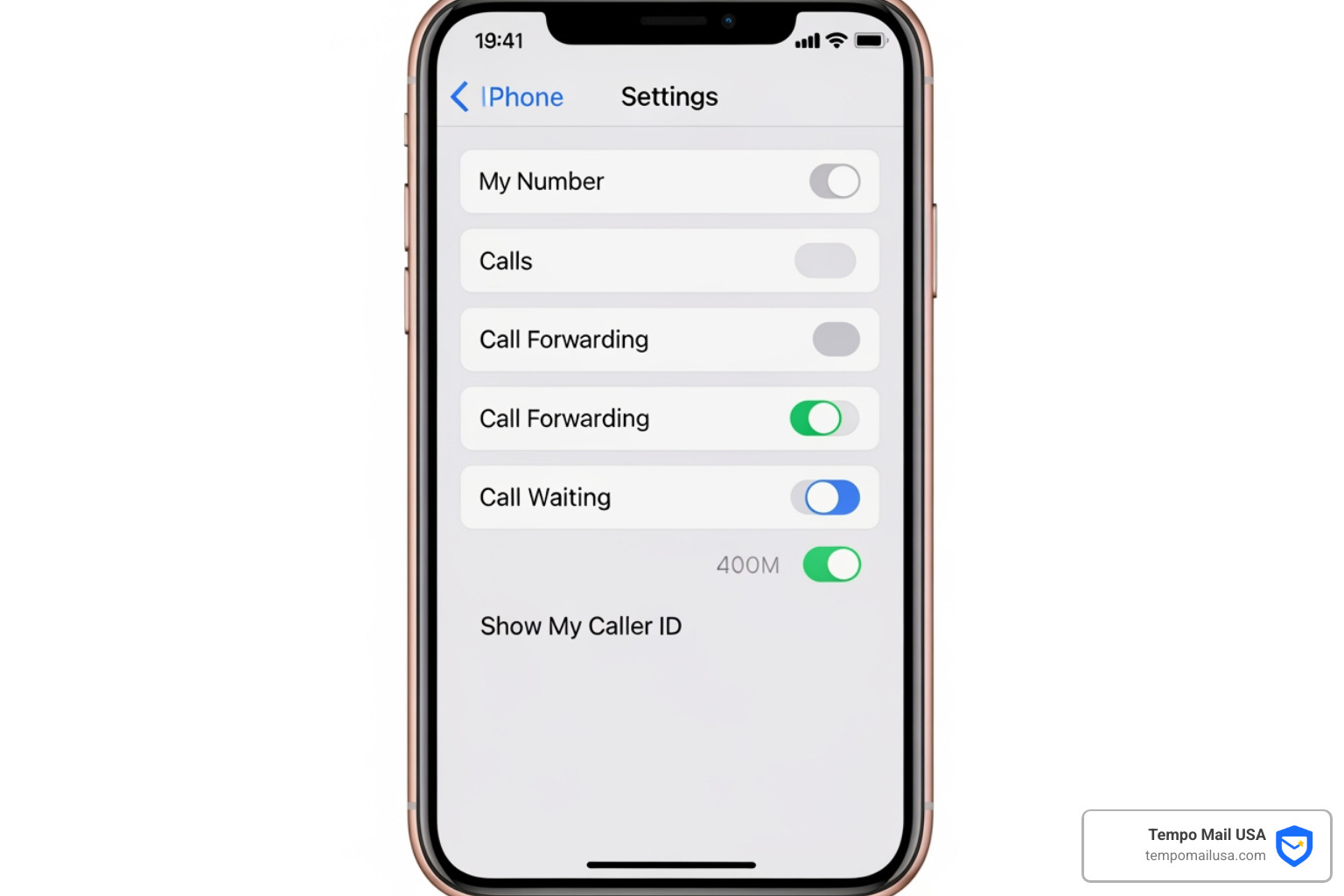
One of the most direct ways to stop unwanted calls from a persistent number is to block it directly on your iPhone. This is simple and effective for individual nuisance callers.
Here is a step-by-step guide on how to get rid of spam calls on iPhone by blocking specific numbers:
- Open the Phone App: Tap the green phone icon on your Home screen.
- Go to Recents: Tap on the "Recents" tab at the bottom of the screen.
- Identify the Number: Find the number you wish to block.
- Tap the Info Icon: To the right of the number, tap the small "i" icon.
- Block the Caller: Scroll down and tap "Block this Caller" in red.
- Confirm: Tap "Block Contact" again when prompted.
Once blocked, this number will no longer be able to call you, send you messages, or initiate FaceTime calls. If you receive a spam call and it goes to voicemail, you can also block the number from your Voicemail tab using the same method.
How to get rid of spam calls on iPhone by silencing unknown callers
Many spam calls come from numbers that are not saved in your contacts. For these, your iPhone offers a feature called "Silence Unknown Callers." This feature automatically sends calls from numbers not in your contacts, recent outgoing calls, or Siri Suggestions directly to voicemail.
Here is how to enable it:
- Open the Settings App: Tap the grey gear icon on your Home screen.
- Scroll Down and Tap "Phone": In the list of apps, tap on "Phone."
- Find "Silence Unknown Callers": Scroll until you see this option under "Call Silencing and Blocked Contacts."
- Toggle it On: Tap the toggle switch so it turns green.
Once enabled, any call from a number not saved in your contacts, not recently called by you, or not suggested by Siri (for example, from an email signature) will not ring your phone. Instead, it will go straight to voicemail and appear in your Recents list as a missed call. This is an excellent way to reduce interruptions, especially if you rarely receive important calls from unknown numbers.
Be mindful that this feature will also send legitimate calls from new numbers (like a doctor's office or a new acquaintance) directly to voicemail. It is a good practice to regularly check your voicemail and your Recents list for any important calls you might have missed.
Filtering calls identified as spam or fraud
Beyond silencing unknown numbers, your iPhone can also use your carrier's intelligence to filter calls identified as spam or fraud. This feature is particularly useful because carriers often have systems to detect and flag suspicious numbers.
Here is how to set it up:
- Open the Settings App: Go to "Settings."
- Scroll Down and Tap "Phone": Tap on "Phone."
- Tap "Call Blocking & Identification": This option is under the "Call Silencing and Blocked Contacts" section.
- Enable Carrier Spam Filtering: If your carrier offers spam identification services, you might see an option like "Silence Junk Callers" or a toggle for your carrier's spam filter. Turn this feature on.
When this is active, calls identified by your carrier as potential spam or fraud are typically silenced and may be sent to voicemail or labeled as spam. This adds another layer of protection, using external data to identify and filter the most obvious offenders.
Advanced Tactics: How to Get Rid of Spam Calls on iPhone
While your iPhone's built-in tools are powerful, spammers are constantly evolving. For a more comprehensive defense, consider advanced tactics like third-party call blocking apps and carrier-specific services. This creates a layered defense, making it harder for spam to get through.
For more robust solutions on how to get rid of spam calls on iPhone, let's explore these advanced options. For a deeper dive into apps, check out our article Block Spam Calls Easily: Best Free App for iPhone Users.
What are call blocking apps and how do they help?
Call blocking apps are third-party applications designed to improve your iPhone's spam protection. They often use large databases of known spam numbers, community-reported data, and various filters to identify and block unwanted calls before they even ring your phone.
You can find these apps in the App Store. Once installed, you typically need to enable them in your iPhone's settings:
- Go to "Settings" > "Phone" > "Call Blocking & Identification."
- Under "CALL IDENTIFICATION APPS," toggle on the call blocking app(s) you have installed.
Here are some common features you'll find in call blocking apps that help iPhone users:
- Community-based blocking: Many apps rely on user reports to build and update their blocklists in close to real time.
- Database updates: These apps update their databases regularly, so new spam numbers can be added to the blocklist as soon as they are identified.
- Automatic blocking: Calls from numbers on the app's blocklist can be automatically blocked or sent to voicemail without your phone ringing.
- Caller ID features: Some apps can provide improved caller ID, displaying information about unknown numbers (like "Spam Likely" or the name of the telemarketer) even if they are not in your contacts.
- Custom blocklists: You can create your own personal blocklists within the app, adding numbers you want to avoid.
- Reverse number lookup: Many apps offer a feature to look up unknown numbers to see if they have been reported as spam.
Benefits and drawbacks of using call blocking apps
Using call blocking apps can be very helpful, but it is important to weigh the pros and cons.
Benefits:
- Improved protection: These apps often catch more spam calls than built-in features alone, thanks to their extensive and frequently updated databases.
- Custom blocklists: You have more control over which numbers are blocked, allowing for personalized filtering.
- Improved caller ID: Knowing who is calling before you answer can save you time and frustration.
- Community power: By contributing to shared blocklists, you help protect yourself and others.
Potential Drawbacks:
- Privacy concerns: Some apps might require access to your contacts or call history. Always review the app's privacy policy to understand how your data is used. Tempo Mail USA is a strong advocate for digital privacy, which is why we emphasize caution when sharing personal information with third-party services.
- Potential cost: While some apps offer free basic versions, the most robust features often come with a subscription fee.
- Accidental blocking: Aggressive blocking might inadvertently filter out a legitimate call from a new contact or service. It is wise to occasionally check the app's blocked call log.
- Battery usage: Like any app running in the background, a call blocking app might consume some battery power, though usually minimal.
Are there any carrier-specific solutions?
Many mobile carriers offer their own solutions to combat spam and robocalls, often at a network level. These services work in conjunction with your iPhone's built-in features and can provide an extra layer of defense.
Here is what you should know:
- Carrier tools and spam filters: Most major carriers provide free or paid services that identify and sometimes block calls flagged as spam or fraud before they reach your phone.
- Network-level blocking: Carriers can block calls at the network level, stopping certain calls before they reach your device. This is often based on analytics and caller ID authentication.
- STIR/SHAKEN technology: This is a framework implemented by carriers to combat some forms of caller ID spoofing. It helps verify that a call is from the number displayed on Caller ID.
- Check with your provider: The best way to find out what is available to you is to contact your specific mobile carrier directly or check their website. For a list of apps specific to iOS, you can check resources like the CTIA website, which lists apps for various platforms, including iOS (Apple) Check out the list of apps at ctia.org, a website from the wireless industry. The site lists apps specific toAndroid,BlackBerry,iOS (Apple), andWindows..
These carrier-specific solutions can be very effective as they operate at a fundamental level of the phone network, often catching calls that might otherwise slip through app-based filters.
Fighting Back: Reporting Scams and Understanding Regulations
Beyond blocking and filtering, an important part of how to get rid of spam calls on iPhone is actively fighting back. This involves reporting unwanted calls and understanding the regulations designed to protect you. By taking these steps, you not only help yourself but also contribute to a larger effort to reduce illegal callers.
How can I report unwanted calls on my iPhone?
Reporting unwanted calls provides useful data to agencies that work to track down and prosecute illegal callers.
Here is how you can report them:
- Report to the Federal Trade Commission (FTC): The FTC is a primary agency for collecting reports about robocalls and unwanted telemarketing calls.
- If you have received an illegal robocall and did not lose money, you can report it to the FTC at DoNotCall.gov.
- If you lost money to a scammer or have information about the company or individual who called you, report it at ReportFraud.ftc.gov. Provide as many details as possible, including the number that called and the date and time of the call.
- Federal Communications Commission (FCC): The FCC also works to combat unwanted calls and provides resources. You can find more information on their Call Blocking Resources Got a phone? Then chances are you get calls from scammers. Scammers don’t care if you’re on the National Do Not Call Registry. That’s why your best defense against unwanted calls is call blocking and call labeling. Here’s how to block and report unwanted calls on cell phones and home phones.What Are... page.
When reporting, include details like the date and time of the call, the number that called you, and any information displayed on your caller ID.
What is the National Do Not Call Registry?
The National Do Not Call Registry is a list maintained by the Federal Trade Commission (FTC) that allows consumers to register their phone numbers to reduce unwanted telemarketing calls.
- Purpose of the registry: Its primary goal is to stop sales calls from legitimate companies. Once your number is registered, legitimate telemarketers are prohibited from calling you.
- How to register: You can register your residential or wireless phone number for free online at Register your number on the National Do Not Call Registry or by calling 1-888-382-1222 from the phone number you wish to register.
- Limitations: The National Do Not Call Registry is effective against legitimate telemarketers who comply with the law. However, it will not stop scammers or dishonest companies who are already breaking the law.
- Why some callers ignore it: Scammers operate outside the law. They often ignore rules like the Do Not Call Registry, which is why additional blocking and filtering methods are still necessary.
How does spoofing affect call blocking?
Caller ID spoofing is a major challenge in the fight against unwanted calls. Callers use technology to display a fake phone number on your caller ID, making it difficult to identify and block them.
- Fake numbers: Callers frequently change the numbers they use, often making calls appear to come from different, seemingly legitimate sources. This means blocking one spoofed number will not necessarily stop future calls from the same source.
- Neighbor spoofing: This tactic involves displaying a phone number with the same area code and often the same first few digits as your own. The goal is to trick you into thinking it is a local call.
- Blocking challenges: Because the numbers are constantly changing and often appear legitimate, traditional blocking methods (like blocking a single number) become less effective.
- STIR/SHAKEN protocol: To address spoofing, the telecommunications industry has implemented the STIR/SHAKEN (Secure Telephone Identity Revisited/Signature-based Handling of Asserted information Using Tokens) framework. This technology helps verify the authenticity of a caller ID. It aims to ensure that the number displayed on your phone is indeed the number from which the call originated.
Frequently Asked Questions about Stopping Spam Calls
Even with all these tools and tactics, you might still have questions about managing spam calls. Here are answers to some common concerns.
What should I do if I accidentally answer a spam call on my iPhone?
If you pick up and realize it is a spam call, take the following steps:
- Hang up immediately: Do not engage with the caller.
- Do not speak unnecessarily: Avoid saying anything, especially "yes."
- Do not press any numbers: Ignore prompts to "press 1" or similar options.
- Block the number: After hanging up, block the number using the "Block this Caller" feature in your iPhone's Recents list.
- Report the call: Consider reporting the call to the FTC at DoNotCall.gov.
Answering a spam call can confirm to robocallers that your number is active, which may lead to more calls. This is one of the reasons why you might suddenly be thinking, Discover Why Am I Getting So Many Spam Calls Recently.
Will these methods block important calls from unknown numbers?
This is a valid concern, particularly with features like "Silence Unknown Callers."
- "Silence Unknown Callers" risk: If you enable this feature, any legitimate call from a number not in your contacts, recent outgoing calls, or Siri Suggestions will be sent directly to voicemail without ringing your phone.
- Checking voicemail: To mitigate this, regularly check your voicemail for any missed important calls.
- Checking filtered lists: Some call blocking apps and carrier services also create a log of blocked or filtered calls. Check these lists periodically.
- Adding important numbers to contacts: Add important numbers (like your doctor's office, children's school, or new professional contacts) to your iPhone's Contacts list as soon as you get them.
Why do scammers keep calling from different numbers?
Scammers and other unwanted callers are persistent and adapt to bypass blocking measures.
- Caller ID spoofing: They use caller ID spoofing to display a different, often local or seemingly legitimate, number.
- Autodialers: Automated dialing systems can rapidly cycle through large batches of phone numbers.
- Evading block lists: Because blocking is often based on specific numbers, they constantly generate new fake numbers to evade detection.
This rotation of numbers means that while blocking individual numbers and using filtering features is helpful, a multi-layered approach with carrier services and advanced apps is often necessary to stay ahead.
Conclusion
Dealing with unwanted spam calls on your iPhone can feel like an endless battle, but you have a strong set of tools and strategies at your disposal. By combining your iPhone's built-in features, leveraging third-party apps, using carrier-specific solutions, and reporting illegal callers, you can significantly reduce interruptions and protect your privacy.
The key to how to get rid of spam calls on iPhone is a multi-layered approach:
- Use your iPhone's native settings: Block specific numbers, silence unknown callers, and enable carrier-based spam filtering.
- Strengthen your defenses with apps and carrier services: Explore call blocking apps and see what solutions your mobile provider offers.
- Be a proactive consumer: Report unwanted calls to the FTC and consider registering your number on the National Do Not Call Registry.
- Stay vigilant: Understand tactics such as spoofing and know what to do if you accidentally answer a spam call.
By taking these steps, you are not just regaining control of your phone; you are also contributing to a safer digital environment. Protecting your Personally Identifiable Information (PII) is essential in today's interconnected world. Just as Tempo Mail USA provides identity proxying services to generate secure email aliases and create a "firewall" for your PII, these call-blocking strategies help build a similar defense around your phone line.
Take action today, and reclaim your peace of mind from the constant ring of spam. Explore our privacy tools for more ways to safeguard your digital identity.