
How to Contact a Company to Verify Email Ownership: The Proof That Actually Works

How to Contact a Company to Verify Email Ownership: The Proof That Actually Works
"Verify email ownership" sounds like one task. It is two, and they run in opposite directions. The first: you need a company to believe an email address is yours. The second: a company emailed you, and you need to believe the email is really theirs. The guides ranking for this search mostly answer a third question — how to find a company owner's email address so you can pitch them something — which helps nobody in either of the first two situations. This one answers the two that matter, and it is built on a test I ran this morning, not on a list of links I never opened.
The short version: a company accepts exactly four kinds of proof, and three of them take under a minute. What trips people up is never the proof itself. It is contacting the right channel with the right details, and — the part nobody warns you about — keeping the inbox alive long enough for the proof to still work when you need it.
The three situations hiding in one search
Before you write to anyone, pin down which of these you are in. Each one needs a different first move, and the wrong one wastes days.
You are locked out, or about to be. You signed up with an address you can no longer open — the inbox expired, the provider closed, the password is gone — and the company now wants you to prove the address is yours before it hands the account back. This is the hardest of the three, and the honest news is that it is often unfixable. The fix, if there is one, lives in the sections below.
The company asked you to prove it. A signup, a password reset, a security check, a payout: something is waiting on you confirming the address. This is the easy one. The proof is a link or a code, and the whole thing is over in a minute — provided the inbox still exists.
You got an email and you doubt it. An invoice, a security alert, a "verify your account" message from a name you recognise. Here the question is reversed: you are the one doing the verifying, and the company is the one that has to prove itself. The tools for this are different, and they are in the later section on checking a sender.
Work out which one you are before you go further. The rest of this guide assumes you know.
What companies actually accept as proof
Strip away the help-centre wording and every company on the internet accepts some version of four proofs. They are not equal, and knowing the ranking saves you from offering the weakest one first.
1. The confirmation link. The company sends a link to the address; you click it. This is the strongest common proof because it can only be clicked by someone who can read that inbox right now. Most signup flows use it, and most reset links expire — commonly within 24 hours, sometimes within an hour. Click it from the same device you signed up on if you can; it is not required, but it removes one more reason for the flow to fail.
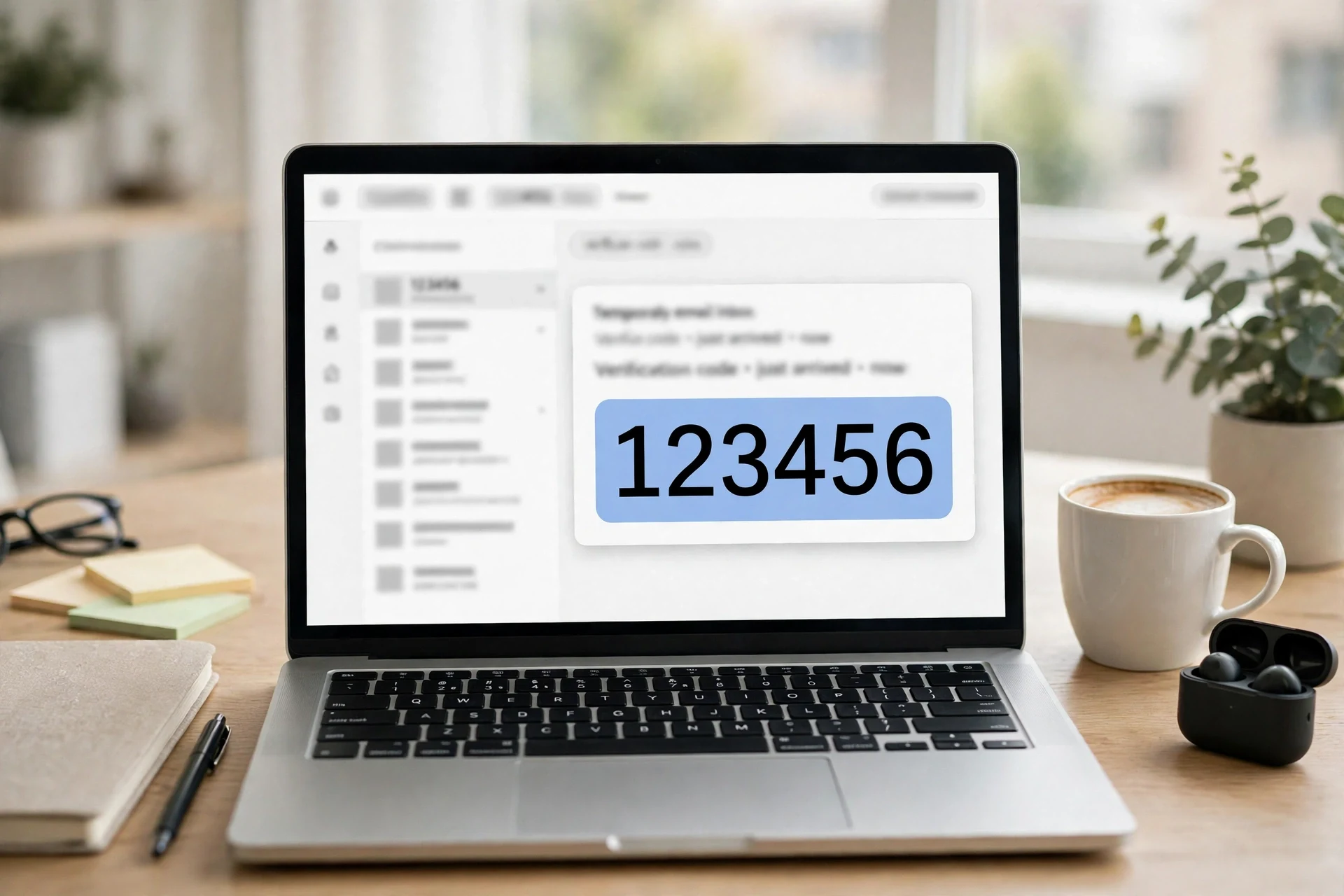
2. The six-digit code. The company sends a short code and you type it back, usually into the same page that asked for it. Codes are weaker than links in one way — they can be read out over the phone, which is exactly how the OTP-bot scams work — and stronger in another: they expire fast, often in ten minutes. I watched one land this morning: Descript sent a six-digit code to a test address, gave it a ten-minute expiry, and accepted it the moment I typed it in. No card, no phone number, no extra step. That is the whole mechanism, and it is the mechanism nearly every service you use runs on.
3. Replying from the address. Some support teams, especially at smaller companies, will ask you to reply to their email from the address in question. It proves the same thing as the link — live control of the inbox — but it is slower, because a human has to read the reply. Offer it when the automated flow has already failed, not before.
4. A DNS record. For domain owners rather than mailbox owners, a company may ask you to add a TXT record to the domain's DNS — Google Search Console and most domain-verification flows work this way. It proves you control the domain, which is a different and stronger claim than controlling one mailbox on it. If you are verifying a company domain rather than a personal address, this is the proof to offer first.
One thing none of these proves: who you are. A code proves control of an inbox, not identity. A scammer who has taken over your inbox passes every one of these checks. That is why companies that care about account takeovers pair email proof with a second factor — and why a verification code you did not request is itself a warning sign. Someone, somewhere, is trying to get into an account with your address on it. Change that account's password; do not click anything in the message.
The methods for checking whether an address is real in the first place — MX lookups, SMTP probes, verification tools — are a separate job from proving ownership, and they are covered in depth in our guide to verifying an email address. What follows is about the contact and the proof, not the lookup.
The channels, ranked by whether anyone answers
Knowing what proof to offer is half the job. The other half is getting it in front of a person — or a system — that can act on it. Ranked by how often each one actually works:
1. The support ticket from inside the account. If you can still sign in, use the help centre or settings page to open a ticket. It is already tied to your account, so the agent sees the address, the signup date, and the plan without you having to prove any of it. This is the channel that resolves ownership questions fastest, and it is the reason keeping any access at all matters so much.
2. The support email. Usually support@ or help@ on the company's own domain. Slower than a ticket, but it creates a written record with timestamps, which matters if the dispute drags on. Put the address in question in the subject line. Support teams triage by subject, and "Verify ownership of svhuj35@rover.info" gets opened faster than "Help please."
3. Live chat. Fast when it exists, useless when it does not. The catch: most live-chat flows ask you to sign in first, which is exactly what you cannot do if you are locked out. Try it, but do not plan around it.
4. The phone. Only for companies that publish a number, and only when the first three have failed. Phone agents can verify you faster — they can ask questions a form cannot — but they can also do less: many support lines cannot touch account security at all and will file the same ticket you could have filed yourself.
5. The contact form. Last. A generic form goes to whoever answers the front desk, and ownership questions get bounced between teams. Use it only when nothing else exists.
Whatever channel you use, include the same five facts in the first message: the email address in question; the account name or username; roughly when you signed up or last logged in; any order number, receipt, or last four digits of the payment card; and what you can still access (the app on your phone, a logged-in session, an old invoice). Support agents work from a checklist, and every fact you hand them is one less round of back-and-forth. Never send a full password, a full card number, or a photo of an ID unless the agent asks for it through the company's own secure upload — and never send any of it by plain email to an address you have not verified belongs to the company.
The test I ran this morning
I do not trust guides that describe a process nobody ran. So before writing this, I ran the whole ownership loop myself, twice over, on a free temporary inbox — once as the user proving ownership, once as the user losing it.
I opened a free inbox on TempoMailUSA and got the address svhuj35@rover.info instantly, no signup, no card. The page said the free inbox lasts 30 days; at 08:46 IST it showed "Expires in 29d 13h 53m 29s". Pricing on the page, in USD: free is $0, Pro Monthly is $4.19 a month, Pro Yearly is $34.99 a year, and Lifetime VIP is $41.30 once — and the free tier reads the first message free, while Pro reads every message. Then I used that address to sign up for a free Descript account. Descript did not reject the temporary address and asked for no card or phone. Its next screen said: "Enter passcode — A 6-digit passcode was sent to you at svhuj35@rover.info. Your code expires in 10:00."
The email arrived in the temp inbox within about a minute. Sender: no-reply@authmail.descript.com. Subject: "Login to Descript". It contained a code, not a link — six digits, ten-minute expiry — and the temp inbox even surfaced it in a banner reading "DETECTED VERIFICATION / OTP CODE" with a "Copy OTP Code" button. I typed the code in, Descript showed "Verifying passcode…" and let me straight through to onboarding. The account menu read "Signed in as svhuj35@rover.info". Note what Descript did not do: it never showed the words "email verified" anywhere. Verification was implicit — the code worked, so the address was treated as mine. Most services behave this way, which is worth knowing: the absence of a "verified" badge does not mean the verification failed.
Then I tested the part that actually decides whether you keep an account: losing the inbox. TempoMailUSA's free tier allows one active inbox, and every inbox has a recovery key — a long string you can copy from the Restore dialog. I submitted a wrong key first, altered by one character. The page gave me no error at all: no "invalid key" message, no toast, nothing. It just reloaded with the same inbox still active. That is a small honesty problem in the interface — a wrong key should say so — but it is harmless, because nothing changed.
The correct key produced a green "Success" toast and, more interestingly, reset the expiry to "Expires in 29d 23h 59m 50s" — a full 30 days again. Restoring an inbox renews it. Then I deleted the inbox outright. There was no confirmation dialog; one click, a toast reading "The email has been removed", and a brand-new address, npxjg44@rover.info, was generated in its place. The deleted address vanished from History entirely. Opening Restore with an empty key field did nothing except the browser's own "Please fill out this field" bubble.
And then the result that matters most: I restored the deleted inbox with its saved key, and svhuj35@rover.info came straight back — Descript's verification email still sitting in it. Deletion is not permanent if you kept the key. It is permanent if you did not. That single string is the whole difference between "I can prove this address is mine" and "I can never prove it again", and it is the reason the next section exists.
The temp-inbox trap
Here is the trap, stated plainly: a disposable address is a perfect tool for proving ownership once, and a terrible tool for proving it twice. The code arrives, you type it in, the account is yours — and thirty days later the inbox is gone, the next password reset goes nowhere, and the company's support team asks you to verify an address you can no longer open. I have watched this exact story play out in the signup tests we run on this site: the inbox gets in, and then the account outlives it.
Three rules keep you out of it. First, never use a disposable address for anything you will need to recover — bank, email, cloud storage, anything with money or irreplaceable files attached. Use it for the first test of an unfamiliar service, then switch the account to a permanent address once you trust it. Second, if you did sign up with a disposable address, save the recovery key the moment the account is created — paste it into your password manager next to the account, not in a note you will lose. Third, know what will not save you: temporary mail forwarding is not a rescue rope here. TempMailUSA does not forward mail to a real inbox at all, and even on services that do forward, forwarding stops when the temp address dies.
If you are already in the trap, the order of attempts is: the recovery key first; then a support ticket with everything you can still prove — order numbers, receipts, the signup date, the device you used; then ID verification if the company offers it. Some companies will accept a government ID plus a payment receipt as ownership proof when the email is gone. Many will not. If the address was disposable and the key is gone, accept that the account may be lost, and treat it as the price of the shortcut. The honest version of this guide does not pretend otherwise.
The other direction: is that email really from the company?
Now the reverse. An email arrives claiming to be from your bank, a delivery company, a service you use. "Verify your account." Before you click anything, run the checks that actually settle it — and notice that none of them involves replying to the email.
Read the domain, right to left. The display name means nothing. The domain after the @ is the only part that counts, and scammers count on you reading it left to right. In microsoft.com.account-check.net, the real domain is account-check.net. In support@amazon-secure-login.com, it is amazon-secure-login.com, not Amazon. If the domain is not the company's own, stop.
Check the headers. In Gmail, open the message, click the three dots, choose "Show original". The headers show which servers the mail passed through and whether it passed SPF, DKIM, and DMARC — the checks that prove a sender is allowed to use that domain. A message that fails all three and claims to be your bank is not your bank. One honest limitation from this morning's test: the temporary inbox I used shows no headers at all — sender, date, subject, body, nothing else — so you cannot run this check from inside a temp inbox. Use your real mail client for it, or a standalone SPF/DMARC check tool. The distinction matters: one-time codes and the scams built around them are a different problem from forged senders, and the two get confused constantly.
Look the domain up. ICANN Lookup shows who registered the domain and when. A "bank" whose domain was registered last week through a privacy service is not a bank. A company domain registered a decade ago, matching the company's name, is a strong signal in the other direction.
Go to the company yourself. Never verify through a link inside the email. Type the address, use your bookmark, open the app — and check whether anything is actually waiting for you there. A real verification request from a service you use will also be visible in your account. A phishing email relies on you not checking, and on urgency: "verify within 24 hours or your account closes" is the single most common pressure line in phishing precisely because it works.
If you want the full picture on disposable addresses — when they help, when they hurt, and what they can and cannot do — our explainer on disposable email covers it from the same tested-first angle as this guide.
What to do when the proof is gone
If you have read this far because the inbox is already gone, here is the order of operations, with no false comfort attached.
First, look for the recovery key, the backup codes, or the recovery email you set when you created the account. Any one of them replaces the inbox entirely. Second, open a support ticket from any session that is still logged in — a phone app, a second device — because a logged-in session is itself a form of proof. Third, gather everything that ties you to the account: receipts, order numbers, the date you signed up, the payment method. Fourth, ask the company whether it accepts ID verification for ownership disputes; some do, some do not, and asking costs nothing. Fifth, if the company says no and the address is gone, accept the loss and rebuild the account under an address you control — then set up the recovery options you skipped the first time.
And the prevention, which is cheaper than any of this: a permanent address for anything that matters, a password manager entry for every recovery key, and a disposable address only for the first look at a service you do not yet trust. Ownership is not a feeling. It is an inbox you can still open, or a key you can still produce. Keep one of the two.
FAQ
Can a company verify I own an email address without sending a code? Yes — a few ways. A DNS TXT record proves you control the domain, replying from the address proves you control the mailbox, and some companies accept ID plus a payment receipt. But the code or link is the default for a reason: it is fast, it leaves a record, and it fails closed when the inbox is gone.
What if I lost access to the email address entirely? Try the recovery key or backup codes first — on TempMailUSA, restoring with the saved key brought a deleted inbox straight back, messages included. Then a support ticket with receipts and signup details, then ID verification if the company offers it. If the address was disposable and the key is gone, the account is usually unrecoverable, and no support agent can override that.
Does a verification code prove who I am? No. It proves someone controls the inbox at that moment. Identity is a separate claim, which is why banks pair email codes with passwords, device checks, or security questions. A scammer holding your inbox passes an email check the same way you do.
How long do email verification codes last? It varies by service. The one I tested this morning expired after ten minutes. Confirmation links usually last longer — hours to a day — but both expire, and an expired code is not a bug. If yours expired, request a fresh one rather than retyping the old one five times.
Can I use a temporary email address to verify ownership? For the signup itself, yes — Descript accepted a temporary address this morning and verified it with a six-digit code in about a minute. For long-term ownership, no. A free TempMailUSA inbox lasts 30 days, and once it is gone, so is your ability to receive the next code. Use the temp address to test the service; move the account to a permanent address once you trust it.
How do I check an email really came from a company? Read the sender domain right to left, check the message headers for SPF, DKIM, and DMARC results, look the domain up on ICANN Lookup, and then go to the company's site yourself instead of clicking the link in the message. If the email is unexpected and urgent, treat it as guilty until the company's own site says otherwise.
Need a disposable temporary email?
Protect your real inbox from spam and promotional clutter instantly and free.
Received a suspicious email, text, or charge alert?
Verify whether the sender domain is disposable, spoofed, or unverified before clicking links.