
Have I Been Pwned Counted 850,500 Harvard Emails Today. The Phishing Starts Now
There is a particular kind of bad news that arrives twice. The first time it is a headline you skim. The second time it is a number, and the number is what turns a story into a mailing list. Today, November 3, 2026, is the second arrival for the Harvard breach: Have I Been Pwned, the breach-notification service run by Troy Hunt, has now counted 850,500 unique email addresses in the data stolen from Harvard University's alumni and fundraising systems. The attack itself is a year old. The leak is nine months old. But today is the day the scale became searchable, and searchable is what the phishers were waiting for.
I am not going to tell you to panic. Panic is the phisher's favourite emotion, and it is also useless here, because the thing that happened to those 850,500 addresses already happened. What I am going to tell you is what happens next, in what order, and what to do about it in the next ten minutes — because the second arrival of a breach is always the same: the list gets used.
The count that landed today
The timeline matters, because it explains why today is different from the day you first heard about this. Harvard discovered the breach on November 18, 2025, and confirmed that an unauthorised party had reached systems used by Alumni Affairs and Development after a phone-based phishing attack — someone, in other words, talked their way in rather than hacking their way in. The extortion group ShinyHunters claimed the intrusion, and in February 2026, after Harvard refused to pay a ransom, the group released datasets it claimed contained more than one million Harvard records.
Until today, that was the shape of the story: a big round claim from a criminal group, unmeasured. Have I Been Pwned has now done the measuring. Its analysis of the leaked data puts the figure at 850,500 unique email addresses, tied to alumni, donors, parents, faculty, staff and students. A related ShinyHunters haul from the University of Pennsylvania, counted the same way, came to about 623,800. So this was not a one-university incident; it was a campaign against the exact departments that hold the most socially useful data a university owns.
That distinction — counted versus claimed — is why today matters. A claimed million is a boast. A counted 850,500 is a list with fields, and lists with fields are what get sorted, enriched, and sold onward. The breach did not get worse today. It got usable.
What was in the files, and what was not
According to Have I Been Pwned's analysis, the Harvard data includes names, email addresses, dates of birth, phone numbers, physical addresses, social media profiles, donation details, and event attendance. Read that list slowly, because it is a phisher's starter kit: not just who you are, but what you care about, what you have given, and where you have shown up.
What it does not include matters just as much. Harvard has said the affected systems did not store Social Security numbers, passwords, payment card data, or financial data. So this is not the kind of breach where you wake up to drained accounts. It is the kind where you wake up, over the coming months, to messages that know too much about you. A password can be reset. A donation history cannot be un-known, and that asymmetry is the whole threat model of this breach.
That is also why the usual breach advice — "change your password" — is only half right here. If you reused a password anywhere, change it, obviously. But nobody is logging into your accounts with this data, because there are no passwords in it. The people holding this data are going to email you instead, and they are going to sound like people you trust.
Why a leaked email address outlives a leaked password
A password is a secret you can replace in sixty seconds. An email address you gave an alumni office in 2009 is a fact about you that you cannot retract, and it is still sitting in an inbox you still check, because alumni mail is the kind of mail people keep for decades. That is the part of this story that deserves more attention than it gets: the half-life of a leaked email address is measured in years, while the half-life of a leaked password is measured in however long it takes you to open the reset page.
Here is the sequence that follows a count like today's. First, the list circulates and gets cleaned: dead addresses drop out, live ones get confirmed by bounces and opens. Then it gets enriched: the donation details and event attendance in this data tell an attacker which lures to use on whom. A donor who gave to a medical school gets a medical school appeal. Someone who attended a reunion gets a reunion message. Then the lures go out, and they do not ask for your password directly — they ask for a "verification" click, a "confirm your details" form, a donation through a lookalike page. The harvest happens one polite step at a time. We saw the device-side version of this pattern just days ago, when Google's takedown of a 1.3-million-device Android botnet showed how much of modern fraud rides on ordinary inboxes and phones — Google Just Took Down a 1.3 Million-Device Android Botnet. This is the inbox-side version of the same play, and it runs on data that is already out.
My opinion, stated plainly: the industry talks about breaches as if the damage is the intrusion. It is not. The damage is the decade of mail that follows, because an address in a breach list is an address that will be mailed, tested, and re-mailed until it stops responding. You cannot recall it. You can only change what it receives and what you click.
Check yourself in the next two minutes
This part is short on purpose. Go to Have I Been Pwned and search your email addresses — the one you gave Harvard, and any other address you have used for alumni, donation, or university business. A hit tells you your address was in this data set. It does not tell you that you have been phished, and it does not mean your accounts are open. It means your address is on a list that is now actively circulating, and you should treat alumni-themed mail with suspicion for a long time.
Then do three things. First, make sure the email account itself has two-factor authentication turned on, because the account is the recovery address for everything else, and it is the one account this breach makes more valuable, not less. Second, if you ever get a verification code you did not ask for in the coming weeks, treat it as a signal, not a nuisance — You Got a Verification Code You Didn't Request walks through what that means and what to do in the first ten minutes. Third, set a mental filter: any alumni or donation message that arrives with urgency, a link, and a request for details gets deleted, and the real donation — if you want to make one — gets made by typing the university's own website address yourself.
That last rule sounds fussy until the first lure arrives quoting your class year and your last gift. Then it sounds like the only rule that matters.
The address you can't rotate is the whole lesson
Here is the honest nuance, because the temp-mail lesson in this story is easy to state badly. Nobody should have used a throwaway address for their alma mater. Harvard is exactly the kind of institution you want to stay reachable by, for decades, and a disposable inbox that expires would have been the wrong tool for that relationship. The lesson is not "use a temp email for everything." The lesson is separation.
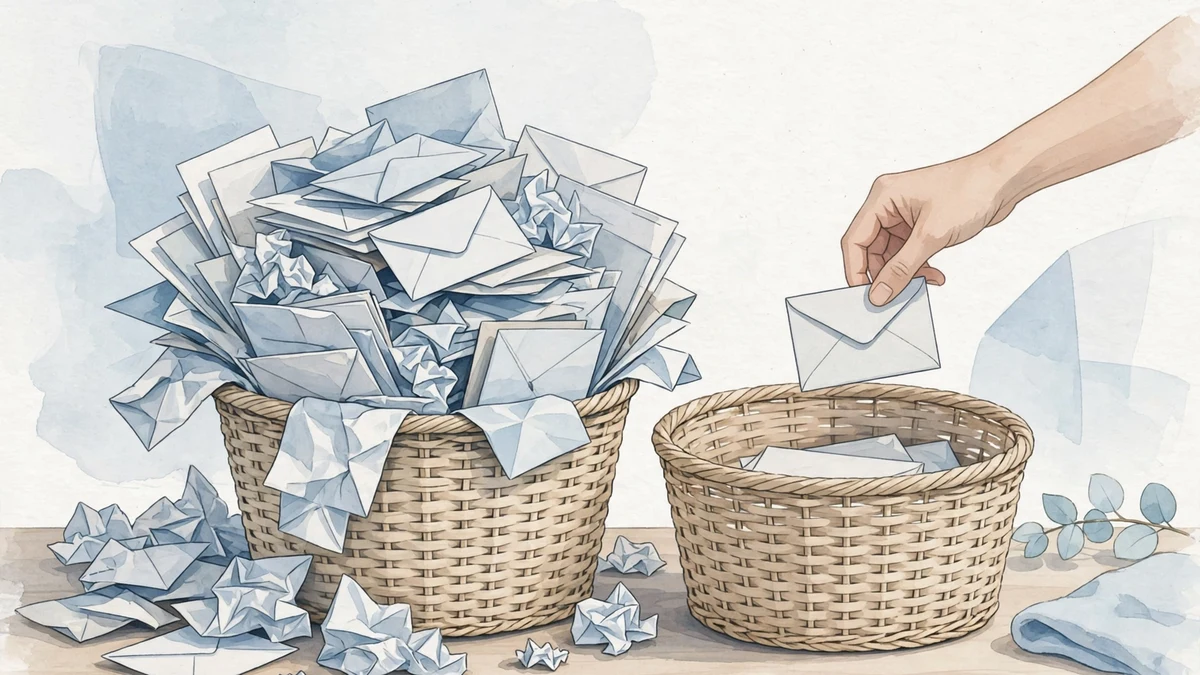
You have, in practice, two kinds of addresses: identity addresses and transaction addresses. Identity addresses belong to institutions you trust and need long-term — your university, your bank, your doctor. Transaction addresses belong to everything else: the one-off signup, the download gate, the free trial, the newsletter you are not sure about, the store you will buy from once. Every transaction address you hand out is a future breach record, and the Harvard count is a measurement of what that costs when the institution on the other end gets breached. The alumni address could not be avoided. The other hundred addresses you gave away this year mostly could have been.
That is where a disposable inbox earns its keep, and it is worth being precise about what it does and does not do. A true disposable address contains a breach: when the list leaks, the address is already dead or abandoned, and the phishing goes nowhere. A Gmail plus-address, by contrast, still routes to your real inbox — Gmail Temporary Email explains why that is not the same protection. And one more discipline matters: do not funnel every throwaway into a single reusable one, or you rebuild the very profile you were trying to avoid — Reusing the Same Temp Email Everywhere shows how that shortcut backfires. The system is simple: one address per purpose, dead when the purpose ends, and your identity addresses reserved for the institutions that deserve them.
Google Trends, incidentally, agrees that this is the week people are thinking about it: over the past seven days in the United States, rising searches related to "temporary email" include "tempmail" itself, up 50%, and "password generator," up 60%, while rising searches related to "data breach" run into the thousands of percent. People are not reading breach news and shrugging. They are looking for the tools.
Four messages to delete on sight
Expect these, in roughly this order, and delete them without clicking anything inside:
- The donation appeal that knows your class year. It will quote a plausible gift amount, name a plausible fund, and link to a page that looks right. Real donations happen on the university's own site, reached by typing the address yourself.
- The "check whether you were affected" message. This is the cruellest lure in any breach, because it offers the very reassurance you want, behind a link that harvests the details you type. Check on Have I Been Pwned directly, never through a link in an email about the breach.
- The alumni portal password reset you did not request. Remember: no passwords were in this data. A reset message is either a coincidence or a lure, and in the weeks after a count like today's, assume lure.
- The reunion or event invitation with a payment step. Event attendance was in the leaked data, so invitations can be personalised convincingly. Real events are confirmed on the alumni site, not paid for from an email link.
The tell, in all four cases, is the same: urgency plus a link plus a request for something — money, details, a click. A real institution will survive you ignoring its email for a day. A lure will not survive you checking its domain, because the domain is where every lure dies.
Frequently asked questions
Was my password leaked in the Harvard breach? No. Harvard has said the affected systems did not store passwords, Social Security numbers, payment card data, or financial data. Change reused passwords anyway as general hygiene, but this breach does not hand anyone your login.
How do I check whether my email is in the breach? Search your address on Have I Been Pwned. A hit means your address was in the leaked Harvard alumni and fundraising data. It does not mean your accounts are compromised — it means your address is on a circulating list, and alumni-themed phishing should be treated as expected, not surprising.
I graduated decades ago. Am I still at risk? Yes, and that is the point of the story. Alumni and fundraising data spans decades, and old addresses are valuable precisely because people still monitor them and still feel loyalty to the institution. A 2009 address receiving a 2026 donation lure is not an accident; it is the business model.
Will Harvard email me about this? Possibly, and that is exactly why the lures work: real breach notifications and fake ones arrive in the same inbox. Verify any such message by going to the university's own site directly, and never follow a link inside a breach email to "confirm" anything.
Should I stop donating because of this? No. Donate through the university's official website, typed by hand, or through channels you already trust. The breach is a reason to change how you arrive at the donation page, not whether you give.
Does a temporary email protect me from breaches like this? It limits the blast radius for the signups it covers: when a throwaway address leaks, the phishing goes to an inbox you have already abandoned. It does not protect identity relationships — your university, your bank — where you need a permanent address. That separation, not any single tool, is the protection. If you are new to the idea, Who Can Read Your Throwaway Mail? explains the operator's side of a disposable inbox honestly, including what it cannot do.
The count landed today, and the mail will follow for years. That is not a reason to live in fear of your inbox; it is a reason to give your inbox a structure. Identity addresses for the institutions that deserve them, disposable ones for everything else, and a standing rule that no email — however personal it sounds, however urgent it claims to be — gets a click before its domain gets a check. The breach already happened. What happens next is, unusually for a breach story, mostly up to you.
Need a disposable temporary email?
Protect your real inbox from spam and promotional clutter instantly and free.
Received a suspicious email, text, or charge alert?
Verify whether the sender domain is disposable, spoofed, or unverified before clicking links.