

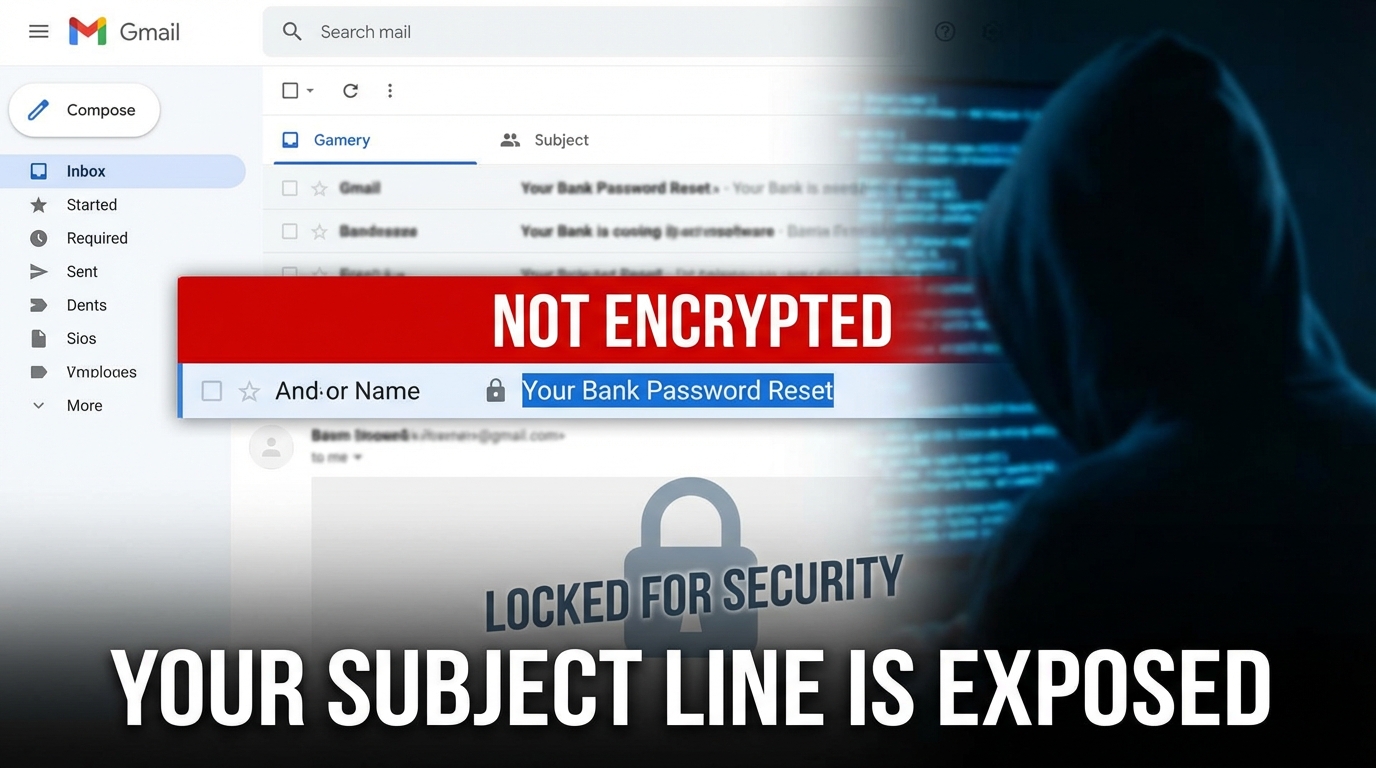

Why Your Email Subject Line Is a Privacy Risk You Can't Ignore
Encrypting your email subject line is not as simple as typing a magic word — but in some platforms, a specific keyword can trigger real encryption.
Here's the quick answer:
| Method | Does It Encrypt the Subject? | How It Works |
|---|---|---|
| Typing "SECURE" in any email | No | Visual cue only — no real encryption |
[Encrypt] in Outlook (Office 365, org-configured) | Yes (body + attachments) | Triggers mail flow rule via Azure Rights Management |
| Specialized keyword triggers | Yes | Must be activated by the service provider first |
| PGP / S/MIME (standard) | No (body only) | Subject stays in plain-text header |
| Advanced Privacy Services | Yes | Proprietary standards encrypt subject, body, attachments |
| Standard Secure Email | No | OpenPGP standard leaves subject unencrypted |
Most people assume that if the body of their email is encrypted, the subject line is too. It isn't.
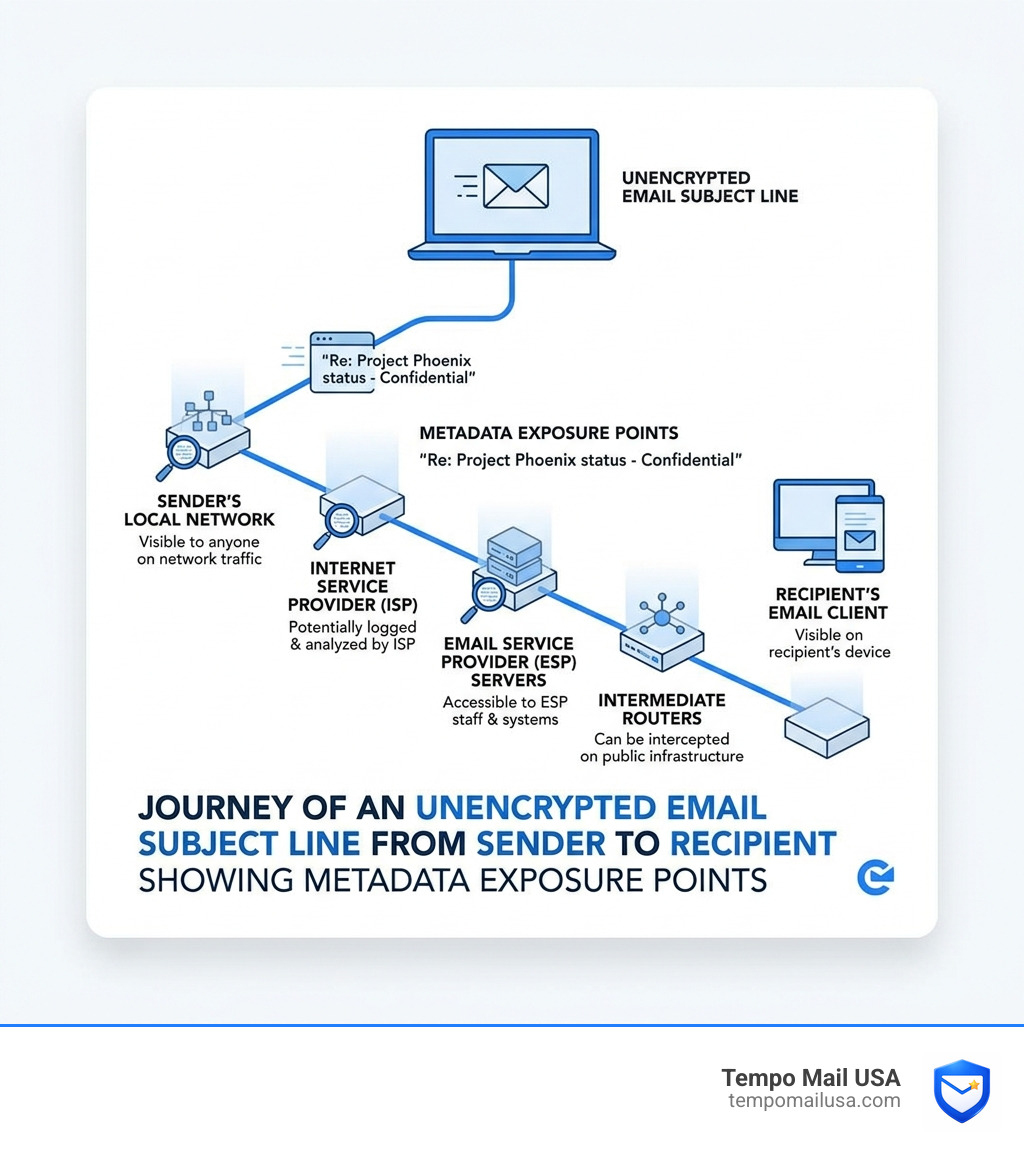
Subject lines travel as plain text through standard email protocols. That means your ISP, your email provider, and anyone intercepting traffic in transit can read them — even if the message body is locked tight.
Think about what lives in a typical subject line: "Re: Your HIV test results", "Contract for [Client Name] — confidential", or "Your new password for [Bank Name]". That metadata alone tells a story, and it's a story told in the open.
The good news? There are real, working methods to protect it — from simple keyword triggers in Outlook to full subject-line encryption in privacy-first email services.
How to Encrypt Email Subject Line Triggers in Outlook and Office 365
In the corporate world of April 2026, Microsoft 365 remains the heavyweight champion. Many users have heard that they can encrypt email subject line content simply by adding a tag like [Encrypt] or SECURE. But does it actually work?
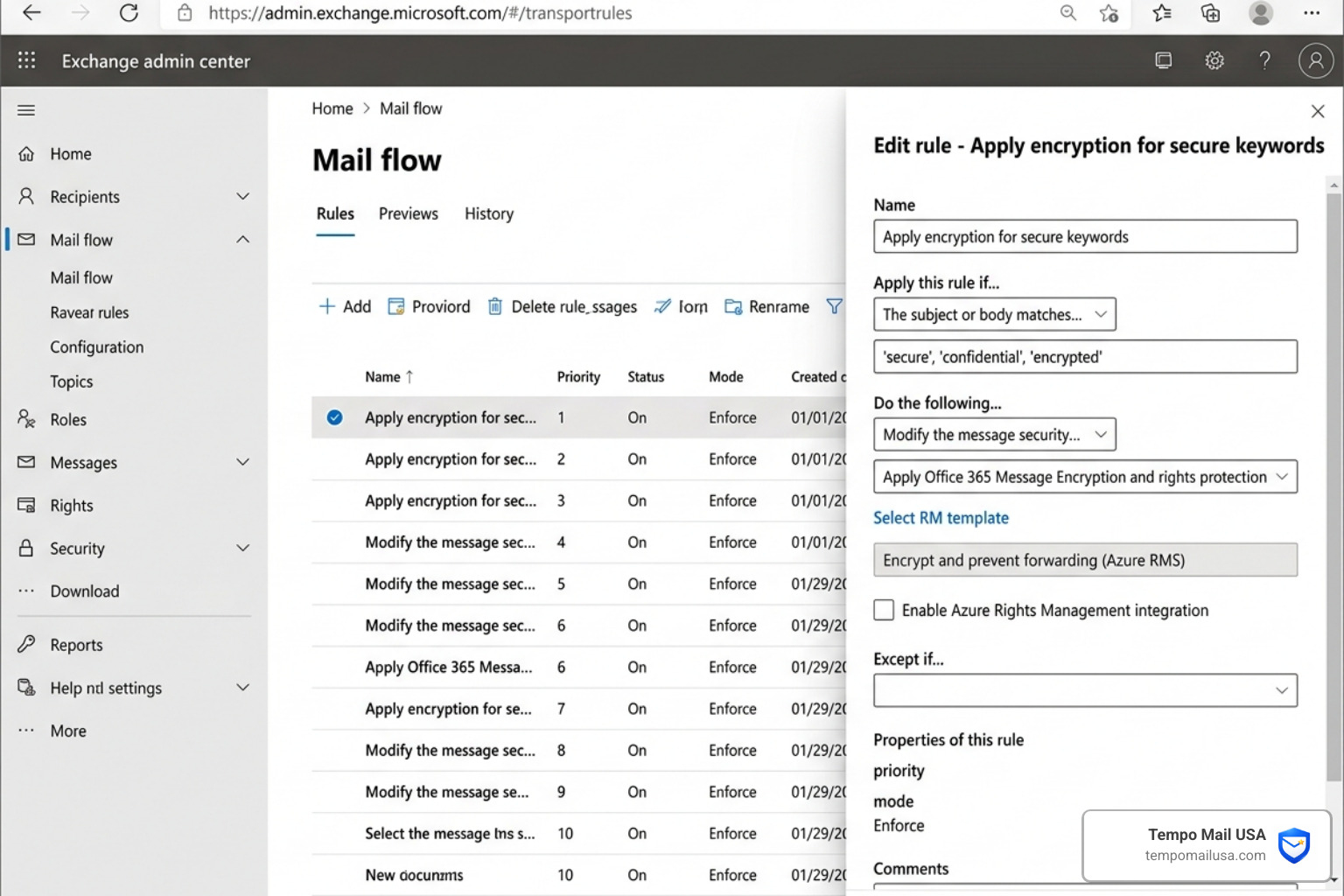
The answer depends entirely on how your IT administrator has configured your environment. In a standard, "out-of-the-box" Outlook setup, typing "SECURE" does absolutely nothing to the code of the email. It is merely a visual signal to the recipient. However, for organizations using Office 365 Message Encryption (OME) and Azure Rights Management, admins can create "Mail Flow Rules" that scan for specific keywords.
When these rules are active, the system detects the keyword in the subject line and automatically reroutes the email through a secure encryption gateway. This is vital because Non-Encrypted Emails: Hackers Can Read Everything You Send, and without these rules, your "secure" tag is just plain text.
Setting Up Keyword-Based Encryption
If you are an administrator or a power user looking to implement this, you’ll need to head into the Exchange Admin Center. Here, you can define which words trigger the shield.
- The 'Secure' Default: Many enterprise systems come with "secure" as a default keyword. Once enabled, any email with "secure" in the subject is intercepted and encrypted before it leaves the server.
- Custom Keywords: You can add your own strings, such as
[Internal Only]or[Private]. - Masking: A sophisticated feature in some security products allows you to "mask" the keyword. This means the recipient sees the encrypted content, but the trigger word itself is stripped out so the subject line looks professional.
However, we must be careful. As noted in How to 'Encrypt' Email in Outlook Subject Line (And Why You Shouldn't), relying on these triggers can create a false sense of security. If you misspell the keyword or if the admin rule breaks, your sensitive data travels in the clear.
Recipient Experience and One-Time Passcodes
When you encrypt email subject line triggers in Outlook, the recipient's experience changes. Instead of seeing the message directly in their inbox, external recipients (like those on Gmail or Yahoo) often receive a notification.
They are directed to a secure portal where they must verify their identity. This usually involves a one-time passcode (OTP) sent to their email. It's a high-security dance, but it has a ticking clock: these passcodes typically expire in 15 minutes. If the recipient misses that window, they have to start the process over. This ensures that even if someone gains access to the recipient's inbox later, they can't open old encrypted messages without a fresh code.
The Metadata Trap: Why Standard Protocols Fail to Encrypt Email Subject Lines
Why is it so hard to encrypt email subject line data? It comes down to the "plumbing" of the internet. Email relies on the Simple Mail Transfer Protocol (SMTP).
Think of an email like a physical letter. The body of the email is the letter inside the envelope, which can be scrambled (encrypted). The subject line, however, is written on the outside of the envelope. Routers and servers need to read the "outside" to know where to send the message and how to handle it.
Standard protocols like OpenPGP follow these rules to ensure "interoperability"—the ability for different email services to talk to each other. Because the subject is part of the header packet, it remains in plain text. This is a major reason why Least Secure Email Providers: Why Your Inbox is Already Compromised; they prioritize convenience over total metadata privacy.
Risks of an Unencrypted Email Subject Line
When a subject line isn't encrypted, you are leaving a trail of breadcrumbs for data brokers and hackers. Even if the body is a vault, the subject line can expose:
- Personally Identifiable Information (PII): Names, account numbers, or medical conditions.
- Social Engineering Targets: A hacker seeing a subject like "Invoice #5542" can craft a perfect phishing attack.
- Context Leakage: Knowing who you are talking to and what the general topic is (e.g., "Legal strategy for merger") is often enough for a competitor to gain an edge.
This is a stark reminder that Secure Email Hosting: Why Your Inbox Isn’t Private. If the "envelope" tells the whole story, the "letter" inside almost doesn't matter.
Advanced Methods to Encrypt Email Subject Line Content
For those who need more than just a keyword trigger, there are technical standards designed to wrap the entire "envelope" in a second, encrypted layer.
- S/MIME (RFC 8551): This protocol allows you to wrap the full message (including headers) inside a secure wrapper. While powerful, it requires both the sender and receiver to have digital certificates, which can be a massive headache to manage.
- Protected Headers (Memory Hole): This is a newer draft standard. It works by taking the real subject line, hiding it inside the encrypted body, and replacing the "outside" subject line with something generic like "Encrypted Message."
When using Protected Headers, a supporting email client (like Thunderbird or certain versions of Apple Mail) will "reach inside," grab the real subject, and display it to the user. Non-supporting clients will just show the placeholder.
Evaluating Advanced Email Encryption Solutions
When we look at the landscape in 2026, "Zero-Knowledge Architecture" is the gold standard. This means the service provider has no way to read your data because they don't hold the keys.
If you're looking for enterprise-grade protection, you should look for:
- AES-256 and RSA-4096 encryption standards.
- End-to-End Encryption (E2EE) that includes metadata.
- Compliance: Ensuring the tool meets GDPR or HIPAA standards for data privacy.
We always recommend looking into Beyond the Password: Mastering Secure Email to understand how these layers fit together to form a "PII Firewall."
Privacy Best Practices: Beyond Keyword Triggers
While we love a good technical fix, sometimes the best way to encrypt email subject line info is to not put it there in the first place.
- Generic Subjects: Instead of "Q3 Financial Results for ABC Corp," use "Document for Review."
- Subject Masking: Use services that automatically replace your subject lines with random strings during transit.
- Email Alias Services: This is where we at Tempo Mail USA come in. By using a temporary email alias, you create a "Identity Proxy."
Implementing a PII Firewall for Total Anonymity
At Tempo Mail USA, we believe in the "PII Firewall" concept. When you sign up for a new service, don't give them your real email address. Use an alias. This acts as a shield, protecting your real identity from data leaks and breaches.
To further bolster your defenses, we suggest a multi-layered approach:
- Use a Secure VPN: To hide your IP address and encrypt your connection, a NordVPN Advanced Protection plan is an excellent choice.
- Identity Proxying: Use Tempo Mail USA for all third-party sign-ups.
- Data Removal: Regularly use personal data removal services to scrub your info from "people search" sites.
Frequently Asked Questions about Subject Line Encryption
Does typing 'SECURE' in the subject line automatically encrypt my email?
Generally, no. In a standard Gmail or Outlook account, it is just a word. It only works if your company’s IT department has specifically set up a "Mail Flow Rule" in the Exchange Admin Center to recognize that word as a trigger for Azure Rights Management encryption. Without that backend setup, your email remains unencrypted.
Which email services fully encrypt the subject line by default?
Certain specialized privacy-first services encrypt subject lines by default using proprietary encryption standards. Many other secure providers, while offering high levels of protection, use the OpenPGP standard which leaves subject lines in plain text to ensure interoperability. If subject line encryption is your primary requirement, look for services that specifically implement full header encryption.
How can I hide my subject line when using Gmail or Outlook?
Since neither service supports native subject line encryption, your best bet is Subject Masking via a third-party alias service or a PGP plugin. These tools can replace your subject with a placeholder (like "...") while the real subject is hidden inside the encrypted message body. Alternatively, simply use a generic subject line that reveals nothing about the content.
Conclusion
In an era where data breaches are a "when," not an "if," practicing good digital hygiene is non-negotiable. Whether you are an admin setting up keyword triggers in Outlook or an individual using a PII Firewall with Tempo Mail USA, every layer of protection counts.
Don't let your subject line be the weak link in your security chain. Use generic titles, leverage alias services, and remember: if it's written in the subject, the world can see it. Stay safe out there!