

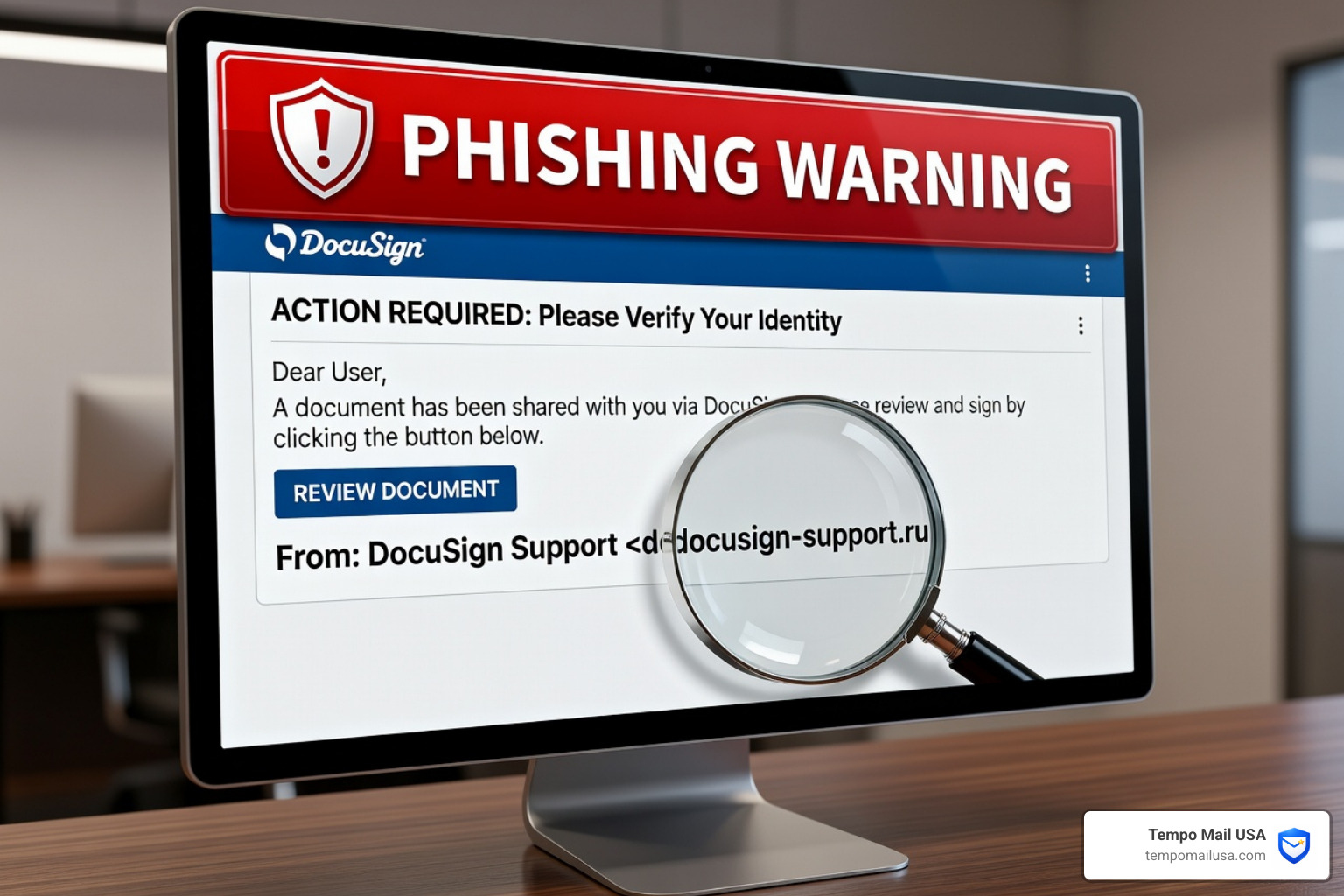

What Is a DocuSign Email Scam — and Are You at Risk?
A DocuSign email scam is a phishing attack where criminals impersonate the legitimate DocuSign e-signature service to trick you into handing over your login credentials, personal information, or money.
Here's what you need to know right away:
- What it looks like: An email claiming a document needs your signature, with a button like "Review & Sign" or "Complete with DocuSign"
- What it wants: Your email address, password, or financial details — entered on a fake site designed to look exactly like DocuSign
- Who sends it: Cybercriminals, not DocuSign — the company has no involvement
- How to spot it fast: The sender's address doesn't end in
@docusign.comor@docusign.net, the greeting is generic, and the link doesn't point todocusign.com - What to do: Don't click anything — forward the email to verify@docusign.com and delete it
These scams are everywhere right now. In 2024 alone, consumers reported nearly $12.5 billion in fraud losses to the FTC, with phishing among the most common tactics used.
DocuSign is one of the most trusted names in digital business. That trust is exactly what makes it such a valuable target for scammers. Millions of people receive real DocuSign emails every day — so a fake one rarely raises an eyebrow.
This guide walks you through everything: how the scam works, how to spot it, what to do if you've been hit, and how to protect yourself going forward.
Understanding the DocuSign Email Scam and Why It’s So Effective
Why do we keep seeing the DocuSign Email Scam in our inboxes? The answer lies in the perfect storm of brand trust and professional necessity. In the modern workplace, e-signatures are the gold standard. Whether you are buying a home, signing an employment contract, or approving a vendor invoice, DocuSign is likely the tool you use. Scammers know that when you see that familiar purple logo, your guard naturally drops.
The effectiveness of this scam is backed by sobering data. According to Federal Trade Commission data, consumers lost nearly $12.5 billion to fraud in 2024. Furthermore, three million fraud claims were reported in the U.S. last year alone. Phishing remains one of the most prevalent techniques because it relies on human psychology—specifically, a manufactured sense of urgency.
When a scammer sends a fake DocuSign request, they aren't just looking for a signature; they are hunting for Personally Identifiable Information (PII) and credential harvesting. By mimicking a trusted service, they trick you into "logging in" to a fake portal, effectively handing over the keys to your digital life. Once they have your email credentials, they can reset passwords for your bank accounts, social media, and corporate networks.
Anatomy of a Phishing Attack: How it Works Step-by-Step
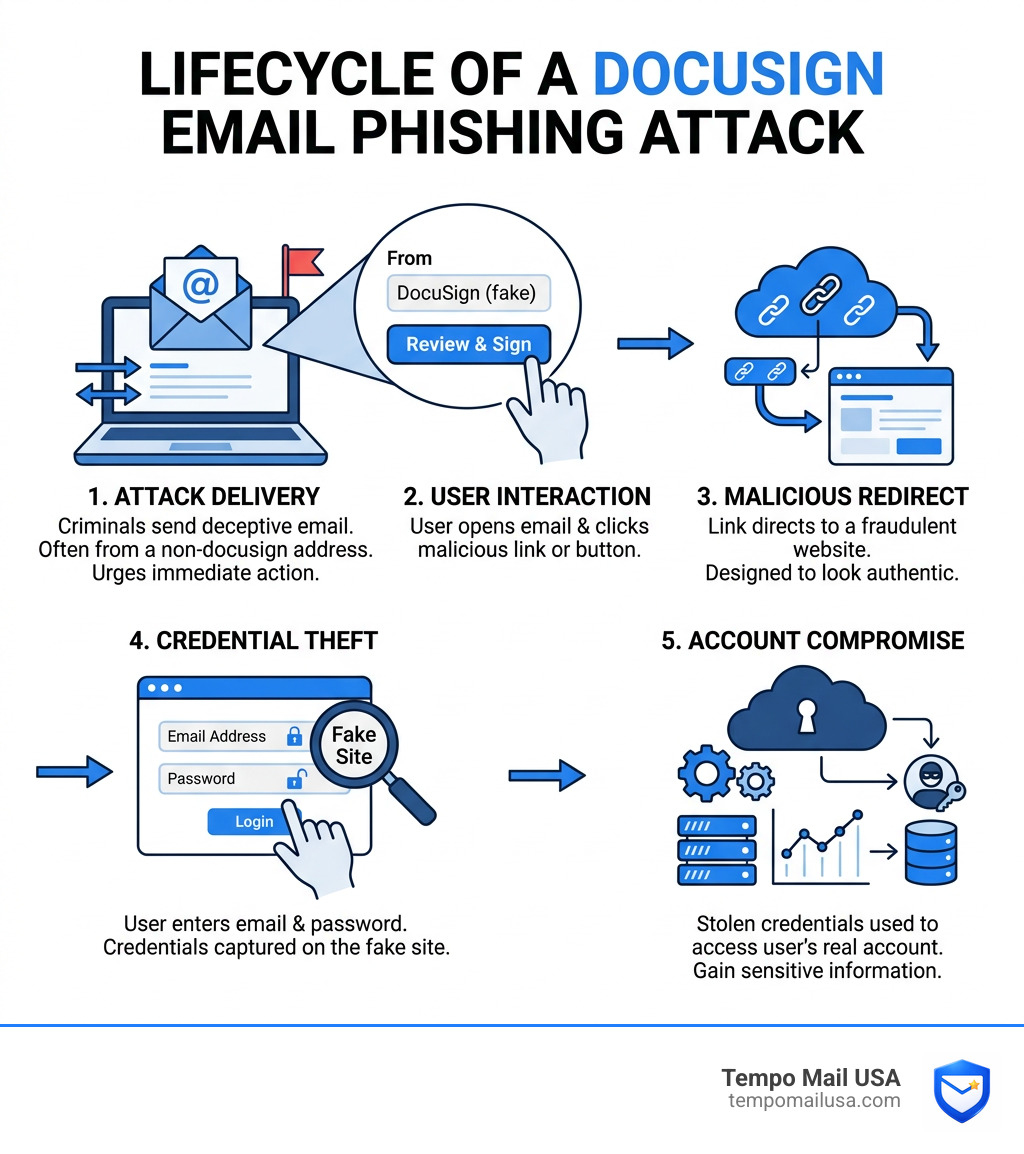
Understanding the mechanics of a DocuSign Email Scam can help you spot the trap before it springs. Most of these attacks follow a predictable, multi-stage lifecycle:
- The Unsolicited Email: You receive an email that looks identical to a standard DocuSign notification. It often uses professional language and high-quality graphics to pass the initial "eye test."
- The Hook (Social Engineering): The email creates urgency. It might claim a "Portfolio Purchase Agreement" needs immediate signing or that a "Microsoft Subscription" is about to renew.
- The Malicious Link: You click a button labeled "Review Document." Instead of going to the real DocuSign servers, the link takes you to a compromised website or a spoofed landing page.
- The Reconnaissance (Browser Fingerprinting): Sophisticated campaigns, like those involving the ClearFake framework, may run scripts in the background to check your browser version, CPU info, and even your BIOS details to see if you are a "valuable" target or a security researcher.
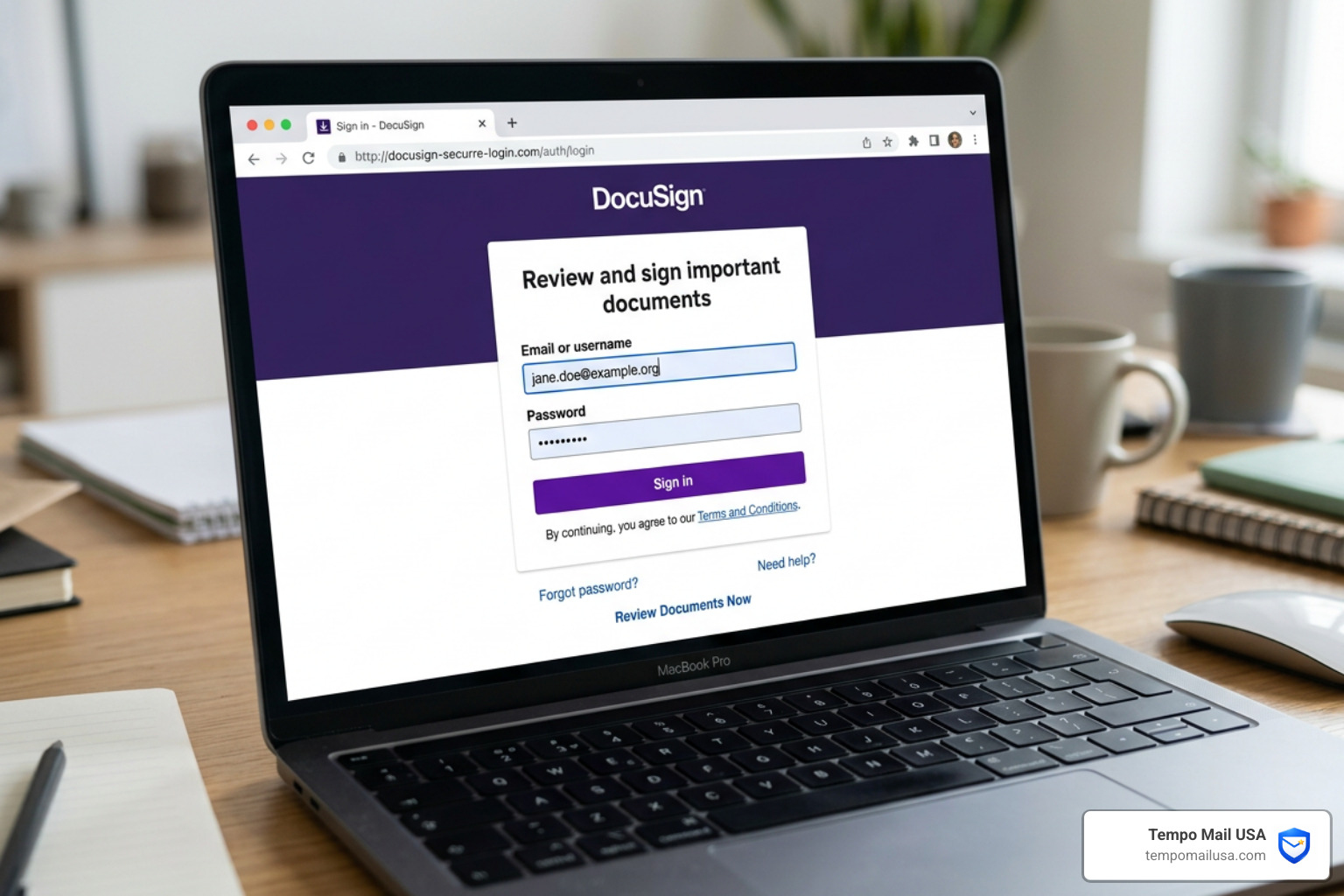
- The Credential Theft: You are presented with a login screen. It might look like a DocuSign login or a Google/Outlook portal. Once you enter your username and password, the scammers capture them in real-time.
- Account Takeover: The attackers use your credentials to log into your actual accounts. This is where Understanding Business Email Compromise becomes vital, as they may use your account to send more scams to your colleagues.
It's important to note Why BEC Attacks Stand Apart from Regular Phishing Emails. While standard phishing is a "numbers game" sent to thousands, Business Email Compromise (BEC) is highly targeted. A scammer might use a compromised DocuSign account to send a "legitimate" looking envelope to a specific finance employee, making it incredibly hard to detect.
Identifying Red Flags in a DocuSign Email Scam
Even the most sophisticated DocuSign Email Scam usually leaves a few breadcrumbs. Being a "digital detective" means looking past the logo and scrutinizing the technical details.
| Feature | Legitimate DocuSign Email | Fraudulent/Spoofed Email |
|---|---|---|
| Sender Address | Ends in @docusign.com or @docusign.net | Ends in @docusign-secure.com, @edocs.com, or random strings |
| Link Destination | Points to https://www.docusign.net or docusign.com | Points to t.co, webflow.io, or unrecognized domains |
| Greeting | Often personalized (e.g., "Dear John Doe") | Generic (e.g., "Dear Customer" or "Dear User") |
| Attachments | Almost never includes attachments (uses links) | Often includes PDFs or HTML files with "instructions" |
| Digital Signature | Emails are digitally signed and encrypted | No verifiable digital signature |
One of the best ways to stay safe is to use an AI Phishing Detector. These tools can analyze the underlying code of an email to spot anomalies that the human eye might miss, such as hidden redirects or mismatched URLs.
Common Subject Lines in a DocuSign Email Scam
Scammers love to play on your emotions. If you see these subject lines from an unexpected sender, be extremely cautious:
- Urgent Action Required: "Action Required: Please DocuSign your Invoice"
- The Completed Document: "Completed: Signature Requested on Contract.pdf"
- The Financial Hook: "Remittance Advice from PayPal via DocuSign"
- The Account Threat: "Your DocuSign account has been suspended - Verify Now"
- The Seasonal Lure: "Special Holiday Gift Delivery - Signature Needed"
How to Verify a Legitimate DocuSign Request
If you receive a request and aren't sure if it's real, do not click the link in the email. Instead, follow these steps:
- Use the Access Documents Feature: Every legitimate DocuSign email contains a unique security code at the bottom. Go directly to https://www.docusign.net or docusign.com, click "Access Documents" at the top, and enter that code. This is the safest way to view a file.
- Check the Link via Hover: Hover your mouse over the "Review Document" button. Look at the bottom corner of your browser. If the URL doesn't start with
https://www.docusign.net/or a recognized subdomain (likena2,na3,au, orca), it's a fake. - Contact the Sender Directly: If the email claims to be from your boss or a known vendor, call them or start a new email thread to ask if they sent it. Never reply to the suspicious email itself.
Common Variations: From PayPal Invoices to QR Codes
The DocuSign Email Scam is constantly evolving. Attackers are moving beyond simple links to more complex delivery methods.
The PayPal Invoice Scam: We've seen an uptick in scams where users receive a DocuSign notification for a "PayPal Transaction." It might claim you've been charged $600 for a laptop you never bought. The goal is to get you to call a "support number" (Vishing) or click a link to "cancel" the transaction. Remember: PayPal does not use DocuSign for standard transaction receipts. This is very similar to Identifying Geek Squad Subscription Scams, where fake renewals are used as bait.
Quishing (QR Code Phishing): This is a rising threat. The email might contain a QR code, or the "document" itself might have one. Scammers use this because mobile phones often lack the robust security filters found on desktop computers. Scanning a malicious QR code can take you directly to a credential-stealing site.
The ClearFake and EtherHiding Connection: Advanced attackers are now using the What is ClearFake? campaign tactics. This involves using malicious JavaScript and even blockchain technology (EtherHiding) to host their scam pages. By hiding malware commands in smart contracts, they make it incredibly difficult for security companies to take down their sites.
Immediate Steps: What to Do If You Are Scammed
If you realized too late that you've interacted with a DocuSign Email Scam, don't panic. Speed is your best friend in limiting the damage.
- Change Your Password Immediately: If you entered your email credentials, change your email password first. Then, change your password for DocuSign and any other account that uses the same credentials.
- Enable Two-Factor Authentication (2FA): If you haven't already, turn on 2FA on every account you own. Use an authenticator app rather than SMS if possible.
- Contact Your Financial Institutions: If you provided credit card or bank info, call your bank's fraud department immediately to freeze your accounts.
- Run a Malware Scan: Some phishing sites attempt to install "info-stealers" or "adware" in the background. Use a reputable antivirus tool to scan your Windows, Mac, or Android device.
- Report the Incident: Follow the guide on How to Report Phishing Emails in 5 Easy Steps to ensure the malicious domain gets blocked for others.
Reporting a DocuSign Email Scam to Authorities
Reporting is a vital part of fighting back. Here is where you should send the evidence:
- To DocuSign: Forward the entire suspicious email as an attachment to verify@docusign.com. You can also use the online web portal i-Sight to report account abuse.
- To the Government: File a complaint at reportfraud.ftc.gov and forward phishing attempts to the Anti-Phishing Working Group at
reportphishing@apwg.org. - To Your Organization: If you are a student or employee, contact your IT help desk. For example, UIndy users should visit techhelp.uindy.edu for local assistance.
Frequently Asked Questions about DocuSign Email Scams
Is DocuSign responsible for these fraudulent emails?
No. DocuSign is a victim of brand impersonation, just like you. While they work hard to shut down accounts that abuse their platform, scammers often use external servers and spoofed domains that DocuSign has no control over.
Can clicking a link install malware on my device?
Yes, it is possible. While many scams aim to steal your password, some use "drive-by downloads." This is why we always recommend running a full system scan after interacting with a suspicious link.
What happens if I entered my credentials on a fake site?
The attackers now have access to your account. They may log in to steal sensitive documents, change your recovery information, or use your identity to scam your contacts. You must act quickly to regain control and secure your other accounts.
Conclusion
The DocuSign Email Scam is a reminder that in the digital age, our greatest vulnerability is often our own trust. With nearly three million fraud claims being filed annually, the threat is not going away. However, by staying vigilant and looking for red flags, you can stay one step ahead of the criminals.
At Tempo Mail USA, we believe the best way to stop a scam is to prevent the scammer from ever reaching your real inbox. Our temporary email aliases act as a PII firewall, shielding your personal information from services and potential data breaches. By using an alias for your digital interactions, you create a layer of separation that keeps your primary identity safe.
Stay safe, stay skeptical, and remember: if a document signature request feels "off," it probably is. For more information on protecting your privacy, visit us at https://tempomailusa.com.