
Anonymous Email Addresses: The Three Kinds, the One Question That Picks Yours, and What They Can't Hide
Anonymous Email Addresses: The Three Kinds, the One Question That Picks Yours, and What They Can't Hide
Tonight I generated an anonymous email address, copied it into Figma's signup form, and watched Figma accept it without a blink. No error about disposable domains, no warning, no rejection. It moved straight to the password step. Then a captcha appeared — three rounds of picking the runner with the right icon on its back — and forty minutes and four attempts later, I was still staring at "That was not quite right." No verification email was ever sent, because the signup never got far enough to send one.
That evening is this whole topic in miniature. The address worked. The human check didn't. And the difference between those two sentences is the difference between what an anonymous email address actually does and what people buy it hoping it will do.
An anonymous email address hides your real inbox from whoever is on the other end. It does not hide you. If you pick the right kind for your job, it is one of the most useful privacy tools on the internet. If you pick the wrong kind, you lose an account you needed — or you hand a site your real identity while believing you hid it.
First, what an address actually is
Every email address has three parts, and each one can give you away separately. The local part is the bit before the @ — the name, the random string, the handle. The domain is the bit after it — gmail.com, proton.me, rover.info — and it tells anyone who looks which provider runs the inbox. And behind the domain sits the provider itself, which keeps logs, knows your IP address, and decides what happens when the inbox expires.
People obsess over the local part. They pick a clever pseudonym and feel done. But the local part is the least informative piece. A random-looking string like the one I generated tonight — ten lowercase letters and digits — says nothing about you. The domain says much more: it names the provider, and the provider is the one holding the records. If you want to understand an anonymous address, stop looking at the name and start looking at who runs the inbox and how long it lives.
That is also why "anonymous email address" is a slippery phrase. It describes three different tools that share a shape — an address that is not your real one — and almost nothing else. The guides ranking for this keyword mostly pick one of the three and pretend it is the whole answer. The HelpDeskGeek piece currently at the top of the results does better than most: it sorts services by the job. But it still treats the address as a product choice, and the choice is only half the story. The other half is the trail around the address, which no product choice removes.
The three kinds, and the trade each one makes
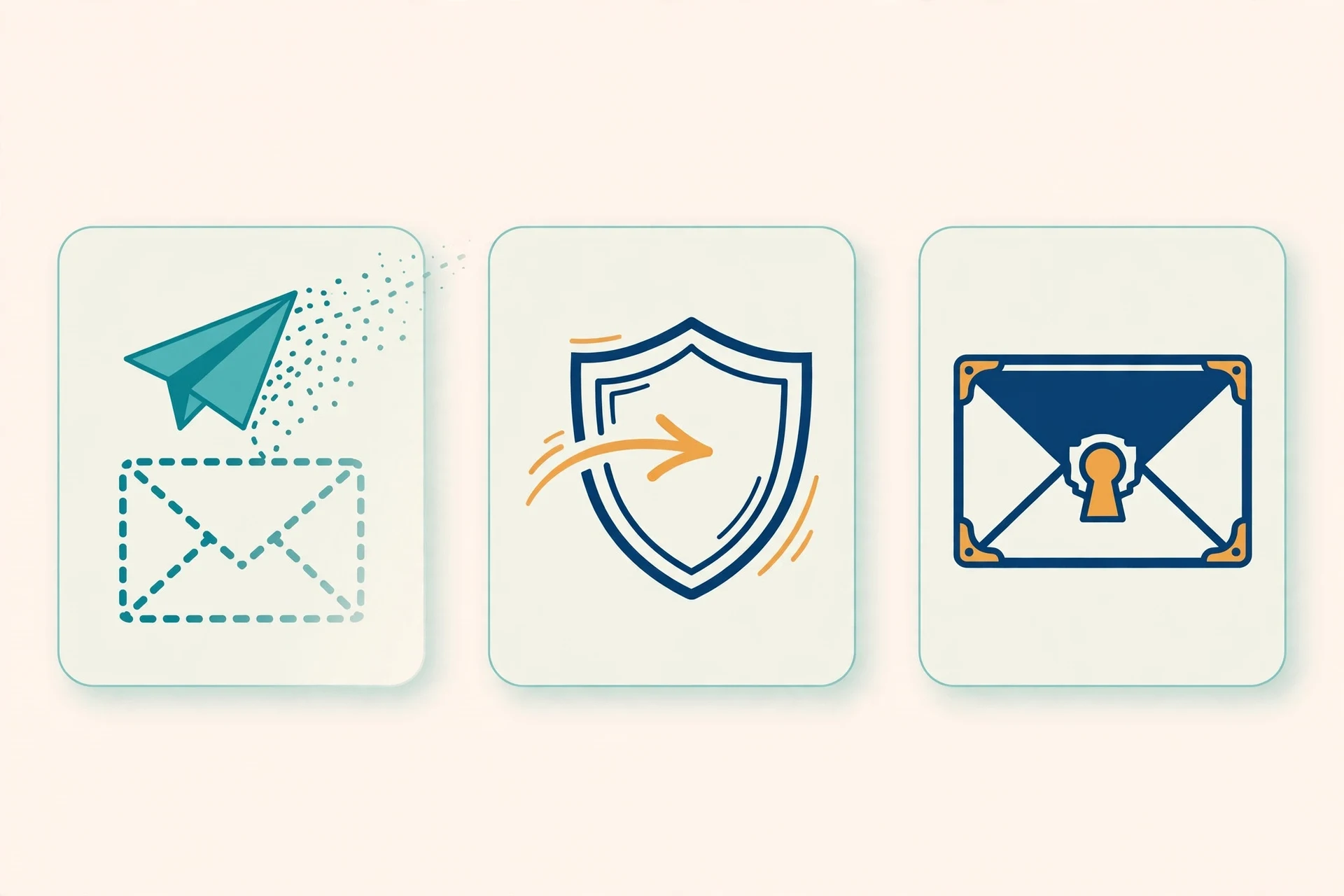
There are three kinds of anonymous email address in real use. They differ on four things: whether you can send mail, how long they live, what they know about you, and who can take them away.
A disposable inbox. You open a page and an address already exists — no signup, no name, no password, no phone number. It receives mail for a set time and then it is gone. Tonight's test, on our own tool, produced a ten-character random address on the rover.info domain the moment the page loaded, with a countdown showing just under thirty days left. You can also type your own name and pick a domain from a dropdown. There is no compose button and no send function: it is a receiving tool, full stop. If your job is a signup code, a download link, or a trial confirmation, this is the fastest tool there is. If your job needs a reply, it is the wrong one entirely.
A forwarding alias. This is an address that delivers to your real inbox without ever showing it. Apple's Hide My Email generates a random @icloud.com address per signup; SimpleLogin and addy.io do the same kind of job with more control. You never log in to the alias, because there is nothing to log in to — mail sent to it lands beside everything else. The trade is the mirror image of the disposable inbox: the address can live forever and you can reply through it, but the provider holds a permanent map between the alias and your real inbox. It protects your address from the sender. It does not protect your identity from the provider.
An encrypted mailbox. This is a real account at a privacy-focused provider — Proton Mail or Tuta are the ones I have actually tested — under a username that contains nothing about you. It sends and receives like normal email, it lasts as long as you keep it, and the contents are encrypted so the provider cannot read them. The trade is effort and discipline: you have to create it carefully, never once log in from your normal browser or home connection if you want the network trail hidden, and never attach a recovery email or phone number. Done right, it is the only one of the three that approaches real anonymity. Done casually, it is just a second Gmail with a funnier name.
| Kind | Can send? | How long it lives | What it knows about you | Best for |
|---|---|---|---|---|
| Disposable inbox | No — receive only | Minutes to 30 days | Nothing — no signup at all | One signup code, one download |
| Forwarding alias | Replies through the mask | Until you switch it off | Your real inbox, by design | Signups you will keep using |
| Encrypted mailbox | Yes — full account | Permanent if you keep it | Your IP, unless you hide it | A lasting private identity |
If you want the services behind these kinds tested head to head, my review from November 22 opens four of them — Proton, Tuta, Guerrilla Mail, and TempMailUSA — and scores each on the same five checks. The short version is that Proton wins for a permanent inbox and TempMailUSA wins for speed, and both verdicts come with a catch the pricing pages do not print. The catch on our own tool is worth stating here too: on a free inbox, only your first message is free to read. The address is free, the thirty-day inbox is free, and the second email that arrives in it is not.
The one question that picks yours
Forget the comparison tables for a moment. There is one question that decides which kind you need, and it is not about encryption or jurisdiction or storage. It is this: will I ever need this address again?
If the answer is no — one code, one download, one price quote — take the disposable inbox. It is free, it takes seconds, and its expiry is a feature: the address dies on its own, so you cannot be tempted to keep using it for something it cannot protect.
If the answer is maybe — a shop you might order from again, a newsletter you might actually read — take the alias. You keep one inbox, you can kill the alias the moment it starts getting spam, and the sender never learns your real address.
If the answer is yes, for months — a side project, a correspondent, a second identity you will actually live in — take the encrypted mailbox. It is the only one built to last, and the only one where sending works like normal email.
Most bad picks come from answering this question dishonestly. People take a disposable address for a service they will need to recover — password resets go to the email on file, and if that email expired six months ago, the account is gone — and then they blame the tool. Or they take a permanent mailbox for a one-off download and spend twenty minutes on a signup that should have taken ten seconds. Answer the question first, then pick the tool. The tool cannot answer it for you.
Tonight's test, step by step
I ran the disposable-inbox path tonight, November 25, 2026, because a guide that tells you something takes seconds should be able to prove it — and because the result was not the clean success story the ranking guides imply.
Step one: generating the address. I opened tempomailusa.com and the address was already there — ten random lowercase letters and digits on the rover.info domain, no form, no signup, no email verification to get an email address. The page offers a "Create your own" box with a domain dropdown and lists hundreds of domains. The inbox showed zero messages, auto-refresh running, and a countdown reading "Expires in 29d 11h 59m" — free inboxes last thirty days, Pro inboxes last a year. The homepage counters read 491,155 emails created and 609,973 messages received. So far, exactly as advertised.
Step two: the signup. I copied the address into Figma's free signup. Figma accepted it at the email step with no complaint about disposable domains and moved to a password step. I entered a throwaway password and clicked Create account. That is as far as the address got me: Figma then showed an Arkose captcha, a three-round visual puzzle about runners and icons, and four attempts over forty minutes all ended with "That was not quite right." The signup never reached email verification. The temp inbox stayed empty — zero messages at 20:02 and still zero at 20:43. No delivery time to report, because nothing was ever sent.
What the failure proves, and what it doesn't. It does not prove Figma rejects temp mail. No error message rejecting the address ever appeared, and earlier today the same flow got through: a Figma signup with a temp address received its verification email in under a minute. Same service, different hour, different gate. The variable was the human check, not the address. It also does not prove temp mail is unreliable. It proves something narrower and more useful: the address is only one gate in a signup, and the gates after it — captchas, phone checks, domain blocklists — are outside the address's control. Canva and GitHub rejected temp domains outright in a test earlier today, with explicit error messages. Figma didn't reject the address at all; it just never let me finish proving I was human. If your plan depends on a signup working tonight, test the whole flow, not just the address.
What an anonymous address does not hide
Here is the section most guides write in a footnote, if they write it at all. An anonymous address hides your real inbox from the recipient. It does not hide the trail around the address, and the trail is usually what identifies people.

Your IP address. The provider sees the address you signed up and logged in from. For a disposable inbox there is no signup, which helps — but the provider still sees the connection that loaded the page. For an encrypted mailbox, the IP is logged at creation and every login after. The only fix is Tor or a VPN you trust, used every single time, with no exceptions. One ordinary login links the account to you permanently.
Your payment. The moment you pay for anything — a Pro tier, a custom domain, a paid alias plan — with a card in your name, the address is attached to you in the provider's billing records. Free tiers exist precisely to avoid this. If anonymity is the goal, never attach money to the address.
Your recovery options. A recovery email or phone number is a thread back to your real identity. An anonymous mailbox with your real phone number as its recovery option is a forwarding address with extra steps. Leave recovery blank, and accept that losing the password means losing the account.
Your writing and your habits. Stylometry — identifying someone from word choice, sentence length, and punctuation — works on surprisingly short texts. So do habits: logging into the anonymous account and your real account from the same device within the same hour, using the same password, attaching a photo with location data still in it. The address is rarely the thing that gives people away. The things around it are.
The headers. Every email carries headers the recipient can open: the sending server, the authentication results, the message ID. A recipient who reads them learns which provider you used and when the message passed through it. That is why the provider you choose matters — an encrypted provider's servers say far less about you than your own ISP's mail server would.
None of this makes anonymous addresses useless. It makes them specific. If your threat is a shopping site selling your address onward, a disposable inbox is complete protection. If your threat is a provider being compelled to hand over logs, a disposable inbox created from your normal browser does not protect you at all. Name the threat before you pick the tool, and the tool will stop disappointing you.
How to get one, in under a minute
For the disposable kind — the one most people searching this keyword actually want — the process is genuinely short. Open tempomailusa.com. The address is already on the page; copy it. Paste it into the signup form. Keep the inbox tab open and wait for the code or link to arrive, then paste the code the moment it lands. If you want a name you can remember, use the "Create your own" box and pick a domain from the dropdown before you paste it anywhere — changing the address after a signup has already used it helps no one.
Two practical notes from tonight's test. First, have the signup page open before you generate the address, and paste the code immediately when it lands — the address is only useful while the inbox is open and the message is readable. Second, count your messages: on a free inbox, the first message is free to read and the rest need Pro, so if a signup sends a welcome mail, a confirmation mail, and then the code, the code may be the one you cannot open. If a service sends several mails, use an address you can fully read, or a different kind altogether.
For the alias kind, the steps live in the provider, not on a web page: my guide to creating an email alias walks through Gmail, Outlook.com, iCloud's Hide My Email, and work accounts, including the limits the setup screens do not print — Outlook's two-new-aliases-per-week cap, for one. For the encrypted kind, create a Proton Mail or Tuta account with a username that contains nothing about you, in a fresh browser profile, and do not add a recovery email or phone number. If sending anonymously is the actual job rather than receiving, read my guide on how to send an anonymous email first — the sending side has its own traps, including a reply-to header that can quietly name your real address, and temp mail cannot send at all.
The mistakes that unmask people
Most anonymous addresses are not unmasked by clever forensics. They are unmasked by ordinary carelessness, and the same five mistakes show up every time.
Putting your name in the address. No name, no birth year, no handle you use anywhere else. A random-looking local part is not paranoia; it is the entire point. The moment the address contains your name, it stops being anonymous and becomes a second inbox with a short lifespan.
Using it for recovery. Password resets, account recovery, two-factor backup codes — all of these go to the email on file. If losing the email means losing the account, the email is not disposable. Use an alias or your real address. This is the single most expensive mistake on this list, and it is also the most common.
Reusing one address for five jobs. A disposable address reused across five signups becomes a profile. A breach at any one of them exposes an address that now opens the other four. One address, one job.
Attaching a file you did not clean. A photo carries location data and the phone model. A document carries the author's name and editing history. Strip metadata before attaching anything, or do not attach anything.
Treating the address as the whole plan. The address is one gate. The captcha after it, the phone check after that, the provider's logs behind all of it — none of those are covered by the address. A burner email is the same kind of tool with the same kind of limits, and if you want the fuller map of where burner addresses fit, my guide on what a burner email is sorts the four tools that share the name and the three ways each one backfires.
Frequently asked questions
Can I get an anonymous email address for free? Yes. TempMailUSA and Guerrilla Mail give you an address instantly with no signup at all, and Proton Mail and Tuta both offer free plans that ask only for a username and password. The free catches differ: TempMailUSA reads only your first message free, Guerrilla Mail deletes messages after an hour, Tuta deletes an inactive free account after six months.
Is an anonymous email address legal? Creating one is legal in itself. What you do with it is what matters — using it to deceive someone, evade a ban, or commit fraud is illegal for the same reasons it would be illegal with your real address. The tool is neutral; the use is not.
Can I send email from an anonymous email address? From a disposable inbox, no — temp mail services are receive-only, with no compose button and no send function. From an encrypted mailbox like Proton or Tuta, yes, sending works like normal email. From an alias, you can reply through the mask. If sending is the job, pick the mailbox, not the inbox.
How long does an anonymous email address last? It depends on the kind. A disposable inbox lasts minutes to thirty days — TempMailUSA's free inboxes last thirty days, Guerrilla Mail keeps messages for one hour. An alias lasts until you switch it off. An encrypted mailbox lasts as long as you keep using it, though Tuta deletes free accounts after six months of inactivity.
Can an anonymous email address be traced? The address itself reveals almost nothing — no name, no history, no link to your other accounts. The trail around it can be traced: your IP address, your payment, your recovery options, your writing style, and the email headers. Against spam and data harvesting, the address is complete protection. Against a determined investigator, it is one layer, not a disguise.
Do I need a phone number to create one? No, not for any of the three kinds if you pick the right service. Disposable inboxes ask for nothing at all. Proton Mail and Tuta free signups ask for a username and password only. The phone number appears when you choose a mainstream provider for your anonymous account, or when you add a recovery option — both of which you should avoid if anonymity is the point.
The short version
An anonymous email address is a mask for your inbox, not a disguise for you. There are three kinds — a disposable inbox that receives and dies, a forwarding alias that hides your address but not your identity from its provider, and an encrypted mailbox that lasts and sends but demands discipline. Pick by answering one question honestly: will I ever need this address again? Then test the whole signup, not just the address, because the captcha after it is not covered by anything you just did. And remember the first-message rule on a free inbox: the address costs nothing, the inbox costs nothing, and the second email that arrives in it might be the one you cannot open.
Need a disposable temporary email?
Protect your real inbox from spam and promotional clutter instantly and free.
Received a suspicious email, text, or charge alert?
Verify whether the sender domain is disposable, spoofed, or unverified before clicking links.