
Temp Mail for LinkedIn Signup: What Actually Happens to a Professional Profile (2026)
A recruiter does not care about your inbox. She cares about the name, the photo, the last three jobs, and whether the person behind the profile is real. That is the first thing most guides about temp mail for LinkedIn get wrong. They treat LinkedIn like any other signup form: paste an address, grab a code, done. LinkedIn is not any other signup form. It is the one place on the internet where your account is supposed to be you, in public, under your real name, in front of people who may hire you.
So the honest question is not "can you paste a disposable address into LinkedIn's signup box?" In most cases, technically, yes — at least for a first attempt, with a domain LinkedIn has not flagged. The honest question is what that choice costs you over the next six months, and whether the privacy you gain is worth the fragility you accept. This article answers that version of the question, because the other version is a three-line trick and you do not need 2,000 words to learn a trick.
I am going to be blunt about my position. A disposable address is a good tool for keeping your real inbox out of marketing databases. It is a bad foundation for a professional identity. Those two statements are both true, and most of the confusion about LinkedIn and temp mail comes from people holding only one of them.
The inbox your future boss can see
Think about what an email address does on LinkedIn, compared with what it does on a coupon site. On a coupon site, the address is a delivery slot. Nobody reads it, nobody judges it, and if it dies, you lose coupons. On LinkedIn, the address is one leg of a trust tripod: the email, the phone number, and the profile history. Recruiters, hiring managers, and LinkedIn's own automated checks all lean on that tripod when they decide whether a profile is a person or a prop.
That is why a disposable address behaves differently here. A verification code is the easy part. LinkedIn sends a code, a temp inbox receives it, you type it in, and the account exists. Nothing about that step tests whether you will still control the address in March, when LinkedIn asks you to confirm a login from a new device, or in June, when a recruiter messages you about a role and the reply path runs through an inbox that expired in October.
The risk, in other words, is not at the door. It is in the hallway afterwards. Every account you create with an address you cannot reopen is an account you can be locked out of by a single security prompt. For a throwaway account you never intend to revisit, that is a fair trade. For a profile carrying your work history, your recommendations, and your network, it is a slow-motion way to lose all three.
The professional-identity test: three questions before you paste anything
Before you decide, answer three questions honestly. They take thirty seconds and they settle most cases.
First: will anyone ever need to reach you through this profile? If the answer is yes — a recruiter, a client, a former colleague — then the address on the account must be one you will still control when they write. A temp inbox fails that test by design. It is built to disappear.
Second: would losing this profile cost you anything you cannot rebuild in an afternoon? A test profile with no connections costs nothing. A profile with two years of posts, endorsements, and a network of five hundred people costs a great deal, and it costs it all at once, on the day a recovery email goes to an inbox that no longer exists.
Third: is the reason you want a disposable address secrecy, or spam avoidance? Secrecy — hiding the fact that you are job hunting from your current employer, for example — is a legitimate reason, and there are better tools for it, which I will get to. Spam avoidance is also legitimate, but it is solved just as well by an alias or a second permanent address, both of which you keep. If your reason is spam avoidance, you do not need a disposable address at all. You need a second address you own.
If all three answers point to "nothing to lose," a temp address is defensible. If any one of them points the other way, use an address you control. That rule is simpler than any feature comparison, and it is the rule I would give a friend.
Where LinkedIn actually uses your email
It helps to see the full list, because signup is only the first of five moments when the address matters.
At signup, LinkedIn asks for an email and a password, then sends a verification code or link. This is the moment every temp-mail guide describes, and it is the least important one. A working disposable domain passes it.
At login from a new device or location, LinkedIn may ask you to confirm your identity, often by email. This is where disposable addresses start to fail in practice. The prompt arrives weeks after signup, long after a short-lived inbox has closed. If you used a reusable temp inbox and saved its access token, you may still get in. If you used a ten-minute inbox, you will not.
At password recovery, the address is everything. There is no fallback if the only email on the account is dead. LinkedIn's help pages will ask you to verify ownership in other ways, but the process is slow, uncertain, and exactly the kind of administrative fight nobody wants while job hunting.
At security alerts, LinkedIn emails you about suspicious activity, password changes, and new sign-ins. With a disposable address, those warnings go nowhere. You lose the early warning that someone else is probing your account.
At recruiter contact and notifications, the address is the channel. Job alerts, InMail notifications, and messages from hiring managers all route through email when you are not inside the app. An expired inbox does not bounce these back to the sender with a helpful note. They simply vanish.
None of this is a secret LinkedIn policy. It is the ordinary consequence of building an account on an address with an expiry date. The signup guides skip it because "paste and verify" is a better headline than "paste, verify, and plan your exit."
The risk ladder: five uses, from safest to riskiest
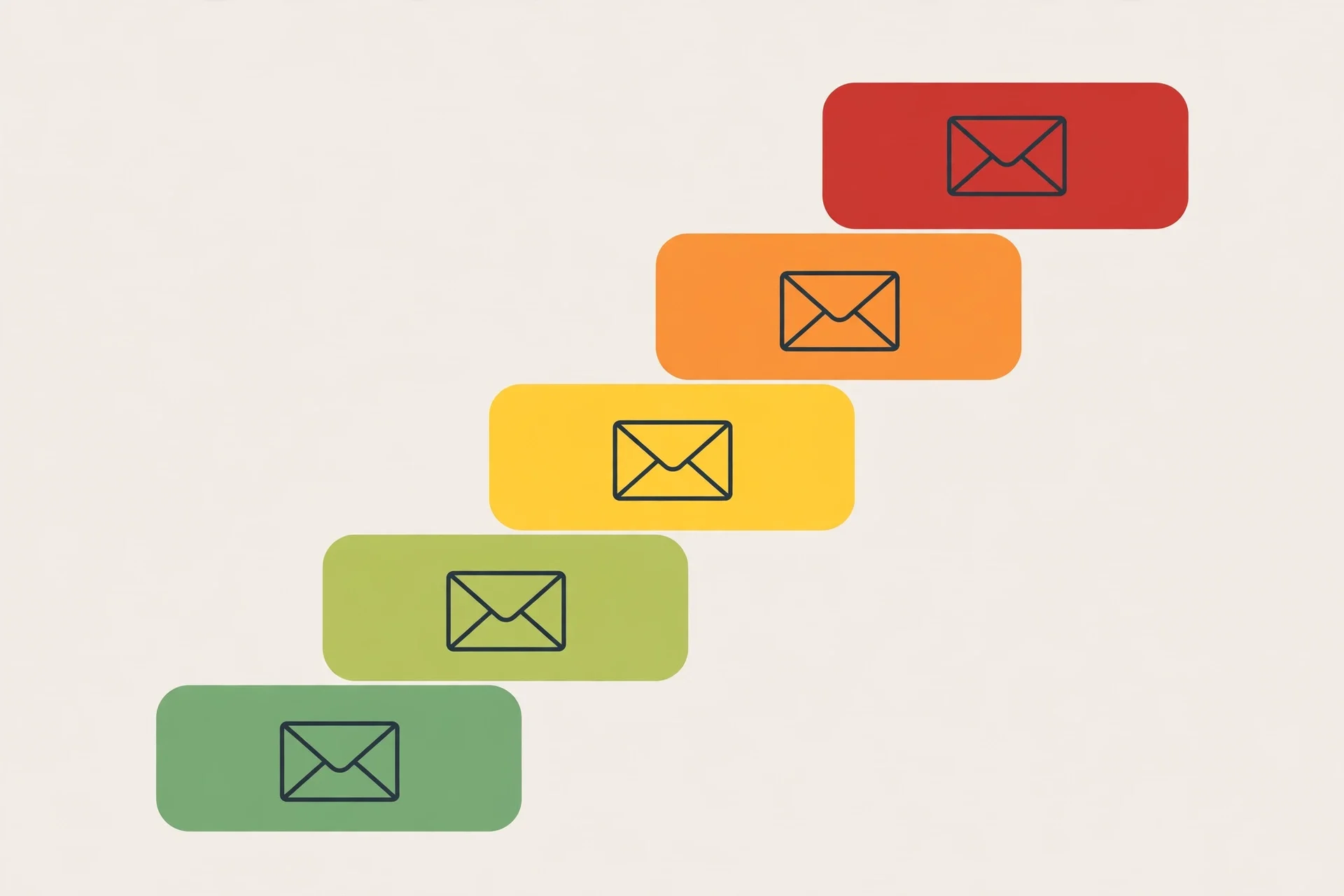
Not all LinkedIn uses of temp mail carry the same risk, and ranking them is more useful than a blanket yes or no.
The safest use is registering for a LinkedIn Live event or a webinar promoted through LinkedIn, where the organiser wants an email and you want nothing to do with their mailing list afterwards. You attend, you leave, nothing of value is tied to the address. This is the classic disposable-address job, and LinkedIn's event flow is a reasonable place for it.
Next is discreet job-market research: a separate profile used to browse roles and company pages without alerting your current employer or your network. This is a real need — LinkedIn's own "Open to Work" settings are visible in ways people do not always expect — but the risk is higher, because a research profile tends to accumulate saved jobs and followed companies, and losing it means rebuilding that work. If you do this, treat the profile as temporary from day one and keep nothing in it you cannot afford to lose.
Next is testing: social media managers, marketers, and developers who need a test account to see how a post, an ad, or a company page looks to another user. This is legitimate work, and a disposable address is a reasonable tool for it, provided the test account is clearly a test account and not dressed up to look like a real professional. LinkedIn removes accounts it judges to be fake, and a test profile with a stock photo and a invented job history is exactly what those checks are built to catch.
Next is a second professional profile — a side business, a freelance identity, a pen name for writing. This is where people get hurt. A second profile is not a test account. It gathers real connections and real history, and it needs a real recovery path. A disposable address under it is a structural weakness, not a privacy win.
Riskiest of all is your primary profile: the one with your real name, your real career, and your real network. There is no version of this where a disposable address is a good idea. If your primary profile's email is disposable, fix it now, while you still control the inbox — change the account email to a permanent address, confirm it, and only then let the disposable one go. That single change is worth more than any privacy trick in this article.
What "restricted" really looks like
People imagine a ban as a dramatic event: an email saying "your account is closed." In practice, LinkedIn restrictions usually arrive as friction. A profile that cannot be verified gets asked for more proof. A login from a new phone triggers a check you cannot pass because the email is gone. A connection request gets flagged. A message does not send. Each incident is small, and together they make the account unusable long before anyone formally closes it.
There is also a second, quieter cost. LinkedIn's trust systems weigh signals you cannot see: how old the account is, whether the email domain is a known disposable one, whether a phone number is attached, whether the profile has a photo and a work history that other real accounts have endorsed. A disposable domain is one negative signal among several, and on its own it rarely kills an account. Combined with a thin profile, no phone number, and rapid connection requests, it helps tip the balance toward restriction. That is why two people can do the same thing and get different results: one had other trust signals, the other did not.
The practical lesson is not to obsess over the domain. It is to avoid stacking weak signals. If you use a disposable address, do not also skip the phone verification, use a blank photo, and send fifty connection requests on day one. Each of those choices is survivable alone. Together they look like a bot.
The phone-number second gate
Here is the part the signup guides almost never mention: LinkedIn increasingly asks for a phone number, not just an email. The email gets you through the door. The phone number is what LinkedIn uses when it doubts you later. A disposable email does nothing about that second gate, and a disposable phone number is a worse idea than a disposable email, because shared public numbers are read by strangers and a code sent to one is a code anyone can see.
If LinkedIn asks you for a phone number during signup, stop and think. Attaching your real number to a profile you created with a disposable email ties the anonymous account to your real identity anyway, which defeats much of the privacy purpose. Not attaching one leaves you without a recovery path. That tension has no clean resolution, and it is a good reason to ask whether the account is worth creating at all. For a test account, the honest answer is often that a phone-free, email-only profile with modest activity is fine. For anything you care about, the phone number is a reason to use a real email too, because the two recovery channels should belong to the same person.
Keeping the account if you start disposable
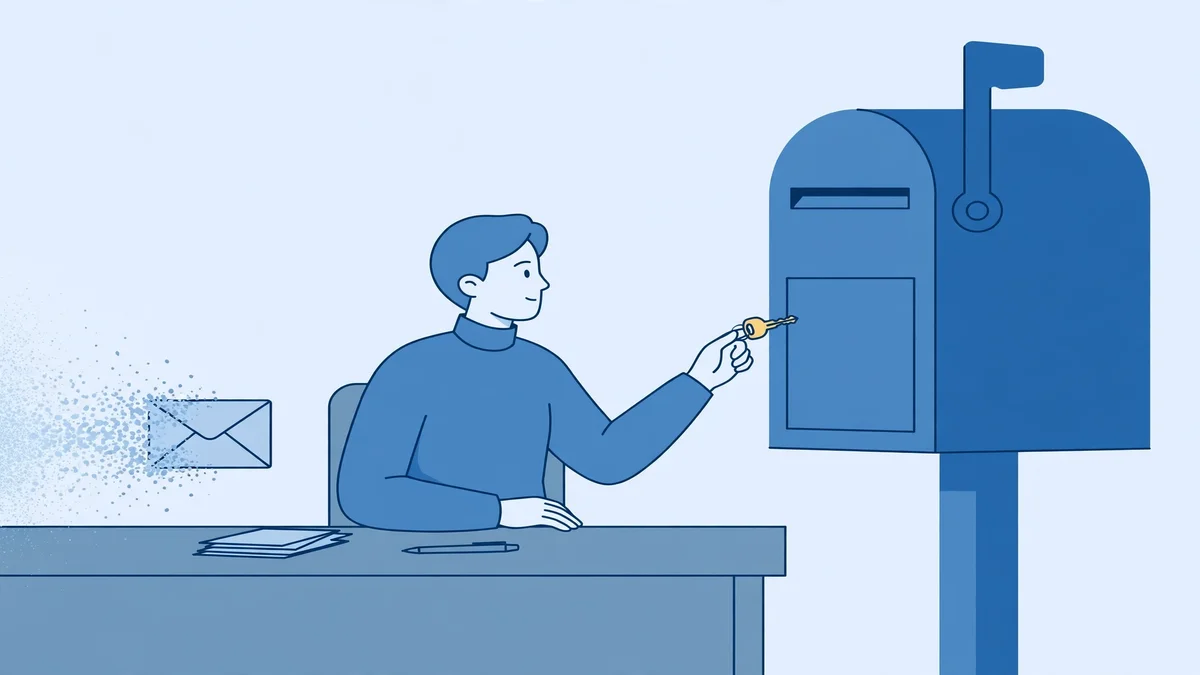
Suppose you have weighed all of this and you still want to start with a disposable address — for a test account, or for a short research project. There is a way to do it that minimises the damage, and it is worth spelling out because the usual guides stop at "verify and go."
First, use a reusable temp inbox, not a ten-minute one. The difference matters more on LinkedIn than anywhere else, because the recovery prompts arrive later. Save the inbox's access token or recovery key in a password manager the moment you create the address, not after you need it. This is the step everyone skips and the step that decides whether the account survives its first security check.
Second, keep the temp inbox tab or session alive through the whole signup, and confirm the verification promptly. Codes expire, sessions expire, and a signup left half-finished overnight is a signup you will redo.
Third, set a strong, unique password and store it in the same password manager. With a disposable address, the password is your only reliable way back in, because the email recovery path may already be gone.
Fourth, plan the handover before you need it. Decide now: if this profile becomes valuable, you will switch its email to a permanent address within the first week. Write that decision down, or set a reminder. Profiles do not become valuable on a schedule, and the accounts people lose are always the ones that "were only going to be temporary."
Fifth, never use the same disposable address for LinkedIn and for anything else important. One address, one purpose. Reusing a disposable address across sites creates a trail that links accounts you meant to keep separate, and it means one expired inbox can strand several accounts at once.
And if the platform rejects your domain outright, take the rejection at face value. Switching domains until one slips through a filter is not a privacy strategy; it is a way to build an account on a domain that may be flagged tomorrow, with all the fragility that implies. A rejected domain is information. Use an alias or a second permanent address instead.
The line: when a real address is non-negotiable
There are cases where the debate ends. If you are a recruiter, a hiring manager, or anyone whose LinkedIn presence is part of your job, use a real address. If the profile carries your employer's name, use a real address. If you have ever paid for Premium, run ads, or managed a company page through the account, use a real address — paid products add verification expectations that a disposable address cannot meet. If you would be embarrassed or harmed by losing the profile, use a real address.
The same rule covers the reverse case. If you are testing LinkedIn's tools, researching a market, or attending one event, a disposable address is a proportionate tool, and nobody reasonable will fault you for it. The line is not "temp mail is bad." The line is "temp mail is for accounts you can afford to lose." Hold that line and most of the arguments about LinkedIn and disposable email dissolve.
For more on the general picture, see our guides on which sites block temp mail, whether temp mail is safe, the best temp mail for OTP codes, whether you can send email from temp mail, and what actually happens with free trials.
Verdict
Temp mail works for LinkedIn signup in the narrow, technical sense: a code arrives, you enter it, an account is created. It fails as a foundation for a professional profile, because LinkedIn keeps asking for that email long after signup, and a disposable inbox is designed to be gone by then. Use it for the throwaway jobs — an event, a test, a short research pass — and use an address you own for anything with your name and your career attached. That distinction, kept honestly, is the whole guide.
FAQ
Can you use temp mail for LinkedIn signup?
Yes, in many cases a disposable address will receive LinkedIn's verification code and complete signup, provided the domain is not blocked. Acceptance is not guaranteed and varies by domain, so a rejection means that domain is flagged, not that LinkedIn is broken.
Will LinkedIn ban an account created with temp mail?
LinkedIn does not ban accounts for the email domain alone in most cases. Restrictions usually come from a combination of weak signals — a disposable domain, a thin profile, no phone number, and aggressive activity together. A realistic, modestly active test account is far less likely to be restricted than a fake-looking profile sending bulk requests.
Is it safe to use temp mail for a LinkedIn job search?
For discreet browsing, a separate research profile can help keep your activity away from your current employer, but it is not a safe home for a profile you care about. If a recruiter may contact you through it, or if losing it would cost you work, use a permanent address instead.
What happens if my temp inbox expires before LinkedIn asks me to verify again?
You lose the email recovery path. Your password becomes your only way in, and if you forget that too, recovery becomes a slow manual process with no guaranteed outcome. This is why a reusable inbox with a saved access token is essential if you start disposable at all.
Should I use temp mail for my main LinkedIn profile?
No. Your main profile is the worst possible place for a disposable address. Change it to a permanent address you control, confirm the change, and keep the disposable address for accounts you can afford to lose.
Does LinkedIn require a phone number as well as an email?
LinkedIn may ask for a phone number during signup or later, when it needs extra verification. A disposable email does not solve that second check, and a shared public phone number is not a safe substitute for your own.
Need a disposable temporary email?
Protect your real inbox from spam and promotional clutter instantly and free.
Received a suspicious email, text, or charge alert?
Verify whether the sender domain is disposable, spoofed, or unverified before clicking links.