
Temp Mail for Evernote Signup: Test the Clipper on a Throwaway, But Never Build Your Second Brain on One
Short answer first, because the rest of this guide is just the evidence for it: a temporary email is a fine way to audition Evernote for an afternoon, and a bad way to own an Evernote account for a year. The difference matters more here than on most tools, because Evernote is not a service you use and finish. It is a place where notes pile up quietly, month after month, until one day the pile is the most valuable thing on your computer. Tying that pile to an inbox with an expiry date is like building a library on rented land and being surprised when the landlord changes the locks.
I have seen the failure mode up close, though not with Evernote specifically. A friend kept three years of research clippings in a note app tied to an old university address. Graduation came, the address died, and the recovery emails went to a mailbox that no longer existed. The notes were still there, on the company's servers, perfectly intact and perfectly unreachable. He did not lose his notes to a crash or a hack. He lost them to an email address. That is the exact risk this guide is about, and Evernote's design makes it sharper than most apps do.
A trial inside a trial: what Evernote's free plan already limits
Before you even think about temp mail, understand what you are signing up for. Evernote's free plan is small by design. Since late 2023 it has been capped at 50 notes and a single notebook, with sync on one device at a time. That is not a workspace. That is a sample tray. It is enough to learn whether you like the editor, the clipper, and the search. It is not enough to run your notes life on, and Evernote knows it: the paid tiers are where the product actually lives, with Starter at around $99 a year lifting you to 1,000 notes across 20 notebooks, and Advanced at around $249.99 a year removing the caps entirely. Evernote renames its plans often enough that you should confirm the current prices on its pricing page before you pay anything — the numbers above are what third-party pricing roundups reported through October 2026, and they have moved before.
This matters for the temp-mail question because it stacks two trials on top of each other. A temporary inbox gives you a short-lived identity; the free plan gives you a small, single-device notebook. Combine them and you have the most fragile possible version of Evernote: fifty notes, one notebook, one device, one expiring address. That is a fine audition setup. It is a terrible foundation. If the audition convinces you — and Evernote's clipper and search are genuinely good, which is why the app survived a decade of obituaries — you will want to upgrade, and upgrading means billing receipts, renewal reminders, and payment-failure notices all going to the address on the account. A throwaway inbox cannot receive those for long, and a lapsed payment on an account you cannot open is a second lock on the same door.
My opinion, stated plainly: the free plan's limits are actually a gift to the careful tester. They force the question early. If fifty notes and one notebook already feel cramped after a week, you have learned something real about your needs, and you have learned it before committing anything you care about. Do not fight the cap by creating a second temp-address account to get another fifty notes. That just doubles the pile of notes you cannot recover.
Your email is the spine of the account, not a signup detail
Most temp-mail guides treat the email address as a formality: type it in, click the link, forget it. Evernote treats it as infrastructure. Your address is where verification goes, where password resets go, where sharing invitations arrive, where billing and renewal notices go, and where the "is this still you" checks land when you sign in from a new device. Lose the address and you do not lose a newsletter subscription. You lose the recovery path for everything the account holds.
This is different from a tool where the account is the product you consume. Compare it with our Notion signup guide: Notion re-verifies you with a login code at nearly every sign-in, so a dead inbox locks you out at the front door. Evernote is subtler and, in a way, crueller. It lets you keep working while signed in, so the problem stays invisible for months. You are signed in on your laptop, your notes sync, everything feels fine — until the laptop is replaced, the browser profile is cleared, or the app logs you out after an update. Then the sign-in screen asks for proof you can no longer provide, because the proof goes to an inbox that expired silently weeks ago. The failure does not announce itself. It waits.
There is a second, quieter way the address matters: sharing. Evernote lets you share notebooks and individual notes with other people, and those invitations travel by email. If a collaborator shares a notebook with your temp address after the inbox dies, the invite goes nowhere, and you have no way to know it was sent. You are not just locked out of your own notes. You are unreachable to everyone who might share with you. An account on a dead address is a house with no mailbox: the postman stops coming, and nobody tells you what you missed.
The clipper is the trap
Here is the part no generic temp-mail guide covers, because it requires actually using Evernote the way its loyal users do. Evernote's signature feature is the Web Clipper: a browser extension that saves articles, pages, screenshots, and PDFs into your notebooks with one click. It is excellent, and it is the reason people stay with Evernote for years. It is also the reason a throwaway Evernote account is more dangerous than a throwaway account on most other tools.
Clipping is frictionless by design, and frictionless capture accumulates. You clip a recipe on Tuesday, a research paper on Thursday, a contract template the following week, a gift idea, a tax document, a medical article you mean to read properly later. None of these feels important in the moment. That is the point of a clipper: you save first and sort later. But "later" in Evernote often means months or years later, when the search brings up a clipping you forgot you saved and it turns out to be exactly the document you need. Our guide to OTP delivery with temp mail makes a similar point about timing: the message that matters arrives long after the signup, and the inbox has to still exist when it does. With Evernote, the "message" is your own archive, and it keeps growing while you are not paying attention.
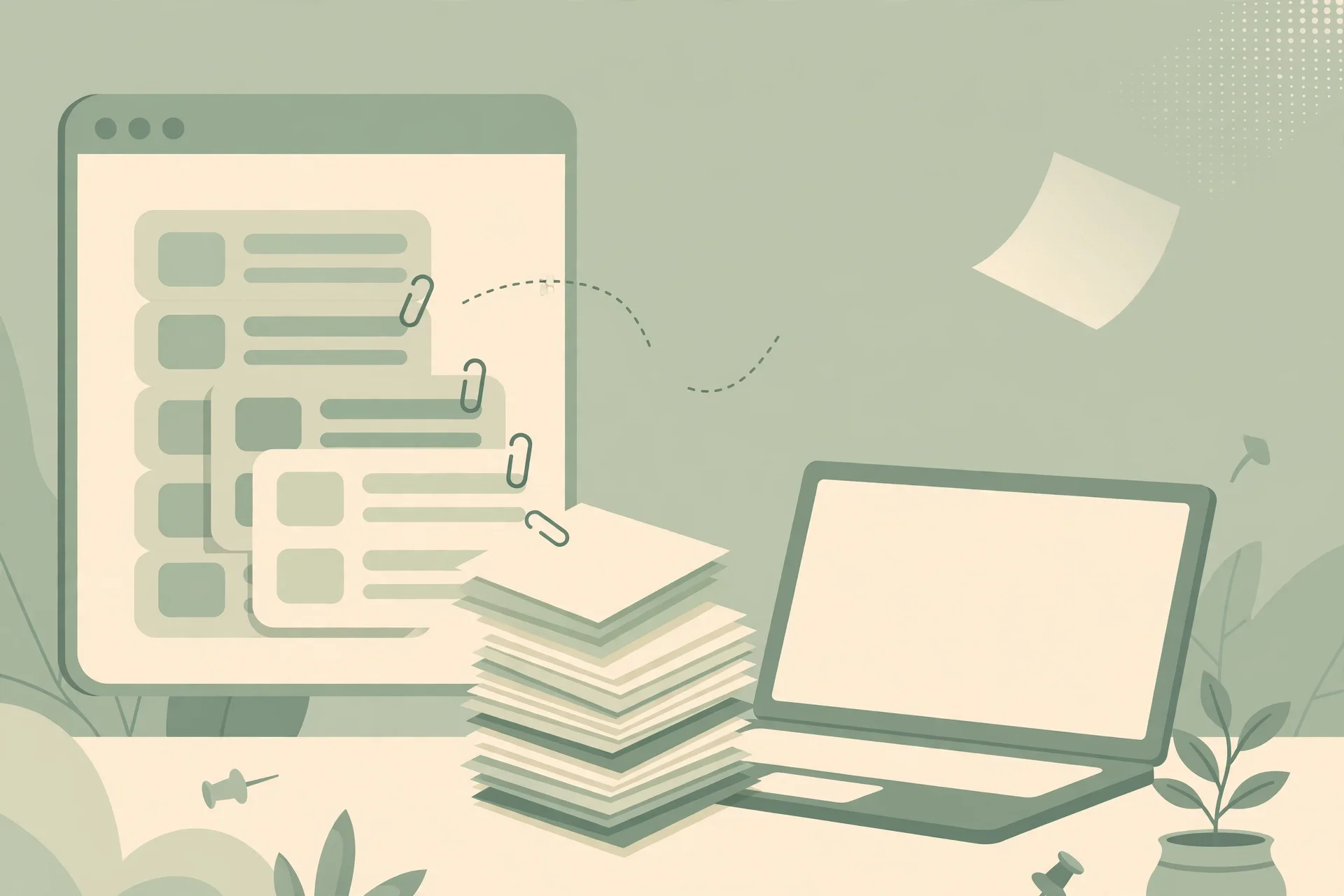
The arithmetic is unforgiving. On the free plan you hit the 50-note cap fast if you clip freely — a week of enthusiastic clipping can fill it. At that point you face a choice the temp-mail setup makes painful: upgrade, which means billing an account tied to a dying address, or stop clipping, which defeats the purpose of the app. Either way, the notes you already saved are now sitting in an account whose recovery path is evaporating. And unlike a task list, where completed items disappear, or a course library, where you can re-download what you bought, clipped notes are often unique: the original page may have changed, paywalled, or vanished. Your clip might be the only copy you have. Losing the account means losing the only copy.
That is why I keep coming back to one rule for Evernote: never clip anything on a temp address that you would be annoyed to lose in six months. If you cannot say, honestly, that a note is disposable, it does not belong in a disposable account. The clipper makes that rule hard to follow, because clipping feels like nothing. Treat every clip as a small commitment, and the rule gets easy: audition clips only, invented test material, nothing real.
The one-afternoon audition: the only honest temp-mail zone
None of this means temp mail is useless for Evernote. It means temp mail has exactly one honest job here: a bounded audition. Here is the version I would actually recommend to a friend.
Generate a temporary inbox and keep its tab open for the whole session. Sign up for Evernote's free plan with that address and confirm the verification message. Then spend the session testing the things that decide whether Evernote fits you: the editor on a scratch note you invent for this purpose, the Web Clipper on a few public articles you do not care about keeping, the search across those test notes, and the mobile app's capture if you use your phone for notes. Pay attention to the friction that matters: does clipping feel instant or fiddly, does search find text inside images the way Evernote promises, does the single-device limit annoy you within the hour?
What you must not do during the audition: import your real notes, clip real research, accept a shared notebook invite, or connect Evernote to anything else (calendar, tasks, email forwarding) that would start depending on the account. The moment real material enters the account, the audition is over and the risk clock is running. Decide before you close the tab: either abandon the account completely, or migrate it to a permanent address while the temp inbox still receives mail, using the sequence below. There is no third option in which a throwaway account quietly becomes your real archive, because that is precisely how people lose years of notes — not in a dramatic breach, but in a quiet expiry nobody noticed.
One more caution, specific to how Evernote grows on you. Note apps reward slow accumulation. You do not build a second brain in a weekend; you build it one clip, one meeting note, one idea at a time, over months. That slow build is why a throwaway Evernote account is more dangerous than a throwaway account on a service you use once and forget. The account grows roots while you are not looking, and by the time you notice the roots, they are attached to an inbox with an expiry date. If you catch yourself adding a second week's worth of real material to a temp-address account, stop and migrate that day. The migration costs minutes. The loss costs everything in the account.
The migration that saves the audition
If the audition convinced you, rescue the account before the inbox dies. Do it in this order, because the order is the whole trick.
First, export anything you care about. Evernote lets you export notebooks, and you should take a full export of anything you would regret losing, stored on your own drive — not in another disposable service. Do not assume you will do this later. Later is when the inbox is dead and the export button sits behind a sign-in you cannot complete.
Second, change the account email to a permanent address while you can still receive mail at the old one. In Evernote's account settings you add the new address and confirm it with a verification message sent to that new address. Confirm it, then make sure future sign-ins, sharing invites, and billing notices route to the permanent address. Only after the new address is confirmed should you stop checking the old inbox. If the temp inbox dies mid-migration, you are back to support tickets and identity proof, which is slow, uncertain, and entirely avoidable.
Third, if anyone shared anything with the temp address, tell them. Ask collaborators to re-share with your new address, and check that shared notebooks still open under the new identity. A silent email change in a shared setup leaves the same ghost problem behind, just under a new address — the old identity still holds the shares, and the new one cannot see them.
If the inbox is already dead, the honest news is that you are in support-ticket territory, and Evernote's support will need some other proof that the account is yours. That is slow, uncertain, and entirely avoidable, which is why the export-first rule matters more than any other paragraph in this article. If you take one thing from this guide, take that: export before the inbox dies, not after.
When Evernote says no to your temp domain
Sometimes the plan fails at the first step: Evernote rejects the temp address outright, or the verification message never arrives. This is normal, and it is not a reason to hammer the form. Blocking runs on domain reputation, and our honest directory of sites that block temp mail explains the mechanism: platforms check the specific domain against blocklists, not the idea of temp mail in general. A famous disposable domain gets stopped; a quieter one may pass; the result can flip next week when lists update.
Work through it in this order. First, try one different domain from the same service, or a lesser-known provider. If the second domain passes, the first was listed, and you have your answer. Second, check whether the problem is really the email: try once from a normal network without a VPN, because behaviour signals can trigger rejection even with a clean domain. Third, if two domains fail, stop and match the address to the stakes. Evernote is an account you will keep for years if it works for you, which means it was never a great temp-mail candidate in the first place. Use a dedicated alias or a second real mailbox instead — the setup takes minutes, and it removes the entire category of failure: blocks, expiry, and lost recovery.
Do not buy "verified" accounts or pre-verified addresses from sellers to get around a block. Those accounts are tied to someone else's identity, they get reclaimed or banned, and you inherit whatever abuse history they carry. A note archive built on a bought account is worse than no archive at all, because it feels safe until the day it is not.
A better privacy setup than a throwaway
If what you actually want is privacy — Evernote's marketing emails kept out of your main inbox, your note-taking separated from your personal mail — a throwaway is the crudest tool for the job. Better options exist, and they keep recovery intact.
The simplest is a dedicated alias: most email providers let you create an address like evernote-only@yourdomain or use plus-addressing (you+evernote@provider) that lands in a filtered folder. Evernote's mail goes to a mailbox you check on your own terms, its marketing never touches your main inbox, and the address is permanent, so password resets and sharing invites keep working for years. The second option is a separate free mailbox used only for apps: a real account, with a real password and recovery method, that you treat as your "app identity" inbox. Both give you the separation you wanted without the expiry date, and both survive the laptop replacement, the cleared browser, and the app update that a temp inbox does not.
The honest summary is this: temp mail protects you from marketing. A permanent alias protects you from marketing and from losing your notes. For an app whose whole purpose is remembering things for you, only the second kind of protection is enough. Evernote is a memory machine. Give it an address with a memory of its own.
Frequently asked questions
Can I sign up for Evernote with a temp email?
Usually yes for a first look: Evernote sends a verification message to the address you enter, and a working temporary inbox can receive it. But every future sign-in, password reset, sharing invite, and billing notice routes through that same address, so a temp-address account is only as durable as the inbox itself. Use it for a one-afternoon audition, not an archive you will keep.
Does Evernote block disposable email domains?
Evernote does not publish a disposable-domain blocklist, and results vary by provider and over time. Some temp domains pass the form, others are rejected, and behaviour can change without notice. Do not plan around one domain working today, and do not treat a successful signup as proof the account is safe long-term.
What happens if my temp inbox expires while I use Evernote?
You keep working while you stay signed in, which is what makes this trap quiet. The break comes at the next sign-in, password reset, or device change, when the verification or reset message has nowhere to go. Shared notebook invites sent after expiry also vanish. Treat expiry as eventual account loss, and export before it happens.
Can I change an Evernote account from a temp email to a real one?
Yes, while the old inbox still works: change the account email in settings to a permanent address and confirm it with the verification message. Export your notebooks first, as insurance. If the temp inbox is already dead, you will need Evernote support and some other proof of ownership, which is slow and uncertain.
Is the free plan enough to test Evernote properly?
For the audition, yes. Fifty notes and one notebook are enough to test the editor, the clipper, and search — the three things that decide whether Evernote fits you. They are not enough to live in, and the single-device limit will annoy you fast if you take notes on both phone and computer. Treat the free plan as a trial, not a home.
Should I use temp mail for Evernote's paid plans?
No. A paid plan means billing receipts, renewal reminders, and payment-failure notices, all going to the account address. Paying for a subscription tied to an expiring inbox risks a lapsed payment on an account you cannot open. Upgrade only on an address you own and will still own at renewal time.
Need a disposable temporary email?
Protect your real inbox from spam and promotional clutter instantly and free.
Received a suspicious email, text, or charge alert?
Verify whether the sender domain is disposable, spoofed, or unverified before clicking links.