

Temp Mail Business: The 60-Second Fork, the Blocklist Check, and a Team Policy That Works

Temp Mail Business: The 60-Second Fork, the Blocklist Check, and a Team Policy That Works
"Temp mail business" is two different searches wearing one phrase, and every guide that ranks for it answers only one of them. The first searcher is a founder or a solo operator who wants a business email address — something with their domain on it that clients can trust. The second is an employee who needs a disposable address for a work task right now — a trial, a whitepaper, a webinar — and does not want their real work inbox on another marketing list. Give the first person a temp inbox and you have sold them a tool that deletes their identity. Give the second person a Google Workspace signup and you have sold them a subscription for a ten-minute job.
This guide resolves the fork first, in sixty seconds. Then it does the two things the ranking pages skip: I opened TempMailUSA live this morning and wrote down exactly what it does, and I checked both of its free domains against the public disposable-email blocklist instead of guessing whether they are listed. Finally there is a one-page policy a manager can copy for a team, because temp mail at work fails in predictable ways and all of them are preventable.
The 60-second fork: which one are you?
Answer one question and the rest of this guide sorts itself out. Will anyone — a client, a vendor, a bank, a password-reset email — need to reach this address thirty days from now? If the answer is yes, you do not want temp mail at all. You want a real business mailbox on a domain you own, and the temp-mail part of this guide is not for you. If the answer is no, a disposable address is the right tool, and the rest of this guide is about using it without losing an account.
The two searchers usually arrive with different symptoms. The founder's symptom is that their business still runs on a personal Gmail address and it is starting to cost them credibility. The employee's symptom is the opposite: their real work inbox is drowning in follow-ups from vendors they trialled once and webinars they attended once. One person needs permanence. The other needs disappearance. Same keyword, opposite products.
If you are the founder, the cheapest correct setup is unglamorous: a real mailbox on your own domain for identity, and a disposable address for auditions. Use the disposable address to try a tool, and the real address to keep it. If you are the employee, the rule is even simpler: the temp address takes the signup, the message gets copied out the moment it arrives, and the address is abandoned. Our longer guide to company temp mail sorts the two meanings of that phrase apart in detail, including the seven work jobs a disposable address genuinely handles and the five places it must never go. What follows here is the evidence behind the decision, not a repeat of it.
I opened TempMailUSA at 03:35 IST. Here is the receipt.
Guides in this niche usually describe temp mail in the abstract. I opened the homepage live on the morning of 22 November 2026 and wrote down what actually happened, because the details are where the honest version lives.
The address on screen was `pcxog57@rover.info`. The countdown next to it read "Expires in 29d 22h 28m 24s" and was visibly ticking — 29 days, 22 hours, 23 minutes, 48 seconds five minutes later. The tooltip on that countdown states the rule plainly: "Pro inboxes last 365 days — free inboxes last 30 days." Two things are worth saying about those numbers. First, about ninety minutes had already ticked off the thirty days when I opened the page, because this was the same inbox an earlier test session in this browser had created — the countdown is real, and the inbox survives a closed tab. Second, the site's own FAQ contradicts its own countdown: it answers "How long does a temporary email address last?" with generic wording about "several minutes or a few hours" and never mentions the thirty days. Trust the countdown, not the FAQ.
The domain picker is where the numbers start disagreeing with each other. Opening "Choose Domain" showed 468 domains in total, counted from the picker text: exactly one free domain, `rover.info`, under "FREE PUBLIC DOMAINS", and 467 behind Pro, each labelled "Try free". But the banner at the top of the same page says "Try any of our 427 domains free", and the generator copy says "All 468+ domains are free to try". Three different totals on one page — 427, 468, 468+ — and only one of them matters to you: one free domain, and the rest behind Pro. The picker count is the one I verified by counting. The banner is the one I would not quote.
The recovery control is the most interesting thing on the page, and the most honestly labelled. Clicking "Restore" opened a "Session Recovery" dialog showing the current inbox's recovery key with a "Copy Key" button, and it warned in plain text: "Save this key securely. Anyone with this key can restore full access to this inbox session." I am not reproducing the key here — it is a session credential, and anyone with it owns the inbox. Treat the key like a password, because that is what it is: a password with no username.
The free tier's limits are stated repeatedly, and they are the whole business model in miniature. Your first message is free to read; Pro reads every message. Free shows one inbox at a time ("1/1"); Pro gives up to 50 inboxes at once. Free keeps five items of history and five favourite messages; Pro keeps 25 and 50. Pro Monthly is $4.19 a month, described as $0.14 a day. The site counters at the time read 486,667 emails created and 609,973 messages received — marketing numbers, not audited statistics. One claim on the page does not survive contact with the page itself: pricing lists "No Ads" for both Free and Pro, yet Google ads were visible during the test, including a Gemini vignette that covered the screen and had to be closed before the Restore button could be used.
The check nobody runs: both free domains are on the public blocklist
Here is the finding that decides whether temp mail works for your business signup, and it is the one no ranking page bothered to verify for this service. I downloaded the public disposable-email-domains list — the one maintained on GitHub and used by signup forms everywhere — on 22 November 2026. It holds 108,874 domains. Then I checked the names that matter.
| Domain | On the public list? |
|---|---|
| rover.info (TempMailUSA free) | Yes |
| hta.2bd.net (TempMailUSA's other domain) | Yes |
| guerrillamail.com | Yes |
| 10minutemail.com | Yes |
| mail.tm (temp-mail.io) | Yes |
| temp-mail.io | Yes |
Both of TempMailUSA's free domains are listed. So is every famous disposable domain I checked. If that were the whole story, temp mail for business would be dead on arrival — but it is not the whole story, because the public list is not the list your signup form checks. Every serious service keeps its own private list, and the two lists disagree constantly. The proof is from our own testing, on this site, nine days ago: our four-service Microsoft signup test tried three addresses on `rover.info` and Microsoft rejected all three — yet the same day, an address on `hta.2bd.net` was accepted by Microsoft and the verification code arrived in under a minute. Same service, same signup, same evening. One domain blocked, one domain delivered. Both domains sit on the public list I just checked. Being listed does not mean being rejected, and being unlisted does not mean being accepted.
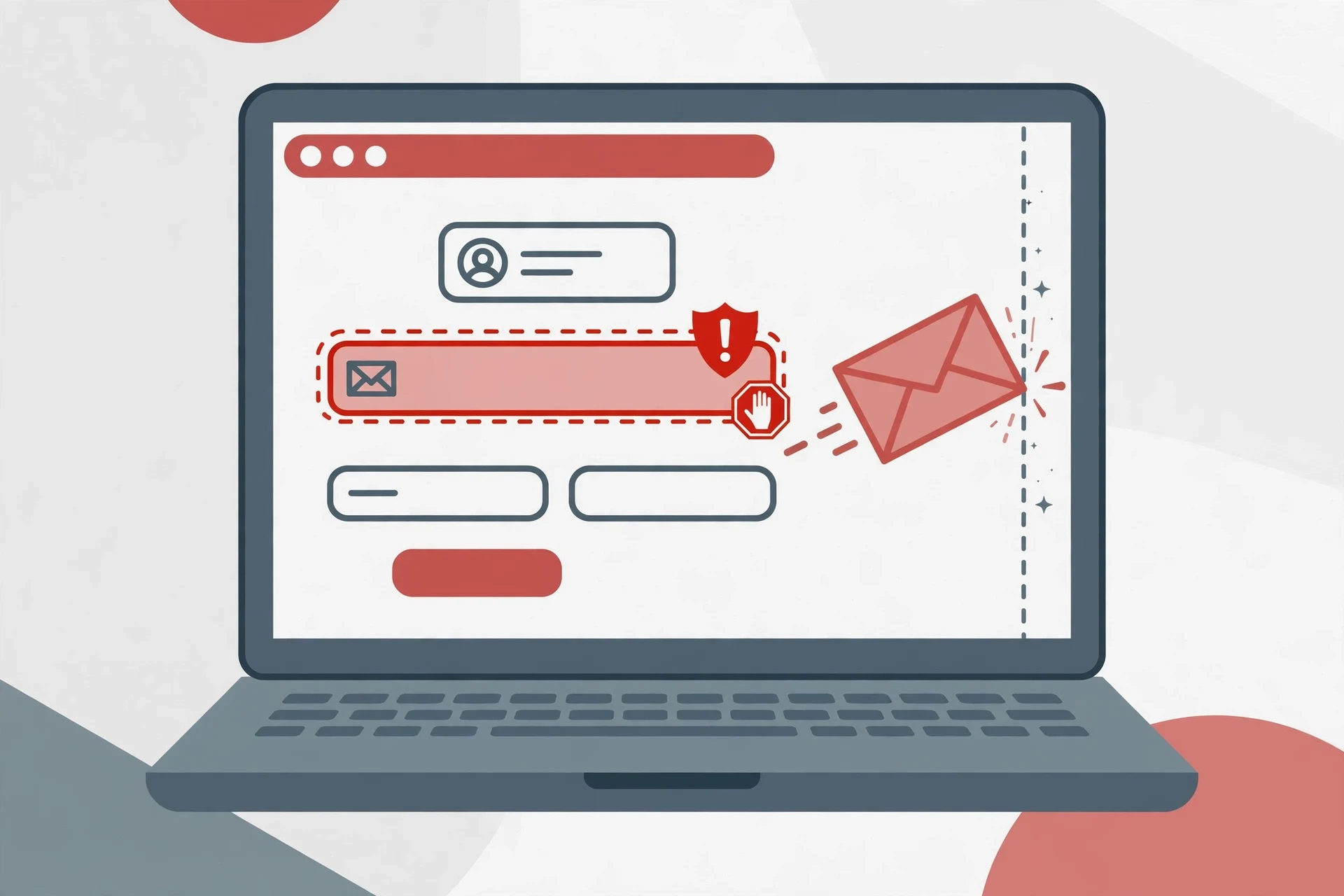
That is the domain lottery, and it is the single most useful fact in this guide: the ranking is not a ranking of services, it is a lottery of domains. Prospeo, which sells email verification to senders, puts the number of active throwaway domains at 160,000 and counting, and the lists update constantly. A domain that works today can be blocked next week. So the method is short, and it is the only method that works. Generate the address, submit the form, and watch what the site does. If it rejects the address at the form, try another domain from the same service before you switch services — the block is almost always the domain, and a fresh domain is one click away. If two domains fail, stop. The service has made its policy clear, and the honest move is a spare real address, not a third disposable domain.
What it actually costs, per person, per month
The money question has a short answer and a longer one. The short answer is the table, using only prices I verified on the service's own page this morning or that the ranking guide currently lists with a check-pricing caveat.
| Option | Cost | What you get | The catch |
|---|---|---|---|
| TempMailUSA free | $0 | 1 domain, 30-day inbox, first message free to read | Free domain is blocklisted; second message needs Pro |
| TempMailUSA Pro | $4.19/month | 467+ domains, 365-day inboxes, every message, up to 50 inboxes | Still a disposable address — no identity, no recovery beyond the key |
| Google Workspace Starter | Around $7/user/month | Real mailbox on your domain, sending, recovery, admin control | Check current pricing; per-user cost grows with headcount |
| Zoho Mail free tier | $0 | Real mailbox on your own domain | Limits apply; the free tier is for solo operators, not teams |
| iCloud+ | From $0.99/month | Custom-domain address for Apple users | Only makes sense inside the Apple ecosystem |
The longer answer is that the money is rarely the expensive part. The expensive part is the follow-up load: every work address handed to a vendor becomes a lead, and leads get sequences. A five-person team trialling four tools a month each puts twenty addresses into vendor databases in a single month, and each of those vendors now has a direct line into someone's working inbox for as long as their sequence runs. The cost is measured in triage time and in the important email buried under the onboarding sequence. A disposable address deletes that whole cost for the price of nothing, which is why the right question is never "is temp mail free" but "which jobs deserve a permanent address and which deserve a disappearing one".
My opinion, after the testing behind this guide: for a solo operator, the cheapest correct setup is free temp mail for auditions plus a free-tier real mailbox (Zoho, or iCloud+ if you live in Apple's world) for identity. Pay for Workspace when clients, invoices, or employees enter the picture — when the address starts appearing on things with your name on them, the seven dollars buys the guarantee that the address will still exist when you need it. And pay the $4.19 for TempMailUSA Pro only when you have hit the free tier's actual wall: a second message in one signup, or a domain the form keeps rejecting.
The one-page temp mail policy (copy this)
Temp mail fails at work when it is used casually, with no naming, no saving, and no list. If your team uses disposable addresses — and many teams should, for trials, QA, and research — write the rules down. Five lines cover nearly everything that goes wrong, and a manager can paste this into a shared doc in two minutes.
1. One address per job, named after the job. Never reuse one temp address across five vendors. Name it after the vendor or the test: acme-trial, qa-signup-04, webinar-march. When something leaks, the name tells you exactly who did it. When a vendor starts spamming, you kill that one address and nothing else changes.
2. Save the message, not the address. The inbox will expire. Copy out the confirmation code, the download link, the ticket QR code — whatever you needed — the moment it arrives. A temp inbox is a receiving window, not a filing cabinet. If the job needs the message tomorrow, the temp address was the wrong tool.
3. Keep a shared log, and review it monthly. One row per signup: vendor, address used, who created it, date, what it was for. Thirty seconds per signup saves hours when someone asks "who signed us up for this tool?" Once a month, move anything that converted to a paid plan onto a real address and delete the rest. Anything still on a temp address after the review is a risk someone has forgotten about.
4. Recovery keys live in the password manager, never in chat. The key is a password with no username: anyone with it restores full access to the inbox. It goes in the team password manager under the job's name. It never goes in Slack, in a shared doc, in a screenshot, or in an email to the team. If a key leaks, assume the inbox is compromised and move on.
5. The conversion rule is same-day, no exceptions. The day a trial converts to a paid plan, the account email moves to a real address. Not next week, not when someone gets around to it. A paid account tied to a dead inbox is a billing dispute, a lost password reset, and a locked account waiting to happen — and the person who discovers it will be the one who needs the reset most urgently.

That policy is deliberately boring, and that is the point. The teams that get burned by temp mail are not the ones with a bad tool. They are the ones with no list, no naming, and no review — where one person signs up for a tool on a temp address, leaves the company, and six months later nobody can reset the password on the account that now holds the team's billing.
Three ways it breaks at work, and the fix for each
The first break is the trial that converts. A temp address takes the signup cleanly, the trial goes well, someone puts a card in, and now a paid account answers to an inbox that expires in thirty days — or already has. The fix is the conversion rule above: move the account email to a real address the same day the card goes in, while you still control the old inbox, verifying the new address receives mail before you close the old tab. Our guide to the temporary mailbox maps the two different clocks inside the word "temporary", which is why a code can arrive after the inbox is gone.
The second break is the vendor who replies. You used a temp address for a pricing request, the vendor answers with a quote, and the reply goes to an inbox nobody checks — or to one that expired. The fix is to match the tool to the conversation: a temp address is for mail you only need to receive once. Anything that might involve a reply — a quote, a negotiation, a support thread — needs an alias at minimum, because an alias forwards to an inbox you actually read and lets you reply from it. If you catch yourself thinking "they might write back", you have already picked the wrong tool.
The third break is the account you need back. Every service eventually asks you to prove you own the account, and the proof is almost always an email to the address on file. A temp address on a tool your team now depends on is a time bomb with a fuse measured in months: the day someone clicks "forgot password" and the reset goes to an inbox that expired in February, the team learns this the expensive way. The fix is a hard line, not a judgment call: never register anything you care about — banking, primary email, medical portals, an account with paid credits — to an address with a timer on it. The credits outlive the inbox, and then they belong to nobody.
The legal lines, in plain English
Using a temporary email address is not illegal by itself. The legal question is almost always what you do with it, not the fact that it is temporary. Downloading a report, registering for a webinar, or receiving a verification code on a disposable address is an ordinary use. Using multiple addresses to abuse a free trial — creating a new account every time the trial ends, when the service allows one trial per customer — violates the service's terms, even though the address itself is legal. Breaking a website's terms is not the same as breaking the law, but it is still a good way to lose the account, and a business that builds its workflow on evading trial limits is building on sand. Before using temp mail for a signup that involves a promotion, a trial, or a paid service, read the site's terms. It takes two minutes and it is the difference between a clever shortcut and a banned account.
Sending is a separate line. Most temp services are receive-only — TempMailUSA has no Compose, Send, or Reply button anywhere, and Guerrilla Mail's sending was suspended when this site tested it on 19 November. That matters because in the US, CAN-SPAM requires commercial email to use accurate sender information and provide a working opt-out method. A disposable address that disappears shortly afterward is not a suitable way to meet those requirements. Receiving a code is not the activity those laws cover. Sending marketing email from a disappearing address is a different matter, and it is not a job for temp mail.
Two more lines worth knowing before you use temp mail at work. First, assume your employer can see it. A temp address hides your address from the vendor, not from your network: employer networks, device management, and mail filters can see the traffic. If your workplace has an acceptable-use policy, the disposable address does not exempt you from it. Second, under a contract or a compliance rule — HIPAA, GDPR data-handling duties, or a client contract that names how data is handled — a disposable address is outside the approved process until someone in charge says otherwise. Temp mail is a privacy tool for the individual, not a compliance tool for the organisation. If client data, health data, or regulated data is involved, use the approved mailbox and leave the temp address alone.
FAQ
Can I use temp mail for my business email? For one-off work signups, trials, and testing, yes — that is what it is for. For your actual business email — client communication, banking, domain registration, recovery — no. A temp address has no recovery path and no sending reputation, so anything that needs the address to still exist later needs a real mailbox on your domain. If you are unsure, ask one question: will I need this address, or anything sent to it, after today? If the honest answer is yes, use a real address.
Is temp mail for business legal? Using a disposable address for a signup is legal. Using it to deceive someone — impersonating a company, hiding your identity in a contract, or evading a service's trial limits — is a fraud or terms problem, not a temp mail problem, and the address does not protect you. Sending commercial mail from a disposable address also runs into CAN-SPAM's accurate-sender and opt-out requirements. The address is a tool. The use decides the legality.
Will a work signup accept a temp address? Sometimes, and the only way to know is to try. Both of TempMailUSA's free domains sit on the public disposable-email blocklist I checked on 22 November 2026, yet Microsoft accepted one of them and delivered a code in under a minute while blocking the other on the same day. Try the free domain once; if the form rejects it, try a different domain from the same service; if two domains fail, use a real address. Our explainer on what a disposable email actually is covers the four numbers to check before you paste an address into any form — lifetime, retention, privacy, and acceptance — because a service that will not state them plainly is a service to plan around, not to trust.
Can I send email from a temp business address? Almost never from a free disposable service. TempMailUSA is receive-only, with no Compose or Reply button. Guerrilla Mail is the famous exception, and its sending was suspended when this site tested it on 19 November. If your workflow needs a reply — answering a vendor, confirming a booking, talking to support — a temp address is the wrong tool. Use an alias, which sends from your real inbox behind a mask.
What happens when the trial converts to a paid plan? Move the account email to a real address the same day, while you still control the temp inbox. Verify the new address receives mail before you close the old tab. If you wait until the inbox expires, password resets and billing emails go nowhere, and the account is effectively locked — not by the service you signed up for, but by your own choice of inbox.
Should a team share one temp inbox? No. One address per job, named after the job, with its recovery key in the password manager and one row in the shared log. A shared inbox means nobody owns the key, nobody knows which vendor it was for, and nobody notices when it expires. The policy section above has the five lines; the log is the part teams skip, and it is the part that saves them.
The verdict: pick by the job, not the brand
There is no best temp mail for business, because "business" is not one job. There is a best tool for each job, and the jobs want different things. A one-off signup wants the fastest inbox with the shortest life. A trial you might keep wants a thirty-day inbox with a recovery key you actually save. A vendor conversation wants an alias. A client relationship wants a real mailbox on your domain. The ranking pages fail because they rank services. The decision that matters is the one you make before you open any of them: will this address need to exist in thirty days? Answer that honestly, and the rest is just picking the cheapest tool that fits the answer — and writing the five-line policy down before your team needs it.
Need a disposable temporary email?
Protect your real inbox from spam and promotional clutter instantly and free.
Received a suspicious email, text, or charge alert?
Verify whether the sender domain is disposable, spoofed, or unverified before clicking links.