
Temp Email for OpusClip Signup: the Help Centre Says 'Except Spam Email Addresses' — and Every Login Needs the Same Inbox
The rule is printed on the door: "except spam email addresses"
Most tools in this series make you guess whether they block disposable mail. You sign up, you wait for a code that never comes, and you are left arguing with a form that will not tell you why. OpusClip is different, and that difference is the whole story of this post: its own help centre states the rule in plain language. On the "Email Login" page, under the heading "Can I login with an email account?", the answer reads: "Yes, we allow users to login with email accounts from any email provider, except spam email addresses."
Read that sentence twice, because it does two jobs at once. First, it confirms the front door is email-based — OpusClip offers Google, Apple, Facebook, and email login, and the email route is a normal, supported way in. Second, it draws the line in the open: spam email addresses are excluded. OpusClip does not publish a list of which domains count as "spam," and it does not say whether the check happens at signup, at login, or both. But no other tool in this series has put the refusal in its own documentation this plainly. QuillBot rejects disposable domains at the form and says nothing in its help pages; OpusClip says the quiet part out loud and leaves you to work out which domains trip it.
One honesty note before the detail, in the same spirit as the rest of this series: I did not create a live OpusClip account with a temp address for this post. What follows is built from OpusClip's own help centre as it stood on 27 November 2026, from two firsthand reviews that actually created accounts and read the pricing pages in October and November 2026, and from a technical audit of OpusClip's 2026 exports published in November 2026. Where those sources disagree — and on the exact trial price and on what the trial withholds, they do — I give you both versions instead of picking one.
OpusClip, for anyone arriving cold, is the biggest name in AI clipping: you feed it a long video — a podcast, an interview, a stream VOD — and it finds the moments, cuts vertical clips, adds captions, and scores each one for viral potential. The pitch is repurposing, not editing. You bring the hour; it brings back the sixty seconds. That shape matters for the temp-email question, because the account you create is not a throwaway wrapper around a single download. It holds your source videos, your clips, your credits, and your export window — and three of those four things expire on clocks that start the moment you sign up.
The code is not a signup gate. It is every login.
Here is the fact that changes the whole calculation, and it sits on the same help-centre page as the spam-address rule. OpusClip's email login does not use a password you set once and forget. It uses a verification code, sent to your email, every time you log in. The help page walks through it: log out, log back in with the same email address, "you will receive a verification code via email; use this code to log in." The page then adds, almost as an aside, that your team members can log in the same way, "using this email address and the verification code sent to it."
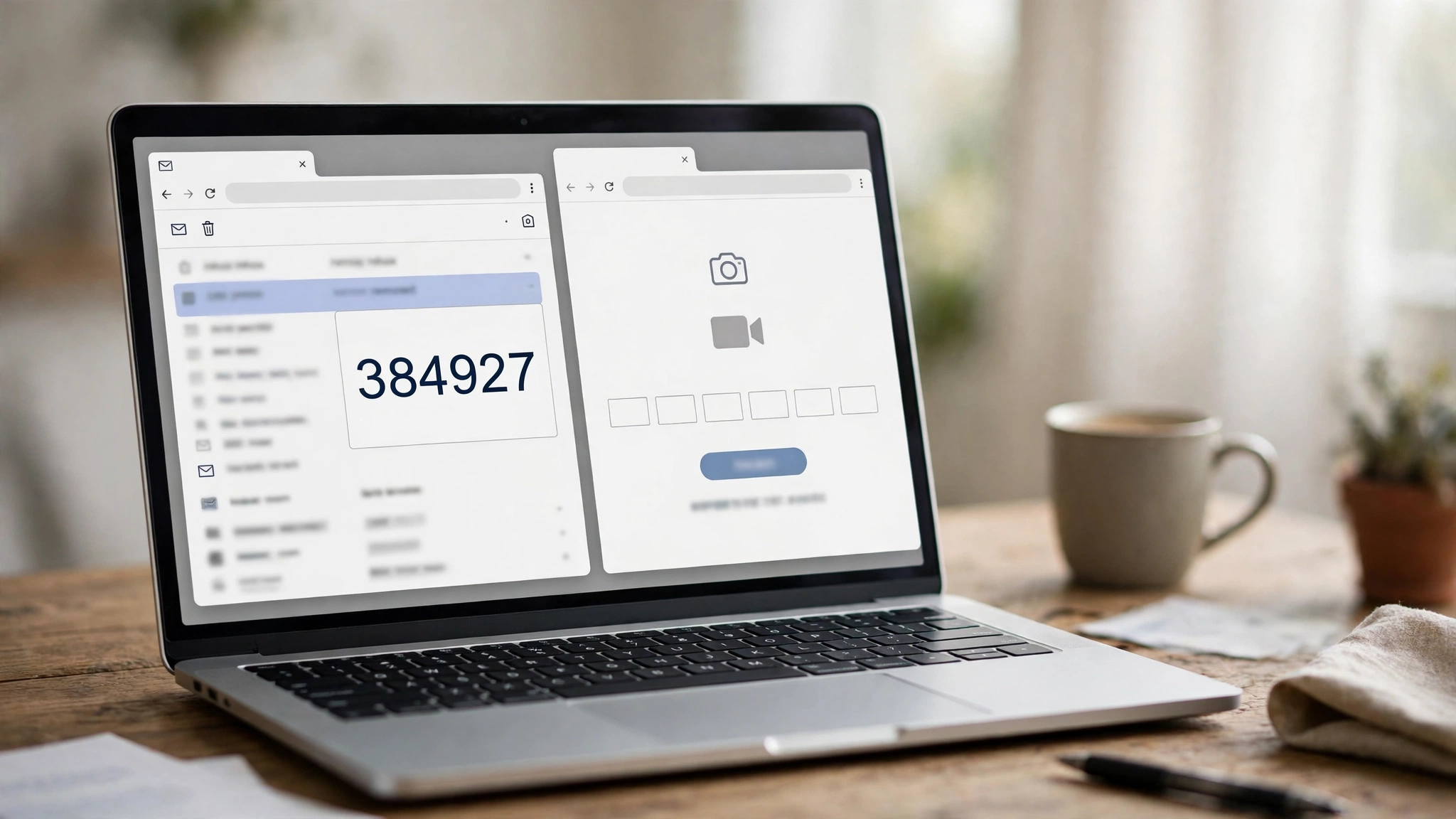
Think about what that means for a disposable address. On most tools, the temp inbox has one job: receive the signup code, then die quietly while you keep using the account with a password. On OpusClip, the inbox is the key, every single time. Lose access to the address and you do not lose a recovery option — you lose the login itself. There is no password fallback on the email route. A temp inbox that lives for ten minutes gets you through signup and then locks you out of your own account the next morning, with your clips, your remaining credits, and your unfinished projects still inside it.
That is also why the choice of signup route matters more here than anywhere else in this series. OpusClip offers Google, Apple, and Facebook login alongside email. Signing up through Google with a temp address stacked underneath it — a disposable Gmail-style identity behind an OAuth login — is the worst of both worlds, and it is the mistake the Cursor signup guide on this site warns about in the same terms: two disposable identities, and losing either one locks the other. The direct email signup at least keeps the chain short: one address, one code, one inbox to keep alive. But "keep alive" is doing heavy work in that sentence. Temp inboxes die. OpusClip's code does not wait for you, and it will ask again tomorrow.
The practical rule follows from the mechanism, not from anyone's opinion: if you test OpusClip with a temp address, do it in one sitting, download everything you make before you close the tab, and treat the account as already gone the moment the inbox expires. Do not upload the only copy of a recording you care about. Do not build a brand template on it. Do not connect a YouTube channel you cannot afford to lose access to. The account is a rental with a key that melts.
The trial names disposable domains out loud
The strongest evidence in this post does not come from OpusClip's documentation. It comes from a review team that tried to create a second OpusClip account because their first one had been set up with the wrong email address — the most ordinary mistake in the world — and watched the trial refuse to appear. The review, published by Multilogin with features and pricing verified on 1 October 2026, describes it plainly: the second account did not receive free-trial access, and the warning on screen listed several possible reasons. Among them: accessing the service through a VPN, proxy, or unblocker; already having an account with a free-trial benefit; suspicious activity detected on the network; and "using a disposable email domain."
The page did not identify which reason applied in their case, and the reviewers are honest about that — they write that they cannot say what specifically caused the restriction. I am not going to claim more than they did. But step back and look at what is on that list. OpusClip's trial gate checks for disposable email domains explicitly enough to name them in a warning shown to a real user. No other tool in this series has produced a screenshot-grade trail like that. VEED's code arrived at a temp inbox in a July demo; QuillBot rejects disposable domains at the form; OpusClip's trial system carries "disposable email domain" as a named suspicion, printed on screen, next to VPN use.
That distinction matters because the trial is where the money is. OpusClip's free plan is permanent and real — sixty credits a month, every month, no card. The trial is the thing a temp-mail user actually wants: seven days of Pro, ninety minutes of processing, no credit card. And it is the trial, not the free plan, that watches for disposable domains. The free plan may let a temp address in without a fuss. The trial is the part that checks your papers, and it checks them against a list that includes your domain.
There is a second lesson in the Multilogin story, and it is the one that should worry an honest tester most. Their second account was blocked for one of four reasons, and they could not tell which. That is how these gates work in practice: no red banner saying "disposable email rejected," just a missing trial and a list of maybes. If you sign up with a temp address and the trial does not appear, you will not get a diagnosis. You will get silence, and you will have spent the inbox finding out.
Seven days of Pro, ninety minutes, watermarked anyway
Assume the trial does land. What does it actually give you? Less than the name promises, and the gap is documented in OpusClip's own help centre rather than hidden in fine print.
New users get seven days of Pro, with ninety free minutes of processing, and no credit card is required — that much every source checked in October and November 2026 agrees on. The homepage FAQ puts it in one line: "If you are a new user, you get a 7-day free trial of our Pro plan, no credit card required." The help centre adds a condition the FAQ skips: no card is needed "if you are in one of the countries we serve at full capacity," and it does not say what happens elsewhere. When the seven days end, nothing is charged. The help centre is explicit: "A Free Trial Pro Account will automatically convert to a Free Forever Account after 7 days." The trial cannot be paused, so the clock runs whether you use it or not.
Here is the part that surprises people. The trial is not the Pro plan. A help article lists seventeen Pro features that trial users do not get, and the first item on the exclusion list is the one that matters most for anyone testing whether OpusClip's clips are good enough to publish: videos exported during the trial include the OpusClip watermark. Trial users also cannot post to social media or schedule posts, cannot download in 4K, and cannot reprocess a video for a credit refund. A November 2026 technical audit that ran real videos through OpusClip and inspected the exported MP4s frame by frame found the same thing from the other side: both the Free Forever plan and the 7-day Pro trial force an animated "[P] OpusClip" logo onto exports, appearing after eight seconds, covering nearly a third of the frame width — 32.87% by the auditor's measurement — and sitting beside the speaker's temple. It is not a small corner bug. It is a logo next to a face.
The trial is therefore a test of the clipping, not a test of the product you would publish with. You can judge whether OpusClip finds good moments in your podcast. You cannot judge what your audience would see, because what your audience would see carries a watermark your paying self would never ship. One consolation is real: OpusClip's help centre says upgrading removes the watermark from earlier Free and trial projects, so the work is not wasted if you decide to pay. But a temp-mail account that cannot receive a password reset is a strange place to store work you plan to pay to rescue.
Compare that with the free plan's honesty. The free tier never pretends to be Pro. It is sixty credits a month, watermarked, and it says so on the pricing page. The trial dresses up as Pro for a week and then hands you watermarked clips. For a temp-mail tester, the free plan is the more honest deal: what you see is what you keep.
Sixty credits a month — and three days to keep what they make
The free plan is the part of OpusClip that actually works as a permanent test bed, and its numbers are consistent across every review that read the pricing page between August and November 2026. Sixty credits a month. One credit is one minute of source video you feed it, charged when processing starts, whether the clips are usable or not. A forty-five-minute interview costs forty-five credits the moment you hit process. Partial minutes round down — a six-and-a-half-minute video costs six credits, not seven — which is a small mercy, and credits on monthly plans expire after sixty days, so you cannot stockpile a quiet month.
Sixty credits buys about an hour of source video a month. For a weekly podcaster that is one episode, clipped once, with nothing left over for a second pass. For someone testing the tool, it is enough to learn whether the clipping is any good and not enough to run a channel on. That is the design. The free tier is a measuring instrument, the same shape I found in the VEED signup post and the Synthesia signup post, where the meter, not the signup, decides whether the tool is usable.
Two limits sit behind the headline number, and both are more important than the credit count. The first is that free-plan clips render at up to 1080p, carry the watermark, and offer no editor — you cannot trim, reframe, or fix a clip the AI cut badly. The free plan clips by spoken words only; visual-object, sound, and emotion clipping sit behind the paywall, and so does prompt-to-clip. The second limit is the one nobody budgets for: clips on the free plan stop being exportable after three days. Not three days after you download them — three days after they are made. If you process a podcast on Monday and come back on Friday to download the best clip, it is gone. Starter extends that window to twenty-nine days; the free plan gives you seventy-two hours. For a temp-mail account, that expiry stacks with the inbox expiry: your clips die in three days, and your login dies when the inbox does, and whichever goes first takes the work with it.
Free imports are YouTube links and local files. Social posting, the scheduler, and the editor all sit on the paid side. The free plan is a fair test of the core question — does this thing find good clips in my video — and a bad home for anything you want to keep.
| Plan | Price (USD) | Credits / month | Watermark | Export window | Editor |
|---|---|---|---|---|---|
| Free | $0 | 60 | Yes | 3 days | No |
| Starter | $15/mo (some visitors see $12) | 150 | No | 29 days | Yes |
| Pro | $29/mo or $174/yr (some visitors see $23 / $138) | 300 per pack | No | No stated limit | Yes |
| Business | Custom | Custom | No | Custom | Yes |
Three numbers in that table do the real work. The first is 60: an hour of source video a month, charged up front, whatever comes out. The second is 3 days: the free plan's clips evaporate if you do not download them fast. The third is 17: the number of Pro features the trial withholds, watermark first. Everything else — the virality score, the auto-posting, the 16:9 reframing — is a reason to pay, not a reason to test with a disposable address.
The price on your screen is not the price on mine
OpusClip's pricing is the least settled fact in this post, and it is worth saying so plainly because it decides what a temp-mail test is actually worth. The list prices, read on the pricing page on 25 November 2026, are clean: Free $0, Starter $15 a month billed monthly only, Pro $29 a month or $14.50 a month billed yearly at $174 a year, Business custom-priced. Pro is sold in packs — each extra pack adds 300 credits a month and two seats, up to four seats — and annual Pro delivers the year's 3,600 credits immediately rather than monthly.
But three independent checks in the same month saw different numbers. One review updated 11 November 2026 was shown Starter at $12 a month with $15 struck through, and Pro at $23 a month with $29 struck through, and $138 a year against the $174 list. A technical audit published the same month recorded the same inversion: Starter $12, Pro annual $11.50 a month. A third review, reading the page on 28 October, saw the list prices and nothing else. Those cannot all be the price you will see, and the likeliest explanation is the one the reviewers themselves offer: OpusClip runs pricing experiments, serving different prices to different visitors, and the price you see depends on when and where you load the page.
That has a direct consequence for the temp-mail question. If you sign up with a disposable address, take the trial, and decide the tool is worth $15 a month — the price on your screen may be $12, or $23, or $29, and the checkout page is the only number that counts. More importantly, a paid plan bought on a temp-mail account is a subscription whose receipts, failed-payment warnings, and refund confirmations all go to an inbox that will expire. OpusClip's terms rule out refunds of fees already paid, and the help centre says a subscription cannot be paused. A card attached to an account you cannot log back into is not a subscription. It is a leak.
The honest way to use the pricing confusion is to treat the trial as a price check, not a purchase. Load the pricing page, note the number it shows you, and compare it with the list prices above before you pay anything — and pay, if you pay at all, on an address you will still own when the receipt arrives.
There is no button to escape the address you chose
This is where OpusClip is worse than most tools in this series, and it is the fact that most changes the verdict. There is no self-serve way to change the email address on your OpusClip account. The feature-request board carries the ask under the plain title "Support changing the main/primary login email for my account," with a string of merged duplicates — "Change of email address please," "How do I change my email address," "CHANGE EMAIL ACCOUNT" — and the product team has marked it "under review." One user describes the failure mode exactly: their company is rebranding, the old email domain is going away, and without access to the older email they cannot log in or make changes. The workaround of adding the new email to the team workspace does not work for them, because the plan has two seats and a colleague holds the other one.
OpusClip's own help centre confirms the shape of the problem while offering a narrower exit than the request board wants. Its article "Can I change my login email?" answers yes — but only through a support ticket: reach out to the Support Team from the dashboard, send a message, and "one of our agents will assist you." That is a human process, not a button, and it starts from inside the dashboard — which is to say, from inside an account you can still log into. If the temp inbox is already dead, the ticket route starts with the same problem as everything else: you cannot get in to ask.
Compare that with VEED, where changing the email is a self-serve flow in the dashboard — name, Profile, pen icon, new address, confirm — and with D-ID, where I found no self-serve change anywhere in the public help pages. OpusClip sits between them: a documented route exists, but it runs through a support agent, and the account stays tied to the disposable address until that agent acts. For a temp-mail signup, that means the address you choose is the address you are stuck with unless a stranger at support agrees to move you. Plan accordingly: the throwaway address is not a starting point. It is the account.
Account deletion, at least, is self-serve. The help centre's deletion article, updated 18 November 2026, walks through it: click the profile button in the upper left of the dashboard, select your account, find the Delete account button at the bottom of the profile page, confirm each item on the checklist. Deleting cancels any active subscription right away, with no refund, and only the workspace owner can do it. The terms add that content may not be completely removable from OpusClip's records, and you cannot delete an account while a subscription is active — cancel first, then delete. There is also a deletion email, account.deletion@opus.pro, for requests made outside the dashboard. Deletion is the one exit that works without the inbox. It is also the exit that destroys everything, which is why it is an exit and not a plan.
The call: a good afternoon test, a bad permanent address
| Your situation | Temp address? | Why |
|---|---|---|
| One podcast episode, testing whether the clipping is any good | Yes | The free plan needs no card; 60 credits is enough for one real test — download the clips the same day |
| Chasing the 7-day Pro trial | Risky | The trial gate names disposable domains as a possible block; if the trial does not appear, you get no diagnosis |
| Clips you want to keep or publish | No | 3-day export window plus a watermark, and a login that needs the inbox alive every time |
| A channel that will clip weekly | No | Weekly work needs a permanent address, a paid plan, and an export window longer than three days |
| You already pay for CapCut or another editor | Probably not | OpusClip's free tier is a narrower tool than a full editor; the watermark and the 3-day expiry are the tell |
The pattern across this series keeps repeating, and OpusClip is the sharpest example of it yet: the email door is the easy part, and the account behind it is the real decision. OpusClip's help centre writes the rule on the door — "except spam email addresses" — and then makes the inbox the key to every login after that. The trial, the one thing worth having, names disposable domains as a reason it might not appear. The free plan gives you sixty credits and three days to keep what they make. And there is no button to escape the address you chose, only a support ticket and a delete button.
If the test is an afternoon — one episode, one sitting, clips downloaded before you close the tab — a temp address is a fine way to run it. The free plan asks for nothing else, and the trial costs no card. But if the account will hold anything you want to keep — a brand template, a connected channel, a second episode, a paid plan — put it on an address that will still exist when you need it. On OpusClip more than anywhere else in this series, the address is not the signup detail. It is the account.
FAQ
Does OpusClip accept temp email for signup?
Uncertain, and OpusClip's own words lean against it. Its help centre allows email login "from any email provider, except spam email addresses," and a firsthand review found its trial gate lists "using a disposable email domain" as a possible reason a trial did not appear. The free plan may let a temp address in; the trial is the part that checks.
Does OpusClip send a verification code?
Yes — and not just at signup. Email login works by a verification code sent to your address every time you log in. If the temp inbox expires, you cannot log back into the account at all, not just at signup.
What does the OpusClip free plan include?
60 credits a month (one credit is one minute of source video), clips up to 1080p, auto reframe and AI captions, no editor, a watermark on every export, and clips that stop being exportable after 3 days. Imports are YouTube links and local files. No card is required.
Is there a free trial, and does it need a card?
New users get a 7-day Pro trial with 90 free minutes and no credit card required, though the help centre limits the no-card promise to countries served "at full capacity." The trial converts automatically to the Free Forever plan after 7 days and cannot be paused.
Does the trial remove the watermark?
No. Videos exported during the trial include the OpusClip watermark — the help centre lists it first among the 17 Pro features the trial withholds. A November 2026 audit measured the animated logo at nearly a third of the frame width. Upgrading removes the watermark from earlier free and trial projects.
Can I change the email on my OpusClip account later?
Not by yourself. There is no self-serve email change; the help centre says to submit a support ticket from the dashboard and an agent will assist. The feature request for a self-serve change is marked "under review." The temp address you sign up with is effectively the account's address.
How much does OpusClip cost if I upgrade?
As read on the pricing page on 25 November 2026: Starter $15 a month (150 credits, no watermark, 9:16 only), Pro $29 a month or $174 a year ($14.50 a month, 300 credits per pack). Some visitors in the same month were shown $12 Starter and $23 / $138 Pro — OpusClip runs pricing experiments, so confirm on the checkout page before paying. Terms rule out refunds and the help centre says subscriptions cannot be paused.
Need a disposable temporary email?
Protect your real inbox from spam and promotional clutter instantly and free.
Received a suspicious email, text, or charge alert?
Verify whether the sender domain is disposable, spoofed, or unverified before clicking links.