
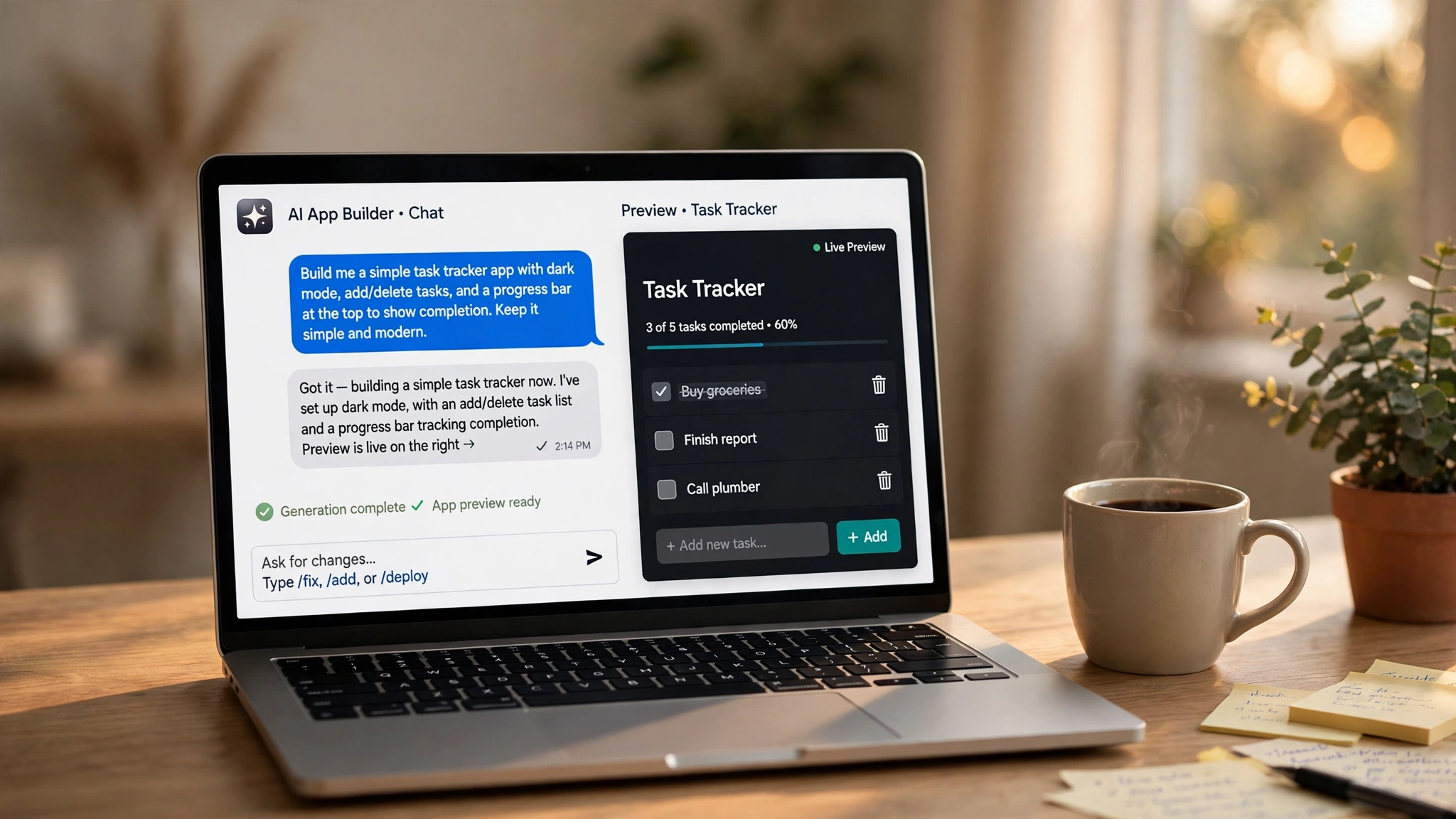
Temp Email for Lovable Signup: the Domain Lottery, the 30-Credit Clock, and the Email You Cannot Change
The verdict first: yes, but Lovable grades your email before it grades your idea
Yes, a temporary email address works for Lovable signup — most of the time, on most domains, on the first try. The verification link lands in the inbox, you click it, a small toast says "Email verified," and you are building an app within a minute. That is the honest short answer, and it is also the least interesting part of this post, because Lovable is the rare signup where the email step is not the hard part and not the trap either. The trap is everything around it: a domain blocklist Lovable documents in its own help pages, a free plan that gives you five build credits a day and never lets them roll over, and an account email you cannot change once it is set.
That combination makes Lovable different from the other AI builders we have walked through in this series. On Gamma, the problem was a credit balance tied to an address you could not move. On Replit, the problem was the billing and the workspace. On Lovable, all three problems arrive together, and the signup form tells you about the first one in plain language if you read the documentation before you type. Lovable's own docs say it plainly: "Lovable does not accept some email addresses for new accounts." It even names the error you will see. The question is not whether a temp email works. The question is whether your domain is on the list, whether five credits a day is enough to learn anything real, and whether you are comfortable building on an address that is permanent in every way except its lifespan. The rest of this post answers those three questions in that order.
What Lovable asks for at signup, in order
Lovable's signup lives at lovable.dev/signup, and it offers five doors into the same room: email and password, Google, GitHub, Apple, and single sign-on for organizations on the Business and Enterprise plans. The email route is the one a temp inbox touches, and it is the only route where the address itself can be refused. Choose a password of at least eight characters that includes a number, and Lovable runs a check most services never mention: if your password has appeared in a known data leak, it tells you it is not secure and asks you to choose a different one. That check runs again at login — if a leak exposes your password after you set it, Lovable logs you out on every device and makes you reset it before you can continue. It is a good security habit, and it is also the first hint that this account is built around the email address in ways that will matter later.
After you submit the form, Lovable sends a verification link, not a code. A reviewer who walked the flow in November 2026 found the email instantly, clicked the link, and was dropped into a short onboarding flow with an "Email verified" toast. There is no six-digit code to type, no second screen to wait for, and nothing about the step that cares whether the inbox is temporary or permanent. Lovable then creates your first personal workspace automatically, on the free plan, and takes you to the dashboard. The whole thing takes about a minute, and the terms require you to be eighteen or older, or to have a parent or legal guardian's permission.
Two details in that flow deserve attention before you start. First, Lovable runs a security check on the signup form itself — a bot check that keeps the "Create your account" button disabled until it finishes. If it fails or cannot load, you get "Security verification failed. Please try again." Lovable's own fix list is refresh the page and wait, disable ad blockers and other script-blocking extensions, try a different browser, and then email support. A temp inbox has nothing to do with this check, but an aggressive ad blocker on the same browser can stall the signup before the email is ever typed. Second, if you sign up with Google, GitHub, or Apple instead of email and password, there is no Lovable password at all. The "Forgot password?" link will not send you a reset email — it shows "Password reset unavailable" — and your recovery path runs through the provider, not through Lovable. That matters because the provider account becomes the real key, and the temp email becomes a label on an account owned by someone else's login.
The blocked-domain lottery
Here is the part Lovable documents and most signup guides skip. Lovable's account documentation has a section titled "Sign-up not allowed with this email address," and it describes exactly what happens when the service refuses you. With email and password, the message appears under the email field: "Unable to complete registration with this email address." With Google, GitHub, or Apple, it reads "Registration not allowed with this email address." Lovable refuses an address in two cases that matter here: the email domain is blocked, and the address is a plus alias.
The domain block is the one that decides whether your temp email works. Lovable says it blocks sign-ups from "some domains that have been used for abuse, such as mass account creation." It does not publish the list, and it does not tell you which signal tripped the refusal. A domain that has been burned by mass signups is refused at the door, and the refusal is final for that domain — the docs are explicit that you cannot lift the block yourself. The fix Lovable suggests is the fix that actually works: use an address on a different domain. Do not retry the same address and hope the answer changes, and do not burn attempts on a domain the service has already judged. Every retry on a blocked domain is a wasted minute, and repeated failed attempts from the same source can trip a second, separate refusal.
That second refusal is the fraud check. Lovable runs automated fraud checks when you create an account and when you log in, and if it denies the attempt you see "Registration denied due to suspicious activity. Contact support if you believe this is a mistake." The signals Lovable names are logging in through a VPN, a proxy, or Tor, an unusual network or device, browser automation, and repeated failed attempts from the same source. Lovable does not say which signal triggered a given denial, and you cannot lift one yourself. The documented recovery is to disable any VPN or proxy, try again from your usual network and browser, wait a few minutes, and if it still fails, email support@lovable.dev from the address you used, including the exact message you saw. Note the last part: the appeal goes out from the signup address, so a temp inbox that has already expired cannot send it.
Our own explainer on why websites reject temp email addresses covers the blocklist mechanics in general — disposable domains get burned when too many accounts are created from them, and the burn is silent and per-domain. Lovable is a clean example of the pattern: the blocklist is real, it is documented, and the only reliable response is a fresh address on a different domain. If the first temp address is refused, generate a new one on another domain rather than arguing with the form.
The 30-credit clock
The signup is free, the verification link is instant, and the domain lottery is winnable. The thing that actually limits a temp-email Lovable account is the credit clock, and it starts the moment the workspace is created. The free plan gives you five build credits a day, capped at thirty per calendar month, plus a daily chat allowance whose exact size Lovable does not publish, and monthly grants of twenty Cloud credits and four AI credits. The daily credits reset at midnight UTC and never roll over. A day you do not build is five credits lost, and even if you log in every single day and never miss one, you top out at roughly thirty a month.
What thirty credits buys depends on what you ask for, and Lovable's own examples make the arithmetic concrete: "Make the button gray" costs about half a credit, "Add authentication with sign up and login" costs about 1.20, and a landing page with generated images costs about 2.00. Plan mode, where Lovable drafts a plan before it builds, costs one credit per message. A reviewer who tested the free tier in September 2026 found five daily credits enough to build and publish a real landing page — one small project, done carefully, with edits counted. That is the honest shape of the free plan: it is a real trial, not a demo, and it is also a hard ceiling. A second project, a round of fixes, or a feature that needs three attempts will eat the month.
The paid plans exist to remove that ceiling, and their prices are the other half of the decision. Pro starts at $25 a month, or $21 a month billed annually, for 100 monthly credits plus five daily credits with no monthly cap, and it adds custom domains and code editing. Business starts at $50 a month. Monthly plan credits are not refundable and expire two months after they are issued. The free plan, by contrast, gives you no custom domain, no code editing or download, and a Lovable badge on what you publish — and preview links on the free plan expire after seven days. That last detail is easy to miss and worth stating plainly: a link you share from a free account stops working in a week, whether or not the project is still there.
None of this is a reason not to try Lovable on a temp email. It is a reason to try it with a plan. Five credits a day is enough to learn whether the tool fits how you think, and thirty a month is enough to ship one small thing. It is not enough to build in the open for a month, to iterate with a team, or to keep a project alive while you decide what it should be. If the project matters, the email behind it should be permanent before the credits run out, because the moment you upgrade, the billing, the receipts, and the recovery path all run through that same address.
The email you cannot change
This is the section that separates Lovable from almost every other signup in this series, and it is the reason the temp email decision matters more here than it does on most services. On Lovable, you cannot change the email address on your account. The account settings page says so in a single row: "Email — the email address associated with your account. You cannot change it here." There is no verification flow, no confirmation code, no waiting period. The field is simply not editable.
The only workaround Lovable documents is to start over: create a new account with the email you want, then copy your projects into it by remixing them. A remix brings the code and the database structure across, but it does not bring the database records, the custom domains, or the publish state. Your data stays behind. Your domain stays behind. Your live URL stays behind. What arrives in the new account is a skeleton of the project, not the project. For a weekend experiment that is a tolerable cost. For anything you have spent thirty credits building, it is a rebuild.
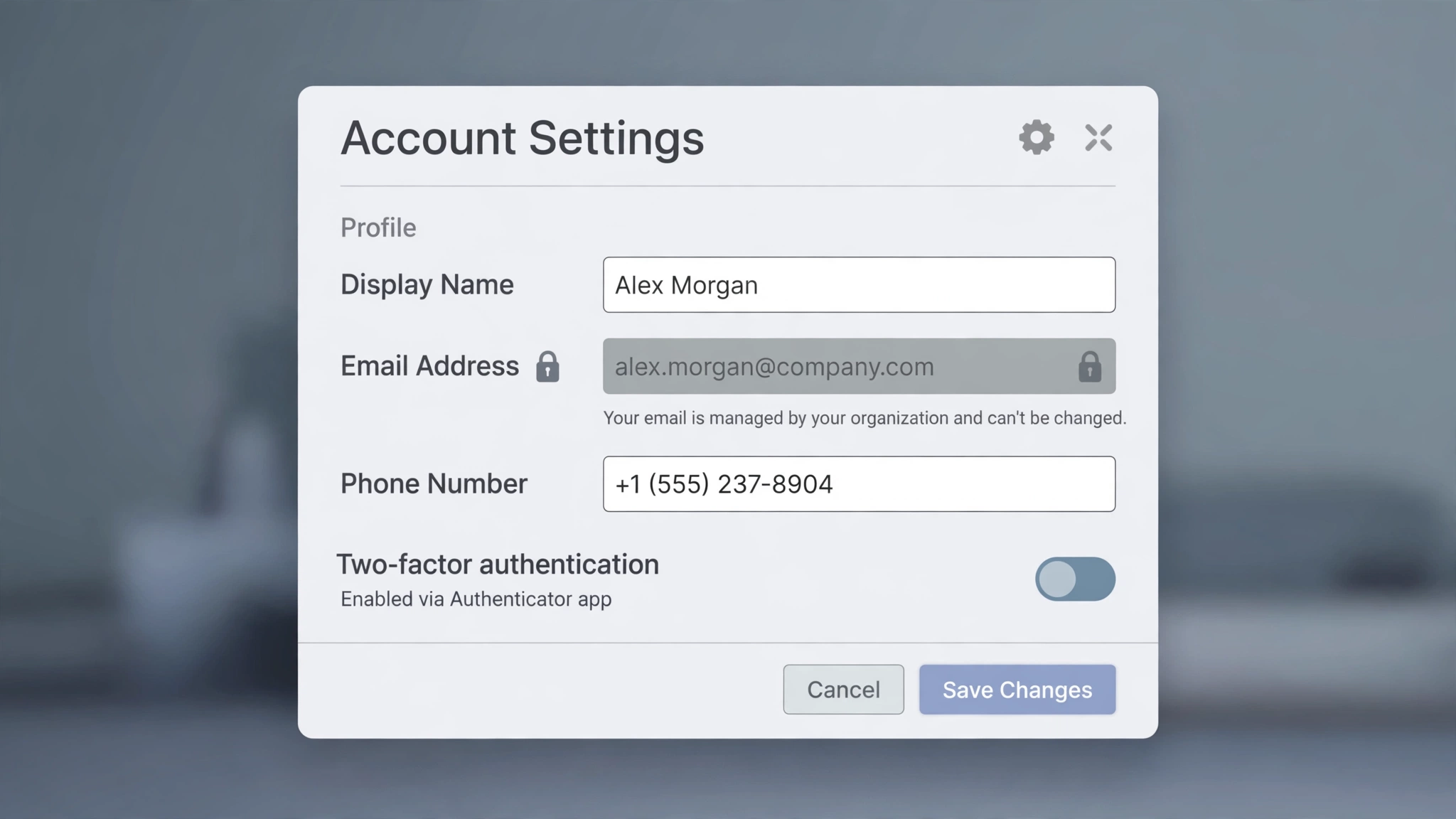
Compare that with the other builders we have covered. Our walkthrough of signing up for Replit with a temp email ran into billing and workspace rules, but the address itself could be managed. Our walkthrough of Vercel signup with a temp email had its own hosting-shaped traps, but again the email was a setting, not a sentence. On Lovable the email is the account in a stronger sense than usual: it is your identity across every workspace you belong to, it is the key the login methods hang from, and it cannot be swapped. A temp inbox that expires does not just lock you out of password resets. It freezes the account's identity at an address that no longer exists, and the only exit is a new account and a remix that drops your data.
The practical rule follows directly. If you sign up for Lovable with a temp email, decide within the first day whether the account is a keeper. If it is, you cannot fix the email later, so the decision has to happen before you spend the credits — not after the project is built. The only clean way to keep a project you built on a temp address is to rebuild it under a permanent one, and that is a cost worth knowing about before the first prompt, not after the thirtieth credit.
What dies with the inbox
The signup link is the least important email Lovable will ever send you, and it is the only one people plan for. Everything after signup arrives on Lovable's schedule, and it all goes to the address on the account. The list is worth reading in full, because each item is a separate way to lose an account you were still using:
- Password resets go to the account email. Reset from the login page with "Forgot password?", open the reset email, follow the link. Lose the inbox and a forgotten password is a locked account. Worse, if your password turns up in a data leak later, Lovable logs you out on every device and forces a reset — and the reset link goes to the same dead inbox. Google, GitHub, and Apple signups skip this entirely, because there is no Lovable password to reset; the tradeoff is that your recovery runs through the provider, and "Forgot password?" answers "Password reset unavailable."
- Two-factor authentication is tied to the login, not the inbox, but recovery is not. Turn on 2FA in Account settings under Security and Lovable asks for a six-digit code after you select your account. That is the good news. The bad news is the same as everywhere: our guide to the recovery risk of two-factor authentication on a temp email is the general version of this section, and Lovable is a sharp example of it, because the account holds work you cannot recreate by signing up again.
- Billing and plan changes run through the email. Pro is $25 a month, and the receipts, the renewal notices, and the failed-payment warnings all go to the address on file. A lapsed payment on a dead inbox means the plan dies silently and the extra credits vanish without a warning you ever saw.
- Account deletion runs through the email too. Delete from Account settings, Account, Danger zone, and the flow asks you to type your account email to confirm. You cannot complete the confirmation from an inbox that no longer exists, which means you cannot cleanly delete an account you built on a temp address — it sits there until Lovable's own retention rules deal with it.
- Support appeals need the address. Both denial messages end the same way: email support@lovable.dev from the address you used. A temp inbox that has expired cannot send that email, and support has no other way to know the account is yours.
Deletion itself deserves a paragraph, because Lovable's version is more forgiving than most and still final. Deleting your account schedules it for removal thirty days out, and during those thirty days you can log back in and click "Keep my account" to cancel it. After thirty days the account, the profile, and any data not transferred to another workspace are permanently removed, your username becomes available for someone else to claim, and you cannot reactivate. Before the deletion runs, Lovable makes you hand over or delete every workspace where you are the only owner. And billing does not stop on its own — cancel the subscription separately, or the charges keep coming while the account counts down. One more detail from the deletion docs, dated September 2026: deleting your account stops your content from being included in AI training data assembled after your request takes effect, but it does not pull content out of training datasets or models built before that date.
Lovable vs Replit vs Vercel vs Gamma: four builders, four different email traps
The AI builders look interchangeable from the outside — type a prompt, get an app — but their signup traps are built differently, and the difference decides what a temp email can do on each one. We have now walked all four in this series, and the comparison is the fastest way to see where Lovable sits.
| Builder | First gate | Email step | Where a temp inbox breaks |
|---|---|---|---|
| Lovable | Email verification link | Link, not a code; blocked domains refused | Email can never be changed; 30-credit monthly cap; remix loses your data |
| Replit | Email or social login | Verification code | Billing and workspace ownership tie back to the address |
| Vercel | Email or GitHub | Verification code | Hobby-plan limits and deployment ownership follow the account |
| Gamma | Email or Google | Verification link, not a code | 400 one-time credits on an address you cannot change without support |
The pattern is consistent: the email is never the hard part, and it is never the part that saves you. Gamma gives you 400 one-time credits and no self-service email change. Lovable gives you thirty credits a month and no email change at all. Our full walkthrough of Gamma signup with a temp email covers the credit-clock version of this story in detail. Lovable is the stricter of the two on the email itself — Gamma at least has a support-assisted path for paid accounts, while Lovable's answer is a new account and a remix that drops your records. If you are choosing a builder to test-drive on a disposable address, that single difference should weigh more than the credit counts, because credits refill and an identity does not.
The safe way to test-drive Lovable on a temp email
If you are going to do this, do it in an order that protects the project instead of gambling it. The sequence below is the version we would recommend to a friend, and it treats the email decision — not the signup — as the thing to get right first.
- Decide whether this is a test or a project before you open the signup page. A test can live on a temp inbox. A project cannot, because the email can never be changed.
- Generate a fresh temp inbox on TempMailUSA and keep the tab open. The verification link arrives in seconds, but you want the inbox live and visible when it does.
- Sign up with email and password, not with Google or GitHub, unless you are certain which provider account you want permanently attached. The provider becomes the key, and the temp email becomes a label.
- Click the verification link immediately. Do not start building first — the onboarding is quick, but the link is the step that proves the domain is not blocked, and you want that answer before you spend a credit.
- If Lovable refuses the address with "Unable to complete registration with this email address," do not retry it. Generate a fresh address on a different domain and try once more. If the second domain is refused too, stop and use a permanent address — two refusals is a signal, not bad luck.
- Build one small thing and publish it. Five credits is enough for a landing page, and the publish step is the only way to learn whether the free plan fits how you work.
- Within the first day, decide whether the account is a keeper. If it is, the honest move is to rebuild it under a permanent address now, while the project is still small, rather than after thirty credits have gone into an account whose email you can never change.
Step seven is the whole trick, and it is the step most people skip. A temp inbox is a good front door and a terrible foundation. Use it as the front door, then pour the foundation before the door disappears — or accept that the project lives on borrowed time and plan accordingly.
When a temp email is the wrong tool
There are cases where the disposable address is not merely risky but simply wrong, and they are worth stating plainly. If you are paying for Pro, use a permanent email — the subscription, the receipts, and the cancellation path all run through it, and a dead inbox turns a billing dispute into a shrug. If you are building with a team, use a permanent email — workspaces, members, and billing all hang off the account, and a vanished identity strands everyone else. If the app handles real users, real data, or anything you would regret losing, do not build it on an address that expires, because the week you need it most is the week a password reset will fail. If you need a custom domain, the free plan does not offer one at all, and the upgrade that unlocks it bills to the email on file. And if you are under eighteen, none of this applies: Lovable's terms require you to be eighteen or older, or to have a parent or legal guardian's permission, and no email trick changes that.
The broader rule is the one this series keeps returning to: a temp email is for accounts you can afford to lose. Lovable, for most people who stay past the first week, becomes an account they cannot afford to lose — not because of the money, but because of the project, the credits, and the identity that cannot be moved. That is a judgment call, not a technical limit, and it is yours to make. Just make it before the inbox expires, not after.
The bottom line
A temp email clears Lovable's signup without drama on most domains: the link arrives, you click it, the workspace opens, and five credits a day are yours. What it does not do is make a Lovable account disposable in any meaningful sense, because Lovable never built its identity around a replaceable address. The domain blocklist decides whether you get in, the thirty-credit clock decides how much you can build, and the unchangeable email decides what happens to everything you made. The inbox is the thinnest layer of the signup, and treating it as the privacy strategy is a category error.
Use the temp inbox for what it is good at: a one-day test drive, a look at whether the chat builder fits how you think, and a clean front door that keeps Lovable's marketing out of your real email. Then, if the project is worth keeping, rebuild it under a permanent address while it is still small, and keep the credits for building instead of spending them on an account you will have to abandon. That is the honest version of "temp email for Lovable signup" — not a trick to beat the system, but a small, deliberate piece of hygiene on a signup that asks for far more than an email address.
Frequently asked questions
Can I sign up for Lovable with a temp email?
Yes, in most cases. Lovable sends a verification link to whatever email address you use, and a temporary inbox receives it the same way a permanent one does. The exception is the domain blocklist: Lovable refuses signups from some domains that have been used for abuse, and if your domain is blocked you will see "Unable to complete registration with this email address." The fix is a fresh address on a different domain.
Does Lovable block disposable email domains?
Lovable does not publish a list, but its documentation says it blocks sign-ups from "some domains that have been used for abuse, such as mass account creation." That wording covers disposable domains that have been burned by mass signups. There is no way to check a domain in advance and no way to lift a block yourself — you find out at the signup form, and the only response is a different domain.
How many free credits does Lovable give you?
Five build credits a day, capped at thirty per calendar month, plus a daily chat allowance and monthly grants of twenty Cloud credits and four AI credits. Daily credits reset at midnight UTC and never roll over. As a guide to what they buy, Lovable's own examples put a small change at about half a credit, adding authentication at about 1.20 credits, and a landing page with generated images at about 2.00 credits.
Can I change the email on my Lovable account?
No. Lovable's account settings state directly that you cannot change the email address there. The only workaround is to create a new account with the email you want and remix your projects into it — and a remix brings the code and the database structure, but not the database records, custom domains, or publish state.
What happens if my temp email expires?
The account keeps working until Lovable needs to email you — a password reset, a billing notice, a deletion confirmation, or a support appeal. At that point the email goes nowhere, and recovery becomes difficult or impossible, because the address itself cannot be changed. The fix is to rebuild the project under a permanent address before the temp inbox expires, not after.
Can I delete my Lovable account?
Yes. Go to Account settings, Account, Danger zone, and select Delete account. Lovable first asks you to hand over or delete any workspace where you are the only owner, then schedules the deletion thirty days out. During those thirty days you can log back in and click "Keep my account" to cancel it. After thirty days the removal is permanent. Cancel any paid subscription separately — billing does not stop on its own.
Is using a temp email against Lovable's rules?
Lovable's rules require you to be eighteen or older, or to have a parent or legal guardian's permission, and they forbid abuse such as mass account creation — which is exactly why some domains are blocked. Nothing in the signup flow forbids a disposable email address for the email step itself, but the account is still tied to your projects, your credits, and an email you can never change. A temp inbox does not exempt you from any of Lovable's rules, and it does not protect an account that breaks them.
Need a disposable temporary email?
Protect your real inbox from spam and promotional clutter instantly and free.
Received a suspicious email, text, or charge alert?
Verify whether the sender domain is disposable, spoofed, or unverified before clicking links.