

Temp Email for HeyGen Signup: Three One-Minute Videos, a Fifteen-Minute Link, and the Avatar That Outlives the Inbox
Three free videos, one fifteen-minute link
HeyGen is the AI video tool that turns a typed script into a talking presenter. You pick one of more than 500 stock avatars, or you build a digital twin of yourself, paste in a script, and out comes a video of a person saying your words, in one of 30-plus languages on the free plan and 175-plus on paid plans. It also translates finished videos into other languages with lip-sync, which is the feature that made it a staple for course creators, marketers, and training teams who publish in more than one market.
The free plan is the hook, and it is a small one. When we checked the pricing page in November 2026, the free tier gave you three videos a month, each up to one minute long, at 720p, with a HeyGen watermark in the frame. No credit card is required, and the plan never expires — the counter simply resets each month, and unused videos do not roll over. Three one-minute videos is enough to test whether your twin looks like you, whether your voice sounds right in another language, and whether you like the result at all. It is not enough to run a channel on.
The signup gate is a confirmation link, not a code, and that detail is the whole temp-email question in miniature. You sign up with an email address or with Google, and if you choose email, HeyGen sends a verification link to that inbox. The link expires in 15 minutes. A temporary inbox receives it in seconds, and the click takes you straight into the dashboard. So the door opens. What this post answers is what the door leads to, and what happens to everything you build inside once the inbox that opened it stops existing.
What HeyGen actually sells
Strip away the marketing and HeyGen sells two things. The first is avatar video: a presenter who never needs a camera, a studio, or a second take. You write the script, choose the presenter, pick a voice from more than 300 options, and the platform renders a video of that person delivering it. The newest engines — Avatar III, Avatar IV, and Avatar V — trade realism against cost, and the Pro plan adds video models like Seedance 2.5 and Veo 3.1 for regular video and image generation.
The second is translation. Upload a finished video, pick a target language, turn on lip-sync, and HeyGen rebuilds the video with your voice speaking the new language and your mouth moving to match. For anyone who makes training videos, product demos, or courses, that is the feature that justifies the subscription. A one-minute demo becomes a twelve-language demo without re-recording anything.
The catch is the pricing model, which changed sharply during 2026. In January, the old Team plan was replaced by Business. In February, the free monthly API credits ended. On May 15, the Unlimited plans were withdrawn for new customers and replaced with credit-based plans. Everything now runs on credits, and how many credits a video costs depends on the engine, the length, and the complexity. HeyGen shows the cost before you start, which is honest, but it means the price of a video is never a fixed number. You are buying minutes of rendering, not a flat subscription, and the newest engine is the most expensive one.
The free plan, read November 2026
The free plan is genuinely free, and that matters, because plenty of tools advertise a free trial that turns out to be a seven-day countdown with a card on file. HeyGen asks for no card. What you get, from the pricing page as read in November 2026:
- Three videos a month, up to one minute each, at 720p, with a watermark. The help centre adds that the count is one to three videos depending on your region, so do not be surprised if your account shows one instead of three.
- More than 500 stock presenters, over 300 voices, and 30-plus languages for voiceover and translation.
- One custom video avatar, up to three photo avatars, and one voice clone.
- Access to Avatar IV and the Video Agent, but no credits, which means the paid engines are visible and mostly out of reach.
Older pages still say the free videos can run three minutes each. The current pricing page says one minute, and the November 2026 reads from independent reviewers agree. Trust the current page. The difference matters because a one-minute cap means your first test script has to be short — a 90-second demo will not render on the free plan at all, and you will find out only after you have written it.
The free plan resets on the first of each month. If you sign up mid-month, your first reset happens the following month, and the three videos do not carry over. Use them or lose them, every month, forever, until you upgrade or stop coming back.
The signup, step by step
Signing up takes about two minutes when everything works. Open a temporary inbox in one tab and HeyGen in another. Click Get Started Free. You get two choices: continue with Google, which is one click and no verification email at all, or sign up with an email address and a password. Choose email, type the address in, and HeyGen sends a confirmation link to that inbox. The link is live for 15 minutes. Switch to the inbox, open the message, click the link, and the account opens onto the dashboard.
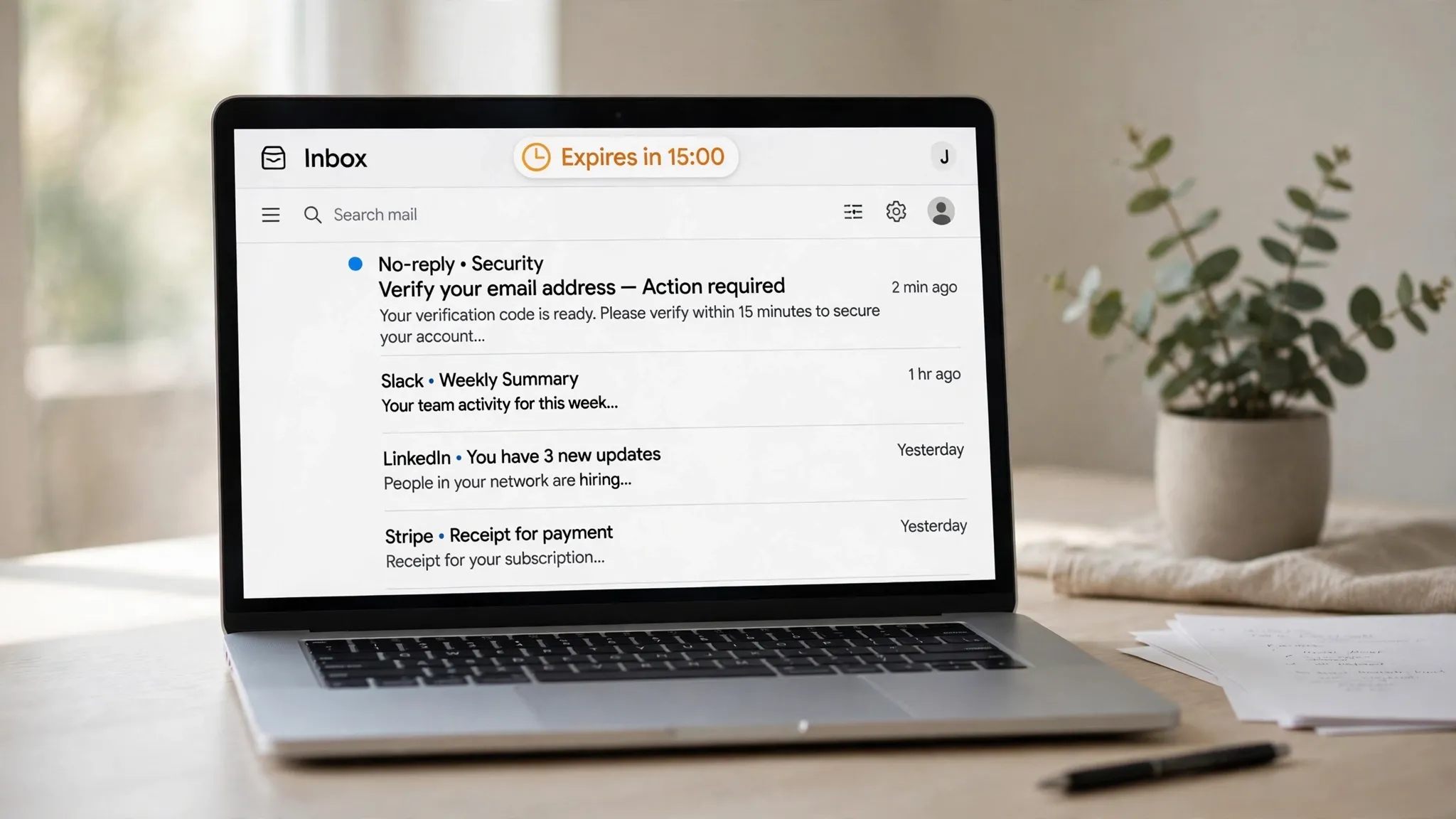
There is no phone number at signup, no card on the free plan, and no approval process or waitlist. You get instant access to the template library, the stock avatars, and the text-to-video features. The friction, if any, comes later: HeyGen runs anti-abuse checks like every platform of its size, and a domain blocklist sits in front of the form. We found no published test of a disposable address on HeyGen, for or against, so the honest statement is that acceptance depends on the domain you use and on whatever HeyGen tightened last week. A well-known temp domain may be rejected outright; a newer or lesser-known one may pass. If the form rejects the address, that is the policy, and the correct move is an address you control, not a disguise.
If the link does not arrive, the fixes are unglamorous and they usually work. Wait a full minute — some senders queue mail — then check the spam folder, then ask for one resend and use only the newest link. Do not hammer the resend button. Every resend can invalidate the previous link, and you will end up with three dead links and one live one, staring at the wrong message. And do the whole thing in one sitting. The link dies in 15 minutes, and a temporary inbox has its own clock on top of that.
Two clocks: the link and the inbox
Here is the part most temp-email guides skip. A HeyGen signup has two clocks running at once, and they do not care about each other. The first is HeyGen's: 15 minutes from the moment the confirmation email is sent. The second is the inbox's: a temporary address typically lives for an hour, sometimes less, and then it is gone, along with every message inside it.
Fifteen minutes is generous for a link. You can sign up, verify, and be inside the dashboard with ten minutes to spare. The problem is everything after signup. The email address you verified is now the account's identity. Password resets go there. Upgrade receipts go there. The email that tells you your free videos reset goes there. The message that your payment failed goes there. And the digital twin you spent an afternoon building — the 15-second recording, the consent phrase, the voice clone — is attached to an account whose recovery address no longer exists.
That is the real trade. A temporary inbox is a key that dissolves, and HeyGen is not a service you abandon after a free month. It is where your avatar, your voice, and your videos live. If you ever need to prove you own the account, the proof is an inbox you threw away.
The credit math that decides whether free is enough
The free plan gives you videos, not credits, so the credit system only matters once you pay — but it matters a lot, because it decides what three free videos are actually worth as a trial. HeyGen's paid plans run on credits, and the newest engines burn them fast. From the pricing and help pages as read in late October and November 2026:
- Avatar III costs 4 credits per minute. The Creator plan's 600 credits a month buy about 150 minutes of it.
- Avatar IV with a video look costs 31 credits per minute. The same 600 credits buy about 19 minutes.
- Avatar V costs 48 credits per minute. The same 600 credits buy about 12 minutes, and usage is limited.
The plans, monthly billing: Creator is $29 a month, or $24 billed yearly, with 600 credits, videos up to 30 minutes, 1080p export, and no watermark. Pro starts at $49 a month, or $41 billed yearly, with 1,000 credits, 4K export, Avatar V, and the extra video models. Business starts at $149 a month, or $119 billed yearly, with 1,500 credits and team seats. Annual billing is labelled two months free.
Do the math on the free trial and the picture sharpens. Three one-minute videos on Avatar IV would cost 93 credits if you were paying. That is a fair taste of the product, but it is also the whole trial: once the three are gone, you are choosing between waiting for the monthly reset and paying $29. And every re-render costs credits again on the paid plans, which is the complaint that shows up most in user reviews — a script tweak that takes thirty seconds to type can cost another minute of rendering. Credits do not roll over on monthly billing beyond one month, and all remaining credits are lost when you cancel, with refunds handled case by case within 15 days.
So the free plan answers one question well: do I like what HeyGen makes? It answers nothing about whether the credit economy works for your volume. That question only gets answered on a paid month, and a paid month needs an email address that will still exist when the receipt arrives.
What a temp inbox cannot hold for you
The digital twin is where the temp-email question stops being theoretical. To create one, you record a 15-second video of yourself facing the camera in good light, then you complete a consent step that includes speaking a verification phrase out loud. HeyGen is building a synthetic version of your face and voice, and it wants proof that you are the person in the frame. That proof, and the twin itself, are tied to your account, and your account is tied to your email address.

The same logic applies to the voice clone. One voice clone comes with the free plan, and it is the feature most likely to make you care about the account later. A cloned voice is a piece of your identity sitting on someone else's server, and the only way to manage it, delete it, or prove it is yours is through the account that created it. If that account's email is an inbox that expired in November, you have no clean way back in. The closest parallel is voice cloning on other AI tools, where the same rule holds: the clone outlives the signup, and the signup email is the only key. Our walkthrough of signing up for ElevenLabs with a temp email lands in the same place — the voice is the asset, and the address is the deed.
There is also the billing side. The free plan needs no card, but the moment you upgrade, the receipt, the renewal reminder, and the failed-payment warning all go to the signup address. A card expiring or a payment failing is exactly the moment you most need that inbox to exist, and it is the moment it will not. HeyGen's support can help, but account recovery without access to the registered email is slow everywhere, and HeyGen is no exception.
HeyGen against the other AI signups
The AI-tool signup posts on this site keep landing on the same fault line: the verification step is easy, and the account behind it is not. HeyGen sits in the middle of that spectrum.
Midjourney is the closest cousin — an image generator where the account holds your gallery, your subscription, and your style settings, and where the signup is the easy part. Our Midjourney signup walkthrough found the same pattern: the gate opens, and then the account starts accumulating things you will want back.
Suno is the credit parallel. It is also a tool where the free tier is a small monthly allowance — credits, in Suno's case — and where the account holds your library of generations. The Suno signup reality is the same story with a different meter: the free allowance is enough to fall in love with the tool and not enough to use it seriously, which is precisely the point of the free tier.
Vercel is the other end of the spectrum. It is a developer platform where the account holds deployments, domains, and billing, and where a lost email means lost infrastructure. The Vercel signup reality makes the case most bluntly: some accounts are infrastructure, and infrastructure needs a permanent address.
HeyGen is between the two. It is not infrastructure, but it is not a throwaway either. Three one-minute videos are disposable. A digital twin and a voice clone are not.
When a throwaway address is the right call
There are honest uses for a temporary inbox here, and they are worth naming plainly.
- You want to see the dashboard before committing. Open a temp inbox, verify, look around, render one test video, and decide. If you like it, create a second account on a permanent address and do your real work there. The test account costs nothing and teaches you everything.
- You are testing whether your script and avatar choice work before you show anyone. One minute is enough for a cold open, a product line, or a translated greeting. Render it, watch it, delete the account if you want.
- You are checking whether HeyGen's translation actually sounds like you in another language. That is a one-video question, and a temp inbox answers it in ten minutes.
- You do not want marketing email. HeyGen will email you about the product. A temp inbox means none of it ever reaches you, because the inbox is gone before the first newsletter.
In each of these, the account is a scratch pad. Nothing in it matters next month, and nothing in it is yours in a way you would miss. That is the test: if you would shrug when the account vanished tomorrow, a temp inbox is the right tool.
When it is the wrong call
The wrong call is everything else, and it is most of the real uses.
- You are building a digital twin or a voice clone. These are identity assets. They take time to make well, and they are the reason to pay for HeyGen at all. Build them on an address you will own in a year.
- You plan to upgrade. The Creator plan is $29 a month, and the receipt, the renewal, and the failed-payment warning all go to the signup address. Paying for a subscription on an expiring inbox is how accounts get locked over a $29 charge.
- You are making videos for a client, a course, or a channel. The videos live in the account. If you lose the account, you lose the project files, the render history, and the twin that made them.
- You need the account to be yours in a dispute. A chargeback, a takedown, a support ticket — all of them start with proving you own the account, and the proof is the email.
The pattern is the same one we found with Grammarly, where the writing assistant holds your documents, your style rules, and your billing behind a single address. Our Grammarly signup reality ends in the same place: the signup is free and the account is not. If the work matters, the address has to last as long as the work does.
The bottom line
HeyGen's free plan is one of the better free tiers in AI video: three videos a month, no card, no expiry, a real digital twin and a real voice clone to try. The signup gate is a confirmation link that lives for 15 minutes, and a temporary inbox clears it in seconds. We found no published test of a disposable address on HeyGen, so if your domain is rejected, that is HeyGen's blocklist doing its job, and the fix is a permanent address, not a better disguise.
Use the temp inbox for the test drive. Render one video, check the twin, hear the translation, and decide. Then, if the answer is yes, sign up again on an address you control and build the real account there. Three one-minute videos are a demo. The twin, the voice, and the videos you make with them are the product, and they deserve an inbox that will still be there when you need it.
FAQ
Does HeyGen accept temporary email addresses?
There is no published policy and no public test we could find that settles it either way. HeyGen's signup sends a confirmation link, and whether a disposable domain passes depends on HeyGen's blocklist, which changes. A well-known temp domain may be rejected; a newer one may pass. If the form rejects your address, use a permanent one.
Does HeyGen send a code or a link?
A link. Email signup sends a confirmation link to the address you entered, and the link expires in 15 minutes. Click it within that window and the account opens. Google sign-in skips the email step entirely.
How long does the free plan last?
It never expires. The free plan gives you three videos a month, each up to one minute, at 720p with a watermark, and the counter resets on the first of each month. Unused videos do not roll over, and no credit card is required.
Can I make a digital twin with a temp email?
Yes, technically — the free plan includes one custom video avatar and one voice clone, and the twin is created inside the account, not at signup. But the twin is tied to the account, and the account is tied to the email. If the inbox expires, you lose the clean way to recover or manage the twin.
What happens to my videos if I lose access to the signup email?
The videos stay in the account, and the account stays locked behind the email. Password resets, recovery, and support verification all go to the registered address. Without it, you can watch nothing, download nothing, and prove ownership only through a slow support process.
Is it against HeyGen rules to sign up with a temp email?
HeyGen publishes no rule against it that we could find, and the signup form accepts any address its blocklist allows. The risk is not a ban. It is losing the account, the twin, and the videos when the inbox expires, with no way back in.
Need a disposable temporary email?
Protect your real inbox from spam and promotional clutter instantly and free.
Received a suspicious email, text, or charge alert?
Verify whether the sender domain is disposable, spoofed, or unverified before clicking links.