

Temp Email for GitHub Signup: Blocked at the Front Door in 2026 — What Actually Works Instead
GitHub used to be the easy one. For years, developers treated it as the platform where a disposable address just worked: paste it in, get the code, verify, push. The advice columns all said the same thing, and for a long time they were right. That changed. At some point in the last year, GitHub started checking the domain before it sends anything, and the well-known disposable domains — the ones every temp-mail guide names first — now bounce off the signup form with a generic error that does not explain itself.
I spent a morning working through this the way a real user would: fresh addresses from the big public temp-mail services, the signup form, and a notebook. What I found is messier than a simple yes or no, and it matters more than it looks, because GitHub is not a streaming service or a store. Your signup email becomes your commit identity, your recovery path, and the address that receives every security alert for code you may still be maintaining five years from now. The short version: a temp email can still get you through the door in some cases, but the door is not the hard part. Keeping the account is.
The front door checks your domain before it sends the code
GitHub validates the email domain against a blocklist before it sends a verification code. That order matters. You do not get a code that never arrives; you get rejected at the form, with a generic message about using a valid email address. Testing from the middle of 2026 found the same result across the famous services: temp-mail.org and its clones blocked, public mail.tm domains mostly blocked, 10minutemail blocked, Guerrilla Mail blocked, Mailinator blocked. The check happens before any mail is sent, so there is nothing to wait for and nothing to retry in the inbox.
The list behind the check is not a GitHub secret. It is the same kind of open-source disposable-domain list that powers signup checks across the web, and it holds more than 50,000 domains. When a temp-mail provider runs the same domain for years, every site on the internet has already blocked it. Providers respond by rotating in fresh domains, which is why a brand-new address from a rotating-domain service sometimes slips through. Treat that as a coin flip, not a method. A domain that passes this week can be on the list next week, and GitHub re-checks accounts, so an address that worked at signup can still cause trouble later.
There is a second layer of friction that the blocklist articles usually miss. Signups from unusual IP addresses, or with email addresses that look disposable, can trigger extra verification — including SMS verification. Disposable phone numbers face the same blocklist problem as disposable email, so stacking a temp number on a temp email does not get you past it. My view is that this is the correct design for GitHub, not paranoia. An account factory for spam repositories and scam forks is exactly what the blocklist exists to stop, and a code-hosting platform with more than 100 million developers is a valuable target. If you want the full mechanics of how those blocklists are built and maintained, we covered them in detail — the short version is that the list is public, the check is cheap, and the cat-and-mouse game never ends.
What signup actually asks for, step by step
The flow itself is short, which is part of why people assume a temp email will do. You enter an email address, GitHub sends a verification code, you set a password and pick a username, and you choose the free plan. The step people skip over is the one that comes after: GitHub requires email verification before you can push code. An unverified account can browse and star repositories, but it cannot push to a public repo. So the verification email is not a formality. It is the gate to the only thing most people sign up to do.
Two more facts shape the decision. First, GitHub allows multiple accounts as long as they are not for spam or abuse, so a second account for testing is legitimate — the email is the gating step, not the account count. Second, GitHub now requires two-factor authentication for anyone who contributes code, a mandate that rolled out through 2023. That means the account asks for a second factor almost immediately after creation, and the recovery path for that second factor runs through the email address. You are not just verifying an inbox once. You are tying it to the account's security for as long as the account exists.
The pattern here is not unique to GitHub. OpenAI tightened its checks the same way, and the big platforms are converging on the same model: a disposable address is fine for browsing, and a problem the moment the account starts accumulating value.
Your email does not stay private — it ships in your commits
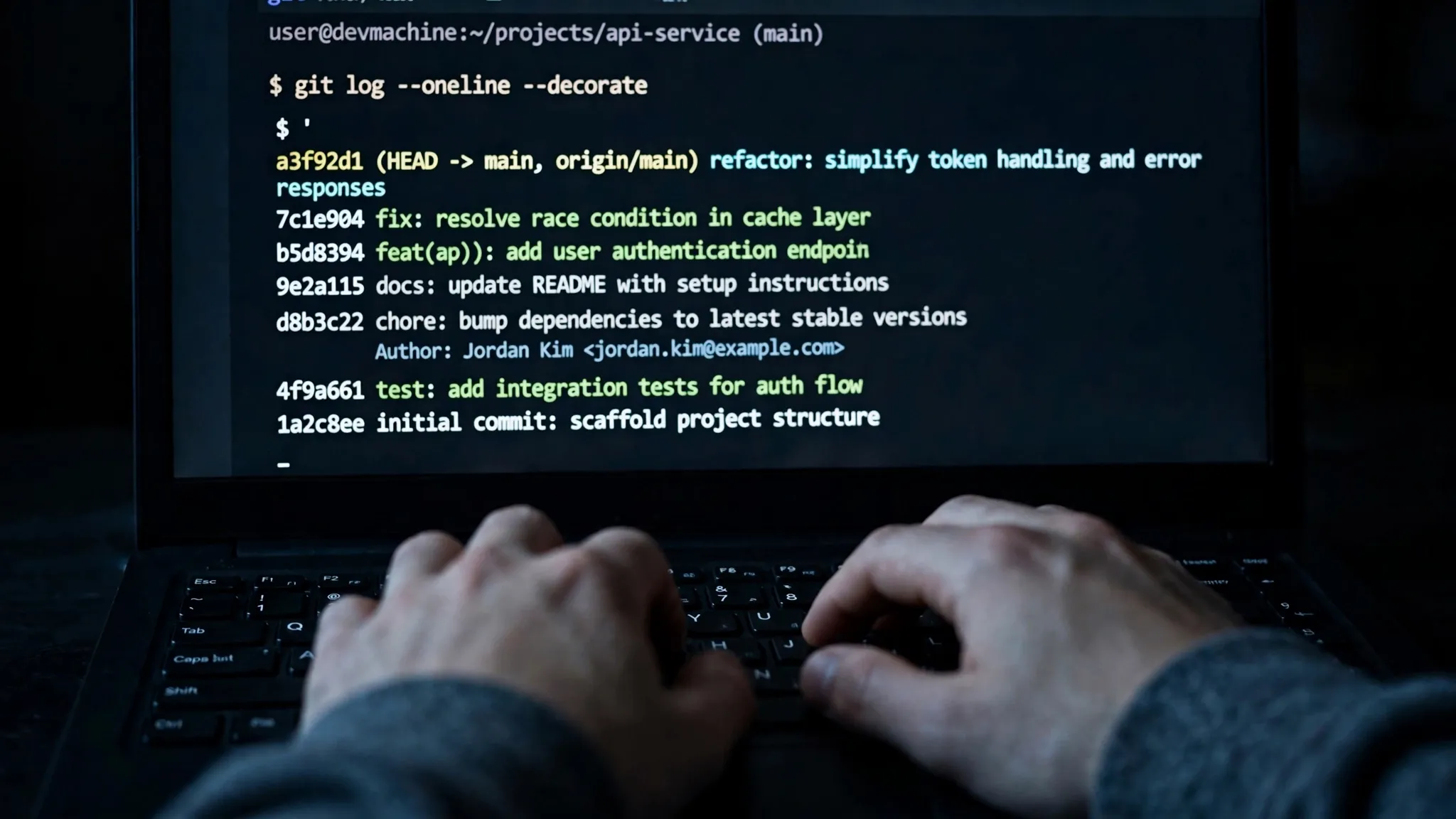
This is the part of GitHub that surprises people who think of a signup email as a private contact field. Every git commit carries an author name and an email address. Push that commit to GitHub and the address is attached to public history, visible to anyone who clones the repository or browses the commit log. Your signup email is not sitting quietly in a settings page. It is stamped onto your work.
GitHub gives you two protections, and both are off by default. The first is the "Keep my email addresses private" setting, which stops GitHub from displaying your address on your profile and in web-based operations. The second is the no-reply address GitHub generates for every user — a username-based address on GitHub's own domain that you can set as your commit email, so your real address never appears in a commit at all. Both work well. Neither helps if you never turn them on, and most people setting up an account in a hurry never do.
If you signed up with a temp email and never set the no-reply address, your commits show the temp address until it dies, and then they show a dead address. That is its own problem: anyone trying to reach you about your code — a maintainer reviewing a pull request, a security researcher reporting a vulnerability, a recruiter who found your project — gets a bounce. The deeper point is that on GitHub, the email is not a contact detail. It is identity infrastructure. It is how other developers find you, how maintainers contact you, and how security advisories reach you. A disposable address fails at all three jobs the moment it expires, and reusing one temp address across accounts makes the failure worse, because one dead inbox becomes the single point of failure for everything attached to it.
The recovery trap: two-factor authentication, password resets, and the inbox you threw away
Password resets, two-factor recovery codes, new-device verifications, suspicious sign-in alerts — all of it routes to the email address. Lose the inbox and you lose the recovery path, and on GitHub the recovery path is the only path. There is no support agent who will hand your account back because you remember your username.
Walk through the scenario that actually happens. Your laptop dies. Your authenticator app was on the phone you just replaced, and the recovery codes are in a note you cannot find. The only way back into the account is the email address, and that email address expired ten minutes after you created it. The account is gone, along with every repository, every star, every contribution on your graph, and the username itself. GitHub accounts accumulate value fast: stars, followers, and a contribution history that functions as a public resume for a working developer. Losing one over a dead inbox is a bad trade for ten minutes of convenience.
The honest version of the risk is that it is not a risk at signup. It is a risk that matures. The account works fine for weeks, you push real code to it, people start starring it, and then one day you need the email and it is not there. That is why our two-factor recovery guide treats the recovery email as the account itself. An authenticator app helps with day-to-day sign-ins, but it does not replace the recovery email. When you lose the phone or the authenticator is reset, the email is the fallback, and the fallback is the thing you threw away.
The one place a temp email still earns its keep
None of this means temp mail has no place on GitHub. It has one, and it is narrow. A throwaway account is the right tool when you need to test a signup flow you are building, run a classroom demo where thirty students need accounts for an hour, spin up a CI bot that creates and deletes repositories, or reproduce a bug that only shows up for brand-new accounts. In each case the account is a means to an end, not a home for your work.
The rules for those cases are simple, and they are worth following exactly. No code you care about. No two-factor authentication. No payment method. Delete the account when you are done. And if the account starts holding anything valuable — a repository someone forked, a pull request under review — switch the primary email to one you control before it matters, not after. GitHub lets you change the primary email in Settings, and that single step converts a disposable account into a durable one.
This is the correct use of temp mail on GitHub, and I would defend it against anyone who says disposable email has no place there. Testing and teaching are real needs, and a throwaway inbox is the cleanest way to meet them. The mistake is confusing a test account with a real one.
What to use instead
For anything you intend to keep, the choice is not between a temp email and your personal Gmail. There is a middle ground, and it is better than both.
| Approach | GitHub accepts it? | Recovery | Commit privacy | Cost |
|---|---|---|---|---|
| Temp mail, well-known domain | Usually blocked | None — the inbox dies | Exposes a dead address | Free |
| Temp mail, fresh rotating domain | Sometimes | None — the inbox dies | Exposes a dead address | Free |
| Forwarding alias (SimpleLogin, AnonAddy, Apple Hide My Email, Proton Pass) | Generally yes | Yes — forwards to your real inbox | Hidden with the no-reply address | Free tier exists |
| Custom domain you own | Yes — never blocklisted | Yes | Hidden with the no-reply address | A few dollars a year |
| Real personal email plus GitHub no-reply | Yes | Yes | Hidden — no-reply on commits | Free |
A forwarding alias is the best answer for most people. Services like SimpleLogin, AnonAddy, Apple Hide My Email, and Proton Pass generate addresses that look like permanent personal email, so GitHub generally accepts them, and the mail still reaches your real inbox — which means recovery works. A custom domain you own is the strongest version of the same idea: GitHub will never blocklist your private domain, because it is yours alone. And the cheapest fix of all costs nothing: sign up with a real address, then set GitHub's own no-reply address as your commit email and turn on "Keep my email addresses private." That solves the exposure problem without any third party. If you are unsure where the line falls, read our guide on when not to use a temp email at all — GitHub sits firmly on the do-not side for anything you keep.
If GitHub already rejected your address
If the form has already bounced your address, do not hammer it. Repeated failed attempts from the same browser and IP flag the signup, and the next error you get will be harder to clear than the first. Try a fresh address from a different domain, and check the obvious things first: a typo in the domain, a missing character, an address you already used on another GitHub account. Apple-style aliases and forwarding services are the reliable fallback when the public temp-mail domains fail, because they do not look disposable to the blocklist.
If an SMS verification step appears, use a real number. Disposable numbers are blocklisted the same way disposable domains are, and a failed phone check can lock the signup entirely. And if you already created the account with a temp email, change the primary email in Settings now — add a new address, verify it, make it primary — before you push anything you care about. The fix takes two minutes. The recovery, once the inbox is gone, does not exist.
Frequently asked questions
Can I sign up for GitHub with a temp email?
Sometimes. A fresh address from a rotating-domain service can pass the signup check, but the well-known public services — temp-mail.org, 10minutemail, Guerrilla Mail, Mailinator, and most public mail.tm domains — are blocked as of 2026. Even when signup works, recovery is the problem: password resets and two-factor recovery both route to that inbox.
Does GitHub block disposable email domains?
Yes. The signup form checks the domain against a blocklist before it sends a verification code, and it rejects known disposable domains with a generic error about using a valid email address. The list behind the check holds more than 50,000 domains and is shared across the web.
Will GitHub ban my account for using a temp email?
Not automatically. GitHub allows multiple accounts as long as they are not for spam or abuse, and a disposable signup does not trigger an instant ban. But disposable signups face extra verification, including SMS checks, and if you cannot pass it, you lose access to the account.
Can I change the email on my GitHub account later?
Yes. Go to Settings, then Emails, add a new address, verify it, and set it as primary. Do it before the old inbox dies. Once the temp inbox has expired, you cannot receive the verification code for the change, and the account is stuck on a dead address.
What is GitHub's no-reply email address?
GitHub generates a private no-reply address for every user, built from your user ID and username on GitHub's own domain. Set it as your commit email in your git configuration and turn on "Keep my email addresses private" in Settings, and your real address never appears in a public commit.
Is it legal to use a temp email for GitHub?
Using a temporary email is not illegal. Creating accounts to abuse the platform — spam repositories, fake stars, scam forks — violates GitHub's terms of service and will get the account closed. Keep temp mail to legitimate testing and teaching, and the question never comes up.
Can I use a temp email for a GitHub student or organization account?
No. Student verification and organization billing both need a durable address, and both will fail or strand you if the inbox disappears. Use a real email or a forwarding alias for anything tied to school, work, or money.
The bottom line
GitHub in 2026 is a bad home for a throwaway inbox. The front door blocks the famous disposable domains, your commits publish your address to the world, and the recovery path depends on an inbox that expires in minutes. Use temp mail for the hour-long test, the classroom demo, the CI bot — the jobs it was made for. Then put a real address, an alias, or a domain you own on anything you intend to keep, and let GitHub's own no-reply address handle the privacy. The account you build on GitHub is worth more than the ten minutes a disposable inbox saves.
Need a disposable temporary email?
Protect your real inbox from spam and promotional clutter instantly and free.
Received a suspicious email, text, or charge alert?
Verify whether the sender domain is disposable, spoofed, or unverified before clicking links.