

Temp Email for Google Gemini Signup: There Is No Signup Form — and the One Place a Disposable Address Does Work
Ask whether a temp email works for a Google Gemini signup and you get two opposite answers, both stated with total confidence. The first says it is impossible — Google blocks disposable addresses, full stop. The second says it works fine and links you a video of someone doing it in three minutes. Both answers are describing something real. They are just describing different doors, and Gemini has three of them. Walk through the wrong one and you waste an afternoon. Walk through the right one with the wrong expectations and you lose the account a month later, along with everything you made in it.
The confusion exists because Gemini is not a service with a signup form. ChatGPT has one. Claude has one. Gemini does not. There is no page where you type an email address, pick a password, and create a Gemini account, because there is no such thing as a Gemini account. There is a Google Account, and Gemini is a layer on top of it. Every question about temp email and Gemini is really a question about Google Accounts, plus one exception that the tutorial videos are all actually showing — and that exception is not the front door at all.
The short answer, before you waste an afternoon
A temp email cannot sign you into Gemini, because there is no Gemini sign-in that takes an email address. You sign in with a Google Account, and Google rejects known disposable domains at the account-creation step, before it ever sends a verification email. Even for a domain that slips past the first check, Google frequently demands phone verification, and it rejects VoIP numbers — Google Voice, TextNow, Skype — at that step. So the direct route is closed twice over, by two different systems that do not care about each other.
But the story does not end there, because two other doors exist. The first is the one Google barely advertises: you can use some Gemini features on the web without signing in at all, no email of any kind required. The second is the one all over social media: the Gemini Enterprise business trial, which genuinely does accept a temp email, sends a six-character code to it, and hands you thirty days of the full Pro models. That second door is real, it is documented in dozens of screen recordings, and it is also a trap with a calendar attached — on day thirty-one the account is gone, and with it goes every chat, every image, and every video you generated inside it, because the inbox that could recover it expired weeks ago.
So the honest answer is a map, not a yes or no: no-sign-in for a quick try, a real Google Account for anything you want to keep, and the Enterprise trial only if you understand you are renting thirty days and nothing in it is yours to keep.
Door one: use Gemini without signing in at all
This is the door most people never try, because the Gemini homepage pushes you toward the sign-in button and the habit of signing into everything is strong. Since March 2025, Google has let you use the basic Gemini model through a web browser without signing in — the Gemini 2.0 Flash model, for straightforward questions and short conversations. No account, no email, no phone number, no verification code. You open gemini.google.com and you type. For the person whose actual goal is "try Gemini once without giving Google my email," this is the entire solution, and it takes less time than generating a temp address.
The limits are real and worth stating plainly, because they decide whether this door is enough for you. Without signing in you get no conversation history — close the tab and the chat is gone. You cannot upload files, so no documents to summarize and no images to ask about. The thinking model, Deep Research, and personalization are all behind the sign-in wall. And the no-sign-in option is not available everywhere: in the UK and Europe, Google still requires a login. If you are in the US and your goal is a quick test — does this thing answer well, is it better than the chatbot I already use — the unsigned door is the fastest honest answer in this whole post, and it is the only one that asks for nothing in return.
It is also the door that makes the temp-email question disappear. A temp inbox exists to keep your real address out of a signup form. Here there is no signup form. Reaching for a disposable address to use Gemini without an account is like bringing a lockpick to a door that was never locked.
Door two: the Google Account, and the two checks inside it
Everything beyond the basics — history, uploads, the thinking models, Deep Research, Gemini Advanced, and any paid plan — requires a Google Account. This is where the temp-email plan runs into Google's account-creation machinery, which is older, stricter, and better funded than the disposable-domain blocklists most services use. Google does not publish its list of blocked domains, but its signup form validates the domain you enter against a list of known disposable providers, and if the domain matches, the form returns an error before any verification email is attempted. Changing the part before the @ sign does nothing, because the check is on the domain itself.
That is check one, and it kills most attempts quietly. Check two is the one that kills the attempts that survive check one: phone verification. Google frequently requires a phone number when a new account is created, particularly from IP addresses it associates with high signup volume, and its carrier lookup rejects VoIP numbers. Google Voice — Google's own product — is rejected by Google's own verification. TextNow, Skype numbers, and most free virtual numbers fail the same way. The code simply never arrives. You need a number on real mobile-carrier infrastructure, and a heavily reused number can be refused too, because Google links numbers to accounts.
Two more conditions sit behind those checks, and they explain why even a successful signup can end in a dead end. Gemini requires an age-verified account — you need to be 18 or older, and new accounts often fail sign-in until the birthdate is set and verified. And Gemini checks the region your account lives in, not just your IP address: your account's home region, your Maps history, your language settings, and the country on your payment profile all feed into whether Gemini is available to you. A VPN and a fresh number will not fix an account whose region Google reads as unsupported. One support thread from October 2026 shows the shape of the failure clearly: a user who passed the phone step and still got "Gemini isn't currently supported in your country," because the region gate looks at the account, not the connection.
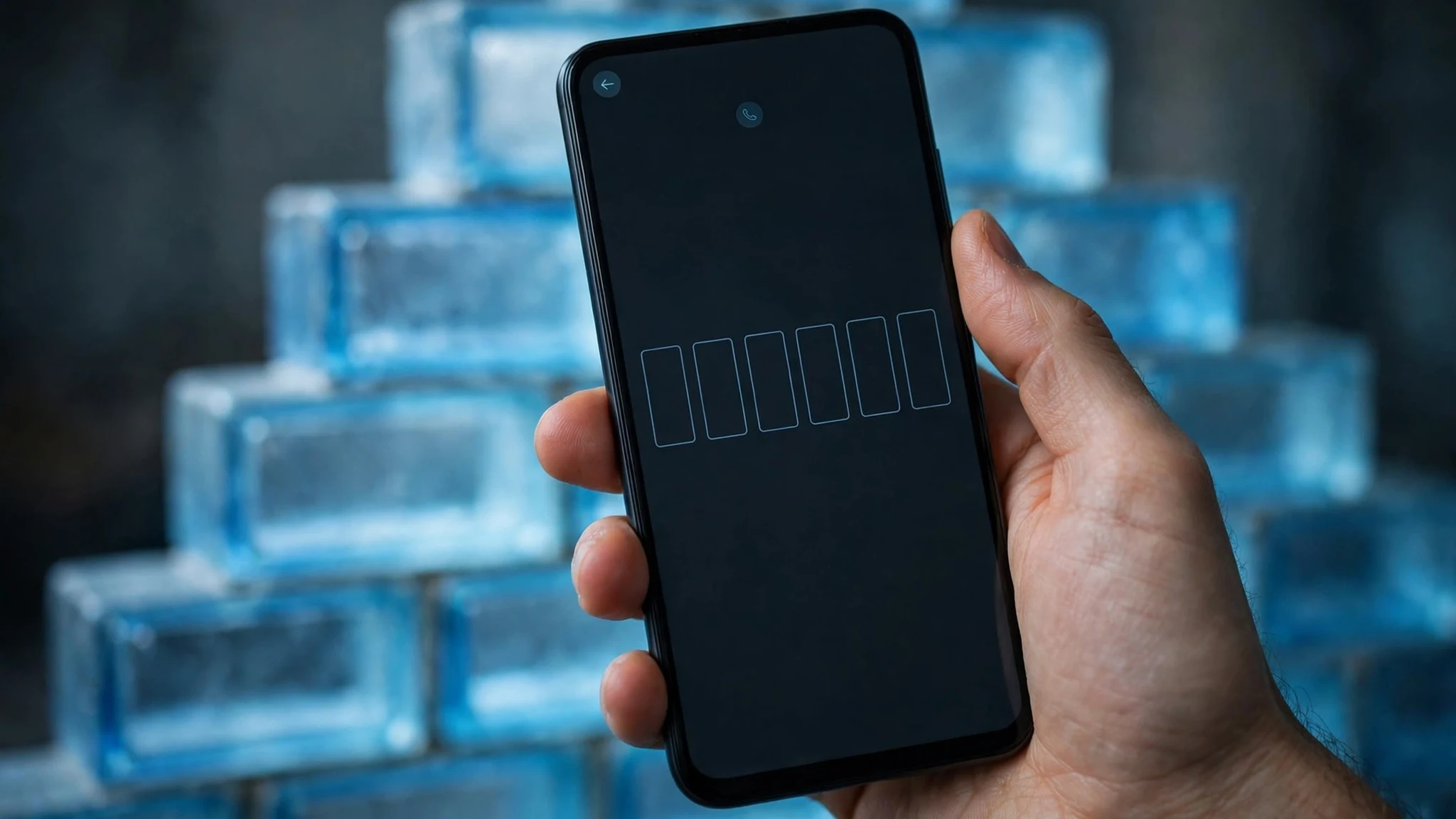
There is a subtlety worth knowing, because it is the one place a non-Gmail address can legitimately enter the picture. A Google Account does not always require a Gmail address — Google's own account documentation says you can create a Google Account using an existing third-party email address, and Google sends a verification code to that address. That is a real, supported path, and it is how people with a long-standing personal domain end up with a Google Account that is not a Gmail address. But the documentation also makes clear that acceptance is not guaranteed: account creation, verification, security checks, and abuse-prevention decisions remain Google's, and a disposable domain is still a disposable domain when it reaches those checks. An address being accepted by an input field is not the same as successfully creating, verifying, and keeping a Google Account. That distinction is the whole game, and it is where most "it worked for me" stories fall apart on inspection — they describe a form accepting an address, not an account surviving a month.
And survival is the point. The email on a Google Account does three jobs after signup, and all three go to the address on file: device verification when you sign in from a new location, account recovery when a password is lost, and security alerts when Google's systems flag suspicious activity. A temp inbox that expires in ten minutes or an hour cannot do any of those jobs a week later. Google's own guidance for recovery email is blunt about it: choose an address you use regularly, and different from the one you sign in with. A disposable mailbox is the opposite of that advice in every respect. The pattern is the same one we found with ChatGPT signup and Claude signup: the signup form is the easy part, and the recovery system is the part that punishes a disposable address — except with Gemini, even the signup form is not Gemini's to pass or fail, because it belongs to Google.
Door three: the Enterprise trial, the one place a temp email actually works
Now the video everyone has seen. A creator opens the Gemini Enterprise sign-in page, chooses the business edition, pastes in a temp email from a disposable provider, and within seconds a six-character verification code lands in the temp inbox. They enter the code, type a name, agree to the terms, and they are in — greeted by name, with a "30 days left in free trial" notice and the full model selector: Gemini 2.5 Flash and Pro, Gemini 3, video generation, image generation, agents, Drive and Gmail connectors. The comments underneath are full of people confirming it works, sharing the codes they received, and asking which disposable provider still gets through.
It is real. The Enterprise trial is a business signup flow, not a Google Account creation flow, and its email verification accepts addresses that Google's consumer signup rejects. The code arrives, the trial starts, and for thirty days you have the Pro models. That is why the two confident answers at the top of this post both exist: the people saying "impossible" tried the consumer door, and the people saying "it works" walked through the business trial.
Here is what the videos do not show, because it happens a month after the recording ends. On day thirty-one, the trial ends and the account with it. There is no renewal without a real payment method and a real business identity, and there is no password reset to a temp inbox that expired in its first hour. Everything generated inside the trial — the videos, the images, the agent setups, the connected Drive work — sits in an account whose only key was an address you no longer control. Some creators in the comments report needing a fresh temp email and a fresh trial every month, which is not a workflow, it is a treadmill, and it is also exactly the kind of repeated trial cycling that platforms write their terms to prevent. Google's own guidance on the consumer side says it plainly: do not create disposable Google Accounts simply to cycle through Gemini access or account restrictions.

There is a second, quieter cost. A trial account created with a throwaway address has no recovery path and no support path. If Google's systems flag the account — and a brand-new account generating video at full tilt from a fresh IP address is exactly the pattern abuse systems watch for — the appeal process runs through the email on the account. The community threads about locked Gemini access all end the same way: Google's automated systems added the checkpoint, only Google can review it, and the notification goes to the address on file. A disposable address turns a reviewable lockout into a permanent one.
None of this makes the trial useless. It makes it a rental, and rentals are fine when you treat them as rentals. Thirty days of Pro models for a specific project — a batch of videos, a set of images, a test of the agents — is a legitimate use, if you export everything you make and assume the account will vanish. What it is not is a free Gemini Pro subscription, and anyone selling it as one is selling the first thirty days and hiding the thirty-first.
What happens on day 31, in concrete terms
It helps to spell out the ending, because "the trial ends" sounds gentler than it is. The Enterprise trial is thirty days from activation, and the countdown is visible in the interface the whole time. When it hits zero, access to the Pro models, video generation, and image generation stops. Your chats and generated files do not migrate to a free account, because there is no free account attached to that identity — the identity was the temp address. There is no "continue with a different email" button, because the account was never a Google Account in the consumer sense; it was a trial identity anchored to a dead inbox.
Compare that with the consumer side, where the failure mode is slower but just as final. A Google Account created with a disposable address and left alone is subject to Google's inactive account policy: accounts inactive for two or more years may be deleted, after warnings sent to the address on file — warnings a dead inbox never receives. Two years sounds generous until you remember the inbox died in the first hour, which means every warning, every device check, and every recovery email for the entire life of the account went nowhere. The account is not deleted on a schedule you can see; it simply becomes unrecoverable the first time anything goes wrong, and something always goes wrong eventually — a new phone, a new city, a suspicious sign-in flag.
This is why the question "does it work" is the wrong question, and why it keeps producing confident wrong answers. The signup form accepting an address is a ten-second event. The account is a multi-year relationship between you and a recovery system. A temp email passes the ten-second event just often enough to generate tutorial videos, and fails the multi-year relationship every single time.
Pick your door: what to do instead
The right move depends on what you actually want from Gemini, and the three doors map neatly onto three different goals. If you want a quick test, use the no-sign-in door and skip email entirely. If you want a Gemini you keep — history, uploads, Deep Research, a paid plan someday — put it on a Google Account you control long-term, and keep a second address on file as the recovery email. If you want thirty days of Pro models for a specific project, the Enterprise trial with a temp email is a real option, with the one condition that you export everything before day thirty-one and never store anything in the trial account that you cannot afford to lose.
| Goal | Door | Email needed | What you keep |
|---|---|---|---|
| Try Gemini once | No sign-in on the web | None | Nothing — chats vanish when the tab closes |
| Daily use, history, uploads | Your Google Account | A real, permanent address | Everything, plus recovery and support |
| 30 days of Pro models | Enterprise trial | A temp email works | Nothing after day 31 — export as you go |
| A second Gemini identity | A secondary Google Account you already own | The spare account's real address | Everything, under that account |
The secondary-account row deserves a sentence, because it is the answer most people are actually looking for when they reach for a temp email. If you already have a spare Google Account — an old one, a second one you made for a project — sign into Gemini with that. No new email required, no disposable domain involved, and the account has a real inbox behind it for recovery. It is the same advice that applies to Gmail signup generally: the privacy you want usually comes from separation between accounts, not from an address that self-destructs.
An email alias is the other honest alternative. A forwarding alias that routes to your real inbox is not on disposable blocklists, it can be disabled if the marketing volume gets annoying, and it stays reachable for recovery. It gives you the separation without the expiry date. Why websites reject temp email explains the mechanics — blocklists work at the domain level, and a fresh alias on a real domain is not what those lists are built to catch — but the deeper point is simpler: the services that block disposable addresses are not trying to annoy you. They block them to stop trial abuse, fake accounts, and bounces that hurt delivery to real users, and an alias that you actually monitor is not any of those things.
The rule that settles every version of this question
A writer who tested all three AI tools without giving any of them a real email put it better than any policy page could: temp mail for trying, real email for paying and keeping. A free tier, a one-off test, a tool you will open twice and forget — temp mail is perfect. A paid plan, an API key, a workspace with your work in it — that goes on a real address from the start. Gemini makes the rule unusually clean, because the product itself draws the line for you: the no-sign-in door is the trying door, and everything past it is a keeping door.
That is also why Gemini is the most honest test case in this whole series. With most services, the temp-email question is a gamble on a blocklist — maybe the domain is listed, maybe it is not, maybe a fresh domain works today and stops working tomorrow. With Gemini there is no gamble and no gray area. The consumer door is closed by design, the no-sign-in door is open by design, and the trial door is open for thirty days by design. You do not need a trick, a fresh domain, or a tutorial video. You need to pick the door that matches what you want to keep, and then stop worrying about the email address entirely. And if what you want to keep is anything at all, the address that keeps it cannot be one that disappears — which is the same reason a temp inbox is a poor recovery method for any account that holds your work, covered in our guide to two-factor authentication and recovery risk.
Frequently asked questions
Can I sign up for Gemini with a temp email?
Not directly. Gemini has no email signup — it uses your Google Account, and Google rejects known disposable domains at account creation. The only place a temp email works is the Gemini Enterprise business trial, which accepts one for a 30-day trial.
Can I use Gemini without a Google Account?
Yes, in part. Since March 2025, Google lets you use the basic Gemini 2.0 Flash model on the web without signing in. History, file uploads, the thinking model, Deep Research, and personalization all require an account, and no-sign-in access is not available in the UK and Europe.
Why does Google block temp email at signup?
Google validates the domain against a list of known disposable providers before sending any verification email, and it frequently requires phone verification as well, rejecting VoIP numbers. Both checks exist to stop trial abuse, fake accounts, and bounces — the same reasons most large services block disposable domains.
Does the Gemini Enterprise trial really accept a temp email?
Yes — screen recordings from 2026 show the trial signup accepting a temp address, sending a six-character code to it, and starting a 30-day trial with the Pro models. But the trial ends after thirty days, and the account and everything in it go with it, because the inbox that could recover it is long gone.
What happens to my Gemini chats if I used a temp email?
If you used the Enterprise trial, your chats and generated files sit in a trial identity anchored to the dead inbox, and they do not migrate anywhere when the trial ends. If you used no-sign-in access, chats vanish when you close the tab. Either way, there is no recovery path.
What is the safest way to try Gemini without my main email?
Use Gemini without signing in for a quick test, or sign in with a secondary Google Account you already own. A forwarding alias to your real inbox is another solid option — it stays off disposable blocklists and stays reachable for recovery, which is what a Google Account actually needs from its email address.
Need a disposable temporary email?
Protect your real inbox from spam and promotional clutter instantly and free.
Received a suspicious email, text, or charge alert?
Verify whether the sender domain is disposable, spoofed, or unverified before clicking links.