
Temp Email for Facebook Signup: The Identity Check That Comes After the Code
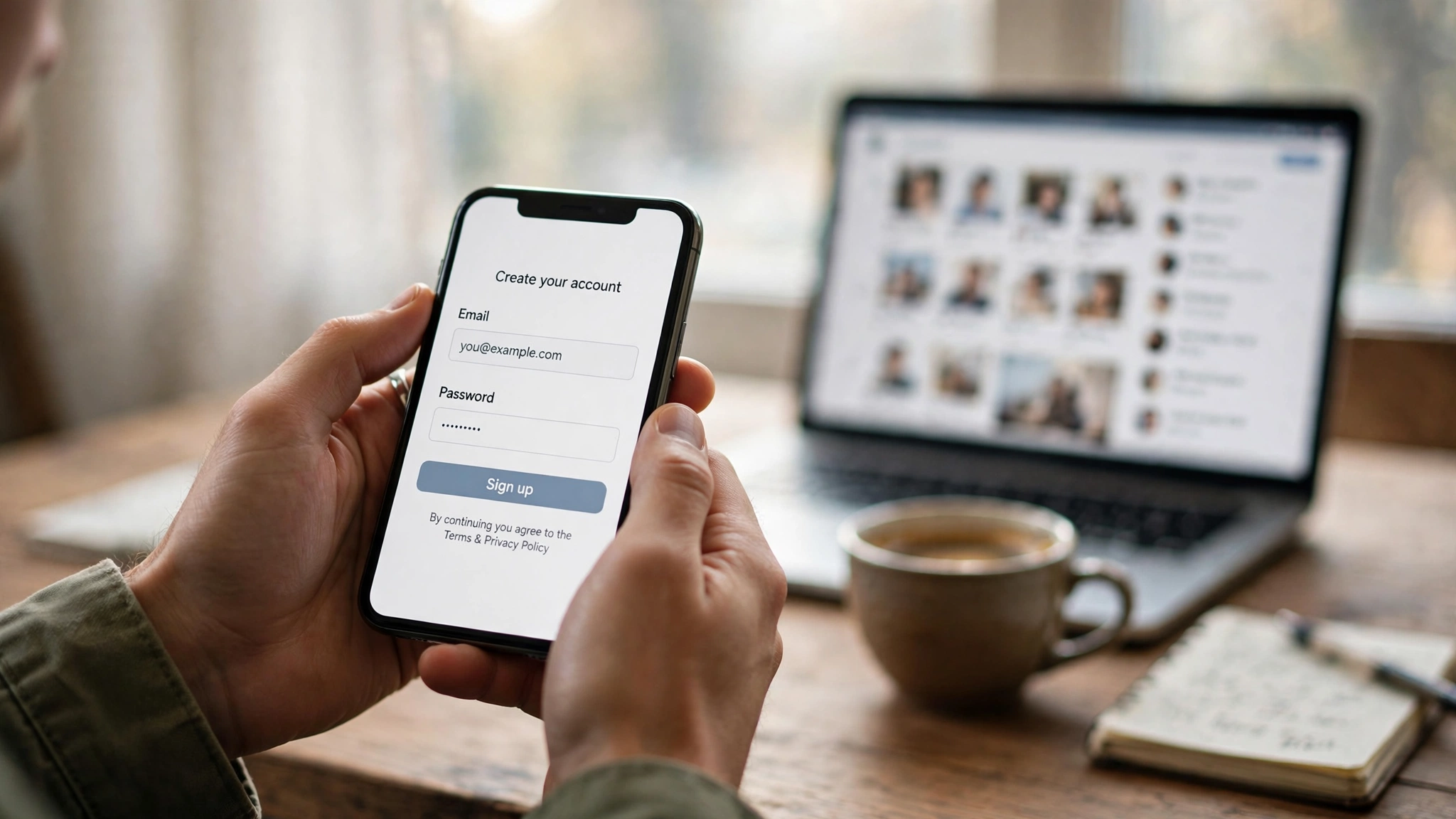
Ask five temp-mail guides whether a disposable email works for Facebook signup and you will get five different answers, and the honest thing is that two of them are right at the same time. One rival guide, updated this week, says temp mail works for Facebook in most cases. Another, updated today, says probably not. Both guides looked at the same signup form and came away with opposite conclusions, because they are describing different parts of the same process. The email field is the smallest part of a Facebook signup. Everything that matters happens after it.
My position, stated up front so you can hold me to it: a temporary email can sometimes get you through Facebook's signup form, and it is still a bad foundation for any account you want to keep. Facebook is the one platform in this series where the signup is not the test. The test is the week after, when the account has to prove it belongs to a real person, and a disposable inbox cannot help with any part of that.
The two honest answers, and why both are true
The guide that says temp mail works is talking about the email step. Enter a disposable address from a domain Facebook has not flagged, and the confirmation code usually lands in the temp inbox like any other email. The guide that says it probably does not work is talking about the account. Facebook's systems watch what happens after the code is entered, and most accounts built on disposable addresses do not survive that scrutiny for long. Both observations are real. They just stop at different points in the story.
It helps to compare Facebook with the platforms we have already covered in this series. ChatGPT mostly waves you through and only punishes you later, at recovery. Amazon says no at the email field itself, before you have seen a product. LinkedIn lets you in and then, months later, asks for a government ID. Facebook is closest to LinkedIn, but faster and more layered: the identity checks start within minutes or hours of signup, not months, and they escalate through more stages. Our piece on temp email for Amazon signup covers the strictest email wall on the consumer internet; Facebook's wall is different, because the email is not the wall at all.
The first rung: the email field
Facebook's signup asks for a name, a birthdate, a gender, and either a mobile number or an email address, then sends a confirmation code to whichever you chose. The email step itself is simple, and that simplicity is what makes the rival guides disagree. A temp address from a well-known disposable domain will often be rejected outright, with a message like "please enter a valid email address," or the form will simply refuse to submit. A temp address from a fresher, quieter domain will often pass, and the code will arrive in the disposable inbox within a minute or two. Which outcome you get depends mostly on how many other people have already used that domain on Facebook, and how recently.
There is a third outcome that confuses people more than either rejection or success: the code never arrives, and Facebook never explains why. The form accepted the address, the inbox is open, and nothing comes. This is usually a silent block, where the domain is on a list that stops delivery without telling you. Waiting and clicking resend does not fix it, because the problem is not timing. The domain is the problem, and the only fix is a different domain from a different provider. Our piece on how websites detect disposable domains explains the machinery behind this: blocklists, reputation scores, and behavior signals that decide your fate before a human ever looks at the account.
Two details about the email step are worth knowing before you try it. First, Facebook validates that the address can receive mail; it does not verify what kind of service sits behind the address, which is why fresh temp domains slip through at all. Second, the email step is the only step in the entire process that a temp-mail service can help with. Everything after it — phone, selfie, ID — is outside what any inbox can do, and Facebook knows it.
The checkpoint ladder

Facebook's real gatekeeping is an escalating identity ladder, and email is only the bottom rung. Once the code is entered, the account enters a risk assessment that looks at the device, the IP address, the signup speed, and the behavior in the first minutes of the account's life. A new device, a VPN or datacenter IP, or a signup that looks automated will trigger the next rung almost immediately. A clean residential connection and a normal-looking signup may get further before the ladder starts. Either way, the ladder is there, and it has more rungs than any other platform in this series.
The second rung is the phone. Facebook often demands phone verification within minutes or hours of signup, especially when any risk signal fires, and a temp email does nothing for a phone check. The numbers people reach for next — free virtual numbers, VoIP numbers, numbers already used on other accounts — are flagged the same way disposable emails are. One phone number verifies very few accounts, and a number with a history of verifying throwaway accounts is itself a signal. This is the rung where most temp-email Facebook attempts actually die, with the account asking for a code that no disposable service can receive.
The third rung is the video selfie. Since late 2024, Facebook has asked many new or flagged accounts to record a short selfie video, which it uses to estimate whether the account belongs to a real, distinct person. Legitimate users have reported getting stuck behind glitchy rejections on this step, which tells you how blunt the tool is. A temp email cannot record a video, and a pseudonymous account cannot pass a check whose entire point is to tie the account to a face.
The top rung is a government ID upload. When Facebook's systems decide an account needs stronger proof, the account is frozen until you upload a photo ID whose name matches the account. This is the same rung LinkedIn reaches, but Facebook reaches it faster and more often, because Facebook is a much bigger target for fake accounts. A disabled account has a 180-day window to appeal before it is permanently deleted, which sounds generous until you realize the appeal itself requires proving you are the person on the ID, using an inbox that expired months ago. Our piece on temp email for LinkedIn signup covers what that ID moment feels like on a career account; on Facebook, the stakes are your friends, your photos, your groups, and your Marketplace history, all behind the same frozen door.
Why Facebook guards the door harder than anyone else
The scale explains the strictness, and Meta publishes the numbers, so this is not guesswork. In its report under the EU Code of Conduct on Disinformation, Meta said it took action against 1.2 billion fake accounts on Facebook in the first quarter of 2026, and 822 million in the second quarter. The full-year enforcement report puts the first half of 2026 at 2.02 billion fake accounts actioned, up 12 percent on the second half of 2025. Those figures cover accounts that were already created and then caught. They do not include the millions of fake-account creation attempts Meta says it blocks every single day, before an account exists at all.
Fake accounts are the raw material for almost every abuse Facebook fights: spam campaigns, scam storefronts, impersonation, coordinated manipulation, and the scam centers that Meta has been dismantling in public operations. In 2025 alone, Meta said it took down 10.9 million accounts associated with scam centers in Southeast Asia and the Middle East, and removed more than 159 million scam ads, catching 92 percent of them before anyone reported them. A single famous temp-mail domain can sit behind thousands of throwaway accounts, so from Facebook's side, a disposable address is not a privacy choice. It is a signal that has been correlated with abuse at a scale of billions.
That is also why Facebook's enforcement feels so impersonal. The company estimates fake accounts are less than 5 percent of its daily active people across its apps, which means the system is tuned to catch a small minority inside a population of more than 3 billion monthly users. When you sign up with a temp email from a VPN on a new device, you look, to an automated system, like the exact pattern it was built to stop. It does not know you are a real person testing an account. It knows the pattern, and the pattern is what gets flagged.
There is a second reason Facebook is stricter than the other platforms in this series: the real-name policy. Facebook requires your real name and enforces it with the ID checkpoints above. A temp email separates an identity from an inbox; Facebook's whole model ties an identity to an account. Instagram, which Meta also owns, has a similar ladder but enforces it less aggressively on new accounts — our piece on temp email for Instagram signup covers the difference.
The recovery trap: the password reset that never arrives
Suppose you clear every rung. The code arrives, no phone check fires, no selfie is requested, and the account lives. The trap is still waiting, and it is the same trap that runs through this whole series: the account's recovery path points at an inbox that will not exist in a month. The moment you forget the password, or Facebook asks you to confirm a login from a new device, or a security alert demands verification, the reset link goes to a dead address. There is no support form that fixes this. A temp inbox that has expired cannot receive a password reset, and Facebook cannot send one anywhere else.
This is worse on Facebook than on most platforms because of how much of the account's life runs through email. Login alerts, new-device confirmations, Marketplace messages about a sale, group admin notifications, two-factor backup codes — all of it defaults to the registered address. Our piece on temp email and two-factor authentication explains why this is the detail that strands people: two-factor authentication set up against a temp inbox protects the account while the inbox lives, and locks you out of your own account the day it dies.
The honest version of the recovery question is not "can I get back in" but "how long until I need to." On a throwaway account you use once, the answer is never, and the risk does not matter. On an account that accumulates friends, photos, messages, and Marketplace transactions, the answer is eventually, and eventually is when the temp inbox is long gone. Match the permanence of the email to the permanence of the account. That is the only rule that survives contact with Facebook's recovery system.
Where a temp email still makes sense

None of this means a temp email is useless on Facebook. It means the honest uses are narrow, short-lived, and deliberate, and they all share one property: the account is disposable by design, and losing it costs nothing.
The clearest honest use is a test account. You want to see what a signup flow looks like, check whether a Page is visible without logging in as yourself, or verify how a group looks to a stranger. A temp email opens that door, and when the test is over you walk away. The account was never meant to last, so the checkpoint ladder and the recovery trap are irrelevant. This is the same logic that makes temp email reasonable for a one-off trial anywhere else, and it holds on Facebook too, as long as the test stays a test.
The second honest use is separation. You want to browse Marketplace for a secondhand bike without tying the search to your main account, or you want to look at a public Page without Facebook connecting that visit to your real profile. A temp-email account gives you a thin layer of separation for a single session. It does not make you anonymous — Facebook still sees your device, your IP, and your behavior — but it keeps the browsing out of your main account's history. That is a real, limited benefit, and it is honest to name it as limited.
The third honest use is the one nobody advertises: finding out where the wall is. If you are writing about temp email, testing support flows, or building a product that touches Facebook signup, you need to know what actually happens, and the only way to know is to try it. That is a legitimate reason to create an account you expect to lose. What is not legitimate is using that account to impersonate someone, run a scam, or create many accounts in a network. Facebook's terms focus on behavior, not inbox type, and the enforcement targets accounts that seek to cause harm.
What does not make sense is the use most people have in mind when they search for this: a second Facebook account, under a different name, that they plan to keep. Facebook's real-name policy, the checkpoint ladder, and the recovery trap all point the same way. The account will ask for a phone, or a selfie, or an ID, and at that point the temp email has done everything it can do, which is nothing.
What to do instead for an account you want to keep
If the account matters, give it a real inbox. That is the short version. The longer version is a short checklist, and it is the same checklist that applies to every account in this series that you actually care about.
Use a real email address that you control and will still control in a year. Turn on two-factor authentication with an authenticator app, not with email codes, and save the recovery codes somewhere outside the inbox — a password manager, a printed copy, anywhere that survives losing access to the email itself. Add a phone number you actually own, because the phone is the recovery path Facebook will offer when the email fails. And use your real name, because the day Facebook asks for ID, the name on the account has to match the name on the card.
Frequently asked questions
Does Facebook accept temp mail addresses?
Sometimes. Facebook blocks many well-known disposable domains at the signup form, and silently never delivers the confirmation code for others. A fresher domain from a less-used provider may pass the email step, but the account still faces phone, selfie, and ID checkpoints that no inbox can answer.
Why does Facebook say my email is invalid?
The domain is on Meta's disposable-email blocklist, or it has been flagged because too many people used it for throwaway accounts. Switching to a different domain from a different provider sometimes works, but expect an identity checkpoint soon after, because a fresh domain only clears the first rung.
Will a temp mail Facebook account get locked?
Frequently. New accounts hit identity checkpoints that can ask for a phone code, a video selfie, or a photo of government ID. A pseudonymous account cannot pass an ID check, and a disabled account has a 180-day window to appeal before it is permanently deleted, so a temp-mail account tends to be short-lived.
Can I recover a Facebook account made with a temp email?
Only while the inbox is still active. Once the temp inbox expires, password reset links and verification codes sent to it will never arrive, and Facebook has no other way to reach you. If you set up an authenticator app and saved the recovery codes before the inbox died, those codes are your way back in.
Is using temp mail for Facebook against the rules?
Facebook's terms focus on behavior, not inbox type. A single honest signup with a temp email is not the abuse Meta targets; creating many accounts, impersonating someone, or running scams is. The risk is not a rule about email. It is the identity system that follows.
Does Facebook require a phone number to sign up?
Not always at the form itself — you can sign up with an email address — but Facebook frequently demands phone verification within minutes or hours, especially when risk signals fire. Treat the phone step as likely, not optional, and know that a temp email cannot satisfy it.
The bottom line
A temp email can open a Facebook account. It cannot keep one. The signup form is the easiest part of the process and the least important, because everything that decides whether the account survives — the phone check, the video selfie, the government ID, the password reset six months from now — happens somewhere a disposable inbox cannot reach. Meta took action against 2.02 billion fake accounts in the first half of 2026 alone, and it built the checkpoint ladder for exactly that fight. Your throwaway account walks into that fight wearing the uniform of the other side. Use a temp email for a test, for a single Marketplace browse, for finding out where the wall is. For the account that holds your friends, your photos, and your name, use a real inbox, an authenticator app, and recovery codes saved somewhere safe. The account you cannot afford to lose deserves an inbox you cannot afford to lose either.
Need a disposable temporary email?
Protect your real inbox from spam and promotional clutter instantly and free.
Received a suspicious email, text, or charge alert?
Verify whether the sender domain is disposable, spoofed, or unverified before clicking links.