

Temp Email for Booking.com Signup: The Code Works — Then Your Confirmation, Your PIN, and Your Genius Discounts All Live in That Inbox
Most signup forms treat your email address as a key. Booking.com treats it as the whole building. The confirmation email is not a receipt you file away after booking a room. It is the reservation itself: the confirmation number, the confidential PIN, the link that cancels or changes the stay, and the thread where the property messages you. Lose access to that inbox and you do not lose a newsletter subscription. You lose the proof that you have anywhere to sleep.
That is the honest frame for this test. A temporary email address will get you through the Booking.com signup form without any drama. The verification email arrives, you click the link, the account opens, and for about five minutes everything looks like a clever privacy win. The trouble starts later, and it starts in places most people never think to check until they are standing in a hotel lobby at 11 PM.
Booking.com is not a small service where this is a theoretical edge case. The company started in 1996 in Amsterdam as Bookings.nl, and today it lists more than 28 million accommodations across 220-plus countries, including over 6.6 million homes, apartments, and other unique stays. Its parent, Booking Holdings, reported 1,235 million room nights and US$186.1 billion in gross travel bookings for 2025. When a platform that size builds its entire product around one email address, the address stops being a contact detail. It becomes the account, the receipt, the key, and the customer-service channel, all in one string.
Your Booking.com reservation is an email with a hotel attached
Other travel sites keep your booking in an app or a dashboard you can reach from any device. Booking.com keeps it in your inbox. The pattern is visible the moment you book anything. The confirmation email carries your booking reference and a confidential PIN, and the same email holds the link for managing the booking. If the property needs to reach you — a change in check-in hours, a question about arrival time, a problem with the room — it messages you through the platform, and the notification lands in that same inbox.
This matters because a disposable inbox has a timer on it. TempMailUSA inboxes last an hour by default, and most free temporary mail services delete the address and everything in it after 10 minutes to an hour. A hotel booking lives for weeks or months between the day you reserve and the day you check in. The two timelines do not fit. You are not gambling on whether the verification email arrives. You are gambling on whether you will still own the inbox when the trip actually happens.
The second thing worth understanding is that Booking.com never asks for a phone number at signup. The account is email and password, nothing else. That sounds like good news for anyone trying to sign up without a real inbox, and it is — for the first five minutes. But it also means there is no fallback identity. On services that verify a phone number, the number can sometimes rescue a locked account. Here, the email is the only credential that proves the booking is yours. There is no second factor to fall back on and no support agent who can verify you by texting a code to a number you never gave them.
What the signup form actually asks for
Creating a Booking.com account takes about ninety seconds. You enter an email address and choose a password of at least eight characters, or you sign in with Google or Facebook instead. Booking.com then sends a verification email with the subject line "Welcome to Booking.com – please verify your email address." Click the link inside and the account is live.
A temporary email passes every step of this. Booking.com does not run the kind of aggressive disposable-domain blocklist that banks and payment apps run, and the verification link arrives in a temp inbox the same way it arrives in Gmail. If your only goal is to create the account, the plan works, and it works on the first try.
But notice what the form never asks for: a phone number, a real name check, an address. The lightness of the signup is not a loophole you found. It is the design. Booking.com keeps the front door wide open because it collects the real details later, at the point where money and consequences enter the picture. The card you attach to guarantee the booking, the name on the reservation, the phone number the property may call — all of that arrives after signup, and all of it is tied to the email address you gave first.
The confirmation email carries two things you cannot lose
Here is where the experiment turns from clever to costly. Every Booking.com confirmation email contains two pieces of information that have no backup copy anywhere else in your control: the confirmation number and the PIN. The PIN is confidential and is not shown again inside your account dashboard in a way you can rely on if you cannot reach the email. The manage-booking link in that same email is how you cancel for free inside the cancellation window, change dates, or add a request to the property.
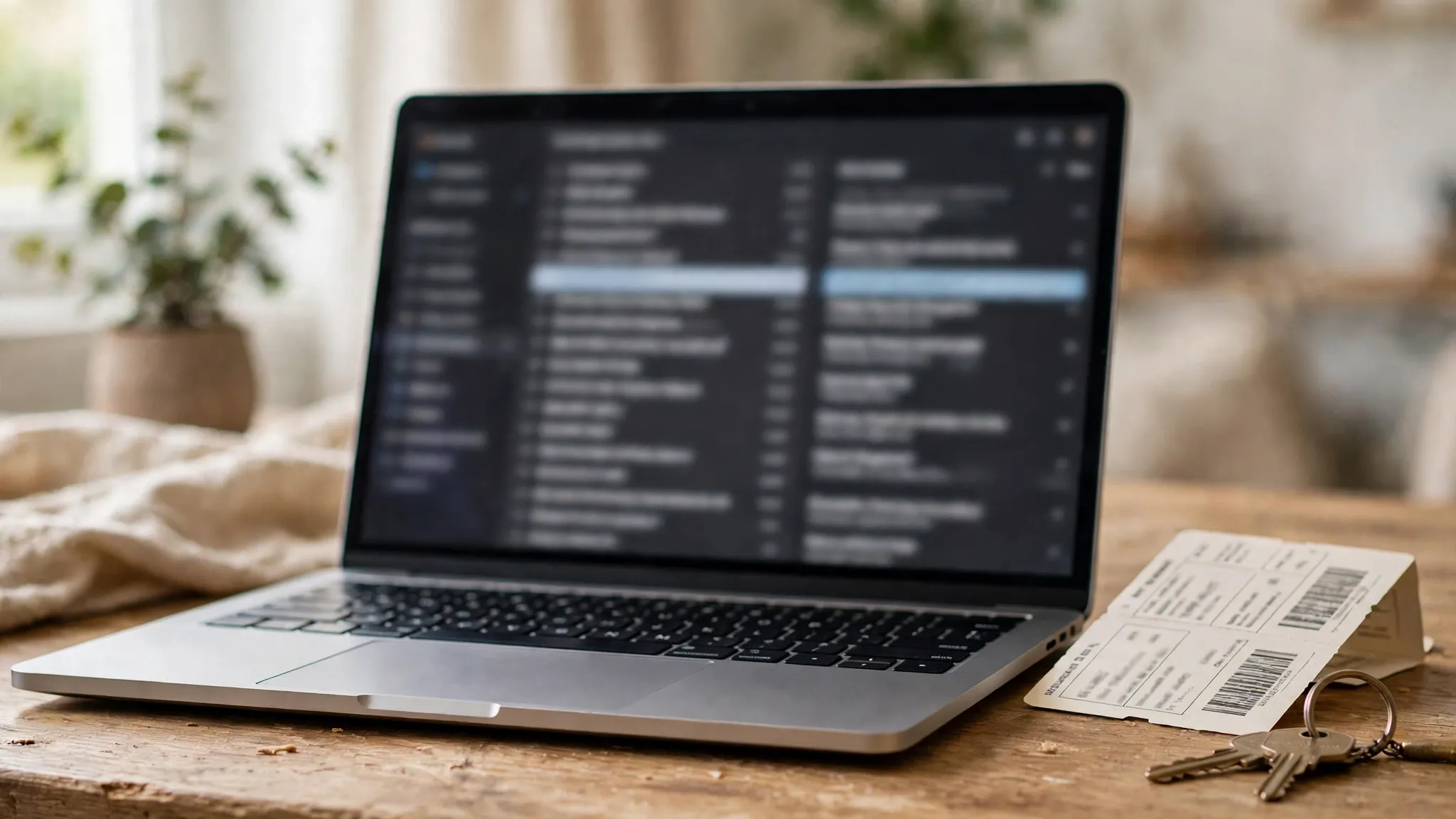
Think about the ordinary failure modes. The hotel emails you the week before arrival to say check-in moved to 3 PM and the front desk closes at 10 PM. You never see it. Your flight lands late, you arrive at 10:40 PM, and the door is locked with a phone number on it — a number you cannot call with the right booking details because those details were in the dead inbox. Or the property overbooks and Booking.com tries to rebook you. The rebooking offer goes to the email address on the reservation. A dead inbox means you find out about the problem at the front desk instead of a week earlier, when it could have been fixed with a phone call.
The same email holds the refund trail. If you cancel inside the free-cancellation window, the cancellation confirmation goes to that inbox. If a property charges a no-show fee you dispute, the evidence for your dispute is the email thread. And if you booked a room that charges immediately — the non-refundable kind — the receipt for a charge of several hundred dollars exists only in an inbox that deleted itself an hour after signup. Retail accounts have the same shape of problem: a Walmart account keeps your receipts and your 90-day return window in the inbox too, and a disposable address strands both.
Genius: the discount program that only exists inside a verified inbox
Booking.com's loyalty program is called Genius, and it is the clearest proof that the company expects your email address to be permanent. Creating a free account unlocks Genius Level 1 immediately, which brings 10% off select stays and 10% off select rental cars, plus flight price alerts. Level 2 needs five completed bookings within two years. Level 3 needs fifteen completed bookings within two years. Booking.com says it never demotes members, and that rewards at an unlocked level are kept for life. As of October 2026, the discounts apply at 850,000 participating properties worldwide.
Here is the catch that turns a temp email from a shortcut into a loss. Completed bookings only count toward Genius progress if the email address on the account is verified, and the progress is tracked per account, not per person. An account built on a disposable address earns nothing that survives: you cannot carry five bookings from a dead inbox into a real one, and you cannot merge the Genius level from a temp account into the account you actually use. The discounts are real money — 10% on a five-night stay is not a rounding error — and the program is designed so that the people who travel often enough to reach Level 2 and Level 3 are exactly the people who keep one account for years.
| Genius level | How you reach it | What it gives you |
|---|---|---|
| Level 1 | Create a free account | 10% off select stays and rental cars, flight price alerts |
| Level 2 | 5 completed bookings within 2 years | Bigger discounts on select stays, free breakfast at select properties, free room upgrade at select properties |
| Level 3 | 15 completed bookings within 2 years | Highest discounts on select stays, free breakfast and upgrades at more properties, priority support |
The table makes the trade-off concrete. A temp email buys you a Level 1 discount on one booking, once, and then the account is gone. A real email buys you a ladder that gets more valuable the more you travel. I would not trade a lifetime 10-to-20% discount on every hotel I book for the sake of hiding my address from a company that already has my card number.
The guest-booking version of the same trap
You do not technically need an account to book on Booking.com, and some travelers treat that as the answer: skip the account, book as a guest, give a temp email, done. This is the worst version of the idea, not the best one.
A guest booking has no dashboard at all. The confirmation email is the only record that the booking exists, the only place the confirmation number and PIN live, and the only way to manage or cancel it. With an account, at least the booking is listed under "My bookings" and you could recover access by resetting the password — if you still owned the email. As a guest, there is nothing to reset. The email dies, the booking becomes a rumor: a charge on your card for a room you cannot prove you booked, at a hotel that cannot verify you without the confirmation number.
The parallel with other travel bookings is worth noting. The same logic that makes a temp email a bad idea for an Airbnb stay applies here, only more so, because Airbnb at least ties the stay to a verified identity and a messaging thread inside the app. Booking.com's guest flow has no app thread to fall back on. Everything routes through the inbox, and the inbox is the one thing you threw away.
Five ways a dead inbox bites you on the trip itself
This is the part the signup guides never cover, because it happens weeks after signup, long after the "it worked!" feeling fades.
First, check-in changes. Properties change check-in windows, close early on Sundays, or move reception to a lockbox with a code sent by email. The code arrives in the inbox you no longer own, and you discover the lockbox has no code you know at midnight in a city you do not know.
Second, the pre-arrival message. Many properties message guests a few days before arrival to confirm the number of guests, ask about arrival time, or offer an airport transfer. No reply can mean the property flags the booking as uncertain, and in a busy season that flag has consequences.
Third, the cancellation window. Free cancellation is a property-by-property term, and the deadline is measured in days before check-in. The only reminder you get is the email. Miss the deadline because the reminder went to a dead inbox and the same room becomes non-refundable — the charge lands on your card, and your only evidence for a dispute is a confirmation email you cannot open.
Fourth, the no-show charge. Booking.com lets properties charge your card if you do not show up and do not cancel. If your flight is cancelled and you need to tell the property, the fastest channel is the message thread that notifies the dead inbox. You can still call the property, but without the confirmation number and PIN, the conversation starts with you proving you are the guest at all.
Fifth, the refund and the review. Refunds go to the card, not the inbox, so that part survives. But the refund confirmation, the receipt, and the link to review the stay all go to the email. And the review is worth something: your future hosts read it, and Booking.com's own system uses your history to resolve the next dispute in your favor. A disposable account has no history, so every dispute starts from zero.
Where a temp email works, and where it fails
Honesty cuts both ways, so here is the fair split. A temp email is genuinely useful in exactly one Booking.com scenario: browsing. If you want to create an account to compare Genius prices against the logged-out price, or to save a few properties to a list before deciding where to stay, a disposable address does the job and costs you nothing. The account holds no money, no booking, and no commitment. Throw it away and nothing is lost.
Everything else fails, and the table is blunt about it.
| Situation | Temp email works? | Why |
|---|---|---|
| Creating the account | Yes | Email plus password only, verification link arrives in minutes |
| Comparing Genius Level 1 prices | Yes, once | 10% off select stays shows immediately, but the account dies with the inbox |
| Receiving the booking confirmation | Only for an hour | Confirmation number and PIN live in that inbox and nowhere else |
| Managing or cancelling a booking | No | The manage link and cancellation confirmation go to the dead inbox |
| Building Genius Level 2 or 3 | No | Progress is per account and only counts with a verified, lasting email |
| Guest booking without an account | No | The confirmation email is the only record the booking exists |
| Disputing a charge or no-show fee | No | Your evidence is the email thread you can no longer open |
The pattern is the same one that shows up with concert tickets and money apps. The signup is the easy part everywhere — the hard part is always the thing that happens after the money moves. Ticketmaster needs your phone and your ticket transfer code later; a money app needs your ID and your real inbox when the transfer is questioned. Booking.com needs your inbox on the day you travel, which is the one day you cannot afford a surprise.
A better way to keep your main inbox out of it
The instinct behind the temp email is sound. Booking.com will send marketing email, and a travel booking puts your address on the list of a company that was fined €413 million by Spain's competition authority in July 2024 over its treatment of hotels — a company you may not want to trust with your primary inbox. The fix is not a disposable address. It is a permanent address that is not your main one.
Three options work. First, a dedicated travel email: a free Gmail or Outlook address used only for travel bookings, checked before every trip. It survives for years, it accumulates your Genius progress, and the marketing stays out of your main inbox. Second, an email alias or plus-address, such as yourname+booking@gmail.com, which routes to your real inbox but can be filtered into its own folder and muted after the trip. Third, a forwarding rule: keep the Booking.com address stable and forward its mail to your main inbox only while a trip is active, then turn forwarding off.
All three keep the one property a temp email cannot offer: the address still exists on the day you check in. That is the whole test. If the address will not exist on check-in day, do not put a booking on it.
Frequently asked questions
Can I sign up for Booking.com with a temp email?
Yes. Signup asks for an email address and a password of at least eight characters, and the verification email arrives in a temporary inbox without any problem. The account works immediately and unlocks Genius Level 1. The problem is not signup. It is everything that happens after signup, because the confirmation number, the PIN, and the manage-booking link all live in that inbox.
Does Booking.com block disposable email addresses?
We found no evidence of a disposable-domain block at signup in November 2026 — the verification mail arrives normally. That is a contrast with banks and payment apps, which actively reject temp domains. Do not mistake the open door for approval. Booking.com leaves signup open because the email matters later, when the booking, the money, and the Genius progress all depend on it.
Can I book on Booking.com without creating an account?
Yes, guest booking is possible, and it is the riskiest way to use a temp email. With no account, the confirmation email is the only record of the booking. If the inbox expires, there is no dashboard, no password reset, and no way to recover the confirmation number and PIN. A guest booking on a disposable address is a booking you cannot prove you made.
What happens to my Genius discounts if the inbox expires?
They die with the account. Genius progress is tracked per account, only counts completed bookings made with a verified email, and cannot be transferred or merged into another account. Level 1's 10% discount applies to the booking you made, but Levels 2 and 3 — five and fifteen completed bookings within two years — require an account that lasts years, not an hour.
Can I change the email address on my Booking.com account later?
You can change the email on an existing account from the account settings, but the change itself is confirmed by sending a verification message to the new address — and in practice the account is anchored to the address the bookings were made under. The safe move is to sign up with an address you intend to keep from the start, not to plan a rescue later. A dedicated travel email costs nothing and avoids the whole question.
Is it safe to use my real email for Booking.com?
Yes, with one habit: use a dedicated travel address rather than your primary inbox, and turn on a filter that files Booking.com marketing into its own folder. The company is a legitimate, regulated travel platform with more than 28 million listings, and the real risk is not the company having your email — it is losing the booking because the email you gave it stopped existing.
The verdict
A temp email passes the Booking.com signup form and fails the trip. The signup is the only step where a disposable address is enough, and it is the least important step in the whole process. The confirmation number, the PIN, the cancellation link, the property messages, the Genius progress, and the dispute evidence all live in the inbox, and all of them are needed days or weeks after the inbox deletes itself.
Use a temp email to compare prices if you like. Book with an address that will still exist on check-in day. A free travel-only email gives you the same spam protection as a disposable one, plus a Genius ladder that pays you back on every stay after the first. That is the better trade, and it is not close.
Need a disposable temporary email?
Protect your real inbox from spam and promotional clutter instantly and free.
Received a suspicious email, text, or charge alert?
Verify whether the sender domain is disposable, spoofed, or unverified before clicking links.