
Temp Email for Wise Signup: The Form Lets You In — Then Your Phone, Your ID, and Your Money All Ask for the Real Inbox
Type an email address into the Wise signup form and nothing dramatic happens. The form accepts it, the page moves on, and for about thirty seconds it feels like the disposable-inbox trick worked again. That feeling is the trap. Wise is not a newsletter signup or a free trial with a password reset link attached. It is a regulated money mover that handled £145.2 billion in cross-border volume for 15.6 million active customers in its financial year ending March 2025, and every part of that operation is built around knowing exactly who you are. The email field is the shallow end. The phone number, the ID check, and the money trail are where a temporary address stops being clever and starts being a liability.
This is the honest version of the Wise signup story: what a temp email actually gets you, where the plan breaks, and the three narrow situations where it still makes sense.
Wise Is Not a Signup Form. It Is a Regulated Money Mover.
Wise started in 2011 as TransferWise, founded by two Estonians who were tired of banks quietly marking up exchange rates, and rebranded to Wise in 2021. The pitch that built the company is simple and genuinely good: you get the mid-market exchange rate, the fee is shown upfront, and the money moves fast. Behind that pitch sits a compliance machine. In the UK, Wise operates as a regulated electronic money institution. In the United States, it holds money transmitter licences state by state. It holds more than 70 licences globally, supports transfers to more than 160 countries, and lets account holders keep balances in more than 40 currencies.
That regulatory footprint is the whole story for anyone thinking about a disposable email. A service that moves money across borders has to answer to anti-money-laundering and know-your-customer rules in every country it operates in. It cannot let anonymous accounts send money, and it cannot let an account exist with no reliable way to reach its owner. The email address you register is not a marketing preference. It is one of the contact points Wise is required to maintain, and it is where verification results, transfer confirmations, security alerts, and dispute notices land.
PayPal plays by the same rulebook, and the comparison is useful because it shows the pattern across the whole category. A payment account is not a streaming login. The signup form is the least guarded door in the building, and getting through it proves almost nothing about whether the account will survive contact with real money.
Gate One: The Email Field
The first gate is the only one a temp email clears cleanly. Wise asks for an email address, a password, and your personal details: full legal name, date of birth, address, and phone number. Paste a disposable address into the email field and the form will almost certainly accept it. Wise publishes no list of banned disposable domains, and unlike some platforms it does not appear to reject throwaway addresses at the form itself.
That is where the good news ends. The confirmation email Wise sends is not a formality you can skip. Wise verifies the address by email, and the result of the later identity review also arrives by email, usually within one to two working days. A temporary inbox that lives for an hour can catch the first message. It cannot catch a verification decision that lands the next day, a security notice that lands next month, or a transfer receipt that lands every time you move money.
There is also a quieter problem. Wise ties the email address to the account as its primary identifier. Changing it later is possible while you are logged in, but every change is itself a security event: Wise wants to be sure the person changing the contact details is the account holder, and the checks it runs at that moment are the same checks a disposable address was supposed to help you avoid. Banks and payment apps block disposable domains for exactly this reason — not because they dislike privacy, but because an account with no reachable owner is an account they cannot secure, freeze, or return money to.
So the honest score for gate one is: the temp email works, and it buys you nothing that matters. It gets you past a field that was never the obstacle.
Gate Two: The Phone Number
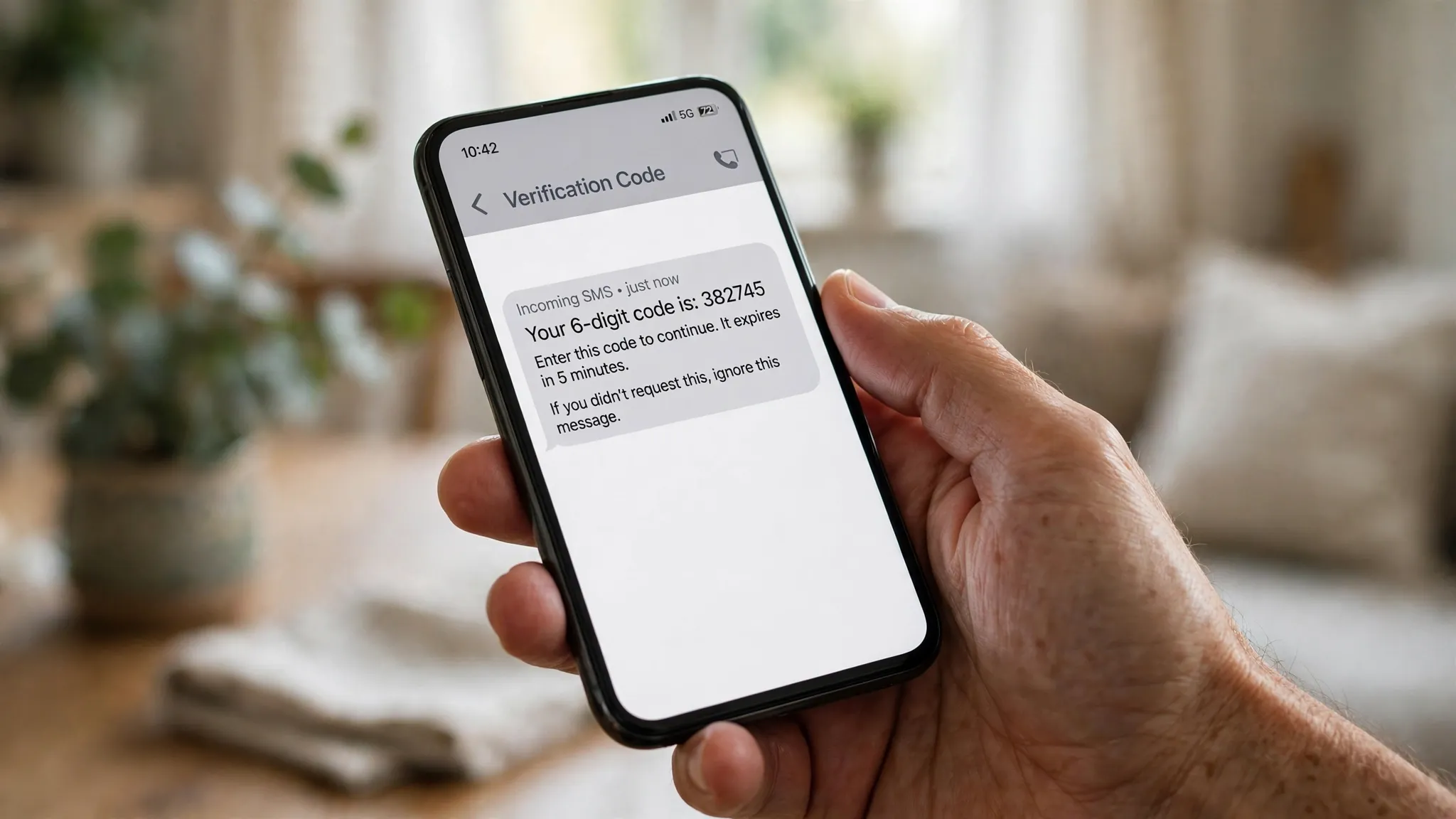
Gate two is where most temp-email plans for Wise actually die, and it has nothing to do with email at all. Wise asks for a personal mobile number during signup and sends a one-time code by SMS. That number is not optional decoration. It is a core part of how Wise verifies identity, secures logins, and approves sensitive actions like linking a bank account or changing security settings. Wise's own help resources stress using a personal mobile number, and verification services report that virtual, VoIP, and disposable numbers are routinely rejected or flagged during signup.
This is the part people miss when they plan the whole signup around an email address. You can solve the inbox problem perfectly and still be stuck at the phone screen, because no email — temporary or permanent — can receive an SMS code. The phone number also becomes the second factor for the life of the account. Lose the number and you lose the recovery path for the account, in the same way losing the email loses the paper trail.
Zelle runs the same playbook from the opposite direction: there, the phone number or email is the account itself, and the money follows the identifier. Wise is stricter, not looser, because it moves money across borders instead of between two domestic bank accounts. If your plan for Wise involves a rented virtual number on top of a disposable email, you are stacking two identifiers Wise is specifically built to distrust, and the likely outcome is a failed verification, a flagged account, or a limit placed on the account the first time you try to move a meaningful amount.
Gate Three: The ID and the Address
Even if the email passes and the phone passes, gate three is waiting, and it is the one no disposable tool can touch. Wise verifies identity with a photo of a government-issued ID — a passport, a national ID card, or a driving licence — plus proof of address, usually a utility bill or a bank statement issued within the last three months. In some cases it also asks for a photo of you holding your ID. Wise says the review usually takes one to two working days, and the result arrives by email.
Read that again: the result arrives by email. The verification decision for the most sensitive step in the whole signup lands in the inbox you were planning to throw away. If the inbox is gone when Wise writes back asking for a clearer photo or a different document, the account sits unverified, and an unverified Wise account cannot move money. For larger transfers, Wise can also ask about the source of the funds — the "source of wealth" step that shows up in its verification dashboard — which is another round of documents and another round of email.
None of this is Wise being difficult. It is the legal minimum for a company moving £145 billion a year across borders. Cash App asks for the same identity documents before it raises your limits, and the reason is identical: the moment a service touches real money, the law requires it to know who is holding the account. A temporary email is a privacy tool for the inbox. It was never a substitute for an identity, and Wise is the wrong place to test whether it can become one.
What Your Wise Email Carries Once Money Moves
Suppose the signup works. Suppose the phone verifies, the ID clears, and you send your first transfer. From that moment, the email address stops being a signup detail and becomes the paper trail for your money. Here is what actually lands in it:
Transfer confirmations with the exact amount, rate, fee, and delivery estimate for every transfer you send. Receipts for money received. Rate alerts if you set them. Security notices when a new device signs in or a setting changes. Card delivery and activation messages if you order the Wise debit card. Dispute and refund correspondence if anything goes wrong with a transfer. And the verification result for every future check Wise runs on the account.
A Wise account that holds balances in more than 40 currencies can quietly accumulate years of financial history, and every piece of that history is referenced against the email on file. Lose the inbox and you lose the ability to prove what you sent, when you sent it, and what rate you got — the exact records you need if a transfer is delayed, a recipient claims non-payment, or Wise asks you to confirm a transaction. The company holds more than £21.5 billion of customer money across its accounts. It is not going to hand that money back based on a phone call from someone who cannot access the email on the account.

The Three Situations Where a Temp Email Still Makes Sense
A temp email is the wrong tool for a real Wise account. It is the right tool for three narrow situations, and the difference between them is whether any money moves.
| Situation | Temp email? | Why |
|---|---|---|
| Checking Wise's rates and fees before committing | Yes | No account, no money, no verification — just reading prices |
| Testing the signup flow to see what it asks for | Yes, briefly | You learn the steps, then abandon the account before funding it |
| A real Wise account you will send money with | No | Phone, ID, and the money trail all need a reachable inbox |
The first situation is the most common legitimate use, and it barely involves Wise at all: you want to see what a transfer costs without handing your main inbox to another marketing list. A disposable address works for a newsletter signup or a rate-alert subscription, because nothing about that relationship depends on the address surviving.
The second situation is a reconnaissance run. You want to know what Wise asks for before you commit your real details. A temp email lets you walk the form, see the phone and ID steps, and close the tab. That is a reasonable use of a throwaway inbox, as long as you never fund the account or send money from it.
The third situation is the one this whole post is warning about. The moment money moves, the account needs a permanent inbox — your own email, or at minimum a permanent alias you control and can access for years. There are places a temp email should never go, and a money-transfer account sits at the top of that list, next to your bank and your tax records.
The Swap: Moving a Wise Account Onto a Real Inbox Before Money Moves
If you already started a Wise signup with a disposable address and the account is still empty, fix it now, while the fix is cheap. Log in, go to your profile settings, and change the email to a permanent address you control. Do it before the first transfer, before the debit card is ordered, and before the identity review returns its result. An email change on an empty, unverified account is a settings update. An email change on a funded account with transfer history is a security event, and Wise will quite reasonably want to be sure you are who you claim to be.
The order matters more than the action. Swap the email first, confirm the new address, then verify the phone, then upload the ID, then send money. Every step after the swap inherits the permanent inbox, so the verification result, the receipts, and the security notices all land somewhere you can still open next year. If the disposable inbox has already expired and you are locked out of the account, the only route back is Wise support, and support will ask you to prove ownership of an account whose contact details you deliberately threw away. Do not put yourself in that conversation over a transfer that has not happened yet.
The Verdict
Wise is the clearest example in this whole series of a service where the temp email works at the form and fails at the account. The signup accepts a disposable address. The phone check, the ID check, and the money trail do not. A company that moved £145.2 billion for 15.6 million people in a single year is not going to let an account with no reachable owner move money across borders, and it should not.
Use a temp email to read Wise's prices, test the signup flow, or keep marketing mail out of your main inbox. Use your real email for the Wise account itself. The cost of a permanent inbox is zero. The cost of losing the email tied to money you already sent is the money, the transfer history, and the account — and none of those come back because you were careful about privacy at the wrong step.
FAQ
Can I sign up for Wise with a temp email?
The signup form will usually accept a disposable address, because Wise publishes no rule against it at the form. But the account still needs a real mobile number for SMS verification and a government ID plus proof of address for identity checks, and the verification result arrives by email. A temp email gets you through the first field and leaves you exposed at every step after it.
Does Wise accept disposable email domains?
Wise does not publish a list of blocked disposable domains, and reports from users suggest the form accepts most addresses. That is not the same as approval. Acceptance at the form says nothing about whether the account will stay usable, and Wise can limit or close an account it cannot contact. Treat form acceptance as a technical detail, not a green light.
Can I verify Wise with a virtual phone number?
Almost certainly not. Wise asks for a personal mobile number and sends the verification code by SMS. Virtual, VoIP, and disposable numbers are widely reported as rejected or flagged during Wise signup, and Wise's own guidance stresses using a number tied to your identity. The phone number is also your second factor for the life of the account, so a number you rent for a day is a recovery problem waiting to happen.
What happens if I lose access to the email on my Wise account?
You lose the paper trail for your money: transfer confirmations, receipts, rate alerts, security notices, and the verification result for any future check. You can still log in with your password, but password resets, security confirmations, and dispute correspondence all go to the registered email. If you cannot access it, recovery runs through Wise support and an identity check, which is slow and not guaranteed.
Can I change the email on my Wise account later?
Yes, while you are logged in, from your profile settings. Do it before the first transfer, while the account is still empty, so the change is a simple settings update. Changing the email on a funded account with transfer history is a security event and will trigger additional checks. Swap first, verify second, send money third.
Is it safe to use a temp email for Wise at all?
It is safe for the things that involve no money: reading rates, signing up for marketing mail, or testing the signup flow. It is not safe for a real Wise account that sends or receives money. Match the permanence of the email to the permanence of the account, and a money-transfer account is about as permanent as an online account gets.
Need a disposable temporary email?
Protect your real inbox from spam and promotional clutter instantly and free.
Received a suspicious email, text, or charge alert?
Verify whether the sender domain is disposable, spoofed, or unverified before clicking links.