

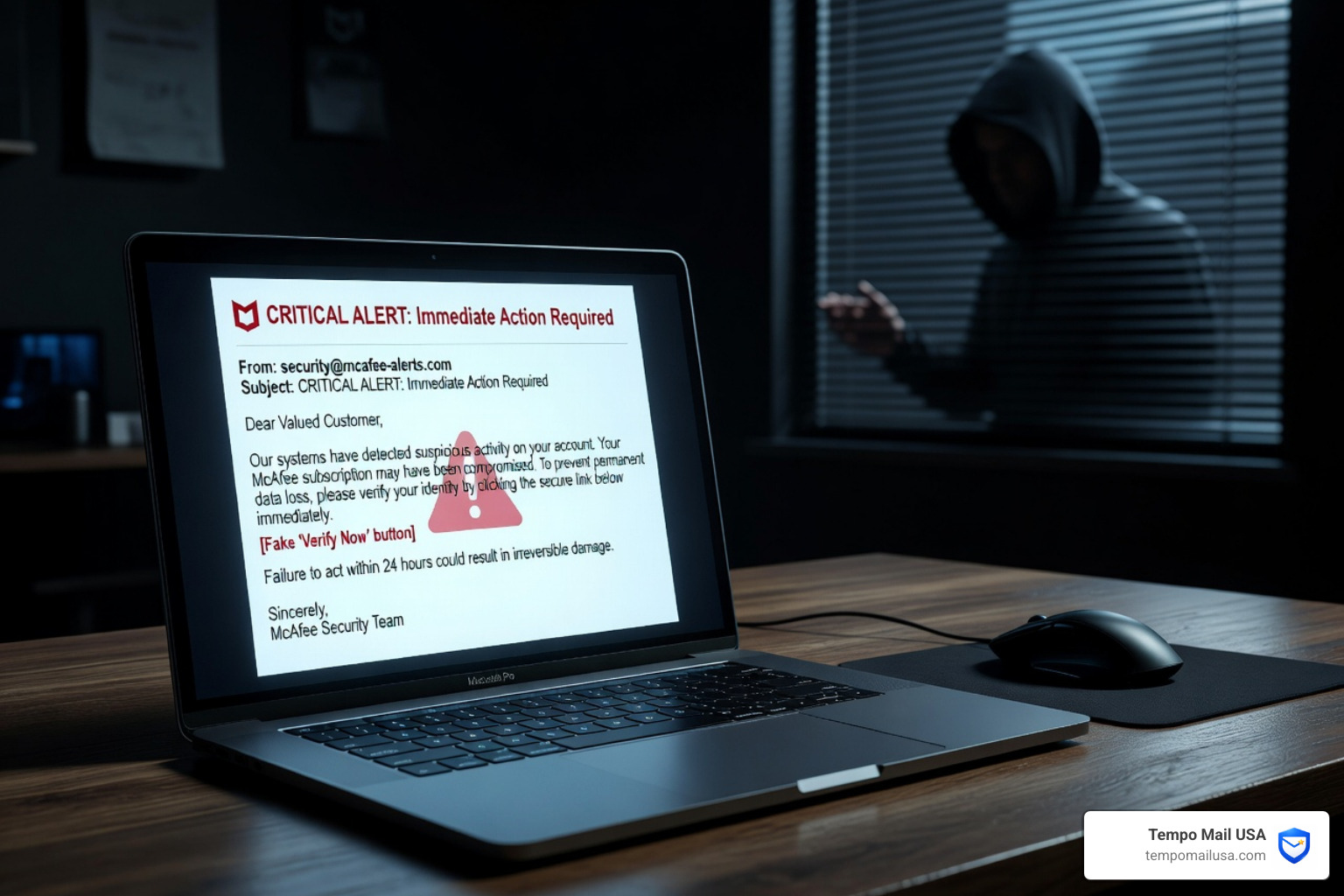

Common Types of McAfee Scam Emails
The world of cybercrime moves fast, and by May 2026, scammers have refined their "scripts" to target almost every psychological trigger possible. While the branding looks official, the core of a mcafee scam email usually falls into one of these specific categories:
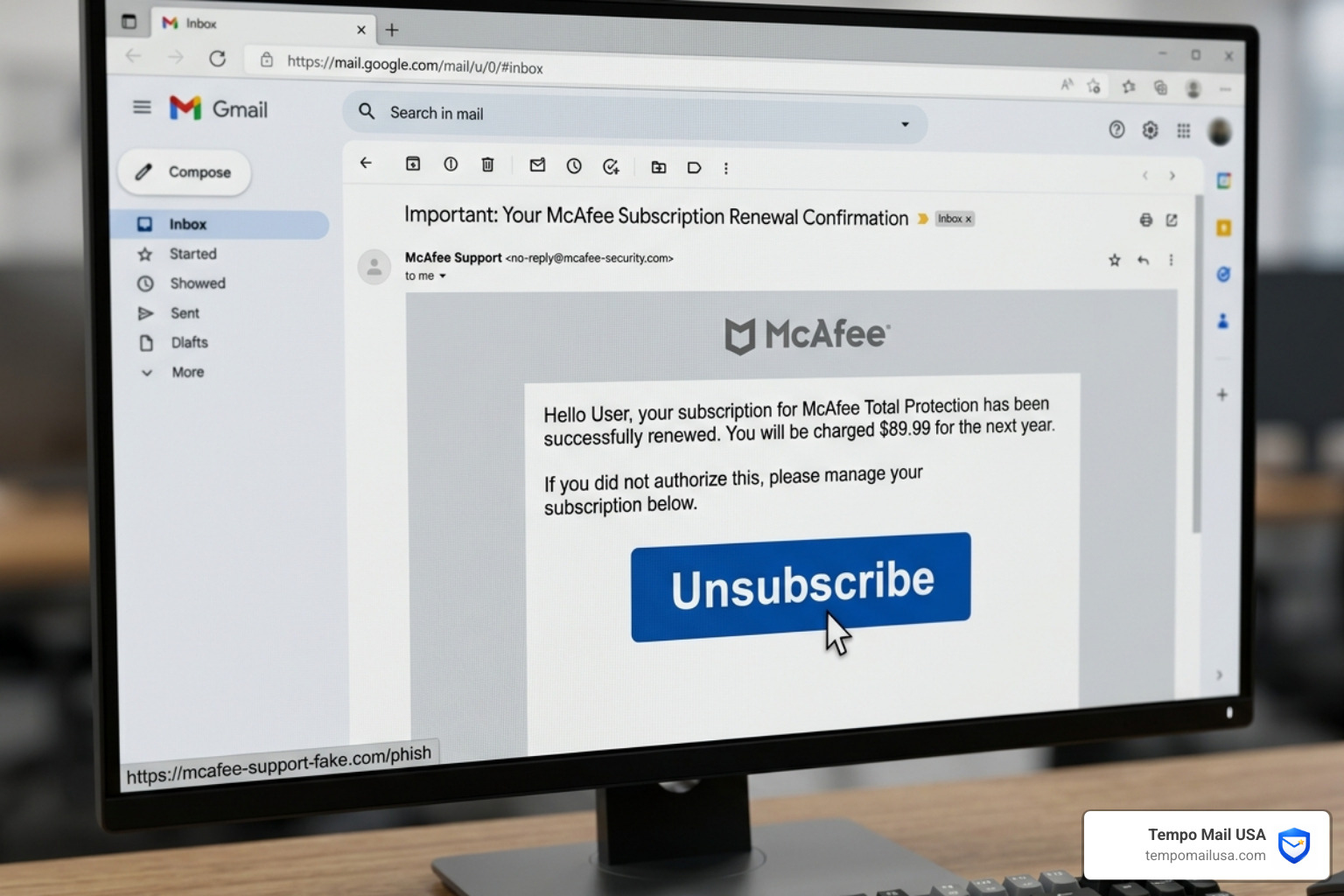
- Fake Subscription Renewals: This is the most common variant. You receive an email stating your "McAfee Total Protection" has been successfully renewed for a high amount, typically between $399.99 and $599.99. The goal is to make you panic about the unauthorized charge so you call the "support number" to cancel it.
- The "Cancellation Request" Trap: In this version, the email claims you requested to cancel your service. If you didn't, it prompts you to click a link or call to "dispute" the request. McAfee “Cancellation Request” Email Scam: What You Need To Know explains that these are often used to harvest login credentials.
- Shipment Notifications: You might get a message saying your "McAfee Hardware Security Key" or a physical software package is on its way. Since you didn't order anything, you’re tempted to click the "Track Order" link, which actually leads to a malware-infected site.
- Refund Fraud: Scammers may send an email claiming you are "eligible for a refund" due to an overcharge or a service outage. To claim the refund, they'll ask you to provide bank details or grant remote access to your computer.
- Urgent Account Expiration: These emails use high-pressure language, claiming your protection expired "today" and your device is currently "vulnerable to 143 viruses." This is similar to the Apple Security Alert Scam where fake urgency is used to bypass critical thinking.
Legitimate vs. Fake McAfee Communications
| Feature | Legitimate McAfee Email | Fake McAfee Scam Email |
|---|---|---|
| Sender Address | Ends strictly in @mcafee.com | Ends in @gmail.com, @outlook.com, or weird domains like @mcafee-support-online.net |
| Greeting | Often uses your actual name | "Dear Customer," "Dear User," or your email address |
| Payment Method | Handled through your secure account | Requests gift cards, wire transfers, or crypto |
| Call to Action | Directs you to log in at mcafee.com | Demands you call a phone number provided in the email |
| Tone | Professional and informative | Urgent, threatening, or full of typos |
How to Identify a Fake McAfee Scam Email
Recognizing a mcafee scam email requires a "detective's eye." Scammers are great at copying logos, but they struggle with the technical infrastructure of a real corporation.

According to How to Recognize McAfee Scam Emails & Fake Popups, the company will never ask you to confirm sensitive data like your Social Security number or credit card details via an email link. We always recommend following the core principles found in our guide on How to Spot Phishing Emails to stay safe.
Verifying the Sender of a McAfee scam email
The first thing we check is the "From" field. Don't just look at the name (which might say "McAfee Support"); look at the actual email address behind it.
- Official Domains: Real emails from McAfee only come from domains like
@mcafee.comor@mail.mcafee.com. - Legitimate Contact Points: Other valid addresses include
consumersupport@mcafee.comanddonotreply@authentication.mcafee.com. - Spoofed Addresses: Scammers use "look-alike" domains. For example,
support@mcafee-security-center.comlooks official but is entirely fake. If the domain is long, hyphenated, or ends in.xyzor.info, hit delete immediately.
Spotting Red Flags in a McAfee scam email
Beyond the sender, look for these common "tells":
- Grammar and Spelling Errors: While getting better, many scam emails still contain odd phrasing like "Your PC is at high risks" or "Kindly call us for revert your payment."
- Suspicious Links: Hover your mouse over any button (like "Unsubscribe" or "Renew Now") without clicking. Look at the bottom corner of your browser to see the actual URL. If it doesn't lead to
mcafee.com, it's a trap. - High-Pressure Tactics: Phrases like "Immediate Action Required," "Account Suspended in 24 Hours," or "Legal Action Pending" are classic hallmarks of a scam.
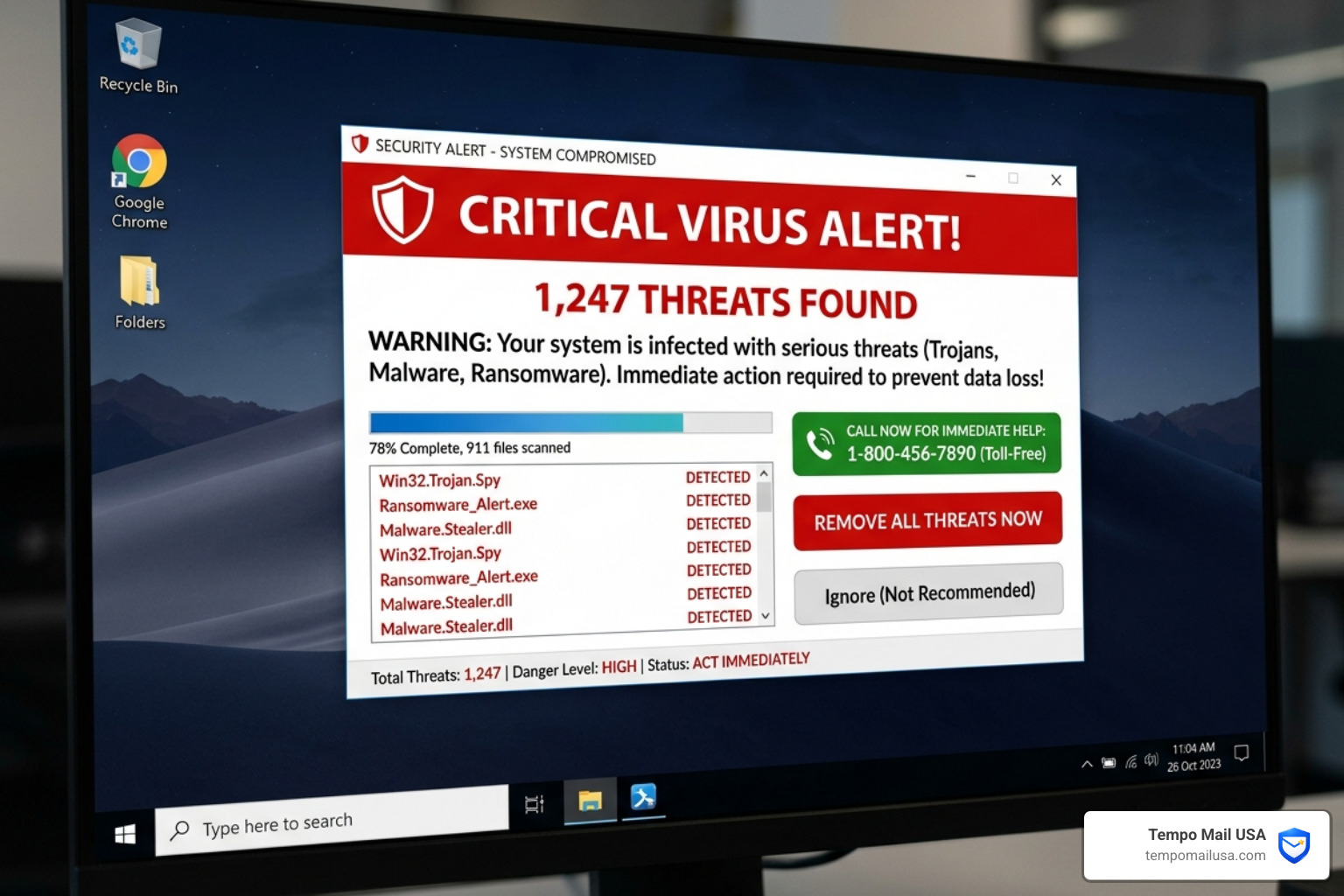
- Demand for Phone Contact: Legitimate tech companies prefer you use their official support portals. If an email insists that you must call a random 1-800 number to stop a charge, be extremely wary.
The Anatomy of a Tech Support Scam
If you do make the mistake of calling the number in a mcafee scam email, you enter the "Tech Support Scam." This is a highly organized criminal enterprise, often operating out of overseas call centers.
As The Payment For McAfee Subscription Email Scam Explained details, the process usually follows this script:
- The Hook: You call to cancel a $499 invoice. The "agent" (scammer) acts helpful and says they need to "verify your system" to process the refund.
- Remote Access: They ask you to download a tool like AnyDesk, TeamViewer, or LogMeIn. Once you give them the code, they have total control over your computer.
- Fake Diagnostics: They open a black command prompt window and run harmless commands that look scary. They might point to "System Errors" and claim your computer is infested with hackers.
- The Extortion: They offer to "clean" your computer for an additional fee or claim they "accidentally" refunded you $4,000 instead of $400. They then beg or threaten you to send the "extra" money back via gift cards (Apple, Google Play, or Target) or wire transfers.
The scale of this is massive. With a $56 million loss statistic and an average individual loss of $1,200, these criminals are highly motivated. They rely on the fact that many users don't have a "PII firewall" or an identity proxy to protect their real information.
Immediate Steps to Take if You’ve Been Scammed
If you’ve already interacted with a mcafee scam email or, worse, allowed someone onto your computer, don't panic. Panic leads to more mistakes. Follow this recovery checklist:
- Disconnect the Internet: Immediately turn off your Wi-Fi or unplug your Ethernet cable. This cuts the scammer's connection to your machine.
- Uninstall Remote Software: Go to your applications or control panel and remove AnyDesk, TeamViewer, or any other software the scammer had you install.
- Change Your Passwords: From a different, clean device, change the passwords for your email, bank accounts, and McAfee account. Enable Two-Factor Authentication (2FA) everywhere.
- Contact Your Bank: If you provided credit card info or bank details, call your financial institution's fraud department immediately. They can freeze your cards and potentially reverse charges.
- Report the Incident: Follow our guide on How to Report Phishing Emails in 5 Easy Steps. You should also report the scam to the FTC (ReportFraud.ftc.gov) and the FBI's IC3 (ic3.gov).
- Run a Malware Scan: Use a legitimate, trusted antivirus tool (one you've downloaded from an official site) to scan for keyloggers or backdoors left behind by the scammer.
Choosing the Best Protection: Antivirus vs. VPN vs. Identity Monitoring
In 2026, a single layer of security isn't enough. To stay safe from the next mcafee scam email, we recommend a "Layered Defense" strategy.
1. Advanced Security Software
The best antivirus software today does more than scan files; it offers "web protection" that blocks known phishing sites before you can even click on them. Keeping your software updated is non-negotiable.
2. Advanced VPN Protection
Using a service like NordVPN helps encrypt your traffic and can often mask your IP address from malicious scripts. Many modern VPNs also include "Threat Protection" features that block trackers and malicious ads often used in these scams.
3. Identity Theft Protection
Identity monitoring services alert you if your email address or Social Security number appears on the dark web. This is often how scammers get your email in the first place — through old data breaches.
4. Identity Proxying (The PII Firewall)
The smartest way to avoid these scams is to never give out your real email address to "untrusted" or "secondary" services. This is where Tempo Mail USA comes in. By using a temporary email alias, you create a "PII Firewall." If that alias starts receiving mcafee scam emails, you can simply delete the alias. Your real inbox stays clean, and the scammers lose their "hook" into your digital life.
Frequently Asked Questions about McAfee Scam Emails
Why did I receive a McAfee email if I don't have a subscription?
Scammers buy lists of email addresses from data breaches. They send these emails to everyone, assuming that out of 1,000 people, at least 100 might actually have a McAfee subscription and get fooled. If you don't have an account, it’s a 100% confirmation that the email is a scam.
Can opening a McAfee scam email infect my computer?
Simply opening and reading an email is usually safe. The danger comes when you click a link, download an attachment, or enable "images" (which can let the scammer know your email is active). As long as you don't interact with the content, you are generally safe.
How do I report a fake McAfee email to the real company?
McAfee wants to know about these. You can forward the suspicious email to scam@mcafee.com. Don't expect a personal reply, but providing the data helps them take down the malicious domains being used.
Conclusion
Vigilance is your best weapon against the mcafee scam email. By understanding that these criminals rely on panic and manufactured urgency, you can take the power back. Always verify the sender, never call numbers from an invoice, and never, ever grant remote access to your computer to someone who called or emailed you unsolicited.
Maintaining good digital hygiene is a lifelong habit. By using tools like NordVPN for secure browsing and Tempo Mail USA as your "PII Firewall," you can shield your personal identity from the automated bots and scammers that roam the web in 2026.
Ready to secure your inbox? Use Tempo Mail USA to stop spam and phishing before it even starts. Stay safe out there!