


Anatomy of the McAfee Renewal Scam / Geek Squad Scam
To protect ourselves, we first need to understand the beast we are fighting. While the names on the "invoice" change, the skeleton of the McAfee Renewal Scam / Geek Squad Scam remains remarkably consistent. These are not just random emails; they are part of a massive, coordinated criminal enterprise.
The sheer scale is staggering. Research indicates that over 12,000 people per month fall prey to these specific subscription renewal traps. This isn't just a nuisance; it has resulted in estimated losses exceeding $72 million so far. These scammers aren't hackers in hoodies breaking into your mainframe; they are social engineers using psychological triggers—specifically fear and urgency—to get you to open the door for them.
Comparing the Tactics
While both scams aim for your wallet, they use slightly different "hooks" to get you on the line.
| Feature | Geek Squad Scam | McAfee Renewal Scam |
|---|---|---|
| Impersonated Brand | Best Buy / Geek Squad | McAfee Antivirus |
| Common Price Point | $350 – $499.99 | $395.99 – $460.11 |
| Primary Bait | Technical support membership | Antivirus protection/Security upgrade |
| Urgency Factor | "Charged within 24 hours" | "Subscription expired/Auto-renewing" |
| Delivery Method | Email with PDF or Text Message | Phishing Email (often from Gmail) |
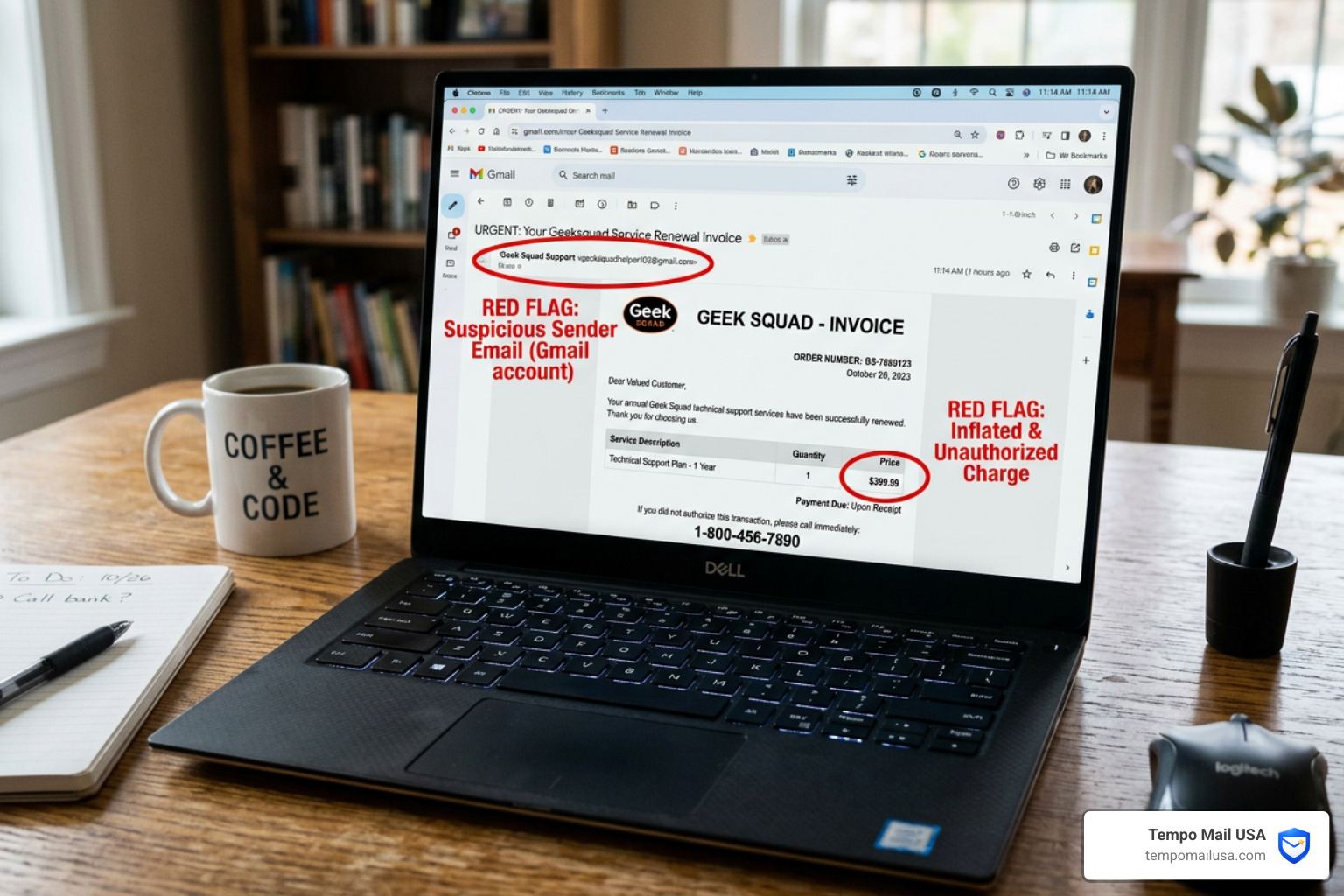
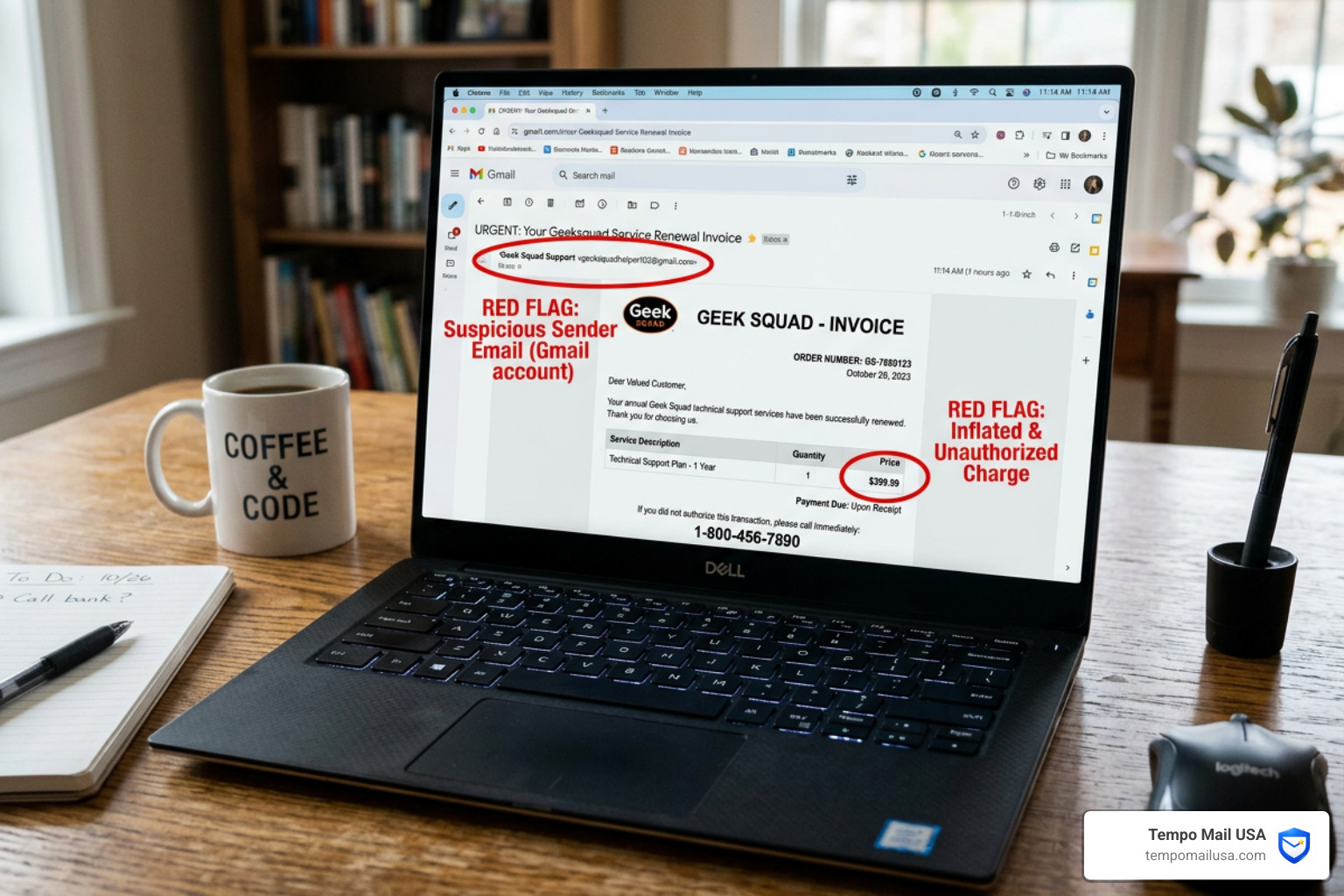
The most important thing to remember is that these companies do not send billing notices from generic Gmail or Outlook addresses. If you receive a "professional" invoice from geeksquadhelper102@gmail.com, it is a 100% certainty that you are looking at a scam. For more details on these specific red flags, you can learn how to recognize a fake Geek Squad renewal scam via official consumer alerts.
How the Geek Squad Scam Works
The Geek Squad variant often begins with a sense of "accidental" billing. You receive an email or a text message claiming that your annual "Geek Care" or "Tech Service" plan has been successfully renewed. The scammers usually pick a high number—often between $350 and $500—to ensure you feel a "jolt" of financial panic.
The email will include a fake invoice number and a prominent "Customer Support" phone number. They emphasize a 24-hour deadline to cancel the transaction. We’ve seen that identifying-geek-squad-subscription-scams often comes down to this artificial pressure. They want you to call them before you have time to log into your actual Best Buy account or check your credit card statement.
Understanding the McAfee Renewal Scam Mechanics
The McAfee version of this scam often plays on your desire for security. You might get an email stating your "McAfee Total Protection" has expired and your account has been automatically upgraded to a "Premium Business Plan" for a whopping $460.11.
These emails frequently use fake receipt IDs and professional-looking logos to mimic legitimacy. However, a closer look at the sender often reveals a random string of characters or a personal Gmail account. The scammers bank on the fact that many people do use antivirus software, so the email feels plausible. Even if you don't use McAfee, they hope you’ll call to "correct the error," which is exactly when the real trap is sprung.
Red Flags: How to Spot a Fake Renewal Email
Scammers are getting better at graphic design, but they are still prone to sloppy mistakes. We can train our eyes to spot these "tells" before we ever click a link.
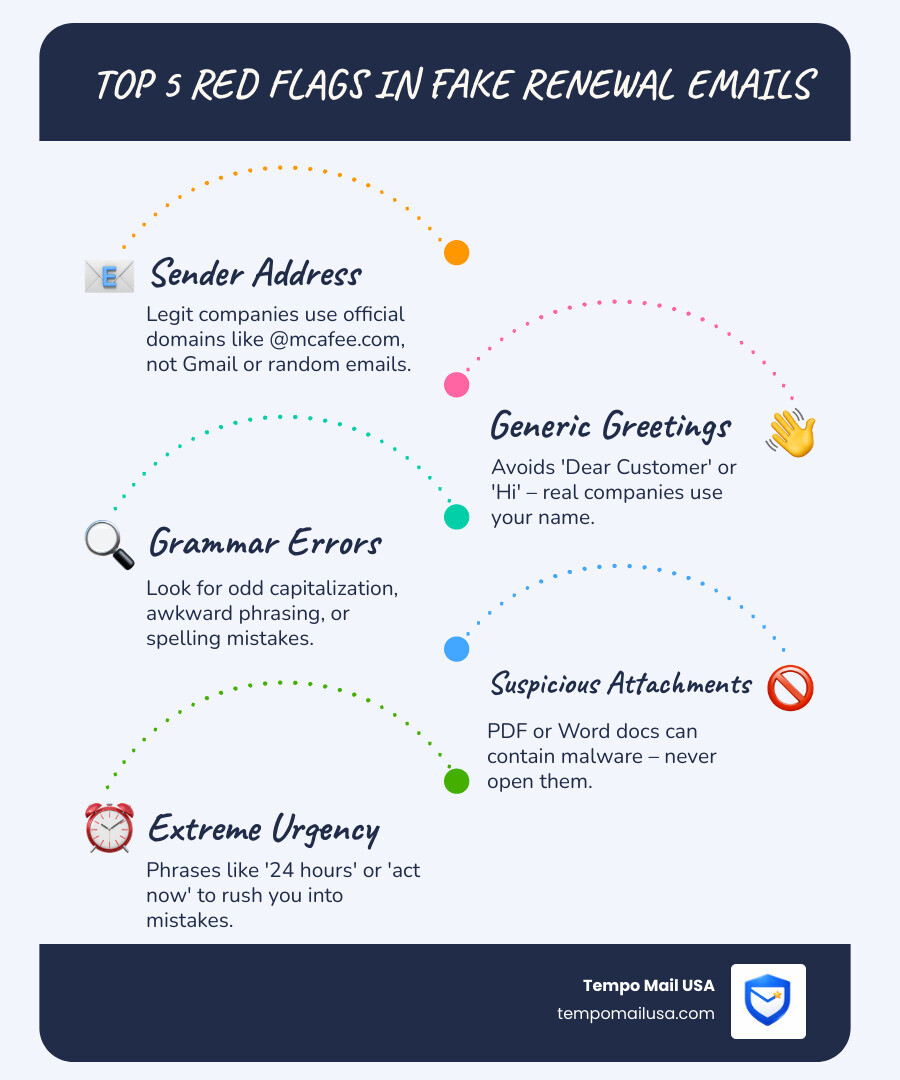
- The Sender's Address: This is the "smoking gun." A legitimate email from McAfee will come from an
@mcafee.comdomain. A scammer will usebilling-department-mcafee@gmail.comor something even more obscure. - Generic Greetings: If the email starts with "Dear Customer," "Dear Member," or just "Hi," be wary. Companies you pay hundreds of dollars to usually know your name.
- Grammar and Spelling: Professional corporations have editors. Scammers often don't. Look for odd capitalization (e.g., "Your Subscription is about to be Debited") or awkward phrasing.
- The "Invoice" as an Attachment: If the email asks you to open a PDF or Word doc to see your invoice, don't. These attachments can contain malware that infects your computer the moment they are opened.
- Extreme Urgency: Phrases like "Act now to avoid legal action" or "You have 24 hours to refund" are classic pressure tactics designed to bypass your logical thinking.
The best way to verify any charge is to go to the source. If you think you have a Geek Squad plan, go to BestBuy.com manually (don't click the email link!), log in, and check your "Services" or "Order History." If the charge isn't there, the email is a lie.
The Dangers of Remote Access and Fake Refunds
This is where the McAfee Renewal Scam / Geek Squad Scam turns from a simple phishing attempt into a full-blown security crisis. If you call the number in the email, a "technician" (the scammer) will answer. They will act helpful and "apologize" for the accidental charge.
To "process the refund," they will tell you they need to connect to your computer to "secure the connection" or "verify the transaction." They will ask you to download remote desktop software like AnyDesk, TeamViewer, or Zoho.
Once you give them remote access, the scammer can:
- Install Spyware: They can plant programs that record every keystroke you make, including your bank passwords.
- Steal Files: They can browse your "Documents" folder for tax returns, ID photos, and sensitive info.
- The "Overpayment" Trick: This is their favorite move. They will ask you to log into your bank while they have access. They will then "black out" your screen and use browser tools to make it look like they accidentally deposited $40,000 instead of $400.
- The Demand for Repayment: They will act panicked, claiming they will lose their job if you don't return the "extra" money. They will then demand you send the difference via wire transfer, Bitcoin, or—most commonly—gift cards.
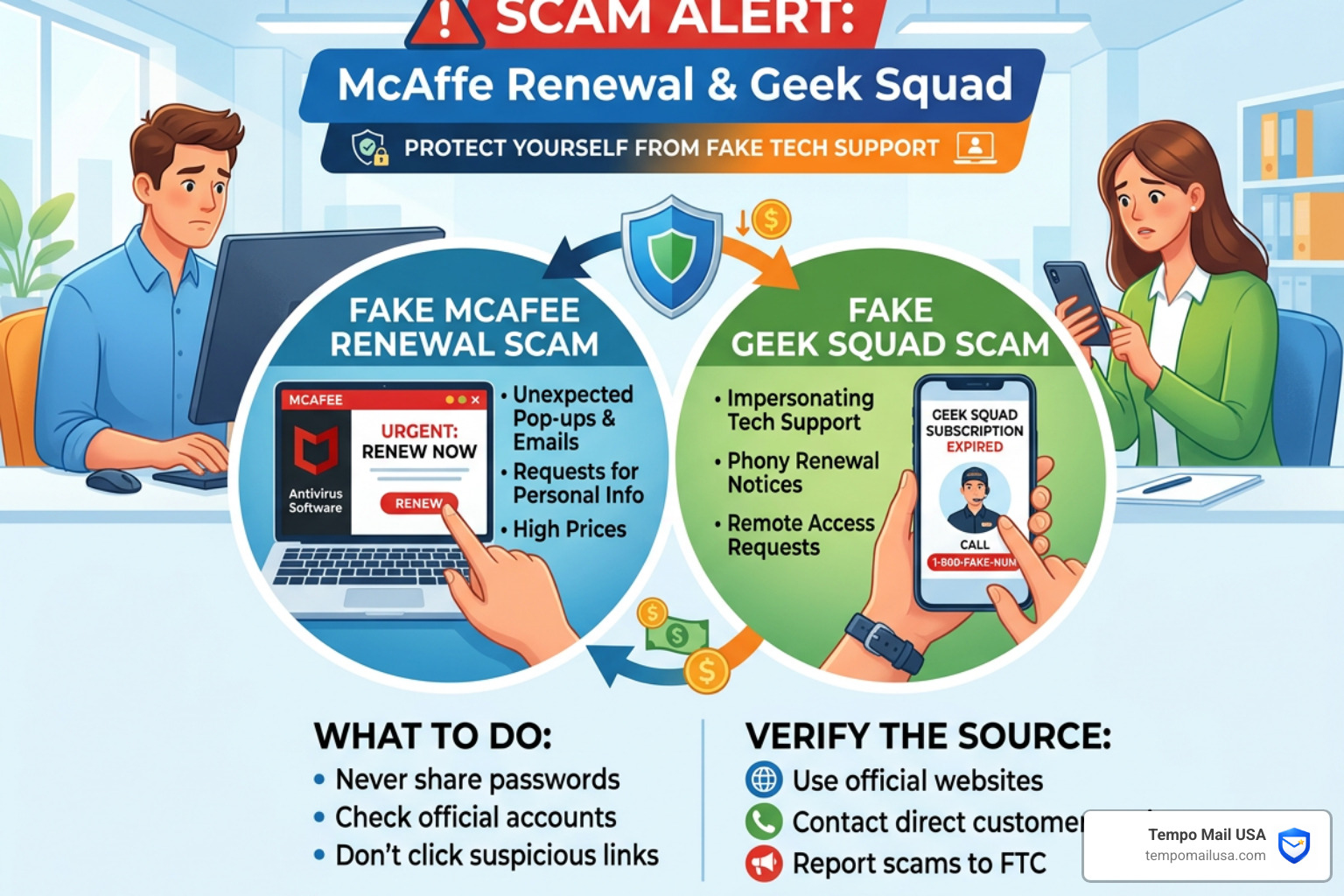
Legitimate companies will never ask you to pay them back in Target or Apple gift cards. If you see this, hang up immediately and report scams to the FTC.
Recovery Steps for Scam Victims
If you realized halfway through a call that something was wrong, or if you've already sent money, don't beat yourself up. These people are professionals. Here is your emergency checklist to regain control:
- Sever the Connection: If a scammer is currently on your computer, physically unplug your internet router or turn off your Wi-Fi. This cuts their "leash."
- Remove the Software: Go to your "Applications" or "Add/Remove Programs" and uninstall AnyDesk, TeamViewer, or whatever software they had you download.
- Nuke it (Factory Reset): To be 100% safe, we recommend a factory reset of your device. Scammers often hide "backdoors" in your system files that allow them to sneak back in later.
- Change Your Passwords: From a different, clean device (like your phone), change the passwords for your email, your bank, and any site where you store credit card info. Enable Two-Factor Authentication (2FA) everywhere.
- Call Your Bank: Tell them you were a victim of a tech support scam. They can monitor for unauthorized transactions and may be able to reverse recent transfers.
- Freeze Your Credit: If you gave out your Social Security number or deep personal info, contact the three major credit bureaus (Equifax, Experian, TransUnion) to place a credit freeze.
- Run a Deep Scan: Use a reputable antivirus tool to scan for any leftover malware or spyware.
Frequently Asked Questions about Tech Support Scams
What happens if I call the phone number provided in the scam email?
You will be connected to a fraudulent call center, likely overseas. These centers are often loud and professional-sounding. The person on the other end will use a "script" to build rapport, acting like a friendly support agent named "James" or "Sarah." Their goal is to keep you on the phone until they have either your credit card number or remote access to your PC.
How do scammers gain remote access to my computer?
They don't "hack" in. They trick you into inviting them in. They use legitimate screen-sharing tools (like AnyDesk) that are intended for real IT support. By convincing you that they are "running a scan" or "fixing a bug," they get you to click "Allow." Once they are in, they have as much control over your mouse and keyboard as you do.
How do I report a McAfee or Geek Squad scam email?
- Email Provider: Click the "Report Spam" or "Report Phishing" button in your inbox. This helps the provider's AI catch the scam for others.
- The FTC: Visit
ReportFraud.ftc.govto file an official report. - The FBI: For significant financial losses, file a complaint with the Internet Crime Complaint Center (IC3).
- The Real Company: You can forward McAfee scams to
spam@mcafee.comand Geek Squad scams toabuse@bestbuy.com.
Conclusion
The McAfee Renewal Scam / Geek Squad Scam thrives on our desire to be responsible and avoid unnecessary charges. By understanding their playbook—the fake invoices, the urgent phone calls, and the remote access tricks—we take away their greatest weapon: the element of surprise.
Good cybersecurity hygiene isn't just about having a strong password; it's about being skeptical of every unsolicited "alert" that hits your inbox. We must remember that if a "company" is asking for remote access or payment via gift cards, it is a scam 100% of the time.
At Tempo Mail USA, we believe the best way to stop a scam is to prevent the scammer from ever getting your real contact information in the first place. By using temporary email aliases, you create a "PII Firewall" between your identity and the services you use. If an alias starts receiving scam emails, you can simply delete it, leaving your real inbox—and your bank account—perfectly safe. Stay vigilant, stay skeptical, and protect your identity with temporary email aliases.