

Java4Shell (CVE-2026-114938): A 62-Byte Bug in Java's Base64 Decoder — and Why Your Inbox Is the Next Target
Java4Shell (CVE-2026-114938): A 62-Byte Bug in Java's Base64 Decoder — and Why Your Inbox Is the Next Target
On November 17, 2026, security firm Calif disclosed a flaw it calls Java4Shell: a memory bug in OpenJDK's Base64 decoder that can let an unauthenticated attacker corrupt a Java server's memory — and, in the worst case Calif demonstrated, run code on it without logging in. Oracle shipped patched Java builds the same day. The flaw is tracked as CVE-2026-114938, and Calif rates it 9.2 out of 10, Critical, under CVSS 4.0.
That sentence is doing a lot of work, and some of it is contested. Other respected researchers who read the same code say the realistic outcome is a crashed server, not a hijacked one. Both camps agree on the bug itself, and both agree you should patch. What they disagree about is how far an attacker can get — and that disagreement is the most useful thing about this story, because it tells you exactly how to prioritise it.
This post does three things: it explains the bug in plain English, it gives you the three checks that settle whether you are affected, and it covers the part nobody patches — your inbox, where the fake "Java4Shell fix" emails are about to land.
The bug in one paragraph
Java programs constantly decode Base64 — the encoding that turns binary data into text so it can travel inside tokens, passwords, login headers and API keys. To make that fast, OpenJDK's HotSpot compiler replaces the ordinary Java decoder with hand-written native code that uses a CPU feature called AVX-512 VBMI, which chews through 64 bytes at a time.
That native code has an arithmetic mistake in how it handles the tail end of a malformed input. Feed it 128 letter A's followed by a single = sign, and the length calculation goes wrong: the code works out a destination of 98 bytes, then a fragment handler computes an output size of zero, a padding step subtracts one, and the count becomes -1. A CPU instruction called BZHI is then supposed to mask the write to the requested number of bytes — but for -1 it leaves all 64 mask bits set. The result: a 64-byte write into a 98-byte array, landing 62 bytes past the end of it.
Sixty-two bytes. That is the whole vulnerability. Everything else — the severity scores, the argument about remote code execution, the patch rush — follows from what those 62 bytes can hit.
Why 62 bytes is enough to ruin a server
A heap overflow sounds abstract until you picture what sits next to the overwritten memory. In a running Java process, the heap holds the objects the program is actually using: session data, cached credentials, the bookkeeping headers the garbage collector consults when it cleans up. Datadog Security Labs reproduced the bug and watched the extra write corrupt a neighbouring array's header; the JVM kept running, damaged, and crashed later during garbage collection — far from the decoding call that caused it.
That delayed, distant crash is what makes this bug nasty to diagnose. The program throws an IllegalArgumentException for the malformed Base64, the developer catches it, and everything looks handled — while the heap is already damaged. Catching the exception does not undo the overwrite.
Turning that corruption into reliable code execution is much harder, and this is where the honest disagreement lives. The overwritten bytes are mostly a fixed, repeating pattern, not bytes the attacker freely chooses. To get from "I corrupted 62 bytes" to "I run my code" takes extra work tailored to each application and each JVM. Calif says it did that work — it reports demonstrating pre-authentication remote code execution against default configurations of Keycloak, Atlassian Jira, Atlassian Confluence, JFrog Artifactory, Jenkins and PingFederate, and post-authentication execution against Apache Kafka Broker, Apache Solr, Elasticsearch, Gerrit and Netflix Spinnaker. Datadog, Upwind and Equixly, reading the same code, conclude that denial of service — crashing the JVM — is the more readily achievable impact, and that reliable code execution is unproven as a general claim.
My read: believe both. A crash is the outcome any exposed server should expect; code execution is the outcome a well-resourced attacker can plausibly reach against a specific, high-value target. Neither outcome is acceptable for a server you depend on, which is why the advice is the same either way: patch.
Are you affected? Three checks
Java4Shell needs three things to be true at once. Miss any one of them and you are safe. That narrowness is good news — most people reading this will fail at least one check.
Check one: your Java version. The flaw affects OpenJDK 17.0.6 and later, plus Java 21, 25 and 27. Java 8 and 11 are not affected — they never got the Base64 decoding intrinsic that contains the bug. Oracle's fixed releases, published November 17, are:
| Java line | Affected | First fixed release |
|---|---|---|
| Java 17 | 17.0.6 through versions before 17.0.21.1 | 17.0.21.1+4 |
| Java 21 | All versions before 21.0.13.1 | 21.0.13.1+4 |
| Java 25 | All versions before 25.0.5.1 | 25.0.5.1+4 |
| Java 27 | All versions before 27.0.1.1 | 27.0.1.1+4 |
The same code ships in every distribution built from OpenJDK — Amazon Corretto, Eclipse Temurin, Microsoft Build of OpenJDK, Azul Zulu, Red Hat OpenJDK, Oracle Java SE and Oracle GraalVM for JDK — so check your vendor's advisory for its fixed build, not just Oracle's.
Check two: your CPU. The vulnerable code path only runs on x86-64 processors with AVX-512 VBMI support — roughly Intel Ice Lake and later, and AMD Zen 4 and later. Native ARM64 runtimes never execute it, so ARM servers (AWS Graviton, Ampere, Apple Silicon) are outside the path entirely. On Linux, one command settles it:
grep -om1 -E 'avx512[_]?vbmi' /proc/cpuinfoIf it prints nothing, your CPU cannot run the vulnerable code. If it prints avx512vbmi or avx512_vbmi, the hardware condition is met and the version check decides.
I ran that command on the machine this post was written on. It printed avx512vbmi — the CPU is an AMD EPYC 9D25, which has the instruction set. But the same machine has no Java runtime installed at all (java: command not found), so there is nothing here to exploit. That is the point of the three checks: the hardware condition alone means nothing without a vulnerable runtime on top of it.
Check three: does attacker-controlled data reach a decoder? Even on an affected version on the right CPU, the bug only fires if the application passes untrusted input to Java's Base64 decoder. That is more common than it sounds. Upwind's write-up points out that standard Basic authentication in Spring Security, Tomcat and Jetty, and Auth0's java-jwt library, pass attacker-supplied tokens to the vulnerable decoder before checking anything — which is how a pre-login attack becomes possible. The MIME decoder (Base64.getMimeDecoder()) bypasses the vulnerable path; the basic and URL decoders do not.

The honest disagreement: RCE or just a crash?
It is worth pausing on the argument, because it is a useful lesson in how to read security news. Within hours of disclosure, the story split into two camps, and both were looking at the same facts.
Calif, which found the bug with AI assistance — researcher Quang Luong directed the Codex model at the JIT compiler and related code, and the model surfaced the Base64 finding; Calif reports discovery took one hour and the first working exploit another two — says it demonstrated pre-authentication code execution against real, widely deployed software. Semgrep's write-up backs the claim and names the same targets. If true, this is a Log4Shell-class event for the Java ecosystem: a remotely reachable flaw in a component that sits behind the login screens of half the enterprise internet.
Upwind reproduced the overflow on real hardware — an AWS c6i instance with an Intel Ice Lake CPU — and confirmed the 62-byte write byte for byte. But its reading of the same code is that the likely result is a JVM crash, because the bytes written past the buffer are fixed, not chosen by the attacker. Equixly reaches the same conclusion and adds two facts that matter: as of November 17 there was no public proof-of-concept code, no reported exploitation in the wild, and the CVE record itself was still reserved, with no published NVD entry. Datadog's position sits in the middle: remote code execution is possible in a worst case, but there is no single universal exploit, and denial of service is the more readily achievable impact.
None of this is a reason to wait. The history of vulnerabilities like this one is that the argument about exploitability gets settled by attackers, not by blog posts — and usually within days, once a public proof of concept appears. Patch on the crash alone; the code-execution question only changes how fast you patch.
What to do today
If you run Java anywhere — servers, containers, CI runners, the laptop in the corner running Jenkins — do these in order:
- Patch first. Move to your vendor's fixed build (17.0.21.1, 21.0.13.1, 25.0.5.1 or 27.0.1.1, or your distribution's equivalent). Oracle's November update also carries 11 Java SE fixes in total, all of them potentially reachable over a network without credentials, so this update is worth installing on its own merits, Java4Shell aside.
- Check the bundled runtimes. Java hides inside applications and container images. A patched system Java means nothing if the app ships its own runtime. After updating a container base image, rebuild and redeploy the application image, and restart the Java processes so they actually use the new runtime.
- If you cannot patch yet, use a workaround. Datadog confirmed two JVM flags that stop the out-of-bounds writes in testing. The narrower one disables just the Base64 intrinsics:
-XX:-UseBASE64Intrinsics. The broader one caps the JVM at AVX2:-XX:UseAVX=2. Scope the AVX flag to x86 deployments only — native ARM64 JVMs do not recognise it and will fail to start if it is passed. Both are temporary mitigations, not fixes; treat them as buying time, not as done. - Verify the running process, not the installed one. Check the runtime the process actually uses —
jcmd <PID> VM.versionandjcmd <PID> VM.flags -allwill show the version and confirm the workaround flag took effect. Checkingjava -versionon your shell path tells you about a different installation than the one serving traffic.
You don't run Java. You're still in the blast radius
Here is the part that matters to everyone else, and the reason this post is on a site about email.
Every major vulnerability follows the same second act. The disclosure goes out, the patch goes out, and within days a wave of emails goes out pretending to be the patch. Log4Shell in December 2021 set the template: within a week, inboxes were full of fake "Log4j security update" messages carrying malware dressed as a fix, and fake scanning tools that were themselves the payload. Java4Shell is a famous name, a scary number and a household brand — exactly the ingredients a phishing email needs. The people who will get hurt by this flaw are not only the server admins who skip the patch. They are the office workers and home users who click a "Critical Java Update — Install Now" link because it arrived the same week the news did.
The pattern is worth naming because it repeats after every big CVE, including the one that hit 178 websites through Optimizely earlier this week. It is the same week malware searches spiked 1,000% — and the same lesson applied then: the inbox is where these stories land. The attackers do not need the vulnerability to work on your machine. They need the news of the vulnerability to work on you. A fake patch email does not exploit Java. It exploits the fact that you just read that Java is broken and you would rather fix it than think about it.
So the rule for the next two weeks is simple: never update Java — or anything else — from a link in an email. Get patches from the vendor's own site, or from your package manager, or from your IT team. If an email tells you to download an updater, that email is the threat. The same 60-second check that separates real Apple security texts from scams applies here, and it applies to every "urgent update" message you will ever get: stop, check the sender's real address, and navigate to the vendor yourself instead of clicking through.
The other half of the rule is about where you hand out your address in the first place. When you download a "Java4Shell scanner" or a "vulnerability checker" from a site you have never heard of, the signup form is the point of the exercise: the tool is the bait, your email address is the catch, and the next wave of phishing arrives pre-addressed to you. Use a disposable inbox for that kind of download — open a temporary inbox and burn the address the moment it starts receiving junk. That is what temporary mail is for: keeping your real inbox out of the blast radius of someone else's security emergency. If you have never used one, the list of temp mail sites that actually work is a good place to start — and if a service calls itself secure, check what a secure email relay actually has to do before trusting it with anything.
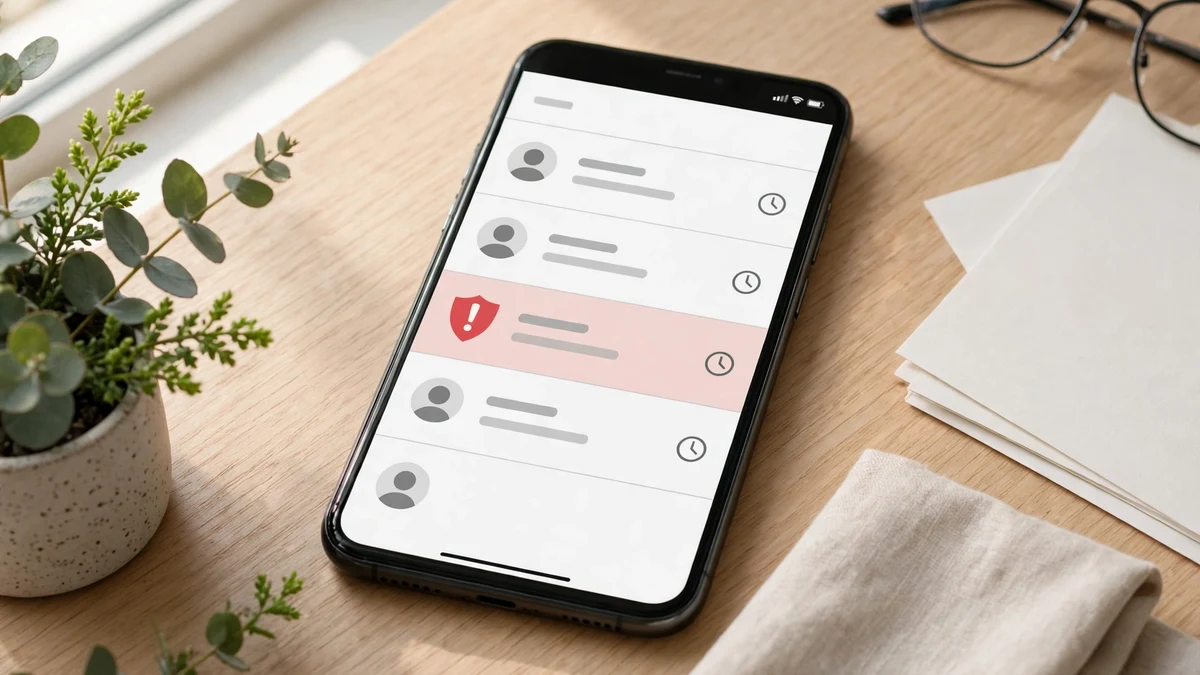
The 60-second check for any "Java update" email
Use this on every urgent-update message, Java4Shell or otherwise. It takes a minute and it settles the question.
- Read the sender, not the display name. "Oracle Security" in bold means nothing. Tap the name and read the actual address. A real vendor mail comes from the vendor's domain. A lookalike domain — an extra letter, a hyphen where there should not be one — is the whole scam.
- Hover the link before you touch it. On a computer, hover and read the destination in the status bar. On a phone, long-press to preview. If the link points anywhere other than the vendor's real domain, stop.
- Check for the urgency trick. "Install within 24 hours or your system will be compromised" is not how vendors write. Urgency is the tell: it is there to stop you thinking, which is exactly what the 60-second check is for.
- Go to the vendor yourself. Close the email. Open your browser, type the vendor's address, and look for the update there. If there is a real patch, it will be on the front page. If there is not, the email was lying.
- Never run an attachment to "check if you're vulnerable." A scanner that arrives by email is not a scanner. If you want to check your own systems, use the CPU command above, or your vendor's published guidance — not a binary a stranger sent you.
If a message fails any one of those five, delete it and move on. A real patch will still be there when you go looking for it yourself.
FAQ
Is Java4Shell as bad as Log4Shell? Not in the same way. Log4Shell was trivially exploitable with a single string and worked almost everywhere. Java4Shell needs a specific Java version, a specific CPU feature, and per-application exploitation work, and the realistic outcome for most exposed servers is a crash. The name is a deliberate echo, but the mechanics are narrower. Patch anyway — "narrower than Log4Shell" is not the same as safe.
Am I affected if I just use Java apps on my computer? Almost certainly not. The flaw hits Java servers — the programs that decode data strangers send them, like login systems and enterprise tools. A desktop app that never decodes untrusted Base64 is not exposed. The risk to ordinary users is the phishing wave that follows the news, not the bug itself.
What Java versions are affected? OpenJDK 17.0.6 and later, plus Java 21, 25 and 27 — on x86-64 CPUs with AVX-512 VBMI only. Java 8 and 11 are not affected, and ARM64 runtimes are not affected. Fixed releases are 17.0.21.1, 21.0.13.1, 25.0.5.1 and 27.0.1.1 (or your distribution's equivalent build).
Has Java4Shell been exploited in the wild? As of November 17, no — there were no reports of exploitation in the wild, no public proof-of-concept code, and the CVE record was still reserved without a published description. That is the normal state on disclosure day, and it is not a reason to delay patching. Public proof of concept usually follows within days.
What should I do if I get an email about a Java4Shell patch? Do not click its link or open its attachment. Go to the vendor's own site or your package manager and get the update there. If the email claims urgency, that is the scam's signature, not the vendor's. Use a disposable email address when downloading security tools from unfamiliar sites, so the next phishing wave has nowhere to land.
The bottom line
Java4Shell is a real bug with a real patch and a real argument about how bad it is. The bug is a 62-byte heap overwrite in a Base64 decoder that only runs on certain CPUs. The patch exists, the workarounds work, and the three checks above will tell you in five minutes whether any of it concerns you.
But the part of this story that will touch the most people has nothing to do with Java. It is the email wave that follows every famous vulnerability — the fake patch, the fake scanner, the urgent update that installs the malware it claims to remove. Patch your servers from the vendor, not from your inbox. And keep your real email address out of the places where the next wave is being built.
Sources checked for this post: Datadog Security Labs' Java4Shell analysis, Calif's disclosure as reported by Unite.ai, Upwind's reproduction on AWS hardware, Equixly's CVE-2026-114938 write-up, and Oracle's November 2026 Java SE security update. CPU and Java checks were run on the machine this post was written on, November 18, 2026.
Need a disposable temporary email?
Protect your real inbox from spam and promotional clutter instantly and free.
Received a suspicious email, text, or charge alert?
Verify whether the sender domain is disposable, spoofed, or unverified before clicking links.