


What Is an Apple Support Scam and How Does It Work?
]
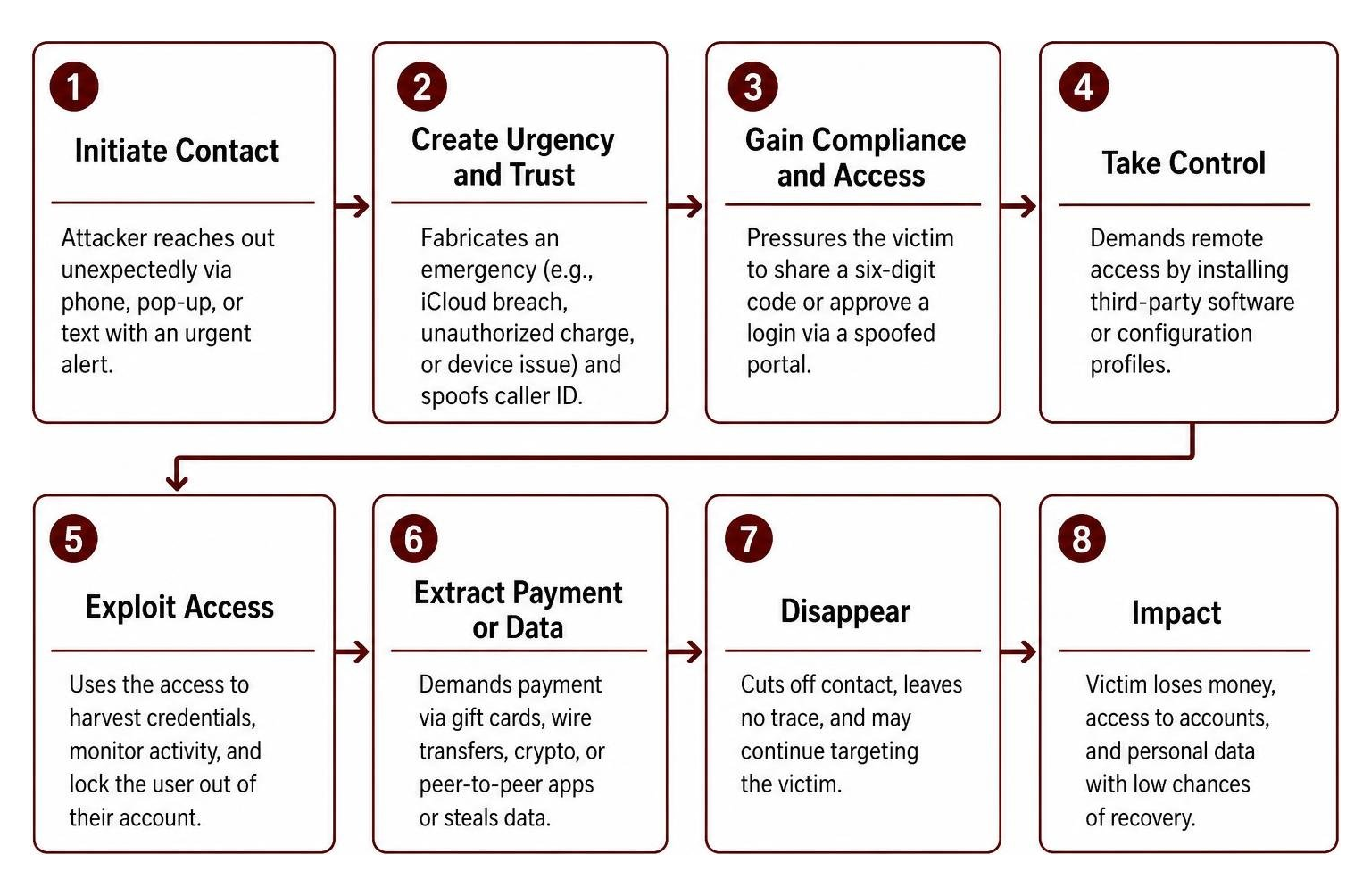
Apple support scams use fake urgency to steal your credentials. To identify one quickly, treat any unsolicited call, text, or browser alert claiming to be Apple as suspicious, never provide six-digit two-factor authentication codes or passwords to an inbound contact, avoid installing remote-access software at a caller's request, disconnect and navigate to a manual Apple Support contact by visiting support.apple.com directly, and report the communication to reportphishing@apple.com. Legitimate Apple support does not demand verification codes, remote screen access, or gift card payments.
An Apple support scam relies on social engineering rather than breaking through hardware defenses. Because Apple’s Secure Enclave and Activation Lock create formidable technical barriers, attackers target the human element behind the screen. By manufacturing artificial emergencies—such as an alleged iCloud breach, unauthorized Apple Pay charges, or compromised device hardware—fraudsters manipulate victims into handing over credentials voluntarily.
Recent consumer protection data reveals a alarming 335% surge in tech support impersonation incidents. In 2024, the Federal Trade Commission (FTC) documented $12.5 billion in total fraud losses, with imposter scams maintaining the top spot as the most commonly reported category. The financial fallout is substantial: across approximately 37,560 annual reports of Apple impersonation scams, the median loss stands at $1,200, with extreme cases reaching $30,000. Unfortunately, the recovery rate for stolen funds sits at only about 20%.
The following table contrasts official Apple support procedures with the manipulative tactics used by scammers:
| Feature / Scenario | Legitimate Apple Support | Imposter Support Scammers |
|---|---|---|
| Initial Contact | Customer initiates contact via app, web, or scheduled call | Unsolicited calls, browser pop-ups, urgent text messages |
| Verification Codes (2FA) | Never asks for six-digit one-time passcodes or approvals | Demands codes verbally or via spoofed third-party portals |
| Device Remote Access | Uses built-in diagnostics; never requests third-party software | Demands installation of AnyDesk, TeamViewer, or remote profiles |
| Accepted Payment Methods | Official billing through Apple Account, App Store, or direct invoice | Demands gift cards, wire transfers, cryptocurrency, or peer-to-peer apps |
| Caller Demeanor | Patient, methodical, adheres to verified protocols | Manufactured urgency, aggressive threats of account deletion, or overly rehearsed calm |
Caller ID Spoofing and AI Voice Phishing
Modern voice phishing (vishing) schemes no longer rely solely on grainy phone audio and obvious call centers. Attackers routinely weaponize caller ID spoofing to display "Apple Inc." alongside genuine 1-800 support numbers, and some smartphones may even show a spoofed Apple logo on the incoming call screen.
To make matters worse, criminals have embraced AI-driven voice support schemes to run automated voice campaigns at scale. Deploying roughly 200 AI-generated scam calls costs an operator under $20 total—amounting to roughly a dime per call. These multilingual, conversational AI agents speak in measured, polite tones, reciting device models and approximate locations harvested from data breaches or compromised Find My metadata to trick victims into reading back their six-digit passcodes.
Weaponizing Genuine Apple Support Tickets and 2FA Prompts
A particularly insidious social engineering vector involves abusing legitimate enterprise customer support workflows. In this scheme, criminals trigger authentic Apple emails to disarm victim skepticism before launching their payload.
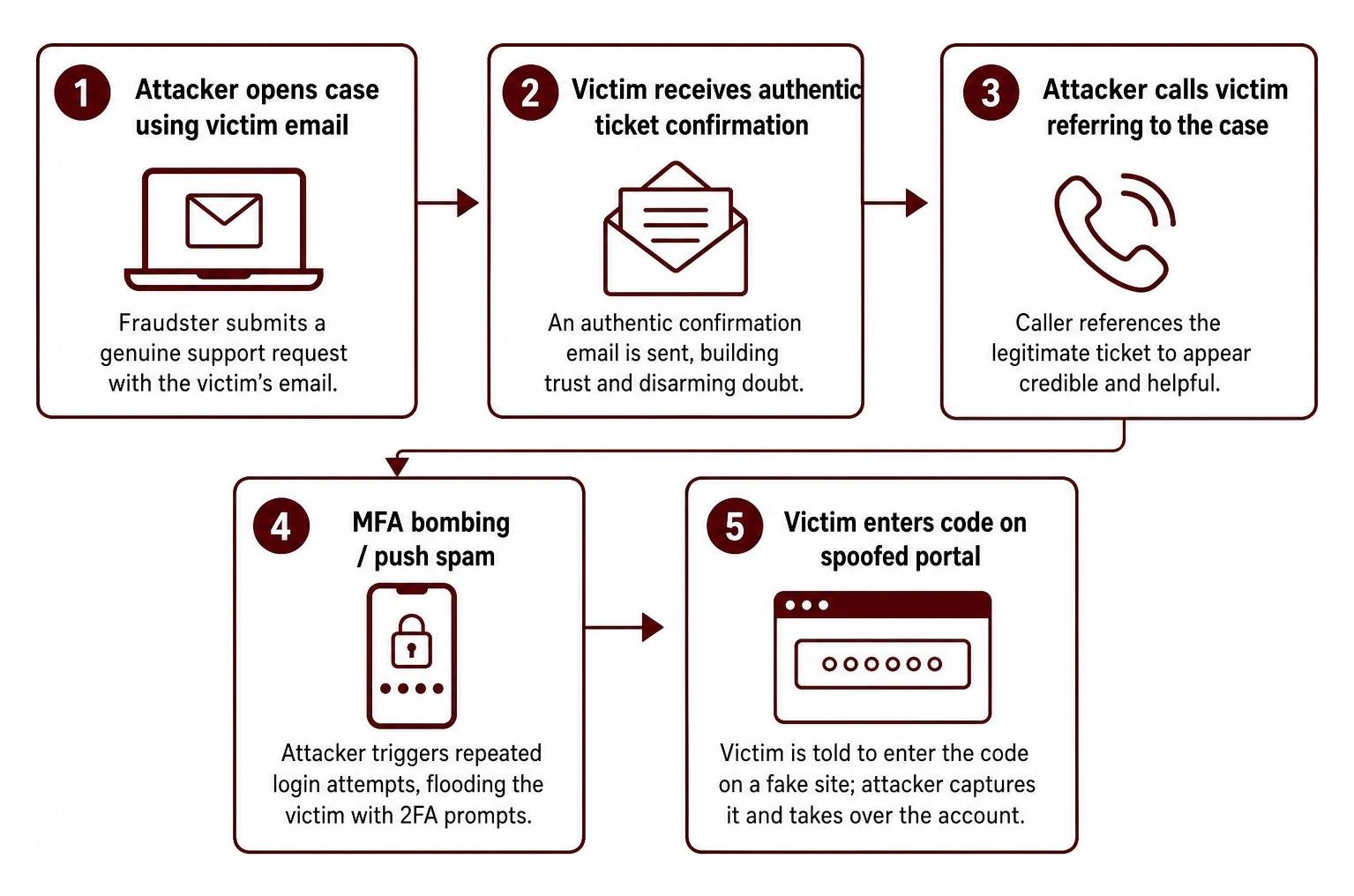
Understanding how attackers abuse real support cases highlights why traditional security awareness must evolve. Attackers initiate a genuine support ticket using a target's email address. Moments later, the victim receives an authentic confirmation email from Apple. The fraudster then calls, referencing the legitimate ticket number to establish immediate trust.
Next, the attacker initiates a login request, flooding the victim's device with two-factor authentication prompts (known as MFA fatigue or MFA bombing). The caller claims this is part of a "case closure protocol" and directs the victim to type the verification code into a convincing, spoofed landing page (such as appeal-apple.com). Once entered, the attacker captures the session token and completes the account takeover.
Browser Pop-Ups, High Alerts, and Smishing Vectors
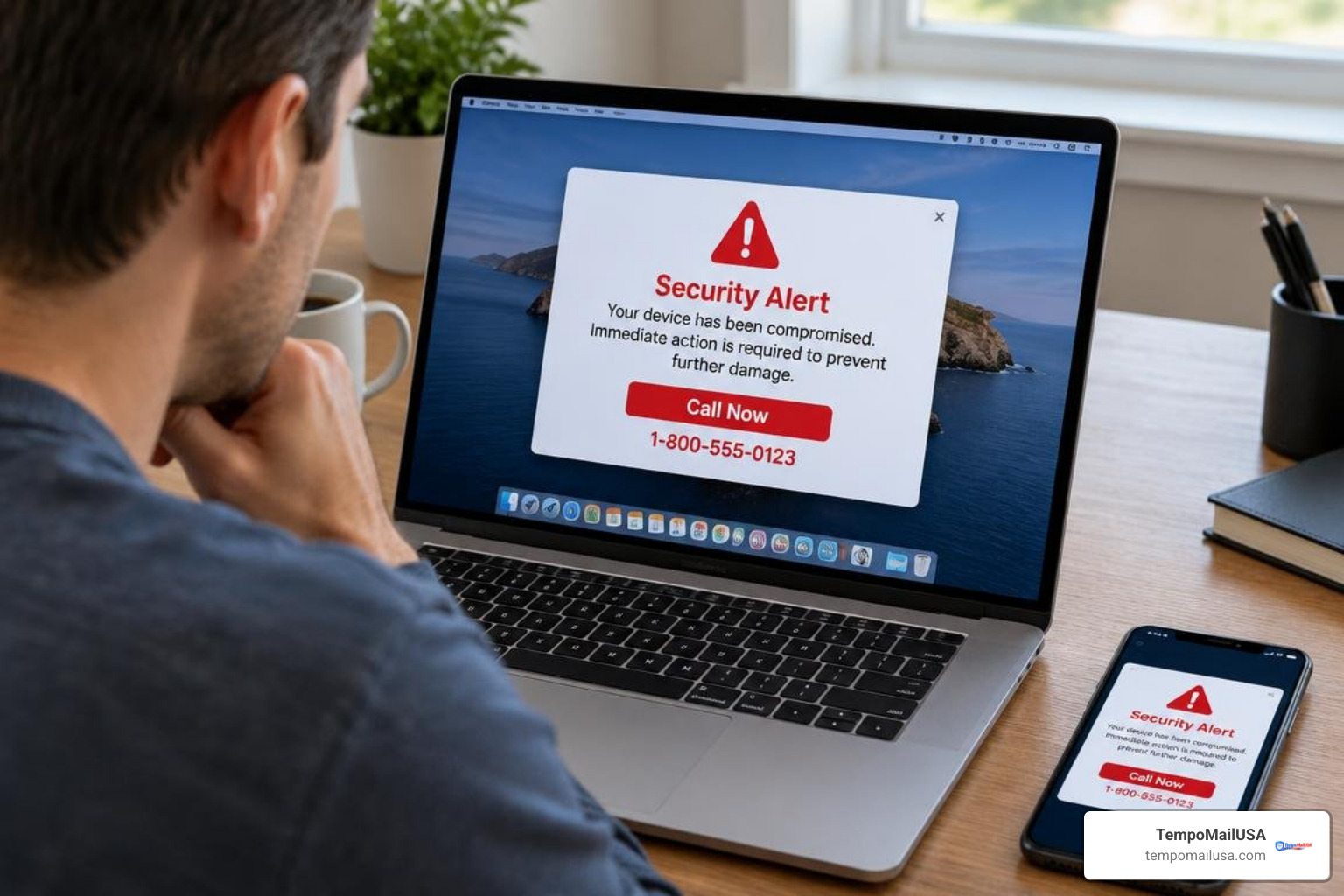
Web-based attacks frequently deploy browser lockers and fake system warnings. While browsing, a user encounters an aggressive JavaScript loop that triggers a full-screen alert. The warning claims the operating system has detected dangerous malware, locked iCloud access, or identified illegal activity. The pop-up instructs the user to call a toll-free number immediately to prevent permanent data loss.
In parallel, short message service phishing (smishing) targets users with texts alleging unauthorized Apple Pay transactions or compromised Apple IDs. The messages contain shortened or misleading URLs designed to capture login credentials. Learning the nuances of recognizing phishing and phony support schemes is essential: authentic operating system warnings never include inbound phone numbers, and legitimate security dialogues are handled natively within device settings, not through browser pop-ups or text messages.
Clear Warning Signs of an Imposter Tech Support Contact
Detecting fraudulent communication requires paying close attention to technical anomalies and behavioral red flags. When analyzing unsolicited messages, keep an eye out for these telltale signs:
- Mismatched Domains and URLs: Fraudulent communications use deceptive domain variations such as
apple-security-support.com,icloud-verification.co, orappeal-apple.cominstead of the exact, legitimateapple.comoricloud.com. - Urgent Demands for Verification Codes: Any inbound caller or text message asking for a six-digit two-factor authentication code, device passcode, or password reset approval is fraudulent.
- Requests for Remote Desktop Access: Scammers frequently instruct targets to download commercial remote desktop tools like AnyDesk, TeamViewer, or LogMeIn to "scan for network intrusions."
- Alternative Payment Methods: Demands for payment via Apple Gift Cards, cryptocurrency ATMs, Western Union, or peer-to-peer wire transfers are a surefire sign of fraud.
- Threats of Account Termination: High-pressure claims that your Apple Account will be deleted within 24 hours unless you verify personal information immediately.
Reviewing common Apple ID phishing warning signs helps you spot suspicious sender addresses, awkward syntax, and malicious attachments before interacting with fraudulent prompts.
Step-by-Step Defense: What to Do If You Encounter or Fall for a Scam
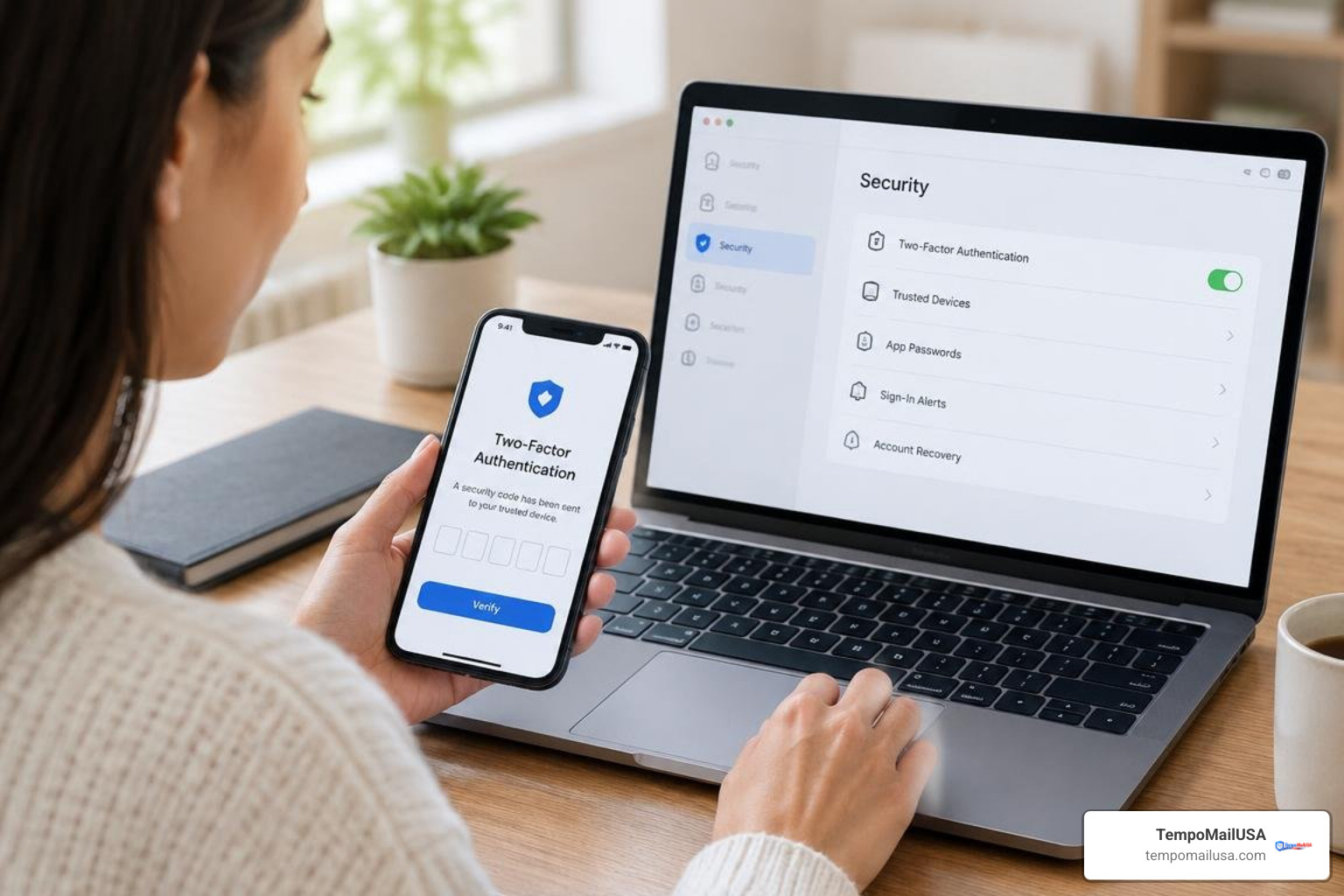
If you encounter an imposter or realize you have inadvertently shared personal information, follow this step-by-step remediation framework immediately.

- Terminate Contact Instantly: Hang up the phone, close browser tabs displaying alert dialogues, and block the offending telephone number or email address.
- Revoke Remote Access and Disconnect: If you downloaded remote management software, disconnect your device from Wi-Fi immediately, uninstall the software, and delete any newly installed configuration profiles via
Settings > General > VPN & Device Management. - Reset Your Apple Account Password: Navigate to
appleid.apple.comor openSettings > [Your Name] > Sign-In & Securityon a clean, trusted device. Update your password to a strong, unique passphrase. - Terminate Active Sessions: In your Apple Account dashboard, review the list of trusted devices. Select any unrecognized Mac, iPhone, or PC and click Remove from Account to revoke active authentication tokens.
- Enable Stolen Device Protection: On iOS devices running modern operating systems, ensure Stolen Device Protection is enabled under
Settings > Face ID & Passcode. Set the security delay to Always to require biometric authentication for critical account changes away from familiar locations. - Deploy Hardware Security Keys: Consider configuring FIDO-certified physical hardware keys (such as YubiKeys) for your Apple Account. Hardware keys eliminate credential relay phishing because physical touch and cryptographic handshakes cannot be intercepted over a spoofed phone call.
- Freeze Impacted Financial Accounts: If banking details or Apple Pay accounts were exposed, notify your card issuers immediately to block unauthorized transactions and issue replacement cards.
- Report the Attack to Authorities: Forward fraudulent emails to reportphishing@apple.com and FaceTime fraud to reportfacetimefraud@apple.com. File formal complaint reports with the Federal Trade Commission at ReportFraud.ftc.gov and the FBI Internet Crime Complaint Center at IC3.gov.
Frequently Asked Questions About Tech Support Fraud
Does Apple ever call or text asking for a 2FA verification code?
No. Apple’s official security policy explicitly states that customer support representatives will never call, text, or email you to request your passwords, device passcodes, or two-factor authentication codes. Furthermore, Apple will never instruct you to tap "Accept" on a two-factor verification prompt during a phone call. Legitimate verification prompts are entered directly into system dialogues during customer-initiated sign-ins.
What makes an AI apple support scam call so convincing?
Modern AI voice phishing leverages natural language processing and ultra-realistic voice models to mimic human pacing, tone, and empathy. Unlike older robocalls, conversational AI agents can pause, answer specific questions, and adapt their script dynamically. When combined with accurate personal details harvested from public breaches—such as your device model, approximate street address, or email—the caller sounds exceptionally credible, disarming normal skepticism for just a few cents per call.
How do I recover my account after falling for an apple support scam?
If an attacker changes your password and locks you out, begin account recovery immediately at iforgot.apple.com. Use your trusted phone number or recovery contact to regain control. Once back in, review your payment methods, check the App Store for unauthorized purchases, and update your trusted phone numbers. If you cannot authenticate, contact Apple Support directly through the official Apple Support app or by calling official support numbers found on support.apple.com.
Conclusion: Protecting Your Digital Identity and Inbox Privacy

Tech support scams continue to evolve, transitioning from clunky phone calls to sophisticated, AI-driven social engineering campaigns that abuse authentic support systems. Protecting your digital accounts requires strong authentication hygiene, careful verification of unexpected communications, and proactive reduction of your digital footprint.
Because attackers rely heavily on scraped personal email addresses to initiate ticketing schemes and targeted phishing, isolating your primary inbox is a vital defensive layer. We built TempoMailUSA to provide an instant, no-registration disposable email service with real-time updates and cryptographic purges. By deploying secure aliases for routine sign-ups, web forums, and one-time verification workflows, you keep your primary Apple Account email hidden from public data brokers and breach databases.
Pair these inbox isolation methods with practical strategies to eliminate spam and inbox risk to maintain a tidy, secure digital environment and prevent social engineering threats from reaching your front door.