
Guerrilla Mail in 2026: I Tested the Internet's Oldest Temp Inbox — and Its Best Feature Is Suspended
A disposable-email service that has been running since 2006 is the fourth-fastest-rising "temp mail" search in the United States this week. Google Trends puts "guerrilla mail" at +300% among rising queries attached to "temp mail" over the past seven days, checked at 06:26 IST on November 20, 2026 — behind only SmailPro and BandLab, both of which broke out earlier in the week and both of which I have already tested in this series. The rest of this morning's Trending Now top 40 is Taylor Swift, the NFL and the NBA, so Guerrilla Mail did not ride a news cycle. People are searching for it because they need a throwaway inbox, right now, and this is the name they remember.
I have a rule for this series: I do not review a service from its marketing page. I open it, use it, and report exactly where the test stops. So at 06:36 IST I opened guerrillamail.com in a clean browser and did what a first-time user does. No account, no email, no plan — just the site, a stopwatch, and a notebook. What follows is what happened, including the two places where the service contradicts itself and the one feature that made it famous and no longer works. If the term itself is new to you, the short version of what disposable email is explains the category before you judge this particular entry in it.
The 30-second test: an inbox with no door to knock on
Guerrilla Mail's homepage does something most modern services have forgotten how to do: it gets out of the way. The page loaded and immediately assigned me an address — ayrwvzrx@sharklasers.com — with no signup form, no password, no phone number, and no CAPTCHA or human check before the address appeared. The inbox was already open with one message in it: a welcome email from no-reply@guerrillamail.com, timestamped 01:06:59, reading "Your disposable email address has been created ready for use." I opened it and it displayed normally, with Reply, Forward and Show Original controls underneath.
That is the entire onboarding. There is no "create account" step to skip, no free tier to compare against a paid tier, no email verification loop. The site's About page states it plainly — "Guerrilla Mail is a free disposable email address service" and "There is no sign-up, no password, no registration required" — and for once the marketing copy and the live experience agree completely. Two Google ad vignettes did interrupt clicks to the About page and the Control Panel, and I closed both with "Close ad". They are advertising, not a human check, but they are worth mentioning because they are the only friction on the whole page, and on a phone they would be more annoying than on a desktop.
Compare that with the other breakout service I tested this week. SmailPro stopped me cold behind a human-verification checkbox that failed six times across two browsers, and I never got an address at all. Guerrilla Mail handed me one before I had finished reading the page. In a category where the whole point is speed — you need an address for a signup form that is open in another tab right now — that difference is not cosmetic. It is the product.
The one-hour clock starts whether you read the mail or not
Here is the first place Guerrilla Mail contradicts itself, and it matters, because the retention window is the single most important fact about any disposable inbox. The welcome email says "email is kept for 1 hour" and "All Emails are deleted after 1 hour." The site's WTF tour says "Email messages are held for one hour before they are deleted, if you check them or not." The About page says something different again: "After your email has been in quarantine for 1 hour, it will be available in your inbox for 1 hour, then it will be deleted."
Read those three statements together and you get two possible realities: either your mail lives for one hour total, or it sits in quarantine for an hour and then lives in your inbox for a second hour. I cannot resolve that from the outside, and I will not pretend I can. What I can tell you is the safe way to use the service: treat every message as if it vanishes sixty minutes after it arrives, and do not dawdle. Click the confirmation link the moment it lands. If the About page's two-hour reading is the true one, you have margin you did not need. If the one-hour reading is true — and two of the three sources say it is — you have no margin at all.
This is sloppy for a service that has been running for twenty years. A retention policy is not a footnote; it is the contract. When a user pastes a disposable address into a signup form, they are betting that the confirmation email will still be there when they go looking for it. Guerrilla Mail's own pages cannot agree on how long that bet lasts. The honest advice is to assume the shortest window and act fast, and to never use this inbox for anything you might need to come back to tomorrow.
One thing the site is unambiguous about: the address itself does not expire. "In our current version, addresses never expire," the About page says, and the WTF tour adds, "All addresses last forever, and anyone can access it if they know this Inbox ID." That second clause is the catch, and it leads directly to the feature that matters most.
Scramble Address is the whole point
A Guerrilla Mail inbox is public. Anyone who knows your inbox ID — the part before the @ — can open your inbox and read your mail. The site does not hide this; it states it outright. That is a design decision from 2006, when the service was built as a "scratch space" for situations where giving out a real address would create spam later, and it has never been redesigned around privacy. It means the address you hand out is also the key to your inbox, and if you hand out the plain address, you have handed out the key.
Scramble Address exists to fix that, and it is on by default. With the checkbox checked, the address I was told to give out was not ayrwvzrx@sharklasers.com but 1058tbm+d3enncy2gkjs@sharklasers.com — a hashed version of the same inbox. The WTF tour explains it in one line: "It is a scrambled version of ayrwvzrx@sharklasers.com — so it will be harder to guess which Inbox ID was used." I tested the toggle both ways: unchecking it showed the plain address, re-checking it restored the scrambled one. The scramble is doing exactly what it claims.
My opinion, stated plainly: leave Scramble Address on, always, and never paste the plain address anywhere. The scrambled form is the only thing standing between your inbox and anyone who guesses a short username. And note the asymmetry — the scramble protects the inbox ID, but it does not encrypt the mail. Messages sit on Guerrilla Mail's servers in plaintext for their one hour, and the service's terms reserve the right to log IP addresses and cooperate with law enforcement. This is a pseudonymous scratch pad, not an anonymous vault. Never use it for banking codes, password resets for accounts you care about, medical portals, or anything you would be embarrassed to see read aloud.
There is one more control worth knowing. Clicking the inbox ID turns it into an editable box, so you can pick your own name instead of the random one — I opened the editor and cancelled without changing anything, so my test address stayed intact. And the Forget Me button drops the current address while keeping the session, which is how you burn an address that has started attracting spam.
The send button that says no
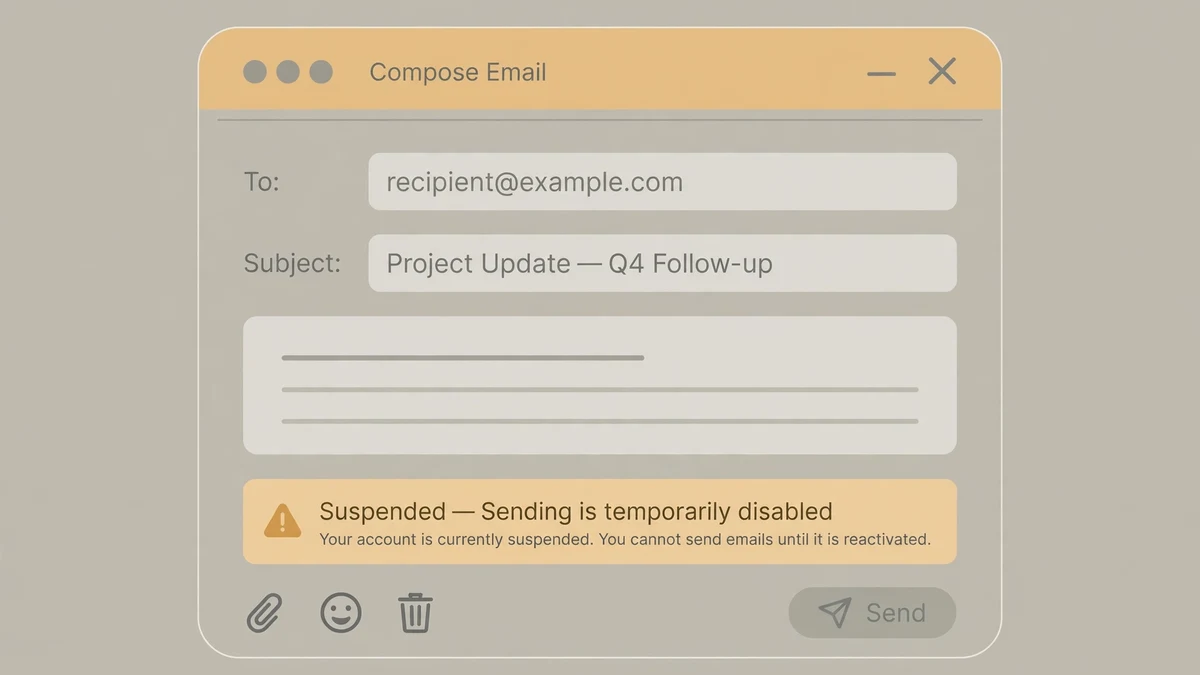
Here is the second contradiction, and it is the one that changes the verdict. Guerrilla Mail's famous feature — the reason it appears in every "best temp mail" list — is that it lets you send mail as well as receive it. Almost no free disposable service offers outbound mail. Guerrilla Mail built its reputation on it: a compose window, attachments, replies from a throwaway address.
When I opened the Compose page during my test, there was no compose form. There was one line: "Sending email has been suspended for today." No email was sent, because there was nothing to send with.
This is not a one-off glitch on my morning. A review that tested the service in August 2026 found the same thing — clicking Compose and sending returned "Sending email has been suspended for today" — and flagged it as a status to monitor. Three months later, it is still suspended, at least today. The site gives no explanation, no return date, and no status page. "Suspended for today" reads like a daily abuse limit, but a limit that is still in place months later is a feature that is gone in practice, whatever the wording says.
That matters more than it might sound. Without sending, Guerrilla Mail is a receive-only inbox with a one-hour window and a public-inbox design. That is a serviceable tool for clicking a confirmation link, and nothing more. With sending, it was the only free disposable service that could also reply to a seller, confirm a booking, or answer a support thread from a throwaway address. The difference between those two products is the difference between a tool you keep in your pocket and a tool you use once and forget. Until sending comes back — and I would not plan around it coming back — judge Guerrilla Mail as a receive-only inbox, because that is what it is today.
Eleven domains, one inbox — and every one of them is famous
Guerrilla Mail rotates across eleven domains, and I verified the full list in the dropdown during my test: sharklasers.com, guerrillamail.info, grr.la, guerrillamail.biz, guerrillamail.com, guerrillamail.de, guerrillamail.net, guerrillamail.org, guerrillamailblock.com, pokemail.net, and spam4.me. Switching is instant. I changed mine from sharklasers.com to guerrillamail.com and the scrambled address updated immediately, with the notice "Domain changed to guerrillamail.com, actually, emails for all of these domains will arrive here!" I switched back and the original address returned, unchanged. Mail sent to any of the eleven domains lands in the same inbox, so the choice is cosmetic — except for one thing.
Every one of those domains is famous, and fame is a liability here. An independent check in 2026 ran all eleven domains against the public blocklists that signup forms use, and found every one of them listed. That matches what I have seen across this whole series: the older and better-known a disposable domain is, the more likely a signup form is to reject it before you even submit. Email on Deck, the breakout service I tested two days ago, has the same problem in miniature. Guerrilla Mail has it at full scale — twenty years of use means twenty years of blocklist entries.
The practical consequence is simple: do not assume a Guerrilla Mail address will be accepted. Try it first on the form you actually need, and have a backup ready. A newer or less-recognised domain will often pass a form that rejects sharklasers.com on sight. The domain dropdown is useful for exactly this — if one domain is refused, try grr.la or spam4.me before you give up — but treat it as a workaround, not a guarantee.
The power-user side: an API from 2011 and a custom-domain door that is closing
There is a second Guerrilla Mail that most users never see, and it is the reason developers still talk about the service. The site publishes a free JSON API — version 1.0, dated 19 April 2011, "public and open to all" — with functions to get an address, set a username, check mail, fetch messages, extend an address, delete mail, and forget an address. The endpoint is public, the functions are documented on the site, and the only stated limit is "Requests are rate limited, so be reasonable" — no number published. It runs on the service's own open-source mail server, Go-Guerrilla, which is the kind of detail that tells you this was built by engineers who expected other engineers to use it. If you are a QA team scripting signup flows, that API is the real product, and it is free.
The custom-domain story is the opposite: a door closing. The footer Control Panel leads to Roll Your Own, the premium service that let anyone use their own domain with Guerrilla Mail. Its page now reads, in the past tense, that it "was a premium service offered by Guerrilla Mail" and that "We are currently transitioning the product, so no new users can join. Existing users cannot re-order services." No price is shown anywhere on the site for the core service or for Roll Your Own, because the core service is free and the paid product is effectively frozen. The Tools page holds one extra: a password manager, which is just a random-password generator with a copy button.
Put together, the picture is of a service in maintenance mode: the free inbox works, the API works, the paid tier is closed to new users, and the flagship sending feature is suspended. That is not a dead service — the homepage counter I watched during my test ticked from 21,719,567,151 emails to 21,719,586,949 in four minutes, at a rate of about 121,094 emails an hour, and the About page says it processes "around 100000 emails per hour" — but it is a service being kept alive, not one being developed.
Guerrilla Mail vs the modern temp inbox
So where does that leave it? Here is the comparison on the dimensions I actually verified this morning, against what a modern disposable service offers in 2026.
| Guerrilla Mail (tested today) | A modern temp inbox | |
|---|---|---|
| Signup | None — address in under a second | Usually none, sometimes an account |
| Cost | Free, no paid tier open | Free tier, paid tier for longer life |
| Mail retention | About 1 hour (site's own pages disagree) | Hours to days, often extendable |
| Address lifetime | Never expires | Varies — some expire with the session |
| Inbox privacy | Public — anyone with the ID can read it | Private by default on most services |
| Sending mail | Suspended today | Usually receive-only; sending is rare everywhere |
| Domains | 11, all widely blocklisted | Rotating pools, often fresher |
| API | Free public JSON API since 2011 | Usually paid or absent |
| Support | None that I could find | Varies |
The table makes the trade-off obvious. Guerrilla Mail wins on speed, cost, address permanence and the API. It loses on the two things that matter most to an ordinary user: how long your mail stays readable, and whether anyone else can read it. Emailnator, the other breakout service I tested this week, hands out a real Gmail address and keeps mail far longer; the best temp email services I have compared mostly offer private inboxes measured in days, not minutes. Guerrilla Mail is the fastest inbox I have tested in this series and the least forgiving one.
Who should still use it
Use Guerrilla Mail when you need an address in the next ten seconds, for a confirmation link you will click in the next ten minutes, on a form you do not expect to fight you. Newsletter signups, free-trial activations, forum confirmations, a download link, a one-off test — this is exactly what it was built for in 2006, and it still does it faster than anything else I have tested. Leave Scramble Address on, use the address once, and forget it.
Do not use it when the account matters. No password resets for accounts you care about, no banking, no medical portals, no marketplace account where the inbox owns the purchase history. Do not use it when you need to reply — sending is suspended, and you should assume it stays that way. And do not use it when you need the mail tomorrow, because tomorrow the inbox is empty by design.
My verdict, after the live test: Guerrilla Mail deserves its reputation for speed and its surge in searches, and it does not deserve to be anyone's only disposable inbox. It is a specialist tool — the fastest throwaway address on the internet, with a one-hour fuse and a public door. Keep it in your pocket for the ten-second jobs. For everything else, use a service with a private inbox and a longer window, and keep your real address out of both.
If you need a throwaway address right now, the temp mail tool on this site hands you one with a private inbox — no signup, no password, and no one-hour fuse on the address itself.
Frequently asked questions
Is Guerrilla Mail free? Yes. The core service is free with no signup, no password and no registration. No price is shown anywhere on the site for the inbox, and the paid custom-domain product is closed to new users.
How long does a Guerrilla Mail address last? The address itself never expires, according to the site's About page. The mail inside it does not: messages are deleted after about an hour, and the site's own pages describe that hour slightly differently, so assume sixty minutes from arrival.
Can anyone else read my Guerrilla Mail inbox? Yes, if they know your inbox ID. The inbox is public by design. Turn on Scramble Address — it is on by default — so the address you hand out does not reveal the inbox ID, and never paste the plain unscrambled address anywhere.
Can Guerrilla Mail send email? Not today. The Compose page says "Sending email has been suspended for today", and a test in August 2026 found the same suspension. Sending was the feature that set Guerrilla Mail apart, and until it returns, treat the service as receive-only.
What domains does Guerrilla Mail use? Eleven: sharklasers.com, guerrillamail.info, grr.la, guerrillamail.biz, guerrillamail.com, guerrillamail.de, guerrillamail.net, guerrillamail.org, guerrillamailblock.com, pokemail.net, and spam4.me. Mail to any of them lands in the same inbox, but all eleven are widely blocklisted, so signup forms may reject them.
Does Guerrilla Mail have an API? Yes — a free public JSON API, version 1.0 from April 2011, with functions to create addresses, check mail, fetch messages, extend, delete and forget. It is rate limited, with no published limit, and it is aimed at developers and QA teams scripting signup flows.
Who runs Guerrilla Mail? Jamit Software Limited, per the footer on every page, which reads "Copyright 2006 – 2026 Jamit Software Limited". The service has been running since 2006, and its homepage counter showed over 21.7 billion emails processed when I checked this morning.
Need a disposable temporary email?
Protect your real inbox from spam and promotional clutter instantly and free.
Received a suspicious email, text, or charge alert?
Verify whether the sender domain is disposable, spoofed, or unverified before clicking links.