

Email on Deck: I Tested the Temp Mail Service Behind Today's Breakout Search — and It Won't Tell You When Your Address Dies
Something moved in the temp-mail corner of Google Trends this morning. "Email on deck" is the number-one rising query attached to "temp mail" in the United States over the past seven days — Trends labels it a Breakout, meaning the increase is too sharp to put a percentage on. It sits at the top of a list that reads like a map of the whole niche right now: "temp-mail" up 4,650%, BandLab up 4,050% (we covered that one earlier today), Guerrilla Mail up 160%, GoLogin up 90%, PolyBuzz and Temp Mail IO up 60% each.
The Trending Now top 100, for context, has nothing to do with any of this. It is GTA 6, the CMA Awards, and sports, all the way down. The temp-mail movement is happening underneath that noise, in the related queries — which is where people type the name of a specific service because they want to use it, not because they saw it on the news.
So the question is not whether Email on Deck is popular. The question is what you actually get when you open it. I opened it in a live browser this morning, completed the human check, generated a real address, and read the inbox it gave me. What follows is what the service did — including the one number it refuses to show you, which turns out to be the number that matters most.
The 90-second version
If you want the verdict before the evidence, here it is in one table. Every cell below is something I saw on the page itself this morning, not something copied from another site's list.
| Question | What I found |
|---|---|
| Does it give you an address? | Yes — after a human check and one click |
| Does it show when the address dies? | No — no timer, no countdown, no date anywhere |
| Does the inbox start empty? | Yes — zero messages, auto-checking |
| Can the free tier send email? | Only to other EmailOnDeck addresses |
| How many addresses at once? | One on the free tier |
| What does Pro cost? | 0.001056 BTC per 30 days, crypto only |
| Any signup, account, or personal details? | None |
My short opinion: Email on Deck is a solid one-job tool — a fast, free address for a signup that ends in the next hour — and a poor tool for anything you might need tomorrow. The missing expiry timer is not a cosmetic gap. It is the difference between a tool you can plan around and a tool you have to gamble on, and the service's own FAQ admits it cannot give you a precise time. If your job fits inside an hour and ends with one verification code, use it. If the account matters, use something that prints its countdown.
Getting the address: three steps, one checkbox, zero signup
The homepage does not hand you an address the moment it loads. That is the first thing that separates Email on Deck from most of the services in our roundup of nine temp mail websites, where TempoMailUSA, Temp-Mail, Guerrilla Mail and 10 Minute Mail all generate an address on arrival. Email on Deck makes you ask for one, in three labelled steps.
Step 1 is "Complete the human verification": an hCaptcha "I am human" checkbox. It took a couple of rounds to clear in my browser session — the puzzle window timed out once before a fast second attempt went through — and then Step 1 showed a green checked box reading "'I am human' is now checked. You are verified." Step 2 is "Click on the button below to get your email." Step 3 is "Use the email address to receive and send emails."
One click on Get Email took me to the inbox page, and the address was there in a read-only field under the heading "Your private email": majorie540@presloma.com. A random name and number on the presloma.com domain — not a name I chose, not a domain I picked. There is no username box, no domain list, no picker anywhere on the page. You get what the generator gives you, and if you want a different one, your only lever is to delete the address and generate another.
Nothing asked me for a name, a password, a recovery address, or a payment method. No account exists. That is the whole onboarding: a checkbox, a button, an address. For a tool whose job is to be fast, that is the right shape — and the checkbox is the one piece of friction, which is also the point. A temp-mail service that lets bots mint addresses without a challenge would be dead within a week.
The number the page never shows

Here is the finding that decides whether this service fits your job. Neither the homepage nor the inbox page shows any expiry information at all. No countdown, no "expires in" line, no date, no timer ticking down while you read. I looked for one in both places and there is nothing to find.
The FAQ is unusually honest about this, and I will quote it exactly because it is the closest thing to an answer the service gives: "There's not a precise time, usually it lasts most of the day. It should last more than an hour, but if you close out of your browser or clear your cookies you may lose access to it faster." A second FAQ answer adds that emails "are usually wiped a couple days after they're created."
Read that as a set of facts, not a promise. Your address should last more than an hour. It usually lasts most of the day. It is tied to your browser session — close the tab or clear cookies and you may lose it sooner. And "usually" is doing a lot of work in both sentences. There is no number you can plan around, and no warning before it ends.
This matters more than it sounds like it should, because expiry is one of the four properties that decide whether any disposable address works — the others are retention, privacy, and acceptance, which our guide to what disposable email actually is works through in detail. A verification code that arrives in twelve minutes beats a ten-minute inbox. A signup that sends a welcome email first and a code second needs an inbox that survives both. A service that states its lifetime lets you do that arithmetic before you paste the address. A service that says "most of the day" leaves you guessing, and the guess is wrong exactly when the code is late.
Compare the three shapes on the market. 10 Minute Mail shows a countdown starting at 9:59 with a "10 more minutes!" button — a short life, but a visible one. Our own homepage shows the address expiring in 29 days, 10 hours, 12 minutes, ticking live. Email on Deck shows nothing, which is worse than a short timer: a short timer you can see is a constraint you can work with, and an unknown lifetime is a risk you cannot price.
There is one partial safety net. The navigation has a "RECOVER EMAIL" link, and the service offers an email token — a "show email token" control sits on the inbox page with a help link beside it — which can restore an address if you kept the token. That is better than nothing, and it is the kind of detail that only matters after something has already gone wrong. Write the token down before you need it, because after the tab closes, the token is the only way back.
Inside the free inbox: what works, what's fenced off
The inbox itself is clean and honest. It opened as a table with From, Subject, and Received columns and the text "No emails received yet... Auto-checking..." — zero messages, and no mail sitting there from before I arrived. That is worth saying plainly, because the last service I tested this way did the opposite: the inbox behind the "tempgmail" search spike arrived pre-filled with twenty messages, including verification codes timestamped hours before the address existed. You can read that test in our TempGmail review. Email on Deck's inbox started empty, the way a fresh inbox should.
The controls on the inbox page are: Refresh Inbox, Delete all messages, Send email, "show email token", and a red trash icon labelled "Delete Email Address" — the burn button, for ending the address on your terms. There is no button labelled Extend, and nothing I saw offers to lengthen the address's life. When it is done, it is done.
The "Send email" button deserves a careful reading, because the homepage's Step 3 says "receive and send emails" without qualification, and the reality is narrower. The FAQ answers it directly: free accounts can send, "but only to other EmailOnDeck email addresses. This way you have a secure, private way to send emails... To send anonymous emails to anyone, you'll need to use EmailOnDeck Pro." The pricing page agrees — "Send Emails" is checked under Pro and greyed out under Free. So the free tier can receive from anywhere and send only inside the service. If you need to reply to a verification email or contact a support desk from the disposable address, the free tier will not do it.
The free tier is ad-supported, and the page does not hide that. The inbox carried four iframes labelled "Advertisement", plus a "Get the EmailOnDeck app" pop-up in the bottom right with App Store and Google Play badges and QR codes. None of the ads blocked the inbox itself. The sidebar also links an Android app, an iPhone app, a "Spy Pixel Scanner", and a "Browse Popular Temp Mail Uses" page — a reminder that this is a fourteen-year-old service with a full product around it, not a weekend project. It has been operating since 2013, which is longer than most of its competitors, and the counter on the homepage claims over 216 million temporary emails processed. Counters are marketing numbers, not audited statistics, and I am not going to treat that one as a fact — but the age is real, and age in this category is a signal: the service has survived every blocklist wave that killed its younger rivals.
Pro costs 0.001056 BTC — and only Bitcoin will do
The Pro tier is where Email on Deck's philosophy shows. The price on the Pro page this morning is 0.001056 BTC, described as "Pay as you need it", with the note "Create 100s of email addresses! Each payment extends your access for 30 days." The homepage calls the service "Bitcoin and cryptocurrency friendly!", and the pricing page lists no card option — the price is denominated in Bitcoin, full stop.
What that buys: no ads, 100+ email addresses at a time, sending to anyone, custom addresses, saved addresses, exclusive domains, API access, private emails, securely wiped logs, new features first — and no recurring charges. Each payment is a one-off 30-day extension. The free tier, by contrast, is listed as 0 BTC, "Forever", ad-supported, one email at a time.
My view on this is mixed, and I will say both halves. Charging in Bitcoin only is a genuine privacy choice: no card, no name, no billing trail tying the purchase to a person, which is consistent with what a disposable-email service is for. But it is also a real barrier for an ordinary user. Buying a fraction of a Bitcoin to extend a throwaway inbox is a chore most people will not do, and the price in dollars moves every day with the Bitcoin rate — the service does not show a dollar figure, so you cannot know what 0.001056 BTC costs you until you check the exchange rate yourself. I did not buy Pro, so I cannot report what the payment flow actually does, and I will not guess.
For most readers, the practical conclusion is simple: treat Email on Deck as a free service. Pro exists for people who live in this category — testers, developers, privacy enthusiasts who want a hundred addresses and an API — and the crypto-only price is a filter that keeps it that way.
Email on Deck against the field
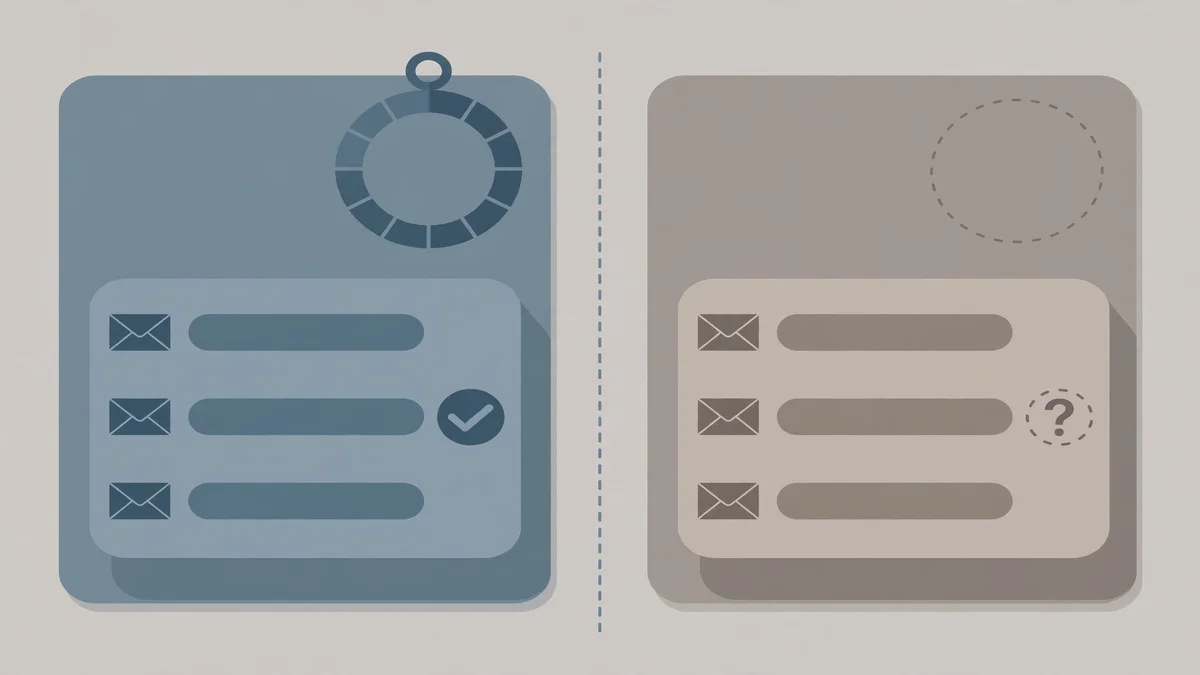
A single service review is only useful if you can place it against the alternatives, so here is the test I ran this morning set next to the services I have already tested live on this site. "Not stated" means the homepage I opened did not say it — I did not fill the gap from another site's list.
| Service | Address on arrival? | Lifetime shown? | Inbox starts empty? | Free sending? | Price |
|---|---|---|---|---|---|
| Email on Deck | No — click Get Email | No — "most of the day" in the FAQ | Yes | Only to its own addresses | Free; Pro 0.001056 BTC / 30 days |
| TempoMailUSA | Yes, instant | Yes — 30-day live countdown | Yes | No — receive only on free | Free; Pro from $4.19/mo |
| TempGmail | Yes, instant | Claimed 24h, no timer shown | No — 20 messages already there | Not tested | Free; Premium price not shown anywhere |
| Guerrilla Mail | Yes, instant | Not stated | Yes — welcome message present | Yes — Compose tab | Free |
| 10 Minute Mail | Yes, instant | Yes — 9:59 countdown, extendable | Yes | No | Free |
Two patterns stand out. First, Email on Deck is the only one of the five that makes you click before it gives you an address and the only one whose lifetime is genuinely unstated rather than merely short. Second, the free-sending question splits the field cleanly: Guerrilla Mail lets you compose and send from the free tier, Email on Deck lets you send only inside its own network, and the rest do not send at all without paying. If your job needs a reply, that row of the table matters more than any other.
Our nine-site roundup tested these services side by side on the same day and reached the same shape of conclusion: the differences that decide your first two minutes are friction, lifetime, and what happens after the first message — not the price of admission, which is free almost everywhere.
Two ways people lose the address
Most of the disappointment I see with disposable email fits one of two patterns, and both of them apply to Email on Deck more than to most services, because of the way its lifetime works.
The first is closing the tab. Your Email on Deck address lives in a browser cookie, not an account. Close the tab, clear cookies, switch browsers, and the address may be gone — the FAQ says so outright. The fix is to keep the tab open until the job is done, and to copy the email token somewhere safe before you need it. If the signup you are doing might take more than one sitting — a second verification step tomorrow, a confirmation you have to click after a support reply — this is the wrong service for that job, because the address may not survive the night.
The second is using it for an account you will want back. Password resets, security alerts, and "was this you?" warnings all go to the address on file. If that address lasted "most of the day" and is gone by morning, you cannot reset the password, confirm the alert, or prove ownership. That is not a bug in Email on Deck. It is the design of every disposable inbox — but the unknown lifetime makes it bite harder here, because you cannot even tell whether the address will still exist when the reset email arrives. Use it for a download, a trial you are auditioning, a forum post, a newsletter you want to sample. Never use it for anything with money attached, anything other people depend on, or anything where the email is the recovery path.
What I didn't test
Honesty about limits is part of the test, so here are the boundaries of what this article covers.
I did not send a test email to the address. No mailbox was connected for sending in this run, so delivery speed — how fast a verification code actually lands in an Email on Deck inbox — is untested, and I will not invent a number for it. Our guide to testing whether your mail lands in spam runs the full reception test with both ends set up, and that is the protocol to follow if delivery timing matters to you.
I did not test the recovery token — I did not close the tab and try to restore the address — so I cannot confirm the recovery flow works, only that the link and the token control exist. I did not buy Pro, install either mobile app, or run the Spy Pixel Scanner. And the CAPTCHA took two attempts to clear in my session, which may say more about the automation in my browser than about the service — but it is worth knowing before you need an address in a hurry.
What the test does establish, reliably, is everything that decides your first two minutes: whether the service works at all, whether it demands anything from you, what it promises about lifetime, and whether the inbox it shows you behaves like a fresh one. On those four questions, the answers are yes, a checkbox and a click, "most of the day" with no timer, and yes.
FAQ
Is Email on Deck free? Yes. Generating an address and receiving mail costs nothing, with no registration. The free tier shows ads and allows one address at a time. Pro costs 0.001056 BTC per 30 days and is paid in cryptocurrency.
How long does an Email on Deck address last? The service does not state a precise time. Its FAQ says an address "usually lasts most of the day" and "should last more than an hour", but closing the browser or clearing cookies can end access sooner. There is no countdown timer on the page.
Can I send email from an Email on Deck address? On the free tier, only to other EmailOnDeck addresses. Sending to anyone requires Pro.
Is my Email on Deck inbox private? The address is random and the inbox starts empty, but the address is not protected by a password — anyone who knows the address can open the same inbox. The service also necessarily sees every message that lands there. Do not let anything tied to money or identity arrive in it.
Why is "email on deck" trending? Google Trends shows it as a Breakout — the top rising query attached to "temp mail" in the US over the past seven days — alongside "temp-mail" up 4,650%. Trends does not say what caused the surge, and I am not going to invent a cause. The whole disposable-email family is up this week.
What is the best alternative to Email on Deck? It depends on the job. If you want a visible expiry countdown and an address that lasts 30 days, use TempoMailUSA. If you need to send replies from the disposable address for free, Guerrilla Mail's Compose tab is the better fit. If you want nothing left behind after ten minutes, 10 Minute Mail is the honest choice.
The verdict
Email on Deck earned its Breakout for a simple reason: it does exactly one thing, it does it for free, and it asks for nothing in return except a checkbox. The address I generated this morning — majorie540@presloma.com — appeared in seconds, the inbox was empty, and nothing on the page tried to sell me something before I had used the service. For a one-off signup that ends with a single verification code, that is enough, and the fourteen years it has been operating count in its favour.
But the missing expiry timer is a real defect, not a quirk, and it is the reason I would not use it for anything that takes longer than an hour. A disposable address is a tool for ending a relationship with a sender, not for starting an account you plan to keep — and a tool that cannot tell you when it ends is a tool you cannot plan around. Use Email on Deck for the quick jobs. For the jobs where the inbox has to survive the night, pick a service that prints its countdown.
Need a disposable temporary email?
Protect your real inbox from spam and promotional clutter instantly and free.
Received a suspicious email, text, or charge alert?
Verify whether the sender domain is disposable, spoofed, or unverified before clicking links.