
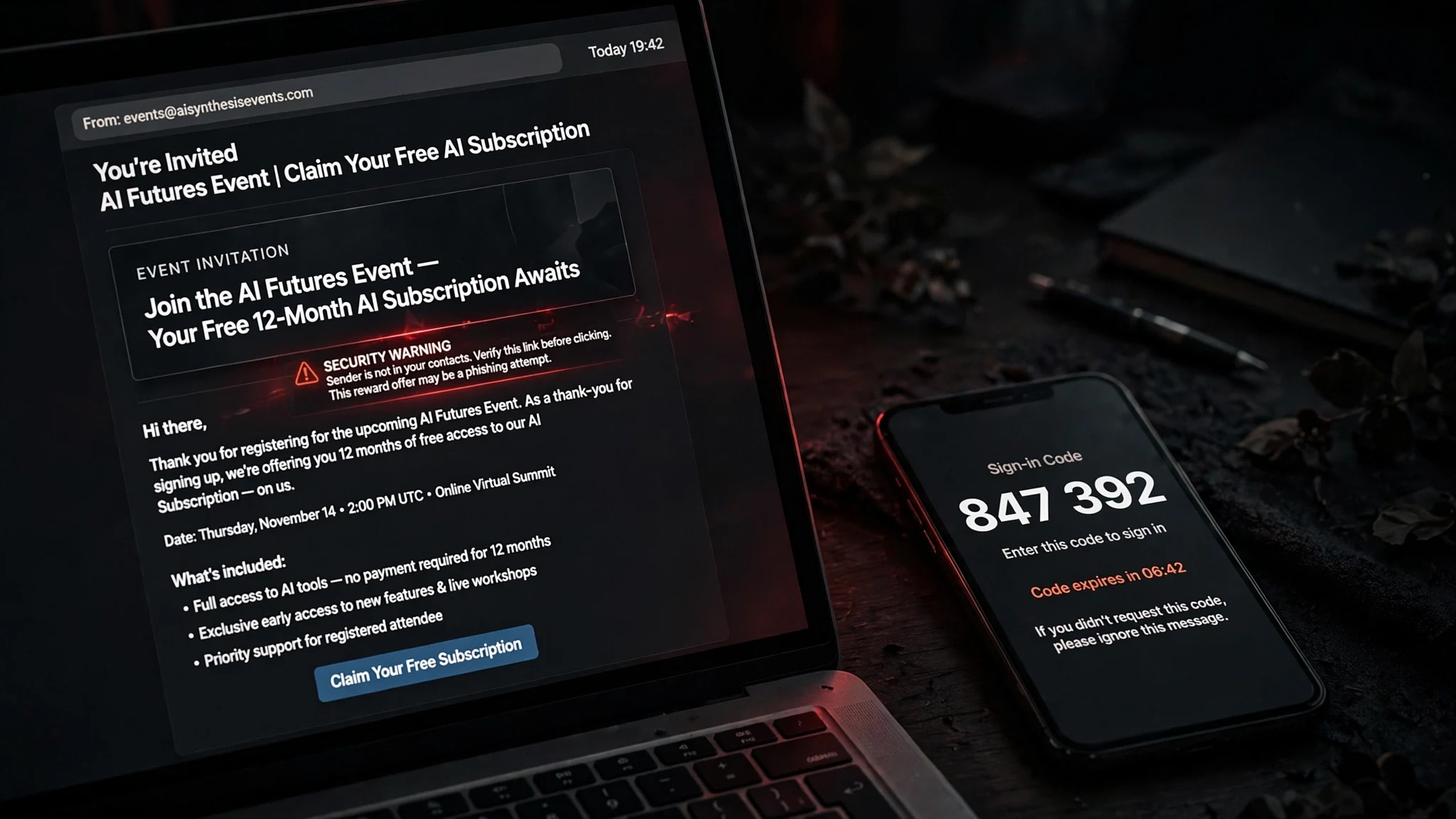
The Invite Is Fake. The Sign-In Is Real: Fake OpenAI and SpaceX Event Pages Are Stealing Microsoft and Google Accounts
There is a particular kind of email that does not look like a scam at all. It arrives with a clean layout, a real-looking event page, and a reward that sounds entirely plausible in 2026: three months of ChatGPT Pro for attending an OpenAI Academy livestream, or three months of Grok Heavy for joining a private SpaceX briefing. You click register, you sign in with your work account, and everything behaves exactly the way a legitimate sign-in behaves — because part of it is.
That is the whole point. According to a report published November 5 by Push Security, and covered by BleepingComputer on November 6, attackers are sending fake event invitations impersonating OpenAI, SpaceX, and Anthropic, and the pages they lead to are built to steal Microsoft and Google accounts. The campaign was detected on customer browsers in late October 2026, with the pages observed running from October 29 to November 2. This is not a hypothetical threat or a recycled warning. It is an active campaign, and its lures track the AI hype cycle with embarrassing precision.
The reason this one deserves your attention is not the brands involved. It is the mechanism. The Microsoft route in this campaign does not ask for your password on a fake page. It shows you a code, sends you to Microsoft's real login page, and asks you to approve a sign-in that is, in every technical sense, genuine. The attacker never sees your password. The attacker does not need to.
What Push Security Actually Found
Push Security's researchers found three fake event pages, all built by the same operator, all following the same script: a desirable event, a desirable reward, and a sign-in gate.
The OpenAI page copies the look of the OpenAI Academy events site. It advertises a livestream titled "ChatGPT for Social & Digital Marketing Teams," scheduled for November 4, and offers three months of ChatGPT Pro to anyone who registers. The SpaceX page advertises a private, invite-only briefing on "SpaceX AI for Marketing" on November 12, and offers either three months of Grok Heavy or a purported "SpaceX share." The Anthropic page impersonated an Anthropic event tied to AWS re:Invent 2026; it had already been taken down by the time researchers examined the campaign, but Anthropic-linked lure pages have been reported before.
Each page offers two sign-in buttons — "Continue with Microsoft" and "Continue with Google" — and the button you pick decides which of two separate phishing-as-a-service platforms gets your account. Push Security is explicit that these are rented services, not tools the campaign operator built. The operator builds the lure pages; the platforms do the stealing.
The pages hide behind layers that exist specifically to frustrate detection. The invitation links travel through Google short links or Zapier's short-link service, and at least one variant used an X redirect. The pages sit behind a Cloudflare managed challenge that blocks many automated scanners before they ever reach the registration form. And the pages live on subdomains of eventrsvp[.]app, a domain that sounds just plausible enough to survive a half-second glance.
Push tracks the kits used to build the lure pages as ZoomMock and MSDRoot. ZoomMock produced the fake Zoom-style event pages seen from May to October 2026; MSDRoot is the newer kit, in use since October 22. The two kits share no code, but Push rates the link between them as medium-high, largely because both used one shared domain. This is not a single kid with a template. It is an operation with versioned tooling.
There is history here, too. In July 2026, ANY.RUN documented a campaign abusing legitimate Zoom event pages to promote fake Meta, OpenAI, and Anthropic events that led to the same kinds of attacks. Cofense reported Anthropic invitations sent through GoTo Webinar's own email infrastructure. The event-invite lure is not new. What is new is how polished the current version is, and how neatly it combines two different account-stealing techniques on a single page.
The Microsoft Route: A Code, a Real Page, and a Stolen Session
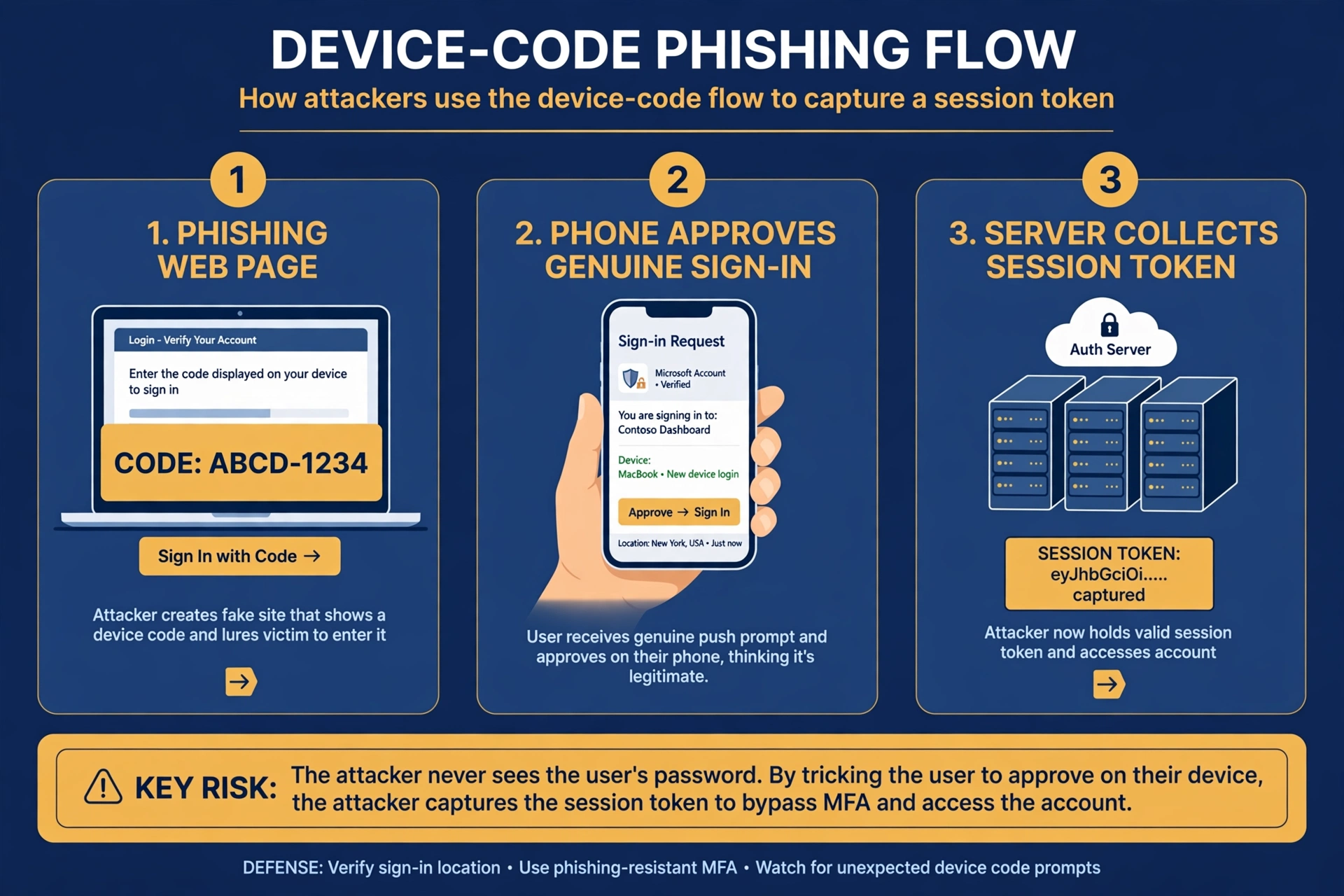
Here is the part that should make you uncomfortable, because it breaks the mental model most people have of phishing.
When a victim clicks "Continue with Microsoft," the fake page contacts Kali365, a phishing-as-a-service platform, and generates a genuine Microsoft device authentication code. The page shows that code in a "Confirm access" dialog and tells the victim to copy it, open Microsoft's real device login page, and paste it in. The victim does exactly that. They sign in on login.microsoftonline.com, they approve the request, and Microsoft — doing precisely what it was designed to do — issues authentication tokens to the attacker's Kali365 session.
Device-code sign-in exists for a legitimate reason: it lets you sign in on a device without a keyboard, like a conference-room display or a smart TV, by entering a short code on a second device. The attacker simply starts that flow themselves, then hands the code to the victim. The victim's approval is real. The tokens are real. The session that results belongs to the attacker.
And then the page does something worse. After the device-code step, the victim is redirected to a second Microsoft sign-in page, this one run through VoidProxy, an adversary-in-the-middle service. That page can capture the password and the session cookie too. The device-code step steals the tokens; the redirect steals the credentials. Two captures, one visit.
This is why the standard advice — "check the URL before you enter your password" — fails here. On the device-code step, the URL is Microsoft's. The page is Microsoft's. The approval prompt is Microsoft's. The only thing that is fake is the context: you were handed that code by a stranger's website, not by a device you own.
Microsoft's own analysis of a related operation warned plainly that access gained this way "could persist even after a password reset if the associated sessions and tokens were not also revoked." Changing your password does not evict an attacker who holds a refresh token. Revoking sessions does. Most victims never learn that distinction until it is too late.
The Google Route: The Sign-In Page That Isn't Yours
Click "Continue with Google" instead, and the attack changes shape but not intent. The page opens a VoidProxy reverse proxy of Google's sign-in page. VoidProxy sits between the victim and the real Google, relaying the genuine sign-in process in real time while harvesting everything that passes through: the password, the multi-factor authentication response, and the session cookie.
Adversary-in-the-middle attacks are the reason security teams have been warning for years that MFA is necessary but not sufficient. A one-time code proves you are the person holding the phone. It does not prove you are talking to Google. When a proxy relays your code to the real service within seconds, the service sees a perfectly valid login from a perfectly valid user. The session cookie the proxy collects afterwards is the real prize: it lets the attacker return later without signing in again.
The two routes together are what make this campaign notable. Push Security's report stresses that Kali365 and VoidProxy are separate subscription services, built by different people, with no evidence connecting their developers. The campaign operator simply rents both and wires them to the same page. Phishing has become a supply chain, and the storefront is an event invitation.
Why This Works Even With MFA On
It is worth stating plainly, because the opposite belief is exactly what this campaign exploits: multi-factor authentication does not stop device-code phishing or adversary-in-the-middle attacks. MFA verifies the person. These attacks do not impersonate the person to the service; they get the person to authenticate the attacker's session, or they relay the person's own authentication through a proxy.
That is not an argument against MFA. MFA still stops the overwhelming majority of credential-stuffing and password-spraying attacks, and you should have it on every account that offers it. But treating MFA as a guarantee is how people end up approving a sign-in they should have refused. The protection that actually stops device-code phishing is narrower and less glamorous: blocking the device-code flow itself where it is not needed. Microsoft's own guidance recommends blocking device-code authentication through Conditional Access in Entra ID, with exceptions scoped to the small number of devices that genuinely require it. That is an admin setting, not a user habit — which is part of the problem. The user is the one being targeted, and the fix lives in a console they will never see.
For individuals, the practical defence is a rule, not a tool: never enter a code shown to you by a website you did not already trust, on a login page you reached from that website's instructions. A device code is a sign-in credential. Treat it like a password. The legitimate flow starts on a device you own, not in an email you received.
EvilTokens Proved the Business Model
If you want to understand why this campaign exists, look at what Microsoft took down six weeks earlier. On September 22, 2026, Microsoft's Digital Crimes Unit announced it had dismantled EvilTokens, the first platform to sell device-code phishing at scale. The numbers in Microsoft's account are worth reading slowly.
EvilTokens appeared on Telegram in mid-February 2026. It sold itself as a subscription product with 24/7 support: $1,500 upfront for the full admin panel, plus $500 a month. In about seven months it was used to compromise more than 12,000 Microsoft 365 inboxes across more than 10,000 organizations. Coinbase traced roughly $1.1 million in revenue to more than 700 cryptocurrency addresses connected to the operation. Microsoft attributed it to the threat actor it tracks as Storm-2992.
What set EvilTokens apart was not just the phishing kit. It was the AI chatbot built into the platform, which read a compromised mailbox after the break-in and told the customer where the fraud opportunities were: who controls payments, which business relationships carry trust, which invoices present openings. Microsoft described the service as combining "account compromise, mailbox analysis, target selection, and fraud preparation in a single service." The takedown, backed by a federal court order from the Eastern District of Virginia, seized 50 websites and disabled more than 150 supporting domains. London's Metropolitan Police arrested two men, aged 32 and 38, on September 11; both were released on bail while the investigation continues. It was Microsoft's 40th court-authorized disruption.
None of that makes device-code phishing go away. Microsoft and the researchers who worked the case said so themselves: the operation was disrupted, not the technique. EvilTokens was one vendor. Kali365 is another. The Push Security campaign proves the demand survived the takedown, and the supply did too. When a service that rents out account theft for $500 a month gets shut down, the market does not disappear. It finds a new storefront — in this case, an event invitation.
The Scale Behind It
It is easy to read a story like this as a one-off, a clever campaign that will pass. The numbers say otherwise. Microsoft reported detecting 7.3 billion email phishing threats during the third quarter of 2026. That figure counts detections, not successful compromises, and it is worth being honest about that distinction — but the scale is the point. Seven point three billion in ninety days is roughly 81 million a day, or about 940 every second, and that is one vendor's count.
The same report noted that QR-code phishing declined 67% compared with the previous quarter, while CAPTCHA-gated phishing attacks rebounded. Attackers rotate techniques the way marketers rotate ad formats: whatever gets past the filters this quarter gets budget next quarter. Device-code phishing is having its moment because it works against the defences people actually have, and because the lures — AI events, free premium subscriptions, exclusive briefings — write themselves.
Check the Invite Before You Register: Five Checks That Take Ninety Seconds
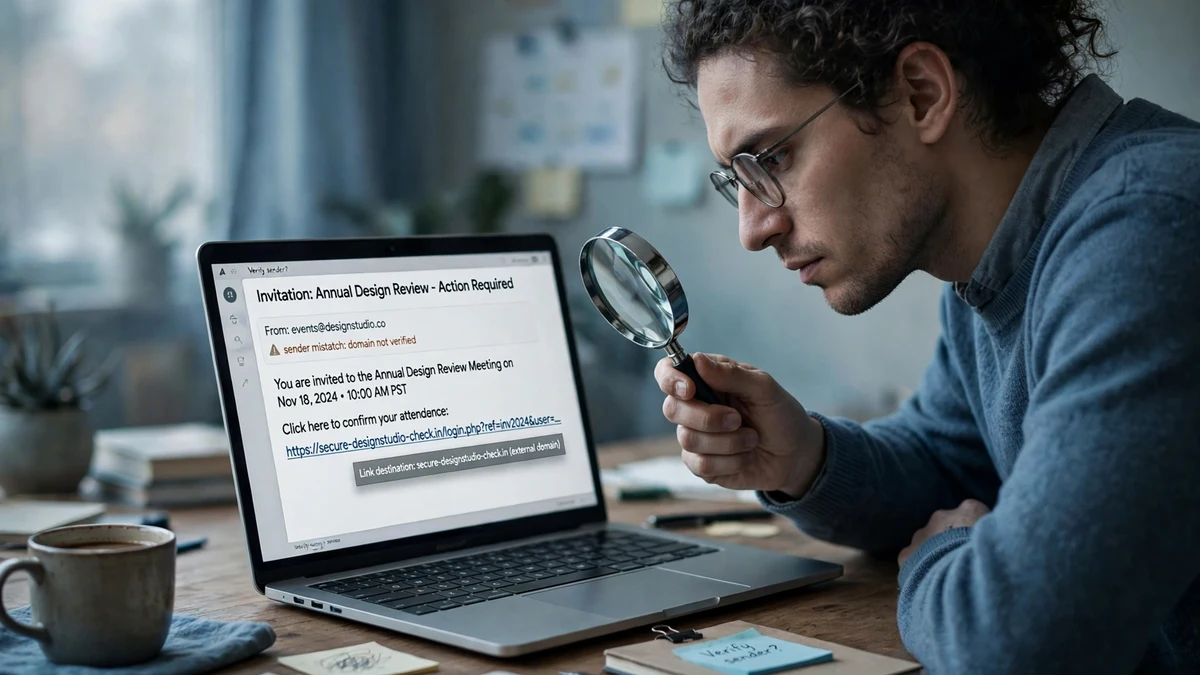
You do not need security software to catch this campaign. You need ninety seconds and a habit of suspicion toward anything that asks you to sign in to claim a reward.
First, check the sender. A genuine OpenAI Academy invitation comes from an openai.com address, through channels OpenAI actually uses. A genuine SpaceX event does not arrive as a cold email offering shares in the company. If the sender domain is a lookalike, a free-mail address, or a domain you have never seen, stop there.
Second, check the link before you click it. Hover, or long-press on mobile, and read the destination. The fake pages in this campaign live on subdomains of eventrsvp[.]app, and the invitation links travel through Google short links or Zapier's short-link service. A real event registration does not need a URL shortener to reach its own page.
Third, check the event itself. Search for the event name, the speaker, and the date, independently of the email. The OpenAI page advertised a November 4 livestream; the SpaceX page advertised a November 12 briefing. If the event is real, the organizer's own site will list it. If the only source for the event is the email in your hand, the email is the event.
Fourth, check the reward against common sense. Three months of ChatGPT Pro is a real thing that OpenAI sometimes gives away — which is precisely why it works as bait. But a private company does not hand out shares in itself as an event door prize. The moment a reward sounds like something a company would never do, believe that.
Fifth, check the sign-in request itself. A legitimate event registration may ask you to create an account on the event platform. It should never ask you to enter a device code displayed on its own page, and it should never hand you off to a second sign-in after the first one succeeds. If a page shows you a code and tells you to approve it somewhere else, close the tab. If a page asks you to sign in twice, close the tab.
If you have already registered on a page like this, treat it as a compromise, not a scare. Change the password, revoke all active sessions — in Microsoft's case, through the account security page, not just the password reset — and check for forwarding rules, new app passwords, and unfamiliar devices. And tell your IT team or, if it was a personal account, check the account's recent activity yourself. The tokens this attack steals persist past a password change. Revocation is the step that matters.
The Inbox Rule That Would Have Stopped This at the Door
There is a simpler layer to this, and it is the one this site exists to talk about. Every one of these lures arrived by email, and every one of them asked the victim to hand over an address that mattered — a work email, a primary Gmail, the account that holds everything else.
That is a choice you make before the email arrives. When you register for an AI event, a beta, a free trial, or a conference that found you through an ad rather than through a relationship, that registration does not need your real inbox. A disposable address gets you the confirmation link and the event details, and when the list gets sold, breached, or scraped, the address that leaks is one you can abandon in ten seconds. The worst case is a dead inbox. The best case is that the phishing campaign aimed at that list never reaches the account that holds your work.
This is the same logic behind what happened earlier this year, when a trusted disaster-alert service in Japan was breached and 1.42 million phishing emails went out from an address people had every reason to trust. The sender was legitimate. The list was the vulnerability. A disposable address would not have stopped the breach, but it would have contained the blast radius to an inbox that does not matter.
The same rule applies to AI tool signups generally. Earlier this week we wrote about Claude Code quietly sending a user's email address to websites — a reminder that the tools themselves are not always careful with the address you give them. The address you hand to a new AI tool is a bet on that tool's security, its data handling, and its future. Some bets deserve a throwaway, and knowing when a disposable inbox wins — and when it costs you is the difference between a smart habit and a locked-out account.
None of this is a substitute for the five checks above. A disposable inbox does not stop you from approving a device code. But it does mean the campaign that harvested your address from an event list cannot walk it over to your Microsoft or Google account and try the same trick there. Defence in depth is not a slogan; it is a stack of small decisions, and the email address you register with is one of them.
Frequently Asked Questions
What is device-code phishing?
Device-code phishing abuses the legitimate device authorization flow — the sign-in method built for devices without keyboards, like TVs and conference-room displays. The attacker starts the flow, gets a short code from Microsoft, and shows it to the victim on a phishing page. The victim enters the code on Microsoft's real login page and approves it, which issues authentication tokens to the attacker's session. The victim never types a password on a fake page, and multi-factor authentication does not stop it, because the victim is approving a genuine sign-in.
Are the fake OpenAI, SpaceX, and Anthropic events still live?
The Anthropic page was already down when Push Security investigated. The OpenAI and SpaceX pages were observed running from October 29 to November 2, advertising events on November 4 and November 12. Campaigns like this rotate domains and rebuild quickly, so treat the lures as active even if a specific page is gone — the kits behind them, ZoomMock and MSDRoot, are still in use.
I entered a device code from a website. What do I do now?
Assume the account is compromised. Change the password, then revoke all active sessions — in a Microsoft account, use the security page's session revocation, because a password reset alone does not kill stolen refresh tokens. Check for mail forwarding rules, new app passwords, unfamiliar devices, and sent items you did not send. If it was a work account, tell your IT or security team immediately; the attacker may already be reading the inbox.
Does multi-factor authentication protect against this?
Not against device-code phishing or adversary-in-the-middle attacks. MFA proves you are the person holding the phone; these attacks either get you to approve the attacker's session yourself or relay your own authentication through a proxy. MFA still stops most other attacks and should be on everywhere. The defence that stops device-code phishing specifically is blocking the device-code flow in Conditional Access, an admin setting in Entra ID. And remember the second factor that dies with the inbox — a recovery code sent to a disposable address you no longer control is no recovery at all.
Should I use a disposable email to register for AI events?
For events, betas, and free trials that found you through an ad or a cold email, yes — a temporary address gets you the confirmation and the details without putting your primary inbox on another list. Never use a disposable address for an account you need to recover later, like your primary Microsoft or Google account, because the recovery codes go to an inbox that will not exist when you need it. The rule is simple: throwaway for signups you can walk away from, permanent for accounts you cannot.
How is this different from ordinary phishing?
Ordinary phishing usually asks for your password on a fake login page, which a careful user can catch by checking the URL. This campaign's Microsoft route sends you to the real login page, so the URL check passes. Its Google route relays the real login page through a proxy, so the page looks right too. The tells are in the context — the unsolicited invite, the reward, the code handed to you by a stranger's site — not in the login page itself.
The Takeaway
The fake OpenAI and SpaceX event campaign is a useful reminder of how phishing has changed. The old advice assumed the attacker would build a bad copy of a login page and hope you did not notice. The new attacker rents two professional platforms, builds a convincing event page, hides it behind a CAPTCHA, delivers it through a link shortener, and then lets you sign in on the real Microsoft page — because the sign-in was never the thing being faked. The invitation was.
EvilTokens showed this is a business, not a hobby: $500 a month, 12,000 inboxes, $1.1 million in traced revenue, and a takedown that disrupted one vendor without touching the technique. The 7.3 billion phishing threats Microsoft counted in a single quarter say the same thing at a different scale. The campaigns will keep coming, and the lures will keep tracking whatever people want most this month — right now, that is AI events and free premium subscriptions.
Your defence is not a product. It is a habit: verify the event, verify the sender, never approve a code a stranger handed you, and keep the address you register with disposable whenever the relationship is. Ninety seconds of suspicion is cheaper than a compromised inbox, and a throwaway address is cheaper still.
Need a disposable temporary email?
Protect your real inbox from spam and promotional clutter instantly and free.
Received a suspicious email, text, or charge alert?
Verify whether the sender domain is disposable, spoofed, or unverified before clicking links.