



Your Inbox Deserves Better Than Spam
A disposable email inbox is a temporary, short-lived email address that allows you to receive messages without revealing your primary identity. It is designed to be used for one-off verifications and then discarded, protecting your real inbox from spam and data breaches.
Quick Answer: What is a Disposable Email Inbox?
- Function: A randomly generated email address that works like a real inbox
- Speed: Receives messages instantly for sign-ups and trials
- Privacy: Leaves no trace back to your real identity or PII
- Lifespan: Expires automatically or when you close the session
- Cost: Free to use, no registration required
Think about the last time you signed up for a free trial, downloaded a PDF, or entered a contest online. Chances are, your real email address is now sitting in a marketing database somewhere — being sold, shared, or blasted with promotions you never wanted.
Nearly every app and service online asks for an email address to let you in. That makes your inbox a prime target for spam, phishing, and data breaches.
The good news? You don't have to hand over your real address every time.
A disposable email inbox acts as a shield between you and the internet. You get the verification email you need. The website gets an address that disappears. Everyone moves on.
Leading temporary email platforms have processed billions of emails on behalf of users who simply didn't want their real inbox flooded. That's not a niche use case — that's a massive, real-world privacy problem being solved millions of times a day.
This guide walks you through everything: how disposable inboxes work, when to use them, which features matter, and where the limits are.
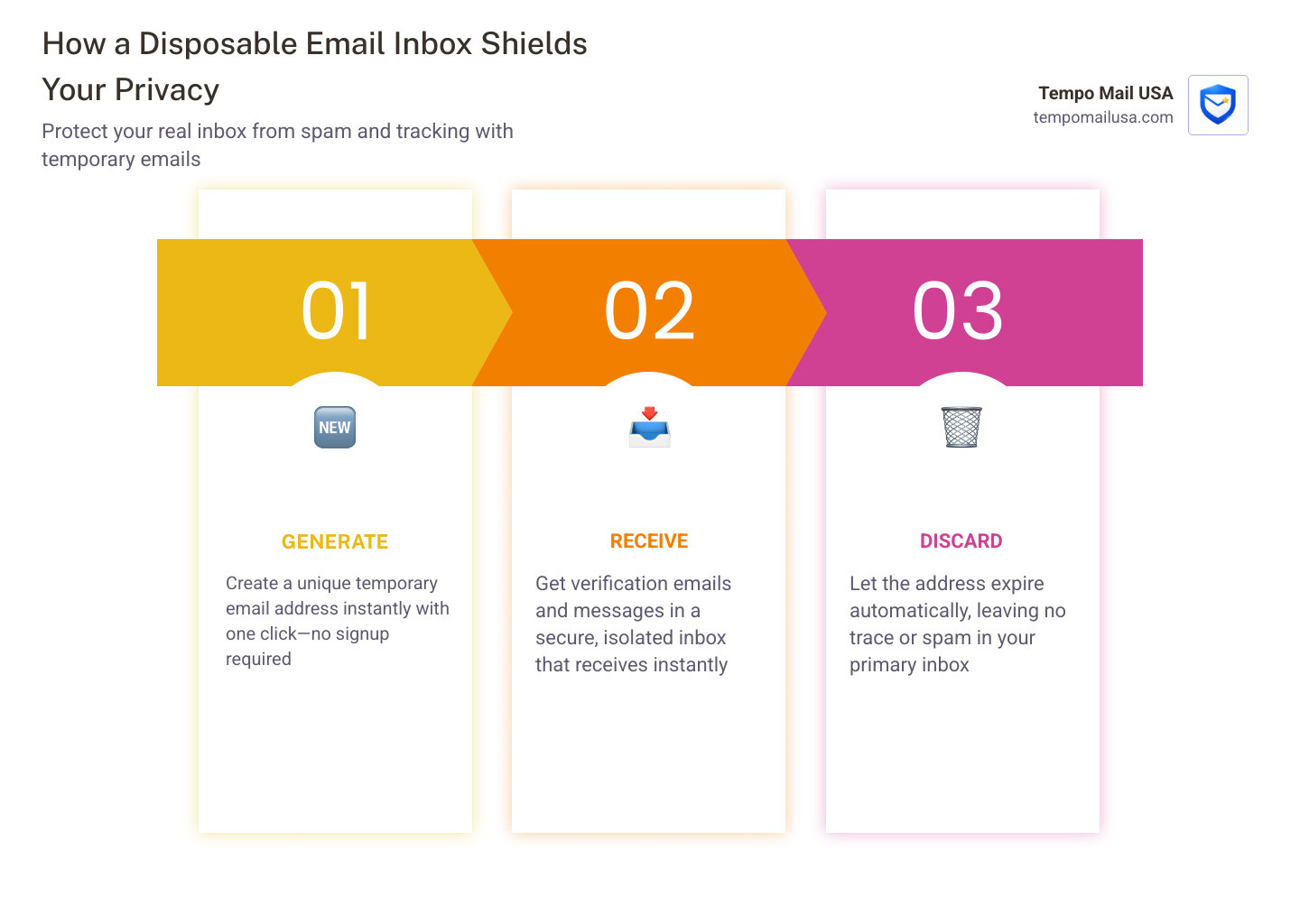
What is a Disposable Email Inbox and How Does It Work?
At its core, a disposable email inbox is a short-term, throwaway tool designed for one-off interactions. Think of it like a digital "burner phone" for your correspondence.
How It Works
- Generation: When you visit a service provider, they instantly generate a unique email address for you.
- Anonymity: You don't provide your name, location, or actual primary email address.
- Reception: The provider hosts domains and "catch-all" inboxes. When an email hits your assigned address, it appears in a temporary browser window.
- Expiration: Most inboxes feature inbox expiration and automatic message deletion (e.g., after 3 hours or 7 days).
You can discover how temporary email works in our complete guide to see the technical magic behind the scenes. Once the session is over or the timer runs out, the data is wiped, leaving no breadcrumbs for hackers or advertisers to follow.
Different Types of Disposable Email Services
Not all "burner" emails are created equal. Depending on your needs, you might choose one of three main categories:
- Temporary Inboxes: These are the most common. You visit a site, get a random address like
user88@temporary-inbox.com, and watch the messages arrive in your browser. They are perfect for instant verifications. - Email Forwarding: These services provide a "mask." You give a service a fake address, and it forwards the mail to your real inbox. If the sender starts spamming you, you simply "kill" the forwarding rule.
- Email Aliases: This is a more robust, long-term solution. Aliases act as a proxy for your identity, shielding your real Personally Identifiable Information (PII) from services. We specialize in this at Tempo Mail USA, providing a permanent firewall between you and the companies you interact with.
Using a one-time use address is a strategic advantage in a world where 99% of apps require an email for sign-up. You can learn more about what temporary email is and how to use it safely to determine which type fits your current task.
Disposable Email Inbox vs. The Plus (+) Trick
You might have heard of the "plus trick" (also known as subaddressing). This is where you add a plus sign and a word to your Gmail or Outlook address (e.g., yourname+netflix@gmail.com). While it helps with filtering, it is not a privacy tool.
Here is why the plus trick often falls short:
- Easy to Reverse: Any basic script can strip the
+netflixpart to reveal your real email address. - Tracking: Advertisers use the base email to link your activities across different sites, even if you use different tags.
- Blocking: Many websites actively block sign-ups that contain a "+" symbol.
- No Reply Capability: You usually cannot reply from a subaddress without revealing your true identity.
| Feature | Plus (+) Trick | Burner Email | Professional Alias (Tempo Mail USA) |
|---|---|---|---|
| Hides Real Email? | No | Yes | Yes |
| Prevents Tracking? | No | Yes | Yes |
| Longevity | Permanent | Short-term | Long-term/Custom |
| Reply Support | No | Rare | Yes |
To see if your real email has already been compromised by these less secure methods, you can check have i been pwned. If your data is already out there, switching to a true disposable email inbox is the best way to stop the bleeding.
Why You Need a Disposable Email Inbox for Uncompromised Privacy
The primary reason to use a disposable email inbox is protection. Your email address is essentially your digital passport. When it leaks, your PII—including your shopping habits, location, and even financial connections—can be mapped out by data brokers.
Key Benefits of Temporary Inboxes:
- Spam Elimination: Stops marketing emails from reaching your real account.
- Security: If a site is hacked, attackers only get a dead, expired address.
- Data Privacy: Prevents the resale of your personal data to third parties.
We believe everyone deserves a digital firewall. You can read more about why you need a secure temp mail service for privacy to understand how these tools block the resale of your data.
Top Use Cases for a Disposable Email Inbox
Where does a disposable email inbox shine in the real world? Here are a few scenarios where we use them every day:
- Free Trials: Want to try a streaming service or a design tool for 7 days without being charged or harassed by "Please come back!" emails? Use a burner.
- One-Time Purchases: Buying a gift from a random online store? Don't let them put you on their newsletter list for the next five years.
- Public Wi-Fi: Many airports and coffee shops require an email to access the internet. A temporary address gets you online without the marketing baggage.
- App Testing: For developers, creating 100 dummy accounts to test a sign-up flow is much easier with a disposable service. You can effortlessly create fake emails for business needs without cluttering your corporate server.
- Anonymous Interactions: Whether you are commenting on a controversial blog post or navigating dating sites, keeping your real identity under wraps provides peace of mind.
To find the best tool for your specific situation, check out our guide on how to discover reliable disposable emails that work efficiently.
How to Create and Use a Disposable Email Step-by-Step
Getting started is incredibly easy. Most services don't even have a "Sign Up" button because the whole point is to avoid giving away info!
- Visit the Provider: Open your browser and head to a temporary mail site.
- Copy Your Address: An address is usually generated for you instantly. Click the "Copy" button.
- Paste and Register: Use that address on the website that’s asking for it.
- Wait for the Mail: Keep the temporary mail tab open. Within seconds, the verification link or coupon code will appear in the "Inbox" section of the page.
- Click and Discard: Once you’ve clicked the link or got your code, you can simply close the tab. The inbox will eventually expire on its own.
This simple workflow is why millions of people are moving away from traditional inboxes for their web browsing. If you want a more detailed walkthrough, we have a guide on how to create a temporary email easily, free and secure.
Advanced Features for Power Users and Developers
For those who need more than just a simple browser window, some services offer powerful developer-friendly tools.
- API Access: Advanced disposable email providers allow developers to access inboxes via HTTP or GraphQL. This is a game-changer for automated testing. Instead of manually checking for a "Welcome" email, your code can query the API to see if the message arrived.
- Workflow Testing: You can simulate complex user journeys, such as 2FA (Two-Factor Authentication) verifications or password reset loops, across thousands of unique inboxes simultaneously.
- Custom Domains: Some advanced providers allow you to link your own domain (at a small cost) so you can have exclusive access to the addresses generated on that domain, adding another layer of professionalism and control.
Limitations and Security Best Practices
While a disposable email inbox is a powerful ally, it isn't a magic wand for every situation. There are risks if you use them incorrectly.
The biggest risk is public access. In many free services, if someone knows your temporary username, they might be able to see your emails. This is why you should never use these for sensitive information. Furthermore, once an inbox expires, you usually can't get it back. If you lose the password to a site registered with a burner email, you might be locked out forever.
To stay safe, follow these "Do's and Don'ts":
- DO use them for coupons, whitepapers, and one-off trials.
- DO rotate your addresses frequently.
- DON'T use them for banking, government services, or primary social media accounts.
- DON'T send sensitive personal documents to a temporary inbox.
For a deeper dive into staying safe, check out our resource on how to protect personal information online.
Managing a Disposable Email Inbox Safely
If you find yourself using many different temporary addresses, management becomes key. We recommend using a password manager to keep track of which burner email you used for which site—at least for the duration you need the account.
Some "smart" temporary services offer an inbox recovery key. This is a unique code that allows you to return to the same inbox even after you've closed your browser. This is helpful if you're waiting for a confirmation that might take a few hours.
Also, be aware of domain recycling. Providers often retire old domains and bring in new ones to stay ahead of "blocklists." Usually, they provide a one-month notice before a domain is retired. Staying informed helps you safeguard your online identity more effectively.
Frequently Asked Questions about Disposable Emails
Are disposable emails truly anonymous?
Yes. Most reputable providers do not log your personal details or your IP address. However, the content of the emails might be visible to the service provider. For the highest level of anonymity, look for services that use encryption and have clear no-log policies. You can find more details in our FAQ.
How long do these temporary inboxes last?
Typically 10 minutes to 7 days. It varies by provider. Some last for just 10 minutes, while others stay active as long as your browser tab is open. Many services have an inactivity timeout (like 3 hours), and messages are often deleted after 7 days even if the address is still active.
Can I use a disposable email for my bank account?
No. Critical services like banking, healthcare, or primary work tools require long-term, secure access. If your bank needs to send you a fraud alert or a password reset link six months from now, a disposable email inbox will be long gone. Using a burner for these services is a major security risk because you lose the ability to recover your account.
Conclusion
In an era where your data is the world's most valuable commodity, taking control of your inbox is the ultimate power move. A disposable email inbox isn't just a way to avoid junk mail—it's a sophisticated tool for identity protection and digital hygiene.
At Tempo Mail USA, we are dedicated to providing the privacy tech you need to move through the web without leaving a trail of PII behind. By using email aliases and temporary addresses, you turn your inbox into a personal firewall that blocks threats before they ever reach your real life.
Don't let your primary inbox become a graveyard for marketing spam. Explore the benefits of using temporary email and start reclaiming your digital peace.
Ready to shield your identity? Visit https://tempomailusa.com to start protecting your inbox today!