
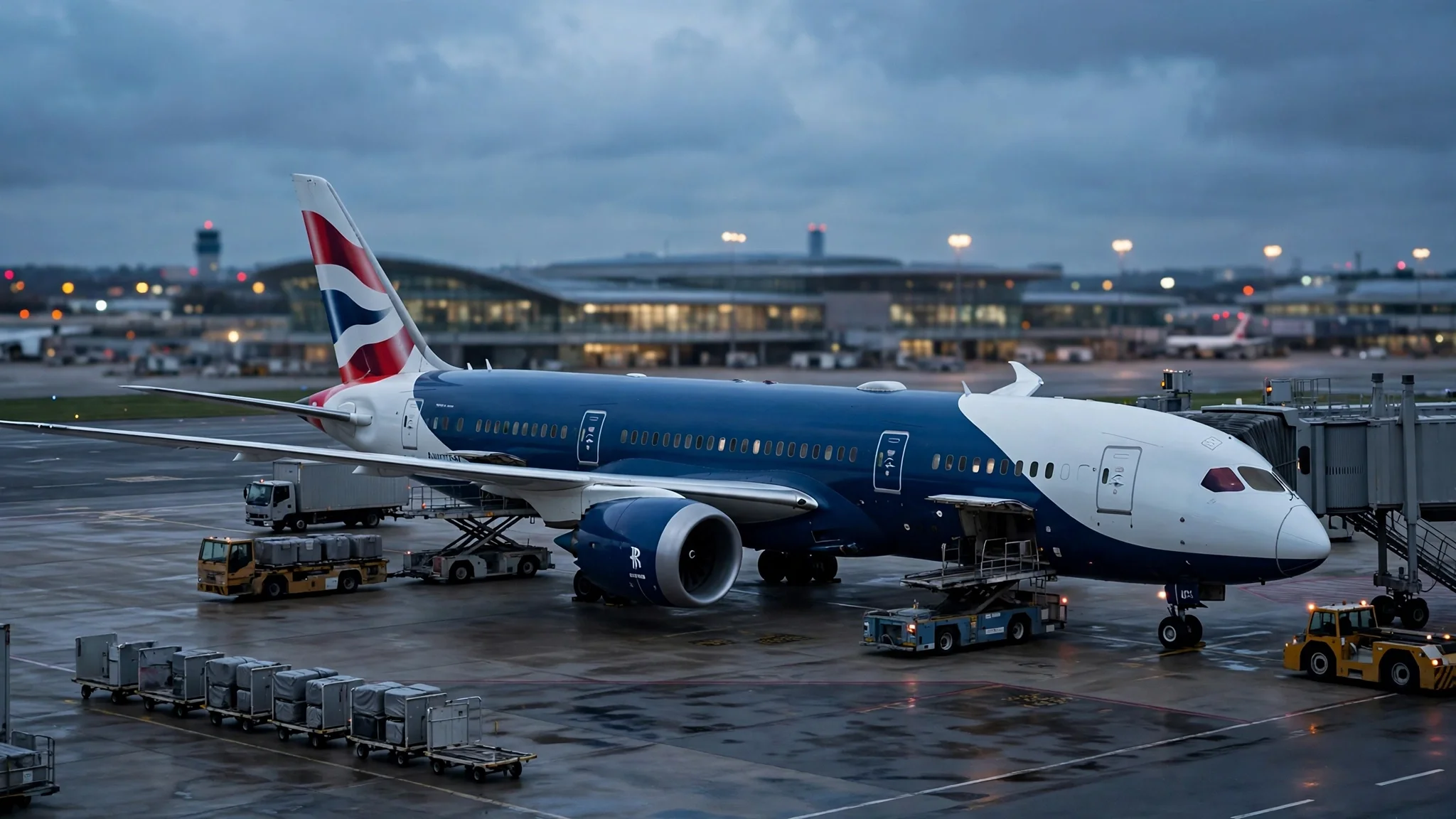
British Airways 787 Grounded in Pittsburgh for 70+ Days — and the Refund-Email Scams Riding the Story
A Boeing 787 has been sitting on the ground at Pittsburgh International Airport for more than ten weeks, and it did not get there by choice. The aircraft — British Airways' 12-year-old 787-8, registration G-ZBJF — flew in from London Heathrow on August 28 as flight BA171, and a baggage belt loader struck its underside before it could turn around and go home. The collision left a hole in the fuselage. More than 70 days later, the Dreamliner is still there, and the parking bill alone is running toward $175,000.
That is a strange, specific story, and it is exactly the kind of story that fills inboxes with trouble. When we checked Google Trends on the morning of November 9, "british airways boeing 787 pittsburgh grounded" was the number two trending search in the United States. Thousands of people were suddenly Googling a grounded airplane — and wherever thousands of people suddenly search, the phishing emails follow within hours. This post is the timeline of what actually happened to the jet, the reason a parked plane is a phishing opportunity, and the exact checks that separate a real British Airways message from a fake one.
The 70-day timeline, in one place
Most coverage of the story is scattered across aviation blogs, so here is the whole sequence as reported, in order.
| Date | What happened |
|---|---|
| 28 Aug 2026 | G-ZBJF departs London Heathrow at 16:35 BST as BA171 and lands at Pittsburgh at about 20:24 EDT, completing a roughly 3,233-nautical-mile crossing. |
| 28 Aug 2026 | A mobile baggage belt loader strikes the aircraft's underside near a bulk cargo door during ground handling, reportedly piercing the fuselage. The jet never operates its return flight to London. |
| Sep–Oct 2026 | The aircraft sits at Pittsburgh while engineers assess the damage. British Airways does not publicly confirm the precise circumstances or a detailed damage assessment. |
| Early Nov 2026 | Reporting suggests BA could reposition the jet to Cincinnati/Northern Kentucky International Airport after temporary repairs, for further work. |
| 8 Nov 2026 | Simple Flying reports the aircraft has been stranded for over two months due to complicated repairs. |
| 9 Nov 2026 | The story hits number two on Google Trends in the US. G-ZBJF remains grounded, with no confirmed return-to-service date. |
Two numbers in that timeline deserve a second look. The first is the age of the aircraft: 12 years old, a working long-haul jet, not a museum piece — which is why the grounding matters to BA's schedule. The airline operates only 12 Boeing 787-8s, so losing one for a quarter of a year is not a rounding error. The second is the parking cost: the Allegheny County Airport Authority has put it at around $175,000. That figure is what turns an aviation curiosity into a news story, and a news story into a search spike.
One correction worth making before the rumor mill does it for us: the London–Pittsburgh route itself is fine. Flight BA171 still operates daily — the November 9 departure was scheduled on time, flown by a different aircraft, a 787-9. The grounded jet is one airframe, not a suspended route. If you hold a ticket on the route, your flight is not the story. Your inbox might be, though.
Why a parked plane fills your inbox
Here is the mechanism, and it repeats with every disruption that trends. First, a story spikes in search. Then people who have any connection to it — a booking on the route, a trip to Pittsburgh, a compensation claim, plain curiosity — start signing up for things: flight-status alerts, refund-status checkers, compensation-claim portals, news alerts, forum accounts. Each signup asks for an email address. Most of those sites are legitimate. Some are not, and the ones that are not were built that morning, specifically for this search spike.
The scam version of this story does not need to be sophisticated. It needs three ingredients: a real event people are Googling, a plausible sender name, and a link. "British Airways" supplies the sender name. The grounding supplies the event. The link goes to a compensation form that harvests your booking reference, your date of birth, and eventually your card details — or it drops a malicious attachment dressed up as a refund voucher.
This is also why the timing matters. Phishing campaigns ride the first 48 hours of a spike, when people are still forming their picture of the story and have not yet seen the debunks. By the time the "is this email real?" posts appear, the campaign has already moved on to the next trending disruption. The defense is not vigilance in the abstract. It is a habit: never act on a travel email from the email itself. Verify through a channel you opened yourself.
Anatomy of the BA refund email that isn't from BA
If an email about the Pittsburgh grounding lands in your inbox, run it through these checks before you click anything. A single fail does not prove fraud, but two or three together is a verdict.
- The sender domain is close but wrong. Real British Airways mail comes from britishairways.com. Fakes come from domains like british-airways-refunds.com, ba-compensation.net, or a free mailbox with "British Airways" as the display name. The display name is free to fake; the domain after the @ is the part that costs money to spoof convincingly. On a phone, tap the sender name to reveal the actual address — the inbox preview hides it by design.
- It demands urgency you did not ask for. "Claim within 24 hours or your refund expires." Real compensation processes do not expire on a countdown timer. Airlines are slow, bureaucratic, and generous with deadlines; scammers are fast, urgent, and stingy with them. Urgency is the tell.
- It asks for something BA already has. Your booking reference, your name, your flight date — the airline has all of these. An email asking you to "confirm your booking by entering your card details" is asking you to hand a stranger the keys. A genuine rebooking or refund flow starts on ba.com or in the BA app, after you sign in, not from a link in an email.
- The link does not go where it claims. Hover (or long-press on mobile) before tapping. If the visible text says britishairways.com and the actual destination is a shortened link or an unrelated domain, delete the email. Shortened links in refund emails are a red flag on their own — airlines do not need link shorteners for their own site.
- There is an attachment you did not expect. Refund vouchers, compensation forms, and "e-ticket updates" arriving as .zip, .html, or .pdf attachments from an airline you did not contact are a classic malware delivery. BA does not send refund paperwork as an attachment out of nowhere.
One more check that catches the smarter fakes: search the exact subject line in quotes. Scam campaigns reuse subject lines across thousands of inboxes, and someone has usually posted it to a forum or a scam-reporting site within a day. A genuine BA message about your specific booking will not appear verbatim in a stranger's inbox.
What a real British Airways email looks like
It helps to know the genuine article, because the fakes are designed to look like a memory of it. A real BA email about your booking references the booking you actually made, uses your name as it appears on the ticket, and links to ba.com — the same domain you would type yourself. It does not ask for your password, your card's security code, or your bank login, ever, by email. If a refund is due, BA processes it to the original payment method; it does not ask you to "select a refund method" through an emailed form.
The practical rule is simple and covers every airline, not just BA: treat email as a notification, never as a workplace. The email tells you something happened; ba.com or the BA app is where you do something about it. Open the app yourself, or type the address yourself. If the email is real, the same information will be waiting for you there. If it is not, you have lost thirty seconds and nothing else.
This is also the moment to check your own BA account rather than your inbox. If you flew the route, or hold a future booking on it, sign in and look at the booking status directly. That single habit — checking the account, not the email — defeats nearly every version of this scam, because the scam only works inside the email.
The disposable-inbox playbook for disrupted travel
Disruption is exactly when you sign up for the most new services in the shortest time, and that is when a temporary inbox earns its keep. The rule I use: the airline itself gets my real email, because the airline needs to reach me about my actual booking. Everything around the airline — third-party alert sites, compensation-checker tools, refund-status portals, travel forums, news alerts — gets a disposable address.
- Compensation checkers and claim portals: These are the highest-risk signups in a disruption. Many are legitimate, some sell the addresses they collect, and a few are outright harvest operations. A temporary inbox lets you use the service and walk away. If the portal turns out to be a spam source, delete the address and the spam dies with it.
- Flight-status and price-drop alerts: Useful for a week, noisy forever. Route alerts for a specific flight or fare are textbook temporary-inbox work — you want the alert, not a permanent relationship with the alert company.
- Forum and comment accounts: The threads about a grounded jet are where passengers swap rebooking experiences, and they are also where scammers harvest addresses from public profiles. Register with a disposable address and your posts stay public while your real inbox stays private.
- News alerts for the story: Search spikes fade in days. A temporary inbox for a news alert means you follow the story while it matters and stop hearing about it when it does not.
What not to do: do not put a disposable address on the booking itself, and do not use one for the compensation claim with the airline. BA needs to reach you about your money, and a dead inbox means a missed refund. The split is the point — real inbox for the airline, disposable inbox for everyone orbiting the story. For a closer look at how to judge a temporary-mail service before trusting it with anything, see our seven-test checklist for what makes a temp mail service actually good.
If you already clicked
If you opened a suspicious refund email and clicked through, do not panic — do the boring things, in order, and most of the damage is avoidable.
- Do not enter anything else. If a form is open and you have not submitted it, close the tab. If you submitted a password, change that password now, starting with your email account itself, because email is the reset mechanism for everything else.
- Check what actually ran. An attachment that opened, or a download that started, deserves a malware scan before anything else. Run your device's built-in scan, and if anything was installed, remove it before you sign in to anything sensitive.
- Watch the booking. Sign in to your BA account directly and check for changes to your bookings — seat changes, contact-detail changes, or refund requests you did not make. Report anything unfamiliar to BA through the official site, not by replying to the suspicious email.
- If card details went in, call the bank. This is the one step people delay and regret. A five-minute call to freeze or replace a card beats a month of disputing charges. Tell the bank exactly what happened; they have heard it before.
- Report the email. Forward phishing to BA's abuse reporting channel and to your email provider's phishing report. It takes a minute, and it is how the next person's inbox gets the warning before the email arrives.
The pattern to remember: scammers do not need you to be careless. They need you to be busy, travelling, and reading email on a phone at an airport. That is most of us, most of the time. The fix is not more suspicion. It is fewer decisions made inside email.
Frequently asked questions
Is the British Airways 787 really stuck in Pittsburgh? Yes. The 787-8 registered G-ZBJF arrived from London Heathrow on August 28, 2026, as flight BA171, and was damaged on the ground when a baggage belt loader struck its underside. It has been grounded for more than 70 days as of November 9, 2026, with no confirmed return-to-service date. Simple Flying and Aviation A2Z both reported the story in early November.
Are my British Airways flights to Pittsburgh cancelled? No — the route continues. BA171 still operates daily between London Heathrow and Pittsburgh, flown by other aircraft. The grounding affects one airframe, not the route. Check your specific booking in the BA app rather than trusting an email about it.
How do I know if a British Airways refund email is real? Check the sender domain (it must be britishairways.com), hover over links before tapping them, and never enter card or bank details from an emailed form. The decisive test: open ba.com or the BA app yourself. If the refund or rebooking is real, it will be visible in your booking there.
Can I use a temporary email for a flight compensation claim? Use your real email with the airline itself — BA needs to reach you about your money. Use a temporary inbox for the third-party sites around the claim: compensation checkers, fare-alert services, forums, and news alerts. That split keeps your real inbox out of the databases that a trending story creates overnight.
Why do scammers target flight disruption news? Because disruption creates urgency and a flood of new signups at the same time. Passengers want refunds and updates, they sign up for anything that promises them, and they act quickly. A trending story like a grounded Dreamliner delivers a large, motivated audience in the first 48 hours — which is exactly the window a phishing campaign needs.
What should I do with a suspicious email about this story? Do not click links or open attachments. Check your booking directly on ba.com or in the app, and if you need to act, act there. Then report the email to your provider as phishing. If you already entered card details, call your bank before doing anything else.
The plane will fly again. Your inbox should survive it.
G-ZBJF will eventually get its temporary repair, probably a repositioning flight to Cincinnati, and a long stay in a maintenance hangar. The news cycle will move on, and so will the scammers — to the next grounded jet, the next cancelled route, the next refund window. The habit that protects you through all of them is the same one: the email is a notification, the airline's own site is the workplace, and every third-party signup in between gets an address you can throw away. If you want a second opinion on the disposable-inbox side of that habit, our guide to what actually makes a temp mail service good and our fix for temp mail OTP codes that never arrive cover the two things people get wrong most often. And if you are comparing inboxes, the inbox playbook we wrote for Black Friday deal alerts uses the same split — real inbox for the store, disposable inbox for everything around it.
Need a disposable temporary email?
Protect your real inbox from spam and promotional clutter instantly and free.
Received a suspicious email, text, or charge alert?
Verify whether the sender domain is disposable, spoofed, or unverified before clicking links.