

Best Burner Email: 7 Services That Actually Work — 2026
Best Burner Email: 7 Services That Actually Work — 2026
Search "best burner email" and you get the same listicle everywhere: seven services, a star rating each, and a recommendation that somehow always ends with the site's own product. The lists are not wrong about the names. They are wrong about the question. There is no single best burner email, because a burner email does three different jobs, and the service that wins one of them loses another.
A burner that self-destructs in ten minutes is perfect for a verification code and useless for a free trial that emails you a download link on day six. A permanent alias that forwards to your real inbox is perfect for newsletters and useless when you want no connection to your identity at all. So this guide does it the other way round: pick the job first, then the service.
The three jobs a burner email does
Every burner email request falls into one of three buckets. Figure out which bucket you are in before you compare services, because the features that matter change completely.
| Job | What you actually need | What breaks it |
|---|---|---|
| One verification code, right now | An inbox in under ten seconds, a code that arrives fast, no signup | A domain the site already blocks; an inbox that needs an account |
| A free trial or download | An inbox that stays alive for days, not minutes | A 10-minute timer expiring before the confirmation mail arrives |
| A permanent shield for your real address | An address you can keep, revoke, and reply from | A disposable domain that gets blocked, or an inbox anyone can open |
Most people asking for the "best burner email" are in the first bucket. They have a signup form open in another tab and a code that needs somewhere to land. If that is you, skip to the next section — the answer is short. If you are setting up something that has to keep working next month, read the whole thing, because the right answer for you is probably not a burner at all.
The 30-second answer: the best burner for each job
- Verification code right now: TempoMailUSA. A free inbox generates instantly with no account, the first message is free to read, and the free inbox lasts around 30 days — long enough that a slow code still lands. One honest limit: the free tier gives you one domain, rover.info, and some strict signups block it — our own Microsoft test found exactly that — so if a form rejects it, try another service rather than another domain.
- A trial that lasts a week: Guerrilla Mail, or TempoMailUSA on a longer-lived domain. Guerrilla Mail keeps an address for about an hour and lets you send mail back; TempoMailUSA's free inbox lasts far longer, which is what a trial actually needs.
- A permanent shield: SimpleLogin or Proton Pass. These are aliases, not burners — they forward to your real inbox, you can reply from them, and you can kill one address without touching the rest. DuckDuckGo Email Protection is the free version of the same idea.
- The fastest one-off, no questions asked: 10 Minute Mail. Ten minutes, a countdown timer, and nothing else.
- The one to avoid for anything important: any burner whose inbox is public by address. If anyone who guesses the address can read your mail, a verification code is not private.
That is the whole guide in five bullets. The rest of this article is the evidence: what I actually checked, where each service wins and loses, and the blocklist problem that decides more signups than any feature list.
Job one: a verification code, right now
This is the job that built the burner email market. You are signing up for something — a game beta, an AI tool, a forum — and the form wants an email address before it will send the code. You do not want to give your real address, because you do not know this service yet and you do not want its marketing mail for the next three years.
When we checked TempoMailUSA this morning, the homepage generated a temporary address immediately, no account and no card, with the first message free to read. The domain picker lists 468+ domains, but the free tier gives you one of them — rover.info — and the rest sit behind Pro, which also unlocks reading every message and 365-day inboxes. The free inbox lasts around 30 days — checked again this morning, the generated inbox (testvisitor42@rover.info) showed 29 days and 13 hours remaining. That matters more than it sounds: most "instant" burners give you minutes, and a verification code that arrives late — or a second confirmation a day later — lands in a dead inbox. A 30-day window forgives slow senders.
10 Minute Mail is the purest version of this job. Open the page, get an address, watch a ten-minute countdown, get your code, leave. The catch is the timer itself: if the code does not arrive in ten minutes, or the service sends a follow-up the next day, your inbox is gone. Extend the timer in ten-minute chunks if you need to, but do not use it for anything that might email you tomorrow.
The honest difference between the two is not speed — both are instant. It is forgiveness. TempoMailUSA forgives a slow code and a second email. 10 Minute Mail does not, by design. If you are still unsure what a burner email even is, our explainer on what a burner email is covers the basics before you hand an address to a stranger.

Job two: a free trial or download that wants your inbox for a week
Trials are where short-lived burners quietly fail. You sign up on Monday with a ten-minute inbox, the trial confirmation arrives on Tuesday, the download link lands on Thursday, and the "your trial ends soon" reminder comes the following Monday. Every one of those messages goes to an address that no longer exists, and you discover it when the service asks you to click a link you never received.
Guerrilla Mail is the old answer to this problem. It keeps an address alive for about an hour, lets you choose your own address prefix, and — unusually for a burner — lets you send mail back, which is handy when a trial asks you to reply. An hour is still not a week, so it suits trials that confirm immediately and then go quiet, not trials that drip-feed you over days.
Maildrop takes a different approach: pick any username, get an inbox that stays alive as long as it gets mail at least once every 24 hours, capped at ten messages. The ten-message cap is the limit to respect — a chatty trial will fill it.
TempoMailUSA is the stronger fit here for the same reason it wins job one: the free inbox lasts around 30 days, so a trial's whole lifecycle — confirmation, download link, reminder, renewal warning — lands in the same inbox. That is the practical difference between a burner built for codes and a burner built for signups. Our guide to how to create a throwaway email walks through all four ways to do this, from a 30-second inbox to a permanent alias, so you can match the method to the length of the trial instead of guessing.
Job three: a permanent shield for your real address
Sooner or later the burner model runs out. You want an address that lives as long as you want it to, that you can hand to a newsletter, a shop or a service, and that you can kill the day it starts sending spam — without losing your real inbox. That is not a burner email. That is an email alias, and the best alias services beat every burner at this job.
SimpleLogin is the one I recommend most often. It creates unlimited aliases that forward to your real inbox, lets you reply from the alias so your real address never leaks, and lets you disable any alias the moment it misbehaves. It is open source, owned by Proton, and the free tier covers most people. Proton Pass bundles the same alias feature into a password manager, which is the tidy option if you already use Proton.
DuckDuckGo Email Protection is the free, no-signup version: @duck.com addresses that strip trackers from incoming mail before forwarding it to you. It costs nothing and it works, which makes it the right first alias for most people.
The trade-off is identity. An alias forwards to your real inbox, so a determined tracker can connect the alias to you through the forwarding path. A true burner has no such link: nothing about it points back to you. So the rule is simple. If the address needs to last, use an alias. If the address needs to be untraceable, use a burner and accept that it will die.
The seven services, ranked honestly
Here is the whole field, with the verdict I would give a friend rather than the verdict a comparison table usually gives. Our comparison of the best temp email services puts both models side by side if you want the full picture before choosing.
| Service | Type | Inbox life | Best for | The catch |
|---|---|---|---|---|
| TempoMailUSA | Burner | ~30 days free | Verification codes, trials, everyday signups | Pro needed to read every message |
| 10 Minute Mail | Burner | 10 minutes | The fastest one-off code | The timer is the whole product — no second chances |
| Guerrilla Mail | Burner | ~60 minutes | Trials that need a reply | One hour is still short for multi-day trials |
| Maildrop | Burner | 24h of activity, 10 messages | A memorable address for a short trial | Ten-message cap fills fast |
| Temp-Mail.org | Burner | Session-based | A clean one-click inbox | Well-known domains get blocked more often |
| SimpleLogin | Alias | Permanent | A shield you keep for years | Forwards to your real inbox — not untraceable |
| DuckDuckGo Email | Alias | Permanent | A free first alias | Fewer controls than SimpleLogin |
Two honest notes about this table. First, Temp-Mail.org is on it because it is genuinely good at its job — instant, clean, no signup — but its domains are among the most-blocked in the business, because it is also the most famous. Popularity is a liability for a burner: the more people use a domain, the faster sites block it. Second, there is no service here I would call bad. The bad choice is not a service; it is using the right service for the wrong job — a ten-minute inbox for a seven-day trial, or a permanent alias for a signup you want no trace of.
Where burner email fails: the blocklist problem
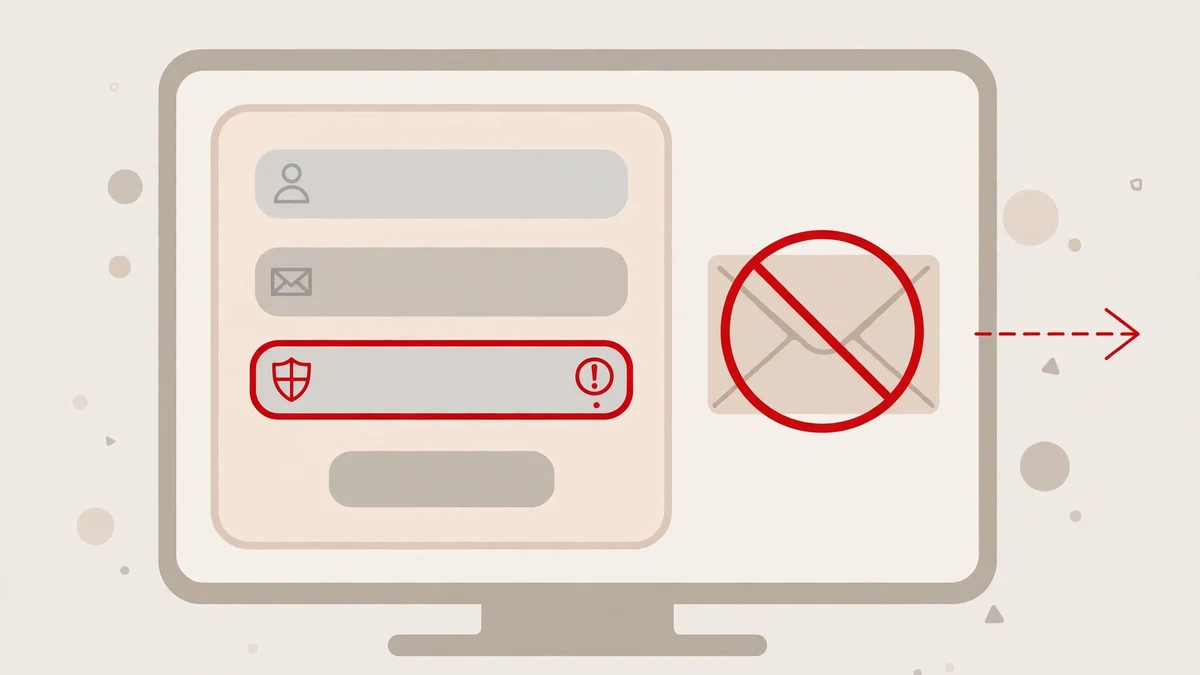
Here is the failure mode no feature list warns you about, and the one that decides more signups than any other factor. Sites that care about fake accounts keep lists of disposable email domains, and they reject signups from those domains outright. You paste a burner address into a form, click sign up, and get a polite error: this email domain is not allowed. The burner did nothing wrong. The site simply recognised it.
The blocklists are not secret — there are public lists of thousands of disposable domains, updated constantly, and most serious signup forms check against one. That is why domain choice matters — but only if you can actually use the domains on offer. On TempoMailUSA's free tier you get one domain, rover.info, and Microsoft blocks it; the other 467+ domains need Pro. On services where the free tier includes many domains, switching domains fixes most blocks in seconds.
When you hit a block, do not keep retrying the same domain. Switch to another domain on the same service first — that fixes most blocks in seconds. If every domain from one service is blocked, switch services entirely; a less famous provider's domains are less likely to be listed. And if the account matters — a paid subscription, a work tool, anything with recovery — stop using burners for it. A blocked burner is an annoyance; a locked-out paid account is a real problem.
There is a second, quieter failure: public inboxes. Some burner services give you an inbox that anyone can open just by typing the address. If you use one for a verification code, anyone who guesses — or scrapes — that address can read your code. Never use a public-inbox burner for anything tied to money, identity or an account you care about. The services in the table above give you a private session; if a burner does not make that clear, treat its inbox as public and use it only for throwaway signups. If you want the wider field, our list of temp mail websites covers the services worth knowing, and our roundup of free disposable email addresses is the place to check before you commit to any one provider.
FAQ
What is the best burner email overall? For most people, most of the time, TempoMailUSA: instant, no signup, around 30 days of free inbox life. For a single code in a hurry, 10 Minute Mail is just as fast. For anything that must last months, the best answer is not a burner at all — it is an alias service like SimpleLogin.
Are burner emails legal? Yes, in general. Creating a temporary address and using it for a signup is legal in most countries. What is not legal is using one to impersonate someone, commit fraud, or evade a ban you earned. Services are allowed to refuse disposable addresses in their terms, and many do — that is a policy decision, not a law.
Can I use a burner email for Gmail or Facebook signup? Sometimes, and less often than it used to be. Google and Meta both check disposable domains aggressively, and a burner that worked last year may be blocked today. If the signup rejects your burner, try another domain from the same service, then another service. If the account matters, use a real address — a burner you cannot recover is a bad foundation for an account you keep.
What is the difference between a burner email and a temporary email? Nothing, in practice — "burner email", "temporary email", "disposable email" and "throwaway email" are the same idea under different names. The real distinction is between a burner (a short-lived inbox with no link to you) and an alias (a permanent forwarding address tied to your real inbox).
Do burner emails really protect my privacy? They protect your real address from the service you sign up with, which is the main threat for most people — no marketing mail, no data-broker sale of your personal address. They do not make you anonymous to everyone: the burner provider sees your IP address unless you use a VPN, and the site you sign up with sees that same IP. Use a burner plus a VPN if the threat model needs it; use a burner alone if the goal is simply a quiet inbox.
The bottom line
The best burner email is the one matched to the job. A verification code wants speed and forgiveness — TempoMailUSA, or 10 Minute Mail if ten minutes is genuinely enough. A trial wants an inbox that outlives the trial — TempoMailUSA's 30-day window, Guerrilla Mail, or Maildrop. A permanent shield wants an alias, not a burner — SimpleLogin, Proton Pass, or DuckDuckGo Email Protection. Start from the TempoMailUSA homepage when the job is a code or a signup, and reach for an alias when the address has to last. The services all work. Picking the right kind of service is the part that actually matters.
Need a disposable temporary email?
Protect your real inbox from spam and promotional clutter instantly and free.
Received a suspicious email, text, or charge alert?
Verify whether the sender domain is disposable, spoofed, or unverified before clicking links.