

After the Download Button: What a Movie Site's Gateway Actually Does

On most download sites, the button is the end of the story. You find the title, you pick a quality, you press download, and the file arrives. That is the whole mental model, and it is wrong in exactly one place: the button is not the download. The button is a door. On the TempoMovies demo, pressing it takes you to a second page — a gateway — and the gateway has its own layout, its own wait, its own failure mode, its own ten buttons, and its own form. I went through it, on the live demo at tmovies.tempomailusa.com, for Mushoku Tensei: Jobless Reincarnation, and what I found is a page that does a surprising amount of work while telling you almost nothing about the work it is doing.
This post is about those thirty seconds. Not the title page — the contract-reading post in this series already did that. Not the search box, not the quality ladder, not the language line. The gateway. The page after the click.
The button is a door, not a download
Start where the visitor starts. The title page for Mushoku Tensei is a long page, and its sections run in this order: Movie Info, Synopsis / Plot, Download Links, Reviews / Leave a Review, the "Download In High Speed" card, Trending Movies, and the footer. The Download Links section is the busy part: Season 1, 2 and 3 tabs, Season 1 with 24 episodes, each episode carrying its own pair of buttons, and two season links underneath, "Download 1080p (1.44 GB)" and "Download 720p (689.31 MB)".
Here is the first thing worth noticing, because it sets up everything that follows: pressing one of those buttons does not start a download. It opens a new page. The tab title changes to "Download Gateway: Mushoku Tensei: Jobless Reincarnation [1080p] — TempoMovies". A gateway, not a file. The word is the site's own, and it is honest about what the page is: a checkpoint between you and the file, not the file itself.
That matters more than it sounds, because every expectation you formed on the title page gets re-tested on the gateway. The title page told you the language ("Hindi + English + Japanese"), the size range (1080p at 1.38 to 1.52 GB per episode), the quality ladder (1080p | 720p), the year (2021), the type ("Web Series & OTT"), the genres (Animation, Anime, Drama). The gateway repeats almost none of it. It shows a heading, two badges — "1080p" and "1.38 GB" — and nothing else about the file. The language line, which the language test in this series showed is the most important line on the title page for a whole class of viewers, simply does not travel through the door. You chose a language on one page and the next page has forgotten it.
There is also a small numbers mismatch worth recording. The gateway badge says "1.38 GB". The season link on the title page said "Download 1080p (1.44 GB)". The per-episode button for episode one said "1080p (1.38 GB)". So the gateway's number matches the episode button, not the season link — which suggests, without proving, that the gateway belongs to a single episode's file rather than the season bundle. The page does not say which. It does not say "Episode 1" anywhere. A badge with a size and no episode number is a number without a referent, and that is the gateway's style in miniature: it gives you figures and withholds the nouns that would make them mean something.
The page behind the button
So what does the gateway actually look like? Above the title, in small text, it says "Verified Cloud Gateway". Below the title, the two badges. Then the waiting text: "Please wait while we generate a secure download link…" and, under a progress bar, "Generating Secure Link". At the top of the page, a "Back to Details" link, the only clearly marked exit. There are no numbered step-by-step instructions — no "Step 1, Step 2, Step 3" telling you what will happen next. That absence is worth naming, because the 2026-11-02 post in this series noted a "How To Download?" section on the title page, and on this load, 2026-11-10, no such section was present on the title page at all. I am not claiming it never existed. I am recording that it was not there when I looked, on either page, and that a first-time visitor on this load gets no instructions about what the gateway is about to do.
What the page does give you, instead of instructions, is reassurance language. "Verified Cloud Gateway." "Please wait while we generate a secure download link…" The words "verified" and "secure" do a lot of lifting here, and neither is backed by anything visible on the page. There is no verification badge you can inspect, no explanation of what was verified or by whom. The footer disclaimer says the site is "an automated indexing engine" that "does not host or store media files" and that "links lead to external third-party cloud mirrors". An indexing engine that does not hold the files cannot verify the files. It can verify that a link was listed. Those are different claims, and the gateway prints the stronger one.
My opinion: the reassurance language is the gateway's real product. The page's job is not to deliver a file — the mirrors do that, eventually — it is to keep you on the page for eight seconds without leaving. "Verified" and "secure" are the words that do that job. They are not lies, exactly. They are uncheckable, which on a download page amounts to the same thing for the visitor, because the visitor has no way to tell the difference between a verified link and an unverified one that says it is verified.
Eight seconds of nothing to do

The centrepiece of the gateway is a countdown. It starts at "8 seconds" and ticks down to "0 seconds", with the sub-text "Validating your session..." underneath, and the "Generating Secure Link" progress bar running alongside it. Eight seconds. That is the whole wait, and it is short enough that you would think it barely matters. It matters, because eight seconds is long enough for a visitor to ask a question the page never answers: what is being validated?
"Validating your session" is a phrase with a specific technical meaning — a session is a thing a server keeps track of, and validating it means checking that yours is real. But nothing on the page shows you a session, a login, an account, or anything that would need validating. You arrived from a title page. You clicked a button. There is no account to validate and no login to check. The phrase is doing the same work as "Verified Cloud Gateway": it sounds like a process, and a process sounds like protection, and protection sounds like a reason to wait patiently instead of leaving.
I want to be fair here, because there is a real reason a download site would make you wait. A countdown is standard download-site furniture: it slows down automated scraping, it gives the server time to prepare a link, and it creates a moment where the site can show you something. What is striking about this gateway is what it does NOT do with those eight seconds. There is no ad banner, no ad slot, no popup on the gateway or on the title page — none observed on either page. The only promotional element anywhere is the site's own "Download In High Speed" card sitting beside the Reviews section on the title page. No third-party advertising at all. That is genuinely unusual for this kind of site, and it is worth saying plainly: the gateway asks for eight seconds of your attention and sells none of it to anyone else. That is a point in the demo's favour, and I do not want to bury it under the criticism.
But the eight seconds buy you nothing you can see. The progress bar fills. The countdown reaches zero. Nothing on the page explains what happened in those eight seconds, what was generated, or what was validated. The visitor's experience of the wait is: a number goes down, a bar fills, and then mirrors appear. The wait is a ritual, and like most rituals, its meaning is in the doing, not in the explanation.
The first load failed
Here is the part of this post I did not expect to write. The first time the countdown reached zero, the mirrors did not appear. Instead the page showed: "Connection error. Please refresh and try again." No mirrors. No retry button. Just an error and an instruction to refresh. I refreshed. The countdown ran again — another eight seconds — and this time the mirrors appeared.
I am stating this carefully, because it is the easiest fact in this post to overstate. I observed the failure once. I am not claiming it happens every time, or half the time, or at any particular rate. One observation is one observation. But one observation of a failure on the page whose entire job is to hand you a link is still worth more than a hundred observations of the countdown working, because the failure tells you something the success never does: the gateway is not a static page. It is doing something live — generating, validating, connecting — and that live thing can fail. "Connection error" is the sound of the machinery behind the curtain, and the curtain is thin.
There is a second lesson in the failure, and it is about the error message itself. "Connection error. Please refresh and try again." is, by the standards of download sites, a good error message. It says what happened, and it says what to do. It does not blame you or ask you to clear your cache, disable your ad blocker, or try a different browser. And the advice worked: one refresh fixed it.
But the failure also exposes the cost of the eight-second ritual. When the gateway fails, you lose the eight seconds you already waited, plus the eight seconds of the retry. Sixteen seconds for a link that was supposed to take eight. And because the page gives you no retry button — only the words "refresh and try again" — the recovery depends on the visitor knowing that refreshing is safe. A retry button would cost the site one line of code and save the visitor that guess. Its absence is a small design failure sitting right next to a good error message.
Ten buttons, three names
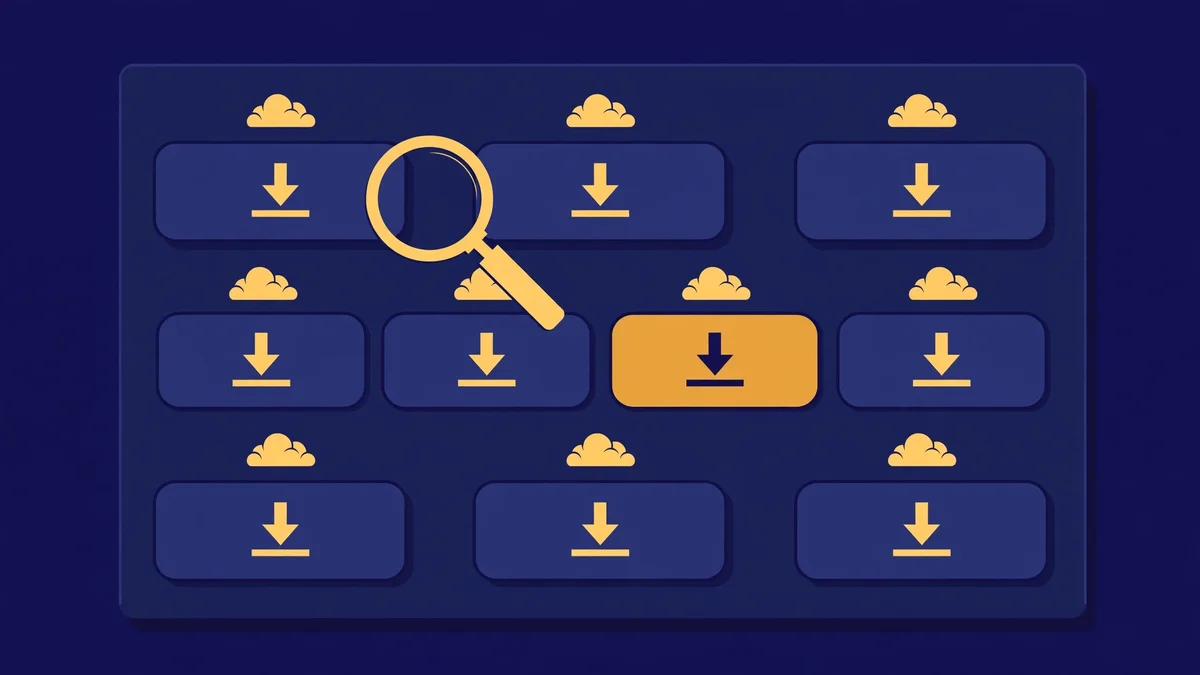
When the gateway works, this is what it gives you: a section headed "VERIFIED CLOUD MIRRORS READY", a button labelled "Copy All for IDM", and ten identical buttons, each reading "Direct Download". Ten buttons. Three names, repeated in a fixed order: Pixeldrain, GDrive (download only), CF Storage, Pixeldrain, GDrive (download only), CF Storage, Pixeldrain, GDrive (download only), CF Storage, Pixeldrain. Four Pixeldrain, three GDrive, three CF Storage.
Stop and think about what that means as a choice. Ten buttons, all labelled identically, in a repeating pattern of three. The only thing that distinguishes them is the small host name attached to each and the position in the list. There is no speed indicator. No "fastest" marker. No "recommended" tag. No file-size difference between them. The gateway has given you ten doors to the same room and no reason to pick any one of them.
That is, in a way, the most honest part of the page. The footer disclaimer says the links lead to "external third-party cloud mirrors", and ten mirrors from three hosts is exactly what that looks like. Redundancy is the point: if one mirror is dead, nine others might work. The quality post in this series showed that a wrong quality choice costs you gigabytes; here, a wrong mirror choice costs you a dead link and a retry. And the gateway gives you no help in avoiding it. It does not say which mirror was checked most recently or which one is fastest from your location. It says "VERIFIED CLOUD MIRRORS READY" — verified, again — and leaves the choosing to you.
Two details deserve a closer look. First, the "Copy All for IDM" button. IDM is Internet Download Manager, a download accelerator, and a "copy all" button is a power-user feature: one click copies every mirror link so your download manager can try them in turn. That is a thoughtful touch, and it tells you who the gateway thinks its visitor is — someone with a download manager. It is the most competent element on the page, and it sits there quietly, without explanation, for the visitors who already know what IDM is. For everyone else it is a mystery button, which is fine; mystery buttons that do nothing unless you understand them are harmless.
Second, the repetition itself. Four Pixeldrain, three GDrive, three CF Storage, in strict rotation: 1, 2, 3, 1, 2, 3, 1, 2, 3, 1. That is not a ranking. It is a round-robin, and a round-robin is what you build when you want load spread evenly across hosts, not when you want to tell the visitor which host is best. The gateway is not ranking the mirrors for you. It is dealing them out like cards. That is a reasonable engineering choice and a poor visitor experience, and both things can be true at once. The honest fix is small: mark the fastest mirror, or the most recently verified one, and let the other nine be the backup they already are.
One honest limit: I did not click any of the ten mirror buttons and recorded no destination URL, so I cannot tell you where they lead. Everything above is about the gateway page as printed.
The report form that asks the right question
There is one more control on the gateway, and it is the one I like best. The "Report Broken Link" control opens a modal headed "Report Broken Link", with the label "What’s wrong with this mirror?" and three radio options: "Link Expired / 404 Page" (pre-selected), "Extremely Slow Bandwidth", and "Incorrect Audio Channels". A "Submit Report" button sits underneath. I did not submit anything — the form was read, not used — but the form itself is worth a paragraph, because it is the only place on the gateway where the site admits that its links can be broken, and admits it in specific terms.
Look at the three options. "Link Expired / 404 Page" is the dead-link case. "Extremely Slow Bandwidth" is the alive-but-useless case. "Incorrect Audio Channels" is the wrong-file case — the one that matters to the viewer from the language test, who downloads 1.38 GB and discovers the audio is not what the language line promised. Those three options cover the three ways a mirror fails, and they cover them precisely. A report form that offers "other" as its only option is a form that does not know what can go wrong. This one knows.
There is a small oddity, though. There is no section on the gateway literally headed "Report Mirror Issue". The control is called "Report Broken Link", and it opens a modal. The form's real value is as a feedback loop for the operator — dead mirrors get reported, reported mirrors get replaced — and a feedback loop only works if visitors can find it. The three radio options are the best-written words on the gateway. They deserve a louder home.
What the gateway never tells you
Pull the threads together and the pattern is clear. The gateway tells you: the title, the quality (1080p), the size (1.38 GB), that the link is being generated, that your session is being validated, that the mirrors are verified, and that you should wait eight seconds. It does not tell you: which episode or season the file belongs to, which language the file is in, where any mirror leads, which mirror is fastest or most recently checked, what "verified" was verified against, or what happens after you click "Direct Download".
That is a long list of omissions for a page whose only job is to hand you a file, and it is worth asking whether the omissions are accidents or the design. I think they are mostly the design. A gateway that told you everything — the episode number, the language, the mirror speeds, the destination URLs — would be a page you could judge, and a page you could judge is a page you could leave. A gateway that tells you just enough to wait is a page that keeps you. The eight-second countdown is not a technical necessity wearing a timer; it is a timer wearing a technical necessity.
The counter evidence is the numbers at the bottom of the title page. When I checked, it showed "1 Downloads" and "10 Views". On 2026-11-08, the same page showed 0 downloads and 8 views. Two more views, one download, in two days, on a demo. Those are tiny numbers, and I am not going to pretend they mean anything about the script's popularity. But they do mean the counters work, and that someone pressed a button and got counted. The gateway, for all its omissions, does deliver people to the mirrors.
And then there is the footer, which I have quoted once already and will quote again, because it is the most honest sentence on either page: "TempoMovies is an automated indexing engine and does not host or store media files. Links lead to external third-party cloud mirrors." Read it next to "Verified Cloud Gateway" and "Generating Secure Link" and the tension is the whole post. The footer says: we index, we do not host, the files are someone else's. The gateway says: verified, secure, validating. Both cannot be the full story. The footer is the disclaimer that makes the gateway's promises legally safe. The gateway is the experience that makes the footer's honesty easy to miss. A visitor who reads only the gateway will feel protected. A visitor who reads only the footer will feel warned. Almost nobody reads both, and the site knows it.
A slower way through the gateway
None of this means you should avoid the gateway, or that the demo is broken. It works — after one failed first load, it worked. What it means is that the eight seconds are yours, and you should spend them reading instead of watching the bar fill. Here is how I would go through it, now that I have been through it once.
First, read the badges before you wait. The gateway shows "1080p" and "1.38 GB" and no episode number and no language. Before the countdown finishes, go back to the title page — the "Back to Details" link is right there at the top — and confirm which episode and which language you actually want. The quality post will tell you what the size costs; the language post will tell you what the language line does not promise. The gateway will not help you with either question, so answer both before you enter it.
Second, treat the first load as a test, not a promise. On my run, the first load failed with "Connection error. Please refresh and try again." and the refresh worked. If it fails for you, refresh once before you conclude anything. If it fails twice, go back to the title page and come in again through a different button.
Third, do not spend long choosing between the ten mirrors. They are ten identical labels in a round-robin of three hosts, with no speed or freshness marker on any of them. Pick the first one — Pixeldrain, top of the list — and if it fails, work down. The "Copy All for IDM" button is there if you run a download manager; if you do not, ignore it.
Fourth, if a mirror fails, use the report form. The three radio options — expired link, slow bandwidth, wrong audio — are the most specific words on the page, and they exist because dead mirrors are the gateway's real failure mode. Reporting one is the only way the next visitor gets a better list. I did not submit a report while writing this post, because nothing I tested was broken at the moment I tested it, but the form is there and it is well built.
Fifth, remember the footer. The files come from external mirrors, the site does not host them, and the gateway's "verified" and "secure" are words on a page, not guarantees you can inspect. That is not a reason to distrust the page. It is a reason to verify the file once it lands — check the size against the 1.38 GB badge, check the language against the title page's promise, and check the audio before you take the rest of the season.
What this means if you run a site like this
The operator lesson is short, and it follows from everything above. If you build a gateway, print the nouns. The episode number, the language, the season — the three facts the visitor chose on the title page and the gateway forgot. Put them in the badges, next to the size, where the visitor can see them while waiting. Add a retry button next to the connection error, so the visitor does not have to guess that refreshing is safe. Mark one mirror — the fastest, or the most recently verified — and let the other nine be the backup they are. Give the report form a section of its own, because the three radio options are the best-written words on the page and they are hidden in a modal. And either explain what "validating your session" validates, or drop the phrase — an unexplained process is not reassurance, it is a sentence the visitor has to take on faith.
Keep the good parts. The error message is good: it says what happened and what to do. The report form's options are good: they name the three real failure modes. The absence of ads is good, and it is rare enough to be worth protecting. And keep the footer disclaimer, exactly as written, because it is the one sentence on the page that tells the truth without decoration.
More checks in this spirit are on the blog, and the temp-mail tool itself is the reason this site exists in the first place.
FAQ
What is the TempoMovies download gateway? It is the page that opens when you press a download button on a title page — for example, https://tmovies.tempomailusa.com/mushoku-tensei-jobless-reincarnation/download. It shows the title, "1080p" and "1.38 GB" badges, a "Verified Cloud Gateway" label, an 8-second countdown with "Validating your session...", and then a list of mirror buttons. It is a checkpoint between the title page and the file, not the file itself.
How long does the gateway make you wait? Eight seconds. The countdown runs from "8 seconds" to "0 seconds" while a progress bar fills under "Generating Secure Link". On my run the first load failed after the countdown with "Connection error. Please refresh and try again.", and one refresh ran the countdown again and showed the mirrors. The failure was observed once, so I am not claiming a rate — only that the gateway can fail, and that a refresh fixed it.
How many download mirrors does the gateway show? Ten, all labelled "Direct Download", in a repeating order of three hosts: Pixeldrain, GDrive (download only), CF Storage — four Pixeldrain, three GDrive, three CF Storage. There is also a "Copy All for IDM" button that copies every mirror link for Internet Download Manager. No speed, freshness or "recommended" marker is shown on any mirror. I did not click any mirror link, so I cannot say where they lead.
Does the gateway show which language the file is in? No. The gateway shows quality ("1080p") and size ("1.38 GB") and no language at all, even though the title page lists "Hindi + English + Japanese" for Mushoku Tensei. It also shows no episode or season number. If language matters to you, confirm it on the title page before entering the gateway.
Is there a way to report a broken mirror? Yes. The "Report Broken Link" control opens a modal with the label "What’s wrong with this mirror?" and three radio options: "Link Expired / 404 Page" (pre-selected), "Extremely Slow Bandwidth", and "Incorrect Audio Channels", plus a "Submit Report" button. Nothing was submitted during this test. There is no section on the gateway literally headed "Report Mirror Issue".
Are there ads on the gateway? None observed. No ad banner, slot or popup appeared on the gateway or the title page when I checked on 2026-11-10. The only promotional element is the site's own "Download In High Speed" card beside the Reviews section on the title page.
Can I buy the TempoMovies script? I could not verify a price, licence or buy link. A live search of the shop on the day of writing found no TempoMovies listing at all, and the shop blog has no post about it. This post judges the script only by its demo pages, and quotes no price because none could be verified.
Need a disposable temporary email?
Protect your real inbox from spam and promotional clutter instantly and free.
Received a suspicious email, text, or charge alert?
Verify whether the sender domain is disposable, spoofed, or unverified before clicking links.