
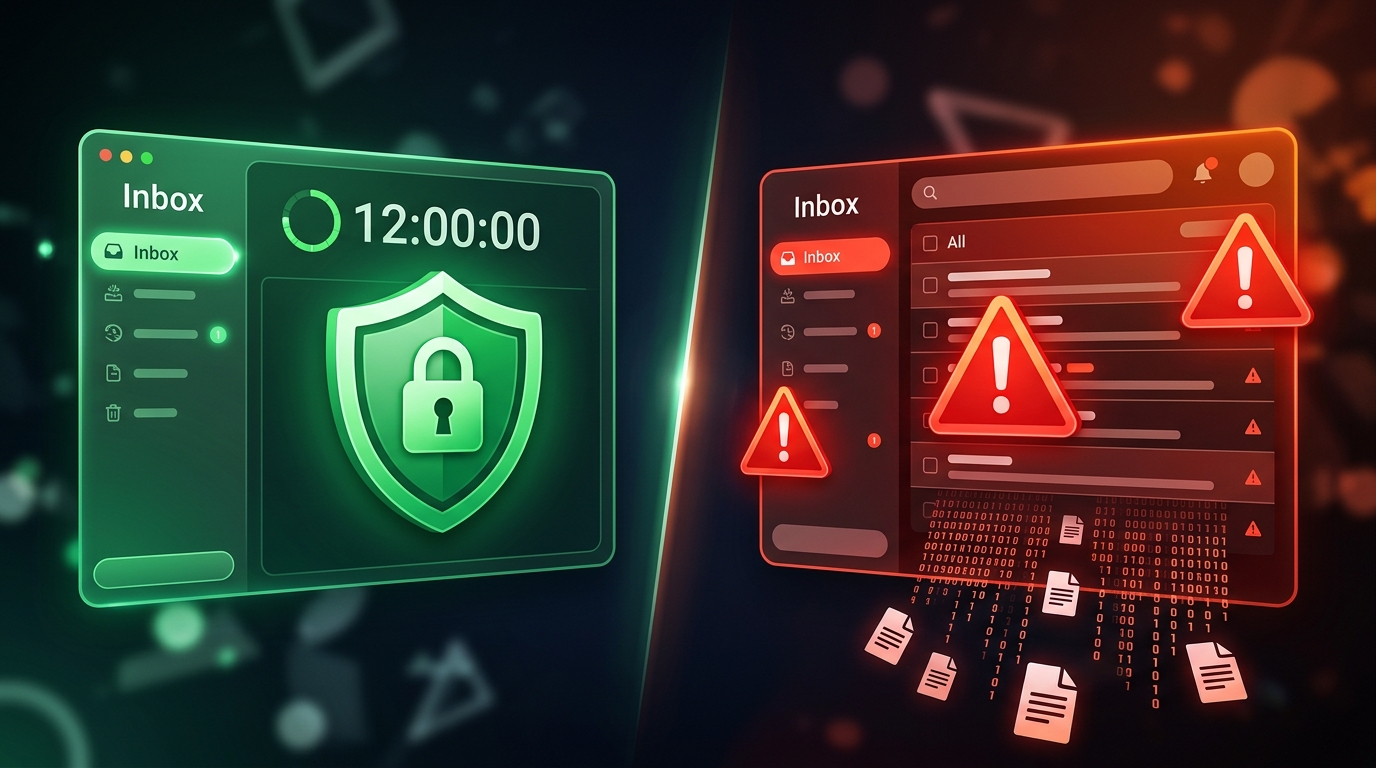
12 Hour Retention Policy Disposable Email Comparison

Why the 12-Hour Retention Policy Disposable Email Comparison Matters
A 12-hour retention policy disposable email comparison helps you find which temporary inbox services delete your data fast enough to actually protect your privacy — without expiring before you finish signing up. Using a disposable email address is the first line of defense in modern digital hygiene.
Here is a quick snapshot of how different categories of disposable email services stack up on retention time:
| Service Category | Default Retention | Extendable? | Inbox Type |
|---|---|---|---|
| Ultra-Short Term | 10 minutes | Yes | Private |
| Hourly Services | 1 hour | No | Private |
| Tempo Mail USA | 12 hours | No | Private |
| Daily Services | 24 hours | No | Private |
| Public Inboxes | 24 hours | No | Public |
| Multi-Day Services | 48 hours | No | Private |
| Weekly Storage | 8 days | No | Public |
12 hours hits a practical sweet spot — long enough to catch delayed confirmation emails, short enough to minimize your data exposure window.
Every time you hand over your real email address to a website, you are taking a risk. That address can end up on spam lists, get swept up in a data breach, or be sold to advertisers. Disposable email addresses solve this by giving you a throwaway inbox that self-destructs after a set period.
But not all retention windows are equal. Ten minutes is often too short — many services take longer than that to send a confirmation email. Eight days is far too long — your inbox just becomes another data liability sitting on someone's server.
Twelve hours is the middle ground most privacy-conscious users actually need.
This guide compares the top services with a 12-hour (and nearby) retention policy, so you can make a fast, informed decision about which one fits your workflow.
Understanding the 12-Hour Retention Policy Disposable Email Comparison
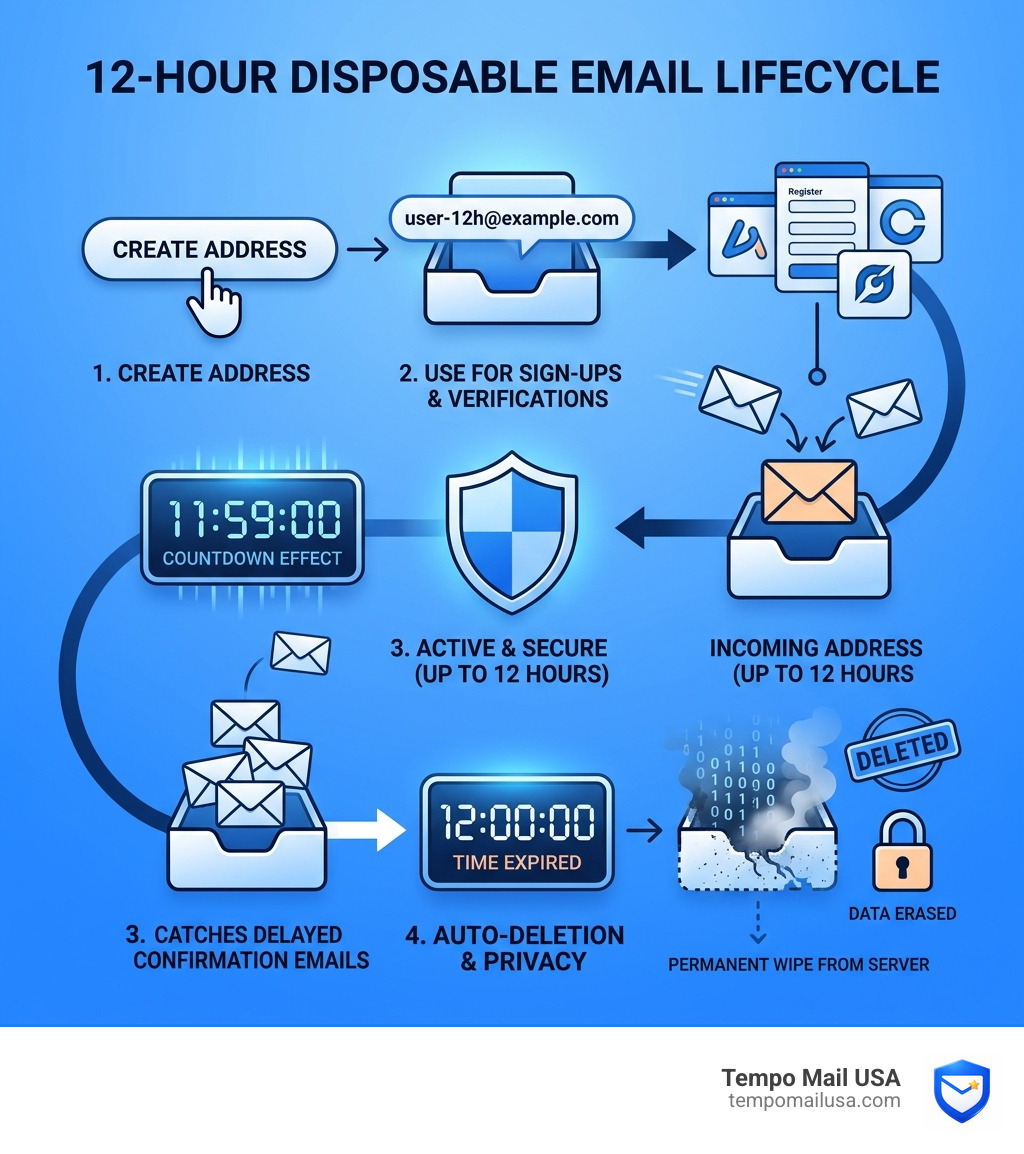
When we talk about a 12-hour retention policy disposable email comparison, we are looking at the "Goldilocks zone" of digital privacy. In temporary mail, retention refers to how long a provider stores your incoming messages before they are wiped from existence.

Standard disposable providers often swing to extremes. Some offer "10-minute" mail, which is great for a quick OTP (One-Time Password) but disastrous if the website you are using has a slow mail server. Others keep your mail for a week or more, which defeats the purpose of "temporary" by leaving your data vulnerable to long-term profiling.
The Mechanics of Ephemeral Storage
A true 12-hour service uses what we call ephemeral storage. Instead of writing your data to a permanent hard drive that might be backed up or archived, these services often use high-speed, temporary databases (like Redis) with a "Time to Live" (TTL) setting. Once that 12-hour clock hits zero, the data is purged instantly.
This process involves:
- SMTP Routing: The service accepts an email on your behalf.
- Inbox Generation: A temporary space is created without requiring your personal details.
- Automatic Cleanup: A scheduled script runs every few seconds to delete any content older than the 12-hour threshold.
To get a deeper look at this process, check out How Does Temporary Email Work - A Complete Guide. Understanding the backend helps you realize why Temporary Email USA - Stop Spam, Data Leaks & Phishing in Seconds is such an effective tool for modern browsing.
Why 12-Hour Retention Policy Disposable Email Comparison Matters for Security
In 2026, threat vectors have become more sophisticated. Hackers don't just want your password; they want your "identity footprint." By using a service with a strict 12-hour cutoff, you significantly shrink your attack surface.
If a disposable email provider keeps your data for 48 hours or a week, that is a long window for a "collision" to occur—where someone else might guess your temporary address and see your messages. Shortening that window to 12 hours reduces the risk of PII (Personally Identifiable Information) exposure. This is why a Disposable Email Inbox - What It Is & How It Works is no longer a luxury for techies; it’s a necessity for everyone.
Evaluating Privacy in a 12-Hour Retention Policy Disposable Email Comparison
Not all 12-hour policies are created equal. When we evaluate these services, we look at three critical pillars:
- Encryption Levels: Does the provider use HTTPS to protect the connection between your screen and their server?
- No-Log Policies: Does the provider track your real IP address while you use the temporary one? (Hint: The best ones don't).
- Domain Reputation: If a service uses "trashy" domains that are blacklisted by every major website, the 12-hour window doesn't matter because you'll never receive the email in the first place.
For those who want to go deeper into the privacy rabbit hole, The Ultimate Guide to Private Disposable Email covers the technical nuances of staying anonymous.
Enterprise Security vs. 12-Hour Disposable Lifespans
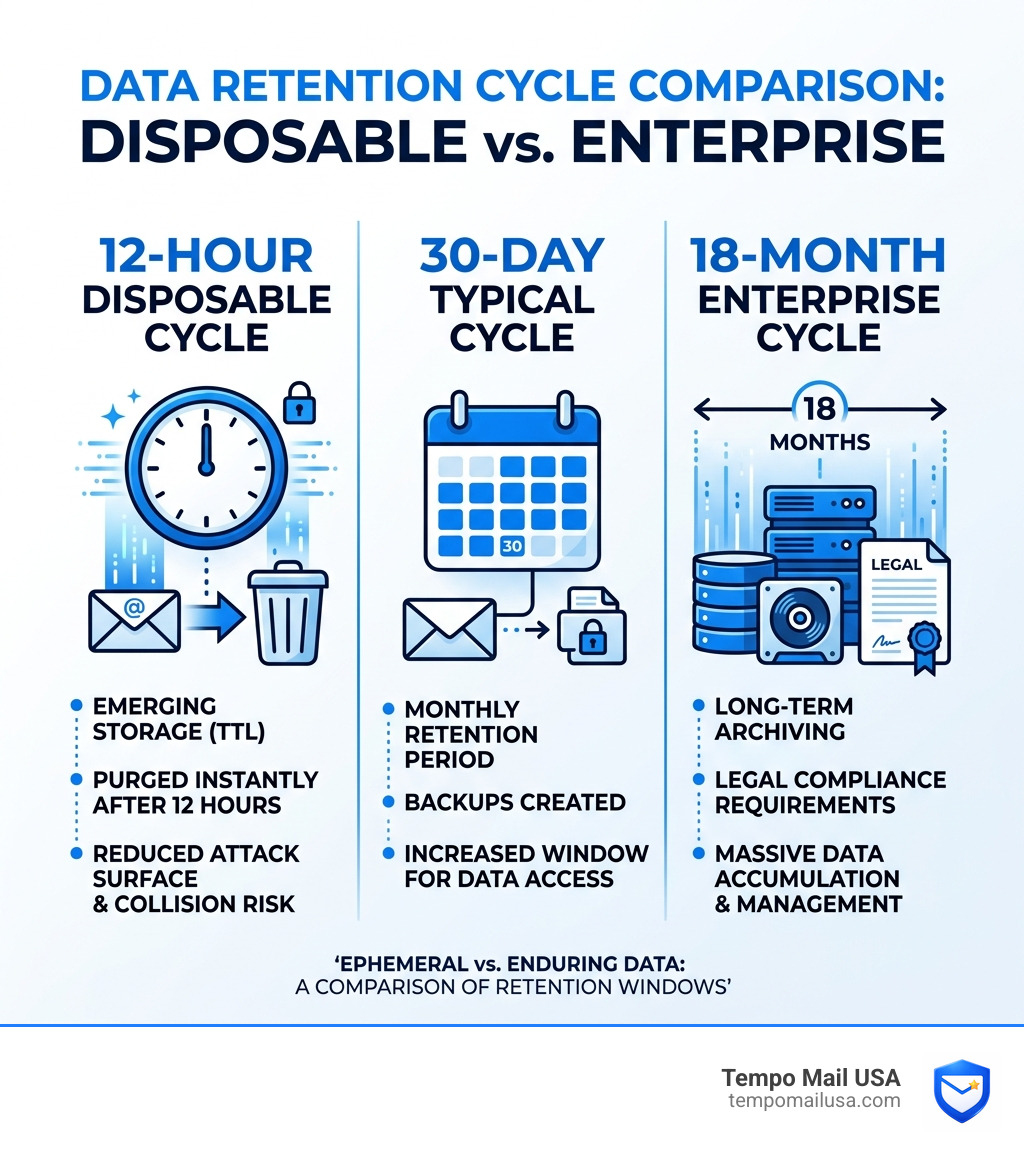
It is fascinating to see how 12-hour disposable lifespans compare to the massive data retention cycles used by enterprise security giants. While we are trying to delete data as fast as possible, big corporations are often legally required to keep it for a very long time.
The Great Retention Gap
When we look at the 12-hour retention policy disposable email comparison, the contrast with enterprise standards is jarring. Here is how the two worlds collide:
| Data Category | Disposable Retention | Enterprise Retention (Standard) |
|---|---|---|
| Full Email MIME Data | 12 Hours | 90 Days |
| Threat Analytics | 0 - 12 Hours | Up to 18 Months |
| Continuity Service | N/A | 30 Days |
| API Metadata | 0 Hours | Term of Contract + 35 Days |
| Harmful Message Reports | 12 Hours | Up to 30 Days |
GDPR Article 28(3) and Your Privacy
Enterprise tools must follow strict GDPR Article 28(3) data processing details. They often retain full email bodies for up to 6 months to perform advanced threat scanning and security analytics. While this is great for catching corporate spies, it’s a nightmare for individual privacy.
Using a 12-hour disposable email acts as a "PII Firewall." Even if an enterprise security tool scans the traffic, the data it captures becomes a "dead link" within half a day. This makes it much harder for trackers to build a permanent profile of your behavior. You can find more about these privacy trade-offs in our review of the Top Temporary Email Services for Privacy and Convenience.
Key Features of Top 12-Hour Retention Services
If you are hunting for the best service in our 12-hour retention policy disposable email comparison, you should look for more than just a timer. A high-quality service provides a suite of tools designed to keep you invisible.
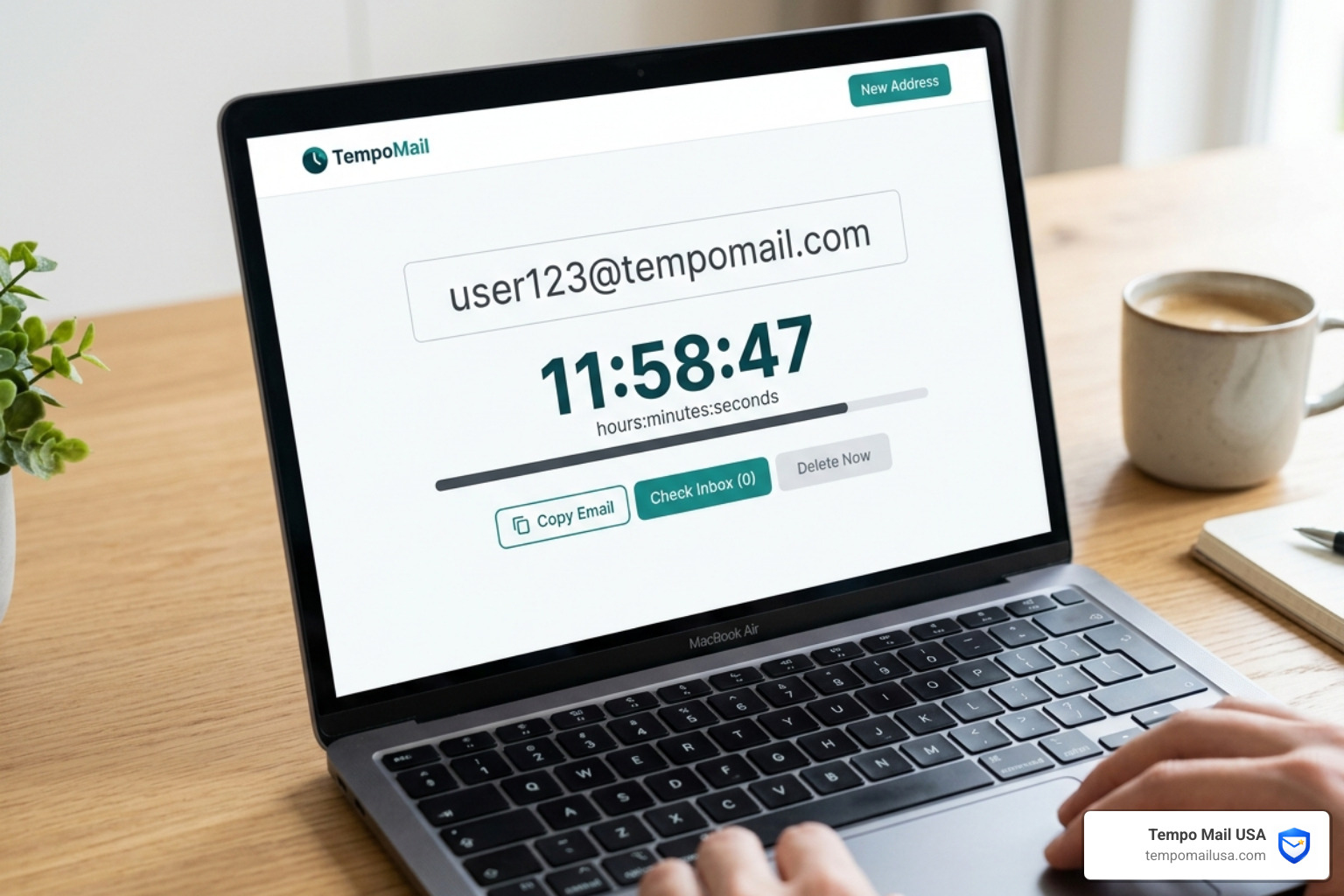
1. Secure Alias Generation
The best services don't just give you a random string of letters. They offer aliases that look like real emails but function as a proxy for your identity. This prevents websites from realizing you are using a "burner" address.
2. Session-Bound Access
This is a big one. Some "public" disposable emails allow anyone who knows the address to read the mail. A premium 12-hour service uses session-bound access, meaning only your specific browser session can see the inbox.
3. Tracker Protection
Did you know that many emails contain "spy pixels" that tell a sender when and where you opened an email? Top-tier disposable services strip these trackers out before the email even hits your temporary inbox. This is a core part of why people use Free Disposable Email Addresses - Why Use Them.
4. Automated Cleanup & PII Firewall
The "firewall" isn't just a buzzword. It means that between the scary internet and your real inbox, there is a layer of 12-hour protection that catches all the junk. For more on how to manage these addresses, see our Temporary Email Handling Tips for Secure Online Use.
Use Cases and Alternatives for Short-Term Inboxes
Who actually needs a 12-hour email? More people than you’d think. In 2026, the "always-on" nature of the internet makes these tools essential for several groups.
The Developer & QA Tester
If you are building a website, you need to test the "Sign Up" flow a hundred times. You don't want to create 100 fake accounts. A 12-hour window is perfect for a full workday of testing without cluttering your database. Tempomail: Your Go-to Solution for Disposable Emails is a favorite in the dev community for this reason.
The "One-Time" Shopper
We’ve all been there. You want a 10% discount code from a clothing site, but you know that if you give them your real email, they will haunt you with "Daily Deals" for the next three years. A 12-hour inbox lets you grab the code, use it, and let the marketing emails vanish into the void by dinner time.
The Privacy Advocate
If you are using anonymity tools like VPNs or Tor, using a permanent email address is like wearing a mask but carrying a giant name tag. A 12-hour disposable address completes the privacy circuit.
Are there alternatives?
Of course. You could use:
- Encrypted Mail Services: Great for long-term use, but they still require a "real" account and often a phone number for verification.
- Plus-Addressing (yourname+tag@provider.com): This helps with filtering, but it still reveals your primary email address to the sender.
- Traditional Aliases: Some providers offer aliases, but they are often permanent and don't have the "auto-purge" security of a 12-hour policy.
Frequently Asked Questions about 12-Hour Disposable Emails
How does a 12-hour policy differ from 10-minute mail?
The difference is reliability. 10-minute mail is "high-stress." If the verification email takes 11 minutes to arrive (which happens often with slow corporate servers), you are locked out. A 12-hour policy gives you a massive buffer while still ensuring the data is deleted by the end of the day. It’s the difference between a sprint and a comfortable walk.
Can enterprise security tools detect 12-hour disposable domains?
Yes, sophisticated tools like enterprise-grade threat analytics can identify traffic from known disposable domains. However, because 12-hour services often rotate their domains frequently, they stay one step ahead of the "blocklists" that catch older, more stagnant services.
Is data recovery possible after the 12-hour purge?
No. And that is the point! In our 12-hour retention policy disposable email comparison, the "best" services are the ones that are most "forgetful." Once that 12-hour window closes, the data is overwritten in the server's memory. Even a subpoena can't recover data that no longer exists.
Conclusion
Choosing the right retention window is the most important decision you’ll make when picking a temporary mail provider. Too short, and you lose your access; too long, and you lose your privacy.
At Tempo Mail USA, we’ve built our service around the belief that 12 hours is the perfect balance for the modern web. We provide secure aliases that act as a PII firewall, shielding your real identity from the endless sea of trackers, hackers, and spammers.
Don't let your primary inbox become a public record. Use Temp Mail USA - Stop Spam, Data Leaks & Phishing in Seconds to take back control of your digital footprint today. Whether you are testing a new app, grabbing a coupon, or just browsing the web, we’ve got your back for the next 12 hours—and then, we’ll forget we ever met. (In a good way!)
Need a disposable temporary email?
Protect your real inbox from spam and promotional clutter instantly and free.
Received a suspicious email, text, or charge alert?
Verify whether the sender domain is disposable, spoofed, or unverified before clicking links.