

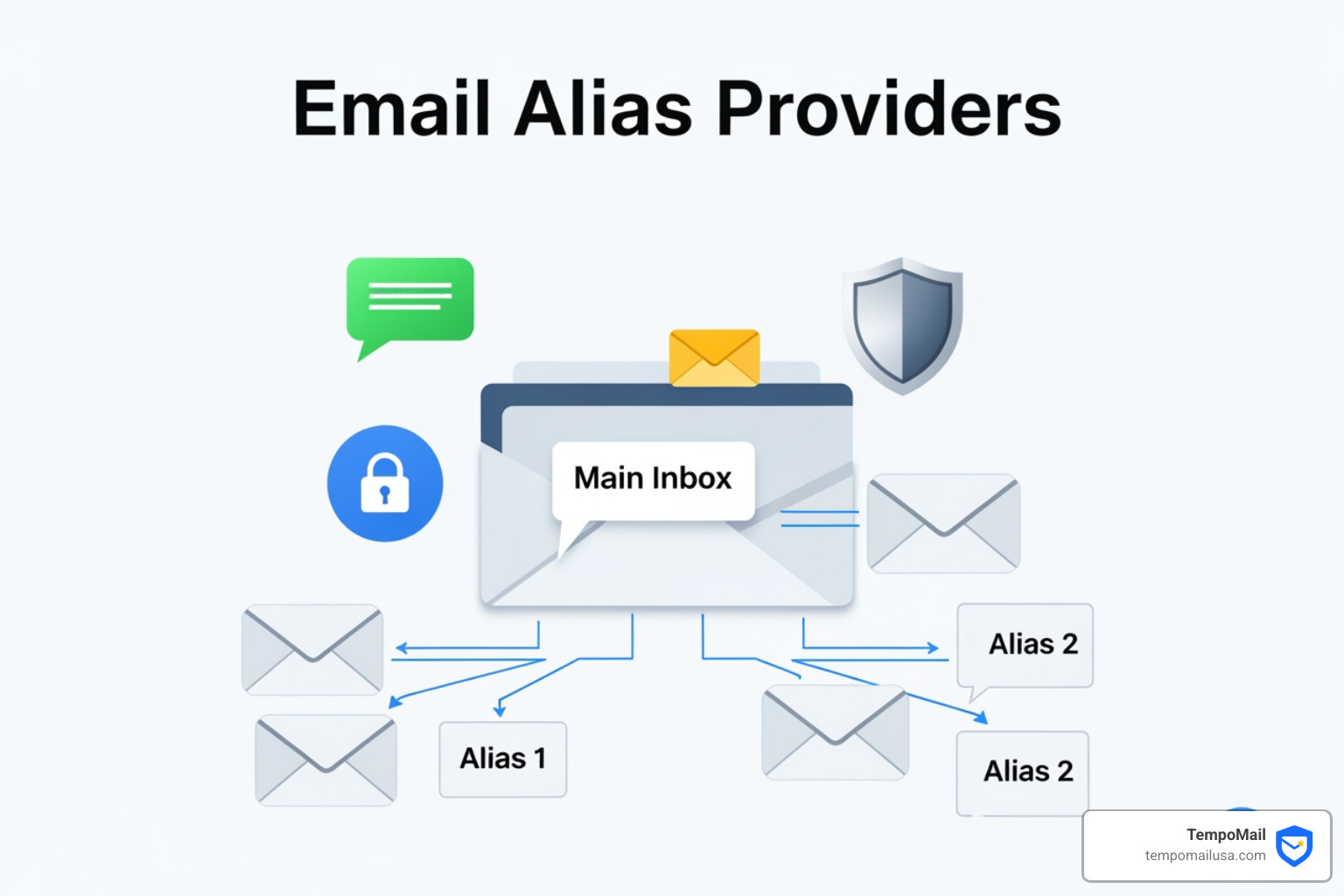

Why Email Alias Providers Matter for Your Online Privacy
Email alias provider services help you protect your real email address by creating unique forwarding addresses for every website and service you use. Here's what you need to know:
Key Features of Top Email Alias Providers (2026)
When choosing a service, look for these essential features:
- Unlimited Aliases: The ability to create unique addresses for every single site.
- Automatic Encryption: Protecting your data from the moment it hits the provider.
- Browser Integration: Generating aliases instantly while you browse.
- Identity Masking: Ensuring your primary inbox is never exposed to third parties.
Every time you share your real email address online, you expose yourself to spam, data breaches, and tracking. Email aliasing services solve this problem by generating unique forwarding addresses that shield your primary inbox from direct exposure.
Unlike simple email forwarding, aliases act as a protective mask. When a service you signed up for gets breached or sells your data, you'll know exactly which alias was compromised. You can then disable that specific alias while keeping all your other addresses safe.
The plus addressing method (like yourname+shopping@gmail.com) might seem like a free solution, but it has serious limitations. Websites can easily strip away the "+tag" part to reveal your real address, and tracking networks are required by industry standards to normalize these addresses for correlation purposes. Dedicated alias providers don't have these vulnerabilities.
I'm Mohammad Waseem, and I've built and managed temporary email platforms and privacy-focused web tools, giving me hands-on experience with how email alias provider services protect user identity. This guide will help you choose the right service for your needs.
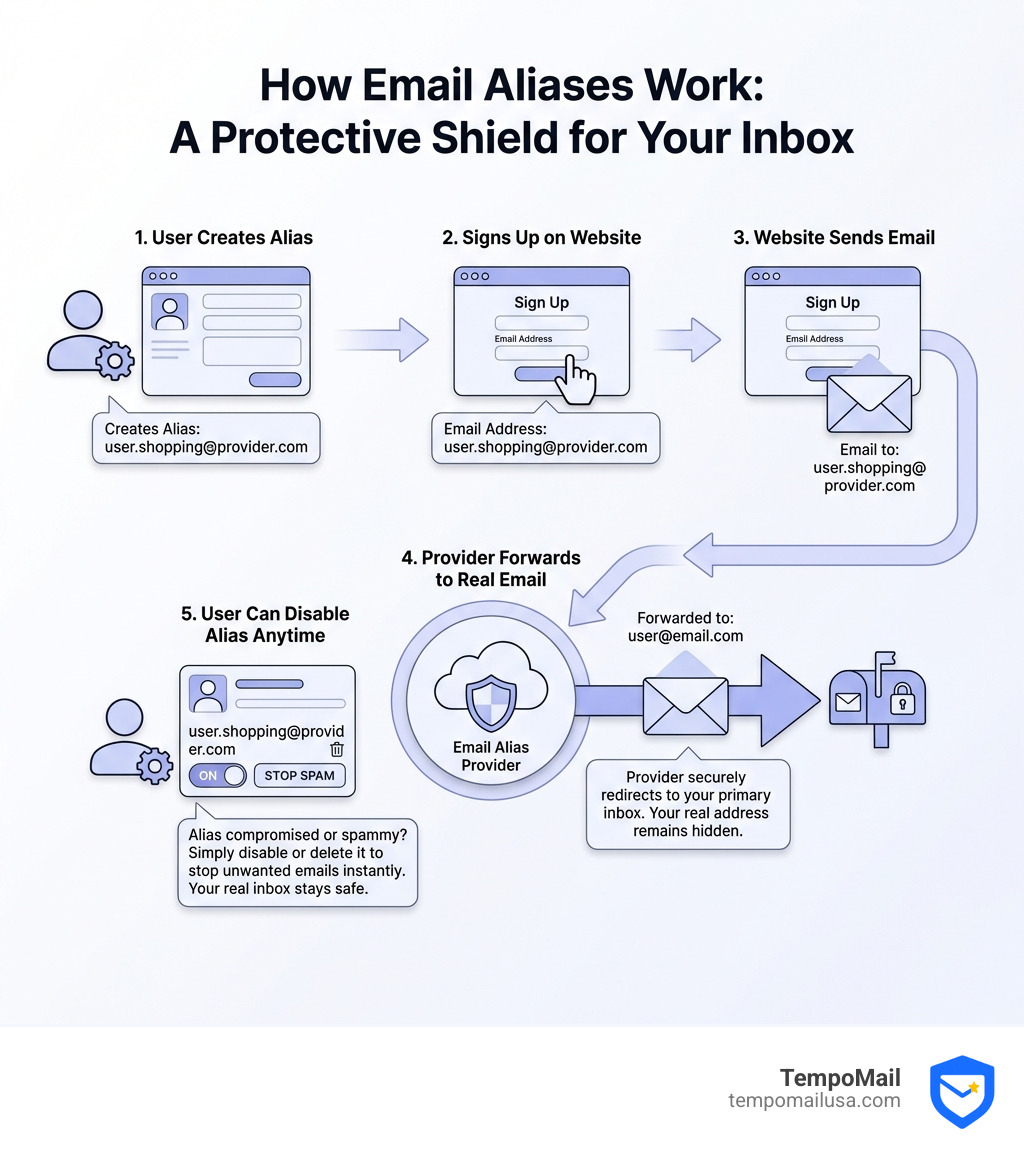
Understanding the Email Alias Provider Landscape
In the modern digital age, your email address is more than just a way to receive messages; it is your "digital fingerprint." From your bank account to your favorite pizza delivery app, almost every service requires an email to function. This has led to the rise of surveillance capitalism, where companies and data brokers collect your primary address to link your activities across the web.
When you use a dedicated email alias provider, you are essentially installing a digital firewall between your private life and the public internet. Instead of handing over your real identity, you provide a "mask." If that mask is ever compromised, you can simply throw it away without affecting your primary inbox.

How to Choose a Professional Email Alias Provider
Choosing a provider isn't just about finding the cheapest option; it's about finding a service that fits your workflow. When we evaluate these services, we look for several key features:
- Shared vs. Custom Domains: Most providers offer a list of shared domains. However, professional users often prefer using their own custom domain. This allows you to maintain "ownership" of your aliases even if you decide to switch providers later.
- Browser Extensions and Mobile Apps: Privacy is only effective if it's convenient. Professional providers offer browser extensions for major browsers, as well as dedicated mobile apps for iOS and Android. This lets you generate a new alias on the fly while you're filling out a signup form.
- API Access: For the tech-savvy, API access allows you to automate alias creation or integrate the service into your own custom tools.
- Security Audits: Trust is paramount. Services that have been independently audited offer peace of mind that your data is handled correctly.
Before you dive in, it's a great idea to check if your primary email has been leaked in a past data breach. If it has, starting fresh with a dedicated alias system is even more critical.
The Difference Between Email Aliases and Standard Forwarding
A common point of confusion is how aliasing differs from standard email forwarding. While they might seem similar- emails go to one place and end up in another- the technical "masking" is what sets them apart.
- Standard Forwarding: Typically just redirects mail. If you reply to a forwarded email, your primary email address is often revealed in the "From" header.
- Email Aliasing: Acts as a true proxy. When you reply to an email sent to an alias, the provider intercepts your reply and sends it out from the alias address. Your real email address stays hidden behind the provider's infrastructure.
This identity masking is the difference between a simple redirect and a robust privacy shield.
External resource: Check if your primary email has been leaked
Plus Addressing vs. Dedicated Aliasing
Many users rely on "plus addressing" (also known as subaddressing or the "plus trick"). This involves adding a "+" and a keyword to your username, such as john.doe+netflix@gmail.com. While this is supported by many major email providers, it is not a complete privacy solution.
Why a Dedicated Email Alias Provider is Superior
The biggest flaw of the plus trick is that it is incredibly easy to reverse. Organizations like the IAB (Interactive Advertising Bureau) actually encourage advertisers to normalize email addresses.
This means that a tracking network can simply run a script to remove everything between the "+" and the "@" symbol. Suddenly, your "unique" Netflix address is linked back to your "unique" Amazon address, and your browsing history is correlated across the web. True email alias provider services use completely different usernames (e.g., random.word123@youralias.com), making it impossible for trackers to guess your primary address.
Limitations of Plus Addressing
Beyond the privacy risks, plus addressing has functional downsides:
- Sign-up Restrictions: Many websites consider the "+" symbol an invalid character and will block you from signing up entirely.
- Sender Exposure: You generally cannot "initiate" a new email from a plus address; you can only receive them.
- Provider Support: Many popular legacy email services do not support ad-hoc plus addressing natively. If you try to send mail to a tagged address on these platforms, it will likely bounce.
Security Benefits: Protecting Your PII
Your Personally Identifiable Information (PII) is the "holy grail" for hackers. By using a unique alias for every service, you create a "compartmentalized" security model.
If you use the same email address for everything, a single data breach at a minor forum can lead to credential stuffing attacks on your bank or social media. Hackers take the email and password from the leak and try them on every other major site. With unique aliases, the hacker doesn't even have the correct "username" (email) to begin the attack on your other accounts.
Furthermore, advanced providers offer encryption options (such as OpenPGP) for protecting messages in transit and at rest, depending on the provider and your mail client setup. This means that even if a hacker intercepts the email while it's being forwarded, they can't read the contents without the appropriate keys.
Identifying Data Breaches and Sold Data
One of our favorite "detective" uses for an email alias provider is identifying who sold your data. If you sign up for "CoolMagazine" with the alias coolmag@yourdomain.com and suddenly start receiving spam for "Cheap Meds" at that same address, you know exactly who leaked or sold your info.
When this happens, you don't have to change your primary email or spend hours setting up filters. You simply click "Disable" or "Delete" in your dashboard, and that spammer is silenced forever.
Comparing Aliases to Catch-All and Temporary Email Services
It is important to distinguish aliases from other similar-sounding tools:
- Temporary Email (Burner Mail): These are great for a quick download, but they are often public and expire in minutes. You cannot use them for long-term accounts because you'll lose access to password resets.
- Catch-All Aliases: These are set up on your own domain to receive anything sent to
@yourdomain.com. While flexible, they can be a nightmare for spam. If a spammer finds your domain, they can blast emails toadmin@,info@,contact@, andrandomletters@, and they will all hit your inbox. - Dedicated Aliasing Services: These provide the best of both worlds. They are permanent enough for password resets but can be "killed off" individually if they become a liability.
Frequently Asked Questions about Email Aliasing
How can I test if my current email provider supports plus addressing?
The easiest way to test is to use a secondary email account to send a message to yourself. Format the address as yourname+test@yourprovider.com.
- Success: The email arrives in your primary inbox.
- Failure: The email bounces back to the sender with an error message saying the address does not exist.
Even if it works, it doesn't offer the same protection as a dedicated email alias provider.
Can I use email aliases for sending and replying to messages?
Yes! This is a core feature of professional providers. When you receive a forwarded email, you can simply hit "Reply" in your normal email client (like Outlook or Apple Mail). The service will route your reply through a "ghost" address, ensuring the recipient only sees your alias, not your real address.
Some providers also offer "burner" aliases that are active for a limited time—perfect for one-off interactions where you don't even want the possibility of a long-term conversation.
What are the main downsides of using the plus addressing method?
As mentioned earlier, the main downsides are:
- Normalization: Advertisers can easily strip the tag to find your real email.
- Tracking: It doesn't stop cross-site tracking because your primary username remains the same.
- Bugs: Many old or poorly coded website forms don't recognize the "+" as a valid character, leading to registration errors.
Conclusion
Managing your online identity shouldn't feel like a full-time job. By choosing a reliable email alias provider, you take back control of your inbox and your privacy. Whether you choose deep integration, open-source flexibility, or "on-the-fly" simplicity, you are making a vital move toward a more secure digital life.
At TempoMail, we believe in creating a robust firewall for your PII. Our identity proxying services are designed to ensure that your real email address remains exactly what it should be: private.
Secure your online identity with TempoMail