
Temp Mail for Airbnb Signup: What the Email Step Can and Cannot Do
Weak-SERP case
Primary keyword: "temp mail for airbnb signup". Top 10 (per queue research, 2026-10-24): SMS-number sellers (temp-number, online-sim, grizzly-style rental pages) plus a securetempmail directory list — no email-angle signup guide exists at all. The results answer a phone question, not an email question. This post fills that gap: the guest-vs-host verification split, the booking-communications risk when the inbox dies, and what to use instead for one-off stays.
Here is the question I keep getting in a slightly different costume every month: "I want to book an Airbnb without giving them my real email. Can I just use a temp email?" It sounds like every other signup question, and for most of the internet the answer is a cheerful yes. Paste a disposable address into a form, grab the code, done, and your real inbox never hears about it again.
Airbnb is where that habit meets a staircase instead of a door. An email address gets you onto the first step. It does not get you up the stairs. Airbnb's signup is a ladder — email, then phone, then identity, then payment — and a disposable address only ever covers the bottom rung. That distinction is the whole story, and the search results for this question mostly refuse to tell it, because they are busy selling you phone numbers.
So here is the honest version, rung by rung: where temp mail works on Airbnb, where it quietly breaks your trip, and the one narrow case where it is genuinely the right tool.
The signup staircase: email is only the first step
Open Airbnb's signup and the first thing it asks for is an email address. You type one in, Airbnb sends a confirmation link or code to it, and you confirm. So far, so familiar — a temp address sails through this step exactly like a real one. The code arrives, you click, the account exists.
Then the staircase starts. Airbnb asks for a phone number it can text, because a phone number is much harder to mint in bulk than an email address, and a travel marketplace lives or dies on keeping fake accounts and banned users from walking straight back in. After the phone comes identity verification: confirming your legal name, and for many bookings, a government-issued ID, sometimes matched with a selfie. Payment comes next — a card or payment method that has to be real, because a booking is a financial transaction, not a newsletter subscription.
None of those later rungs cares about your email address. A disposable address does not answer a phone-number question, does not pass an ID check, and does not pay for a night in someone's flat. This is the same shape as the phone-first signups I have written about before: Tinder's signup is phone-first too, and WhatsApp never asks for an email at all. Airbnb is gentler than both — email genuinely matters there — but it is the same lesson in a softer key: the email step is the smallest part of the signup, and treating it as the whole signup is how people get locked out later.
There is a second, quieter reason the email step matters less than people think. Airbnb's own messaging system sits between guests and hosts. When you message a host, you do it inside Airbnb, not by email. The email address on your account is the notification channel and the recovery path, not the conversation itself. That is good news for privacy in one way — hosts do not get your email address handed to them — and bad news in another: losing the email address does not just cost you spam protection, it costs you the recovery path for an account that holds your bookings, your reviews, and your payment method.
Guest vs host: two different verification walls

Guests and hosts do not face the same wall, and this is where most generic advice about Airbnb goes wrong. A guest booking a weekend stay needs the email step, the phone step, and identity verification for many properties. A host listing a property needs all of that plus bank account details for payouts and tax information. A host account is a money account, and money accounts are the one category where disposable addresses are never the right call.
If you are a guest, the honest question is not "can I sign up with temp mail" but "how much of this account will I still need in six months?" A guest who books once, stays once, and never returns has a genuinely disposable relationship with the platform. A guest who books twice a year, accumulates reviews, and builds a host-facing reputation has something worth protecting — and reviews are the one asset on Airbnb that cannot be re-created. A new account takes ten minutes. A history of five-star stays takes years.
If you are a host, stop here. A host account holds your payout details, your tax documents, your property photos, your calendar, and your review history. It is a business. The line I draw for reputation and money accounts puts host accounts firmly on the real-address side, and I will not soften that for a signup guide: use a permanent address you control, with its own recovery options, for any account that pays you.
The asymmetry matters because the search results blur it. SMS sellers pitch "Airbnb verification" as one product, as if guest and host were the same job. They are not. A rented number might get a guest account past the phone step. It will never get a host account past the bank and tax steps, and anyone selling it as a host solution is selling the first half of a sentence.
Where temp mail actually works on Airbnb
After all those warnings, here is the fair list — the uses that survive contact with reality.
The first is browsing and price-watching. Airbnb lets you browse without an account, but saving searches, setting price alerts, and getting notified about a listing you liked all pull you toward signing up. A disposable address is a clean way to sample that notification stream: you find out whether the alerts are useful or whether they turn into a daily drip of "still thinking about Lisbon?" mail. If the stream is spam, the address dies with it. If it turns out to be useful, you migrate to a real address before you book anything.
The second is the one-off stay with eyes open. You are passing through a city once, you need a bed for two nights, and you will never use the account again. The email step works, the phone step is yours (your real number — never a rental for a booking, for reasons I will get to), and the booking itself lives in the app. This is the one case where temp mail for Airbnb is defensible, and even here it comes with conditions, which the playbook section below spells out.
The third is the research pass. Before you hand a travel platform your real address, a temp address tells you how that platform treats your inbox: one confirmation mail or forty marketing mails? Does your address show up in partner promotions within a week? That intelligence costs nothing with a disposable address and is worth having before the real address goes in.
Notice what is missing from the list: the host account, the repeat guest, and any booking you would be upset to lose. The pattern is the same one this blog repeats because it keeps being true: disposable addresses are for signups, not for relationships. A booking you care about is a relationship.
The inbox dies, the booking doesn't have to
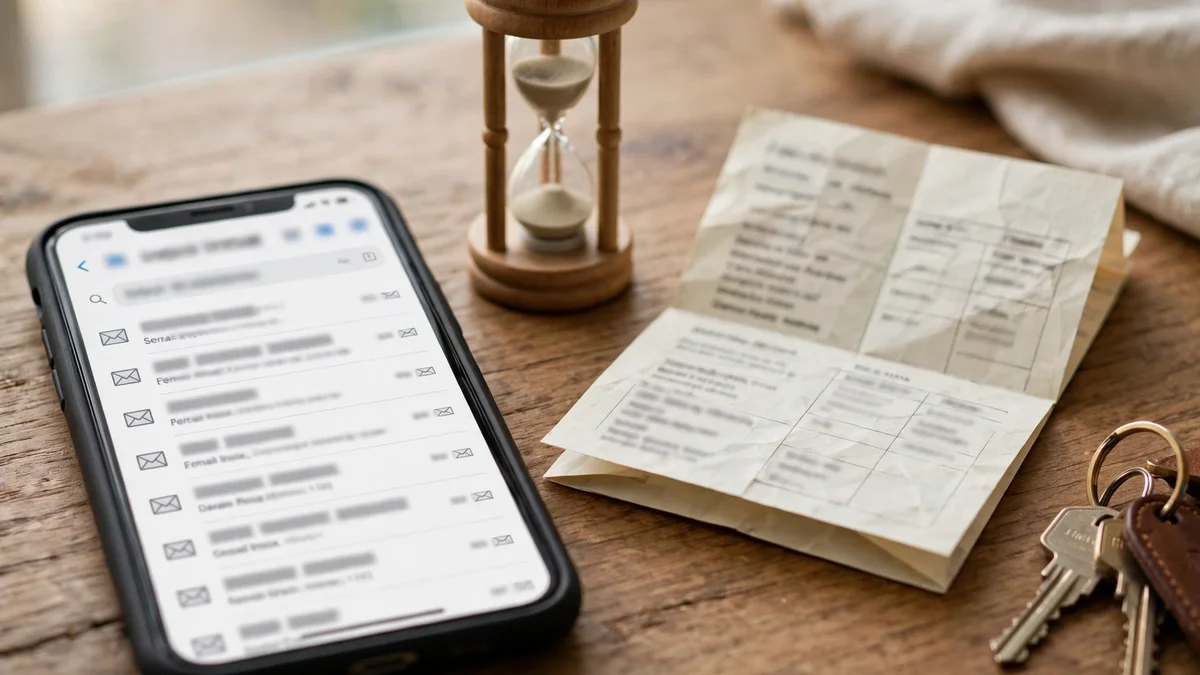
Here is the failure mode nobody warns you about, and it is specific to travel. A booking is not a single moment — it is a timeline. You book weeks ahead. Then, over days and weeks, Airbnb sends confirmations, host messages, check-in instructions, door codes, house rules, and review requests. Some of those arrive in the app. Many also arrive by email, and the email copies matter most exactly when the app is hardest to use: standing outside a building at midnight, phone battery low, trying to find the lockbox code.
If the inbox on the account expired between booking and check-in, the confirmation mail is gone, the door-code mail is gone, and the "host messaged you" notification is gone. The booking itself still exists — Airbnb has it — but your access to the details got thinner at the worst possible moment. You can usually recover by logging into the app with your session still alive, or by contacting the host through Airbnb's messaging. But "usually recover" is a poor plan for the night you arrive in a strange city.
The second failure mode is slower and more expensive: account recovery. Airbnb accounts, like every account worth keeping, eventually need recovery — a new phone, a lost device, a suspicious-login prompt. The email address is the recovery path. If that address died months ago, recovery becomes a support conversation where your main proof of ownership is an inbox you no longer control. Support teams hear this story constantly, and "I used a temp email" is not a story with a fast ending.
The third failure mode is the review and dispute window. After a stay, Airbnb asks for a review and, if something went wrong, opens a window for raising it. Both arrive by email as well as in the app. Miss the window because the inbox died, and you have lost the two mechanisms — review and dispute — that make a marketplace trustworthy. A guest with no review history and no dispute record is a guest hosts trust less next time.
Three ways a dead inbox costs you a stay
Let me make the costs concrete, because abstract warnings do not change behaviour and concrete ones sometimes do.
First, the check-in scramble. You land late, the host's check-in instructions went to an inbox that expired last week, and the app session on your phone logged out when you switched devices. You are now messaging a host through a support flow instead of walking through a door. Hosts notice this, and it colours the stay before it starts.
Second, the host thread goes dark. Hosts ask questions before a stay — arrival time, number of guests, whether you need the cot set up. Those questions arrive by email as well as in the app, and a host who gets no answer may cancel, assuming you are not serious. A cancelled booking a week before travel, in a city where prices have doubled since you booked, is a real financial cost, not a hypothetical one.
Third, the lockout after the trip. You stayed, you loved it, you want to rebook the same place next year, or you need the receipt for expenses. The account is still there, but the recovery email is dead, the phone number changed, and the password is in a browser profile you wiped. The receipt, the host's contact, the review history — all behind a door whose key you threw away. This is the slow version of the same mistake, and it is the most common one, because nothing feels wrong until months later.
None of this requires Airbnb to block temp mail. Airbnb does not need to block anything for a dead inbox to cost you. The expiry does the damage on its own. That is why the honest guide cannot stop at "does the signup accept it" — acceptance is the easy part, and it is the least important part.
The one-off stay playbook
If, after all that, your situation is genuinely the one-off stay — one city, one trip, never again — here is the sequence I would actually follow. It keeps the privacy benefit while removing the worst failure modes.
- Book with your real phone number, never a rental. The phone is the account's second recovery path and the channel Airbnb and hosts actually use for urgent contact. A rented number that expires before check-in is a worse problem than a temp email ever was, because it breaks the phone step too.
- Generate the temp address and keep the tab open until the trip is over. Do not close the browser profile, do not clear cookies, and do not assume the inbox will still be there next week. The inbox only protects you while it is alive.
- The moment the booking is confirmed, save everything outside the inbox: the confirmation, the address, the check-in instructions, the door code, the host's name, and the cancellation terms. Screenshot them into your phone's photos, not just the temp inbox. This one habit removes the check-in scramble entirely.
- Check the Airbnb app, not just the email, for host messages every day in the week before the trip. The app is the primary channel; the email is the backup. If the backup dies, the primary still works — but only if you actually open it.
- When the trip ends, decide in the same week: keep or delete. If there is any chance you will rebook, message the host, or need the receipt, migrate the account to a permanent address while you still have access. Two minutes when the inbox is alive; a support ticket when it is not.
And the hard rule underneath all five steps: if, at any point before booking, you catch yourself thinking "I might come back here" or "I might need this receipt," stop and use a permanent address. The playbook is for trips you will forget, not trips you will remember.
What to use instead when the stay matters
For everything the playbook excludes — repeat stays, host accounts, business travel, trips with receipts — the right tool is not a temp address but a permanent alias. Apple's Hide My Email, Firefox Relay, SimpleLogin, and Fastmail's masked-email features all give you a separate address that forwards to your real inbox and lasts as long as you want it to. You get the separation — Airbnb mail never sits in your primary inbox, visible on a shared screen or in a work email search — without the expiry. The alias survives while the account does, which is the property that actually matters.
A second permanent address works too: a dedicated travel address on a provider you control, used only for bookings. It collects travel mail in one place, it never expires, and if it ever starts getting spam, you can filter it without losing the account. The cost is one extra inbox to check, which is a fair price for keeping your bookings reachable.
What does not work as a substitute is a second temp address. Rotating disposable addresses across trips just recreates the same failure mode with extra steps: each trip's details die with that trip's inbox, and the account accumulates a graveyard of dead recovery paths. One permanent alias beats ten disposable addresses for any account you will touch twice.
A note on codes, since Airbnb's email verification code is where many people actually get stuck: if the code never arrives, the problem is usually one of the six gates a verification code passes — an expired inbox, a throttled domain, or a code that expired before you read it. Request once, wait a full ninety seconds, and only then request again, using only the newest code. That advice holds for Airbnb's email code exactly as it holds for every other code.
Frequently asked questions
Can I sign up for Airbnb with a temp email?
Yes, for the email step. Airbnb accepts an email address for account creation, and a disposable address receives the confirmation code like any other. But signup is a staircase — phone verification, identity verification, and payment all follow, and none of them can be completed with an email address.
Does Airbnb block temp mail domains?
Airbnb does not need to block disposable domains for the risk to be real. The risk is expiry: a temp inbox that dies between booking and check-in takes your confirmations, door codes, and host messages with it. Even where signup succeeds, the account's recovery path is only as durable as the inbox on it.
Can I use temp mail as a host?
No — not sanely. A host account holds payout details, tax information, property photos, calendars, and review history. It is a business account and a money account, and it needs a permanent address you control, with its own recovery options, from day one.
What happens if my temp inbox expires after booking?
The booking itself still exists in Airbnb's system, and you can usually still reach it through the app if your session is alive, or through host messaging inside Airbnb. What you lose is the email copies of confirmations, check-in instructions, and host messages, plus the account-recovery path if you later get logged out. Save booking details outside the inbox the moment you book.
Should I use a rented phone number for Airbnb?
No. The phone number is the account's second recovery path and the channel for urgent host contact. A rented number that expires before check-in breaks verification and recovery at once, and a recycled number can carry a previous owner's history. Use a number you own and will keep.
What is the best private option for repeat Airbnb stays?
A permanent email alias — Apple's Hide My Email, Firefox Relay, or SimpleLogin — or a dedicated travel address you control. Both give you separation from your primary inbox without expiry, which is the property that matters for an account you will use more than once.
The verdict
Temp mail for Airbnb is a half-yes, and half-yeses are where people get hurt, because they hear the yes and miss the half. Yes, the email step accepts a disposable address. Yes, a one-off stay can be booked that way, if you use your real phone number, save every detail outside the inbox, and treat the trip as forgettable. But the email step is the smallest part of Airbnb's signup, and the account it creates holds bookings, reviews, payment details, and a reputation that takes years to build.
My opinion, plainly: for a single night in a city you will never revisit, temp mail is a reasonable privacy tool, used with the playbook above. For anything else — a second trip, a favourite host, a business receipt, a host account — use a permanent alias and keep the recovery path alive. The privacy you want from Airbnb is separation, not disappearance. A disposable address gives you separation with an expiry date attached. A permanent alias gives you separation that lasts as long as the account does, and that is the version worth having.
Need a disposable temporary email?
Protect your real inbox from spam and promotional clutter instantly and free.
Received a suspicious email, text, or charge alert?
Verify whether the sender domain is disposable, spoofed, or unverified before clicking links.