
Temp Email for Signal Signup: There Is No Email Field — the Number Is the Account, and the $2.99 Beta Is the Only Way Around It
Every other post in this series has the same shape: a signup form asks for an email, a disposable address passes the check, and then the real question becomes what breaks later. Signal breaks the shape entirely, because its signup form never asks for an email in the first place. There is no email field to fill, no verification code that arrives in an inbox, and no password-reset email waiting six months down the line. The phone number is the account — it registers you, it signs you back in, and it is the thing Signal asks you to protect. A temp email cannot help with any of that, because there is nothing for it to attach to.
That sounds like the end of the article. It is actually the start of a more interesting one, because Signal spent the last two years rebuilding the privacy model around that number, and in September 2026 it finally shipped a way to register without one at all. The catch is that the number-free route costs $2.99, runs only on the Android beta, and hands you two long secrets that nobody can recover for you if you lose them. So the honest answer to "can I use a temp email for Signal signup" is no — and the useful answer is everything Signal built instead of an email field.
The signup screen has no email field at all
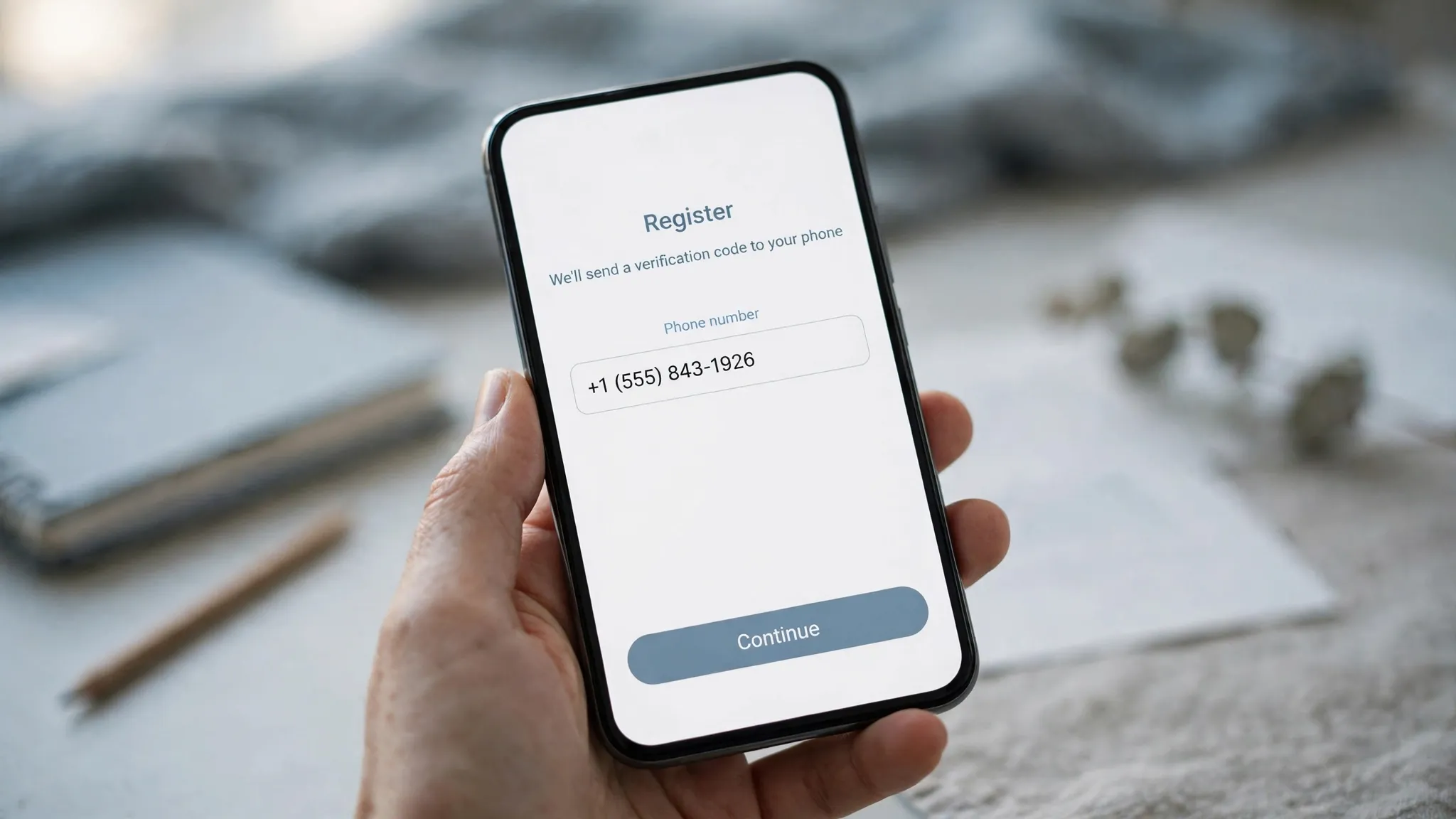
Install Signal on an iPhone or an Android phone and the first thing it asks for is a phone number. You type it in, Signal sends a six-digit code by text message, and if the text does not arrive it offers to call the number and read the code aloud instead. That is the whole registration. There is no name field that matters, no email field at all, no password to choose, and no "sign up with Google" button. Signal Desktop does not offer a way around this either: the desktop app has to be linked to a phone that is already registered.
Signal's own Terms say it plainly: "To create an account you must register for our Services using your phone number." The support pages say the same thing from the other direction: the number has to be one that can receive an SMS or a phone call, and a number that cannot receive either cannot finish the ordinary signup. A disposable email address is not rejected by Signal. It is simply never requested, which is a different and more complete kind of useless.
This is the sharpest version of a pattern this series keeps running into. Walmart asks for an email and a phone number and verifies the phone first, so the disposable address survives the form and then has to survive everything after it. Uber treats the phone number as the account and the email as an accessory. Signal goes one step further and drops the accessory. If you came here looking for a way to keep your real email out of Signal's database, you already have it: Signal never asked for it, and there is nothing to keep out.
Why Signal insists on a number, and what it costs spammers
The obvious question is why a privacy-obsessed app would anchor its accounts to the single identifier most people guard the hardest. Signal has answered it the same way for years: a phone number makes mass fake accounts expensive. Anyone can mint a thousand email addresses in an afternoon; minting a thousand phone numbers that can each receive a text costs real money and real effort. The number is also how Signal imports your social graph — it checks which of your contacts are already on Signal — and how it lets you take your account with you if you switch devices.
That is a trade, not a free win, and Signal knows it. A phone number is a telecom identifier: it can be reassigned, it can be SIM-swapped, and it ties an account to a billing identity in a way an email address does not. The rest of this post is about how Signal has spent the last two years sanding down the sharp edges of that trade — usernames, privacy toggles, a PIN, a registration lock, a number-change flow, and now a paid number-free signup — without ever pretending the number is not there.
What a disposable address can still do for a Signal user
Here is the short, honest list. A temp email cannot register a Signal account, cannot receive a Signal verification code, cannot reset a Signal account, and cannot stand in for a phone number anywhere in the app. There is no recovery email to add, no "email me a login link" option, and no notification email to route somewhere disposable. If your goal is to sign up for Signal without giving Signal anything that identifies you, a disposable inbox is the wrong tool for the job.
What a temp email can do is everything around Signal. The Google account you use to install the Android beta and pay for the number-free signup is an email account, and the payment method attached to it is a billing identity — a disposable address does not change either of those, but it does keep your real inbox out of the app-store account, the forums where you ask setup questions, and the mailing lists that follow every privacy tool. More practically, the reason most people reach for a temp email is the same reason they reach for Signal: they are tired of one address following them through every signup on the internet. Signal simply is not one of those signups. Use the disposable address for the services that do ask for an email, and let Signal be the service that asks for something else instead.
Usernames: the number stays, the exposure goes

In February 2024 Signal split the phone number into two jobs. Before that change, your number was the credential, the contact method, and the visible identity all at once — anyone you chatted with saw it. After it, the number became the credential that registers the account and signs you in, and the username became the handle you share. Signal's blog put it in one sentence: "your phone number will no longer be visible to everyone you chat with by default."
The split is controlled by two settings under Settings > Privacy > Phone Number, and they do different things. "Who can see my number" decides whether your number shows on your profile to people you chat with; its default is Nobody, and people who already have your number saved in their contacts can still see it. "Who can find me by my number" decides whether someone who types your number into Signal can discover you are on it; its default is Everybody. To set the second one to Nobody, Signal makes you set the first one to Nobody first. With both on Nobody, your username is the only public way to reach you — and you need one, or nobody new can find you at all.
A username is not your profile name. It is a separate identifier made of lowercase letters, digits, and underscores that ends in at least two digits, like sara.42, and it never appears on your profile in a chat. You can create it in Settings, change it whenever you like, delete it, and share it as a link or a QR code instead of handing out your number. Two honest limits come with it. First, Signal's servers still know your number, and anyone who already has it saved still has it — a username hides the number from new people, it does not erase it. Second, if you already chatted with someone by phone number and they later message your username, Signal merges the chats, and they learn the username belongs to the same person as the number.
That is still a large improvement over the old model, and it is the setting I would change first on any new Signal install: both toggles to Nobody, a username set, and the number handed out to nobody new. It is also the closest thing Signal offers to what a temp email offers everywhere else — a public-facing identifier you control, sitting in front of a private one you do not share.
Signal Login: the $2.99 number-free door, currently Android-only

In September 2026 Signal started testing the thing its users had asked for for years: registering without a phone number at all. The feature is called Signal Login, and it arrived in the Android beta in version 8.28, then rolled out to everyone on Android in version 8.31.2 in mid-October 2026. On a fresh install you tap Continue, reach the phone-number screen, and choose "Register without number" at the bottom. Then you pay a one-time fee of $2.99 — €3.49 in Europe, with prices varying by country — through Google Play, and Signal hands you two secrets: a 32-character Account ID and a 64-character Recovery Key. Those two strings are your account. There is no phone-number fallback, and Signal's own support page says it plainly: if you lose both of them, Signal has no way to recover your account for you.
Three things about that deal are worth saying straight. First, the fee is the point. Signal says it exists to make mass sign-ups by spammers too expensive, and the payment uses the same zero-knowledge proof system as Signal's donations, so the servers can confirm someone paid without tying the payment to the account that gets created. It is a different kind of cost than a phone number, not the absence of one. Second, the door is still narrow: it works only for new accounts, only on Android, and only through Google Play billing, which needs Play Services and a Google account with a payment method on file. There is no iPhone date yet — as of early November 2026 Signal had not announced one — and existing accounts cannot remove the number they already gave the service. Third, an account with no username is unreachable. If you skip the optional username step, nobody can find you; the only chats you can take part in are the ones you start yourself.
My view: $2.99 is a fair price for what it buys, and it is the first time Signal has offered a real answer to the phone-number objection instead of a settings workaround. But it is not a private signup in the way people imagine one. You trade the phone number for a Google Play purchase record, a beta app, and two secrets you must store in a password manager on day one. If any of those three bothers you more than the number did, the ordinary free registration — plus the username and the two Nobody toggles — is still the better deal.
The PIN, the registration lock, and the seven-day wait
The number is also the recovery path, and Signal built two mechanisms around that fact that every user should understand before they need them. The first is the Signal PIN: a code you choose that can help restore your profile information, settings, contacts, and block list when you move to a new device. The second is Registration Lock, which ties the PIN to re-registration — with the lock on, someone who intercepts your SMS code still cannot re-register your number without the PIN.
The PIN is not a chat backup, and it is not a password you can reset. Signal says it cannot reset or recover a PIN for you, and a forgotten PIN with Registration Lock on can leave you unable to register again until the lock expires after seven days of inactivity. That is the cost of the feature, and it is worth knowing before you turn it on: write the PIN in a password manager the day you set it, or leave the lock off. A screen lock on your phone does not do this job, and neither does a backup — the PIN guards the account, not the messages.
Changing your number without losing your chats, and the one way to lose everything
If the number on your Signal account is one you are about to give up — a work number, a prepaid SIM, a number tied to a country you are leaving — change it inside Signal before you lose access to it. The change-number feature keeps your chats, groups, files, settings, and profile intact, and it notifies your contacts so they are not confused when the number changes. It needs two things to work: the same phone, and access to the old number while the switch happens, because the new number has to be verified by SMS.
Lose the old number first and the deal reverses. If you lose access to your old number or your old device, Signal erases your chat history as a protective measure and you start from scratch on the new number — there is no way to recover conversations without the original device active. That is the one genuinely harsh edge in Signal's design, and it is the strongest argument for the unglamorous habits: keep control of the number you registered with, enable Registration Lock if you can keep a PIN safe, and change the number inside the app before you hand the SIM back, not after.
Signal beside WhatsApp, Telegram, and Discord
The fastest way to see what makes Signal different is to line it up against the three messengers people actually compare it with. All four want to know you are a real person; they disagree about what counts as proof.
| Service | What signup asks for | Where an email fits | What a temp email can do |
|---|---|---|---|
| Signal | Phone number, SMS or voice code | Nowhere — no email field exists | Nothing at signup; useful only for the accounts around it |
| Phone number, SMS code | Nowhere at signup | Nothing at signup — the number is the account, as in our WhatsApp post | |
| Telegram | Phone number, SMS or call code | Optional later, for two-step verification recovery | Nothing at signup; the email is a recovery extra, as in our Telegram post |
| Discord | Email address, date of birth | The whole signup — the code goes to the inbox | Everything: a disposable address passes the check, as in our Discord post |
The table makes the split obvious. Discord is the only one of the four where a temp email is the tool for the job, because Discord's identity is an email address. Signal, WhatsApp, and Telegram all anchor on a phone number, and they differ only in how much they let you hide it afterwards. Telegram gives you a public username and lets you add a recovery email; Signal now gives you a username, two privacy toggles, and — on Android, for $2.99 — a way to skip the number entirely. WhatsApp gives you the least: the number is the account, and there is no username or number-free route to hide behind.
FAQ
Can I sign up for Signal with a temp email?
No. Signal's signup asks for a phone number and nothing else — there is no email field, no email verification, and no email-only registration on the stable apps. A temp email has nothing to attach to. The only number-free route is Signal Login on Android, which uses an Account ID and a Recovery Key, not an email.
Can I use Signal without a phone number?
On the stable apps, no: you still need a number to create an account, and you still need it to sign in on a new device. On the Android beta, version 8.28 and later — rolled out to all Android users in 8.31.2 — you can register without a number for a one-time $2.99 payment through Google Play. There is no iPhone date yet, and existing accounts cannot remove their number.
Does a Signal username replace my phone number?
No. A username lets people start a chat with you without knowing your number, but you still need a number to register, and Signal's servers still know it. Set both phone-number privacy toggles to Nobody and share only your username, and new contacts never see the number — but anyone who already has it saved still has it.
What happens if I lose the phone number on my Signal account?
If you still have the phone and the number, change it inside Signal before you give the number up and your chats survive. If you lose the number or the device first, your chat history is erased and you start from scratch — Signal does not store your messages on its servers, so there is nothing to restore from.
What is Signal Login, and is the $2.99 a subscription?
Signal Login is the optional number-free registration on Android: a one-time $2.99 payment (about €3.49 in Europe) that gives you a 32-character Account ID and a 64-character Recovery Key instead of a phone number. It is not a subscription, and phone-number registration stays free. If you lose both secrets, there is no recovery — store them in a password manager the day you create them.
Is a VoIP or virtual number a workaround for Signal signup?
Not a reliable one. Signal needs a number that can receive an SMS or a voice call, and many VoIP and virtual numbers fail verification or get blocked. A secondary SIM or eSIM that can receive texts is the practical route if you do not want your main number on the account — and the change-number feature means you are not stuck with whichever number you start with.
Need a disposable temporary email?
Protect your real inbox from spam and promotional clutter instantly and free.
Received a suspicious email, text, or charge alert?
Verify whether the sender domain is disposable, spoofed, or unverified before clicking links.