

Temp Email for Krea Signup: the Door Opens With Any Inbox — but the Free Plan Is a Daily Meter, Not a Playground
Krea is not one image generator. It is a shelf of them: its own Krea 1, 2 and 3 models next to more than 150 third-party image, video, 3D and lipsync models — Nano Banana, Seedream, Veo 3.1, Sora 2, Kling, Seedance, Hailuo — all in one browser tab, with a meter on top. The meter is the whole story of the free plan, and it is the reason the signup question is the least interesting thing about Krea.
The question people actually arrive with is whether they can open an account with a throwaway inbox and try the tools without handing over their real email. The answer is yes, and it takes about two minutes. The question they should be asking is what 100 compute units a day actually buys, because that number decides whether Krea is a daily sketchbook or a two-image tease — and the answer depends entirely on which model you press generate on.
The signup door is the easy part
Krea offers three ways in: Google, Apple, or an email address and a password. The free plan asks for no credit card, and nothing in the flow asks for a phone number. Sign up with email and the confirmation message comes from auth@krea.ai; it lands in whichever inbox you used, disposable or not.
We went looking for the two things that usually stop a temp email at the door. The first is a published disposable-domain block: Krea publishes no list of banned email domains, and its help pages say nothing about rejecting throwaway addresses. The second is a Krea-specific temp-mail guide from a competitor: there is one, and it reports the same thing — email signup usually works and the confirmation arrives in seconds. That is a useful signal, but it is also a thin one. Nobody has written a detailed Krea disposable-domain test because nobody has hit a wall worth writing about. The verification message goes to whatever inbox you used, the link lands there, and the account opens.
That does not mean every disposable domain works on the first try. Temp-mail domains get added to blocklists constantly, and a domain that worked last week can be rejected this week. If Krea rejects your address, the fix that works on most services is the boring one: generate a fresh address on a different domain and try again. Providers with several domains to rotate between make this painless; our rundown of the best disposable email services compares the ones whose inboxes actually receive verification mail. What we can say, from the absence of any published block and the absence of any reported failure, is that Krea does not appear to police disposable inboxes. Treat that as an observation, not a guarantee — the day Krea starts blocking them, this paragraph goes stale.
One quirk is worth knowing before you create the account: Krea's own documentation notes that email login is case-sensitive. If you sign up with a disposable address, write down the exact casing you used. A temp inbox that has expired cannot receive a password reset, and a mistyped case on the login screen will look like a wrong password.
100 units a day — and what a unit buys
Here is the part that should decide whether you bother signing up at all. Krea's free plan is not a trial with a clock on it. It is a permanent allowance of 100 compute units a day, refilled every day, and every model on the shelf is priced in those units. The free plan also gives you the real-time models in full, LoRA training capped at 50 images, and upscaling up to 2K. It gives you one image at a time, no Seedance video models, and no commercial license.
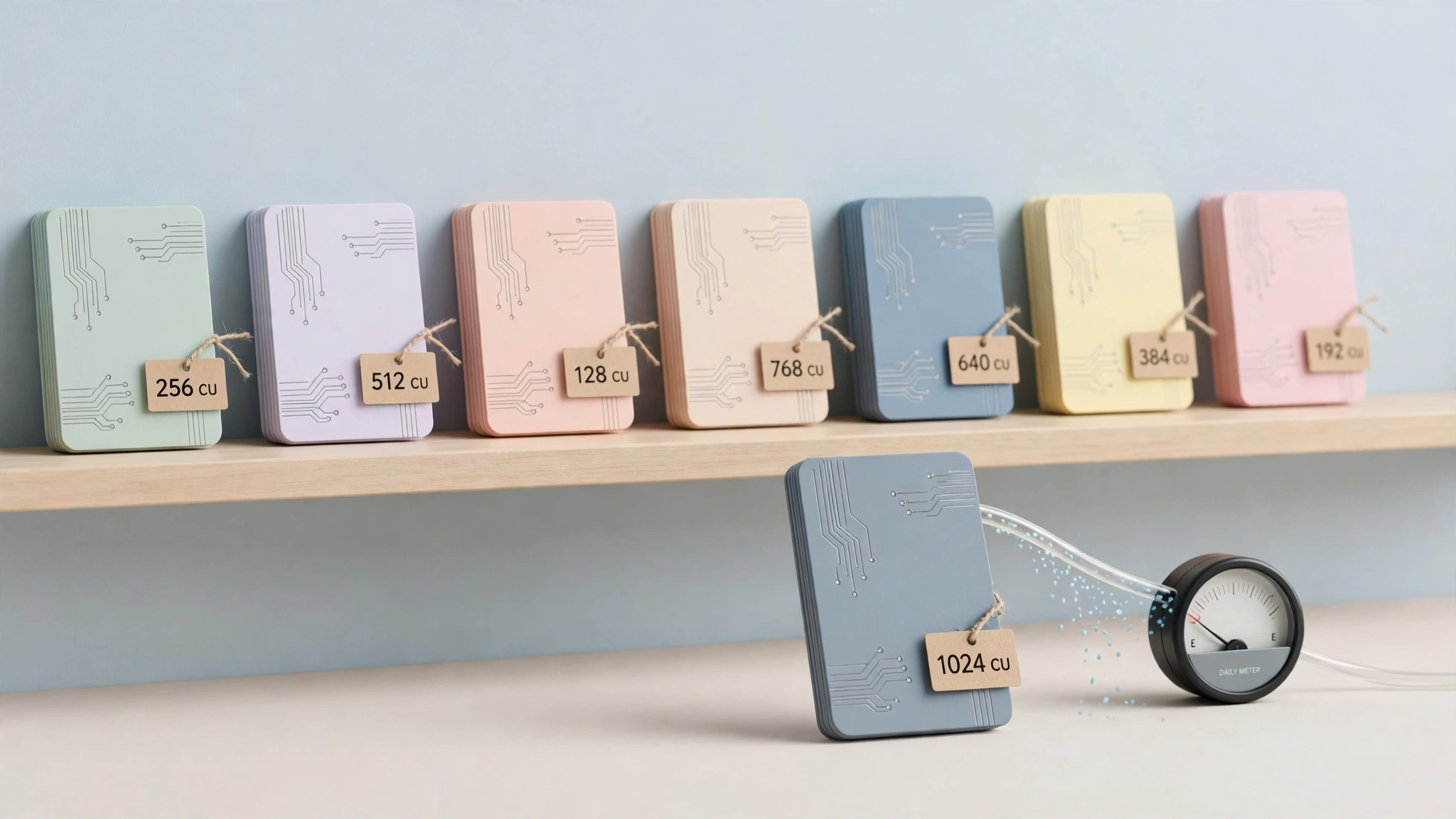
A hundred units sounds like a lot until you see what a generation costs. Krea's own pricing page puts the free plan at "about five Krea 3 images a day", and an independent test in October 2026 measured Krea 3 Fast at roughly 36 credits per image — which works out to two or three images before the meter hits zero. The same test generated and exported a native 2048×2048 PNG, unwatermarked, in about ten and a half seconds of server wait. So the free plan is not stingy about quality: what you get is full-resolution, watermark-free output. It is stingy about quantity, and the quantity shrinks fast when you leave Krea's own models for the third-party shelf, where video and premium image models burn units at several times the rate.
| What you do | What it costs on Free |
|---|---|
| Krea 3 image (Fast) | ~36 compute units — about 2–3 a day |
| Krea 3 image (standard) | ~20 units on the pricing page's math — about 5 a day |
| Real-time generation | Included in the daily allowance, no separate cap |
| Image upscaling | Up to 2K on Free; 8x and 16x are paid-only |
| Video generation | Effectively locked out — 0 video concurrency on Free, no Seedance models |
| LoRA training | Capped at 50 images |
The one-image-at-a-time rule is the part that bites hardest in practice. Free accounts run a single image job at a time, so each edit has to finish before the next one starts. That is fine when you are exploring one idea. It is a queue you stand in when you are iterating: prompt, wait, look, prompt again. Paid plans raise the concurrency to 4 images on Basic and 8 on Pro, which is the difference between sketching and producing.
There is a wrinkle worth flagging. Krea's own pages disagree with each other about the free allowance in the fine print: the plan table says 100 units a day, the upscaler's landing page has at different times promised "50 free credits daily", and one independent review recorded a signup trial that stopped after a single round of three images. The plan table is the one the billing system enforces, so plan on 100 units — and take the disagreement as a warning about how loosely Krea documents its own limits. The same looseness shows up on the yearly prices, where promotional rates are shown with no stated end date and the terms say renewals are charged at the non-promotional rate.
The real-time canvas is the one thing Free does not ration
Krea's signature feature is real-time generation: the image changes as you type or draw, instead of the type-wait-reroll cycle every other generator forces on you. This is the one part of the product where the free plan is genuinely generous. The real-time models are fully open on Free, with no separate cap beyond the daily unit allowance, and they are the reason to sign up even if you never intend to pay.
That matters because it changes what the free plan is for. Most tools in this series give you a free tier that is a demo of the paid product. Krea's free tier is a working sketchbook with a daily page limit: you can learn the canvas, test whether the real-time workflow suits how you think, and walk away with full-resolution unwatermarked images. What it is not is a content pipeline. An independent review put it plainly: the free tier's 100 units a day is enough to learn the interface, not to run a real content pipeline. Expect to hit the daily cap and need a paid plan within the first week of real output — and plan your test around that, because the cap resets daily whether you used it or not. There is no banking unused units for a big session later.
The video shelf is where Free ends
Krea lists dozens of video models on its homepage — Veo 3.1, Sora 2, Kling, Seedance, Hailuo, Wan, LTX, Ray — and the shelf is the reason many people sign up. On the free plan, that shelf is mostly a shop window. Free accounts have zero video concurrency, which means video jobs cannot be queued at all, and the Seedance video models are not available on Free. The video models that are reachable burn units far faster than image models, so even a short clip can eat a day's allowance in one press.
This is the sharpest contrast with the other tools in this series. Sora's signup and Kling's signup both gate video behind their own credit systems, but each of them is one model with one meter. Krea is a marketplace of meters, and the free allowance is sized for its cheapest shelf, not its most expensive one. If you sign up to test video, test it on day one, with a short prompt, and watch the unit counter before you press generate a second time. The honest way to read the free plan is as an image tool with a video catalogue attached — not a video tool.
The onboarding countdown starts before you generate anything
Sign up, click Skip on the onboarding, and Krea argues with you. An independent test in October 2026 recorded two consecutive discount retention modals: first a one-hour countdown offering Pro at 40% off, then a "Final chance — are you sure you don't want this offer?" screen. The offer expires in sixty minutes, which is the point: the countdown is designed to make you decide before you have generated a single image.
That is worth knowing because it is the one genuinely pushy part of an otherwise calm product. The pricing itself is transparent — the generate button discloses the unit cost before you submit — but the onboarding assumes you will pay before you have learned whether the tool is worth paying for. Our advice is the boring one: skip both modals, spend your 100 units on the real-time canvas, and decide on day two, when the countdown is gone and you actually know what the tool does for you. The promotional yearly prices will still be there, and Krea's terms say fees are never refunded, so a hasty upgrade is the one purchase you cannot undo.
The commercial-license line is the real gate
Free exports are full-resolution and watermark-free, which makes Krea look more generous than it is. The part that catches people is the rights line: Krea's FAQ lists Basic, Pro, Max, Business and Enterprise as licensed for commercial use — images, videos and other assets for marketing, advertising, products and client work. Free is not on that list. The pricing page's feature list has at times shown a commercial license on the Free card, which is why this paragraph exists: the FAQ is the document that names the plans, and Free is absent from it.
For a hobbyist making images for themselves, that distinction does not matter. For anyone publishing to a monetised channel, a client project, or a product page, it is the real gate, not the signup form. A watermark-free 2048×2048 image with no commercial license is fine for testing whether Krea's models suit your style. It is not an image you can sell or run in an ad. The moment the work earns anything, it needs to have been made on a paid plan — Basic at $9 a month is the minimum that carries the license. That is true of most of the tools in this series, but Krea states it more confusingly than most, with a pricing page and an FAQ that point in different directions. Until Krea reconciles them, treat the FAQ as the binding document and the Free card as marketing copy.
There is a second rights wrinkle in the terms: Krea takes a broad license to user submissions, and its Terms and Privacy Policy had not been republished since May 2024 at last check. That is not a reason to avoid the tool, but it is a reason not to upload anything you would not want the platform to hold a license to — client work, unreleased designs, anything with someone else's likeness.
The paywall ladder, with the meter doing the talking
Krea publishes four self-serve plans plus a sales-led Enterprise tier. The list prices, verified against krea.ai/pricing in November 2026:
| Plan | Price | Compute units | The headline limits |
|---|---|---|---|
| Free | $0 | 100 units a day | 1 image at a time, upscaling to 2K, no commercial license, no Seedance video |
| Basic | $9/mo ($5.25 billed yearly) | 5,000 a month | Commercial license, 4 image / 2 video concurrency, upscaling to 22K, LoRA to 50 images |
| Pro | $35/mo ($21 billed yearly) | 20,000 a month | All video models, 8 image / 4 video concurrency |
| Max | $105/mo ($63 billed yearly) | 60,000 a month | LoRA training to 2,000 images, unlimited image concurrency |
| Business | $200/mo ($160 billed yearly) | 80,000 a month, up to 50 seats | Credits roll over, roles and model-access controls |
Two things in that table deserve attention. First, the yearly prices are promotional: the list yearly rates are $84 a year for Basic, $336 for Pro and $1,008 for Max, and the lower prices shown are coupons with no stated end date. Renewals are charged at the non-promotional rate, so the price you sign up at is not necessarily the price you renew at. Second, monthly units on individual plans do not roll over. If you do not spend your 5,000 Basic units in the month, they are gone. The exception is Business, where credits roll over, and one-time compute top-up packs — $4.99 for 2,000 units up to $176.99 — which expire after 90 days.
The honest way to read the ladder is that Basic is the real entry point, not Free. Basic is the cheapest plan with a commercial license, and it is the first plan where the concurrency and the video access make the shelf usable rather than viewable. Free is the test drive; Basic is the tool. Pictory's signup had the same shape — a free tier that ends the moment the work becomes real — but Pictory's trial at least had a clock on it. Krea's free plan never expires, which makes it easy to mistake a permanent demo for a permanent tool.
The inbox problem: your generations live in the account
Your generations live in the account's library, and the account lives behind the email you signed up with. Download anything you want to keep, because a lost temporary inbox means you cannot reset the password — and Krea's email login is case-sensitive, so a mistyped capital on the login screen can lock you out of an account you can see but cannot open.
That is the one real cost of using a temp email here, and it is small. The free plan is small enough that losing the account costs you an afternoon of sketches, not a channel. But the moment you upgrade, train a LoRA, or build a library of generations you would miss, the account needs a permanent inbox with a recovery path. Move it before you pay. The 100 units will still be there, and so will everything you built with them.
The verdict
Use a temp email for Krea when you are testing: a day on the real-time canvas, a measurement of what your format costs in units, a look at whether the model shelf suits how you work. The signup asks for nothing that justifies handing over your real inbox, and the free plan is permanent enough that losing the account costs you nothing you cannot regenerate.
Do not use a temp email for the account you build on. The moment you upgrade, train a LoRA, or start a series, the account needs a permanent inbox with a recovery path. And do not mistake the free plan for a production tool: 100 units a day, one image at a time, no commercial license, and a video shelf you can look at but barely touch. Krea's free tier is the best sketchbook in this series and the worst pipeline — and knowing which one you are signing up for is the whole point.
Frequently asked questions
Can I sign up for Krea with a temp email?
Yes. Krea accepts an email address at signup alongside Google and Apple sign-in, asks for no card on the free plan, and publishes no disposable-domain block we could find. The confirmation email comes from auth@krea.ai and lands in the inbox you used. If a specific disposable domain is rejected, try a fresh address on a different domain.
What does Krea's free plan actually include?
100 compute units a day, refilled daily, with full access to the real-time models, LoRA training capped at 50 images, and upscaling up to 2K. No card is needed and the plan does not expire. It includes no commercial license, one image job at a time, and no Seedance video models.
How far do 100 units go?
About two to five images a day, depending on the model. Krea 3 Fast costs roughly 36 units per image; Krea's own pricing page puts the free plan at about five Krea 3 images a day. Video models burn units far faster, and free accounts cannot queue video jobs at all.
Does Krea watermark free exports?
No. Free exports are full-resolution and watermark-free — an independent test exported a native 2048×2048 PNG with no watermark. The catch is not a watermark but the license: the free plan carries no commercial license, so free exports cannot be used for marketing, advertising, products or client work.
How much is Krea after the free plan?
Basic is $9 a month billed monthly or $5.25 a month billed yearly, with 5,000 units a month and a commercial license. Pro is $35 monthly or $21 billed yearly, Max is $105 monthly or $63 billed yearly, and Business is $200 monthly or $160 billed yearly. The yearly prices are promotional and renewals are charged at the non-promotional rate; monthly units do not roll over, and fees are never refunded.
What happens to my Krea account if my temp email expires?
You lose the recovery path. Password resets and billing notices all go to the address on the account, and a temp inbox that has expired cannot receive them. Krea's email login is also case-sensitive, so record the exact address you used. If you upgrade or build anything you would miss — LoRA training, a generation library — move the account to a permanent email before you pay.
Need a disposable temporary email?
Protect your real inbox from spam and promotional clutter instantly and free.
Received a suspicious email, text, or charge alert?
Verify whether the sender domain is disposable, spoofed, or unverified before clicking links.