

Temp Email for Framer Signup: No Password, One Magic Link, and 500 AI Credits That Never Come Back
Framer never asks you for a password. That is the whole story.
Every other tool in this series has a password, a code, or a second way in. Framer has none of those. Its own help page, updated November 19, 2026, says it plainly: "Framer does not use passwords. Instead, you'll receive a secure magic link by email whenever you sign in." You type an address, Framer emails you a link, you click it, you are in. Close the tab, come back tomorrow, and the same thing happens again — another link, to the same inbox, or you do not get in at all.
That makes the signup email something different from what it is on every other platform we have covered. On most sites the email is a recovery path, a place the reset link goes when you forget the password. On Framer the email is the password. There is no fallback credential sitting in your memory, no Git provider to log in with instead, no passkey to fall back on. The inbox is the only key, and a temporary inbox is a key that stops existing.
This post is about what that means in practice, measured against what Framer actually publishes. The pricing and limits below were read on November 19, 2026, from Framer's own pricing page and from three independent pricing guides that checked the same page in October and November 2026 — and all three agree on the numbers. The signup and account rules come from Framer's own help center. Where Framer publishes no policy — and on disposable email, it publishes none — this post says so plainly instead of inventing one.
The signup takes ninety seconds and asks for almost nothing
Framer gives you two doors and both are fast. Continue with Google, or continue with email. The email route is four steps: click Sign up, select Continue with email, enter the address, open the activation email and click the secure sign-in link. There is no password to choose, no phone number, no card, no trial countdown. Framer's help says you can create an account "with any valid email address using the email sign-up option" and names Outlook and iCloud alongside Gmail as examples.
That phrase — "any valid email address" — is doing more work than it looks like. A temporary inbox is a valid email address in the technical sense: it receives mail, it can click a link. Whether Framer's systems accept the domain you used is a separate question, and Framer publishes no list and no policy either way. What the signup proves, when it works, is narrow: somebody controlled that inbox at the moment the link arrived. It proves nothing about who will control it next week, and Framer's system treats the address as the account's identity from that moment on, because it has nothing else to treat as identity.
The first thing worth noticing is what the link replaces. A six-digit code, like Vercel uses, is a one-time gate you pass and then forget. A magic link is a gate you walk through every single time you sign in. The difference matters because a temporary inbox does not fail at signup — it fails at the second sign-in, the third, the one three months later when you want to change a headline on the site you published. The door opens easily. The door also locks behind you the moment the inbox expires.
The Free plan, read November 19, 2026
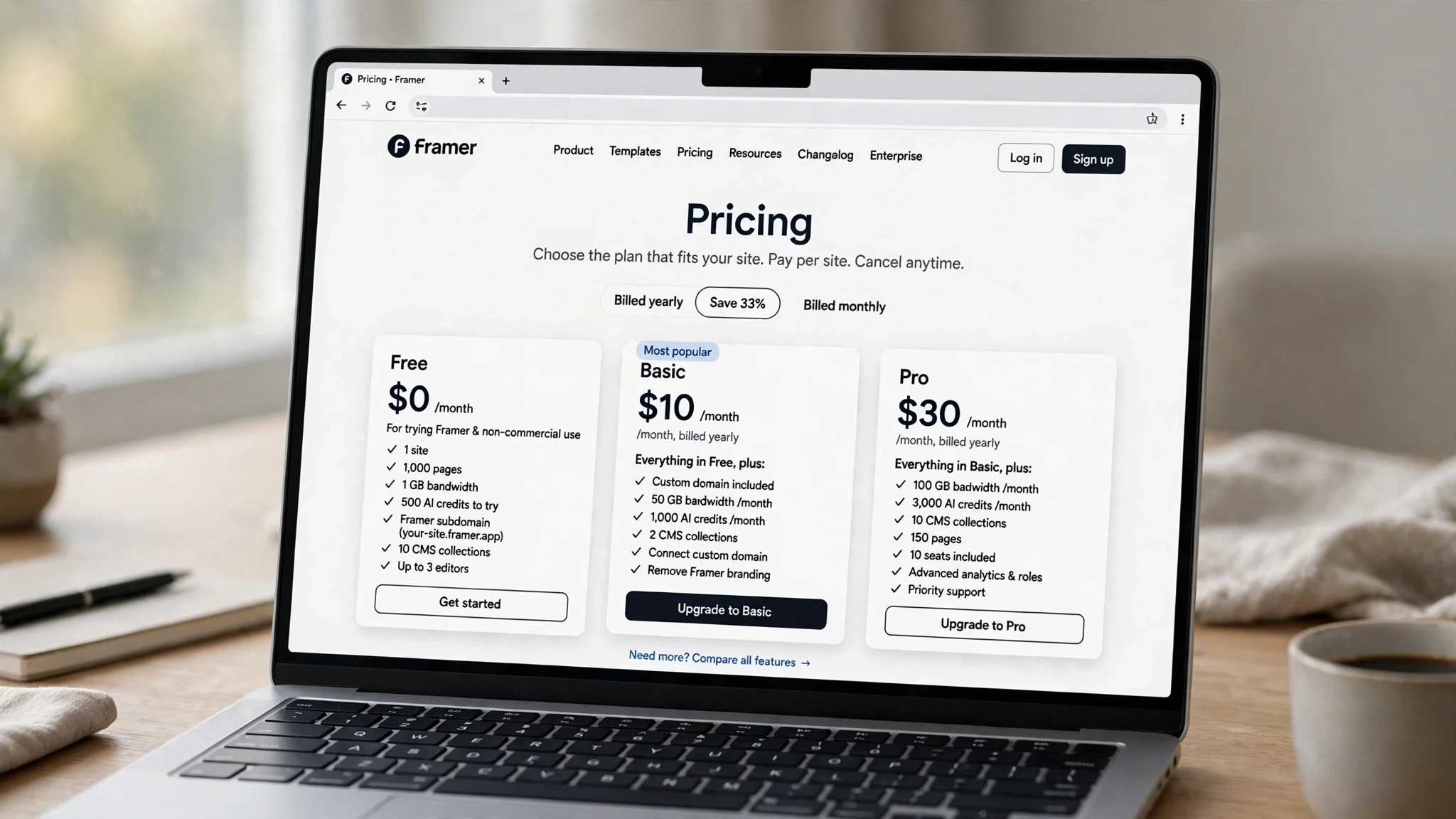
Framer prices per site, not per account, and the Free plan is genuinely free — no card, no trial, no expiry. Here is the tier as Framer documents it, checked against the pricing page on November 19, 2026.
| Free | Basic | Pro | |
|---|---|---|---|
| Price | $0 | $10/mo billed yearly ($15 monthly) | $30/mo billed yearly ($45 monthly) |
| AI credits | 500, once | 1,000 a month | 3,000 a month |
| Pages | 1,000 | 30 | 150 (up to 700 with add-ons) |
| CMS collections | 10 | 2 | 10 (up to 40) |
| CMS items | Not stated | 1,000 | 2,500 (up to 40,000) |
| Bandwidth | 1 GB a month | 50 GB a month | 100 GB a month (up to 2 TB) |
| Custom domain | No — Framer subdomain only | Yes, first year free on yearly billing | Yes, first year free on yearly billing |
| Editors | 3 | 10 | 10 |
| Extras | "Made in Framer" banner | — | Staging, redirects, roles, 90-day analytics |
Two things in that table deserve more attention than the prices. The first is the quirk that every pricing guide trips over: the Free plan allows 1,000 pages and 10 CMS collections, while Basic — the plan you pay $120 a year for — allows 30 pages and 2 collections. It looks backwards, and it is, on paper. What Basic actually buys is the custom domain, fifty times the bandwidth, a monthly credit allowance instead of a one-time one, and the right to use the site commercially. Free is pitched by Framer itself as "ideal for non-commercial use," and connecting your own domain requires a paid plan. The page limits are not the product. The domain is.
The second is the bandwidth. One gigabyte a month on Free is not much — a single page with a few large images can eat a meaningful share of it — and the "Made in Framer" banner sits on every free site. Pro serves sites from 300+ CDN locations against Basic's 20, and keeps 90 days of analytics against 30. None of that is hidden. It is all on the pricing page, in the open, which is more than can be said for most tools in this series.
The 500-credit wallet
The number that decides whether a temp-email Framer account is worth anything is not a price. It is 500. The Free plan comes with 500 AI credits, once, and when they are gone they are gone — Basic and Pro refill monthly, Free does not. Framer's AI Agent builds whole pages from a prompt, and the credits are the fuel.
How far does 500 go? One reviewer measured it directly in a Free account on October 10, 2026: a single Framer Agent landing-page build cost 142 credits, leaving 358. At that rate, the free allowance covers about three such builds, and then the account can never generate again unless it upgrades. Another guide puts one generated landing page at roughly 300 credits, which would leave you with a single build and change. Either way, the shape is the same: the free tier is a tasting menu, not a kitchen. Three builds, give or take one, and the AI part of the account is finished.
That changes the temp-email calculation in a way the pricing table does not show. On most tools in this series, the free tier is a renewable resource — credits refill monthly, trials reset, the door stays open. On Framer Free, the resource is a one-time wallet tied to the account, and the account is tied to the inbox. A temporary inbox that opens a Framer account and spends 142 credits on a landing page has created something that lives in an account it can never open again. The site is still published on its Framer subdomain, still reachable, still carrying the "Made in Framer" banner — and owned by a login nobody holds.
The one-session problem
Here is the failure, stated as plainly as I can. A magic link is not a password you can write down. It is a link that arrives in an inbox, gets clicked once, and signs you in for that session. When the session ends — the browser closes, the cookie expires, you switch devices — the next sign-in needs a new link, sent to the same address. If that address was a temporary inbox that expired ten minutes after signup, there is no new link to receive. There is also no password reset to request, because there is no password. There is no Git provider to sign in with instead, because Framer's email signup has no Git option. There is no support ticket that hands you the account, because the only proof of ownership Framer accepts is control of the inbox.
Framer does publish an escape hatch, and it is worth knowing about before you need it. Its help page "Update your account details" says you can change the email on your account at any time: open the Dashboard, open workspace settings, click the Profile tab, update the email address, press Enter. That is a real, documented path — and it only works while you are signed in. The rescue requires the very access the dead inbox has already taken away. It is a ladder that only exists inside the house.
This is the sharpest version of the pattern this series has documented. On Vercel, a lost signup email still leaves you Git login, passkeys, and two spare email slots. On Framer, the inbox is the entire authentication system, and the system is working exactly as designed. The design assumes the email address is permanent. A disposable address violates the assumption at the foundation, not at the edges.
What a temp email actually gets you at the door
The honest answer, with the uncertainty left in: Framer publishes no policy on disposable or temporary email addresses. We checked the help center's account pages and found nothing about which domains it accepts or rejects. A magic link is an ordinary email, and temp inboxes receive ordinary email, so if Framer's systems do not block the domain you used, the account opens and the Free plan works exactly as it would with a permanent address. If the domain is blocked, the signup fails at the form, and no amount of retrying with the same provider will change that. Do not try to disguise the address. If Framer rejects it, that is its policy, and the correct move is an address you control.
There is also no trial to game here, which removes the usual temptation. Free is free forever — there is no seven-day window to stretch, no Pro trial to harvest, no credit balance that refills. The only consumable is the 500-credit wallet, and it is one-time by design. A temp inbox buys privacy and a look around the editor. That is a legitimate use, and for an afternoon of kicking the tires it is the right tool. It buys nothing else, and on Framer it buys even that for exactly one session.
Four ways a disposable inbox breaks a Framer account
The failure modes are specific, and they arrive on a schedule. The first is the published site. A Free site lives on a Framer subdomain — something like yoursite.framer.website — and it stays live after the inbox dies. That sounds harmless until you want to change a word on it. Every edit runs through the editor, and the editor runs through the account, and the account runs through the inbox. A published site you cannot edit is a billboard you cannot take down or update. If the site has your name on it, your portfolio on it, or a link on your resume pointing at it, the stale version is the version the world sees, indefinitely.
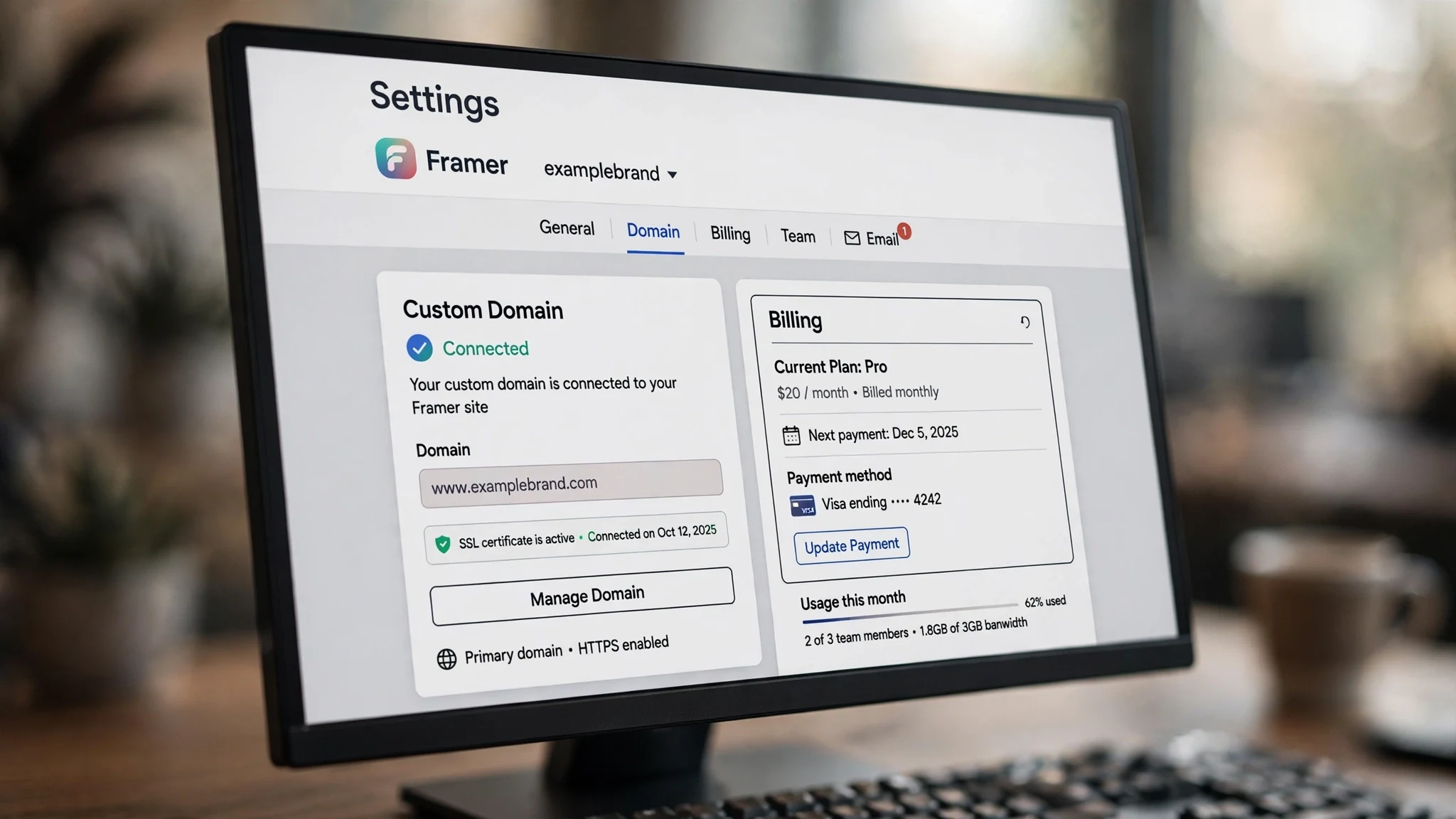
The second is the custom domain. Moving to a paid plan to connect your own domain is the moment a Framer site becomes real — and every part of that moment runs through the account email. The plan is billed per site, the complimentary domain on yearly billing is attached to the account, and the renewal notices, the billing receipts, and the payment-failure warnings all go to the signup address. A card charge you cannot see coming is a site that goes dark without warning, because the warning went to an inbox that no longer exists.
The third is the team. Free allows three editors, Basic and Pro allow ten, and extra editor seats cost $20 a month on yearly billing. Collaborators join by invitation, and invitations go by email — to the owner's address first, and to each collaborator's address after. A portfolio that becomes a studio project, a landing page a client wants to edit, a site a co-founder needs to touch: all of it runs through the account that a dead inbox owns. The workaround is a new account, which means rebuilding the site from scratch, because Framer has no published way to move a site between accounts.
The fourth is the credits themselves. The 500-credit wallet is the only AI allowance a Free account ever gets, and it is spent inside the account that the temp inbox opened. Lose the account and you lose the remaining credits, the generated pages, and the ability to generate more — not because Framer took anything away, but because the key to the wallet dissolved. On Replit, the signup email owns an app, a database, and a credit meter that bills whether the build works or not. On Framer, the meter is one-time and the wallet is the account. The loss is smaller in dollars and total in practice.
The student discount that needs a real inbox
One more Framer feature worth naming, because it is the clearest proof of what the platform expects from an email address. Framer runs an education program with a student discount, and applying for it requires submitting proof of enrollment — a university-issued email address, a student ID card, or an enrollment certificate — with approval taking around five working days. A temporary inbox cannot pass that check by design. The program is not a loophole to game; it is a reminder that Framer's model of an account is a person with a durable address, and every feature that matters — discounts, domains, teams, billing — is built on that assumption.
Framer against the other AI tools
Framer is the eighth tool in this series, and it is the one where the signup email matters most. On Midjourney, there is no free trial to game at all — the door is $10 a month and a card on file, and the images answer to one inbox. On ElevenLabs, the free tier is 10,000 credits a month and the reset trick stops working after two or three accounts. On Suno, the free plan is 50 credits a day with no downloads and no commercial rights, and free songs never become commercial even after you upgrade. On Perplexity, search is free with no account, and then Pro, Comet, and your history all want the real inbox.
Framer differs from all five in the same way: the other tools treat the email as an address, and Framer treats it as the credential. A lost Midjourney account costs you images you can regenerate. A lost Suno account costs you songs you can re-create. A lost Framer account costs you a website, a domain binding, a team, and a one-time credit wallet — and unlike Vercel, there is no second login method waiting behind the first. The signup email is not a formality on this platform. It is the entire lock, and a disposable inbox is a lock with no key cut.
When a throwaway is the right tool
A temporary inbox is the right tool for Framer in exactly the situations where you can afford to lose the account in the same session you create it. An afternoon of looking around the editor. A test build from a tutorial, to see what the Agent does with a prompt. Checking whether the Free plan's limits fit a side project before you commit. In each of those cases, the account holds nothing you care about, and losing it costs you nothing — provided you do it all before you close the tab.
It is the wrong tool the moment the account holds anything with a future. A portfolio you will show employers in a year. A landing page with a URL you printed anywhere. A site with a custom domain, a collaborator, or a single dollar of revenue attached. A generated page you spent 142 credits on and would rather not rebuild. The test is simple and it never changes across this whole series: if losing the account would cost you more than the five minutes it took to create it, sign up with an address you will still control in a year.
There is a middle path that Framer's own settings make easy, and it is the one we recommend. Sign up with the temp inbox to look around, and if the project survives the first weekend, open the Dashboard, go to workspace settings, click the Profile tab, and swap in your permanent address before you publish anything, attach a domain, or invite anyone. Do it while you are still signed in — while the magic link that got you in is still warm — because that is the only moment the swap is yours to make. It takes two minutes, and it removes the entire failure class this post describes. Wait until the session ends, and the option is gone with it.
The bottom line
Framer is honest about what it costs and what it forbids, and the Free plan is a genuine offer: a full visual editor, a thousand pages, ten CMS collections, and 500 AI credits for zero dollars, with no trial clock running. The platform deserves credit for keeping it free instead of turning it into a countdown. The only thing it does not do is warn you, at signup, that the email address is the account — not a contact detail on the account, but the account itself.
So the rule is the same one this series keeps arriving at, with the stakes raised one more notch. Use a temp inbox to look. Use an address you will own in a year to build. And if you already built something real on a throwaway, open the Dashboard today, while you are still signed in, and change the email in your Profile — two minutes now, or a website you can see but never touch again.
Questions people actually ask
Can I sign up for Framer with a temp email?
Usually, yes — Framer says you can create an account with "any valid email address," and signup is a magic link sent to whatever address you enter. But Framer publishes no disposable-email policy, acceptance is its decision and it changes over time, so nobody can promise it, and if the address is rejected, use an address you control instead of trying to disguise it.
Does Framer really have no passwords?
Correct. Framer does not use passwords at all. Every sign-in, first or fiftieth, is a secure magic link sent to the email address on the account. There is no password to forget and no password reset — which is exactly why the inbox matters so much.
How far do the 500 free AI credits go?
About three Agent-built landing pages, give or take one. One reviewer measured a single Framer Agent landing-page build at 142 credits in October 2026; another guide puts a generated landing page at roughly 300 credits. The credits are one-time on the Free plan — Basic refills 1,000 a month and Pro 3,000 a month.
Can I change the email on my Framer account later?
Yes, while you are signed in. Framer's help says to open the Dashboard, open workspace settings, click the Profile tab, update the email address, and press Enter. The catch is the "while you are signed in" part — if the temp inbox that received your magic links is gone, you cannot sign in to make the change.
Can I connect my own domain on the Free plan?
No. Custom domains require a paid plan — Basic at $10 a month on yearly billing or Pro at $30. Both include a complimentary domain for the first year on yearly billing. Free sites publish on a Framer subdomain and carry the "Made in Framer" banner.
What happens to my site if I lose access to the email?
The published site stays live on its Framer subdomain, but you cannot edit it, cannot change its domain or billing, and cannot invite collaborators — every one of those actions runs through the account, and the account runs through the inbox. There is no password reset and no alternate login method to recover with.
Need a disposable temporary email?
Protect your real inbox from spam and promotional clutter instantly and free.
Received a suspicious email, text, or charge alert?
Verify whether the sender domain is disposable, spoofed, or unverified before clicking links.