

Temp Email for Flight Bookings: Why the Confirmation Has to Outlive Your Trip
A flight booking is not a signup, it is a countdown
Most things you sign up for with a temp email are over in a day. You create an account, you get the code, you download the file, and you never think about that inbox again. A flight booking is built the other way around. The moment you pay is not the end of the transaction. It is the start of a countdown that runs for weeks or months, and at almost every step along that countdown, the airline talks to you through one channel: the email address on the booking.
That is the whole argument of this post in one paragraph, and it is worth sitting with before the details. A temp inbox is designed to disappear. A flight booking is designed to keep needing you. The confirmation arrives first, then the seat selection reminder, then the check-in window, then the boarding pass, then the gate change, then the delay notice, then the receipt, then the refund or the baggage claim. Each of those messages is useful only if it reaches an inbox you can still open at that exact moment. A throwaway address that lasted an hour was never going to be there for a message sent six weeks later, and no amount of careful planning at checkout fixes a channel that has already closed.
I am not saying a temp address has no place near travel. It has a very good place, and I will get to it. But the booking itself, the record with your name, your money, and your seat on a specific plane, is the worst possible thing to tie to an address built to vanish. The rest of this post walks the timeline, step by step, so you can see exactly where it breaks instead of taking that claim on trust.
Booking day: why the form accepts a temp address, and why that acceptance misleads
Here is the confusing part, and it is why so many people try this in the first place. Most airline and travel-agency checkout forms will accept a temp email address without complaint. You type it in, you pay, and a confirmation screen appears with a booking reference. It feels like it worked, because at that moment, it did work. The payment went through, the seat was held, and the booking exists in the airline system.
The problem is what that acceptance does not prove. A checkout form checks very little about an email address. It checks that the address looks like an address, and sometimes that its domain is not on a known disposable list. Many airlines and agencies do not run that second check at all, because they would rather complete a sale than police your inbox choice. So the form saying yes tells you almost nothing about whether the booking will survive contact with reality. It tells you the payment was accepted. It does not tell you that the confirmation email arrived, that you can open it in three weeks, or that the airline can reach you when the flight changes.
There is a second trap on booking day, and it is quieter. The booking reference, often called a PNR or confirmation code, is usually displayed on screen once and then sent by email. If you close that tab without writing the code down, the email becomes your only copy. People who book on a permanent address can search for it later. People who book on a temp address that has already expired cannot. The booking still exists, and an airline agent can usually find it with your name and ID, but you have turned a two-second inbox search into a phone call, and you have done it at the moment you are most likely to be in a hurry.
Some booking sites do reject disposable domains outright, using the same blocklists described in our post on why websites reject temp email. When that happens, treat it as useful information rather than an obstacle to route around. The site is telling you, in its own blunt way, that it expects to keep talking to you at that address. A flight booking is one of the cases where that expectation is reasonable.
The week before: everything you need is sitting in that inbox
Assume the booking went through and the confirmation arrived. Now fast-forward to the week before departure, which is when most travellers actually start preparing. What do you need? The confirmation code, the exact flight numbers and times, the baggage allowance, the seat assignment, and the link to manage the booking. Almost all of that lives in the confirmation email, or behind a manage-booking link sent to that address.
This is also the week when small problems surface. A name spelled slightly differently from your passport. A middle name missing. A return flight on the wrong date. Each of those is fixable, but every fix starts the same way: the airline asks you to confirm the booking, and the easiest confirmation route is the email on file. If that inbox is gone, you are not locked out forever, but you are pushed onto the slowest path, which is a phone queue, at a time when phone queues for airlines are at their longest.
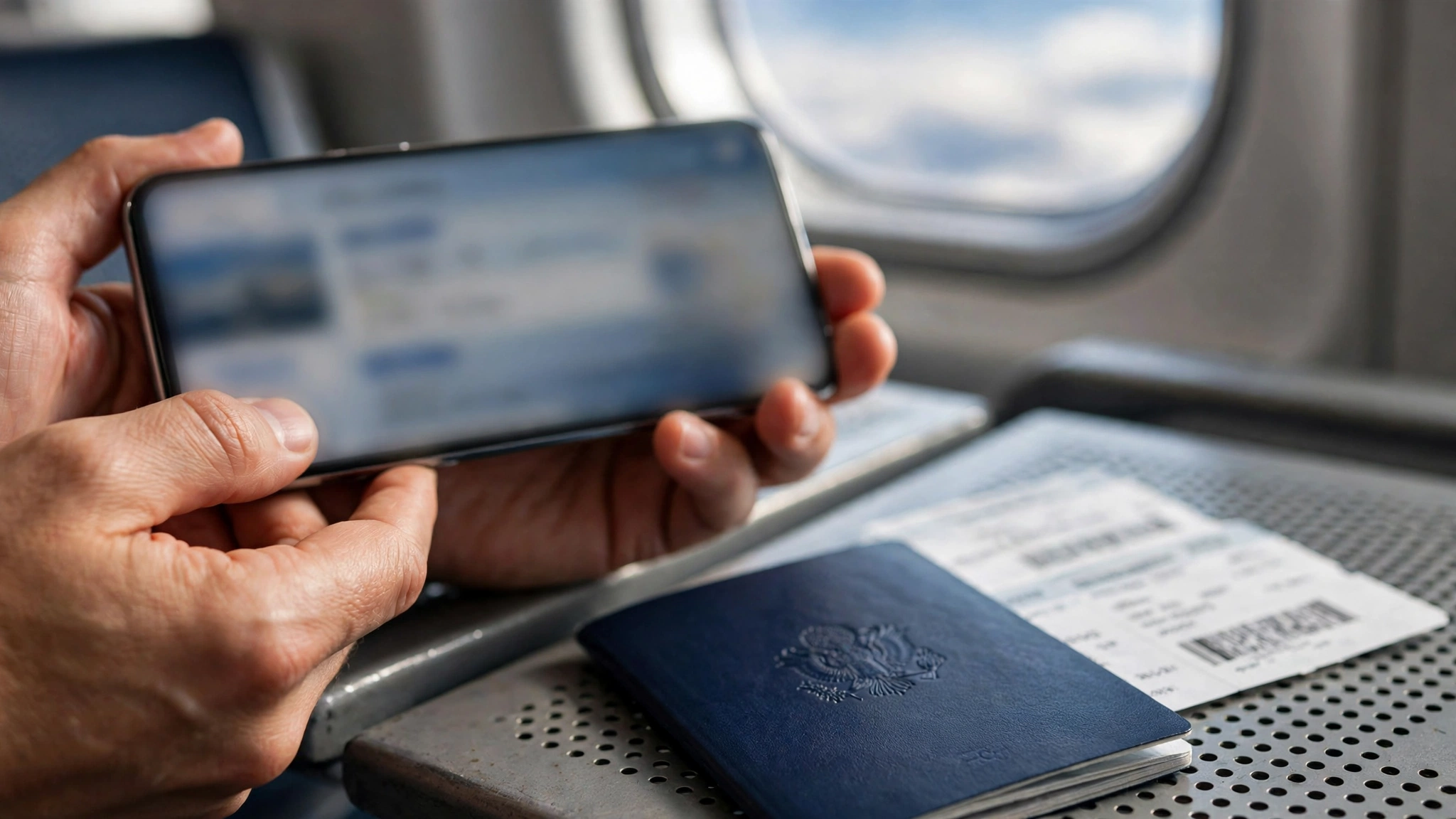
There is a subtler version of the same problem for group and family bookings. One person books for three or four travellers, using a temp address to avoid marketing mail, and then that person is the only one who can receive updates for the whole group. When the inbox dies, nobody in the group gets the update, not just the booker. The marketing mail you were avoiding was the price of a working notification channel for everyone travelling. It was a cheap price, and most travellers would pay it gladly if they thought about it that way at booking time.
My rule here is simple, and it comes from watching people get caught by this rather than from theory. Before you pay for any flight, ask yourself one question: will I need anything from this address after today? For a flight, the answer is almost always yes, for weeks. That yes is the whole decision.
Twenty-four hours out: check-in, the boarding pass, and the seat you actually get
This is the step where a dead inbox turns from an inconvenience into a real risk of missing something that matters. Most airlines open online check-in 24 to 48 hours before departure, and they notify the booking email when the window opens. Check-in is not a formality for many fares. On basic economy tickets, and on airlines without assigned seating, checking in promptly is how you secure a seat at all, and on some carriers it determines your boarding position. The check-in link, the boarding pass, and any seat-change notice all travel by email.
The deadlines after that are unforgiving in a way that other signups are not. Online check-in typically closes around 40 to 45 minutes before departure for domestic flights in the United States, and 60 to 90 minutes before for international flights, though the exact cutoffs vary by airline and airport. Miss the window and you are dealing with the airport counter, if there is still time, or rebooking, if there is not. A traveller who never saw the check-in email because the inbox expired does not get extra time for that reason. The airline sent the notice to the address you gave it. From its side, the job was done.
You can, of course, check in through the airline app or website using just the confirmation code and your last name, without opening any email. That is the rescue route, and it works if you saved the code. But notice what that rescue depends on: a code you copied somewhere durable at booking time, a phone with the airline app installed, and enough time before the cutoff to do it all manually. Every one of those is a thing you had to remember to do because the email channel was dead. A working inbox would have handed you the link at the right moment with no remembering required. The temp address did not make check-in impossible. It made it fragile, and fragility is exactly what you do not want the day before a flight.
At the airport and in the air: gate changes, delays, and the rebooking that cannot wait
If the flight runs exactly as scheduled, you might get away with a dead booking email. Flights often do not run exactly as scheduled, and this is where the argument becomes hardest to ignore. Gate changes, delays, cancellations, and rebookings are all communicated first to the contact details on the booking, and for most airlines that means email first, with app push notifications only if you installed the app and signed in with the same booking.
A gate change is a small thing that becomes a large thing when you miss it. Airports are big, boarding windows are short, and the announcement for your flight is one among dozens. The email or app alert is the thing that tells you to walk to the other end of the terminal now rather than in twenty minutes. A delay notice matters in the same way, because it tells you whether to wait, to rebook, or to find a hotel. A cancellation notice matters most of all, because rebooking is a race: the replacement seats go to the passengers who respond first, and the passengers who respond first are the ones who got the message first.

There is a common reply to this, and it is worth answering honestly. Yes, you can watch the departure board, and yes, the airline desk can help you. Both are true, and both are slower than a message arriving on your phone. The departure board tells you what changed after it changed. The desk helps you after you have queued. The email, when it works, tells you while you still have choices. On a day when a storm cancels fifty flights out of one hub, the difference between getting the message at once and getting it an hour later can be the difference between flying that night and sleeping on a terminal floor. That is not a dramatic flourish. It is how rebooking queues actually work when hundreds of people are chasing the same few seats.
After landing: receipts, refunds, and claims that arrive months later
Suppose the flight itself goes fine. You land, you go home, and you forget about the booking. The email channel is still not finished with you. The receipt you need for an expense claim, the refund for a cancelled leg, the compensation claim for a long delay, the lost-baggage report, the frequent-flyer miles that never posted, all of these run through the booking email, and many of them arrive weeks or months after travel.
Expense receipts are the most ordinary version of this. Plenty of employers and clients require the airline receipt, not just a card statement, and the receipt is emailed, not mailed. A traveller who booked on a temp address and cannot produce the receipt has to request a duplicate from the airline, which is possible but slow, and which again requires proving the booking without the email that would have proved it instantly. Refund and compensation claims are worse, because they often have deadlines, and a claim email sent to a dead inbox does not pause its own deadline while you notice it is missing.
Miles are the quietest loss. If miles fail to post, the airline will ask you to submit the ticket number and booking details, which live in the confirmation email. Without them, the claim is a reconstruction job. None of these post-trip problems will ruin a holiday on their own. Together, they are the long tail of a decision made in ten seconds at checkout, and they are the reason I keep coming back to the same test: a booking email needs to survive not just until departure, but until every piece of paperwork after the trip is closed. A temp inbox cannot promise that, because promising it would contradict what it is for.
The one place temp email genuinely helps around flights
None of this means you should hand your permanent inbox to every travel site you touch. The browsing phase before a booking is exactly where a temp address earns its keep, and it is a large phase. Fare alerts, price-drop newsletters, route announcements, and the promotional flood that follows a single flight search are all low-stakes, high-volume mail. You want to see it once, compare it, and let it go. That is the job described in our post on travel deal alerts, and it is a good job for a throwaway address.
The distinction is between shopping and buying, and it is worth drawing sharply. Shopping is reading offers. Buying is creating a record that has your money and your seat attached to it. Use the temp address for the shopping: sign up for the fare alerts, read the newsletters, compare five routes without giving each comparison site your permanent address. Then, when you have chosen a flight and you are ready to pay, switch to a durable address for the booking itself. The temp address did its work by keeping the research phase clean. The durable address does its work by keeping the booking reachable. Neither job is the other's job, and swapping them is the entire mistake.
The same split applies to the marketing that follows a booking. Airlines will send offers to the booking address after you travel, and some travellers dislike that enough to reach for a temp address at checkout. I understand the impulse, but it trades a small annoyance for a large risk. The better trade is a durable address with a filter: booking mail goes to a folder, marketing mail gets filtered or unsubscribed, and the channel stays alive for the messages that matter. You get almost all of the quiet inbox, without giving up the channel that carries your boarding pass.
A booking setup that keeps spam out without risking the trip
Here is the setup I would actually use, and it has three parts, used in order. First, a durable personal address as the booking address on every flight, hotel, and rental you actually pay for. It should be an address you check regularly and expect to keep for years, because flight paperwork can surface months after travel. Second, a filter or a plus-address variation of that durable address for the booking, if your mail provider supports it, so booking mail sorts itself into a travel folder and marketing mail is easy to spot. Third, a temp address for everything before the purchase: fare alerts, comparison sites, newsletter signups, and the one-off route announcements you have not decided about yet.
That order matters, and it is the opposite of the order most people use. People browse on a permanent address, collecting marketing mail for months, and then book on a temp address to escape it, which gives them the worst of both worlds: a permanent inbox full of travel spam, and a booking they cannot be reached about. Reverse it. Browse disposable, book durable, and the spam problem mostly solves itself, because the sites that send the most mail never get your permanent address in the first place.
One more piece, and it is about the airline app rather than email. After booking on a durable address, install the airline app and sign in with the same booking before travel day, and turn on push notifications for that trip. The app is a second channel, not a replacement for email, but it catches the gate change and the delay notice even if your email is slow. The travellers who get through disruption days best are rarely the ones with the cleverest inbox setup. They are the ones with two working channels and the confirmation code saved somewhere they can find it without thinking.
If you already booked on a temp address, do this now
If you are reading this after booking, do not panic, but do act before travel day, while every fix is still cheap. First, open the booking on the airline website or app using the confirmation code and your last name, and change the contact email to a durable address if the airline allows it. Most airlines allow a contact update on an existing booking, and that single change restores the whole notification channel. Second, download or screenshot the itinerary, the confirmation code, the seat assignment, and the baggage allowance, and save them somewhere outside any inbox, such as your phone files or a notes app. Third, add a phone number to the booking for text alerts, if that option exists, so you have a second channel for disruption notices.
Fourth, and this is the step people skip, check whether anyone else is travelling on the same booking and tell them the contact address has changed. If you booked for family or colleagues, they are depending on a channel that may already be dead, and they will not know it until a gate change proves it. Fifth, save the receipt and the ticket number separately from the confirmation email, because those are the two items refund and miles claims ask for later. If the temp inbox is already gone and you cannot change the contact email online, call the airline well before travel day, not on the morning of the flight, and ask an agent to update it and to confirm the booking by phone. A call made a week early is a five-minute job. The same call made at the airport is a queue.
Finally, do not compound the problem by reusing that same temp address for the hotel, the rental car, and the travel insurance, which is the pattern warned about in our post on reusing the same temp email. Each booking you tie to a dying address adds another channel that will fail at a different moment, and the failures will not conveniently arrive together. Fix the flight first, because it has the hardest deadlines, and then work through the rest of the trip the same way, one durable address at a time.
Frequently asked questions
Can I use a temp email to book a flight?
You usually can complete the purchase, because many checkout forms accept a temp address. That does not make it a good idea. The confirmation, check-in link, boarding pass, gate changes, delay notices, and refund or receipt messages all go to the booking email, and a temp inbox will not be there for most of them. Book on a durable address you will still control months after travel.
What happens if my temp inbox expires before my flight?
The booking itself still exists in the airline system, but you lose the notification channel. You can usually retrieve the booking with the confirmation code and your last name on the airline website or app, and you can check in that way, but you will not receive check-in reminders, gate changes, or rebooking offers by email. Update the contact email to a durable address as soon as you can, and save the confirmation code somewhere outside the inbox.
Can I change the email address on a flight booking after I booked it?
In most cases, yes, through the manage-booking section of the airline website or app, or by calling the airline. The option varies by airline and by fare type, so check early rather than on travel day. If you cannot change it online, a phone agent can usually update the contact details and confirm the booking at the same time.
Will the airline reject a disposable email address at checkout?
Some airlines and travel agencies do, using disposable-domain blocklists, and some do not. A rejection is useful information: it tells you the seller expects to keep contacting you at that address. A booking that is accepted on a temp address is not safer than one that is rejected. It simply means that seller did not check.
Is it safe to use a temp email for flight price alerts?
Yes, that is a good use for one. Fare alerts, price-drop newsletters, and route announcements are low-stakes mail you want to read once and discard. Use a temp address for the shopping and research phase, and switch to a durable address when you actually pay for a flight. The split, disposable for browsing and durable for booking, is the whole method.
What should I save from a flight booking besides the confirmation email?
Save the confirmation code, the ticket number, the exact flight numbers and times, the seat assignment, and the baggage allowance, somewhere outside any inbox, such as your phone files. The ticket number and confirmation code are what refund, compensation, and missing-miles claims ask for later, and they are much harder to reconstruct if the only copy was in an inbox that has expired.
Need a disposable temporary email?
Protect your real inbox from spam and promotional clutter instantly and free.
Received a suspicious email, text, or charge alert?
Verify whether the sender domain is disposable, spoofed, or unverified before clicking links.