



Disposable email addresses are short-lived, anonymous inboxes you can use to keep your main email clean. By using a temporary address for signups, verifications, and one-off interactions, you cut exposure to trackers, mailing lists, and data leaks while keeping your primary account reserved for important messages. Below we explain how disposable (aka burner) emails work, give a clear step‑by‑step guide for free temporary email services, compare their benefits against primary email use, and show who should use them in everyday online life. You’ll also find practical best practices, a simple decision flow for when to use a temporary address, and how an AI Spam Email Checker can pair with disposable addresses to reduce spam and boost deliverability. For a quick solution, TempoMailUSA offers a free, fast, private temporary email service — get a free temporary email now — and the sections below show how these tools fit into a wider anti‑spam routine.
What Is a Disposable Email and How Does It Prevent Spam?
A disposable email is a throwaway address generated for short-term use so your main inbox doesn’t get exposed to unknown senders or tracking. These addresses isolate contact points: once you discard the disposable address, messages sent to it stop reaching you and tracking baked into promotional mail becomes ineffective. Shortening the lifespan of an address reduces how long data about that contact is retained and prevents persistent links between your identity and temporary online actions. Knowing how this works helps you pick the right uses for disposable addresses and combine them with filters and verification strategies.
How Do Temporary and Burner Emails Work to Block Spam?
Temporary and burner emails are created by a generator that gives you a unique alias and a short‑lived mailbox. Incoming messages show up in a live inbox that auto‑refreshes while the address is active; after the preset expiration the mailbox and its messages are deleted. Because you discard the disposable address after use, advertisers and bad actors can’t keep sending to your primary inbox or build persistent profiles tied to you. The generate → receive → expire cycle is why disposable addresses work well for verification, testing, and one‑time communications.
Are Disposable Emails Safe and Private for Users?
When used correctly, disposable emails provide strong privacy benefits: they reduce data retention, remove the need to sign up with personal details, and avoid long‑term content profiling. That makes them great for casual signups and public forums, but they do have limits — don’t use disposable addresses for account recovery, billing, or services that require identity verification. Check a provider’s retention policy before you use it and avoid sending sensitive personal data through temporary addresses. Choosing a service with minimal retention and no profiling practices lowers the chance that data will be stored or analyzed after the address expires.
For a real‑world example, TempoMailUSA offers a free, fast, and private temporary email service that requires no signup and creates an instant, auto‑refreshing inbox. TempoMailUSA keeps minimal data, doesn’t profile message content for ads, and automatically deletes messages and inboxes — typically within 12 hours — so you can generate disposable addresses quickly without tying them to long‑term accounts. Those service controls show how provider choices support the privacy model described above and guide practical selection of a disposable mail provider.
How to Use Free Temporary Email Services to Stop Spam Effectively

Using a temporary email well starts with picking the right situations, generating an address, and keeping a simple lifecycle rule for each alias. A short, repeatable process gets you verification codes and one‑time access without exposing your primary inbox to newsletters, trackers, or marketing lists. Be mindful of limitations — especially around account recovery and multi‑factor authentication — so you know when to keep an address a bit longer or switch to your primary email. The steps below outline a safe workflow to stop spam while preserving access to services you care about.
Step-by-Step Guide to Generating an Anonymous Email Address
- Open a trusted temporary email generator and request a new address — it appears instantly with no account creation required.
- Copy the generated address and paste it into the signup or verification field on the site or app.
- Watch the live inbox until you receive the verification message, using the auto‑refresh to load incoming mail.
- Complete the verification or one‑time action, then decide whether to keep the address active for a short window or discard it immediately.
- When finished, let the address expire or manually delete it to stop future messages and tracking from reaching you.
Best Practices for Using Disposable Emails to Protect Your Inbox
Use a consistent set of rules to get the most privacy with the least hassle. First, reserve disposable emails for non‑critical signups like newsletters, forum posts, public Wi‑Fi logins, or trial offers — avoid them for banking, government, or long‑term subscriptions. Second, track aliases in a secure note if you might need to remember which service used which address. Third, pair disposables with secondary protections: use strong passwords and enable MFA on primary accounts instead of relying on disposables for recovery. Finally, review active disposable addresses periodically and let ephemeral inboxes expire to keep your digital footprint small.
- Use disposable emails for non‑critical signups (newsletters, forums, trials), and avoid them for banking or government services.
- Record aliases in a secure note if you might need to trace which service used a particular address.
- Combine disposables with strong passwords and MFA on primary accounts — don’t rely on disposable addresses for recovery.
- Regularly check which disposable addresses are active and let ephemeral addresses expire to minimize your footprint.
To make choices easier, the table below pairs common use cases with recommended actions and expected results.
| Use Case | Suggested Action | Expected Result |
|---|---|---|
| Newsletter signup | Use disposable address | Keeps primary inbox free from promotional campaigns |
| One-time download | Use disposable address | Prevents follow‑up marketing and tracking |
| Beta testing | Use disposable address | Isolates test accounts from personal data flows |
What Are the Key Benefits of Using Disposable Emails for Spam Reduction?
Disposable emails provide several clear benefits for cutting spam, protecting privacy, and reducing the fallout from data breaches. They remove persistent contact points marketers and attackers harvest, let you isolate promotional channels quickly, and lower the long‑term attack surface tied to your identity. Allocating disposable addresses to specific types of activity helps you control which messages land in your main inbox and which stay temporary. Below are concise benefit statements and a comparison table that outline the trade‑offs versus using a primary email address.
- Privacy protection: Temporary addresses limit long‑term links to your identity and reduce profiling.
- Inbox cleanliness: Throwaway addresses stop newsletters and promotions from cluttering your primary inbox.
- Smaller breach impact: If a disposable address is leaked, the damage is contained to a short‑lived alias.
- Faster cleanup: Discarding an overactive disposable address is often quicker than unsubscribing multiple lists.
These benefits form a simple strategy: reduce exposure, isolate communications, and simplify cleanup to keep your primary mailbox tidy and secure. temporary email
| Address Type | Privacy Attribute | Typical Value |
|---|---|---|
| Disposable Email | Data retention | Minimal; auto‑deleted after lifespan |
| Primary Email | Data retention | Long‑term; accumulates subscriptions |
| Disposable Email | Risk after breach | Low; alias can be discarded |
| Primary Email | Risk after breach | High; linked to identity and recovery |
Who Should Use Disposable Emails and When?
Disposable emails are ideal for people and teams that often interact with unknown services, developers and testers who need ephemeral accounts, and anyone focused on reducing profiling. They work best for one‑off communications or when you expect promotional follow‑ups but don’t want that traffic in your main inbox. They aren’t a replacement for accounts that need long‑term access, billing, or identity verification — those should use a primary email with strong security. Choosing when to use disposables comes down to balancing convenience against the need for persistent contact.
Why Privacy-Conscious Users and Developers Rely on Temp Mail Services
Privacy‑minded users turn to disposable addresses to reduce tracking and targeted ads by preventing long‑term ties between services and their identity. Developers and QA teams use them to quickly create addresses for testing signups, deliverability, and verification logic without cluttering team inboxes or creating permanent test accounts. For both groups, the ability to spin up an address instantly and discard it after use speeds workflows while protecting privacy and reducing noise.
Which Online Activities Benefit Most From Disposable Email Addresses?
Activities that benefit most include signing up for promotional offers, accessing gated downloads, creating throwaway forum accounts, and testing application workflows. Public Wi‑Fi links, event registrations, and temporary file‑sharing services are also good candidates because they often lead to follow‑up marketing and tracking. Using disposables for these cases keeps your main email reserved for essential communications and helps protect long‑term account integrity.
- Common beneficial uses: signing up for promotions, testing apps, and posting on forums.
- Not recommended for: banking, government services, or accounts that require recovery options.
- Best approach: use a hybrid strategy — disposable for short‑lived interactions, primary for ongoing or critical services.
These points show where disposable addresses add the most value and lead into how AI tools can sharpen spam detection and deliverability.
How Does TempoMailUSA’s AI Spam Email Checker Improve Spam Prevention?
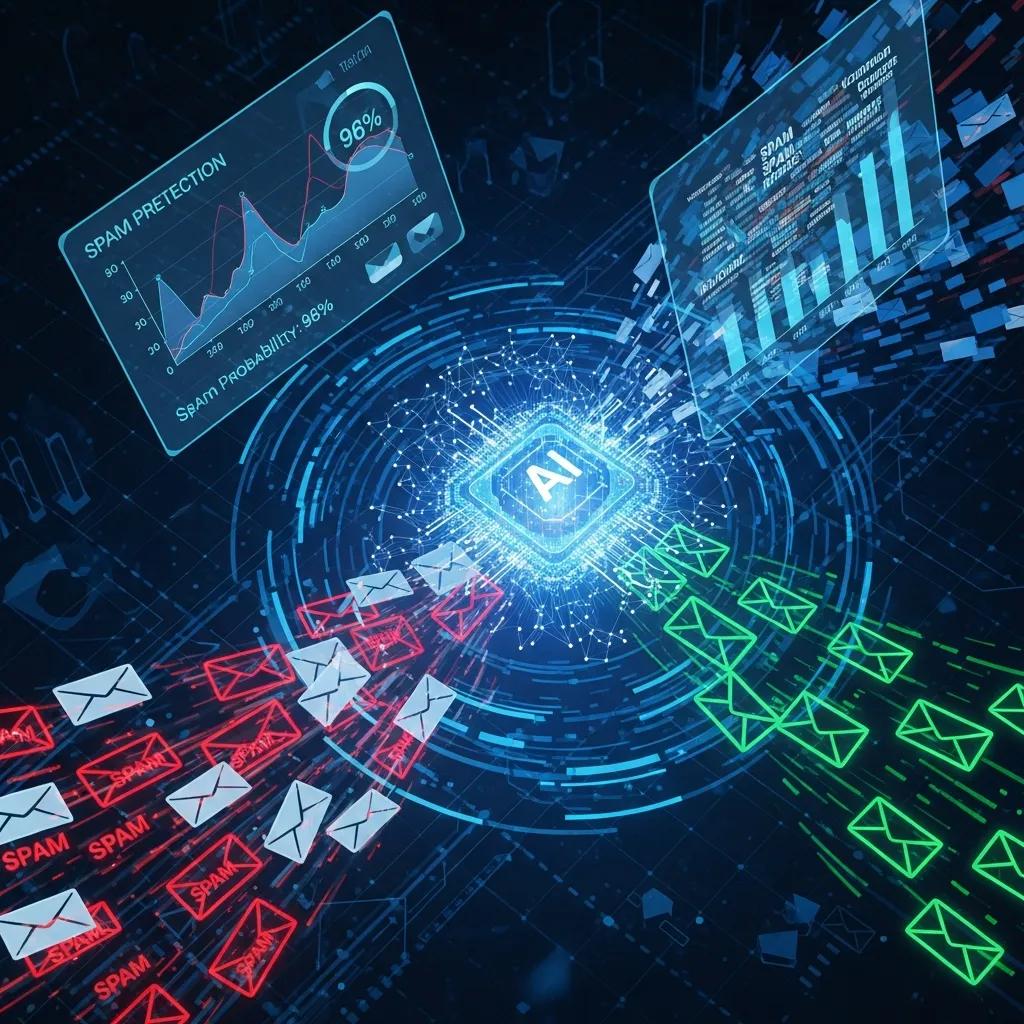
An AI Spam Email Checker complements disposable emails by scanning message content and metadata to spot spam indicators, assign a risk score, and suggest next steps for senders or recipients. Paired with disposable addresses, the AI helps you spot suspicious messages delivered to ephemeral inboxes and helps legitimate senders improve deliverability by identifying common spam triggers. TempoMailUSA’s AI tool inspects headers and bodies, returns a spam score with flagged issues, and recommends corrective actions — all within a privacy‑first model that minimizes retention and avoids profiling for advertising.
What Is the AI Spam Email Checker and How Does It Work?
The AI Spam Email Checker evaluates incoming or outgoing messages using learned spam signals and heuristics across headers, body content, and sender reputation. Results typically include a numeric spam score, a list of flagged triggers (for example, suspicious links or phrases), and concise recommendations to improve message quality or handling. TempoMailUSA’s implementation focuses on privacy: the tool is free, requires no signup, keeps minimal retention, and does not profile message content for ads, while delivering actionable diagnostics to help both recipients and legitimate senders reduce unwanted mail and improve overall email hygiene.
| Tool | Attribute | Outcome |
|---|---|---|
| AI Spam Email Checker | Function | Detects spam indicators and scores messages |
| AI Spam Email Checker | Output | Spam score, flagged issues, recommendations |
| AI Spam Email Checker | Privacy Model | Minimal retention; no content profiling |
How AI Enhances Email Deliverability and Spam Score Analysis
AI helps senders by highlighting specific issues that trigger spam filters — such as misleading subject lines, suspicious link domains, or high image‑to‑text ratios — and offering precise fixes to lower the spam score. For recipients using disposable addresses, AI flags high‑risk messages so you can discard them safely without opening harmful content. Practical fixes from AI analysis include adjusting subject lines, cleaning mailing lists, and aligning sender authentication (SPF/DMARC‑style concepts) to reduce false positives and improve inbox placement. Combined with disposable address strategies, these steps add a useful layer of defense against unwanted mail.
What Are Common Questions About Disposable Emails and Spam Prevention?
People often ask how long disposables last, whether they can replace a primary email, and how to balance convenience with account safety. Clear answers help you pick the right tool and avoid common mistakes like using throwaway addresses for recovery. The short Q&A below gives quick, practical guidance.
How Long Do Temporary Emails Last and When Should You Use Them?
Temporary emails usually last from a few minutes up to several hours or days, depending on the provider’s lifecycle policy; some services auto‑delete messages and inboxes in roughly twelve hours while others offer configurable windows. Use a short‑lived disposable for one‑time verification and a slightly longer window when you expect temporary follow‑ups. If you need ongoing access for account management, don’t use a disposable address — use a primary account or move the service to a persistent email before the disposable expires. Planning the expected lifespan before signup prevents accidental lockout or missed messages.
Can Disposable Emails Replace Your Primary Email for All Accounts?
No — disposable emails can’t fully replace a primary email because they lack robust recovery, long‑term storage, and identity verification tools required by banks, government agencies, and some business services. Disposables are ideal for casual signups and temporary testing; for accounts that need password resets, billing notices, or legal correspondence, use a primary email. The practical approach is hybrid: use disposable addresses for ephemeral interactions and keep your primary email for ongoing, critical needs to ensure security and access continuity.
This article ends here after addressing the last provided heading. For more details, you can protect yourself from phishing.
Frequently Asked Questions
What are the limitations of using disposable emails?
Disposable emails offer real privacy benefits but come with limits. They aren’t suitable for long‑term accounts, identity verification, or services that need recovery options (like banking or government). Some sites also block disposable addresses, reducing their usefulness. And because disposable inboxes aren’t designed for secure, long‑term storage, avoid sending sensitive information through them. Knowing these limits helps you use disposables where they work best.
How can I choose a reliable disposable email service?
Pick a service that clearly states minimal data retention, automatic deletion of messages, and no content profiling for advertising. Check user reviews for reliability and privacy practices, and look for a clean interface with features like auto‑refreshing inboxes. TempoMailUSA, for example, is known for being fast, private, and easy to use — traits that matter when you need a dependable disposable email solution.
Can I use disposable emails for online shopping?
Yes — disposable emails work well for one‑time purchases or signing up for promotional offers and can keep your main inbox free of marketing mail. But be cautious if you expect order confirmations, shipping updates, or customer support exchanges: those are better handled through your primary email so you can protect yourself and access receipts easily.
How do disposable emails affect my online privacy?
Disposable emails improve privacy by limiting how much personal information you share and by preventing long‑term profiling. If a disposable address is compromised, the exposure is limited to that alias, protecting your primary identity. Still, don’t share sensitive personal data through disposable addresses, since they’re not a substitute for secure, verified accounts.
What should I do if I receive spam on a disposable email?
If a disposable address attracts spam, the simplest fix is to discard it and create a new one. That’s the point of temporary addresses: when an alias becomes noisy, you can retire it and move on. If a particular service keeps sending unwanted messages, consider reporting it to the provider or avoid using that service again.
Are there any legal implications of using disposable emails?
Using disposable emails is generally legal, but you must follow the terms of service for websites you use. Some sites prohibit disposable addresses for account creation or verification. Using disposable emails for fraud, scamming, or identity theft is illegal and can have serious consequences. Use disposable addresses responsibly and within the law.
Conclusion
Disposable emails are a simple, effective way to reduce spam and protect your main inbox. They let you interact with sites and services without creating long‑term links to your identity, and — when used with good practices — they help keep your email life tidy and secure. Try a reputable disposable email service to see how it fits your workflow and to take control of unwanted messages.