
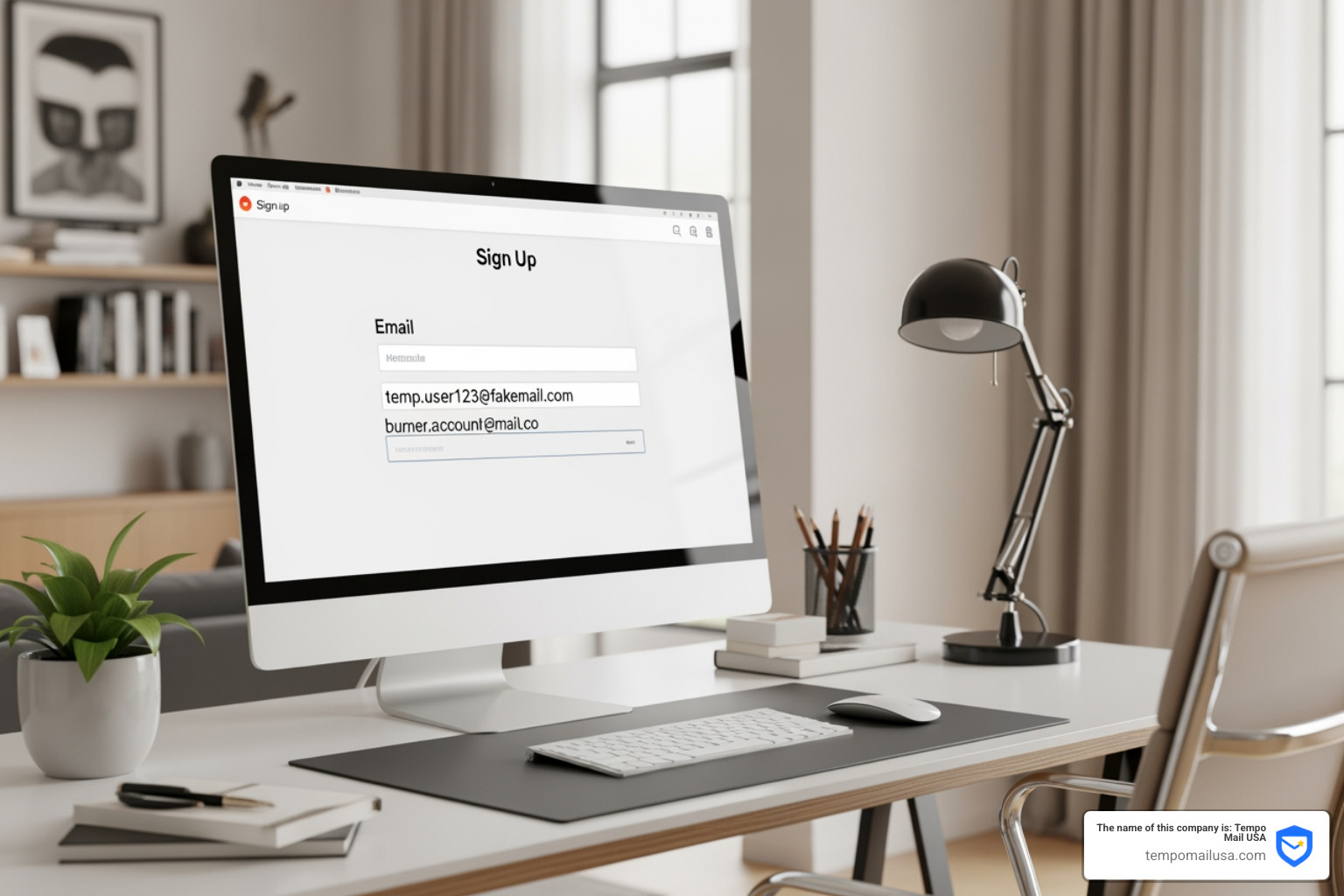
How to Use a Fake Sign Up Email for Every Web Form

Why Privacy-Conscious Users Turn to Disposable Email Addresses
Fake email for sign up services provide instant, disposable email addresses that let you register for websites without exposing your real inbox. Here's what you need to know:
Quick Answer: How to Use a Fake Email for Sign Ups
- Visit a temporary email service (like Tempo Mail USA)
- Copy your instantly-generated disposable address
- Paste it into any web form requiring email verification
- Check the temporary inbox for confirmation links
- Discard the address when done—no cleanup needed
Nearly 99% of apps and services today require an email address to sign up. Every time you hand over your real email, you're adding your address to another database that could be hacked, sold, or used to flood your inbox with promotional messages.
Disposable email addresses solve this problem by acting as a privacy firewall between you and the websites you visit. Also called burner emails, throwaway addresses, or temporary mail, these tools create valid email addresses that pass verification checks but self-destruct after use.
The technology is simple: you get a working inbox that receives emails for a limited time—typically anywhere from 60 minutes to a few days—then everything disappears. No registration required. No personal information collected. Just instant protection from spam, tracking, and data breaches.
Whether you're signing up for a free trial on Spotify, downloading an ebook, or creating a YouTube account, disposable emails let you access services anonymously while keeping your real inbox clean and secure.
What is a Fake Email for Sign Up?
At its core, a fake email for sign up is a functional, temporary mailbox created on the fly. Don't let the word "fake" fool you; these addresses are technically valid and fully capable of receiving messages. They are "fake" only in the sense that they aren't tied to your real identity or your permanent personal records.
Think of it as a digital proxy. When a website asks for your contact info, you provide this temporary alias. The service sends the confirmation link or the discount code to that address, you click it, and then you walk away. You get the content you wanted, and the company gets an email address that will eventually stop working. It’s a win-win for your privacy.
These services are designed for anonymity. Unlike Gmail or Outlook, which require your name, phone number, and sometimes even a blood type (okay, not really, but it feels like it!), a fake email for sign up requires zero registration. It is an "instant-on" tool for the modern web.
Common Names for a Fake Email for Sign Up
Depending on who you talk to, you might hear these tools referred to by a dozen different names. In the tech world, we call them Disposable Email Addresses (DEA). In common conversation, they are often called "burner emails"—a nod to the burner phones used in spy movies.
Other common terms include:
- Throwaway Mail: Used once and tossed aside.
- Transitory Email: Emphasizing the short lifespan of the inbox.
- Anonymous Inbox: Highlighting the privacy aspect.
- Session-based Mail: An inbox that lasts only as long as your current browsing session.
Whether you are looking for a Fake Email for TikTok or a Fake Email for YouTube, the goal is always the same: valid communication without personal exposure.
How Disposable Email Technology Works
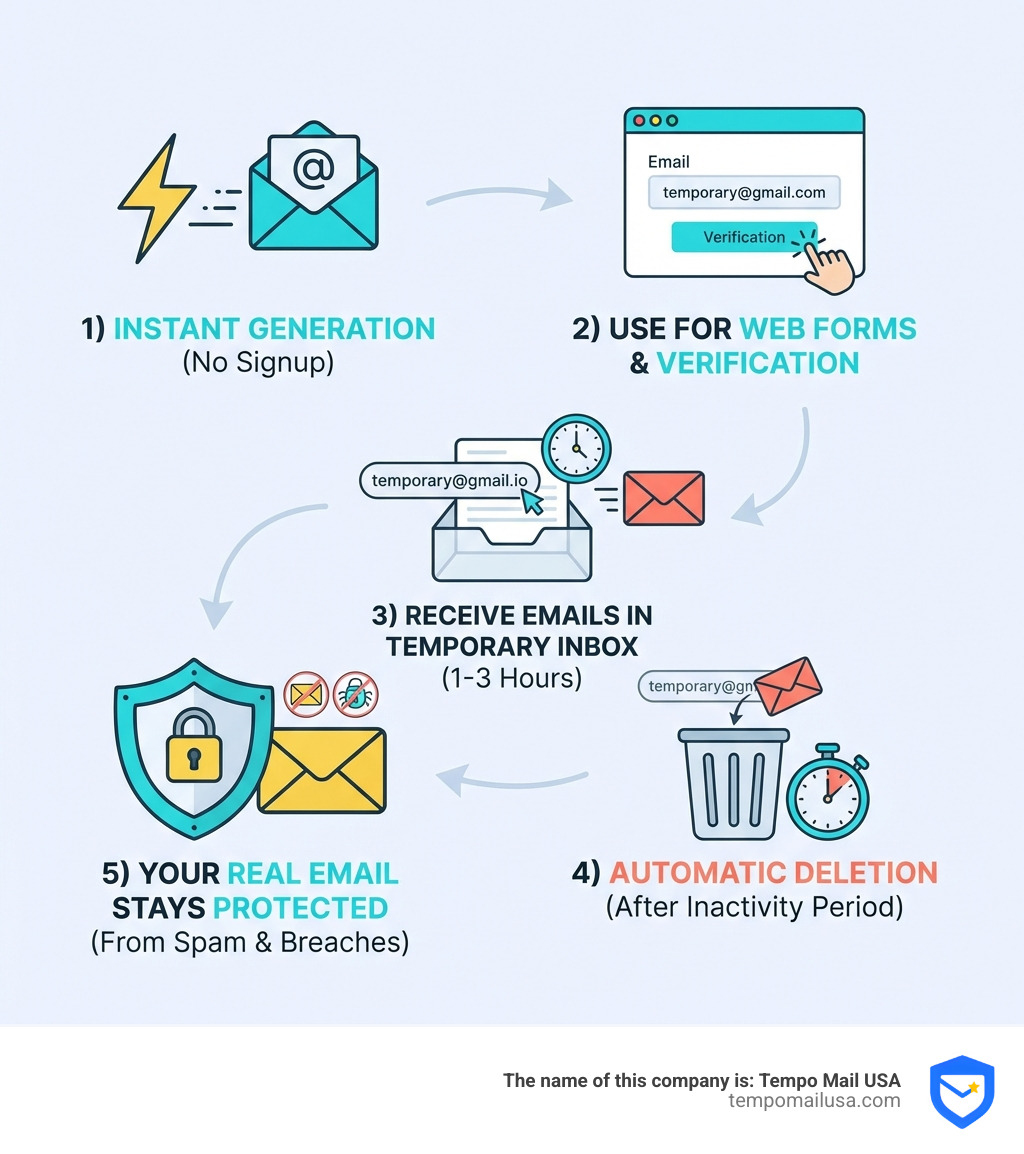
The tech behind these services is quite fascinating. It relies on specialized SMTP (Simple Mail Transfer Protocol) servers configured to accept mail for thousands of different domains simultaneously. When you visit Tempo Mail USA, our system automatically generates a unique string of characters and pairs it with one of our active domains.
These messages are stored in temporary storage—usually a fast-access database rather than a permanent hard drive. To keep the system running smoothly and protect user privacy, we implement automated cleanup routines. For example, many services operate on a "3-hour inactivity expiry" rule. If you haven't checked the inbox in three hours, the system assumes you're done and wipes the data.
For those who want to dig deeper into the technical side, you can explore the Tempo Mail USA developer docs to see how these systems can be integrated into other applications.
Why You Should Use Temporary Emails for Online Forms
The internet can be a messy place. Data breaches are no longer a "maybe"—they are a "when." According to research, nearly 99% of apps require an email, and many of these services have lackluster security. When a store's database is hacked, your real email address ends up on a "pwned" list, which is then sold to scammers and spammers.
Using a fake email for sign up creates a buffer. If the site you signed up for gets breached, the only thing the hackers get is an expired burner address. Your primary inbox—where your bank statements and family photos live—remains untouched.
Benefits of Using a Fake Email for Sign Up for Free Trials
We’ve all been there: you want to try a service for 30 days, but you know that once you sign up, you'll be hounded by "Please come back!" emails for the rest of eternity.
Using a fake email for sign up for trials is the ultimate life hack. It allows you to:
- Extend Trials: If you need another week to test a software, you can simply generate a new address.
- Avoid Credit Card Commitment: Many sites offer "no credit card required" trials but still want your data. Give them a Fake Email for Adobe Trial instead.
- Test Premium Features: Use a Fake Email for Netflix or a Fake Email for Spotify Trial to see if the service is worth your hard-earned cash without cluttering your real life.
Protecting Your PII from Marketing Databases
PII stands for Personally Identifiable Information. Your real email address is a "key" that marketers use to link your activities across the web. By using a fake email for sign up, you are essentially "PII shielding."
Retailers are notorious for this. You just want a coupon for some lotion, so you give them your email. Suddenly, you're receiving three emails a day about "Semi-Annual Sales." By using a Fake Email for Bath and Body Works Coupon or a Fake Email for Ulta Coupon, you get the discount code in your temporary inbox, use it at checkout, and keep your real inbox free of promotional sludge.
| Feature | Real Email Address | Disposable Email (Tempo Mail USA) |
|---|---|---|
| Spam Protection | Low (Requires filters) | High (Self-destructs) |
| Anonymity | None | Total |
| Data Breach Risk | Permanent exposure | Zero (Address expires) |
| Setup Time | 5-10 minutes | Instant (No signup) |
| Identity Linkage | Links all accounts | Proxies your identity |
How to Choose and Use a Reliable Disposable Email Service
Not all temporary mail services are created equal. When you’re looking for a provider, you want speed, reliability, and a clean interface.
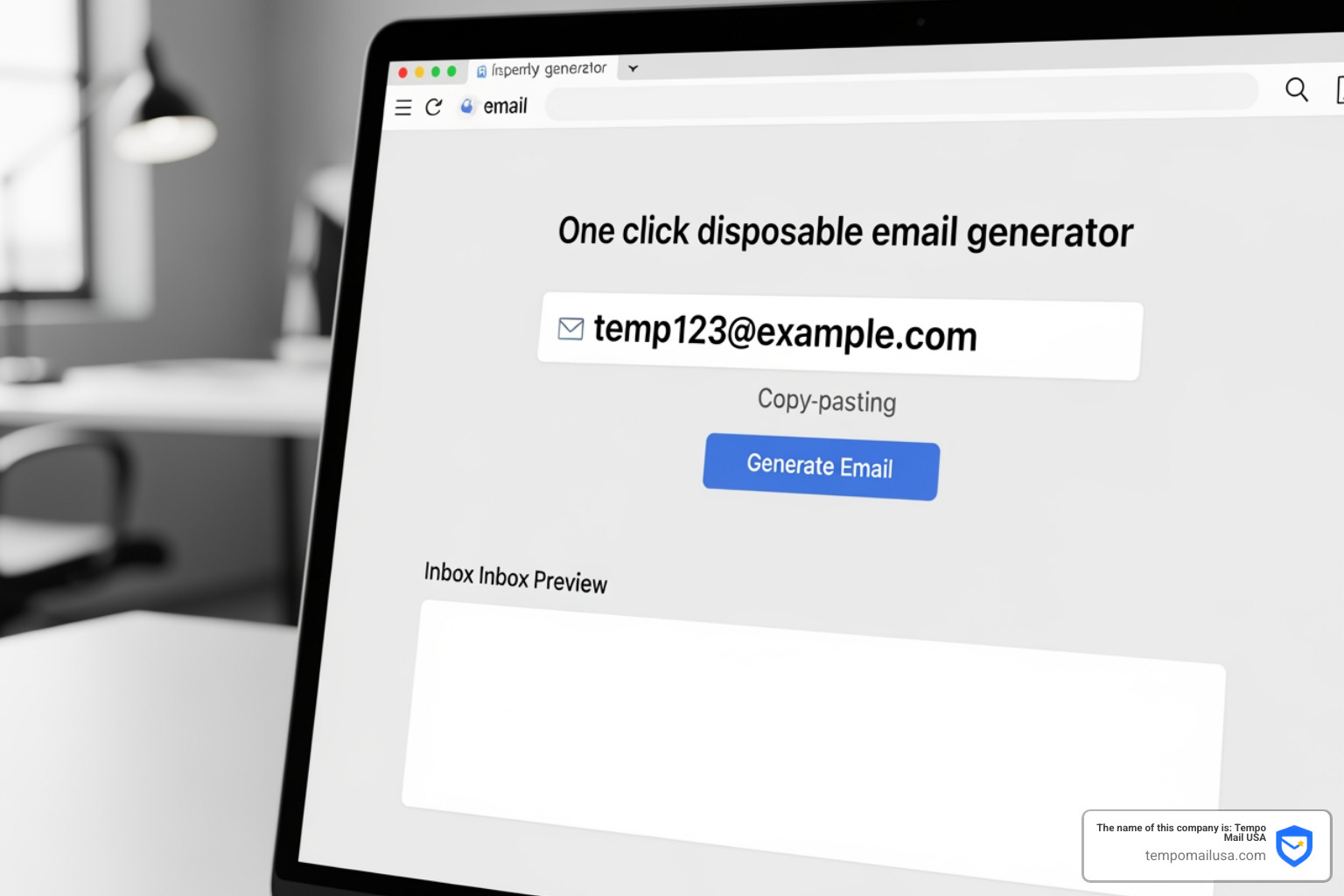
A good service should offer:
- No Registration: If they ask for your name to give you a "fake" email, run away!
- Speed: The email should appear in your temporary inbox within seconds.
- Domain Variety: Some websites block common burner domains, so having a variety of options is key.
- Developer Access: For the tech-savvy, API tools for developers allow for advanced uses like Fake Email for Python Automation.
Step-by-Step Guide to Generating Your First Burner Address
If you've never used one before, don't worry—it's easier than ordering a pizza.
- Navigate to the Site: Go to Tempo Mail USA. You don't need to click "Sign Up." An address is usually waiting for you the moment the page loads.
- Copy the Address: Click the "Copy" button to put the address on your clipboard.
- Paste in the Web Form: Whether you're using a Fake Email for ChatGPT or signing up for a forum, just paste the address where it asks for your email.
- Monitor the Inbox: Keep the Tempo Mail tab open. When the service sends the verification email, it will pop up in the list below your address.
- Click and Discard: Open the email, click the verification link, and then you can simply close the browser tab. The address will expire on its own.
Best Use Cases for Throwaway Email Addresses
There are countless "legitimate" reasons to use a fake email for sign up. It’s not just for hackers; it’s for anyone who values their time and digital peace.
- Public Wi-Fi: We've all been at the airport or a hotel where the Wi-Fi is "free," but only if you give them your email. Use a Fake Email for Airport WiFi or Fake Email for Hotel WiFi to get online without the subsequent marketing spam.
- Gated Content: Want to download a "Free PDF Guide" that requires an email? Use a Fake Email for Gated Content or a Fake Email for Ebook Download.
- QA and App Testing: Developers use these to create "dummy" accounts to test sign-up flows.
- Social Verifications: If you need a secondary account for a quick check, a Fake Email for Tinder Verification can help keep your personal life separate from your digital experiments.
Risks and Limitations of Temporary Mail
While we love disposable emails, we have to be honest: they aren't for everything. Because these inboxes are temporary and often public, there are a few things you should avoid.
1. Account Recovery: Never use a fake email for sign up on an account you plan to keep forever. If you forget your password six months from now, you won't be able to access the temporary inbox to reset it. 2. Sensitive Data: Don't use burner emails for banking, Fake Email for PayPal Verification, or anything involving your social security number. 3. Service Blocking: Some high-security sites (like major banks) maintain lists of known disposable domains and may block them. 4. Public Exposure: On some free services, the inboxes are public. If someone guesses your temporary username, they might see your confirmation emails.
For something like a Fake Email for Amazon Student, make sure you only use it for the initial sign-up and understand that you might lose access to that specific account once the email expires.
Frequently Asked Questions about Disposable Emails
How long do temporary email addresses typically last?
Retention periods vary by provider. Some offer a "60-minute email," while others, like Tempo Mail USA, keep the inbox active as long as you are using the site. Generally, an inbox will expire after about 3 hours of inactivity. This ensures that the "trash" is taken out regularly and your data doesn't sit around forever.
Can I receive attachments with a fake email?
Yes! Modern disposable services often support attachments. This is incredibly useful for developers who are testing file-sending apps or for users downloading whitepapers. However, keep in mind there are usually storage limits (often a few megabytes) and security scanning to prevent the spread of malware.
Are disposable emails legal to use for sign-ups?
Absolutely. There is no law against using a temporary email address. It is a privacy tool, much like a VPN. However, using them might violate the "Terms of Service" of certain websites that require a "permanent" email address. They might close your account if they catch you, but you aren't breaking any laws by protecting your privacy.
Conclusion
In an era where your data is the most valuable commodity on earth, a fake email for sign up is your best line of defense. By using Tempo Mail USA, you aren't just avoiding spam; you're creating a cybersecurity firewall that shields your real identity from the prying eyes of marketing databases and potential hackers.
Our service acts as a secure identity proxy, ensuring that your real PII stays where it belongs—with you. So, the next time a web form stands between you and the content you want, don't give away your digital life. Use a burner, stay anonymous, and keep your inbox clean.
Need a disposable temporary email?
Protect your real inbox from spam and promotional clutter instantly and free.
Received a suspicious email, text, or charge alert?
Verify whether the sender domain is disposable, spoofed, or unverified before clicking links.