



Why DocuSign Email Scams Are Skyrocketing Right Now
DocuSign email scams are phishing attacks where cybercriminals impersonate the legitimate electronic signature service to steal your credentials, financial information, or personal data. These scams have exploded in recent years because DocuSign's trusted reputation makes their fake emails surprisingly effective.
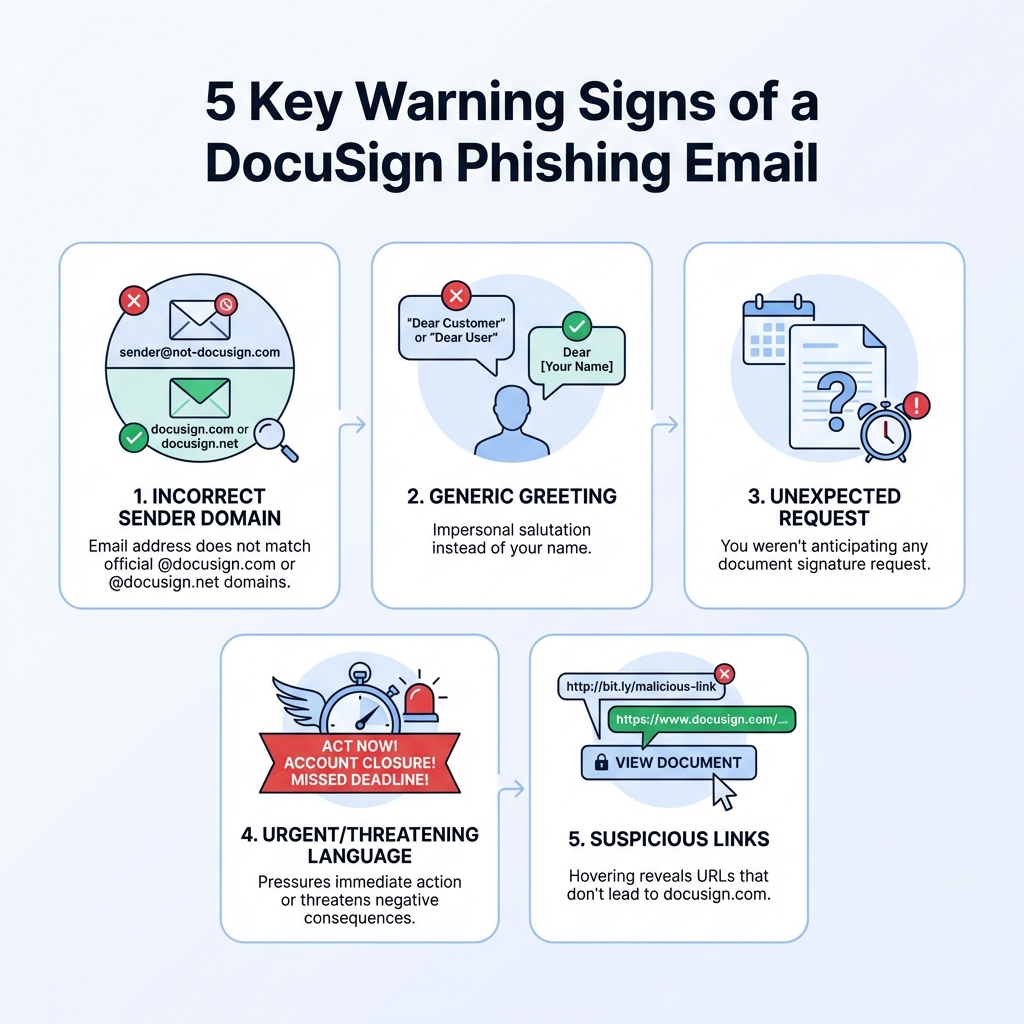
How to identify a DocuSign email scam:
| Red Flag | What to Look For |
|---|---|
| Sender Address | Not from @docusign.com or @docusign.net |
| Generic Greeting | "Dear Customer" instead of your name |
| Unexpected Request | You weren't expecting any document |
| Suspicious Links | URLs that don't lead to docusign.com |
| Urgent Language | Threats about account closure or missed deadlines |
| Attachments | Legitimate DocuSign never sends signature requests as attachments |
The numbers tell a sobering story. Newly released Federal Trade Commission data shows that consumers lost nearly $12.5 billion to fraud in 2024. DocuSign's popularity makes it a prime target for scammers who know people routinely click on signature requests without thinking twice.
What makes these scams particularly dangerous is their sophistication. Attackers now abuse DocuSign's own APIs to send fraudulent documents through official servers, bypassing traditional email filters. Some even pay for legitimate DocuSign accounts to create professional-looking templates that mimic real business communications perfectly.
The stakes are high. A single click can expose your login credentials, banking details, and sensitive personal information. For businesses, the risks multiply—compromised employee accounts can lead to payment fraud, data breaches, and unauthorized document approvals that cost thousands to remediate.
But here's the good news: once you know what to look for, these scams become easy to spot. The patterns are predictable, and the red flags are clear.
How to Instantly Spot a Fake Docusign Email
It's a digital jungle out there, and cybercriminals are masters of camouflage. When it comes to DocuSign email scams, their goal is simple: trick you into believing their fake email is the real deal. But with a keen eye and a bit of knowledge, we can turn the tables and spot these imposters a mile away. Our mission is to empower you to identify a fake DocuSign email, understand the red flags, and verify the authenticity of any DocuSign communication.
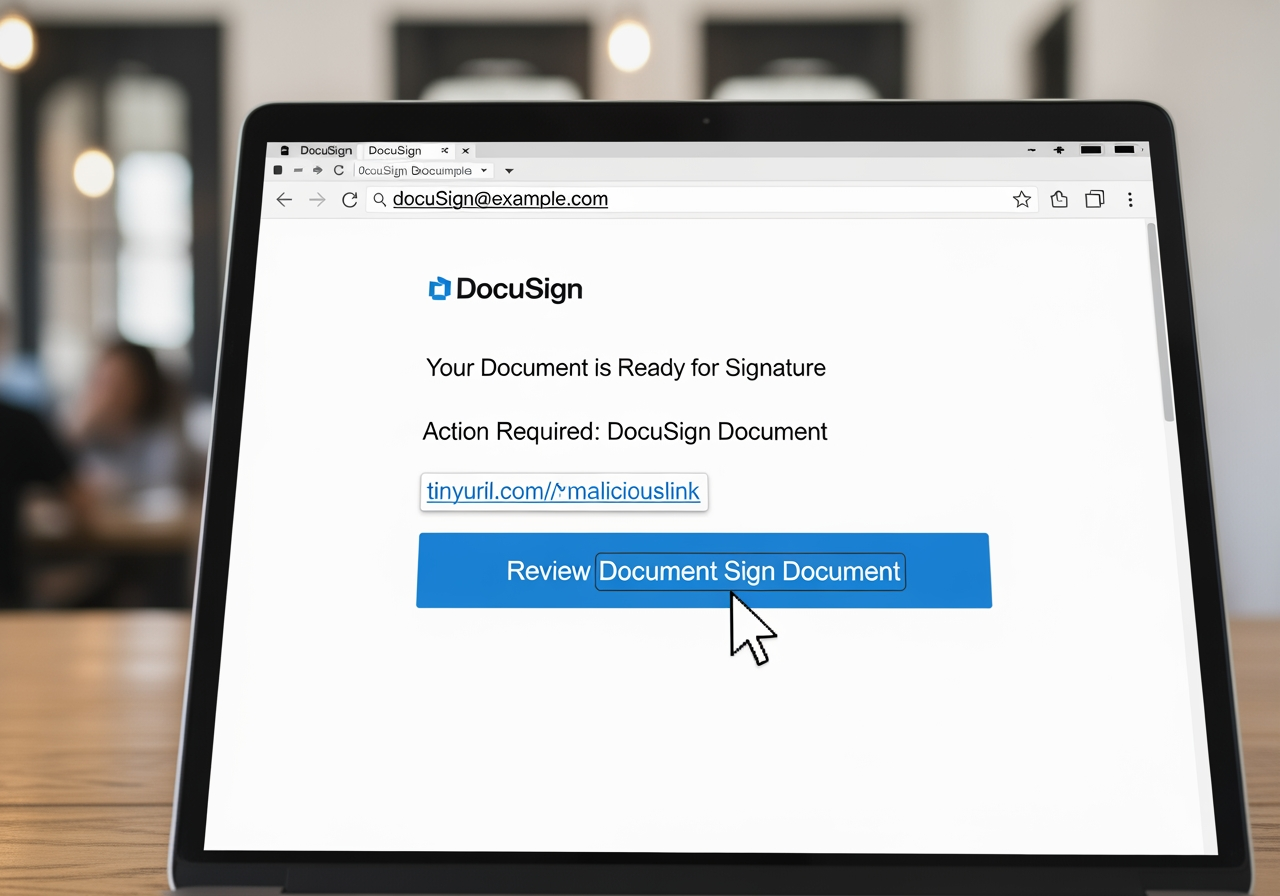
The key to identifying a fake DocuSign email lies in scrutinizing the details. Scammers often overlook subtle elements that give away their deception. Let's look at a quick comparison to get our detective hats on:
| Feature | Legitimate DocuSign Email | Fake DocuSign Email (Scam) |
|---|---|---|
| Sender Domain | @docusign.com or @docusign.net | Often misspelled, generic, or unrelated domains (e.g., d0cusign.com, mail.com, co.za) |
| Personalization | Addresses you by name, references specific document details | Generic greetings ("Dear Customer," "Valued User"), vague document descriptions |
| Security Code | Includes a unique security code for direct access on docusign.com | Usually absent, or a fake/invalid code |
| Attachments | No attachments for signature requests; contains a secure link to the document | Often includes suspicious attachments (e.g., .zip, .exe, .html) |
| Link Destination | Hovering reveals URLs leading to official docusign.com or docusign.net | Hovering reveals URLs leading to suspicious, unrelated, or misspelled domains |
Common Red Flags of a Docusign Email Scam
When we receive an email claiming to be from DocuSign, our first instinct might be to click the prominent "Review Document" button. But hold on! A quick check for these red flags can save us a world of trouble:
- Suspicious Sender Address: This is often the easiest giveaway. A legitimate DocuSign email will always come from a domain like
@docusign.comor@docusign.net. Scammers might use variations liked0cusign.com,docusign.info, or completely unrelated email addresses. Always check the full sender address, not just the display name! - Mismatched Branding & Outdated Logos: Cybercriminals sometimes use outdated logos or inconsistent branding elements. DocuSign recently rebranded, changing from "DocuSign" to "Docusign" (lowercase 's'). A scam email might still use the old capitalization or an outdated logo, as highlighted by DocuSign's own incident reporting page which notes a fake email might have an "outdated logo and color scheme."
- Hover-to-Preview URLs: Before you click any link, hover your mouse over it (without clicking!). A small pop-up will usually show the true destination URL. If it doesn't lead to
docusign.comordocusign.net, it's likely a DocuSign email scam. Be extra cautious, as some sophisticated scams use multiple redirects or URLs that look similar to the real ones. - Unsolicited Attachments: This is a big one. Legitimate DocuSign emails for signature requests never include attachments. They always provide a secure link to view the document directly on their platform. If you see an attachment, especially a .zip, .exe, or .html file, it's a huge red flag for a DocuSign email scam.
- QR Codes (Quishing): A newer, increasingly sophisticated tactic involves QR codes. Some scam emails might contain a QR code that, when scanned, redirects you to a phishing page designed to steal your credentials or even install malware. If you receive an unexpected email with a QR code, treat it with extreme suspicion.
- Generic Greetings and Poor Grammar: Legitimate DocuSign emails are usually personalized. If it starts with "Dear Customer" or "Valued User," be wary. Also, keep an eye out for grammatical errors, misspellings, or awkward phrasing. While some scammers are getting better, these linguistic slip-ups are still common tells.
- Urgency and Pressure Tactics: Scammers love to create a sense of urgency to make us act without thinking. Phrases like "Immediate action required," "Your account will be suspended," or "Final notice" are designed to panic you into clicking. Always take a moment to evaluate the situation calmly.
- Pop-ups: Legitimate DocuSign documents open in a new browser window or tab, never as a pop-up within the email itself. If an email tries to display a pop-up, it's a clear sign of a scam.
Legitimate Docusign Communications
So, what does a real DocuSign email look like? Knowing the genuine article helps us spot the fakes. Here’s what we should expect:
- Official Domains: All legitimate DocuSign communications will come from email addresses ending in
@docusign.comor@docusign.net. These are their official domains. - Unique Security Code: Often, legitimate DocuSign emails will include a unique security code. This code allows you to safely access a document by going directly to docusign.com and entering the code using the Access Documents feature. This is a fantastic way to bypass any potentially malicious links in an email.
- No Unexpected Attachments: As we've mentioned, DocuSign doesn't send documents as attachments for signing. They provide a secure link.
- Personalized Greetings: Real DocuSign emails will typically address you by your name and refer to specific documents or senders you are expecting.
- Clear and Professional Language: The language will be clear, concise, and free of grammatical errors or misspellings.
By familiarizing ourselves with these distinctions, we can significantly reduce our vulnerability to DocuSign email scams.
The Evolution and Tactics of the Docusign Email Scam
The landscape of cybercrime is constantly shifting, and DocuSign email scams are no exception. What started as simple phishing attempts has evolved into sophisticated operations that can bypass traditional security measures and leverage DocuSign’s own infrastructure. We've seen how cybercriminals are exploiting DocuSign's platform and its trusted reputation to their advantage, leading to significant business risks and personal consequences.
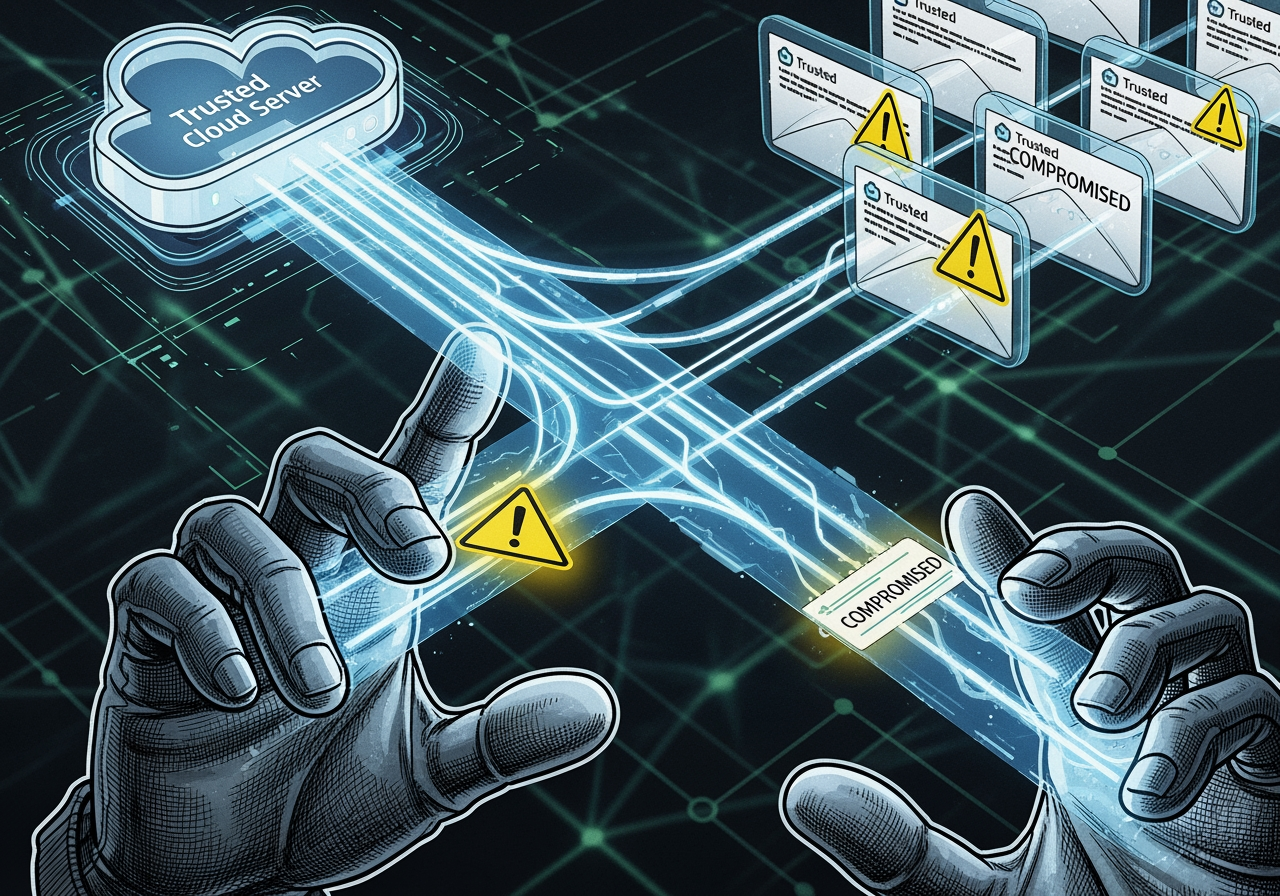
The sophistication of DocuSign phishing scams has evolved dramatically over time. Attackers are no longer just sending poorly crafted emails. They are now abusing DocuSign's Envelopes API to deliver fraudulent invoices, impersonating brands like Norton and PayPal, and even managing to reach victims through legitimate DocuSign.net domains. This means that even emails seemingly from official DocuSign addresses can contain malicious links or documents, making detection much harder.
The potential consequences of falling victim to a DocuSign email scam are severe. For individuals, this can mean identity theft, financial fraud, unauthorized access to bank accounts, or compromised personal data. For businesses, the risks are even greater:
- Payment Fraud and Financial Loss: Scammers can trick employees into approving fake invoices or making unauthorized payments.
- Data Exposure and Breaches: Stolen credentials can lead to access to sensitive company data, intellectual property, and customer information.
- Operational Disruption: Dealing with a breach requires significant time and resources, disrupting normal business operations.
- Reputation Damage: A data breach or fraud incident can severely damage a company's trust and reputation with its clients and partners.
- Legal and Compliance Penalties: Breaches often come with hefty fines and legal ramifications under data protection regulations.
How Cybercriminals Exploit Docusign's Reputation
Why DocuSign? Because it's a widely trusted platform. People are used to receiving important, legitimate documents through it. Cybercriminals exploit this inherent trust, turning a routine business interaction into a trap. They leverage DocuSign's brand recognition and the expectation of receiving contracts or important notices to execute various types of DocuSign email scams:
- Fake Invoices: One of the most common types of scams involves fake invoices. Scammers create documents that look like legitimate bills from well-known companies (e.g., Norton, PayPal, Geek Squad) and send them via DocuSign. The goal is to either get you to pay a fraudulent amount or to click a link that leads to a phishing site for credential harvesting.
- Refund Notifications: Another tactic is to send fake refund notifications. These emails might claim you're due a refund but need to "verify" your account details by clicking a link, which, of course, leads to a phishing site.
- Employment Documents: Scammers also target job seekers or employees with fake employment contracts, HR documents, or non-disclosure agreements (NDAs). These are designed to extract personal information like Social Security numbers, bank details, or other sensitive PII.
- Government Impersonation: These attacks often involve scammers posing as a government agency, like the HHS (U.S. Department of Health and Human Services) or DOT (Department of Transportation), to collect payments for made-up expenses, like driver’s license renewals or back taxes. The official-looking nature of a government-themed DocuSign request can be incredibly convincing.
Real-World Examples of a Docusign Email Scam
The evolution of these scams is best understood through real-world examples:
- PayPal Impersonation: Attackers have impersonated PayPal using DocuSign’s API and document templates to trick victims with realistic invoices or refund notices. These messages often use PayPal logos and prompt users to “cancel” an unauthorized transaction by entering their account details on a fake site. The use of DocuSign's API means these emails can originate from legitimate DocuSign servers, making them harder to detect by standard email filters.
- Norton Invoice Fraud: In late 2024, a notable DocuSign phishing incident involved attackers abusing DocuSign’s Envelopes API to deliver fraudulent invoices impersonating brands like Norton. Victims received emails that looked like authentic DocuSign notifications, but the linked "invoices" were designed to steal information or initiate fraudulent transactions.
- HR-Themed Attacks with QR Codes: We've seen sophisticated campaigns where emails claiming to be from HR or payroll departments contain QR codes. Scanning these codes directs users to highly convincing phishing sites designed to harvest login credentials. This "quishing" technique bypasses traditional URL filters and relies on the user's trust in the sender and the convenience of QR codes.
- Multi-Stage Data Reconnaissance: Some recent phishing attempts have shown an even more complex twist. Instead of immediately asking for credentials, these scams use DocuSign notifications to lead users to legitimate platforms like Webflow. From there, victims are redirected to randomized domains with low-bar CAPTCHAs, primarily to perform browser fingerprinting and data reconnaissance. The ultimate goal isn't immediate credential theft but to gather enough information to launch more targeted attacks later. This makes the attacks easy to miss because they don't immediately present a fake login form or malware.
These examples underscore the critical need for vigilance. Scammers are constantly refining their methods, making it imperative for us to stay informed and cautious.
Your Action Plan: What to Do After Encountering a Scam
Receiving a suspicious email can be unsettling, but knowing what to do next is your best defense. Our goal is to equip you with a clear action plan, whether you merely suspect a DocuSign email scam or have accidentally clicked a malicious link. This section covers the immediate steps you should take and where to report these fraudulent attempts.
If You Suspect an Email is a Scam
The moment that little voice in your head whispers, "Hmm, this doesn't look right," it's time to act. Here’s what we should do:
- Do Not Click Links or Open Attachments: This is the golden rule. Even if curiosity is biting, resist the urge. Clicking a malicious link can lead to phishing sites, and opening attachments can release malware onto your device.
- Verify Independently: If you're unsure whether a DocuSign request is legitimate, do not rely on the email's links. Instead, go directly to the official DocuSign website (
www.docusign.com) in your browser and log in to your account. Any documents awaiting your signature will be there. You can also use the unique security code found in legitimate DocuSign emails to access documents directly on their site. - Report the Email: DocuSign wants to know about these scams. We should forward suspicious emails to their security team.
- For emails impersonating DocuSign (off-platform scams), forward the entire email as an attachment to
verify@docusign.com. - If you received a suspicious DocuSign envelope (on-platform abuse), use the built-in Report Abuse feature or click the "Report this email" link in the footer of the email notification.
- If you want to report a DocuSign customer for fraud/illegal activity but don't have access to the email or envelope, use DocuSign's online portal i-Sight.
- For emails impersonating DocuSign (off-platform scams), forward the entire email as an attachment to
- Delete the Message: After reporting, delete the suspicious email from your inbox to prevent accidentally interacting with it later.
If You Accidentally Clicked a Malicious Link
Oops! It happens to the best of us. If you clicked a link in a DocuSign email scam, don't panic, but act quickly. Here's our immediate action plan:
- Disconnect from the Internet: Immediately disconnect your device from the internet (unplug Ethernet, turn off Wi-Fi). This can prevent malware from spreading or sensitive data from being exfiltrated.
- Run Antivirus/Anti-Malware Software: Perform a full, deep scan of your computer or device using reputable antivirus and anti-malware software. Remove any detected threats.
- Change Passwords: If you entered any credentials on a suspicious page, or even if you just clicked the link, assume your accounts might be compromised. Change your password for DocuSign and any other accounts that share the same password. Prioritize email, banking, and other critical accounts.
- Enable Two-Factor Authentication (2FA): If you haven't already, enable 2FA on all your critical accounts. This adds an extra layer of security, making it much harder for attackers to access your accounts even if they have your password.
- Monitor Financial Accounts: Keep a close eye on your bank statements, credit card activity, and any other financial accounts for unauthorized transactions. Report anything suspicious immediately to your bank.
- Notify Your IT Department (if applicable): If you're using a work device or work email, inform your IT or security department immediately. They can take steps to assess the damage and protect the organization's network.
- Report to Federal Authorities: If you fell for a DocuSign email scam that put you at risk of fraud or identity theft, you should also file a report with the Federal Trade Commission. Visit reportfraud.ftc.gov and follow the on-screen prompts to file a complaint about phishing attempts or identity theft.
By following these steps, we can mitigate the damage and protect ourselves from further harm. Vigilance and quick action are our best allies against cybercriminals.
Proactive Defense: Fortifying Your Digital Mailbox
While knowing how to react to a DocuSign email scam is crucial, our ultimate goal is to never worry about them again. This means taking proactive steps to fortify our digital mailboxes and build a robust defense against phishing attempts. It's about creating layers of security that make it incredibly difficult for scammers to reach us or succeed if they do.
Here’s how we can protect ourselves and our organizations from DocuSign phishing attempts:
- Enable Two-Factor Authentication (2FA) Everywhere: This is non-negotiable for critical accounts, especially DocuSign and your email provider. Enabling 2FA on your DocuSign account adds an essential layer of security. Even if a scammer gets your password, they can't log in without the second factor (like a code from your phone).
- Always Access DocuSign Directly: When you receive an email notifying you about a document, don't click the link. Instead, open your web browser, type
www.docusign.com(orwww.docusign.net) directly into the address bar, and log in to your account from there. This completely bypasses any malicious links in a phishing email. - Keep Software Updated: Ensure your operating system, web browser, email client, and antivirus software are always up-to-date. Software updates often include critical security patches that protect against the latest threats.
- Reduce Your Digital Footprint: The less information about you available online, the harder it is for scammers to craft targeted phishing emails. Be mindful of what you share on social media and other public platforms.
- Train Employees (for organizations): Regular security awareness training is vital. Employees should be taught how to recognize phishing attempts, the importance of reporting suspicious emails, and the company's protocols for handling sensitive information. Phishing simulations can also be very effective.
- Implement Robust Email Security Solutions: For organizations, investing in advanced email security solutions that include impersonation protection (like SPF, DKIM, and DMARC protocols), malicious URL scanning, and social engineering detection is key.
- Consider Identity Proxying Services: This is where we come in! Services like Tempo Mail USA provide identity proxying, generating secure email aliases that act as a "firewall" for your Personally Identifiable Information (PII). By using these aliases, your primary email address is never directly exposed to potential scammers. This significantly reduces the chances of receiving phishing emails in the first place, as cybercriminals won't have your real email to target. It’s a powerful way to protect your privacy and reduce the attack surface.
By combining awareness of scam tactics with robust security practices, we can significantly reduce our risk. For more information about tools that can help you secure your digital life, check out our tools.
Frequently Asked Questions about Docusign Scams
We understand that navigating online security can be confusing, especially with the constant threat of DocuSign email scams. Here are some common questions we hear, along with our expert answers, to help you feel more confident and secure.
Is docusign.net a legitimate domain?
Yes, docusign.net is a legitimate domain used by DocuSign for authentic signature request emails. However, as we've discussed, scammers can be incredibly clever. They might abuse DocuSign's services to send malicious links even from seemingly legitimate domains, or they might create domains that look very similar (e.g., d0cusign.net). Our advice: always verify the sender and the context of the email. If you have any doubts, bypass the email links entirely and log into the official DocuSign website directly to access your documents.
Does Docusign send emails with attachments?
No, legitimate DocuSign emails that request your signature do not contain attachments. When you receive a real DocuSign request, the email will provide a secure link that directs you to the DocuSign website, where you can view and sign the document within their secure environment. If you receive an email claiming to be from DocuSign that includes an attachment, especially if it's an unexpected .zip, .exe, or .html file, treat it as a highly suspicious DocuSign email scam and do not open it.
How can I report a suspicious Docusign email?
Reporting suspicious emails is a crucial step in combating DocuSign email scams. Your actions help DocuSign and the wider community stay safe. Here's how we recommend reporting:
- For emails impersonating DocuSign (off-platform scams): Forward the entire suspicious email as an attachment to
verify@docusign.com. This allows DocuSign's security team to analyze the full email headers and content. - For abuse from a legitimate DocuSign account (on-platform scams): If you received a suspicious DocuSign envelope, use the built-in Report Abuse feature or click the "Report this email" link in the footer of the envelope email notification you received. This is for instances where a legitimate DocuSign user is misusing the platform. You can also use DocuSign's online portal i-Sight if you don't have access to the original notification email.
After reporting, remember to delete the suspicious email from your inbox.
Conclusion
We've covered a lot of ground today, diving deep into DocuSign email scams. From identifying the subtle red flags in a fake email to understanding the sophisticated tactics cybercriminals employ, our journey has been about empowering you with knowledge. We've learned that these scams are not just annoying; they pose significant business risks and can lead to serious personal consequences, from financial loss to identity theft.
The good news is that we don't have to be passive targets. By combining awareness of scam tactics with robust security practices, you can significantly reduce your risk. Vigilance is our superpower: always verify sender details, hover over links before clicking, and trust your instincts if something feels off. Proactive measures like enabling two-factor authentication and accessing DocuSign directly are simple yet powerful defenses.
For an added layer of defense, services like Tempo Mail USA create a firewall for your real inbox by using secure email aliases, ensuring your primary address is never exposed to scammers in the first place. This innovative approach to email security helps keep your Personally Identifiable Information (PII) private, drastically reducing your vulnerability to phishing attempts.
Don't let cybercriminals exploit your trust in essential services like DocuSign. Take control of your digital security today. Protect your identity today and never worry about DocuSign email scams again.